







מדוע תוכניות של מרכזי הדרכה ארגוניים מאבדים לומדים
מרכזי הדרכה ארגוניים משקיעים מאמץ בתוכניות שלהם, ובכל זאת מאבדים לומדים. תיאוריה יבשה ומצגות שקופיות לא מאפשרות לאנשים "להתנסות" בנושא ההדרכה, כך שהקבוצה מתחילה להתדלדל אחרי המפגש השני.
לומדים מבוגרים מגיעים כדי לפתור משימות הקשורות לעבודה — ללא תרגול, המוטיבציה דועכת ושיעורי השלמה יורדים.
האתגרים של מרכז ההדרכה לא נעצרים במעורבות. תרגול מיומנויות דורש השכרת אולמות, ציוד ואביזרי הדגמה — מה שאומר הוצאות ופספוס מועדים.
ללא הדגמה ויזואלית, הלומדים לא יכולים לראות איך המערכת עובדת מבפנים, והחומר נשכח במהירות.
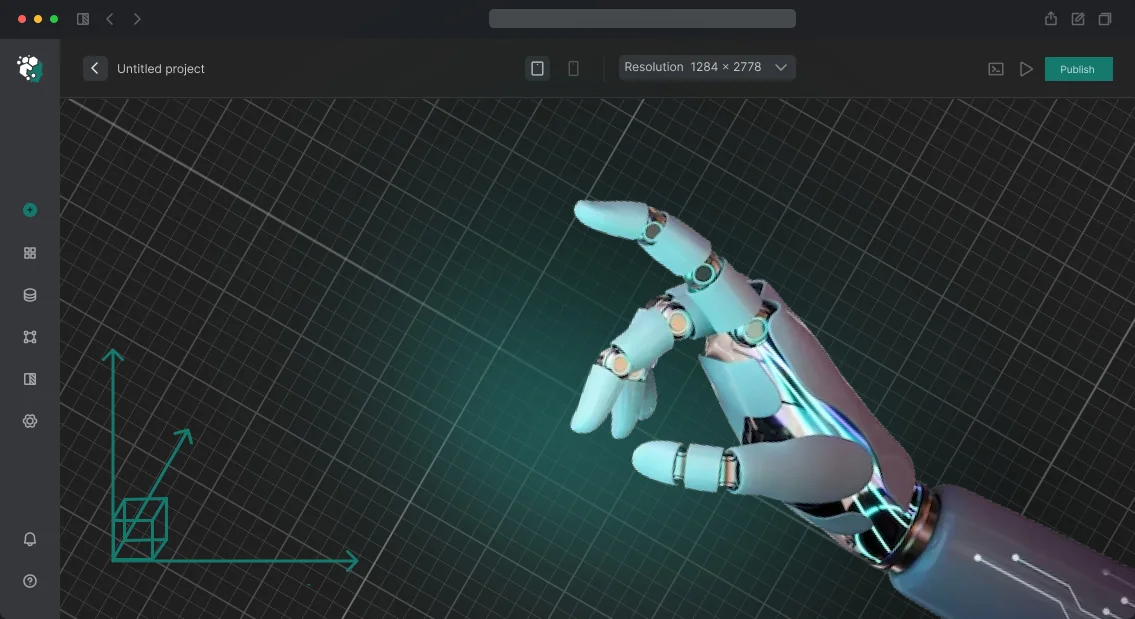
מצגת אינטראקטיבית הבנויה על ויזואליזציה תלת-ממדית להדרכה משנה את הגישה. הלומדים "נכנסים" לתוך אובייקט וירטואלי, מפרקים רכיבים, משנים פרמטרים ורואים מיד את התוצאה. המעורבות של הלומדים הופכת לטבעית: ההדרכה הופכת לניסוי, לא לרישום הערות.
הפורמט התלת-ממדי מסיר את התלות בהשכרות ולוגיסטיקה: המפגשים מתקיימים בכיתה רגילה או מרחוק. קבוצות חדשות מושקות ללא השקעה נוספת, וההישגים גדלים ללא תקציב גדול יותר. זה נוגע ישירות בנקודת הכאב המרכזית של המרכז — אובדן לומדים.
אנחנו יוצרים ויזואליזציה תלת-ממדית להדרכה כבר למעלה מ-10 שנים ויודעים להפוך תוכנית לפורמט אינטראקטיבי. ספרו לנו על הקורס שלכם — נראה לכם איך הפורמט התלת-ממדי ישמר לומדים ויחסוך בתקציב שלכם.
אילו תוצאות ויזואליזציה ואנימציה תלת-ממדית משיגות
מרכזי הדרכה ארגוניים משקיעים במתודולוגיות ובמדריכים, אבל לעתים קרובות מפסידים בשיווק: תיאורי תוכנית מופשטים לא תופסים תשומת לב. ויזואליזציה ואנימציה תלת-ממדית הופכות מוצר חינוכי לויזואליה ברורה ובלתי נשכחת שקל להבין.
זה בונה הכרת מותג ומניע לידים למרכז ההדרכה ללא פרסום אגרסיבי.
אנחנו יוצרים סרטונים וסצנות תלת-ממד אינטראקטיביות המשמשות במצגות, באתרים וברשתות החברתיות. תוך שניות של צפייה, אנשים רואים איך נראית ההדרכה, אילו מיומנויות הם ירכשו ולמה זה נוח. תוכן כזה מתפשט בקלות — הוא מוצג לעמיתים ומשותף בצ'אטים.
| יתרון | מה מרכז ההדרכה מקבל |
|---|---|
| הכרת מותג | סגנון ויזואלי עקבי בסצנות ובאנימציה תלת-ממדית שמבדל אתכם מהמתחרים ומחזק את השיווק של תוכניות חינוכיות. |
| תגובה רגשית של מבקרים | קווי עלילה מרתקים מעוררים עניין ואמון, מה שגורם לצופים להירשם לשיעור היכרות בסבירות גבוהה יותר. |
| הישגים ולידים | תוכן וידאו ואינטראקטיבי מעודד שיתוף ברשתות החברתיות, ומגדיל את מספר הפניות והשאילתות על תוכניות הדרכה. |
כתוצאה מכך, אתם מקבלים ערכת קידום מוכנה: סרטונים לפרסום, סיורים תלת-ממדיים בקמפוס ואנימציה שמסבירה נושאים מורכבים בדקה.
החומרים האלה ממשיכים למשוך לקוחות זמן רב לאחר ההשקה — זה היתרון של ויזואליזציה תלת-ממדית, הנראה במספרי הפניות ובהרשמות לקורסים.
פורמטים של ויזואליזציה תלת-ממדית למרכזי הדרכה ארגוניים
הוראות טקסט ודיאגרמות שטוחות לא נותנות לעובדים תמונה מלאה — במיוחד כשמדובר בציוד מורכב, תהליכי ייצור או פריסה של מתקן עתידי.
מרכז הדרכה ארגוני צריך חומר ברור באותה מידה למתחיל ולמומחה מנוסה, שעובד גם פנים אל פנים וגם מרחוק.
ויזואליזציה תלת-ממדית פותרת את זה: אפשר להראות אובייקט או תהליך בתנועה, מכל זווית, בקצב הנכון. כל מה שנשאר הוא לבחור את הפורמט — ואנחנו בונים סביבו את כל מחזור ההפקה, מהתסריט ועד העריכה הסופית.
| פורמט | למי זה מיועד | מה זה נותן ללקוח |
|---|---|---|
| פורמטים של אנימציה תלת-ממדית | מדריכים, מתודולוגים | הדגמה ויזואלית של המבנה ועקרון הפעולה — העובדים זוכרים מהר יותר ועושים פחות טעויות. |
| סיור וירטואלי | הדרכה מרחוק, סניפים | מאפשר למשתמשים "להסתובב" במתקן או בחלל מכל מקום, ללא נסיעות עסקים או השכרת אולמות. |
| ויזואליזציה ארכיטקטונית תלת-ממדית | הנהלה, לקוחות, צוות מתקנים | מראה מתקן עתידי לפני בנייה או שיפוץ — עוזר ליישר החלטות ולהימנע מעבודות חוזרות. |
| וידאו למרכז הדרכה | מחלקת הדרכה, משאבי אנוש | תוכן מוכן לכיתות פיזיות ולמערכות ניהול למידה: מקליטים פעם אחת, משתמשים ברציפות. |
לא משנה איזה פורמט תבחרו, הוא פותר משימה מרכזית אחת: קיצור הדרך מהסבר להבנה. מדריכים מפסיקים לבזבז זמן בחזרות על אותם דברים, וכל עובד מקבל תקן ידע עקבי — זהה במטה ובכל סניף.
איך אנחנו מבנים פרויקט ויזואליזציה
מרכזי הדרכה ארגוניים נתקלים לעתים קרובות באותן בעיות: תהליך פיתוח לא ברור, פספוס מועדים ותוצאה שלא תואמת את הציפיות.
בנינו את שלבי הפיתוח של ויזואליזציה תלת-ממדית כך שאתם יודעים מה קורה בכל שלב ויכולים להשפיע על החומר הסופי.
- בריף וניתוח משימה — אנחנו אוספים דרישות: באיזה פורמט צריך להיות הסיור, למי הוא מיועד ואילו אזורים להראות קודם. אנחנו גם קובעים את לוח הזמנים ואת פורמט העבודה — כך שאתם מבינים את שלבי הפיתוח של ויזואליזציה תלת-ממדית מראש ולעולם לא נשארים ללא משוב באף אחד מהם.
- תסריט ולוגיקת הסיור — אנחנו מגדירים את המסלול: מה העובד רואה קודם, היכן להתמקד באזורים מרכזיים ואילו פרטים להדגיש. שלב זה קובע את הכיוון לכל העבודה הבאה.
- אישור הפרויקט — אנחנו מציגים את התוכנית, את תכנית התנועה ואת הסגנון הוויזואלי הכללי. אנחנו דנים כיצד זה מתיישר עם תהליך ההדרכה שלכם ומבצעים תיקונים לפני תחילת ההפקה — זה חוסך זמן ושומר על שליטתכם בתוצאה.
- הפקת גרפיקה תלת-ממדית — אנחנו יוצרים תמונות ואנימציות ריאליסטיות. אנחנו שולחים גרסאות ביניים לבדיקה שלכם, כך שאתם רואים איך הפרויקט מתפתח, לא רק את הווידאו הסופי.
- בקרת לוח זמנים והתאמות — אנחנו עובדים לפי לוח זמנים פנימי, ובסוף כל איטרציה אתם מקבלים דוח קצר. כל המשוב משולב מיד, ללא אישורים מילוליים ארוכים או אובדן מומנטום.
- השקת הסיור הווירטואלי — אנחנו פורסים את הסיור המוגמר בפלטפורמה שלכם או בענן, מגדירים גישה לעובדים ומפעילים תמיכה טכנית. מרגע זה, הסיור עובד ככלי הדרכה מלא.
- תמיכה והדרכה — לאחר ההשקה, אנחנו עוזרים לצוות שלכם להתעדכן, מעדכנים תוכן לפי הצורך ומוסיפים אזורים חדשים. זה שומר על הרלוונטיות של הסיור הווירטואלי גם אחרי שנה, ואתם מקבלים סיוע שוטף.
מה כלול בתוצרים ואילו ערבויות אתם מקבלים
אתם מקבלים חבילה מלאה — לא רק סרטונים מוגמרים, אלא כל מה שצריך כדי להשתמש בהם בתהליך ההדרכה. זה חוסך זמן לצוות שלכם ומסיר תלות בספק בכל שלב.
מה כלול בתוצרים:
- סרטוני 2D/3D מוגמרים וויזואליזציות בפורמטים שאתם צריכים — למצגות, לקורסים מקוונים ולכיתות הדרכה.
- חומרי מקור: פרויקטים, טקסטורות וסצנות — אתם יכולים לבצע עריכות עם הצוות שלכם או להזמין מאיתנו שינויים.
- הוראות לעבודה עם החומרים: איך להפעיל, להטמיע בפלטפורמות הדרכה ולעדכן תוכן.
- ערבות לתוצאות: אנחנו קובעים לוחות זמנים וקריטריוני קבלה בחוזה ומבצעים תיקונים עד שהעבודה תואמת לחלוטין את הבריף.
- תמיכה לאחר ההשקה: תמיכה טכנית, עדכונים וייעוץ — ללא השבתה בתהליך ההדרכה.
- הדרכה למנהלים ולמדריכים: מפגש קצר שלאחריו הצוות שלכם עובד באופן עצמאי.
ערבויות הפרויקט מוגדרות בחוזה: אתם יודעים בדיוק מה תקבלו ומתי. אם מתגלות אי-התאמות למפרט הטכני בקבלה, אנחנו מתקנים את העבודה בחינם עד שהיא תואמת לחלוטין. לאחר ההשקה, אנחנו נשארים בקשר — מייעצים, מעדכנים חומרים ועוזרים בשאלות טכניות.
בסופו של דבר, אתם מקבלים לא קבצים מפוזרים, אלא מערכת עובדת למרכז ההדרכה. כל קבצי המקור וזכויות התוכן נשארים אצלכם — אתם חופשיים להשתמש ולהרחיב את החומרים.
מקרה בוחן: סיור וירטואלי במקום השכרת אולמות להדרכה
מרכז הדרכה עם זרם הולך וגדל של פניות אזל בכיתות, והשכרת שטח נוסף הייתה כמעט מכפילה את התקציב שלו.
במקום זאת, סיפקנו מקרה בוחן של ויזואליזציה תלת-ממדית: יצרנו סיור וירטואלי של כיתות ואולמות הרצאות עתידיים שעדיין לא היו מוכנים. מועמדים ולקוחות ארגוניים יכלו "להסתובב" בבניין מהסמארטפון או המחשב — ללא צורך בסיור פיזי.
התוצאה הייתה סיור וירטואלי מלא להדרכה: הוא לא דורש שטח פיזי, עובד מסביב לשעון ועונה על רוב השאלות שיש ללומדים עתידיים.
מנהלי המרכז הפסיקו לבזבז זמן בהראת קירות ריקים לאנשים, ולקוחות ראו סביבה חינוכית מוגמרת לפני שהיא אפילו נפתחה.
לפרויקט זה השתמשנו ב-Unreal Engine — כלי מקצועי לויזואליזציה ארכיטקטונית שמספק תמונות שכמעט בלתי ניתנות להבחנה מצילום.
במקביל, הלקוח לא נאלץ לקנות משקפי VR: הסיור נפתח בדפדפן רגיל, מה שמקל על אנשי המכירות להשתמש בו.
הפרויקט החזיר את ההשקעה בתוך החודש הראשון. מרכז ההדרכה הפעיל 12 תוכניות פיילוט, וההרשמה גדלה בשליש עם אותן עלויות שכירות. לאחר ההשקה, קיבלנו הזמנה חוזרת לסיור וירטואלי לסניף אזורי — הסימן הברור ביותר לכך שהפתרון עובד.
איך לבחור את פורמט הוויזואליזציה הנכון למשימה שלכם
בחירת פורמט ויזואליזציה לא מתחילה בוויזואליה — היא מתחילה במשימת ההדרכה. אם עובדים צריכים להבין את עקרון הפעולה הכללי של ציוד, וידאו תלת-ממדי כללי מספיק.
אם הם צריכים לתרגל פעולות במצב לא סטנדרטי, תצטרכו סביבה אינטראקטיבית שבה הם יכולים לקבל החלטות ולראות את ההשלכות. לכן אנחנו קודם מנתחים את המטרות של מרכז ההדרכה הארגוני שלכם, ורק אז מציעים פורמט.
הבנת המטרות שלכם עוזרת להימנע מתשלום יתר על פונקציונליות מיותרת.
לדוגמה, מצגת מונפשת מתאימה להיכרות ראשונית עם אובייקט או תהליך: היא משתלבת בקלות בקורס למידה מרחוק, אפשר להציג אותה בכיתה, והיא עובדת בקצב אישי.
לתרגול פעולות מורכבות שבהן זמן תגובה ורצף שלבים חשובים, סיור וירטואלי אינטראקטיבי עובד טוב יותר. התאמת אנימציה תלת-ממדית למשימה היא בעצם מציאת האיזון הנכון בין פירוט, רמת מעורבות ותקציב.
במקביל, אנחנו תמיד מספקים פרויקט מותאם אישית: גם אם הבקשה נשמעת טיפוסית, לכל מרכז הדרכה יש תרחישים, קהל וציפיות משלו מהתוצאה.
במקום תבנית מוכנה, אתם מקבלים ויזואליזציה הבנויה סביב חומרי ההדרכה שלכם ומצבים אמיתיים מהפרקטיקה.
גישה זו מקצרת את הזמן הדרוש להדרכה שלאחר מכן ומגבירה את ביטחון העובדים — הם רואים מראש איך הכל מסודר ועושים פחות טעויות ביום הראשון.
הדבר החשוב לזכור: אין פורמט אוניברסלי. אין אפשרות "הטובה ביותר" — יש רק את הפורמט שמתאים למשימה הספציפית שלכם.
כדי למצוא אותו, אנחנו שואלים על תוכן ההדרכה, מספר המשתתפים והתוצאה הרצויה, ואז מציעים פתרון שיכול להתקנה. צרו קשר — יחד נבחר פורמט ויזואליזציה שיועיל לתהליך ההדרכה שלכם ויתמוך במטרות המרכז שלכם.
שאלות נפוצות וחששות לפני הזמנה
לפני הזמנת ויזואליזציה תלת-ממדית למרכז הדרכה ארגוני, עולות שאלות רבות. איך אובייקטים וירטואליים ישתלבו בתוכניות ההדרכה הנוכחיות? מי יעדכן את הסיור לאחר שינויים? והכי חשוב — מה קורה אם משהו משתבש? אלה חששות נורמליים, ואנחנו מוכנים להתייחס לכל אחד מהם.
אנחנו הצוות שלנו. כבר למעלה מעשור אנחנו יוצרים פתרונות ויזואליים לעסקים, ולכן אנחנו מתייחסים לחששות טיפוסיים של לקוחות מראש: אנחנו קובעים מועדים, מתכננים עדכונים ומספקים תמיכה טכנית. להלן תשובות לשאלות שאנחנו שומעים הכי הרבה.
האם תעמודו בלוחות הזמנים הנדרשים שלנו?
לוחות הזמנים קבועים בחוזה לפני תחילת העבודה. אנחנו מפרקים את הפרויקט לשלבים — אחרי כל אחד מהם, אתם רואים את התוצאה הביניים ומבצעים עריכות, כך שהסיור הסופי יוצא בדיוק כפי שדמיינתם.
איך נעדכן את הסיור הווירטואלי לאחר המסירה?
אנחנו בונים דרך פשוטה לניהול תוכן: תוכלו לשנות טקסטים, תמונות וסרטונים בסיור בעצמכם — ללא מעורבות מפתחים. אם נדרשים שינויים משמעותיים, אנחנו נכנסים לפעולה לפי בקשה נפרדת.
האם הסיור ישתלב במערכת ניהול הלמידה שלנו?
אנחנו יוצרים את הוויזואליזציה בפורמטים נפוצים שקל להטמיע באתר, במערכת ניהול למידה או באפליקציה ניידת. בשלב הבריף, אנחנו מאשרים את הפלטפורמה שלכם ובוחרים את דרך האינטגרציה הטובה ביותר.
מה קורה אם הסיור מפסיק לעבוד?
כל העבודה שלנו מכוסה בערבות. במהלך תקופת האחריות, אנחנו מתקנים כל תקלה בחינם. לאחר מכן, אתם נשארים בתמיכה טכנית: אנחנו פותרים כל בעיה במהירות כדי שההדרכה לעולם לא תיפסק.
בואו נדבר על משימת הוויזואליזציה התלת-ממדית שלכם?
אתם מקבלים יותר מסתם תשובה לפנייה שלכם — אתם מקבלים תוכנית מוכנה להשקת הפרויקט שלכם. ראשית, אנחנו קובעים שיחה בתוך יום עסקים אחד כדי לשמוע בדיוק מה אתם רוצים להראות — תוכנית הדרכה, סימולטור וירטואלי או סרטון תדמית לשותפים.
זה ייעוץ על סיור וירטואלי, שלאחריו תבינו בבירור איך ויזואליזציה תלת-ממדית משתלבת בתרחישי ההדרכה שלכם ואילו משימות היא תפתור.
לאחר מכן אנחנו מתחילים תהליך שקוף שבו אתם נשארים בשליטה. אנחנו לא נעלמים לשבועות — כל שלב ברור, ואתם רואים את התוצאה לפני המסירה הסופית. כך נראה המסע כשאתם מחליטים להזמין ויזואליזציה תלת-ממדית.
- בקשה לאנימציה תלת-ממדית — אתם שולחים בקשה או כותבים לנו במסנג'ר, ואנחנו מבהירים את הפרטים בטלפון או בפגישה מהירה.
- ניתוח משימה ובחירת פורמט — אנחנו קובעים מה עובד הכי טוב: קטעי אנימציה, סיור אינטראקטיבי או טיסה ארכיטקטונית קלאסית.
- אנחנו מספקים הערכת עלות ולוח זמנים — אתם רואים את לוח הזמנים והעלות לפני שאנחנו מתחילים, ללא תשלומים נסתרים או "הפתעות" באמצע הדרך.
- בחינות ביניים — אתם מקבלים גרסאות טיוטה בכל שלב ומבצעים עריכות לפני שהתוצאה הסופית ננעלת.
- מסירת חומרים ותמיכה — אנחנו מספקים את קבצי המקור והזכויות, ולאחר מכן עוד שבועיים של תמיכה חינם כדי להתאים את הקבצים לפלטפורמות שלכם.
ויש בונוס נחמד מיד: בהתחלה, אתם מקבלים המלצות לתרחיש המצגת שלכם. נצביע על אילו סצנות תופסות את תשומת הלב של הלומדים באוניברסיטה ארגונית ואיך להחזיק את העניין שלהם לאורך כל הווידאו.
אתם יכולים להתחיל את הפרויקט בכל יום — העיקר שכבר יש לכם רעיון גס לגבי אילו אובייקטים או תהליכים אתם רוצים להראות. אנחנו נטפל בשאר.
פשוט שלחו בקשה — ותוך כמה שעות, נציע אפשרויות פתרון מותאמות לקהל הלומדים שלכם. ללא בריפים ארוכים או טפסים משעממים, ישר לעניין.