







למה צופים עוזבים שידורים ללא שכבת-על תלת-ממדית חיה
צופה מגיע לשידור בשביל התוכן, אבל נשאר בגלל הרגש. שידור רגיל עם תמונה שטוחה וגרפיקה סטטית משעמם מהר: אחרי 10–15 דקות, תשומת הלב מתחילה לנדוד, וחלק מהקהל עוזב בשקט — לפיד החברתי או למתחרים.
ככל שהשידור ארוך יותר, כך קשה יותר להחזיק אפילו צופים נאמנים בלי לשנות הדגשים ויזואליים.
הבעיה היא לא איכות הווידאו או הכריזמה של המנחה; זה חוסר הדינמיות בתמונה עצמה. כששום דבר לא משתנה על המסך, המוח מפסיק להתייחס לשידור כאירוע.
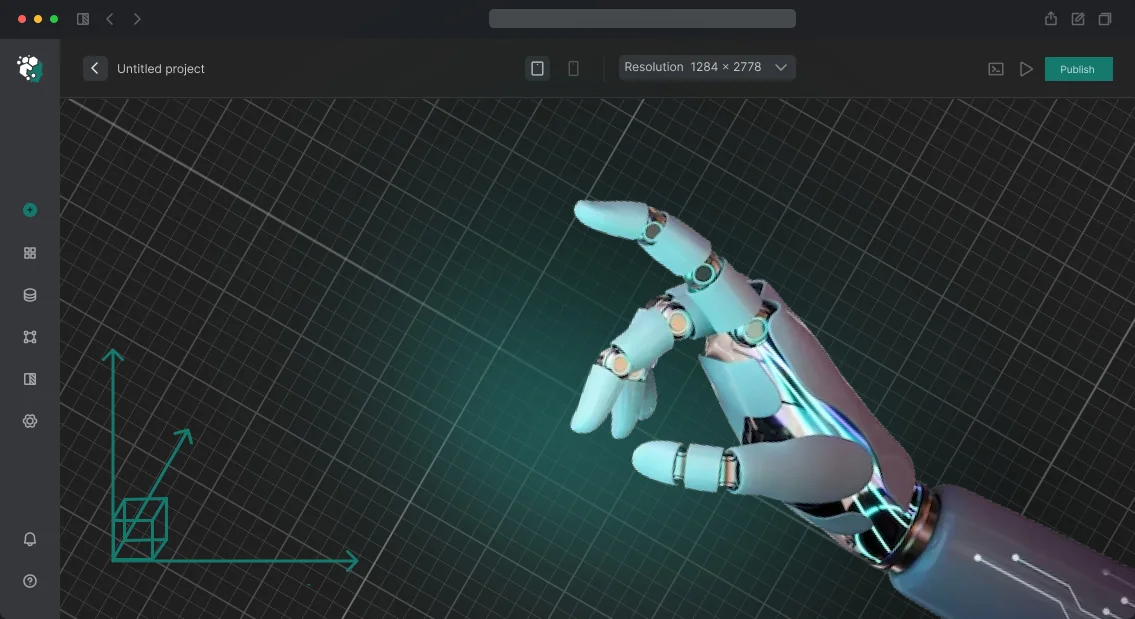
שידור אינטראקטיבי עם אלמנטים תלת-ממדיים נעים — לוגואים מונפשים, עובדות קופצות, מעברים ממדיים בין בלוקים — מחזיר לצופה את התחושה של מופע חי, לא רק קובץ וידאו.
צוותים שכבר משתמשים בשכבת-על תלת-ממדית לשידור חי משיגים אחוזי שמירת קהל גבוהים יותר באופן ניכר: צופים נשארים עד סוף השידור וחוזרים לפרקים הבאים. זה משפיע על החשיפה, על גידול המנויים ועל ההכנסות מפרסומות ותרומות.
מסכים, קל יותר להשקיע פעם אחת בשכבת-על איכותית מאשר לבזבז תקציב בכל שידור על משיכת צופים חדשים במקום לשמר את הקיימים.
אנחנו יוצרים שכבות-על תלת-ממדיות לצרכים של כל שידור ספציפי: משידורי גיימינג ועד כנסים עסקיים. המהנדסים והמעצבים שלנו עובדים עם ציוד מקצועי וכלים מוכחים, כך שהתוצאה יציבה בכל שידור.
אתה מקבל לא רק תמונה יפה אלא כלי שעובד לצמיחה שלך — והצופים מרגישים את זה מהדקות הראשונות.
מה שכבת-על תלת-ממדית נותנת לשידור שלך: 5 יתרונות מרכזיים
שידור רגיל מחזיק את תשומת הלב של הצופה רק לכמה שניות בממוצע — התחרות על תשומת הלב עצומה. שכבת-על תלת-ממדית הופכת שידור לאירוע: הצופה לא רק צופה אלא משתתף, מגיב וחוזר שוב.
שידור שנשאר בזיכרון
אספנו חמישה יתרונות מרכזיים שעסק מקבל כשמשקיעים בגרפיקת שידור איכותית. זה לא "אפקט וואו" מופשט אלא תוצאות מדידות.
- מעורבות צופים גבוהה יותר. אלמנטים תלת-ממדיים דינמיים שמגיבים לאירועי צ'אט מחזיקים תשומת לב פי 2–3 יותר זמן. צופים מגיבים יותר פעיל, משתתפים בסקרים ונשארים עד סוף השידור.
- תדמית ומיתוג שידור חזקים יותר. סגנון ויזואלי ייחודי מבדל אותך מהמתחרים. גרפיקה מקצועית עם הלוגו וצבעי המותג שלך יוצרת תדמית של חברה טכנולוגית ואמינה ומגבירה את האמון במוצר שלך.
- לידים מהשידור. שכבות-על אינטראקטיביות מאפשרות להטמיע קריאות לפעולה בצורה חלקה: "השאירו פנייה", "עברו לאתר", קודי QR. כל שידור הופך לערוץ ייצור לידים עובד ללא הוצאות פרסום נוספות.
- צפיות חוזרות וויראליות. צופים מקליטים רגעים מרהיבים עם גרפיקה תלת-ממדית ומשתפים אותם ברשתות החברתיות. כל שיתוף הוא חשיפה חינמית לקהל חדש. שכבת-על חיה היא תוכן שממשיך לעבוד אחרי שהשידור נגמר.
- גידול בנאמנות הקהל. כשצופים רואים שהמותג משקיע בחוויית איכות, הם חוזרים לשידורים הבאים. נוצרת קהילה נאמנה שקל יותר לטפח ולהפיק ממנה רווח.
פורמטים של שכבת-על תלת-ממדית למטרות שידור שונות
כל שידור הוא מיני-מופע שבו תשומת הלב של הצופה מתחרה בפיד החברתי. תמונה סטטית עם לוגו משעממת מהר, והכנסות אקראיות לא יוצרות רושם מותגי.
לכן אנחנו מפתחים שכבות-על מונפשות שמניעות שימור ומעורבות מהשניות הראשונות של השידור.
להלן שלושה פורמטים עיקריים לתרחישים שונים. הטבלה מראה מי מקבל מה.
| פורמט | למי | מה זה נותן ללקוח |
|---|---|---|
| פתיחים/סיומים מונפשים | לפתיחה וסגירה של שידור, הפסקות פרסומות | יוצרים סגנון מותגי, נזכרים בזיכרון וקונים זמן להפסקות טכניות בלי לאבד מומנטום |
| מסגרות תוכן דינמיות | לשידורים עם שיתוף מסך, גיימינג, שידורים חינוכיים | משלבים בצורה נקייה את הלוגו והמסרים המרכזיים ושומרים על העין באזור הנכון |
| וידג'טים אינטראקטיביים | לסקרים, שאלות ותשובות, תגובות צ'אט ויעדי תרומות | הצופה הופך למשתתף: פעילות גבוהה יותר, זמן צפייה ארוך יותר והמרה טובה יותר לפעולה |
אנחנו בוחרים את הפורמט לפי המשימה — מפרומו קצר ועד שידור רב-שעתי. מה שחשוב זה לא מספר האפקטים אלא האם כל אלמנט בשכבת-העל משיג תוצאות מדידות: צופים נשארים יותר זמן, מגיבים יותר וזוכרים את המותג טוב יותר. ספר לנו על השידור שלך — נציע אפשרות מתאימה ונראה דוגמאות.
איך אנחנו יוצרים שכבות-על תלת-ממדיות לשידור חי: 6 שלבים
בנינו את התהליך כך שתמיד תדע באיזה שלב נמצא הפרויקט ומה תקבל בסוף. אין קופסה שחורה: אתה רואה גרסאות ביניים, מאשר החלטות מפתח ומבין על מה אתה משלם.
-
בריף ומטרות. אנחנו מגדירים את מטרות השידור: גידול מנויים, מכירות, מודעות למותג. אנחנו קובעים היכן תשמש שכבת-העל — בשידור קבוע, באירוע או בסדרת שידורים — ואיך היא אמורה לעבוד על המסך.
-
קונספט וסגנון. אנחנו מציעים 2–3 כיוונים ויזואליים בסגנון המותג שלך. אנחנו מראים איך האנימציה תיראה על המצלמה ואיך היא משתלבת עם הלוגו וצבעי המותג שלך.
-
אישור עיצוב. אתה בוחר את האפשרות שאהבת, ואנחנו מבצעים תיקונים עד שהיא תואמת לחלוטין את הציפיות שלך. בשלב הזה ננעלים לוחות זמנים והיקף העבודה כך שלא יהיו הפתעות.
-
הפקת אנימציה. המהנדסים שלנו יוצרים מודלים תלת-ממדיים, אנימציה והגדרות תאורה כך ששכבת-העל תיראה טבעית בסצנות שונות. אתה מקבל רינדורי ביניים ורואה את הפתרון מתעורר לחיים.
-
שילוב בשידור. אנחנו מחברים את שכבת-העל למערכת השידור שלך — דרך OBS, פלטפורמת סטרימינג או ערכת חומרה. אנחנו בודקים אותה בשידור חי כדי לשלול תקלות ועיכובים.
-
השקה ותמיכה. אנחנו עוזרים עם השידור הראשון, מספקים הוראות למפעילים ונשארים בקשר. אם צריך לתקן משהו במהירות או להוסיף אלמנטים חדשים, אנחנו עושים את זה בלי לבנות מחדש את כל הפרויקט.
תהליך העבודה הזה מאפשר לך להשיק שכבת-על בלי השבתה או עבודה חוזרת, ואתה שולט בתהליך ובתקציב בכל רגע.
מה כלול במסירת שכבת-על תלת-ממדית לשידור שלך
אתה לא מקבל קובץ חד-פעמי; אתה מקבל חבילה מלאה מוכנה להשקה. אנחנו בונים את שכבת-העל סביב המשימה שלך: גרסאות עיצוב מרובות, חומרי מקור והוראות שלב-אחר-שלב — כך שאתה לא תלוי בנו לדברים קטנים ויכול לבצע עריכות בעצמך.
המסירה כוללת:
- שכבת-על תלת-ממדית מוכנה במספר גרסאות — לסצנות ומצבי רוח שונים של שידור, עם אפשרות מעבר מהיר.
- קבצי מקור של שכבת-העל — קבצים מאורגנים היטב שמבהירים מה משתנה ואיפה, בלי מפתח.
- התאמה לפלטפורמות סטרימינג מרכזיות — התמונה מוצגת נכון בכל רזולוציית מסך ולא נשברת כשמשתנה יחס הגובה-רוחב.
- מדריך השקה והגדרה — רשימת בדיקה פשוטה להכנת השידור תוך 15 דקות, גם אם אתה עושה את זה בפעם הראשונה.
- תמיכה טכנית בשידור — המהנדסים שלנו זמינים במהלך ההשקה והשידורים הראשונים: הם יעזרו אם משהו משתבש או צריך תיקון דחוף.
- עדכונים לפי בקשה — נשפר אנימציות או נוסיף אלמנטים חדשים בכל פעם שתרצה לשנות את המצגת.
התמיכה לא מסתיימת ביום המסירה. אנחנו נשארים בקשר אחרי ההשקה כדי ששכבת-העל תפעל בצורה אמינה ותמשיך להביא לך צופים חדשים. כל ההסכמות מתועדות בהערכת העלות ובלוח הזמנים — אתה יודע על מה אתה משלם ומתי תקבל את התוצאה.
מקרה בוחן: איך שכבת-העל התלת-ממדית שלנו הכפילה את התרומות של סטרימר
סטרימר מהערוץ VectorPlay פנה אלינו: קהל ממוצע של 800–1,200 צופים, תרומות הגיעו, אבל הצמיחה נעצרה. הצופים התרגלו לוויזואליה — אותה מצלמה, אותו צ'אט, התראות סטנדרטיות. התרומה הממוצעת ירדה, וזמן הצפייה פחת אחרי השעה הראשונה.
הצענו לא סתם עוד "שכבת-על תבניתית" אלא סצנה תלת-ממדית שחיה עם השידור: מגיבה לאירועי צ'אט, מנויים ותרומות. עבור הצופה, זה משחק מיני על המסך — אתה רוצה להישאר ולראות מה קורה בהמשך.
עבור הסטרימר, זו חבילה מוכנה שאינה דורשת הגדרה ואינה מפריעה למשחק.
תוצאות מהשידור הראשון
במהלך השידור בן השעתיים עם שכבת-העל התלת-ממדית החדשה, התרומות גדלו ב-180% בהשוואה לממוצע השידורים הקודמים. זמן הצפייה גדל ב-40%: צופים לא עזבו אחרי 20 הדקות הראשונות — הם סקרנים איך שכבת-העל תגיב לתרומה הבאה.
עבור הסטרימר, זו לא הייתה "תמונה יפה" חד-פעמית אלא עלייה שיטתית במונטיזציה של הערוץ. צופים התחילו להזכיר את שכבת-העל בצ'אט מיוזמתם — הערוץ קיבל חשיפה חינמית.
המספרים האלה אינם מקריים: הסצנה התלת-ממדית משנה את התנהגות הצופים, הם משתתפים יותר פעיל וחוזרים לשידורים עתידיים יותר.
אחרי השידור, הלקוח הזמין שתי גרסאות סצנה נוספות לפורמטי שידור שונים וביקש תמיכה לחודש הבא. הזמנה חוזרת היא ההוכחה הטובה ביותר ששכבת-על תלת-ממדית משיגה תוצאות.
מה אם יש לך דרישות ספציפיות לשכבת-העל?
כן, זו המשימה הסטנדרטית שלנו. לכולם יש תבניות סטנדרטיות משירותי סטרימינג, וזה אומר שהן לא מבדלות אותך מהמתחרים. דרישות ספציפיות עולות דווקא כשאתה צריך שכבת-על אישית שעובדת עבור המותג שלך ולא נגדו. אנחנו לא מציעים פתרונות קופסא — אנחנו בונים גרפיקה תלת-ממדית למשימה שלך, לא משנה כמה לא קונבנציונלית היא.
ספר לנו על הבקשה שלך: סגנון ויזואלי ייחודי, צורה לא סטנדרטית או אינטגרציה עם מכניקת משחק. אנחנו יוצרים עיצוב ייחודי מאפס שמתאים לאווירה של השידור שלך, לקהילה שלך ולמוצר שלך.
שכבת-העל יכולה להגיב לאירועים בתוך המשחק: להידלק בניצחון, להדגיש את הרגע שבו מושג גביע ולהנפיש מעברים בין סצנות. כל זה גורם לשידור להרגיש חי ולא כמו עשרות אחרים.
אנחנו לא רק מציירים תמונה — אנחנו יוצרים אלמנטים תלת-ממדיים שנעים, מתקשרים עם תוכן ומדגישים רגעי מפתח של השידור. זה מגביר את מעורבות הצופים: הם נשארים בערוץ יותר זמן, מגיבים יותר וזוכרים את הסגנון שלך. עבורך, זו לא הוצאה אלא השקעה בהכרה ובנאמנות קהל.
אנחנו עובדים לפי תהליך ברור: קודם בריף ואסמכתאות, אחר כך קונספט וסקיצות, ואז יישום ובדיקה בשידור אמיתי. אתה תמיד רואה איך שכבת-העל נראית בפעולה ויכול לבצע עריכות לפני ההשקה.
בסופו של דבר, אתה מקבל לא רק אנימציה אלא אלמנט מותגי שלם שמחזק את השידורים החיים שלך ומשיג תוצאות עבור החברה שלך.
ספקות נפוצים לפני הזמנת שכבת-על תלת-ממדית
לפני הזמנת שכבת-על תלת-ממדית, כמעט כל לקוח תוהה על אותו דבר: האם הגרפיקה תיכשל ברגע הקריטי ביותר, איך מעדכנים אותה וכמה זמן מחכים לתוצאה. זה נורמלי — אנחנו עובדים על פרויקטים כאלה כל הזמן ומבטלים סיכונים מראש. הנה תשובות קצרות ומעשיות לחששות המרכזיים.
האם שכבת-העל תישבר במהלך שידור חי?
אנחנו משיקים פרויקט רק אחרי בדיקות חובה בשידורי ניסיון — אנחנו מדמים תנאים אמיתיים כדי לתפוס בעיות פוטנציאליות לפני השידור שלך. בנוסף, אנחנו מספקים תמיכה ביום השידור: המהנדסים שלנו זמינים ויכולים להיכנס תוך כמה דקות אם משהו משתבש.
שכבת-העל אינה תלויה בפעולות המפעיל: היא עובדת על טריגרים מוגדרים מראש ואינה דורשת שליטה ידנית במהלך המופע. זה מצמצם את הסיכון לטעות אנוש לאפס.
האם קשה לעדכן את שכבת-העל?
כל מה שמשתנה — טקסטים, מספרים, לוגואים, תמונות — אתה יכול לערוך בעצמך דרך פאנל נוח, בלי מתכנת. כדי להחליף אלמנטי רקע או סצנות שלמות, פשוט צור איתנו קשר: עדכונים סטנדרטיים מתבצעים תוך כמה ימי עסקים.
אין ממשק מסובך: אנחנו מטפלים בפריסה, ואתה מקבל מערכת פשוטה שבה קליק אחד משנה את התוכן. עדכון אינו דורש בנייה מחדש של הפרויקט ואינו משפיע על שידור שכבר רץ.
כמה זמן לוקח הפיתוח?
אנחנו בונים שכבת-על תלת-ממדית סטנדרטית סוהר תוך 10–14 ימים — זה כולל את הקונספט, הסצנה התלת-ממדית, האנימציה והאינטגרציה עם תוכנת הסטרימינג שלך. גרסה דחופה עם גרפיקה מפושטת אפשר להשיק תוך 5–7 ימים.
לוח הזמנים המדויק תלוי במורכבות: מספר הסצנות, רמת הפירוט והאם אתה צריך אפקטים פשוטים או מורכבים. תוך 2–3 ימים אחרי הבריף, תראה אב-טיפוס ראשון ותוכל לבצע עריכות לפני הגרסה הסופית.
אם עדיין יש לך שאלות, פשוט כתוב לנו — נמליץ על הפורמט המתאים לשידור שלך ונראה דוגמאות לפתרונות דומים. המטרה שלנו היא שתרגיש בטוח בגרפיקה האווירית שלך ותשיג תוצאות בזמן.הזמן שכבת-על תלת-ממדית לשידור שלך: מה אתה מקבל מיד
השאר פנייה, ועד למחרת תדע כמה תעלה שכבת-העל למשימה שלך. אנחנו שואלים רק על מה שבאמת משפיע על התוצאה: פורמט השידור, תדירות השידורים, סגנון הערוץ והציפיות מהגרפיקה. אין הצעות מחיר כלליות של "החל מ-" — רק חישוב קונקרטי לפרויקט שלך.
אחרי שאתה מבצע הזמנה, אתה מקבל ייעוץ שידור אישי: אנחנו דנים איך גרפיקה תלת-ממדית תשתלב בשידור שלך, איפה למקם אלמנטים כך שלא יכסו תוכן, ואיך האנימציה תעבוד בפלטפורמות שונות.
אחר כך אנחנו מרכיבים את הבריף, מראים דוגמאות רלוונטיות מהעבודה שלנו ונועלים את העלות — היא לא תשתנה בדרך.
מה אתה מקבל מיד אחרי שליחת הבקשה:
- ייעוץ: אנחנו מנתחים את השידור שלך וממליצים על שכבת-על שתגביר את שימור הצופים.
- הערכת עלות תוך יום עסקים אחד — ללא עמלות נסתרות או "הפתעות" בשלב הסופי.
- בריף מוכן: אנחנו מתעדים את כל הדרישות שלך במסמך כדי שתוכל לראות את תוכנית העבודה ולוחות הזמנים.
- מבחר דוגמאות: אנחנו מראים 3–5 פרויקטים רלוונטיים כדי שתבין את רמת הסגנון והאיכות.
- מחיר קבוע: אחרי אישור הבריף, העלות לא משתנה, גם אם עולות עריכות קטנות במהלך התהליך.
- התחלה בעדיפות: הפרויקט שלך נכנס לתוכנית העבודה תוך שבוע, לא "מתישהו אחר כך".
אנחנו עובדים מרחוק, כך שאין צורך לנסוע לשום מקום — כל התהליך מהבריף ועד הקובץ הסופי מתבצע באינטרנט. מלא את הטופס, ואנחנו ניצור איתך קשר בקרוב כדי לדון בפרטים ולהשיק את הפרויקט. הזמן שכבת-על עכשיו — ותגרום לשידור שלך לבלוט העונה.