







אובירליי תלת-ממד ל-Twitch שמונע מצופים לעזוב
הצופים מחליטים אם לעזוב שידור בתוך השניות הראשונות. אם העיצוב נראה כמו סט סטנדרטי של פאנלים סטטיים, לצופים חדשים אין סיבה להישאר, וצופים קבועים לא מקבלים רושם חדש.
זו הסיבה שסטרימרים שמשקיעים באנימציית שידור איכותית שומרים על הקהל שלהם פי 2–3 יותר זמן.
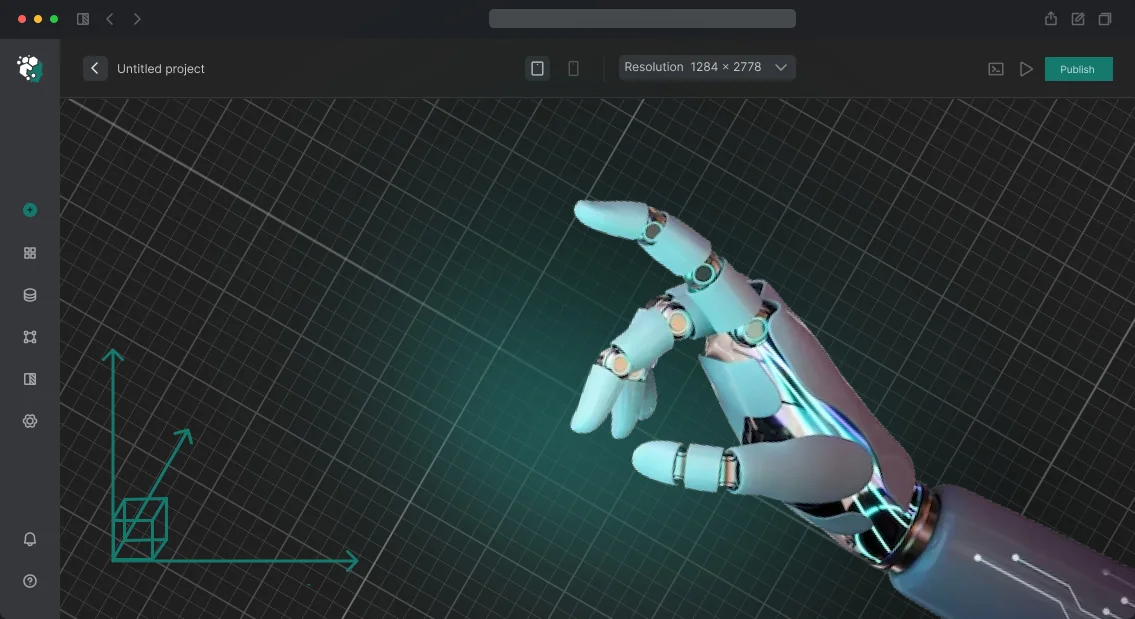
המוח האנושי בנוי כך שתנועה ועומק תמיד תופסים תשומת לב חזק יותר מתמונה שטוחה. אובירליי תלת-ממד מותאם אישית ל-Twitch הופך שידור רגיל למופע דינמי שהצופים רוצים לראות.
כשהממשק מגיב לאירועים במשחק או בצ'אט, הצופים מרגישים חלק מהפעולה ולא רק צופים פסיביים.
עיצוב כזה עובד למען התוצאות שלך: זמן הצפייה הממוצע גדל, תרומות מגיעות בתדירות גבוהה יותר, והערוץ עצמו נראה מקצועי ואמין.
ויזואליה תלת-ממדית קובעת את הטון לכל התוכן — השידור הופך לבלתי נשכח, אנשים מדברים עליו, והצופים חוזרים שוב.
אנחנו יוצרים אובירליי ל-Twitch שחי עם השידור שלך: אנימציות מותאמות אישית, מעברים חלקים, ואלמנטים אינטראקטיביים המובנים בתוך הסקריפט שלך.
המהנדסים שלנו משתמשים בגרפיקה תלת-ממדית מקצועית ובארכיטקטורת צד-שרת כדי לשמור על יציבות העיצוב גם תחת עומס כבד וכדי שלא יסיח את הדעת ממה שחשוב ביותר — התוכן שלך.
כתוצאה מכך, אתה מקבל לא רק תמונה יפה אלא כלי לשימור צופים שמחזיר את ההשקעה כבר מהשבועות הראשונים. זה הרושם הראשוני הקריטי שמבדל אותך ממאות ערוצים אחרים וגורם לצופים ללחוץ על "הירשם" במקום "עזוב".
מה אתה מקבל מהשקעה בעיצוב שידור
השקעה בעיצוב שידור היא לא קוסמטיקה; זה כלי לצמיחת הערוץ. אובירליי תלת-ממדי מחושב היטב מסביר במבט אחד מי אתה, על מה התוכן שלך, ולמה צופים צריכים להישאר.
כך, הערוץ מפסיק להיות אחד מתוך מאות דומים והופך למותג מוכר שקל לזכור ולהמליץ עליו לחברים.
ההיכרות עובדת עבורך גם אחרי שהשידור מסתיים. סגנון אובירליי ייחודי שמהדהד את האווטאר שלך, הבאנרים ועריכת הקליפים יוצר תדמית מגובשת.
צופה שראה היילייט ביוטיוב ימצא בקלות את הערוץ שלך לפי המראה הייחודי שלו — וזה אומר קהלים חדשים בחינם וחיפוש אורגני טוב יותר.
אנימציה מקצועית גם משנה את הדרך שבה צופים קבועים תופסים את הערוץ שלך. תגובות דינמיות לאירועים במשחק, ווידג'טים משולבים בצורה נקייה ומעברים חלקים יוצרים תחושה של מופע שנעשה במיוחד עבורם.
אנשים מעריכים את הדאגה הזו ונשארים בשידור זמן רב יותר; וככל שזמן הצפייה ארוך יותר, כך הסיכוי שצופה יהפוך לחבר קהילה קבוע גבוה יותר.
קהל נאמן משפיע ישירות על מונטיזציה. כשהעיצוב מדגיש את המטרות והרגשות שלך, צופים מוכנים יותר לתמוך בערוץ בתרומות ומנויים: הם מבינים לאן הכסף שלהם הולך ורואים את התוצאה.
אנימציות יפות של התראות ופס התקדמות הופכות את רגע התמיכה לחוויה נעימה, לא רק לעסקה — וזה מגדיל באופן קבוע את גודל התרומה הממוצע.
לבסוף, אובירליי איכותי הוא נכס שעובד עבורך בהפסקות. מעברים מונפשים לשילוב ספונסרים או קידום המדיה החברתית שלך נראים מקצועיים ומגבירים את אמון המפרסמים.
העיצוב מחזיר את ההשקעה לא רק דרך חום הקהל אלא גם דרך חוזים ישירים, מה שהופך השקעה בעיצוב להחלטה אסטרטגית נכונה לצמיחת הערוץ.
פורמטים של עיצוב מונפש לשידורים
אותו עיצוב עובד אחרת בשלבים שונים של שידור: בזמן שצופים מצטרפים, במהלך משחק פעיל, בהפסקות וברגעי תרומה.
עדיף לבחור פורמט אנימציה על סמך תרחיש השידור שלך ולא "רק כדי שיהיה יפה" — כך כל אלמנט עובד כדי לשמור על תשומת לב ולהניע הכנסות.
להלן הפורמטים האופייניים של עיצוב מונפש שאנחנו יוצרים לשידורים. על ידי שילובם, אתה מקבל תדמית ערוץ מגובשת שנזכרת מהשניות הראשונות.
| פורמט | למי זה מיועד | מה זה נותן לערוץ |
|---|---|---|
| אובירליי סטטי | סטרימרים שצריכים מינימליזם נקי ללא רעש מיותר | תמונה נקייה, דגש ברור על אזורים חשובים (צ'אט, מצלמת רשת, תרומות), זיהוי מותג מיידי |
| מעברים מונפשים | תוכן עם שינויי סצנה תכופים: הפסקה, משחק, ראיון, "תודה על התרומה" | מעבר חלק ללא השבתות מתות — צופים לא עוזבים, הדינמיקה של השידור נשמרת |
| ווידג'טים אינטראקטיביים | סטרימרים שרוצים לערב צופים בשידור | תגובה בזמן אמת לתרומות ומנויים: צופים רואים את התוצאה של הפעולה שלהם וחוזרים שוב |
| סצנות תלת-ממד | יוצרים שצריכים לבלוט בין ערוצים דומים | "חלון ראווה" מרשים: אלמנטים נפחיים, תנועת מצלמה, אווירה שאי אפשר לשחזר בתמונה שטוחה |
אנחנו משלבים את כל הפורמטים למערכת אחת: אנחנו מתאימים את האנימציות לסגנון הערוץ שלך, לפלטפורמה ולתדירות השידור.
כתוצאה מכך, השידור נראה מגובש — מהפתיח ועד הסיום — והצופים תופסים את הערוץ כמוצר מקצועי ולא כשידור חובבני.
איך אנחנו עובדים: תהליך יצירת גרפיקה שלב אחר שלב
כדי שהאובירליי לא יהפוך לסאגה ארוכה ומבלבלת, אנחנו מחלקים את העבודה לשלבי פיתוח ברורים. אתה תמיד רואה איפה הפרויקט עומד, מה מוכן ומה נשאר — בלי שיחות מיותרות או הפתעות בלוחות זמנים. להלן נתיב טיפוסי מבריף ועד אינטגרציה מלאה בשידור.
- בריף ומטרות. אנחנו דנים בנושא הערוץ שלך, במטרות שלך ובתדמית שאתה רוצה ליצור. כמה נקודות ראשוניות מספיקות — אנחנו נמלא את השאר בעצמנו.
- הפניות וקונספט. אנחנו מוצאים דוגמאות שמתאימות לנישה שלך ומציעים כיוון לגרפיקה. אתה רואה לאן אנחנו הולכים לפני שאנחנו מתחילים לרנדר.
- אישור סקיצה. אנחנו מראים לך מודל סטטי של האובירליי העתידי: מיקום אלמנטים, סגנון, צבעים. אנחנו מבצעים תיקונים עד שתגיד "כן, זה זה".
- הפקה. אנחנו יוצרים אנימציה, סצנות תלת-ממד, מעברים ועיצוב סאונד. בכל שלב, אתה מקבל גרסאות ביניים לבדיקה.
- השקת האובירליי. אנחנו מגדירים הכל בתוכנת הסטרימינג שלך, בודקים איך הגרפיקה מתנהגת בשידור חי, ומספקים הוראות ניהול.
- תמיכה בסטרימר. אחרי ההשקה, אנחנו נשארים בקשר: אנחנו עוזרים בעריכות, מעדכנים אלמנטים לסגמנטים חדשים ומוודאים שהאובירליי רץ ביציבות.
התהליך הזה הופך הכל לצפוי: אתה יודע מראש כמה זמן כל שלב לוקח ולא משלם על עבודה "מיותרת". ואם רעיונות חדשים עולים במהלך הפרויקט, אפשר לשלב אותם בקלות בתוכנית המוסכמת.
מה כלול בפתרון הסופי
אתה מקבל לא רק תמונה מונפשת, אלא כלי מוכן לצמיחת הערוץ. החבילה כוללת את כל הקבצים והוראות ברורות כך שהאובירליי עובד מהיום הראשון ללא עזרת מפתח.
- אנימציות מקור בפורמט ניתן לעריכה — אתה יכול לשנות צבעים, לוגואים וטקסט לעונה חדשה או לאירוע ללא הזמנת עבודה מותאמת אישית.
- פרסיטים מוכנים ל-OBS ולתוכנות סטרימינג אחרות — ההתקנה אורכת 10–15 דקות, גם אם מעולם לא השתמשת בכלים כאלה.
- מדריך התקנה והתאמת סצנה שלב אחר שלב — צילומי מסך, שמות כפתורים ואפשרויות לרזולוציות מסך שונות.
- התאמת האובירליי לעיצוב הקיים שלך — אנחנו משתמשים בצבעי המותג שלך, בפונטים ובמקומות ספונסרים כך שהכל נראה מגובש.
- חבילת אנימציות בונוס — מעברי סצנה מונפשים, פאנלי התראות ואפקטי רקע שמחיים את הממשק.
- עדכונים ותמיכה מובטחים — אם חוקי הפלטפורמה משתנים או מופיעים ווידג'טים חדשים, אנחנו מעדכנים את החבילה ללא תשלום ומספקים ייעוץ לאחר ההשקה.
כל מה שאתה צריך לעשות זה לטעון את הסצנה, לקשר את הווידג'טים וללחוץ על "שידור". האובירליי עושה את השאר: הוא תופס תשומת לב, מבדל את הערוץ שלך מהמתחרים ושומר על צופים בשידור.
מקרה בוחן: איך אובירליי חדש הכפיל את ממוצע הצפייה
"אחד הלקוחות שלנו הוא סטרימר בינוני שמנהל ערוץ ב-Twitch. לפני יישום גרפיקה תלת-ממדית, הוא החזיק בעקביות 30–40 צופים בשידור, אבל הקהל לא גדל: צופים חדשים נכנסו, צפו כמה דקות ועזבו. גם הכנסות מתרומות היו שטוחות — צופים לא הרגישו סיבה לתמוך בערוץ.
האובירליי הסטנדרטי עם מסגרות שטוחות וטקסט נע לא תפס אף אחד. התוכן היה טוב, אבל ויזואלית הערוץ נראה כמו מאות אחרים.
הצענו להחליף את הגרפיקה הסטטית באובירליי תלת-ממדי עם אלמנטים מונפשים: קמע ייחודי, התראות מנוי ותרומה נפחיות, ורקע דינמי שמגיב לאירועי צ'אט.
סיפקנו הכל בזמן — שלושה שבועות מקונספט ועד השקה. הסטרימר לא היה צריך להיכנס להגדרות: שילבנו את האובירליי בתוכנת הסטרימינג שלו בעצמנו, הראינו לו איך להחליף סצנות ולעדכן תוכן.
שבועיים אחרי ההשקה, ממוצע הצפייה הוכפל — מ-35 ל-70 צופים. חודש לאחר מכן, הוא הגיע ל-95–100 אנשים, והתרומות כמעט שולשו. צופים הפכו להרבה יותר מוכנים להירשם אחרי שראו את ההתראות המונפשות הבהירות.
הדבר החשוב הוא שהתוצאה הייתה יציבה. שישה חודשים לאחר מכן, הסטרימר הזמין סט נוסף של סצנות לסגמנטים חדשים והרחיב את לוח הזמנים שלו כי הוא הרגיש ביטחון בערוץ שלו.
הסיפור הזה מראה שאובירליי תלת-ממדי ב-Twitch הוא לא רק קישוט אלא כלי עבודה לשימור קהל והגדלת הכנסות.
אם השידור שלך נראה כמו של כולם, צופים לא יזכרו אותך. אנחנו יוצרים גרפיקה שעובדת למען תוצאות: מושכת תשומת לב, שומרת על צופים ומניעה אנשים לתמוך בערוץ."
איך לבחור את פורמט הגרפיקה המתאים לערוץ שלך?
אי אפשר לבחור פורמט גרפיקה "לפי המראה" — הוא חייב לעבוד עבור התרחיש שלך. אותו אובירליי נראה שונה במשחק מהיר, בשיחת צ'אט רגועה או בתוכנית בישול.
זו הסיבה שהדבר הראשון שאנחנו בוחנים הוא הנושא של הערוץ שלך וסגנון ההנחיה: זה קובע את צפיפות המידע, האנימציה וכמה תשומת לב הגרפיקה יכולה למשוך בלי לפגוע בתוכן.
הבא הוא הסגנון של הסטרימר. עיצוב מותאם אישית לא מבוקש ליופי אלא לזיהוי: צופים צריכים לדעת במבט אחד שזה הערוץ שלך. אנחנו בוחרים צבעים, פונטים וצורות שמתאימים לאווטאר שלך, למותג ואפילו לאישיות שלך.
אובירליי כזה עובד כחלק מהתדמית שלך והופך אותך לבלתי נשכח בין עשרות שידורים דומים.
הגורם השלישי הוא מגבלות טכניות. לא כל אנימציה רצה באותה מידה על מחשבים שונים ומהירויות אינטרנט שונות. כדי שהשידור לא יהפוך למצגת שקופיות, אנחנו בודקים את עומס המערכת מראש ומבצעים אופטימיזציה לאלמנטים. עבורך, זה אומר תמונה יציבה ללא ירידות FPS או תקלות בכל מהירות חיבור.
ותקציב. אנחנו לא מציעים "את המקסימום אם אתה יכול לשלם על זה" — אנחנו מחפשים פורמט שמספק את האפקט הנדרש במסגרת התקציב שלך.
לפעמים פאנל סטטי פשוט עם מעברים נקיים נראה מקצועי יותר ומביא יותר ערך מאשר סצנת תלת-ממד עמוסה שמסיחה את דעת הצופים.
זו הסיבה שאנחנו מתחילים עם בריף קצר: אנחנו מנתחים את הערוץ שלך, את המטרות ואת התנאים, ואז מציעים שתיים או שלוש אפשרויות עם הסבר מה הן מספקות וכמה הן עולות.
אתה לא בוחר "תמונה יפה" מופשטת אלא פתרון שמתאים לשידור הספציפי שלך. גישה זו מבטלת עבודה חוזרת ועוזרת לך לקבל גרפיקה מהיום הראשון שמשפרת את התוכן שלך ולא מתחרה בו.
שאלות נפוצות על הזמנת עיצוב מונפש
אספנו את השאלות שסטרימרים שואלים הכי הרבה לפני הזמנת עבודת עיצוב. אנחנו עונים בכנות כדי שתבין על מה אתה משלם ואיך התהליך עובד. להלן הנקודות המרכזיות: לוחות זמנים, תמחור, תיקונים ותאימות לתוכנת הסטרימינג שלך.
כמה זמן לוקח הפיתוח?
בדרך כלל 7–14 ימים תלוי במורכבות. אובירליי פשוטים עם אנימציות לוגו והתראות מתגבשים תוך שבוע; לחבילה מלאה עם סצנות ואפקטים, אנחנו מתכננים עד שבועיים. אנחנו קובעים את לוח הזמנים המדויק בחוזה לפני תחילת העבודה.
כמה זה עולה?
העלות תלויה בהיקף: סט התראות ואובירליי סטטי — עלות מחושבת לאחר אודיט; סצנה מונפשת עם דמות ומעברים — עלות מחושבת לאחר אודיט.
לאחר דיון במשימה שלך, אנחנו מספקים הערכה שקופה ללא עמלות נסתרות — אתה מיד רואה ממה מורכב המחיר.
כמה תיקונים כלולים במחיר?
החבילה הבסיסית כוללת שני סבבי תיקונים אחרי הצגת הגרסה הראשונה. זה בדרך כלל מספיק כדי להתאים צבעים, טקסט ופרטים קטנים. אם אתה צריך יותר, אנחנו גובים בנפרד, אבל אנחנו אומרים לך מראש לפני תחילת העבודה.
האם זה יעבוד בתוכנת הסטרימינג שלי?
כן, אנחנו מספקים את כל הקבצים בפורמטים שנתמכים על ידי תוכנות סטרימינג פופולריות, כולל OBS וכלים דומים. לפני המסירה, אנחנו בודקים את זה בשידור אמיתי, כך שאתה מקבל פתרון מוכן — פשוט הפעל וזה עובד.
מה אם משהו נשבר אחרי ההשקה?
אנחנו נשארים זמינים אחרי שהפרויקט נמסר. אם עולה בעיה, פשוט כתוב לנו ונתקן אותה ללא תשלום תוך כמה ימי עסקים. אנחנו יכולים גם לקחת על עצמנו תחזוקת עיצוב ארוכת טווח כך שהאובירליי שלך תמיד רץ ללא תקלות.
השאר בקשה וקבל את הרעיונות הראשונים היום
השאר בקשה, ונשלח את הרעיונות הראשונים לערוץ שלך באותו היום. לא תקבל "נחשוב על זה ונחזור אליך" — תקבל אפשרויות אובירליי ספציפיות המותאמות לסגנון הסטרימינג שלך, לפורמט התוכן ולקהל. אחרי זה, אתה פשוט בוחר את הכיוון שאתה והצופים שלך אוהבים.
יחד עם הבקשה שלך, אתה מקבל:
- ייעוץ לסטרימר — ננתח את הערוץ שלך ונמליץ על אובירליי שמגביר מעורבות ושימור צופים.
- סקיצה חינם — נראה את טיוטת העיצוב הראשונה כבר בהתחלה, ללא תשלום מראש או אישורים מיותרים.
- אחריות לתוצאה — אנחנו קובעים לוחות זמנים ודרישות בחוזה, כך שאתה מקבל אובירליי עובד, לא רק מודל.
- תמיכה אחרי ההשקה — אחרי שהאובירליי מותקן, אנחנו כאן לעזור: נסייע בהתקנה, נשפר פרטים ונענה על שאלות הצוות שלך.
- מיקום בתור עדיפות — בקשות מאתר זה מעובדות מהר יותר, בדרך כלל תוך 24 שעות.
- הערכה ברורה — התמחור קבוע לפני תחילת העבודה, ללא עמלות נסתרות או "שעות בילינג מפתיעות".
אנחנו יוצרים אובירליי שצופים מבחינים בו וזוכרים: עם אנימציה חלקה, ממשק נקי ואינטגרציה מלאה לתוך השידור שלך.
אתה מקבל יותר מסתם גרפיקה — אתה מקבל כלי שעובד עבור תדמית הערוץ שלך ועוזר לך לבלוט בין מאות סטרימרים אחרים.
אל תדחה את זה — מלא את הטופס, והיום נדון בפרויקט שלך ונראה לך איך זה יכול להיראות.