

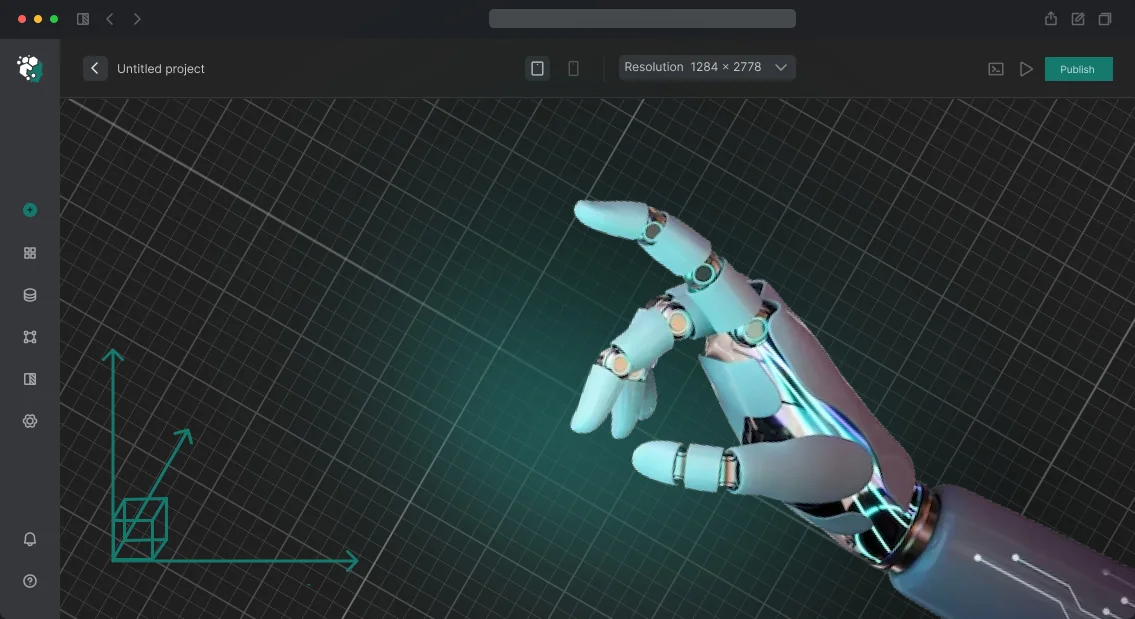






מפעל וירטואלי: מדוע ייצור ללא מודל דיגיטלי מפסיד קרקע
הייצור המודרני נמצא במירוץ תחרותי עמוק: לקוחות מצפים לזמני אספקה קצרים, ספקים אינם סולחים על השבתות, וכל שעה של עצירת פס ייצור מתורגמת להפסד הכנסות.
ללא מודל דיגיטלי של המפעל שלך, אתה מגיב לתקלות בדיעבד, כשהכסף כבר אבד והמתחרים כבר הגדירו מחדש את הקווים שלהם באמצעות מפעל וירטואלי.
מפעל וירטואלי אינו רק מודל תלת-ממדי אלא תאום דיגיטלי עובד של כל מחזור הייצור. הוא מאפשר לשחק תרחישים מראש, לייעל לוגיסטיקה, עומס ציוד וכוח אדם, ולזהות צווארי בקבוק מבלי לעצור את רצפת הייצור האמיתית. כתוצאה מכך, הפסדי היעילות יורדים, העלויות מתכווצות, והזמן עד להשקה מתקצר.
הדיגיטציה של הייצור כבר הפכה לסטנדרט עבור מובילי התעשייה: בלעדיה קשה לחזות ביקוש, לנהל מלאי ולשמור על מרווח רווח.
חברות שמיישמות סימולציות כאלה זוכות ליתרון תחרותי כי הן יכולות להתאים קווים להזמנות חדשות מהר יותר ולשנות את מגוון המוצרים מבלי לסכן את הפעילות השוטפת.
אנחנו עוזרים להפוך נתונים מפוזרים וידע הנדסי לסימולציה ברורה של התאום הדיגיטלי של המפעל. אתה מקבל כלי שמדבר בשפת העסקים: הוא מראה את ההשפעה של החלטות לפני שהן מתקבלות ומגן על התקציב מהוצאות לא מוצדקות.
תאום דיגיטלי: איך זה עובד ומה זה נותן למפעל שלך
תאום דיגיטלי הוא העתק וירטואלי של המפעל שלך המשקף את פעולת קווי הייצור, המחסנים והלוגיסטיקה בזמן אמת.
במקום דוחות וטבלאות מפוזרים, אתה רואה את כל המפעל: היכן נמצאים צווארי הבקבוק, איזו מכונה עומדת לעצור, היכן מצטבר מלאי.
עבור מנהל, זהו לוח מחוונים, לא עוד מוצג תלת-ממדי — הוא עוזר לנהל ייצור על סמך עובדות ולא על סמך אינטואיציה.
הגישה כבר הפכה לסטנדרט בתעופה, בנפט וגז ובהנדסת מכונות.
לפי אנליסטים של Gartner, תאומים דיגיטליים הם בין המגמות המרכזיות בטרנספורמציה התעשייתית: חברות שמיישמות אותם מפחיתות השבתות ב-20–30% ומכפילות את מהירות החזר ההשקעה.
הערך המרכזי הוא היכולת לבחון החלטות לפני הוצאת כסף. שינית את לוח הזמנים, הגדרת מחדש את הזרימה, הוספת קו חדש — כל זה מעוצב על המסך ללא סיכון לתפוקה הנוכחית. רק מה שהוכח כיעיל מועבר לייצור, לא ניסוי וטעייה.
האפקט הכלכלי נובע משלושה מרכיבים: פחות השבתות, ניצול ציוד גבוה יותר וחיזוי קיבולת מדויק. כתוצאה מכך, החזר ההשקעה של הפרויקט אורך בדרך כלל שישה עד שמונה עשר חודשים, וכל יחידת השקעה מחזירה פי שניים עד ארבעה מערכה.
אנחנו מיישמים את התאום הדיגיטלי במפתח מלא: אנו בונים את המודל הווירטואלי, מחברים אותו לנתוני רצפת הייצור האמיתיים, מגדירים ויזואליזציה למפעילים ולניהול, ומכשירים את הצוות שלך.
כתוצאה מכך, אתה מקבל כלי שנשאר בפעילות במשך שנים והופך לבסיס להמשך אוטומציה.
פורמטים של יישום מודל וירטואלי למשימות שלך
מודל מפעל וירטואלי אינו "מוצר מוגמר" יחיד אלא מגוון פורמטים ברמות פירוט שונות.
הם נבדלים בתקציב, בלוח הזמנים של היישום, והכי חשוב — במטרה העסקית: להציג קונספט, להכשיר צוות, לאמת פריסה או לנהל ייצור בזמן אמת.
אנחנו בוחרים את הפורמט שיתאים למצב הספציפי שלך — למכרז, מצגת, אישור או תפעול. להלן אפשרויות טיפוסיות כדי שתוכל לראות מיד מה אתה מקבל בכל רמה.
איזה פורמט לבחור
| פורמט | למי | מה זה נותן ללקוח |
|---|---|---|
| מודל תלת-ממדי למצגת | למשקיעים, לקוחות, תערוכות | מעורבות מהירה, תמונה ברורה של המתקן העתידי, מובן לכל קהל |
| סרטון אנימציה | לשיווק, מדיה חברתית, מסמכי מכרז | סרטון מוכן שמוכר את הרעיון ומחזק את הכרת המותג |
| סיור אינטראקטיבי ברצפת הייצור | להכשרת עובדים ובטיחות בעבודה | קיצור זמן ההדרכה, תרגול בטוח של פעולות עובדים |
| סימולציית תהליך ייצור | לבדיקת פריסה, לוגיסטיקה, איתור צווארי בקבוק | זיהוי בעיות לפני ההשקה, חיסכון בעבודות תיקון ורכישות |
| תאום דיגיטלי (מלא) | לניהול תפעולי ודיגיטציה של המפעל | ניטור KPI בזמן אמת, אופטימיזציית עומסים, הפחתת השבתות ועלויות |
לוחות הזמנים והתקציבים משתנים: מכמה שבועות למודל מצגת ועד כמה חודשים לתאום דיגיטלי מקיף. במהלך הייעוץ אנו מסכמים על ההיקף הנדרש, לוחות זמנים מדויקים ולוח עבודה בשלבים — במחיר קבוע וללא תוספות נסתרות.
שלבי יצירת תאום דיגיטלי לייצור
בנינו את התהליך כך שתראה תוצאות בכל שלב ותוכל להשפיע עליהן. אנו קוראים לגישה זו סימולציית מפעל משולבת — זה לא רק תמונה יפה אלא כלי עובד שמחזיר את השקעתו עוד לפני ההשקה.
- בריף וסקר ייצור. אנו אוספים את המשימות: היכן אתה מאבד זמן לרוב, מה אתה רוצה לשפר — הכשרת עובדים, תרגול תגובת חירום או בדיקת שינויים לפני עצירת קו. אנו מתעדים KPIs כדי למדוד את האפקט.
- קונספט ותרחישים. אנו מגדירים בדיוק מה התאום יציג: זרימת חומרים, עבודת מפעילים, התנהגות ציוד. אתה מאשר את התרחישים — אנחנו ממשיכים.
- תוכנית והערכת עלות. אנו נועלים לוחות זמנים, היקף עבודה ותקציב. אין שלבים נסתרים — אתה מבין בעד מה אתה משלם ומתי תקבל את התוצאה.
- יצירת מודלים תלת-ממדיים. אנו יוצרים העתקים מדויקים של רצפות ייצור, קווים וציוד מפתח. ויזואלית כמו האתר האמיתי, כך שעובדים מזהים את מקומות העבודה שלהם.
- שילוב סימולציה. אנו מקשרים את המודל ללוגיקת הייצור: מהירויות מסוע, זמני פעולה, תלותיות בתהליך. התאום מתחיל "לחיות" בדיוק כמו המפעל.
- בדיקות ואישור. אתה מריץ תרחישים ובודק אותם מול מקרים אמיתיים. אנו מבצעים תיקונים עד שהתוצאה תואמת לציפיות. בשלב זה אנו בדרך כלל מזהים ופותרים עד 90% מנקודות המחלוקת — לפני שהן משפיעות על הייצור האמיתי.
- השקה ותמיכה. אנו מוסרים את התאום המוגמר, מכשירים את הצוות שלך ומספקים תמיכה לאחר ההשקה. במידת הצורך, אנו מעדכנים תרחישים למשימות חדשות.
רצף זה מבטיח שהפרויקט לא יתקע בפיתוח ויסתיים בכלי עובד שהעובדים והמנהלים שלך ישתמשו בו.
מה כלול במסירת מודל סימולציה למפעל
אנו מוסרים מוצר מוגמר, לא אוסף קבצים. המסירה כוללת כל מה שצריך כדי שהסימולציה תעבוד בתהליכים שלך: המודל עצמו, תיעוד, הכשרה ותמיכה ראשונית.
- מודל סימולציה מוכן של המפעל — משחזר שרשראות ייצור, תנועת חומרים ופעולת ציוד בפורמט המוסכם. ניתן להשתמש בו מיד לניתוח, מצגות והכשרת עובדים.
- נתוני מקור וקבצי פרויקט — נשארים אצלך. אינך תלוי בנו להמשך פיתוח המודל ויכול לגייס כל מומחה.
- תיעוד מלא — תיאור לוגיקת המודל, כל ההנחות, הפרמטרים והתרחישים, וכן הוראות ברורות להפעלה וניהול.
- הכשרת הצוות שלך — מפגש מעשי שלאחריו עובדים משתמשים במודל בביטחון, מגדירים תרחישים ומבצעים שינויים.
- תמיכה בשלב ההשקה — במהלך תקופת האחריות אנו עונים על שאלות, מתקנים תקלות ועוזרים לשלב את המודל בתהליכים השוטפים.
- ספריית תרחישים ודוחות סטנדרטיים — דוגמאות מוכנות להצגה להנהלה ולקבלת החלטות בנושא ניצול קיבולת ואופטימיזציה.
- מודול החלפת נתונים אופציונלי — מתחבר למערכות החשבונאות והחיישנים שלך כך שהתאום הדיגיטלי מתעדכן באופן שוטף בנתוני ביצועים בפועל.
מקרה בוחן: איך תאום דיגיטלי חסך כסף בהחלפת קו
הלקוח — חברת החזקות להנדסת מכונות Завод-Восток — התכונן להחליף פס הרכבה לדגם חדש.
בהתבסס על ניסיון שנים קודמות, פעולה כזו עצרה את רצפת הייצור למשך 4-5 ימים: תפוקה אבודה, משלוחים שהוחמצו וכאוס לצוות ההתקנה. לפני ההשקה, הצענו לא לקחת סיכון ולבדוק תחילה את כל התוכנית על העתק וירטואלי של האתר.
בנינו תאום דיגיטלי של הקו: העברנו ציוד, לוגיסטיקה ולוגיקת בקרה למודל תלת-ממדי. על המודל הזה הרצנו את כל תרחישי ההחלפה השנויים במחלוקת — עם הגדרות שונות, רצפי אספקת חלקים ומיקומי צוות. אפשרות אחת, שנראתה מסוכנת, הראתה הפחתה פי שניים בזמן ההחלפה. היא אושרה.
בקו האמיתי, ההחלפה ארכה יומיים במקום 4-5 הרגילים. החיסכון חושב לאחר ביקורת, על בסיס תפוקה אבודה שנמנעה ושעות נוספות שנחסכו. הלקוח חישב מחדש את האפקט עם הטכנולוגים שלו ואישר את הנתון.
ההשקעה במודל החזירה את עצמה בריצה הראשונה. שישה חודשים לאחר מכן, הם הזמינו תאום דיגיטלי שני — הפעם ללוגיסטיקת מחסנים.
למה זה חשוב לך
אותה גישה עובדת לכל ייצור שבו החלפה או השקת קו מוצר חדש משמעותם השבתות והפסדים. במקום לנחש בישיבות, אתה רואה צווארי בקבוק לפני שהם עוצרים את רצפת הייצור.
אנחנו לוקחים על עצמנו את בניית המודל ועוזרים ליישם שינויים ללא כאוס — עם נתונים ברורים על האפקט לפני כל השקעה בציוד אמיתי.
שאלות נפוצות על יישום סימולציות וירטואליות
יישום סימולציית מפעל וירטואלית יכול להיראות כצעד מורכב, לכן ריכזנו תשובות לשאלות שמנהלים שואלים לרוב לפני התחלה. אין כאן פרטים טכניים — רק מה שמשפיע על לוחות זמנים, תקציב ותוצאות.
כמה זמן אורך יישום סימולציה?
פרויקט סטנדרטי אורך 4 עד 8 שבועות, תלוי בהיקף הייצור ובמספר התהליכים שיש לשקף. אנו מציגים תוצאות ראשונות — גרסת הדגמה של אזור אחד — תוך 2-3 שבועות, כך שתוכל לראות את המוצר לפני ההשקה המלאה.
מה אם אין לנו מודלים תלת-ממדיים מוכנים של הציוד שלנו?
זו לא חסימה. אנו משחזרים ציוד משרטוטים, תצלומים ומדידות, ובמידת הצורך, מצילומי וידאו של רצפת הייצור. אתה מקבל העתק ויזואלי שנראה כמו המפעל האמיתי שלך מבלי לבזבז זמן על הכנת נתונים מוקדמת.
כמה מדויקת תהיה הסימולציה?
אנו מגדירים את המודל על בסיס תהליכי הייצור האמיתיים שלך, תקני זמן ושרשראות לוגיסטיות. התוצאה היא תמונה מדויקת של תנועת חומרים ועומס ציוד.
הדיוק מאומת מול נתונים היסטוריים: אם המודל משחזר אינדיקטורים בפועל, אפשר לסמוך עליו.
מי יתמוך בסימולציה לאחר ההשקה?
אנחנו נשארים בקשר לאחר מסירת הפרויקט: אנו עוזרים לעדכן נתונים, להוסיף אזורים חדשים ולהכשיר את העובדים שלך. עבור פרויקטים גדולים, מסופק לוח תמיכה קבוע כך שהמודל לא מתיישן וממשיך לספק ערך.
כמה מהר פרויקט כזה מחזיר את ההשקעה?
האפקט הכלכלי נובע מהפחתת השבתות, אופטימיזציית מלאי ופחות זמן בהתאמות החלטות.
בממוצע, הלקוחות שלנו מגיעים להחזר השקעה תוך 2-3 מחזורי ייצור — ואז הסימולציה ממשיכה ככלי קבוע לבדיקת כל שינוי ללא סיכון לייצור האמיתי.
איך לבחור פורמט יישום לתקציב וללוח הזמנים שלך
בחירת פורמט יישום לתאום דיגיטלי של מפעל היא תמיד איזון בין מטרה, תקציב ואופק תכנון. אם אתה צריך לבדוק במהירות השערה או להראות להנהלה את האפקט, פרויקט פיילוט באזור אחד מספיק.
אם המשימה היא להפחית עלויות באופן שיטתי ולנהל את כל שרשרת הייצור, יידרש פתרון עמוק יותר עם הרחבה הדרגתית.
התקציב קובע היקף, לא איכות: הצוות שלנו מציע פתרונות מודולריים שניתן להשיק בחלקים. אתה משלם על ההיקף שפותר את המשימה הנוכחית, לא על הכל בבת אחת.
כל שלב מחזיר את עצמו באמצעות תוצאות מדידות — הפחתת השבתות, תפוקה גבוהה יותר או סיכון נמוך יותר לתאונות.
לוחות הזמנים תלויים במורכבות ובמוכנות הנתונים שלך. עבור אזורים סטנדרטיים, אנו עומדים בכמה שבועות; עבור מודל וירטואלי מקיף של כל המפעל, בכמה חודשים.
בכל מקרה, אתה מקבל תוכנית שלבים עם אבני דרך והבנה ברורה מה יהיה מוכן בכל תאריך.
כדי לא לבזבז זמן בחקר כל האפשרויות, התחל בייעוץ קצר. נשאל 5-7 שאלות על הייצור, המטרות והאילוצים שלך — ונציע 2-3 פורמטים ספציפיים עם טווח תקציב ולוחות זמנים.
כך אתה רואה מיד איזה מסלול מספק את הערך הרב ביותר למצבך ויכול לקבל החלטה מבלי לשלם יותר מדי או לפספס מועדים.
בקש הערכת עלות למודל הווירטואלי שלך
מודל וירטואלי נותן לך תמונה אמיתית של פעולת הייצור לפני ההשקה. אבל הדאגה הראשונה של מנהל היא עלות ותוצאות.
לכן אנחנו מתחילים בפנייה: תוך יום, המהנדסים שלנו מכינים הערכת עלות למשימה שלך — מסרטון פרסומי קצר ועד סימולציה מלאה של תהליכי המפעל.
אנחנו עובדים עם לקוחות תעשייתיים כבר למעלה מ-10 שנים, כך שההערכה לא תכלול פריטים מיותרים. על סמך הבריף, נציע מספר אפשרויות בפורמט, פירוט ותקציב — אתה בוחר מה שפותר את המשימה שלך מבלי לשלם יותר מדי.
מה תקבל לאחר הפנייה שלך:
- הערכת עלות עם שתיים או שלוש אפשרויות — מבסיסית ועד מפורטת לחלוטין.
- הערכת לוחות זמנים: מתי התוצאה הראשונה והגרסה הסופית יהיו מוכנות.
- המלצת פורמט — וידאו, סיור וירטואלי או סימולציית תהליך אינטראקטיבית.
- דוגמאות פרויקטים לתעשייה שלך — ראה איך התוצאה עובדת בפועל.
- ייעוץ: מומחה יבחן את התרחיש שלך ויציע מה יחזק את האפקט.
- הערכה קבועה: אנו נועלים את העלות לאחר הבריף, ללא תוספות נסתרות.
כדי להתחיל, פשוט תאר את המשימה: איזה אובייקט או תהליך צריך להציג, היכן המודל ישמש ולאיזה קהל. אנחנו נטפל בשאר — נרכיב את הצוות, התוכנית ולוחות הזמנים.
שלח בקשה להערכת עלות — זה לא מחייב. תקבל נתון שקוף והבנה כיצד המודל הווירטואלי משתלב בתקציב ובלוח הזמנים שלך. נתחיל בייעוץ, וכל מה שאחריו תלוי בך.