

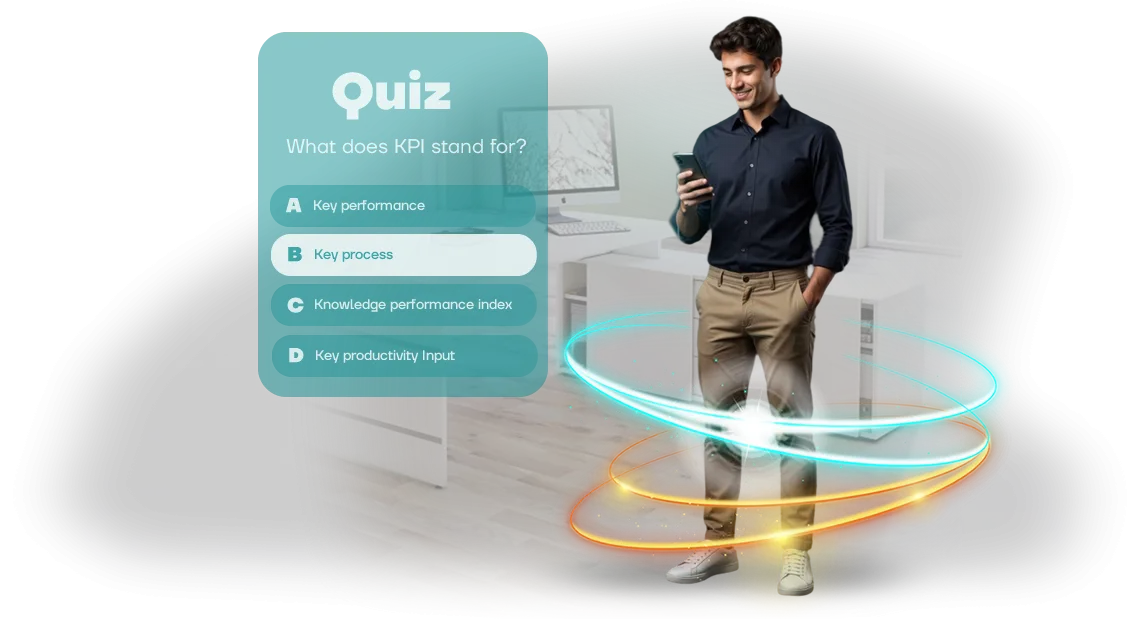
מדוע עובדים מתעלמים מהדרכה וכיצד חידונים ב-Canvas משנים זאת
עובדים משלימים קורסי חובה רק כדי לסמן וי: הם פותחים את החומר, עונים להודעות עבודה בצד, וסוגרים את לשונית החידון חמש דקות לאחר מכן. הדרכה פורמלית לא נטמעת — כעבור שבוע נשארים רק כמה עובדות, וכעבור חודש לא נשאר כלום.
עסקים משקיעים זמן ותקציב בפיתוח עובדים אך לא רואים תוצאה מדידה: הידע לא מיושם, טעויות חוזרות, ואיכות העבודה לא משתפרת.
הסיבה אינה עצלנות — אלא פורמט ההעברה. קריאה פסיבית של שקופיות וצפייה בסרטונים ארוכים לא יוצרת מעורבות: המוח לא מקבל משוב ומאבד עניין במהירות.
אנשים צריכים אתגר, תגובה מהירה ותחושת הישג ברורה: "סיימתי — כל הכבוד לי, אני יודע יותר מאתמול." זה בדיוק מה שחידונים אינטראקטיביים קצרים המשולבים במערכת Canvas (Instructure) המוכרת מספקים.
כשחידון מופיע ישירות ב-Canvas, עובד לא צריך לעבור בין מערכות, לחפש קישורים או לזכור סיסמאות. הכל קורה בחלון אחד — זה מוריד את חסם הכניסה ומעלה את שיעורי ההשלמה.
שאלות קצרות עם בדיקת תשובות מיידית מפעילות מכניקת משחק: אדם רוצה לצבור יותר נקודות, לתקן טעות, לראות התקדמות. כך ההדרכה הופכת ממשימה חובה למשימה ברורה ומהירה שאפשר באמת לסיים.
אנחנו מפתחים חידוני למידה במפתח פתוח: מתסריט השאלות ועד אינטגרציה טכנית עם ה-Canash שלכם. הקורס הופך לקומפקטי, מרתק וקל לעדכון — אתם מקבלים כלי שבאמת מגביר את מעורבות העובדים ועוזר להם ליישם ידע בעבודה.
5 יתרונות מרכזיים של חידוני למידה לעסקים
הדרכת עובדים באמצעות הרצאות יבשות וסרטונים לא עובדת כבר זמן רב: מידע נשכח, עניין יורד. חידוני למידה הם פורמט שמעסיק עובדים ומניב תוצאות עסקיות מדידות. הנה חמשת היתרונות העיקריים שתקבלו.
-
שימור חומר טוב יותר. בדיקה אקטיבית מאלצת עובדים להיזכר וליישם ידע במקום רק לצפות. שילוב חידונים בתוכנית מגביר את שימור הידע פי כמה — עובדים מנווטים במוצר, בתקנות ובכללי הבטיחות הרבה יותר טוב.
-
חיסכון בזמן בהדרכה. חידונים קצרים של 5–7 דקות מחליפים הרצאות של שעה. עובדים משלימים אותם ממש בתוך לוח הזמנים של העבודה בלי להסיח את הדעת לזמן ממושך — אתם שומרים על פרודוקטיביות הצוות.
-
מוטיבציה מוגברת. אלמנטים של משחק — נקודות, דירוגים, תגמולים — הופכים למידה לתחרות. עובדים חוזרים לחידונים מיוזמתם כדי לשפר תוצאות, לא כי הם מחויבים.
-
משוב והערכה מהירים. המערכת בודקת תשובות באופן מיידי, מסבירה טעויות ומציעה פתרונות נכונים. מנהל רואה את ההתקדמות של כל אדם בלי לבדוק מבחנים ידנית.
-
אנליטיקה שקופה להנהלה. אתם רואים מי השלים את ההדרכה, אילו נושאים הכי קשים, ויכולים להתאים את התוכנית. התוצאות נכנסות אוטומטית למערכת הלמידה שלכם — למשל, Canvas.
אנחנו מפתחים חידוני למידה עבור מערכת ה-LMS שלכם: הם משתלבים בפורטל ההדרכה ואינם דורשים התקנת תוכנה נוספת לעובדים. אתם מקבלים כלי מוכן שמשפר את אפקטיביות ההדרכה בלי לארגן מחדש תהליכים.
פורמטים של חידונים למטרות שונות: מסקרים מהירים ועד תרחישים
חידון הוא לא רק דרך לבדוק ידע. בהתאם למשימה, הוא יכול להיות סקר קליל, משחק קבוצתי מרגש או מאמן למצבים מורכבים.
אנחנו בוחרים את הפורמט בהתאם למטרה: את אותו תוכן אפשר להציג כך שעובדים יתפסו את החומר מהר יותר ובעניין.
להלן פורמטים טיפוסיים של חידונים והמצבים שבהם הם עובדים הכי טוב.
| פורמט | למי זה מיועד | מה זה נותן ללקוח |
|---|---|---|
| מבחן | לבדיקת ידע לאחר הדרכה או הדרכה מקצועית | ניקוד אוטומטי, סטטיסטיקה ברורה לכל עובד, הסמכה מהירה |
| סקר | לאיסוף משוב והערכת מעורבות | תשובות כנות ללא לחץ, דוחות מוכנים, החלטות מבוססות נתונים |
| חידון | לגיבוש צוות, בידור ומוטיבציה לא חומרית | התרגשות, דיון חי, חיבור רגשי למותג החברה |
| תרחיש | לתרגול מצבים קשים ופיתוח מיומנויות | ניתוח מקרי אמת, תרגול בטוח, פחות טעויות בעבודה |
קל לשלב בין הפורמטים: מתחילים בחידון חימום, אחר כך מריצים מבחן, ומוסיפים תרחיש לעובדים מרכזיים. זה שומר על גיוון בהדרכה ועל מעורבות גבוהה.
אנחנו אורזים כל פורמט בתקן הלמידה SCORM ומעלים אותו למערכת הלמידה שלכם — למשל, Canvas מבית Instructure. זה אומר שתוצאות החידון נכנסות אוטומטית לפנקס הציונים האלקטרוני: אין צורך לאסוף תשובות או לסמן עבודות ידנית. פשוט בוחרים את הפורמט המתאים — ותוך כמה ימים הוא כבר עובד עבור העובדים שלכם.
שלבי פיתוח והשקה של חידון ב-Canvas
תהליך פיתוח החידון הוא במפתח פתוח: אתם משתתפים בנקודות בקרה מרכזיות אבל לא נכנסים לפרטים טכניים. אנחנו מטפלים בכל השלבים — מבריף ועד השקת החידון במערכת הלמידה שלכם — כך שכל מה שנדרש מכם הוא לאשר את התוצאה ולקבל כלי מוכן.
פרויקט טיפוסי אורך שבוע עד שלושה שבועות וכולל שבעה שלבים ברורים:
-
בריף — אנחנו דנים במטרות הלמידה, בקהל, ברמת הקושי ובנושאים שהחידון צריך לכסות. אתם מתארים את המשימה, אנחנו מציעים פתרונות.
-
תסריט — בהתבסס על החומרים שלכם, אנחנו הופכים תיאוריה לשאלות, אפשרויות תשובה והסברים. אתם מאשרים את התסריט המוגמר לפני תחילת הפיתוח.
-
אב-טיפוס — אנחנו מראים איך החידון ייראה: סגנון, הצגה, מבנה. אתם רואים את התוצאה מראש ומבצעים שינויים ללא עלות נוספת.
-
פיתוח — אנחנו בונים את החידון בתקן SCORM המקצועי כך שהוא עובד כראוי במערכת הלמידה Canvas שלכם. אנחנו מוסיפים את האלמנטים הנדרשים: טיימר, מעקב ניקוד, סדר שאלות אקראי.
-
בדיקות — אנחנו מריצים את החידון, עוברים עליו במכשירים שונים, מאתרים ומתקנים שגיאות, ובודקים כיצד תוצאות נשמרות.
-
אינטגרציה למערכת — אנחנו מעלים את החידון ל-Canvas, מגדירים פרמטרי גישה, מספר ניסיונות והצגת ציונים בפנקס הציונים.
-
השקה ותמיכה — אנחנו מריצים את ההשקה הראשונה יחד איתכם, מוודאים שהכל עובד, ומספקים הוראות קצרות למנהל ולעובדים.
זו הדרך מ"איך עושים חידון" לרכיב למידה אלקטרונית מלא. אתם מקבלים לוחות זמנים צפויים, תהליך ברור ותוצאה שאתם מאשרים בלי אישורים ארוכים.
מה אתם מקבלים בחבילת מסירת החידון
לאחר סיום הפיתוח, אתם מקבלים לא רק משחק אלא כלי מוכן לשימוש להדרכת עובדים. אנחנו מרכיבים את החבילה כך שתוכלו להשיק את החידון תוך ימים, לעקוב אחר תוצאות ולבצע שינויים במהירות בלי לערב מפתחים.
הנה מה שכלול במסירה:
- חידון מעוצב בהתאם לזהות המותגית שלכם — העיצוב, הלוגו וצבעי המותג כבר בפנים. עובדים רואים מיד את המותג שלהם, לא תוכנה מופשטת.
- קובץ להעלאה למערכת הלמידה שלכם (תואם SCORM) — החידון מותקן בקלות בפורטל הארגוני שלכם, כולל Canvas. אין הגדרות מורכבות: העלאה, שיבוץ, התחלת הדרכה.
- מדריך ברור להשקה ולניהול — הוראות שלב אחר שלב כיצד להוסיף את החידון, לשבץ אותו לעובדים, להגדיר מועדים ולראות תוצאות. זה בדרך כלל לוקח לא יותר מ-30 דקות.
- מערכת דוחות לכל עובד — אתם רואים מי עשה את החידון, על כמה שאלות ענה נכון והיכן נפלו טעויות. אתם מקבלים תמונה מלאה: איזה חומר נטמע ומה צריך לחזור עליו.
- לוח בקרה למנהל — אתם יכולים לשנות שאלות, תשובות נכונות והסברים בעצמכם בלי עזרת מתכנתים. איש צוות במחלקת הדרכה יכול לעדכן את החידון לחודש הבא בכמה קליקים.
- חומרי מקור ותיעוד — מבנה המשחק, לוגיקת הניקוד, כל הטקסטים והמטא-דאטה מועברים אליכם. זה הרכוש שלכם; אתם לא תלויים בקבלן בעתיד.
- כרטיס עזר מהיר לעובדים — מסביר איך לעשות את החידון, כמה זמן זה ייקח ואיפה לראות תוצאות. זה מסיר שאלות ומאיץ את ההשקה.
כל התיעוד כתוב בשפה פשוטה, בלי פרטים טכניים. בפנים תמצאו רק מה שצריך לעבודה: איך לשבץ את החידון, איך לבדוק השלמה ואיך להשתמש בדוחות להחלטות הדרכה.
אנחנו גם נשארים בקשר לאחר המסירה — למקרה שתרצו לחדד שאלות או להרחיב את המשחק לנושאים חדשים.
תוצאת לקוח: חידוני Canvas לקליטת עובדים חדשים
הלקוח התמודד עם נקודת כאב טיפוסית: עשרות עובדים חדשים הצטרפו מדי חודש, ומחלקת ההדרכה בילתה ימים בניקוד מבחנים ידני.
במקביל, חלק ניכר מהקורסים נותר לא הושלם — בלי פורמט מרתק, עולים חדשים איבדו מוטיבציה כבר בשבוע השני.
פיתחנו סדרת חידונים קצרים ב-Canvas — המערכת שהחברה כבר השתמשה בה להדרכה. במקום מבחנים משעממים, היו תרחישים אינטראקטיביים עם משוב מיידי, משולבים בקורס הקליטה הקיים. עובדים עוברים שלבים, רואים התקדמות ומקבלים רמזים מיד לאחר התשובה.
איך זה נראה בפועל
החידון חולק לבלוקים של 5–7 שאלות הקשורות למצבי עבודה אמיתיים. אחרי כל בלוק, העולה החדש קיבל סקירת טעויות והמלצות, בעוד המנהל ראה את התוצאות של כל משתתף ב-Canvas ויכל להתערב במהירות עבור מי שנתקע.
מה השתנה עבור העסק
שיעור השלמת קורס הקליטה עלה מ-42% ל-86% כבר ברבעון הראשון. זמן ניקוד המבחנים ירד פי שלושה — משאבי אנוש כבר לא אוספים תשובות ידנית — ומספר העולים החדשים שסיימו בהצלחה את תקופת הניסיון עלה ברבע.
לאחר הפיילוט, הלקוח הזמין חידונים לכל התפקידים — מאנשי מכירות ועד מנהלי קו. כעת יותר מאלף איש בשנה עוברים את התרחישים האלה, וצוות ההדרכה משתמש בדוחות מוכנים כדי לשפר ללא הרף את התוכנית.
אנחנו עונים על שאלות על פיתוח חידונים ועבודה עם Canvas
פיתוח חידוני למידה בדרך כלל מעלה שאלות למי שאחראי על האבטחה והיציבות של המערכת. אספנו חששות נפוצים ועונים עליהם בקצרה ולעניין — כדי שתבינו מה תקבלו ואילו ערבויות מלוות את הפרויקט.
האם קשה לחבר חידון ל-Canvas שלנו?
לא. אנחנו מוסרים מודול מוכן בפורמט SCORM — אתם מעלים אותו ל-Canvas כרכיב קורס רגיל ומשבצים אותו לעובדים. הכל נבדק אצלנו, כך שהאינטגרציה אורכת פחות משעה ואינה דורשת מעורבות של המפתחים שלכם.
האם אפשר להעלות חידון בלי סיכון למערכת?
כן. החידון רץ בתוך קונטיינר משלו ואינו מקבל גישה לנתונים שלכם, לכניסות או לקורסים אחרים. הדבר היחיד שמועבר הוא תוצאות עובדים: הן נרשמות בפנקס הציונים של Canvas, בעוד המודול עצמו נשאר מבודד. אנחנו גם בודקים תאימות שלו לגרסאות דפדפן ומכשירים שונות.
מה אם נצטרך לשנות במהירות שאלות או לוגיקה?
אנחנו מבצעים שינויים כאלה תוך יומיים עד שלושה ימי עסקים: אתם שולחים קלט חדש, אנחנו מעדכנים את התוכן ושולחים חזרה גרסה חדשה של המודול. אין צורך לחפש קבלן אחר או להיכנס לתיעוד טכני — התמיכה נשארת אצלנו.
אילו ערבויות אתם מספקים לביצועי החידון?
אנחנו קובעים מועדים בחוזה ולוקחים אחריות על פעולה יציבה של המודול לאחר ההשקה. בחודש הראשון לאחר הפרסום, אנחנו עוקבים אחרי החידון בחינם, מתקנים במהירות כל שגיאה ונשארים זמינים לייעוץ. לאחר מכן, תוכלו לסמוך על תמיכה שוטפת במסגרת ההסכם.
איך להבין איזה פורמט חידון הצוות שלכם צריך?
בחירת פורמט חידון לא מתחילה ב"איזה מבחן נראה יפה יותר" אלא בתשובה לשתי שאלות פשוטות: מה אתם רוצים להשיג מההדרכה ומי בדיוק יעבור את המבחן.
אם המטרה היא לבדוק במהירות כיצד עובדים קלטו הוראה חדשה, מבחן קומפקטי של 10–15 שאלות מספיק. אם אתם משיקים קליטה או רוצים לשנות התנהגות צוות, תצטרכו תרחיש עם התעמקות במצבי עבודה והסברים אחרי כל תשובה.
הקהל גם קובע את הפורמט. עובדים חדשים צריכים תמיכה וניווט ברור — חידונים עם רמזים ויכולת לחזור לחומר מתאימים להם.
צוות מנוסה, לעומת זאת, צריך אתגר: מגבלות זמן, דירוגי תוצאות וסקירת טעויות בסוף.
אם בחברה יש הרבה אנשים ותפקידים שונים, עדיף ליצור כמה חידונים קצרים על נושאים במקום מבחן אחד ארוך — כך כל אחד לוקח רק מה שקשור למשימות שלו.
כדאי גם לקחת בחשבון שהחידון חי בתוך מערכת הלמידה שלכם. למשל, כשעובדים עם Canvas (Instructure), אפשר לייצא תוצאות לפנקס הציונים הכללי, לראות התקדמות של כל עובד ולהבין אילו נושאים גורמים לקושי.
זה הופך מבחן מבדיקה חד-פעמית לכלי ניהול ידע — אתם רואים לא רק "עבר/נכשל" אלא את אזורי הצמיחה של כל הצוות.
בקיצור: קודם מגדירים את המטרה (בקרה, הדרכה או מעורבות), אחר כך מסתכלים על הקהל (חדשים, מנוסים, קבוצה מעורבת) — ורק אז בוחרים את המכניקה.
אנחנו מתכננים חידונים למשימות שלכם ומראים בשלב הבריף איזה פורמט יניב את התוצאה הרצויה ואיזה יהיה מיותר. אם אתם לא בטוחים איזו אפשרות מתאימה לצוות שלכם, כתבו לנו — נעזור לכם להבין זאת בשיחה קצרה אחת.
דונו במשימה שלכם וקבלו תוכנית פיתוח חידון
השאירו בקשה לחידון — וכבר במהלך הייעוץ החינמי תקבלו תוכנית פיתוח במפתח פתוח. נדבר על המטרות שלכם, נדון בקהל ונראה כיצד החידון ישתלב ב-Canvas באמצעות פורמט תואם SCORM. אתם לא צריכים להבין בפרטים: אנחנו מטפלים בכל — מתסריט ועד השקה.
לאחר פנייתכם, תקבלו:
- ייעוץ חינמי: ננתח את המשימה שלכם ונציע פתרון שמתאים לתקציב וללוח הזמנים שלכם.
- תוכנית פיתוח חידון ברורה: שלבים, היקף עבודה, תאריך סיום משוער.
- המלצות על תסריט וסוגי שאלות — מותאמות למטרות למידה, לא רק "לשם עשייה".
- הערכת עלות פרויקט ברורה. תדעו מראש על מה אתם משלמים, בלי תנאים נסתרים.
- מפרט להטמעה ב-Canvas: פורמט תואם SCORM שהמערכת תקלוט.
- שכבת תמיכה נוספת לאחר ההשקה: נעזור עם אינטגרציה ועדכונים.
אנחנו מארגנים את העבודה בלוח זמנים ברור: בקשה → דיאלוג וחדוד משימה → אישור תוכנית → פיתוח → בדיקות אצלכם → השקה ותמיכה. בכל שלב, אתם רואים את התוצאה ומשפיעים על ההחלטה.
צרו קשר בכל דרך שנוחה לכם — ונתחיל לעבוד על המשימה שלכם היום. בלי התחייבויות, עם איכות מובטחת בחוזה.