

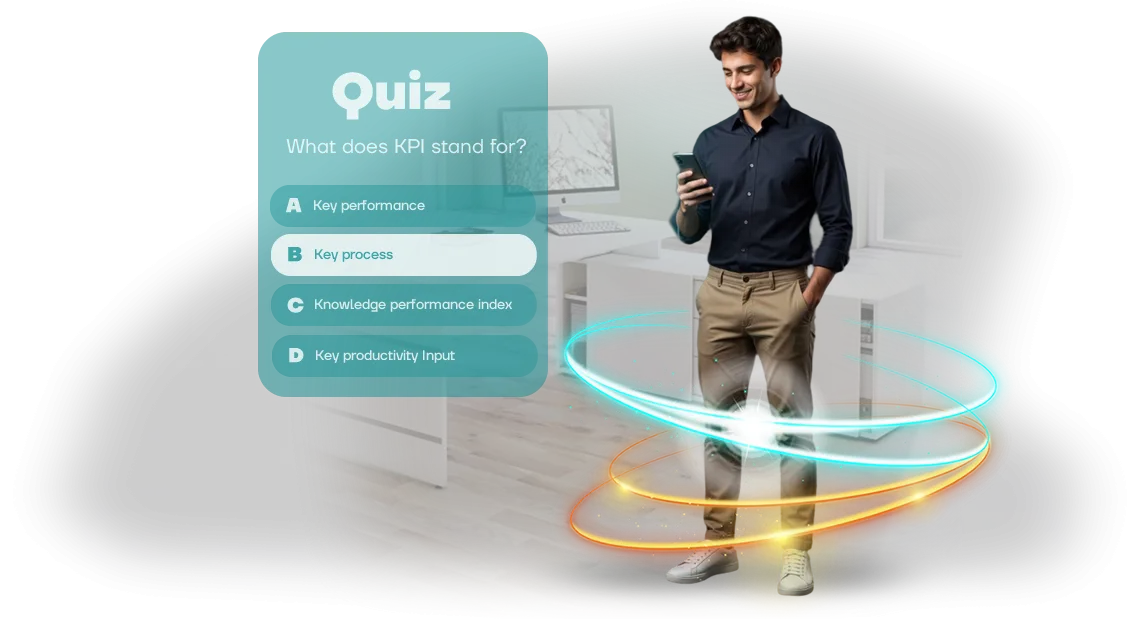
חידונים סטנדרטיים ב-ProProfs LMS לא מושכים את תשומת הלב של העובדים
חידונים סטנדרטיים ב-ProProfs LMS הופכים לעתים קרובות לפורמליות גרידא. עובד משלים את ההדרכה אבל שוכח את הכללים המרכזיים תוך שבוע כי הוא לא היה מעורב בתהליך.
במקום קליטה משמעותית של החומר, מקבלים "לחיצות על אופציות" מכניות — והעסק לא מקבל את העיקר: ידע אמיתי והתנהגות שהשתנתה.
מעורבות נמוכה של עובדים היא לא רק שעמום. זה הפסדים ישירים: שגיאות חוזרות במכירות, הפרות של נהלים, פניות תמיכה נוספות.
החברה משקיעה זמן וכסף בקורס, והתוצאה נמדדת רק ב"עבר/נכשל". לכן מבחנים קלאסיים מפסיקים לעבוד: הם לא יוצרים את רמת הקשב והמוטיבציה הנדרשת.
בעיות הדרכה ב-ProProfs LMS נפתרות כאשר שאלות סטטיות מוחלפות בתרחיש עם בחירות פעולה, מגבלת זמן ומשוב ברור.
חידונים אינטראקטיביים שומרים על עניין לאורך כל הקורס: העובד רואה את ההתקדמות שלו, משווה תוצאות עם עמיתים ומבין בדיוק היכן טעה. זה הופך הדרכה מחובה למשחק, והידע מתחזק בפועל.
אנחנו בונים בדיוק את המכניקות האלה לתוך קורסי הדרכה: פיתוח מקצועי תואם ל-ProProfs LMS שלכם, מותאם לחלוטין לצרכי הצוות שלכם. התוצאה — מעורבות מוגברת, פחות שגיאות ויעילות מדידה לכל מודול הדרכה.
מה מקבלים מחידוני הדרכה: מעורבות ותוצאות
חידוני הדרכה הם לא רק בדיקת ידע, אלא כלי שהופך הדרכה חובה משעממת למשחק. עובדים נכנסים לתהליך, מתחרים וזוכרים את החומר הרבה יותר טוב מאשר כשקוראים הוראות או צופים במצגות. עבור העסק, זה אומר כישורים גבוהים יותר ללא הגדלת תקציב ההדרכה.
מעורבות מוגברת בהדרכה
כשההדרכה מרגישה כמו משחק, עובדים משלימים אותה מרצון ובעניין. חידונים עם נקודות, רמות ומשוב מחזיקים תשומת לב עד הסוף, לא רק "למראית עין". אתם רואים פעילות אמיתית של הצוות, לא סימני צפייה פורמליים.
התוצאה — מעורבות גבוהה יותר, כלומר ידע חדש מיושם בפועל ולא נשכח אחרי שבוע.
שימור חומר טוב יותר
פורמט השאלה-תשובה מאלץ עובדים להיזכר בנקודות מפתח וליישם אותן בהקשר. העובד לא רק קורא — הוא חושב, מנתח ומחזק את המיומנות.
זה חשוב במיוחד לפיתוח מקצועי, כשצריך לרענן ידע במהירות בלי לקחת זמן מהעבודה.
תרחישים אינטראקטיביים עוזרים לפרק טעויות ולהראות פתרונות נכונים ברגע הסיום.
חיסכון בזמן בהערכת ידע
בדיקת מבחנים ידנית לוקחת שעות, במיוחד עם עובדים רבים. חידוני הדרכה ב-ProProfs LMS אוספים תוצאות אוטומטית: אתם רואים מי הצליח, מי טעה ואילו נושאים צריך לסקור שוב. הנתונים נוצרים מעצמם, בלי גיליונות אלקטרוניים או דוחות נוספים.
את הזמן שהתפנה עדיף להשקיע בפיתוח הצוות במקום בעבודה שגרתית.
קליטה מהירה יותר של עובדים חדשים
חידונים עוזרים למצטרפים חדשים ללמוד את תקני החברה מהר יותר ולבדוק עד כמה הם קלטו את החומר אחרי ההיכרות הראשונית. זה מפחית את הסיכון לטעויות בשבועות הראשונים של העבודה ומאיץ את ההגעה לרמת הפרודוקטיביות הרצויה.
אתם רואים מראש אילו מצטרפים חדשים זקוקים לתמיכה נוספת ועוזרים בדיוק במקום שצריך.
פורמטי חידון ל-ProProfs LMS: לכל משימה
עובדים משלימים מבחנים סטנדרטיים "למראית עין": בוחרים תשובות במהירות בלי להתעמק בחומר, והמנהל מקבל תמונה לא אמינה.
חידון הדרכה פותר את הבעיה הזו — הוא מחזיק תשומת לב עם סבבים קצרים, תרחישים אינטראקטיביים ותגובה מיידית לתשובות.
ProProfs LMS עצמו נוח להשקת קורסים ואיסוף סטטיסטיקות. אנחנו משלימים אותו עם חידונים שנראים כמו משחק מודרני ושולחים את כל התוצאות ל-LMS.
הפורמט הזה עובד גם לקליטת עובדים חדשים וגם לבדיקות ידע שוטפות לצוותים מנוסים.
אנחנו מדגישים כמה פורמטים שאנחנו משלבים למשימה שלכם:
| פורמט | למי | מה זה נותן ללקוח |
|---|---|---|
| סבבי שאלה-תשובה קצרים | עובדים חדשים במהלך קליטה | היכרות מהירה עם המוצר והנהלים בלי קורס מבוא ארוך |
| מקרי מצב | מנהלי מכירות, מנהלים קו | בדיקת מיומנויות על תרחישים אמיתיים, לא תיאוריה מופשטת |
| חידון מהירות | כל מי שעובד באופן קבוע עם כללים מורכבים | שומר על ידע חד, עוזר לזכור טעויות נפוצות |
| מצב תחרותי | צוותים ומחלקות | מעורבות מוגברת דרך תחרות בריאה ורוח צוות |
| הערכה לאחר הדרכה | עובדים אחרי קורס או סדנה | הערכת מוכנות שקופה, קריטריונים ברורים למנהל |
| סקירת שגיאות מיד אחרי התשובה | עובדים שלומדים תוך כדי עשייה | החומר נזכר מהר יותר — האדם רואה את התשובה הנכונה ברגע השאלה |
אנחנו מפתחים את כל הפורמטים כמשחקי Unity תואמי SCORM, כך שהחידון משתלב בקלות ב-ProProfs LMS הקיים ומעדכן אוטומטית את התקדמות העובדים. כל מה שנשאר לכם הוא לבחור את התרחיש — או שנעזור לקבוע מה מתאים לצוות שלכם ספציפית.
איך עובד פיתוח חידון: מבריף ועד השקה
תהליך ברור הוא חצי מההצלחה. אתם לא נשארים לבד עם המשימה: אנחנו מלווים את הפרויקט מבריף ועד השקה ב-ProProfs LMS. להלן שלבי העבודה מנקודת המבט של הלקוח.
שלבי העבודה
- בריף ומטרות. יש לנו שיחה ומגדירים את המשימות: את מי מלמדים ומה, אילו תרחישים חשובים. הפלט הוא מפרט טכני: מספר שאלות, מכניקות, ציר זמן.
- תוכנית והערכת עלות. אנחנו קובעים את השלבים, ציר הזמן והעלות. אתם מקבלים תוכנית לוח שנה ומבינים מתי תראו תוצאות.
- תרחיש ושאלות. יחד עם המומחה שלכם, אנחנו מכינים את הטקסט: ניסוח, אפשרויות תשובה, הסברים. אנחנו בודקים שהכל חד-משמעי ושימושי.
- עיצוב ופיתוח. אנחנו יוצרים את הסגנון, האנימציה והמכניקות. בכל שלב אתם רואים גרסאות ביניים ועורכים שינויים.
- אינטגרציה לפלטפורמה. אנחנו אורזים את החידון בתקן SCORM ומעלים אותו ל-ProProfs LMS. אנחנו בודקים איך נשמרים ציונים והתקדמות עובדים.
- בדיקות והשקה. אנחנו מריצים על קבוצת עובדים, אוספים משוב ועורכים שינויים סופיים. אחר כך — השקה רשמית.
- תמיכה ואנליטיקה. אחרי ההשקה אנחנו נשארים בקשר: תמיכה, שיפורים, סקירת סטטיסטיקות. אתם רואים כמה עובדים השלימו את ההדרכה ועד כמה הם קלטו את החומר.
הגישה הזו מאפשרת להשיק את החידון במהירות ובלי הפתעות: אתם תמיד יודעים באיזה שלב הפרויקט ומה הלאה.
מה כלול בתוצר: ערכת השקה מלאה להדרכה
כדי שהחידון יעבוד מיד, בלי עיכובים ושאלות מיותרות, אנחנו מספקים לא רק משחק אלא ערכת השקה מלאה. כל מה שצריך לאינטגרציה להדרכה שלכם ולשימוש שוטף כבר מוכן, ארוז ומתועד.
- קובץ חידון מוכן — נטען למערכת ניהול הלמידה שלכם (תואם SCORM ומותקן בקלות ב-ProProfs LMS). אין צורך בעבודה נוספת מצד המומחים הטכניים שלכם.
- הוראות התקנה והשקה — מדריך מנהל שלב-אחר-שלב: איך להוסיף את החידון, להקצות אותו לקבוצת עובדים ולהעניק גישה.
- חומרים מתודולוגיים למשאבי אנוש ומנהלים — מטרות למידה, תרחישי מסירה מומלצים, טקסטים מוכנים להכרזה והנעת עובדים.
- דף רמאות לעובד — בקצרה על איך החידון עובד, כמה זמן זה לוקח, איך לצפות בתוצאות ומה לעשות עם שאלות.
- הגדרות ניהוליות — אתם יכולים לשנות שאלות, תשובות וזמן השלמה בעצמכם בלי לפנות למפתחים.
- תיעוד שירות — תיאור מבנה הקורס ודרישות הציוד כדי שתמיכת ה-IT שלכם תוכל להגיב במהירות לפניות פנימיות.
- תמיכה בתקופת ההשקה — במהלך החודש הראשון אחרי המסירה אנחנו בקשר, עוזרים בהעלאה, הגדרה והשלמות ראשוניות.
הערכה הזו מסירה את כל הסיכונים הארגוניים: העובדים שלכם לא צריכים להבין בפרטים טכניים, ולמשאבי האנוש יש תרחיש יישום מוכן. אתם מקבלים לא קובץ "גולמי" אלא כלי עובד שמספק ערך מיידי ומתרחב בקלות לקבוצות ונושאים חדשים.
מקרה בוחן: איך חידון הגדיל את השלמת הקורס ב-40%
עובדים תופסים לעתים קרובות הדרכה חובה כפורמליות: פותחים שקופית, מוסחים בצ'אט, "מדפדפים" את החומר עד לכפתור "בוצע".
כתוצאה מכך, החברה משקיעה בקורס, אבל הידע נשאר ברמת סטטיסטיקות הצפייה — ובעוד שבוע, הצוות עובד כמו קודם.
נתקלנו במשימה דומה עם לקוח עם משרדים מפוזרים: 700 איש עברו קורס על תקני שירות חדשים, אבל רק שליש הגיעו למבחן הסופי. השאר נשרו באמצע, והציונים הממוצעים של אלה שסיימו לא הגיעו ליעד. הבעיה לא הייתה בחומר אלא בפורמט: הרצאות יבשות ושקופיות ארוכות לא נותנות משוב.
הצענו להפוך את ההדרכה לחידון. במקום קריאה פסיבית — סבבי משחק קצרים: שאלה, בחירת תשובה, פירוק שגיאות מיידי. הפורמט הזה מחזיק תשומת לב ומראה מיד אם העובד קלט את הנושא.
מה הלקוח קיבל אחרי ההשקה
חודש אחרי הטמעת החידון תואם ה-SCORM ב-ProProfs LMS, השלמת הקורס גדלה ב-40%, והציונים הממוצעים במבחן הסופי עלו ב-17%.
מספר פניות העובדים לתמיכה הטכנית בנוגע לתקנה החדשה כמעט נחצה — אנשים באמת התחילו לעבוד לפי התקנים.
יתרון נוסף היה אבחון פערים: דוחות ProProfs מראים אילו נושאים גורמים לקשיים לצוות. המנהל רואה לא רק ציונים אלא אזורי בעיה — ויכול להכין במהירות חומר נוסף לסקירה.
הלקוח האריך את ההתקשרות לשלושה מודולי הדרכה נוספים, ועמיתים ממחלקות שכנות ביקשו להשיק חידונים דומים לצוותים שלהם. עבורנו, זה המדד המרכזי: השיטה עובדת ומתרחבת בקלות לתחומים אחרים.
שאלות נפוצות על פיתוח חידון ואינטגרציה
ספקות לפני שילוב חידון חדש הם נורמליים: המערכת שלכם, קורסים קיימים, בקרת תוצאות. להלן תשובות לשאלות שמנהלי הדרכה ומנהלי משאבי אנוש שואלים לרוב כשהם מחליטים להזמין חידון לעובדים. אם השאלה שלכם לא כאן — פשוט כתבו לנו, נספר לכם הכל בשיחה אחת.
איך החידון ישתלב במערכת ההדרכה שלנו?
אנחנו מספקים מודול מוכן שנטען למערכת שלכם דרך מנגנון החלפת הקורסים הסטנדרטי. כל התוצאות — ציונים, השלמה, דירוג — נשלחות אוטומטית לסטטיסטיקות שלכם. גישת מנהל בסיסית מספיקה; אנחנו מטפלים בשאר.
מה אתם צריכים מאיתנו כדי להשיק?
רק גישה למערכת שלכם ורשימת שאלות עם אפשרויות תשובה. בדרך כלל מספיקים אישור אחד או שניים — והחידון כבר עובד. אין צורך בשינויים בתוכנה שלכם או במעורבות של המפתחים שלכם.
אילו ערבויות יש לנו שהכל יעבוד?
לפני המסירה אנחנו עורכים בדיקה מלאה: החידון נפתח בכמה דפדפנים ובמכשירים שונים, רישום התוצאות וחזרה לניסיון שהופסק נבדקים. אתם מקבלים פרוטוקול בדיקה וקובץ סופי שכבר אומת במערכת שלכם יחד איתכם.
האם עובדים יוכלו לגשת לחידון מהטלפונים שלהם?
כן, החידון נפתח היטב במחשבים, טאבלטים וסמארטפונים. זה נוח לצוותים מרוחקים ולמי שמבלה הרבה זמן מחוץ למשרד. אתם מקבלים אחוז השלמה גבוה יותר מאשר כשקשורים למחשב עבודה.
האם נוכל לשנות שאלות אחרי ההשקה?
כמובן. אתם שולחים ניסוח חדש או אפשרויות תשובה — אנחנו מבצעים את השינויים ומחזירים גרסה מעודכנת. לרוב, עדכונים לוקחים לא יותר מיום עבודה אחד. אתם לא צריכים להבין בעורך מובנה או לחפש מומחה טכני.
אם עולות שאלות אחרי ההשקה, התמיכה הטכנית נשארת איתכם: אנחנו עוזרים בהעלאה, הגדרת הרשאות גישה והגדרה מחדש של החידון למשימות חדשות. האחריות לפעולה תקינה נמשכת לאורך כל תקופת שיתוף הפעולה.
השאירו בקשה לפיתוח חידון למשימה שלכם
כל משימה עסקית היא ייחודית: חידון הדרכה לאנשי מכירות צריך סט מכניקות אחד, לתמיכה טכנית אחר. לכן אנחנו מחשבים את עלות החידון אחרי בריף קצר, לא לפי מחירים ממוצעים ממחירון.
השאירו בקשה לפיתוח — ותוך יום עסקים נשלח הערכת פרויקט עם צירי זמן קבועים.
ההערכה כוללת לא רק מחיר, אלא פתרון למשימה שלכם.
אנחנו מבהירים מי יעבור את החידון, איזו תוצאה נדרשת, ומציעים פורמט שמספק מעורבות, לא "סתם מבחן". אחרי הסכמה, אתם מקבלים תוכנית לוח שנה ומנהל אחד שמוביל את הפרויקט מהתרחיש ועד הקבלה.
מה אתם מקבלים מהיום הראשון:
- חישוב עלות חידון שקוף ותקציב בלי תוספות נסתרות;
- צירי זמן מדויקים — משבוע עד חודש תלוי במכניקות ובכמות התוכן;
- בחירת פורמט: מבחן ליניארי, תרחיש מסועף, מצב תחרותי;
- תרחיש שאלה-תשובה מוכן עם הנושא שלכם מפותח במלואו;
- הגדרת אינטגרציה עם ProProfs LMS — העובד עובר את החידון ישירות במערכת ההדרכה המוכרת;
- ריצת ניסיון על קבוצת בקרה ועריכות לפני ההשקה הסופית;
- תמיכה לאחר מסירה — אם עולות שאלות, אנחנו בקשר.
אחרי זה, זה פשוט: ממלאים את הטופס, אנחנו דנים במשימה, ואתם מקבלים הערכת פרויקט עם מספרים וצירי זמן ברורים. עלות החידון תלויה במורכבות התרחיש והעיצוב — אבל בכל מקרה, תדעו אותה לפני תחילת העבודה, לא אחריה.
השאירו בקשה כדי להתחיל לתכנן את השקת ההדרכה שלכם תוך יום, במקום לחפש קבלן.
איך לבחור פורמט חידון למשימת ההדרכה שלכם?
התשובה הישירה: אין פורמט חידון אידיאלי "אחד שמתאים לכולם". לפני הבחירה, צריך להבין את מטרת ההדרכה — להציג מוצר, לבדוק ידע אחרי קורס, או לשמר כישורים באופן שוטף. בלי מטרה ברורה, חידון הופך לפורמליות ולא מספק תוצאה מדידה.
קו המנחה הוא מקרה השימוש. לקליטת עובדים חדשים, חידון נרטיבי קל עם רמזים עובד: הוא מפחית לחץ ומטביע בעדינות את הלומד בחומר.
לבקרה לאחר הדרכה — מבחן קפדני עם מגבלת זמן וסקירת שגיאות, כדי שהעובד יזכור את הפעולות הנכונות. להדרכה שוטפת — חידון עם קושי עולה שמראה התקדמות ושומר על עניין.
בדקו איזה פורמט חידון מתאים למטרה שלכם. תרחישים עם בחירות פעולה עוזרים ללמד התנהגות במצבי חירום; שאלות רצף עוזרות לוודא ידע בנהלים.
הבחירה הנכונה נקבעת לא לפי מכניקות אופנתיות, אלא לפי המיומנויות שצריך לחזק ואיך תעריכו את התוצאה.
אנחנו מתחילים בבחירת פורמט לפרויקט, לא בתכנות. בייעוץ אנחנו מנתחים את הקהל, תדירות ההשלמה והאפקט הצפוי, ואז מציעים מבנה ותרחיש.
אחרי ההשקה אתם מקבלים משחק תואם SCORM ששולח תוצאות ל-ProProfs LMS — חוסך זמן לצוות שלכם ומבטל איסוף נתונים ידני.
אם אתם לא בטוחים איזה פורמט לבחור, ספרו לנו על משימת ההדרכה שלכם בייעוץ. נציע אפשרות שנותנת תמונה מדויקת של הידע ומגבירה את מעורבות העובדים.