

עובדים מתעלמים מההדרכה ב-WebTutor? הגיע הזמן לשנות גישה
השקעתם זמן ותקציב בהכשרת עובדים, הגדרתם את WebTutor, העליתם קורסים והקצתם מועדים — ובכל זאת אנשים עוברים על החומר רק כדי לסמן וי.
הם פותחים את החלון, עוברים לצ'אטים, בוחרים תשובות באקראי, וסוגרים את המבחן מהר ככל האפשר. המערכת מראה אחוזי השלמה סבירים, אבל שבוע אחר כך אף אחד לא זוכר על מה היה התסריט.
פורמלית, ההדרכה התקיימה — במציאות, כסף של החברה התבזבז. כך נראה מצב טיפוסי שבו הדרכה ארגונית הופכת לפורמליות.
נשמע מוכר? אין כאן כוונת זדון: פשוט משעמם למבוגרים לקרוא הרצאות ארוכות ולצפות בשקפים סטטיים. כשהפורמט מזכיר שיעור בבית ספר, המעורבות של הצוות יורדת, ואיתה — האפקטיביות.
טעויות חוזרות, תקנות מופרות, ודוחות WebTutor מראים פעילות אבל לא את איכות שימור הידע. מנהל רואה אחוזים בדשבורד וחושב שהצוות לומד — בעוד שבמציאות הידע אף פעם לא מגיע למשימות עבודה אמיתיות.
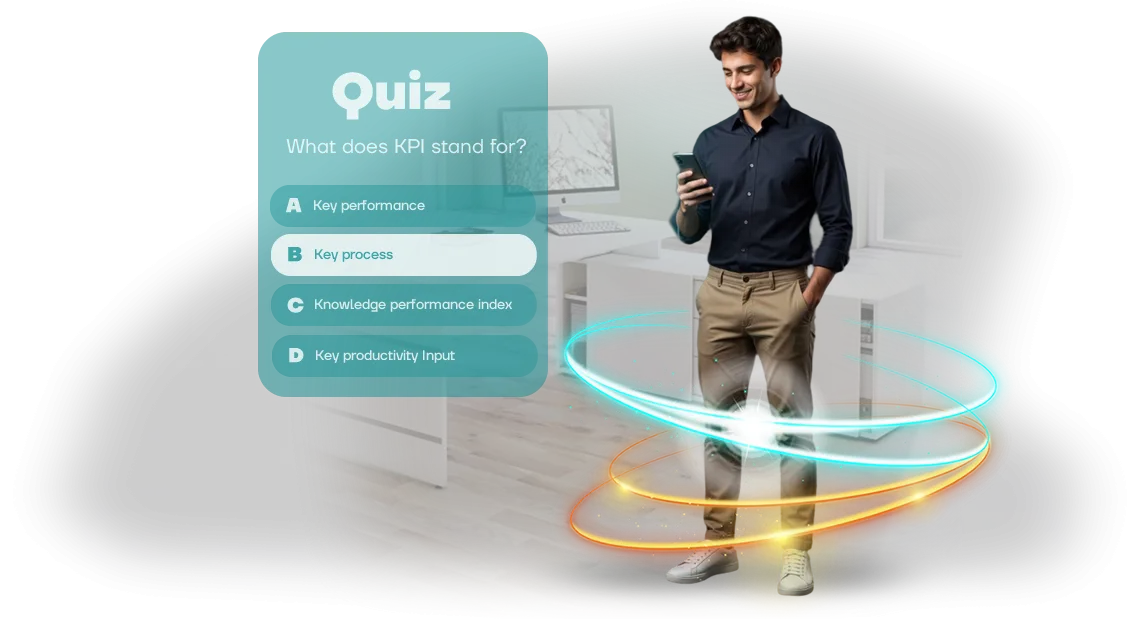
הבעיה נפתרת לא בכפייה, אלא בשינוי הפורמט. חידוני הדרכה שאנו משלבים ב-WebTutor שלכם הופכים שגרה למשחק: שאלות קצרות, תגובה מיידית לתשובות, אלמנט תחרותי ותוצאה ברורה.
נוח להשלים חידונים מהטלפון או המחשב, בקצב שלכם. עובדים מתחילים לחזור לחומר בעצמם כדי לשפר את הציון ולטפס בדירוג — עניין עובד טוב יותר מכל בקרה.
אנו פותרים את הכאב הזה באופן מקיף: אנו מפתחים תסריטים ושאלות, מחברים אותם ל-WebTutor, מוודאים ביצועים, ומוסרים לכם סטטיסטיקות ברורות.
אינכם צריכים להיכנס לפרטים טכניים — אתם מקבלים חידונים שמגבירים מעורבות, שימור ידע וערך מעשי של ההדרכה. עובדים מפסיקים להתעלם מקורסים ומשלימים אותם בעניין, ואתם רואים תוצאות אמיתיות במערכת המוכרת.
מה מקבלים מחידונים מבוססי משחק לצוות
חידונים מבוססי משחק הופכים הדרכה מפורמליות לתהליך מרתק: עובדים משלימים סבבים קצרים, מקבלים משוב ורואים את ההתקדמות שלהם.
המעורבות גדלה — לפי הפרויקטים שלנו, 80–90% מהעובדים משלימים את הקורס המלא, בעוד שבמצגות רגילות רק מעטים צופים בהן עד הסוף.
הערך המרכזי הוא איכות הלמידה. שאלות עם אפשרויות תשובה, פירוט שגיאות וחזרה על נושאים קשים בפורמט משחק מחזקים ידע בצורה אמינה יותר מטקסט או וידאו.
עובד רואה מיד היכן טעה וזוכר את האפשרות הנכונה — זה מפחית את מספר השגיאות בעבודה ומאיץ קליטת עובדים חדשים.
למנהלי משאבי אנוש ולמנהלים, חידונים חוסכים שעות של עבודה ידנית. תוצאות נאספות אוטומטית במערכת: אפשר לראות מספר ניסיונות, תשובות נכונות ושגויות, וזמן שהושקע.
כל הסטטיסטיקות זמינות בדוח נוח, ובמידת הצורך — ב-LMS שלכם באמצעות תקן SCORM, כולל WebTutor.
השקה מהירה וגמישות הם יתרון נוסף. ניתן להתאים חידון מוכן למוצר חדש, תקנה או כלל בטיחות תוך כמה ימים.
אתם מקבלים כלי שעובד באופן שוטף: לקליטת עובדים חדשים, הסמכה, הדרכות רענון ובדיקות ידע לאחר סדנאות.
בסופו של דבר, חידונים מבוססי משחק נותנים לעסק תוצאה ברורה: מעורבות מוגברת, שימור חומר טוב יותר וחיסכון בזמן למשאבי אנוש. ההדרכה מפסיקה להיות פורמליות ומתחילה להשפיע על איכות העבודה.
פורמטים של חידוני הדרכה למטרות החברה שלכם
חידונים הם לא רק מבחן — הם כלי שהופך תקנות משעממות לתסריטים ברורים. הפורמט משפיע על איך עובד תופס את החומר: דבר אחד הוא לקרוא הוראה, דבר אחר הוא לעבור תסריט וליישם את הידע מיד.
אנו בוחרים את פורמט החידון לפי המשימה הספציפית: קליטת עובדים חדשים, בדיקת ידע לאחר הדרכה, תרגול מצבים קשים או שמירה על כושר מיומנות שוטף.
הטבלה שלהלן מראה אילו פורמטים נמצאים בשימוש הנפוץ ביותר ואילו תוצאות הם מביאים לעסק.
| פורמט | למי הוא מיועד | מה הוא נותן לחברה |
|---|---|---|
| מבחן רב-ברירתי קלאסי | הדרכה המונית, הסמכה | בדיקת ידע מהירה, סטטיסטיקות אובייקטיביות לכל הצוות |
| תסריט מסועף | מנהלי קו, אנשי מכירות, צוות תמיכה | תרגול דיאלוגים וטיפול בהתנגדויות ללא סיכון ללקוח |
| חידון משחק עם נקודות וטיימר | עובדים צעירים, תוכניות מוטיבציה | מעורבות גבוהה, רוח תחרותית, שימור באמצעות רגש |
| מאמן מבוסס מקרים | מומחים מנוסים | העברת ידע לפרקטיקה, ניתוח מצבי עבודה אמיתיים |
| מיקרו-חידון במסנג'ר | כל העובדים, במיוחד מרוחקים | סקירת חומר קבועה ללא הפרעה למשימות עבודה |
בחירת הפורמט תלויה במטרה. לבדיקה המונית לאחר קורס מבוא, מבחן קלאסי מספיק, בעוד שלהדרכת משא ומתן תסריט מסועף עדיף.
כל הפורמטים מועלים ל-WebTutor ומשתקפים בסטטיסטיקות הכוללות — המנהל רואה את ההתקדמות של כל עובד ושל כל הצוות בזמן אמת.
חשוב גם שחידונים קלים לעדכון: אם כללים או מוצרים משתנים, עורכים שינויים ללא התקנה מחדש.
עובדים עובדים בממשק אחד ולא מתבלבלים בין כלים, ואתם מקבלים דוחות ברורים: מי השלים את החידון, היכן טעו, ואילו נושאים כדאי לחזור עליהם.
איך הפרויקט מתנהל: מבריף ועד השקה ב-WebTutor
פיתוח חידון הדרכה הוא לא משימה חד-פעמית, אלא מסע מובנה עם שלבים ברורים ונקודות בקרה. אנו מטפלים בכל התהליך: מבריף קצר ועד השקת הקורס המוגמר ב-WebTutor ותמיכה שוטפת. בכל רגע אתם יכולים לראות באיזה שלב נמצא הפרויקט, מה כבר נעשה ומה נותר.
-
בריף והגדרת מטרות. אנו דנים במה החידון צריך ללמד, מי הקהל שלכם ואילו תסריטים נדרשים. כבר בשלב זה, אנו מבינים כיצד לשלב את ההדרכה בתהליכים הקיימים של החברה.
-
תוכנית ולוח זמנים. אנו קובעים מועדים, שלבים, תחומי אחריות ופורמט אישור. אתם יודעים מראש מתי יגיעו גרסאות ביניים ומתי תהיה התוצאה הסופית מוכנה — בלי הפתעות.
-
עיצוב החידון. אנו חושבים על שאלות, אפשרויות תשובה, רמזים ומכניקת אינטראקציה. אנו מכינים את המבנה כך שעובדים יוכלו להשלים את ההדרכה בקלות ולזכור את הנקודות המרכזיות.
-
פיתוח ואישור. אנו יוצרים חידון אינטראקטיבי בפורמט SCORM כך שיפעל כראוי ב-WebTutor. אנו מציגים גרסאות ביניים ומשלבים עריכות עד שהתוצאה מספקת אתכם לחלוטין.
-
השקה ב-WebTutor. אנו משלבים את הקורס המוכן במערכת ניהול הלמידה שלכם, בודקים שהוא פועל כראוי — טעינה, שמירת התקדמות וכו'. בתוך WebTutor, אנו מגדירים גישה לקבוצות העובדים הנדרשות.
-
תמיכה ואנליטיקה. לאחר ההשקה, אנו נשארים בקשר: אנו עוזרים בשאלות טכניות, מציעים כיצד לשנות שאלות או להוסיף רמות חדשות. אנו בוחנים תוצאות מעבר ומייעצים כיצד לשפר מעורבות.
כתוצאה מכך, אתם מקבלים לא רק מבחן, אלא כלי הדרכה שפועל בתוך המערכת שלכם ומספק נתונים על התקדמות העובדים. המחזור המלא אורך בדרך כלל שבועיים עד ארבעה שבועות — לוח הזמנים המדויק נקבע בתוכנית הפרויקט.
מה כלול במסירה: ערכת השקה מלאה
אתם מקבלים לא רק חידון, אלא כלי הדרכת עובדים מוכן לשימוש. לא "תבנית ריקה" שעליכם למלא ולהגדיר בעצמכם — אנו מוסרים חבילה מלאה, שלאחריה ניתן להשיק את החידון מיד ב-WebTutor ולהשתמש בו בפועל.
מה כלול במסירה:
- מאגר שאלות ותסריטים — שאלות מפותחות היטב בנושא שלכם, מאורגנות לפי רמת קושי ונושא, עם אפשרויות תשובה והסברים לעובד.
- תסריט משחק ועיצוב — ויזואליה בסגנון המותג שלכם, קו עלילה ומערכת נקודות שמושכת תשומת לב ומניעה אנשים להשלים את ההדרכה.
- קורס מוכן ל-WebTutor — מודול בנוי שנטען ל-LMS שלכם ללא שלבים נוספים ופועל כראוי מיד.
- אינטגרציה עם ה-LMS שלכם — הגדרת סנכרון תוצאות: אתם יכולים לראות מי השלים את החידון, אילו שאלות גרמו לקשיים ועד כמה החומר נקלט.
- הוראות למנהלים ולעובדים — מדריכים קצרים להפעלת החידון, עבודה עם תוצאות וטיפול במצבים טיפוסיים: הצוות שלכם יתעדכן תוך יום גם ללא הכשרה טכנית.
- הכשרה לצוות שלכם — מפגש מקוון קצר שבו אנו מראים כיצד להשתמש בחידון ומה לעשות עם הדוחות.
- תמיכה מובטחת — לאחר ההשקה אנו נשארים זמינים ופותרים כל בעיה במהירות כדי שההדרכה תתנהל ללא הפרעות.
החבילה כולה מורכבת סביב המשימה שלכם: אתם מקבלים חומרי חידון שניתן לעדכן ולהרחיב, לא "צעצוע חד-פעמי". כך ההדרכה לא מתיישנת לאחר חודש — היא נשארת רלוונטית ומספקת ערך.
כל מה שנשאר לכם הוא לשלוח לעובדים את הקישור ולנתח את התוצאות הראשונות. כל השאר הוא העבודה שלנו: משאלות ועד השקה מלאה ב-WebTutor.
מקרה בוחן: כיצד הגדלנו את השלמת ההדרכה ב-WebTutor פי 3
מצב מוכר: עובדים פותחים קורס, לוחצים "הבא" עד הסוף — ובדוח המערכת ההדרכה "הושלמה", אבל במציאות יש אפס ידע. זה בולט במיוחד במערכות ארגוניות כמו WebTutor, שבהן סטטיסטיקות חורגות ממיומנויות בפועל. אנו פותרים בעיה זו באמצעות חידונים שאנשים באמת רוצים להשלים.
תוצאות היישום
הלקוח — רשת קמעונאית עם למעלה מ-2,000 עובדים — ביקש מאיתנו להגדיל את השלמת קורס חובה על תקני שירות. רק 25% מהעובדים הצליחו לעבור את המבחנים הרגילים, ומועדים הוחמצו.
עיצבנו חידון מבוסס משחק עם רמות, נקודות וקו עלילה, ואז שילבנו אותו עם WebTutor. היישום ארך פחות משבוע, ובתוך חודש ההשלמה שולשה ל-78%.
הציון הממוצע היה 89%, וזמן ההדרכה ירד בשליש: עובדים השלימו את החומר בניסיון הראשון ולא איבדו מוטיבציה.
"עובדים ביקשו מאיתנו להוסיף רמות חדשות בעצמם — זה מעולם לא קרה לפני כן. סוף סוף אנו רואים תוצאות הדרכה אמיתיות במקום סימוני וי פורמליים," אמר ראש פיתוח הצוות של הלקוח.
מאז חזרנו על מקרה פיתוח חידוני WebTutor זה עבור חברות לוגיסטיקה ובנקאות. בכל מקרה, אותו כלל תקף: מכניקת משחק נכונה מגבירה מעורבות, והאינטגרציה עם WebTutor אורכת רק כמה ימים, ללא צורך בהחלפת תשתית.
איך לבחור את פורמט החידון המתאים למשימה שלכם?
פורמט החידון הוא לא עניין של טעם — הוא כלי למטרה עסקית ספציפית. לפני הבחירה, שאלו את עצמכם: מה צריך להשתנות לאחר החידון?
אם אתם צריכים לבדוק כיצד עובדים קלטו הוראה או תקנה חדשה, מבחן רב-ברירתי קצר עם משוב מיידי עובד היטב.
אם המטרה היא לתרגל התנהגות במצב קשה (תקשורת עם לקוח, מכירות, קונפליקט), תסריט מסועף עדיף: העובד מקבל החלטה ורואה מיד את ההשלכות.
הקריטריון השני הוא הקהל וההקשר. עובדים חדשים זקוקים לחידונים חינוכיים עם רמזים והסברים לאחר כל תשובה, כדי שיוכלו להשלים פערי ידע.
עובדים מנוסים זקוקים למשימות מורכבות יותר עם מגבלות זמן ולוח מובילים, כדי לשמור על רוח תחרותית ולעודד סקירה קבועה.
חשוב גם באיזו תדירות אתם מתכננים להפעיל את החידון: קמפיין חד-פעמי להשקת מוצר ובדיקת ידע חודשית הם פורמטים שונים עם רמות עידון שונות.
הקריטריון השלישי הוא נוחות עבורכם ועבור הצוות שלכם. חשבו כיצד תנתחו תוצאות: האם אתם צריכים סטטיסטיקות מפורטות לכל שאלה כדי להבין היכן עובדים טועים לרוב, או שציון כולל מספיק להסמכה?
חידון טוב צריך לספק נתונים שבהם תוכלו להשתמש כדי להתאים את ההדרכה, לא רק "סימון וי" על השלמה.
זכרו שפורמטים קלים להרחבה: אותו תסריט יכול לעבוד כסקר מהיר של 5 שאלות וכמקרה חווייתי מלא. בהתחלה, אפשר לבחור מכניקה פשוטה יותר ואז להרחיב אותה למשחק מורכב עם עלילה ורמות. העיקר שהפורמט פותר את המשימה שלכם, לא הופך למטרה בפני עצמה.
אם אינכם בטוחים — התחילו מהמטרה. הגדירו מה העובד צריך להיות מסוגל לעשות לאחר החידון, והמכניקה תבוא בקלות. אנו נעזור לכם לקבוע את הפורמט האופטימלי למשימה שלכם ולהתאים אותו לפורטל הלמידה שלכם, כולל אינטגרציה עם WebTutor. אתם תקבלו לא רק משחק, אלא תוצאת הדרכה מדידה.
שאלות נפוצות על פיתוח חידוני WebTutor
חידון להכשרת עובדים נראה כמו משימה פשוטה עד השאלה הראשונה: "איך זה יעבוד במערכת שלנו, מי יעלה וישיק את זה, מה אם משהו ישתבש, ומתי זה יהיה מוכן?" הספקות של הלקוח הם בדרך כלל לא על תוכן, אלא על אינטגרציה, לוחות זמנים ותמיכה. אנו עונים על העיקריות.
האם החידון יעבוד במערכת הארגונית שלנו?
כן — אנו יוצרים את החידון בפורמט SCORM, תואם ל-WebTutor. המשחק המוגמר נטען למערכת כמו כל חומר הדרכה רגיל, ללא שכתוב קוד או התאמות אישיות. אתם מקבלים אותו מחובר תוך יום עסקים אחד.
האם עובדים יכולים לבצע את החידון מהטלפונים שלהם?
כן, החידון עובד בכל דפדפן — במחשב, בטאבלט או בסמארטפון. עובד יכול לבצע את המבחן בכל מכשיר שנוח לו, והתוצאות עדיין נכנסות ל-WebTutor: אתם יכולים לראות מי השלים, כמה נקודות צבר ואילו נושאים בפיגור.
אין לנו צוות טכני. מי יעלה וישיק את החידון?
אנו מטפלים בזה — העלאה ל-WebTutor, בדיקה שהכל עובד, הוראות קצרות למנהל ותמיכה לאחר ההשקה. אתם מקבלים חידון עובד, לא קובץ שצריך להבין לבד.
כמה זמן לוקח פיתוח חידון?
פרויקט טיפוסי אורך שבועיים עד שלושה שבועות מבריף ועד החידון המוגמר במערכת. אם אתם צריכים את זה עד תאריך מסוים, אנו מאיצים באמצעות עבודה מקבילה — העיקר שאישור התוכן לא יתמהמה.
מוכנים להפוך את ההדרכה לאפקטיבית? הזמינו פיתוח חידון
אורחים זוכרים לא שקפים, אלא רגשות ומעורבות. חידון הדרכה הופך הרצאה משעממת למשחק שבו עובדים מתחרים, בודקים את הידע שלהם ומקבלים משוב מיידי.
אתם מזמינים כלי מוכן שעובד מהיום הראשון: ללא הגדרות ארוכות, ללא צורך לערב מפתחים, ללא התחבטות בהוראות לא ברורות.
אנו מטפלים בכל: מהתסריט והשאלות ועד האריזה הטכנית למערכת הלמידה שלכם. אתם מקבלים מוצר סוהר — כל מה שנשאר הוא לשלוח לעובדים את הקישור ולנטר תוצאות בממשק מוכר.
מה תקבלו לאחר ההזמנה
- חידון מוכן הבנוי סביב התסריט שלכם — שאלות, רמות קושי ולוגיקת השלמה מותאמים לצרכים העסקיים שלכם, לא תבנית אוניברסלית.
- חיבור קל דרך WebTutor — המשחק פועל בתוך ה-LMS שלכם, וכל התוצאות מגיעות אוטומטית למערכת הדיווח.
- הדרכה אינטראקטיבית במקום "חובה לעשות" — עובדים משלימים את החומר מהר יותר ובשמחה רבה יותר, ותחרות על לוח המובילים מגבירה מעורבות.
- בקרה ואנליטיקה — אתם רואים מי השלים את החידון, מי טעה ואילו נושאים דורשים סקירה. ללא בדיקה ידנית.
- תמיכה ואחריות — אנו מעלים את התוכן, בודקים תאימות ועוזרים בהשקה הראשונה. אם משהו משתבש, אנו פותרים זאת תוך יום עסקים אחד.
איך להתחיל
פשוט השאירו פנייה ותארו בקצרה את המשימה: נושא ההדרכה, מספר העובדים והפורמט המועדף. אנו נציע פתרון, נקבע לוח זמנים ומחיר לפני תחילת העבודה — ללא תוספות נסתרות או הערכות שמשתנות בדרך.
זמן הפיתוח הממוצע של חידון הוא 7–10 ימים. אתם מקבלים את הקובץ להעלאה ל-WebTutor, הוראות למנהל ושתי סבבי עריכות חינם אם תרצו להתאים משהו לאחר השקת ניסיון.
הזמינו פיתוח חידון עכשיו — והעובדים שלכם יתחילו ללמוד בעניין תוך שבועיים הקרובים. השאירו פנייה באתר — נחזור אליכם, נענה על שאלותיכם ונכין הצעה מסחרית תוך יום עסקים אחד.