

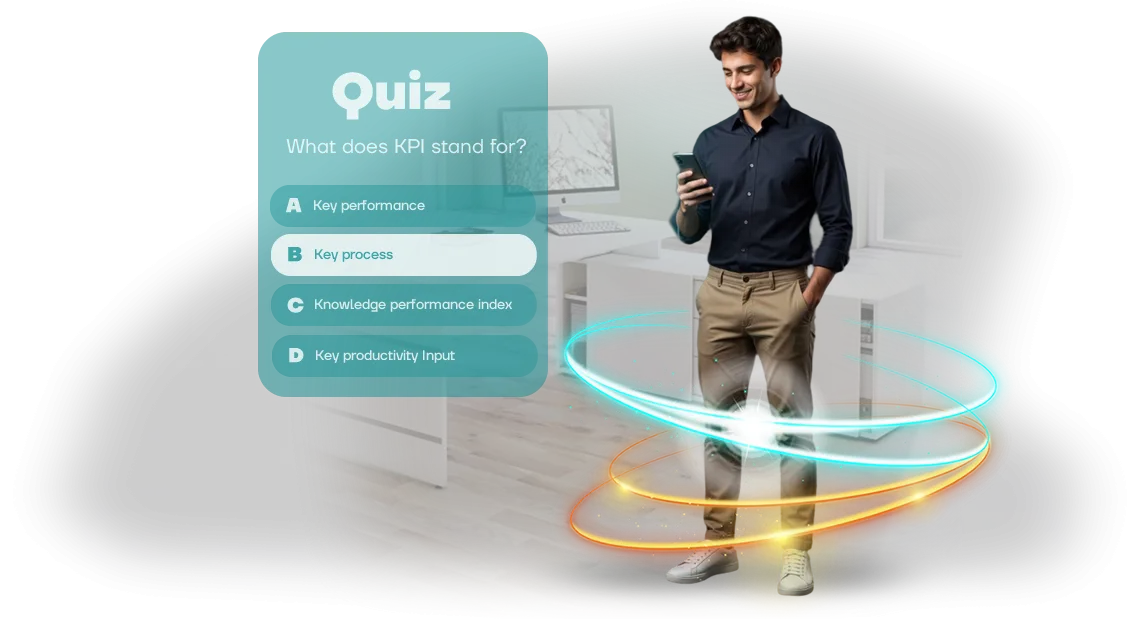
עובדים לא מעורבים בהדרכה — חידונים ב-Android TV יכולים לעזור
הדרכת עובדים מסורתית הופכת פעמים רבות לפורמליות: הרצאות, מצגות ומבחנים נתפסים כחובה ולא כהזדמנות לצמיחה. תשומת הלב נודדת, החומר נשכח, ובתוך שבוע המדדים חוזרים לרמתם הקודמת.
מנהלים משקיעים מאמץ בהכנת תוכניות, אך אינם רואים לא מעורבות ולא צמיחה אמיתית במיומנויות.
הבעיה היא שמבוגרים לומדים הכי טוב דרך פעולה ומשחק. כשההדרכה בנויה סביב צפייה פסיבית בשקופיות, המוח לא יוצר חיבור רגשי למידע.
חידונים לעובדים משנים את הדינמיקה הזו: הם הופכים בדיקת ידע לתחרות, מעוררים התרגשות ורצון להצליח. וכשמכניסים חידון למסך גדול, ההדרכה הופכת לאירוע ציבורי שמחבר את הצוות.
כאן נכנסות לתמונה פתרונות אינטראקטיביים של Android TV. טלוויזיה בחדר ישיבות, באזור מנוחה או בלובי הופכת למוקד מעורבות: עובדים ניגשים למסך, עונים על שאלות ורואים את התוצאות מיד.
פורמט הדרכת עובדים זה עובד ללא כפייה — אנשים משתתפים כי זה מעניין, לא כי הם "צריכים להשלים את הקורס".
לכן אנחנו בונים חידוני הדרכה לעובדים על Android TV. אנחנו משלבים מכניקת משחק עם חומר ההדרכה שלכם ומתאימים את הממשק למסך ולשלט רחוק כך שההשתתפות תרגיש קלה וטבעית.
אתם מקבלים כלי שמגביר מעורבות עובדים, משפר שימור חומר ויוצר אווירה חיובית בחברה.
אם אתם רואים שעובדים לא מעורבים בהדרכה ותוצאות ההערכה לא מעודדות, זה בדיוק המקרה שבו נדרש פורמט חדש.
חידוני הדרכה על Android TV יעזרו להפוך שגרה למשחק ולהניב תוצאות מדידות: יותר נושאים שהושלמו, ציונים גבוהים יותר ועניין אמיתי מצד הצוות. אנחנו מכסים את הצורך הזה במתכונת turnkey — מהקונספט ועד ההתקנה על המסכים שלכם.
שלוש סיבות להכניס חידונים להדרכה ארגונית
הדרכה ארגונית הופכת פעמים רבות לפורמליות: עובדים משלימים קורסים רק כדי לסמן וי ושוכחים את החומר תוך שבוע. כדי להפוך ידע למיומנויות, צריך גיימיפיקציה של למידה — וחידונים ארגוניים עושים זאת הכי טוב.
הם לא רק בודקים ידע; הם גורמים לעובדים לחשוב, להתחרות ולחזור לחומר שוב ושוב.
מעורבות: עובדים רוצים ללמוד בעצמם
כשההדרכה מרגישה כמו משחק, אנשים מפסיקים לשבת מהצד. חידון עם ממשק דינמי, תגובה מיידית לתשובות ומסך משותף בלובי מחזיק תשומת לב הרבה יותר טוב משקופיות והרצאות. עובדים מחכים לסיבוב הבא כדי להראות מה הם שווים — לא כי הם "חייבים".
עבודה על החומר מפסיקה להיות מטלה — היא הופכת לחלק משגרת היום. ההתרגשות והסקרנות נכנסות לפעולה באופן טבעי, בלי פקודות או פיקוח. עבור העסק, זה אומר שזמן ההדרכה מנוצל ביעילות, לא מבוזבז.
יעילות הדרכה: ידע נשמר ולא דוהה
הפורמט האינטראקטיבי דוחף עובדים להיזכר במה שלמדו וליישם אותו מיד. כל שאלה היא אימון קטן: המוח זוכר מידע טוב יותר כשהוא מועבר דרך טעויות, תשובות נכונות וחיזוק חיובי.
לכן חידונים מספקים יעילות הדרכה גבוהה פי כמה מצפייה פסיבית בסרטונים.
כדי להבטיח שהחידון ירוץ ללא תקלות על מסכים גדולים וישלט באמצעות שלט, אנחנו מעצבים את הממשק במיוחד לטלוויזיות. אנחנו מפתחים UI/UX ב-Unity — מה שמספק אנימציה חלקה ותגובה מהירה גם על מסכי Android TV תקציביים. עובדים נשארים ממוקדים בשאלות, לא בתקלות טכניות.
מוטיבציית עובדים: תחרות בריאה והכרה
לוחות תוצאות, נקודות ותגמולים על תשובות נכונות מעוררים תחרות טבעית. עובדים דנים בתוצאות, מתגרים בעמיתים ושואפים להגיע לראש הדירוג.
המנהל מקבל לא רק צוות מיומן אלא גם סיבה להכיר בפומבי במצטיינים — מה שמחזק נאמנות ושימור.
חידונים ארגוניים מחברים את הצוות: אפילו בפורמט מרוחק, מסך משותף וטבלת טורניר יוצרים תחושת מרחב משותף. מוטיבציית עובדים גדלה ללא השקעה חומרית — כל מה שצריך זה התרגשות והרצון להיות ראשונים.
פורמטי חידון על Android TV: לצוותים ולארגונים
כל עסק ניגש להדרכה בדרכו שלו: לפעמים צריך בדיקת ידע מהירה אחרי קליטה, לפעמים צריך לחבר צוותים מרוחקים, ולפעמים צריך אירוע מרהיב למאה אורחים.
אין כאן "קופסה" אחת שמתאימה לכולם, ולכן חשוב לבחור פורמט שפותר את המשימה הספציפית שלכם. על Android TV, חידון יכול להתאים בקלות לתרחיש: ממבחן רגוע ועד תחרות מהירה עם מעקב ציונים בזמן אמת.
אנחנו עובדים עם שלושה פורמטים מרכזיים ובמקרה הצורך משלבים אותם לפתרון היברידי. להלן פירוט מהיר שיעזור לכם למצוא את ההתאמה הנכונה לצוות או לאירוע שלכם.
מציאת פורמט שמתאים למשימה
| פורמט | למי זה מיועד | מה זה נותן ללקוח |
|---|---|---|
| מבחן | קליטה, אונבורדינג, בדיקות ידע שוטפות | הערכה מהירה של שימור חומר, סטטיסטיקה ברורה לכל עובד, חסם כניסה נמוך למשתתפים |
| קרב חידון | הדרכות צוות, גיבוש צוות, אירועי חברה | אלמנט תחרותי, תגובת קהל חיה, מעורבות גם של משתתפים פסיביים |
| משחק קבוצתי | אירועים גדולים, כנסים, מסיבות שותפים | מרהיבות והתרגשות, חוויית מסך גדול, הגעה מקסימלית לקהל בכל סיבוב |
"מבחן" הוא פורמט רגוע ושוטף: עובדים משלימים אותו בקצב שלהם, ואתם מקבלים תמונה אובייקטיבית על כל הצוות. "קרב חידון" מוסיף התרגשות בריאה: שתי קבוצות או יותר עונות נגד השעון, ולוח התוצאות על המסך מראה מי מוביל.
"משחק קבוצתי" הופך הדרכה או אירוע למופע אמיתי, כשכל החדר עוקב אחרי הקרב ומעודד את הצד שלו.
אם אתם לא בטוחים איזו אפשרות הכי קרובה לצרכים שלכם, נעזור לכם להחליט בשלב הבריף. פעמים רבות, שיחת טלפון אחת מספיקה כדי להבין מה עובד עבורכם.
ואם אתם צריכים לשלב למידה עם חגיגה, נבנה פתרון היברידי: חלק מהשאלות בודקות ידע, אחרות מתמקדות במהירות תגובה וידע כללי.
איך אנחנו מפתחים חידון: מבריף ועד השקה
תהליך ברור הוא המפתח לתוצאה צפויה. אנחנו מחלקים את פיתוח החידון לשישה שלבים כך שבכל שלב תוכלו לראות מה אתם מקבלים ולהשפיע על כיוון הפרויקט.
-
בריף — אנחנו נפגשים, מבהירים את המטרות, הקהל, נושאי השאלות והעדפות הסגנון שלכם. אתם מקבלים הבנה ברורה של היקף ולוחות זמנים לפני שהעבודה בכלל מתחילה.
-
תסריט ושאלות — אנחנו מכינים את תסריט המשחק ומנסחים את ניסוח השאלות ואפשרויות התשובה בהתאמה לפרטי הצוות שלכם. כך החידון מתיישר עם הערכים והשפה של החברה.
-
עיצוב וגרפיקה — אנחנו מפתחים את הסגנון החזותי ומתאימים את הממשק למסכי טלוויזיה, כולל Android TV. החידון נראה אחיד, מזוהה ושומר על איכותו בכל מכשיר.
-
אישור — אנחנו מראים לכם אב טיפוס ומודלים, ואתם מבצעים עריכות לפני אישור סופי. אין הפתעות בהשקה: מה שאתם רואים זה מה שאתם מקבלים.
-
יישום והרכבה — אנחנו בונים את החידון, בודקים אותו על חומרה אמיתית ומאמתים את כל התרחישים: מסיבוב קל ועד הגמר. אנחנו מכינים גרסה מותאמת במיוחד לאירוע שלכם.
-
תמיכה והשקה — אנחנו עוזרים בהתקנה, מתדרכים את המנחה ונשארים זמינים אחרי האירוע. אם משהו משתבש, אנחנו שם כדי לתקן במהירות.
גישה זו מבטלת עבודה חוזרת ועלויות מיותרות. אתם מקבלים כלי עובד בזמן — חידון שמערב עובדים, יוצר התרגשות ונשאר בזיכרון.
מה כלול בפרויקט חידון: חבילת השקה מלאה
אתם לא מקבלים "רק חידון" — אתם מקבלים כלי הדרכה מוכן שניתן לפריסה תוך שבועות. הפרויקט כולל כל מה שצריך כדי להפעיל אותו: מהתסריט ועיצוב הממשק ועד הוראות לצוות שלכם. אין הרכבה מאולתרת ואין המתנה ש"מישהו יסיים את העבודה".
להלן היקף המסירה המלא:
-
תסריט ומאגר שאלות בנושא שלכם. אנחנו לוקחים את החומר או יעדי הלמידה שלכם והופכים אותם למשחק מובנה — עם רמות קושי, הסברים לתשובות ולוגיקה ברורה. עובדים באמת זוכרים מה הם לומדים במקום רק לנחש.
-
עיצוב ממשק ל-Android TV. הגרפיקה מותאמת למסך גדול: אלמנטים גדולים, טקסט קריא וניווט נוח עם שלט רחוק. העובדים שלכם לא יפזלו או ילחצו באקראי — הכל אינטואיטיבי, כמו אפליקציית טלוויזיה אהובה.
-
גרסת חידון עובדת ואינטגרציה עם המערכות שלכם. אנחנו לא מספקים "תמונות" יפות — אנחנו מספקים מוצר מתפקד. במידת הצורך, אנחנו משלבים אותו עם פורטל הלמידה שלכם, חשבונות עובדים או סטטיסטיקה פנימית.
-
פאנל ניהול לצוות שלכם. שנו שאלות, הוסיפו סיבובים חדשים, צפו בתוצאות — בלי לערב מפתחים. זה אומר שהחידון גדל עם תוכניות ההדרכה שלכם במקום להתיישן תוך חודש.
-
הוראות והדרכת צוות. מדריכים קצרים ושיחה עם המנהלים שלכם: איך להפעיל את המשחק, מה לעשות במצב חירום, איך לייצא תוצאות. הצוות שלכם ילמד הכל לבד ולא יצטרך להטריד אתכם בדברים קטנים.
-
בעלות על התוצאה וחומרי המקור. כל הגרפיקה, התסריט והפרויקט המלא הם רכושכם. אתם יכולים להרחיב את החידון למחלקות אחרות ולהשתמש בעבודה בפרויקטים חדשים.
בשורה התחתונה: אתם לא צריכים לשכור מעצב, מפתח ומומחה QA בנפרד. אנחנו מרכיבים את כל החבילה במתכונת turnkey; אתם מקבלים כלי עובד ומשיקים הדרכה — בדרך כלל תוך שבועיים עד שלושה שבועות מהבריף.
מקרה בוחן: איך חידון טלוויזיה הגביר מעורבות עובדים
ברשת קמעונאית של 14 חנויות, מחלקת משאבי האנוש שמה לב לבעיה: לא יותר משליש מהעובדים השלימו את קורסי שירות הלקוחות הסטנדרטיים. החומרים היו נכונים אבל משעממים, והצוות ראה בהדרכה חובה.
הצענו להפוך נושאים מרכזיים לפורמט חידון ולהציב אותו על טלוויזיות בחדרי המנוחה — כך שעובדים יוכלו ללמוד בין משמרות, בלי להפריע לקצב הרגיל שלהם.
Territoriya Vkusa הסכימה להריץ פיילוט בארבע חנויות. החידון כלל שאלות קצרות על מוצרים, תקני תצוגה ותרחישי תקשורת עם לקוחות.
עובד היה מדליק את הטלוויזיה, בוחר את המחלקה שלו ומשלים סיבוב תוך 5–7 דקות — בפורמט משחק, עם נקודות ודירוג בין עמיתים. אין שלבים נוספים, שום דבר שדומה להרצאה.
מה השתנה בחודש הראשון של הפיילוט
חלק העובדים שהשלימו את ההדרכה החובה עלה ב-38% — וזה רק מאלה שבעבר "שכחו" לפתוח את פורטל הלמידה.
הציון הממוצע במבחן לא ירד, ומספר הניסיונות החוזרים הוכפל: הצוות המשיך לחזור לחידון לא כי נדרשו, אלא כדי להתחרות על המקומות הראשונים בלוח התוצאות.
מנקודת מבט עסקית, זה מתורגם לקליטה מהירה יותר של עובדים חדשים ולפחות טעויות באינטראקציות עם לקוחות.
מנהלי החנויות ראו תוצאות תוך חודש, אז החידון הושק בכל 14 המיקומים, והלקוח הזמין מאיתנו את אצוות השאלות הבאות — על מוצרים חדשים ותקנות.
הדוגמה הזו מראה את הנקודה המרכזית: מעורבות נולדת לא משליטה אלא מפורמט נוח. כשההדרכה חיה על טלוויזיה שכבר נמצאת בחדר המנוחה, עובדים בוחרים את הרגע לשחק בעצמם. והעסק מקבל תוצאות מדידות במקום תיבות סימון של "החומר נצפה".
שאלות נפוצות על הכנסת חידוני טלוויזיה
הכנסת חידון על מסכי טלוויזיה במשרד או באירוע מעלה בדרך כלל את אותן שאלות: האם זה מסובך, כמה זמן ייקח, האם זה יתאים לתקציב, האם זה מאובטח, והאם זה יעבוד עם הציוד שלנו. להלן תשובות קצרות לחמש החששות הנפוצים ביותר.
אם השאלה שלכם לא ברשימה, פשוט כתבו לנו — נייעץ כיצד להגדיר את התהליך בצורה הטובה ביותר למקרה הספציפי שלכם.
האם זה קשה להגדרה?
לא. אנחנו מטפלים בכל התהליך: אנחנו מפתחים את הממשק, מתאימים אותו ל-Android TV ומשיקים את החידון. אנחנו עובדים עם Unity — זה מבטיח תמונה יציבה ואנימציה חלקה על כל טלוויזיה מודרנית. כל מה שאתם צריכים לעשות זה לחבר את הטלוויזיה לרשת ולתת גישה. כל השאר מוכן לשימוש.
כמה זמן לוקח היישום?
פרויקט טיפוסי לוקח שבועיים עד שלושה שבועות מבריף ועד השקה. משך הזמן תלוי במספר השאלות, סיבובי המשחק ודרישות העיצוב. אנחנו מכינים תוכנית שלבים מפורטת, כך שאתם תמיד יודעים מה יהיה מוכן ומתי, ויכולים לתזמן את ההשקה מראש.
האם זה יתאים לתקציב?
אנחנו מספקים הערכה שקופה ללא עמלות נסתרות — אתם יודעים את העלות מראש ונועלים אותה בחוזה. התשלום מחולק לשלבים: עיצוב, פיתוח והשקה בנפרד. זה מקל על שליטה בהוצאות בלי לשלם הכל בבת אחת.
האם הנתונים שלנו יהיו מאובטחים?
רק למנהל שלכם יש גישה לתוצאות החידון ולהגדרות. אנחנו עומדים בדרישות אבטחת המידע הארגוניות: הנתונים נשמרים בצד שלכם או בענן, לפי בחירתכם. אף משתתף לא יראה תשובות של אחרים או סטטיסטיקה כללית ללא הרשאתכם.
האם החידון יעבוד על הטלוויזיה שלנו?
כן, החידון רץ על Android TV — מה שמכסה את רוב הטלוויזיות והממירים המודרניים. לפני ההשקה, אנחנו בודקים תאימות על הציוד שלכם, מתאימים את הממשק לגודל המסך שלכם במידת הצורך ומגדירים את השלט הרחוק. אם עולות נקודות מיוחדות, נפתור אותן בשלב הבדיקות, לא במהלך האירוע.
אלה השאלות שאנחנו שומעים הכי הרבה. אם תרצו לדון במשימה שלכם בפירוט רב יותר, מוזמנים לכתוב לנו: נסביר איך יישום חידון יעבוד עבורכם.הזמינו חידון לעובדים שלכם וקבלו כלי עובד
כשאתם רוצים להזמין חידון לעובדים, מה שחשוב ביותר הוא לקבל תוצאה, לא רק קבצי משחק. אנחנו מטפלים בפיתוח במתכונת turnkey: אנחנו חושבים על התסריט, ממלאים אותו בשאלות, מעצבים את הממשק ומגדירים את ההשקה ב-Android TV. כל מה שנשאר לכם זה להריץ את המשחק ולראות את העובדים שלכם מתערבים בלמידה.
כל התהליך בנוי סביב המשימה שלכם. אנחנו לא מוסרים מוצר "גולמי" — אנחנו מביאים אותו למצב עובד לחלוטין: אנחנו בודקים אותו על המסכים שלכם, מספקים הוראות ברורות ונשארים זמינים אחרי ההשקה.
מה אתם מקבלים בחבילה:
- חידון מוכן לשימוש במתכונת turnkey — עם שאלות, אפשרויות תשובה ומעקב ציונים.
- התאמה לסגנון הארגוני שלכם כך שהמשחק ירגיש טבעי לחברה.
- הגדרה ל-Android TV ולכל מסך אחר שבו אתם משתמשים במשרדים שלכם.
- הדרכה לצוות שלכם: איך לשנות שאלות ולהריץ את המשחק ללא תמיכת מפתחים.
- אחריות ותמיכה: אנחנו מתקנים בעיות במהירות ועונים על השאלות שלכם.
- היכולת להרחיב את החידון עם נושאים ופורמטים חדשים ככל שהמשימות שלכם גדלות.
גישה זו מחזירה את ההשקעה תוך השבועות הראשונים: במקום הרצאות ומצגות משעממות, אתם מקבלים תחרות חיה שעובדים מדברים עליה וזוכרים. אתם לא מקבלים עוד פרויקט לגניזה, אלא כלי הדרכת עובדים אמיתי שעובד על המסכים שלכם.
השאירו פנייה — נספר לכם איך החידון משתלב בתוכנית ההדרכה שלכם ונכין תוכנית השקה.
איך לבחור פורמט חידון לצוות שלכם?
פורמט החידון הנכון הוא לא עניין של טעם — הוא התשובה למשימה העסקית שלכם. אותה הדרכה יכולה להינתן כמבחן רגוע על מסך מחשב, כקרב קבוצתי על מסך משותף בחדר הישיבות, או כחימום מהיר לפני ישיבת תכנון. ההבדל טמון במעורבות העובדים ובמה שהם לוקחים מהחומר.
ראשית, החליטו מה הכי חשוב: האם אתם רוצים לבדוק ידע, לחזק חומר חדש או לאחד את הצוות? אם המטרה היא הסמכה, פורמט אישי עם שאלות ותוצאות ברורות עובד הכי טוב.
אם אתם צריכים שעובדים יזכרו נוהל או מוצר, חידון תחרותי שבו טעויות נסקרות מיד עובד טוב יותר. ולגיבוש צוות, בחרו סיבובים משותפים: לענות ביחד זה קל יותר וכיף יותר.
הקריטריון השני הוא הקהל שלכם. עובדים צעירים נכנסים בקלות לפורמטים דינמיים עם טיימרים ונקודות. עבור מומחים מנוסים, שאלות מהותיות ופירוט תשובות חשובים יותר.
אפשרות אוניברסלית היא חידון עם רמות קושי לבחירה — כל אחד מחליט כמה עמוק להיכנס.
חשבו גם איפה העובדים ישחקו. מסך Android TV משותף בחדר ישיבות או בלובי הופך הדרכה לאירוע: הצוות מתאסף יחד, רואה את השאלות על המסך הגדול, דן בהן וזוכר יותר.
זה עובד גם לקבוצות קטנות וגם למחלקה שלמה כשצריך פורמט חי בלי לחץ אישי.
העצה המרכזית היא לא לרדוף אחרי הפורמט "המושלם" אלא לבנות על תרחיש ההדרכה הרגיל שלכם.
נעזור לכם לבחור ולהתאים חידון לצוות שלכם: נראה איך אותו חומר משתלב בפורמטים שונים ונציע פתרון למשימה הספציפית שלכם ולמספר המשתתפים.