

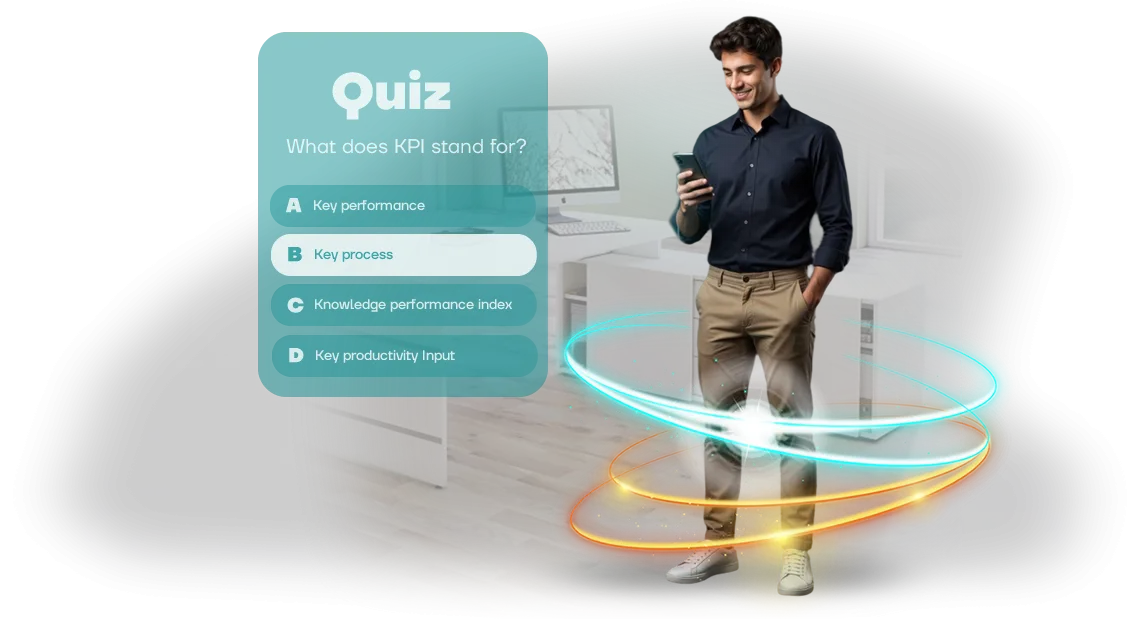
עובדים נוטשים את ההדרכה: איך לשמר את המעורבות שלהם ב-ChromeOS
עובדים נוטשים את ההדרכה — תמונה מוכרת? קורסים ארגוניים מסתיימים "רק כדי לסמן וי," ובתוך שבוע הידע מתפוגג. ההשקעות בהדרכה לא מניבות תוצאות, הטעויות חוזרות, ושיעורי האימוץ של תהליכים חדשים נשארים נמוכים.
הסיבה היא כמעט תמיד אותה אחת: מעורבות נמוכה בלמידה, כשהפורמט לא מצליח לשמור על תשומת הלב ולא מספק משוב מהיר.
העובד המודרני רגיל לאינטראקטיביות ולתחרות. אם ההדרכה נראית כמו מצגת ארוכה או מבחן יבש, המוטיבציה צונחת כבר במסכים הראשונים. הדרכה ארגונית דורשת כלים שונים — משימות קצרות, דינמיקה ברורה ותוצאות נראות לעין.
כך נבנית תשומת לב מתמשכת: אנשים מתחברים לתהליך במקום רק לדפדף בין שקופיות.
חברות רבות כבר העבירו את העובדים שלהן ל-ChromeOS לעסקים — זה מהיר, מאובטח וקל לניהול. אבל תוכניות הדרכה פנימיות לרוב לא מותאמות למערכת האקולוגית הזו: חלק מהפורמטים נתקעים, אחרים דורשים התקנת תוכנה נוספת. כתוצאה מכך, ההדרכה הופכת לבעיה במקום לכלי פיתוח.
הפתרון — חידון הדרכה עם ממשק דמוי משחק שרץ ישירות על ChromeOS. בלי הגדרות נוספות או בעיות תאימות: העובד פותח את החידון, משלים סבבים קצרים, ומיד רואה את ההתקדמות שלו.
מכניקת המשחק מעוררת התרגשות, והמשוב מחזק את החומר. התוצאה — שיעורי השלמת קורסים גבוהים יותר ושימור ידע אמיתי, לא רק סימון פורמלי של השלמה.
אנחנו פותרים את הבעיה המרכזית: הופכים הדרכה ארגונית משעממת להרגל שמועיל לעסק. עובדים חוזרים לחידון, מתחרים בדירוגים, ומיישמים את הידע שלהם בעבודה.
ואתם מקבלים תמונה ברורה: מי השלים את ההדרכה, מי מפגר, ואילו נושאים דורשים יותר תשומת לב.
מה חידון מגוון (Gamified) מספק: יתרונות לצוות ולעסק
קורסים ותדריכים רגילים מסתיימים לעתים קרובות "לפרוטוקול": עובדים מוסחים, שוכחים מהר את החומר, ולמנהל אין מושג מי באמת קלט מה.
גיימיפיקציה של הדרכה פותרת את הבעיה הזו — חידון הופך הערכת ידע למשחק מרתק עם התרגשות, תחרות ותוצאות מיידיות. במקום מבחן משעמם — רגשות; במקום כפייה — רצון להשתתף.
הפורמט המשחקי מגביר עניין והגעה: עובדים הרבה יותר מוכנים לפתוח חידון מאשר מסמך ארוך או מצגת. אפשר להשלים אותו מכל מכשיר — מחשב, טאבלט או לפטופ על ChromeOS — וזה נוח במיוחד לצוותים מבוזרים.
הודות לסבבים קצרים וחוקים ברורים, ההדרכה משתלבת בקצב העבודה בלי הפסקות ארוכות ממשימות הליבה.
היתרון המרכזי של חידונים הוא שימור ידע. המכניקה של שאלה-תשובה עם משוב מיידי מפעילה זכירה אקטיבית, והאלמנט התחרותי מבסס את החומר בצורה אמינה יותר מקריאה פסיבית.
עובדים לא רק עוברים על התוכן — הם מיישמים אותו במשחק, כך שהידע נשאר איתם להרבה יותר זמן.
לבסוף, חידון נותן למנהל סטטיסטיקות שקופות: מי הצליח, אילו נושאים גרמו לקושי, והיכן צריך לחזק את ההדרכה. הנתונים האלה עוזרים להתאים במהירות את התוכנית ולהפוך את הדרכת העובדים לממוקדת יותר.
מעורבות העובדים גדלה כי כל אחד רואה את ההתקדמות שלו ומשווה תוצאות — וזה מניע אותם לחזור לחידונים שוב ושוב.
בסופו של דבר, חידון מגוון הוא לא רק בידור אלא כלי שמאחד את הצוות, מרים את המורל, ובמקביל משפר מדדים עסקיים: פחות טעויות, קליטה מהירה יותר של עובדים חדשים, ואיכות עבודה גבוהה יותר. המנהל מקבל תוצאה מדידה, והעובדים נהנים מתהליך הלמידה.
פורמטים של חידוני הדרכה ל-ChromeOS: בחירת הפורמט המתאים למשימה שלך
כדי שההדרכה באמת תשנה את התנהגות העובדים, פורמט החידון חייב להתאים למטרה. עובד חדש צריך קליטה עדינה, עובד מנוסה צריך בדיקות ידע ללא לחץ, וצוות צריך מעורבות והתרגשות.
ChromeOS בסביבה ארגונית פותר את הבעיה המרכזית: החידון נטען באותה מהירות על כל מכשיר, בלי התקנות או עדכונים — העובד פשוט פותח קישור ומתחיל.
| פורמט | למי זה מיועד | מה זה מספק ללקוח |
|---|---|---|
| קליטת עובד חדש | עובדים חדשים בשבועות הראשונים בעבודה | השתלבות מהירה בתהליכים, פחות שאלות למנטור, תחושת תמיכה מהיום הראשון |
| בדיקת ידע | כל העובדים לאחר הדרכה או לפי דרישות רגולציה | תמונה אובייקטיבית של פערי ידע, דוחות תוצאות אוטומטיים, הסמכה שקופה |
| משחק קבוצתי | מחלקות, קבוצות פרויקט, אירועים ארגוניים | תקשורת חיה, רוח תחרותית, שימור חומר דרך רגשות |
מטבע הדברים, פרויקט אחד ממעט להיות מוגבל לפורמט יחיד.
לתוכנית הדרכה רחבת היקף, אנחנו часто משלבים אפשרויות: חידון קליטה "היכרות עם המוצר" ואחריו הערכה לאחר קורס, ובסוף הרבעון מתקיים טורניר קבוצתי — כל זה עובד על פלטפורמת ChromeOS אחת.
זה גם נוח למנהל המערכת: אין צורך לאסוף תוצאות ידנית — המערכת מציגה את ההתקדמות של כל עובד בעצמה. והלקוח מקבל דוח ברור על אילו נושאים נשלטו ואילו צריך להסביר שוב.
גישה זו הופכת את ההדרכה מהליך חובה לכלי שמספק ערך מדיד לעסק.
איך מתנהל פיתוח החידון: שלבים ותוצאה
כדי שתישארו בשליטה גם על התהליך וגם על התוצאה, פיצלנו את פיתוח החידון לשלבים שקופים. אנחנו מתחילים בבריף — אתם מתארים את יעדי ההדרכה והקהל, ואנחנו מציעים פורמט ולוח זמנים.
לאחר מכן אנחנו מציגים אבטיפוס ממשק (UI) ל-ChromeOS, מאשרים אותו, ורק אז עוברים ליישום. לאחר ההשקה, אנחנו נשארים בקשר כדי שהחידון ירוץ בצורה חלקה ויתפתח ככל שהחברה שלכם גדלה.
- בריף ותוכנית פיתוח שלבים — אנחנו אוספים דרישות, מגדירים את מערך השאלות, המכניקות ולוח הזמנים. אנחנו קובעים את התוצאה של כל שלב כדי שתוכלו לראות התקדמות.
- אישור אבטיפוס — אנחנו מציגים את עיצוב ממשק המשחק על מסך ChromeOS: פריסת שאלות, כפתורים, פס התקדמות. בשלב הזה קל לבצע שינויים, לפני שנכתב קוד.
- יישום החידון — אנחנו בונים את הממשק ומחברים את הלוגיקה של שאלות, ניקוד ומשוב. אנחנו משתמשים בכלים מוכחים, כך שאנחנו עובדים בלי למשוך את לוחות הזמנים.
- בדיקת מכשירים — אנחנו מוודאים השקה על ChromeOS ומכשירי עבודה אחרים: טאבלטים, לפטופים, מחשבים משולבים. אנחנו מוודאים שהחידון רספונסיבי ומוצג כראוי על מסכים שונים.
- השקת החידון — אנחנו פורסים אותו על מספר המכשירים הנדרש, מגדירים גישה, מבצעים הדרכה למנהלי מערכת, ומוסרים הוראות ברורות.
- תמיכה לאחר השקה — אנחנו מעדכנים שאלות, מוסיפים תרחישים חדשים ומתקנים כל בעיה שעולה. החידון נשאר רלוונטי בלי צורך בבנייה מחדש מלאה.
מה כלול במסירה: ערכת השקת הדרכה מלאה
אתם מקבלים ערכה מוכנה לשימוש להשקת הדרכה, לא רק קבצים: בפנים — תוכן, עיצוב והוראות כדי שתוכלו להריץ את החידון תוך ימים.
הכל עובד על מכשירי ה-Chromebook שלכם בלי הגדרות נוספות או רכישות ציוד — כל מה שנשאר זה לבחור תאריך ולשלוח הזמנות.
-
מאגר שאלות בנושא שלכם — 30+ שאלות מוכנות עם אפשרויות תשובה והסברים. קל לערוך את הטקסטים כדי להתאים לפרטי החברה שלכם, להוסיף מקרים משלכם ולהסיר מה שלא צריך — התוכן לא "מקודד קשיח" ונשאר בשליטתכם.
-
עיצוב חידון בסגנון המותג שלכם — ממשק עם צבעים, פונטים ואנימציות תואמים. עובדים מזהים מיד את הזהות שלכם, כך שההדרכה מרגישה חלק מתהליך העבודה ולא כלי חיצוני.
-
הוראות לצוות — מדריכים קצרים: למנהל המערכת — איך להגדיר סשן ולסקור תוצאות; לעובד — איך להשלים את החידון מהמסך הראשון בלי רמזים. הכל כתוב בשפה פשוטה, נטולת ז'רגון טכני.
-
הדרכה למנהל המערכת — סיור אישי בהגדרה והשקה. אנחנו מראים לכם על הנתונים שלכם איך להרכיב חידון, להקצות אותו לעובדים ולייצא תוצאות. לאחר הסשן, נשאר לכם הקלטה ודף רמזים — גם אם האדם האחראי משתנה.
-
פרויקט בקוד פתוח שנמסר לכם — כל הקוד והחומרים מועברים. אם תרצו לשנות את לוגיקת הניקוד, להוסיף פורמטים חדשים או להקצות פיתוח נוסף לצוות אחר, זה אפשרי בלי להיות "נעולים" אלינו.
-
תמיכה במהלך ההשקה הראשונה — אנחנו שם ביום הראשון, פותרים במהירות כל בעיה בהגדרת Chromebook ובתפעול הממשק. אנחנו מבטיחים שהעובדים שלכם ישלימו את ההדרכה בלי תקלות טכניות.
השורה התחתונה: אתם מקבלים מערכת עובדת, לא תיאור יכולות. כל מה שנשאר זה לבחור יום, לשלוח הזמנה ולאסוף תוצאות — הערכה כבר כוללת את כל מה שצריך לכך.
מקרה בוחן: איך חידון הגביר עניין בקורס
הדרכה ארגונית לעתים קרובות נתקעת: עובדים מתחילים את הקורס, אבל רק מעטים מגיעים לסוף. נתקלנו באתגר הזה אצל המפיצה TransLogistik, שם יותר ממחצית הצוות נשר באמצע ההדרכה.
ראש המחלקה רצה יותר מסתם "וי" על צפייה — הם רצו שימור חומר אמיתי, במיוחד לגבי התקנות שהשפיעו ישירות על המהירות ואיכות העבודה.
במקום עוד מבחן משעמם, הצענו חידון עם אלמנטים תחרותיים.
פיצלנו את כל חומר הקורס לסבבים קצרים והוספנו נקודות, לוח תוצאות קבוצתי ומשוב מיידי: אחרי כל תשובה, העובדים רואים מיד מה צדקו ומה כדאי לחזור עליו.
החידון רץ ישירות בדפדפן על לפטופים לעבודה, כולל מכשירי ChromeOS — לא היה צורך להתקין או להגדיר כלום.
מה השתנה לאחר ההשקה
התוצאה הייתה מדידה: תוך חודשיים הגדלנו את שיעור העובדים שהשלימו את הקורס ב-40%. הצוות סיים את ההדרכה והתחיל לבקש עוד חידונים בעצמם — העניין הפך למנוע פנימי.
המנהל ציין שמספר השאלות הקשורות לרגולציה בצ'אטים של העבודה ירד באופן ניכר, והערכות ידע המשך הראו שיפור של שליש.
- 40% — עלייה בהשלמת קורס מקצה לקצה.
- הצוות קלט את החומר: שגיאות בפעולות סטנדרטיות ירדו.
- חידונים הפכו לנושא שיחה בצ'אטים — ההדרכה כבר לא הייתה מטלה.
המקרה הזה מראה: גיימיפיקציה היא לא בידור אלא כלי עבודה להשגת יעדי למידה. אנחנו לוקחים את התוכן שלכם והופכים אותו לפורמט שעובדים באמת משלימים. ספרו לנו על האתגר שלכם — אנחנו נעצב תרחיש חידון לצוות וליעדים העסקיים שלכם.
איך לבחור את פורמט החידון המתאים למשימה שלכם?
בחירת פורמט חידון לא מתחילה בשאלה "איזה חידון יותר טרנדי" אלא בבעיה הספציפית שאתם פותרים.
אותה הדרכה יכולה להיות מועברת כבדיקת ידע מהירה, קווסט מבוסס סיפור או תחרות בין מחלקות — וכל אפשרות מייצרת תוצאה שונה.
לכן, לפני הפיתוח, אנחנו עובדים איתכם כדי להגדיר את המטרה: לשפר שימור חומר, לזהות פערי ידע, להאיץ קליטת עובדים חדשים, או פשוט לגרום לעובדים להתחבר לנושא ארגוני.
אם המטרה היא הסמכה תקופתית או בדיקת עמידה ברגולציות, מבחנים קצרים עם משוב מיידי ואנליטיקה ברורה עובדים הכי טוב: אתם רואים אילו נושאים גורמים לקושי ומקבלים החלטות על שיפור החומרים.
לקליטה, תרחיש עם קושי עולה בהדרגה ואלמנטים משחקיים יעיל יותר, ומאפשר לעובדים חדשים להתקדם בקצב שלהם בזמן שאתם מקבלים נתונים על מוכנותם לעבודה.
כשצריך לאחד את הצוות ולהרים את המורל, חידונים קבוצתיים עם לוח תוצאות הם הדרך — הם יוצרים תחושת תחרות ונותנים לאנשים על מה לדבר.
מה עוד צריך לקחת בחשבון: מספר המשתתפים, תדירות ההפעלה המתוכננת של החידון, ונגישות במכשירים שונים. אם החידון רץ על מחשבי עבודה, זה תרחיש אחד; אם עובדים משתמשים בטאבלטים או מכשירים אישיים, זה אחר.
חשוב שהממשק יהיה אינטואיטיבי, לא ידרוש התקנה ויטען באותה מהירות על כל חומרה.
אנחנו עובדים עם כלים מקצועיים שמאפשרים להשיק חידונים ישירות בדפדפן על מערכות הפעלה פופולריות, כולל ChromeOS, כך שלא תצטרכו לדאוג לצד הטכני.
אנחנו לא מציעים חידון "אחד שמתאים לכולם" — אנחנו מתאימים את הפורמט למשימה שלכם כבר בשלב הבריף. יחד איתכם, אנחנו מגדירים את קהל היעד, תרחיש ההשלמה ועומק האנליטיקה הנדרש.
לאחר ההשקות הראשונות, אנחנו משפרים את המכניקות אם אנחנו רואים שמעורבות נמוכה מהצפוי. כך, אתם מקבלים יותר מסתם משחק — אתם מקבלים כלי שמספק ערך מדיד: השלמת הדרכה גבוהה יותר, פחות שגיאות מעובדים, ודוחות שקופים להנהלה.
השורה התחתונה פשוטה: אם אתם רוצים חידון מותאם למשימה שלכם, התחילו ביעדים, לא בפורמט. תארו מה צריך להשתנות לאחר ההדרכה, ואנחנו נציע פתרון שמתאים לכם — ממבחן קל ועד תרחיש משחק רב-שלבי.
שאלות נפוצות וחששות לפני הזמנה
לפני ביצוע הזמנה, לצוותים בדרך כלל יש את אותם חששות: מה אם החידון יקפא באמצע האירוע, איך מעדכנים אותו, והאם נצטרך לשכור מתכנת ייעודי לאחר מכן.
במציאות, רוב החששות האלה מטופלים בשלב העיצוב — אנחנו בונים הכל מראש כדי לחסוך מכם טרחה מיותרת.
להלן תשובות לשאלות שאנחנו שומעים הכי הרבה לפני תחילת פרויקט.
מה קורה אם החידון נשבר במהלך אירוע?
אנחנו בודקים את הממשק על אותם מכשירי ChromeOS שישמשו למשחק ומתכננים תרחישי גיבוי מראש.
אם משהו יוצא מהתסריט, המנחה או מנהל החדר יכולים להפעיל מחדש את הסבב תוך כמה דקות, וכל התוצאות שנצברו נשמרות ללא אובדן.
האם קשה לעדכן שאלות ועיצוב לאחר ההשקה?
לא. אתם מקבלים פאנל נוח לשימוש שבו אפשר לשנות טקסטים, אפשרויות תשובה ותמונות בלי לערב מפתח. עבור צוות שיווק, זה אומר שהחידון חי יותר: לכל עונה או מוצר, אתם מרעננים את התוכן בשעות, לא בשבועות.
כמה זמן לוקח הפיתוח?
פרויקט טיפוסי לוקח שבועיים עד שלושה — מבריף ועד גרסה מוגמרת על המכשירים שלכם. אם אתם צריכים סדרת חידונים או מכניקות מותאמות אישית, אנחנו דנים בלוחות זמנים בנפרד, אבל אנחנו תמיד קובעים אותם בחוזה ומדווחים על כל שלב.
האם אנחנו צריכים מתכנת כדי להשיק ולתחזק את החידון?
לא. אנחנו מוסרים את החידון מורכב ונבדק במלואו: אתם מעלים אותו למכשירי ה-ChromeOS שלכם ומשיקים לפי ההוראות. משם, הכל רץ אוטונומית, ותמיכה טכנית נשארת איתכם במהלך האירוע ואחריו — למקרה שעולות שאלות.
האם החידון יכול להשתלב עם התשתית הקיימת שלכם?
כן. אנחנו יכולים לחבר ייצוא תוצאות למסד הנתונים הארגוני שלכם, למייל או למצגת חיה — זה מסיר את הנטל של איסוף נתונים ידני והופך את התוצאות לשקופות להנהלה. רק תארו את פורמט הייצוא שאתם צריכים, ואנחנו נגדיר את זרימת הנתונים.
יש חששות נוספים? ספרו לנו על המשימה שלכם בייעוץ קצר — תוך 15 דקות נעריך אם הפורמט מתאים ונראה לכם פרויקטים דומים.הזמנת פיתוח חידון: השלבים הבאים
הזמנת חידון לעובדים שלכם היא לא תהליך ארוך עם שלבים מבלבלים. אתם שולחים בקשה, ואנחנו מטפלים בכל פיתוח החידון: מרעיון ועד השקה על מכשירי ChromeOS.
אתם לא צריכים להבין בפרטים טכניים — רק תארו את המשימה שלכם, ואנחנו נציע פתרון.
לאחר פנייתכם, תקבלו תוכנית עבודה ברורה וכל מה שצריך כדי להתחיל:
- בריף פיתוח — שאלון מובנה שעוזר להגדיר את יעדי ההדרכה והעדפות הממשק שלכם.
- הצעה מסחרית עם אומדן עלות שקוף ולוח זמנים — בלי עמלות נסתרות או אותיות קטנות.
- תוכנית עבודה שלב אחר שלב: מאב-טיפוס ועד השקה סופית על המכשירים שלכם.
- דוגמאות לפרויקטים דומים, כדי שתדעו איך תיראה התוצאה.
- פרטי קשר של מנהל פרויקט ייעודי — זמין בכל שלב.
אנחנו עובדים מרחוק, כך שתוכלו ליצור איתנו קשר מכל עיר. אנחנו בדרך כלל מכינים את הבריף וההצעה המסחרית תוך שני ימי עסקים — זה מספיק כדי להעריך את התקציב ולקבל החלטה. אין התחייבויות עד לחתימת החוזה.
שלחו בקשה לפיתוח חידון — ותוך כמה ימים תהיה לכם תוכנית פעולה מוכנה. כתבו לנו דרך הטופס באתר או דרך מסנג'ר נוח, ונענה תוך שעה בשעות העבודה.