

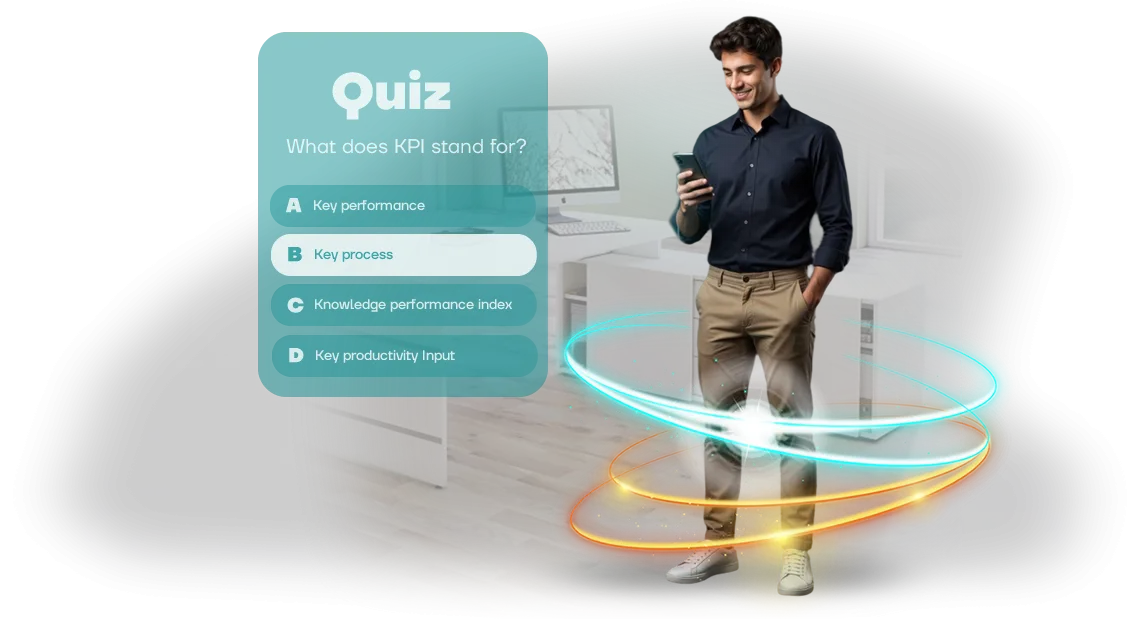
משעממים לכם הרצאות ומבחנים? גייסו את העובדים שלכם ללמידה עם iPad
עובדים זוכרים לא שקופיות, אלא רגשות. הרצאות ומבחנים רגילים כבר מזמן הפסיקו להחזיק תשומת לב: אנשים נוכחים פיזית, אבל מנטלית — במשימות הנוכחיות שלהם.
חומרים מפוזרים במערכות שונות, תזכירי PDF והקלטות וידאו לא יוצרים תמונה אחת, ותוצאת הלמידה נשארת בלתי צפויה.
כל מחלקה לומדת בדרכה, הידע מתיישן במהירות, וחודש אחרי ההכשרה העובדים חוזרים לטעויות הרגילות שלהם — וההנהלה שוב מקצה תקציב להכשרה חוזרת.
מנהלים מבזבזים זמן ומשאבים, אבל לא יכולים למדוד את ההשפעה האמיתית. בדיקה פורמלית בצורת מבחן רק מתעדת את עובדת ההשלמה, לא את ההבנה.
עובדים חוששים לטעות, ולכן הם מתייחסים למבחנים כמו לבחינה: לחץ, מתח, רצון לסיים את זה. הבעיה היא לא התוכן, אלא הפורמט — הוא לא מערב ולא מניע אנשים לחזור לחומר.
חידון אינטראקטיבי ב-iPad משנה את היחס ללמידה. טאבלטים הם כלי נוח שחברות רבות כבר מחזיקות, ומכניקת משחק הופכת את ההכשרה לתחרות: נקודות, רמות, דירוג בין עמיתים, משוב מיידי.
עובדים מתערבים באופן טבעי כי זה מעניין, לא כי הם "חייבים". גיימיפיקציה מגבירה מעורבות, עוזרת להחזיק תשומת לב גם בנושאים מורכבים, ומפחיתה את הפחד מטעויות — במשחק, זה נורמלי לטעות.
אנחנו מפתחים ממשק חידון בסגנון משחק ל-iPad שמתאים לתרחיש ההכשרה הארגוני שלכם. החידון עובד גם במצב לא מקוון וגם בהפסקות בין משימות, ואתם רואים את הדינמיקה האמיתית של רכישת ידע.
זה בדיוק מה שאנחנו פותרים: אנחנו הופכים תוכנית חובה לכלי שעובדים נהנים להשתמש בו וחוזרים אליו כשהם רוצים לרענן את הידע שלהם.
במקביל, אתם מקבלים אנליטיקה ברורה: מי השלים את החידון, אילו נושאים גורמים לקשיים, ואיפה צריך לחזק את התוכנית.
מה חידון מבוסס משחק נותן לעסק שלכם
מעורבות במקום הרצאות משעממות
עובדים זוכרים מה מעניין אותם. מצגות רגילות והוראות PDF מאבדות תשומת לב תוך דקות, בעוד חידון מבוסס משחק מחזיק אותה לאורך כל המפגש. אלמנטים תחרותיים, נקודות ומשוב הופכים למידה מחובה למשחק מרגש.
כתוצאה מכך, המעורבות גדלה והידע נטמע באופן טבעי. אנשים עצמם רוצים לחזור לחידון כדי לשפר את התוצאה שלהם — וזה עובד בלי תזכורות נוספות.
למידה מהירה יותר וקליטת עובדים חדשים
החידון מפרק את החומר לתרחישים קצרים ובודק הבנה מיד. במקום "קרא ושכח", עובד עובר שאלות מעשיות שבהן טעויות מראות מה צריך לשפר.
זה מזרז קליטת עובדים חדשים: הם לומדים במהירות את תקני החברה ומתחילים לעבוד עם בסיס ידע נכון.
לצוות קיים, הפורמט הזה עוזר לרענן ידע בלי לקחת זמן מהעבודה. ההכשרה אורכת 10–15 דקות ביום, לא חצי יום של סמינרים.
חיסכון בזמן על בדיקות ואנליטיקה
מנהל לא צריך לבדוק מבחנים ידנית ולאסוף תוצאות. המערכת עצמה מחשבת ציונים, מראה את ההתקדמות של כל עובד ומייצרת דוחות לפי קבוצות.
אתם רואים אילו נושאים נשלטו ואיפה הצוות "נכשל" — ויכולים להתאים את התוכנית לפני שטעויות הופכות לבעיה של לקוח.
מה אומרים לקוחות
"פעם לקח שעתיים לבדוק מבחנים, ועכשיו הכל מחושב אוטומטית. עובדים עצמם מבקשים חידון על המוצר החדש — בשבילנו זה המדד הטוב ביותר לעניין", מציינת ראש מחלקת ההכשרות.
לקוח מהצוות שלנו, פרויקט קליטת עובדים לרשת קמעונאית.
פורמטים של חידון למשימת ההכשרה שלכם
חידון הוא לא הפורמט היחיד, וכל אחד פותר משימה משלו: מבדיקת ידע מהירה אחרי הדרכה ועד הכשרה רחבת היקף בין סניפים.
כדי לבחור את האפשרות הנכונה, מספיק לענות על שלוש שאלות: כמה עובדים צריך לכסות, כמה זמן פנוי להכנה, ואיזו תוצאה אתם רוצים למדוד.
אספנו תרחישים טיפוסיים בטבלה למטה — כל אחד הוכח בפועל וניתן להתאמה לסגנון הארגוני שלכם, לתרחיש ולזרימות העבודה הספציפיות ב-iPad. זה עוזר לכם להעריך מראש את כמות העבודה ואת האפקט שהעסק יקבל.
| פורמט | קהל | זמן הכנה | מה הלקוח מקבל |
|---|---|---|---|
| חידון אקספרס | קבוצות של עד 30 איש: הדרכה, הנחיה, מפגש צוות | 1–2 ימים | בדיקה מהירה של הבנת החומר, מעורבות משתתפים, תוצאות מיידיות |
| חידון קבוצתי | מחלקות של עד 100 איש: גיבוש צוות, אירועי חברה | 3–5 ימים | חיבור צוותי, חיזוק תקנים, התרגשות ורגשות |
| מרתון למידה | סניפים ועובדים מרוחקים, 100+ איש | 1–2 שבועות | תקן ידע אחיד, אנליטיקה לכל משתתף, מוטיבציה |
| סימולטור תרחישים | קבוצות קטנות שצריכות לתרגל מיומנויות מורכבות | 2–3 שבועות | תרגול ללא סיכון, ניתוח טעויות, ביטחון עובדים |
כל פורמט מותאם לממשק iPad נוח: העובד רואה שאלות ברורות, מקבל משוב מיידי, ואתם מקבלים דוח על אילו נושאים נלמדו. כל מה שנשאר הוא לבחור את המטרה — אנחנו נטפל בשאר.
איך אנחנו יוצרים חידון ב-6 צעדים
אנחנו מבנים את העבודה כך שתמיד תבינו מה קורה עם הפרויקט ובאיזה שלב הוא נמצא. אין "קופסאות שחורות" ואין הפסקות ארוכות: המועד שהוסכם בתוכנית הוא התאריך שבו החידון המוגמר מופיע.
המנהל האישי שלכם מוביל את הפרויקט מהבריף הראשון ועד הדוח הסופי. אתם מקבלים תוצאות ביניים, מאשרים החלטות מפתח ועורכים שינויים בשלבים נוחים — לא בסוף, כשעיבוד מחדש הופך לקשה.
הדרך מרעיון לחידון עובד
-
בריף והתעמקות במשימה. אנחנו לומדים מי הם העובדים שלכם, איזה חומר צריך לחזק ואיפה החידון ישמש: בהכשרה, בקליטה או כקורס עצמאי. התוצאה היא הבנה ברורה של המטרות והפורמט של המשחק העתידי.
-
מבנה ותרחיש. יחד איתכם אנחנו מגדירים את הסיפור, סוגי השאלות ומכניקת המשחק. אנחנו מחליטים אם צריך טיימרים, רמזים, רמות קושי ומערכת ניקוד — כך שהחידון באמת מלמד, לא רק מבדר.
-
עיצוב ממשק. מומחי העיצוב שלנו יוצרים סגנון ויזואלי שעובד עבור המותג שלכם. כל מסך מעוצב לתצוגת iPad: אלמנטים גדולים, מיקום נוח של כפתורים וניווט ברור. אתם רואים מוקאפים לפני תחילת התכנות ומאשרים אותם.
-
אישור והתאמות. אנחנו מראים לכם את המוקאפים המוגמרים, מקבלים משוב ומבצעים שינויים. בשלב הזה קל לשנות צבעים, פונטים או טקסטים בלי לבזבז זמן ותקציב על עיבוד קוד.
-
השקה על הפלטפורמה הטכנית. אנחנו הופכים את העיצוב המאושר לאפליקציית iPad עובדת. ציוד מקצועי מבטיח ביצועים יציבים של החידון: טעינה מהירה, היענות מסך והתנהגות נכונה בכל תנאי — מכיתה ועד כנס גדול.
-
בדיקות ותמיכה בהשקה. אנחנו בודקים תרחישים על מכשיר אמיתי, מתקנים תקלות ונותנים לכם מדריך מנהל. אחרי ההשקה אנחנו נשארים בקשר: מייעצים לצוות, עוזרים לעדכן שאלות אם התוכן משתנה, ופותרים במהירות כל בעיה.
מה אתם מקבלים כתוצאה
לאחר סיום הפרויקט, אתם מקבלים לא רק חידון עובד, אלא ערכה מלאה לשימוש בו. אנחנו מוסרים לכם כל מה שהצוות שלכם צריך כדי להשיק ולעדכן את החידון בלי מעורבות מתמדת של מפתחים.
- מוצר מוכן ל-iPad. חידון מוגדר שעובד באופן אמין בהכשרות ובאירועים. נבדק על תרחישים אמיתיים.
- קבצי מקור לעיצוב ממשק הניתנים לעריכה. כל המסכים קלים להתאמה: שינוי צבעים, לוגו וטקסטים למותג חדש בלי לשכתב קוד.
- קוד מקור וזכויות תוכן. הקוד המלא, המשאבים, התרחישים והטקסטים נשארים אצלכם. אתם יכולים לפתח את המוצר עם כל צוות ולהשיק אותו בין מחלקות.
- מדריך מנהל. הוראות שלב-אחר-שלב להפעלה, הוספת שאלות והחלפת תוכן. אין צורך במומחה טכני.
- חומרי הדרכה לעובדים. מדריכים מהירים וסרטונים קצרים על איך להשתמש בחידון ולשלב אותו בהכשרה. בנוסף, מפגש חי למנהלים ומנחים.
- אחריות ותמיכה. למשך 30 יום מההשקה אנחנו מתקנים כל תקלה, עוזרים באירוע הראשון ועונים על שאלות.
הערכה הזו מכסה את הסיכונים העיקריים: אתם מקבלים מוצר בלי תלות בקבלן ואת הידע להשתמש בו במלואו. כל מה שנשאר הוא להשיק את החידון ולמדוד את התוצאה.
מקרה בוחן: הכשרת iPad שיפרה תוצאות ב-30%
רשת הקמעונאות לאלקטרוניקה TechnoPlus התמודדה עם בעיה קמעונאית טיפוסית: עובדים חדשים לא הספיקו ללמוד את תקני העבודה, וחודש אחרי הגיוס עדיין התבלבלו בתסריטים.
אף אחד לא קרא את הוראות ה-PDF הרגילות עד הסוף, ובדיקות אחרי משמרות הרגישו כמו פורמליות — התוצאה לא שיקפה ידע אמיתי.
הצענו להפוך את ההכשרה לחידון משחק ב-iPad. הפורמט פשוט: סיבובים קצרים של 5–7 שאלות, משוב מיידי ורמזים לטעויות.
עובד עושה את החידון מיד אחרי משמרת או לפני תחילת העבודה — אין צורך להושיב קבוצה בחדר נפרד ולחכות שכולם יתאספו.
איך בנינו את ההכשרה
החידון חולק לרמות: בסיסי למתחילים, מתקדם לקופאים ומוכרים מנוסים. כל רמה קשורה למצבים אמיתיים: טיפול בהתנגדויות, ידע בקטגוריות מוצר, חוקי תשלומים.
תשובות נכונות צברו נקודות שהשפיעו על דירוג הקבוצה — זה הוסיף תחרות בריאה בין חנויות הרשת.
טכנית, החידון רץ על Unity, כך שהממשק מוצג באופן יציב בכל דורות ה-iPad — מדגמים ישנים בחדר האחורי ועד חדשים בקופה.
לא הייתה אף תקלה ברבעון, אפילו ב-Wi-Fi חלש: הנתונים נשמרים מקומית ומסתנכרנים ברגע שהחיבור חוזר.
תוצאות אחרי חודשיים
המספר המרכזי: השלמת מבחנים גדלה ב-30% בהשוואה לבדיקות נייר. אבל מה שחשוב יותר: זמן הקליטה הממוצע של עובד חדש ירד בשבועיים. בעבר, חניך היה צריך חודש לעבוד משמרת מלאה; עכשיו שבועיים מספיקים.
היחס של הצוות היה נקודת אור נפרדת. עובדים עצמם ביקשו סיבובים נוספים לפני קמפיין קידום מכירות חדש — זה מעולם לא קרה לפני כן.
מנהלי חנויות קיבלו דשבורד פשוט: הם רואים מי בצוות מפגר ומעלים במהירות את הידע לפני פתיחת המשמרת.
אחרי פיילוט מוצלח, TechnoPlus הרחיבה את החידון לכל 40 מיקומי החנויות. הם הזמינו הזמנה חוזרת לעדכוני תוכן תוך שישה חודשים — החידון הפך לחלק מהקליטה הרגילה, לא אירוע חד-פעמי.
בשבילנו, זה המדד הטוב ביותר: ההכשרה לא רק נמדדה; היא באמת שינתה את התנהגות העובדים.
איך לבחור פורמט חידון למשימה שלכם?
בחירת פורמט חידון מתחילה לא בשאלות אלא במטרת ההכשרה. אם אתם צריכים להכיר במהירות לכל הצוות תקנים, מוצרים או חוקים חדשים, חידון המוני עם סיבובים קצרים וניווט ברור עובד היטב.
הוא מאפשר לכסות מאות עובדים ביום אחד בלי להוריד אותם מהעבודה לזמן ארוך, ונותן לכל משתתף תחושת מעורבות.
מצב אחר הוא בדיקת ידע ממוקדת. כשמדובר במומחים שצריכים להוכיח כשירות בתקן או מוצר ספציפי, צריך פורמט עם תרחישים עמוקים יותר: מקרים, ניתוח טעויות, שאלות רציפות.
הפורמט הזה עדיף לנהל ב-iPad בקבוצות קטנות — קל יותר להנחות כל עובד, לראות את ההתקדמות שלו ולסקור מיד רגעים קשים.
ההבדל המרכזי הוא בתרחיש ההשלמה. הכשרה המונית צריכה התחלה מהירה והוראות מינימליות: עובד לוקח טאבלט, עונה על 10–12 שאלות ומיד רואה את התוצאה.
בדיקה ממוקדת, לעומת זאת, עשויה לכלול כמה שלבים, טיימרים ומשוב אישי כדי להעריך לא רק את עובדת התשובה אלא את ההיגיון שמאחוריה.
הכשרה ארגונית משלבת לעתים קרובות את שתי הגישות: קודם חידון כללי לכולם, ואז מודולים ממוקדים לתפקידים מרכזיים. זה נותן גם כיסוי רחב וגם עומק בדיקה במקום שבו זה באמת חשוב.
העיקר הוא להחליט מראש איזו תוצאה אתם רוצים למדוד: מודעות צוותית או מוכנות של עובדים ספציפיים לבצע משימות.
כלל מעשי: אם הקהל הוא יותר מ-50 איש והנושא כללי, בחרו בפורמט המוני. אם אתם בודקים 5–15 מומחים וצריכים דיוק, בנו תרחיש ממוקד עם סקירה.
בשני המקרים, ה-iPad כמכשיר מפשט את התהליך: אין צורך במחשבים או התקנות תוכנה — רק מחלקים טאבלטים והחידון מתחיל.
שאלות נפוצות
לקוחות לרוב דואגים לדבר אחד: איך עובדים ילמדו את החידון, מי יתמוך במערכת, והאם אפשר לבצע שינויים אחרי ההשקה. אלה שאלות נורמליות — אנחנו עונים עליהן לפני ההתחלה כדי שההכשרה תתנהל בצורה חלקה ובלי הפתעות. להלן שלושת החששות הנפוצים ביותר שאנשים מביאים אלינו.
ראש מחלקת הכשרות מרשת קמעונאית שעבורה בנינו חידון iPad ניסח זאת כך: "חשבנו שההשקה תיקח חודש, אבל הצלחנו בשבוע.
ושום דבר לא נשבר אפילו ביום העמוס ביותר." אנחנו שומרים את הציטוט הזה ממייל כתזכורת שמה שלקוחות מעריכים ביותר הוא פשטות.
האם קשה להשיק חידון iPad לעובדים?
לא. אנחנו מספקים אפליקציה מוכנה שמתקינה על מכשירי iPad ארגוניים בדרך הסטנדרטית — בלי מעורבות מפתחים בצד הלקוח. תוכנת ניהול פשוטה מותקנת על המחשב שלכם: אתם טוענים עובדים, מקצים מבחנים ורואים תוצאות בעצמכם.
ביום ההשקה אנחנו נותנים בריף קצר למנהל ואם צריך, לצוות. כל התהליך אורך מיום עד שבוע, תלוי במספר המכשירים ותרחישי ההכשרה.
מה קורה אם החידון נכשל במהלך ההכשרה?
תמיכה טכנית כלולה בשירות לכל תקופת השימוש. אם המבחן של עובד לא נפתח, הצליל נעלם, או ש-iPad קופא, המנהל שולח בקשה, ואנחנו מתחברים מרחוק למכשיר תוך יום עסקים אחד.
הצד השרתי מתוכנן כך שגם אם החיבור עם טאבלט אחד אובד, שום נתון לא נמחק: התוצאות נשמרות ומסתנכרנות אחרי שהחיבור חוזר. לרוב התקלות, אנחנו גם מביאים מכשיר גיבוי עם האפליקציה כבר מותקנת.
האם אפשר לעדכן שאלות, רמות ועיצוב אחרי ההשקה?
כן, וזו אחת הסיבות שלקוחות בוחרים בחידון iPad על פני מבחני נייר או מצגות רגילות.
אתם משנים שאלות, אפשרויות תשובה, רמזים ואפילו את מסך הפתיחה בלי לבנות מחדש את האפליקציה — דרך פאנל הניהול, העדכון מופיע לכל העובדים אוטומטית.
אם מאוחר יותר תרצו לשנות את הסגנון כדי להתאים לספר מותג חדש או להוסיף פורמטים חדשים של משימות, נכין עדכון במסגרת הסכם התמיכה.
אין סיבוכים נסתרים: אתם אומרים לנו מה צריך לשנות — אנחנו מראים לכם איך זה ייראה ומעבירים את השינויים לגרסה העובדת.
מוכנים להפוך למידה למרתקת? קבעו ייעוץ
האם אתם כבר מדמיינים עובדים לומדים בהתלהבות במקום "רק למראית עין"? אנחנו עוזרים להפוך הוראות משעממות לחידונים תוססים שעובדים על iPad — בכל מקום שנוח לצוות שלכם. נדון במטרות שלכם, נראה דוגמאות ונציע פתרון שמתאים לתקציב ולזמנים שלכם.
קבעו ייעוץ — נסביר איך עובד פיתוח iPad, אילו פורמטים מתאימים ביותר לצוות שלכם ומה דרוש להשקה. תקבלו:
- פורמט חידון שנבחר למשימות ולקהל העובדים שלכם.
- הערכה שקופה בלי עלויות נסתרות או אפשרויות מיותרות.
- לוחות זמנים ריאליים — מבריף ועד השקה.
- דוגמאות מתיק עבודות: חידונים להכשרה, קליטת עובדים חדשים ובדיקות ידע.
- המלצות למעורבות: איך להגדיל שיעורי השלמה ועניין.
- תשובות לשאלות על תרחישי iPad: לא מקוון, מקוון או פורמט מעורב.
השאירו פנייה — ותוך כמה ימים נכין תוכנית למשימה שלכם. תקבלו קונספט מוכן ותבינו את העלות ואת המהירות שבה הכשרה כזו מחזירה את עצמה. פיתוח חידון הוא השקעה בכשירות הצוות שחוזרת דרך מהירות ואיכות העבודה.
התחילו בייעוץ — הוא חינמי וללא התחייבות. אם אתם מוכנים להזמין חידון iPad, כתבו לנו — נדון איך להפוך הכשרת עובדים למרתקת באמת.