

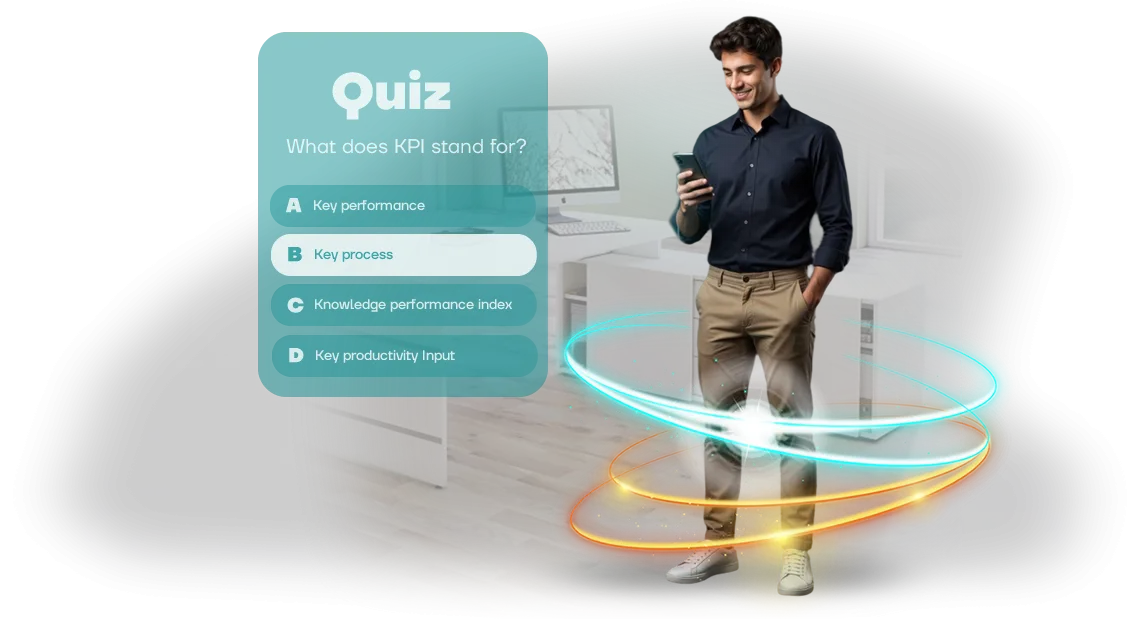
חידונים לעובדים: למה דפדפן אינטרנט מגביר מעורבות
ההכשרה הארגונית נתקעת כשעובדים משלימים קורסים רק כדי לסמן וי: חומרים נפתחים, מבחנים נסגרים, והידע אף פעם לא מתחזק. חודש לאחר מכן, כל מה שנשאר מהכשרה כזו הוא רישום פורמלי במערכת המעקב—ותקציב מבוזבז.
הבעיה היא בדרך כלל לא התוכן אלא המעורבות: מבוגרים משתעממים מלקרוא תקנות ולענות על שאלות יבשות.
כאן נכנסת לתמונה הכשרה מגוונת (גמיפיקציה), והדרך הקלה ביותר להשיק אותה היא בדפדפן אינטרנט. עובדים לא צריכים להתקין כלום—רק לפתוח קישור לחידון הארגוני ממחשב נייד, טאבלט או סמארטפון אישי.
זה מסיר את המחסום העיקרי של "קודם תתקין, אחר כך תעשה חידון", שגורם לעד מחצית מהמשתתפים לנטוש.
אנחנו מעצבים חידונים חינוכיים כמשחק: נקודות, זמן, דירוגים קבוצתיים ומשוב מיידי על כל תשובה.
חידון לעובדים הופך משגרה לתחרות—אנשים רוצים לענות נכון לא כי הם "חייבים", אלא כי זה מעניין.
מנהל מקבל תמונה חיה של הידע ללא סקרים ארוכים, בעוד עובדים מקבלים פורמט למידה ברור וקליל. דפדפן האינטרנט מוסיף יתרון נוסף: אפשר להשיק את החידון בקנה מידה גדול—ל-50 או 500 אנשים בו-זמנית—ללא הגדרת מכשירים ארגוניים.
בחלק הבא, נבחן כיצד להטמיע חידון בפורטל הלמידה שלך ואילו מכניקות מניבות את התגובה החזקה ביותר.
לעת עתה, הנה המסקנה המרכזית: ממשק חידון מעוצב כהלכה מבוסס Unity בדפדפן אינטרנט מגביר מעורבות עובדים והופך את ההכשרה לניתנת למדידה.
מה חידון מספק: יתרונות לעסק ולצוות
חידון פותר את הבעיה המרכזית של הכשרה ארגונית—מעורבות נמוכה. עובדים לא רוצים לצפות בהרצאות ארוכות, ואחריהן הם זוכרים מעט. הפורמט המשחקי משנה את הגישה הזו: הלמידה הופכת לאירוע, לא מטלה. כתוצאה מכך, החומר נספג מהר יותר, והידע נשאר לאורך זמן.
מעורבות עובדים. הרצון לנצח והרוח התחרותית גורמים לאנשים לסיים את החידון. הצוות דן בתוצאות, משתף אותן בצ'אטים, וחוזר לשאלות כדי לשפר את הציון.
כך הלמידה מתרחשת באופן טבעי, בלי להכריח אף אחד—רק שולחים קישור, וכל אדם יעשה את החידון בזמן הנוח לו.
בדיקת ידע ללא לחץ. העובד עונה ומיד רואה היכן טעה—זה לא מבחן אלא סשן אימון עם משוב מיידי. עבורך, זו תמונה אובייקטיבית של אילו נושאים מובנים ואילו דורשים חזרה.
אתה חוסך זמן על ראיונות אישיים ומקבל נתונים על כל משתתף—הדוחות מראים את השאלות הקשות שכדאי לדון בהן בישיבות הקרובות.
תקן הכשרה אחיד. כולם עונים על אותן שאלות, כך שהידע בתוך הצוות הופך לעקבי.
אתה יכול להשוות תוצאות בין מחלקות ולעקוב אחר מגמות במקום להסתמך על ההנחה ש"כולם כבר יודעים את זה". זה חשוב במיוחד כשהדרישות לעובדים זהות אבל ההכשרה הייתה בעבר לא עקבית.
אנחנו מפתחים חידונים במפתח פתוח (turnkey). הם עובדים בכל דפדפן אינטרנט: עובד רק צריך לפתוח קישור—ללא התקנות או הגדרות. אתה מקבל כלי שמגדיל באופן מדיד את ערך ההכשרה ומספק נתונים להחלטות פיתוח צוות.
פורמטים של חידונים לחברה שלך: ממבחן למשחק דפדפן
בחירת פורמט החידון משפיעה ישירות על תוצאות הלמידה. אם המטרה היא בדיקת ידע מהירה, מבחן פשוט מספיק. אם צריך לערב את הצוות בתהליך ולחזק חומר לטווח ארוך, מכניקות משחק עובדות טוב יותר.
אנחנו משתמשים בשלושה פורמטים בסיסיים שקל להתאים למשימות שלך ולמאפייני החברה שלך. כולם רצים בדפדפן אינטרנט—עובדים לא צריכים להתקין כלום, רק לפתוח קישור מהמחשב העבודה או הסמארטפון.
| פורמט | קהל יעד | יתרונות ללקוח |
|---|---|---|
| מבחן מהיר | לבדיקות ידע מהירות, קליטת עובדים חדשים ומעקב לאחר הכשרה | חוסך זמן, תמונות תוצאה ברורות, סטטיסטיקות אוטומטיות לכל עובד |
| מרתון | לכל הצוות כשצריך לרענן ידע ולהגביר מעורבות | עניין רב יותר בלמידה, רוח תחרותית, חזרה קלה על חומר |
| משחק סיפורי | לתוכניות קליטה ונושאים מורכבים שבהם שמירת תשומת הלב חשובה | למידה עמוקה דרך תרחיש, חיבור רגשי למותג, טווח הגעה גבוה למשתתפים |
לא משנה איזה פורמט תבחר, אנחנו מתאימים את התוכן לתעשייה ולתרבות הארגונית שלך. אם אתה לא בטוח, נציע את האפשרות שתפתור את המשימה בצורה הטובה ביותר.
לאחר ההשקה, תקבל נתוני השלמה: מי הצליח, אילו שאלות גרמו לקושי, והיכן נדרשת הכשרה נוספת.
הדבר המרכזי שמאחד את כל הפורמטים הוא גישה קלה דרך דפדפן אינטרנט וממשק אינטואיטיבי שמובן לעובדים בכל גיל ורמת מיומנות.
איך תהליך פיתוח החידון עובד: שלבים
אנחנו פועלים לפי תהליך שקוף: אתה תמיד יודע באיזה שלב נמצא הפרויקט ומה תקבל בסופו. עברנו עשרות השקות חידונים ארגוניים מבריף ועד פריסה סופית—כל שלב מכוונן כדי לא לבזבז את הזמן והתקציב שלך.
אנחנו רוצים שתהיה מעורב רק בנקודות החלטה מרכזיות: אישור התסריט, העיצוב והתוצאה הסופית.
- בריף ומטרות. אנחנו דנים במשימה שהחידון צריך למלא—הכשרה, קליטה, הסמכה. אנחנו מגדירים את הקהל, הפורמט וקריטריוני ההצלחה. אתה מקבל מפרט טכני ברור שמתעד את כל ההסכמות שלנו.
- תסריט ושאלות. מעצב למידה בונה את המבנה: נושאים, שאלות, אפשרויות תשובה, הסברים. אתה מאשר את התוכן, ואנחנו מחדדים אותו לתסריט הגיוני ומרתק.
- עיצוב ממשק. אנחנו יוצרים סגנון ויזואלי שמתאים למותג ולתרבות הארגונית שלך. אנחנו מראים מוקאפים לפני תחילת הפיתוח—שינויים בשלב זה הם מהירים וחינמיים.
- פיתוח ויצירת חידון. אנחנו בונים ממשק אינטראקטיבי שרץ בכל דפדפן מודרני ללא התקנה. העובדים שלך עושים את ההכשרה ממחשב, טאבלט או טלפון—אין מה להוריד.
- בדיקות והשקת חידון. אנחנו מוודאים ביצועים במכשירים ומערכות שונות ומתקנים כל בעיה. אנחנו מגדירים גישה לעובדים—דרך קישור או דרך הפורטל הארגוני. אתה מקבל קישור מוכן והוראות ברורות.
- תמיכה לאחר השקה. אנחנו עוקבים אחר השלמות, אוספים סטטיסטיקות ועוזרים בנושאים אדמיניסטרטיביים. כשצריך, אנחנו מוסיפים שאלות נוספות או מציגים בלוקים חדשים—מפתחים את החידון יחד עם המטרות שלך.
מה כלול: ערכת השקה מלאה לחידון
אתה מקבל לא רק "תמונה עם שאלות" אלא ערכת השקה מוכנה שתמשיך לעבוד גם אחרי מסירת הפרויקט. כל מה שצריך להפעלת חידון ארגוני—מתסריט ועד היבטים טכניים—כבר משולב במערכת אחת. בוא נראה בדיוק מה כלול.
- תסריט חידון. מבנה משחק מוכן: זרימה סיפורית, רצף שאלות, אפשרויות תשובה והסברים. התסריט מתאים לנושא שלך, מחידון ראש השנה ועד בדיקות ידע במוצר.
- עיצוב ממשק. כל מסכי המשחק—התחלה, שאלה, טיימר, תוצאה—מעוצבים בהתאמה למותג שלך. האורחים מזהים מיד את הזהות הארגונית, כך שהחידון נראה כמו חלק מהתרבות שלך ולא כמו אפליקציה חיצונית.
- התאמה אישית לקהל שלך. מספר שחקנים, משך סיבוב, רמת קושי, מספר ניסיונות—הכל מתכוונן לאירוע הספציפי. אם צריך, המשחק רץ בסיבובים או עם הפסקות, מה שמתאים למנחה.
- אופטימיזציה לדפדפן אינטרנט. החידון מופעל דרך קישור בכל מכשיר—מחשבים, טאבלטים, סמארטפונים. אין מה להוריד או להתקין; רק פותחים את הדף ומתחילים את המשחק.
- פאנל ניהול עבורך. אזור אדמיניסטרטיבי פשוט שבו אתה יכול לשנות שאלות, לעדכן חומרים ולצפות בתוצאות השלמה. אין צורך במתכנת כדי לערוך שאלה או להוסיף סיבוב.
- הוראות לצוות שלך. דפי עזר קצרים למארגן ולמנחה: איך להתחיל את המשחק, מה לומר, איך להתמודד עם מצבים נפוצים. גם אם הצוות שלך רואה את החידון בפעם הראשונה, ההתמצאות אורכת לא יותר מ-20 דקות.
- תמיכה ביום ההשקה. אנחנו זמינים במהלך המשחק—אם מתעוררת בעיה טכנית, אנחנו נכנסים מהר כדי שהאירוע לא ייקטע.
בסופו של דבר, אתה מקבל מוצר עצמאי: השקה, ניהול ותמיכה—הכל שקוף. כל מה שנשאר הוא להזמין עובדים ולהכריז על התחלה.
מקרה בוחן: איך חידון הגדיל את שיעור השלמת ההכשרה
עבור רשת המרפאות MedStandard, עיצבנו חידון חינוכי לצוות: במקום הוראות PDF הרגילות, עובדים עשו מבחן קצר דמוי משחק מיד לאחר הרצאה.
בעבר, רק שליש מהעובדים החדשים קראו את החומרים עד הסוף, ושאלות בדיקה עוררו התנגדות גלויה.
תוצאות היישום
ההכשרה המגוונת שינתה את התנהגות הצוות: 92% מהצוות השלימו את החידון, וחלק העובדים שסיימו את כל הקורס גדל פי 2.5.
חשוב מכך, הדיוק בשאלות הבדיקה עלה מ-54% ל-81%: עובדים לא רק לחצו על אפשרויות—הם באמת למדו פרוטוקולים ותקנים לטיפול בחולים.
מנהל המחלקה ציין שהחידון הפך לחלק טבעי מהקליטה: עולים חדשים משתלבים מהר יותר, וצוות קיים בודק בשמחה את החומר לפני הסמכה פנימית.
נתנו גם ללקוח סטטיסטיקות לפי שאלה—זה חשף נושאים שמודולי ההכשרה לא העבירו, ובלוקי התוכן הותאמו תוך שבוע.
מקרה זה מאשר שחידון מעוצב היטב פותר בעיה עסקית: הוא מקצר את זמן ההכשרה, מגביר מעורבות ומפחית את הסיכון לטעויות אנוש.
עבור הלקוח, זה אומר חיסכון ניכר בהכשרות חוזרות ורמת מוכנות גבוהה ועקבית של הצוות.
איך לבחור את פורמט החידון הנכון למשימה שלך?
אין חידון אוניברסלי: מה שעובד מצוין למוטיבציה לא-חומרית של עובדים מנוסים ייכשל בהסמכת עולים חדשים. הפורמט נבחר בעיקר לפי המטרה: בדיקת ידע, למידה מבוססת משחק, גיבוש צוות או לימוד עצמי.
זה קובע כמה זמן החידון ייקח, מה יהיו השאלות ואיך המשתתפים מקבלים משוב.
אם המטרה היא להעריך רמת מיומנות, בחר מבחן עם טיימר וניקוד אוטומטי. פורמט זה נותן למנהלים תמונה אובייקטיבית ומדדים ברורים לדיווח.
כשצריך לערב עובדים בלמידה ולהחזיק את תשומת הלב שלהם, חידון סיפורי עם אפשרויות תשובה, רמזים ותגובות מיידיות לבחירות עובד טוב יותר—משתתפים לא רק עונים; הם חווים תרחיש הקשור למצבי עבודה אמיתיים.
לגיבוש צוות, פורמט קבוצתי מצוין: שאלות מופיעות על מסך משותף, ועמיתים דנים בתשובות יחד.
בחירת החידון הנכון תלויה גם בקהל. עולים חדשים צריכים הסברים אחרי כל תשובה, ולכן קצב רגוע ללא טיימר קפדני עובד הכי טוב. עובדים מנוסים, לעומת זאת, נהנים מתחרות—מהירות, דירוגים, מערכת ניקוד מורכבת.
גודל הקבוצה גם משנה: לקבוצות גדולות, משחק סינכרוני עם לוח תוצאות משותף נוח יותר; לצוותים מרוחקים, גישה גמישה דרך דפדפן אינטרנט בכל מכשיר והיכולת לעשות את החידון בזמן נוח.
בעבודה שלנו, אנחנו תמיד מתחילים עם בריף ועוזרים לך לבחור חידון למשימה ספציפית: אנחנו מזהים את הידע המרכזי לבדיקה, רמות המיומנות של העובדים, משך זמן צפוי ושיטת התקשורת.
אם אתה לא בטוח מה לבחור, ספר לנו מה הצוות שלך באמת צריך, ונציע את האפשרות הטובה ביותר—אחת שפותרת את המשימה ולא רק נראית טוב.
פורמט שנבחר נכון הוא כבר חצי מהקרב; השאר מטופל על ידי שאלות מחושבות היטב וממשק ידידותי למשתמש.
חששות נפוצים: תשובות לשאלות על חידונים
תוהה אם חידון לעובדים הוא כלי יעיל באמת ולא בזבוז זמן? ספקות בדרך כלל סובבים סביב שלושה דברים: כמה קשה ליישם חידון, האם העיצוב יכול להתאים לסגנון החברה שלך, ומי יטפל בתחזוקה לאחר ההשקה. בואו נענה על כל שאלה עכשיו—בלי סלסולים או פרטים טכניים.
האם קשה לשלב חידון בתהליכי העבודה שלך?
לא, זה קל יותר ממה שזה נראה. החידון רץ בדפדפן אינטרנט—עובדים לא צריכים להתקין תוכנות או לעבור הכשרה. כל מה שאתה צריך לעשות זה לשלוח קישור בפורטל הארגוני או במסנג'ר.
אנחנו מטפלים בכל הפרטים הארגוניים: אנחנו מכינים שאלות, מגדירים את הממשק ובודקים הכל. מבריף ועד השקה לוקח רק כמה ימים.
האם אתם מתאימים את העיצוב לסגנון המותג שלנו?
כן, זה אחד מהעדיפויות העליונות שלנו. אנחנו מפתחים את הממשק על בסיס ספר המותג שלך: אנחנו משתמשים בצבעי המותג, לוגואים, גופנים וסגנונות איור. החידון ייראה כאילו הוא נוצר על ידי הצוות הפנימי שלך, לא על ידי קבלן חיצוני. אם זהות המותג שלך משתנה מאוחר יותר, נעדכן את העיצוב—ללא צורך בפיתוח חדש.
מי יתמוך בחידון לאחר ההשקה?
אנחנו. אתה מקבל לא "קופסה" ללא תמיכה אלא שירות מלא. לאחר ההשקה, אנחנו עוקבים אחר יציבות תפעולית, תאימות דפדפנים ותצוגה תקינה במכשירים שונים.
אנחנו מעדכנים שאלות, עוזרים להוסיף עובדים חדשים ומספקים הדרכה על סטטיסטיקות השלמה. אתה לא צריך לשכור מפתחים או להתעסק בפרטים טכניים.
אם הספקות שלך התפוגגו, בדוק את שאלות הנפוצות המלאות למטה—הן מכסות שאלות על מקרי שימוש, לוחות זמנים ופורמטים. ואם תרצה לדון במשימה ספציפית, פשוט פנה אלינו: נראה איך חידון יכול לעזור להכשיר את הצוות שלך ספציפית.השקת חידון לעובדים שלך: מה אתה מקבל
הכשרת עובדים הופכת לעתים קרובות לפורמליות: מידע נשכח תוך שבוע, ובדיקות ידע מצטמצמות למבחנים משעממים. מנהלים מבזבזים זמן על ארגון אבל לא רואים תוצאות אמיתיות—אין מעורבות או עניין בחומר.
אנחנו סוגרים את הפער הזה עם חידון מוכן במפתח פתוח: פורמט משחק, שאלות המבוססות על החומרים שלך וסטטיסטיקות השלמה ברורות.
אנחנו עובדים עם ציוד מקצועי ומנוע Unity המוכר לדפדפן אינטרנט—עובדים מצטרפים דרך קישור מכל מכשיר, ללא התקנת אפליקציה.
כשאתה מזמין פיתוח חידון, אתה מקבל:
- מוצר מוגמר לחלוטין בנושא שלך: אנחנו מטפלים בתסריט, בשאלות, בעיצוב ובצד הטכני.
- ממשק ממותג בצבעי החברה—החידון נראה כמו חלק מהתרבות הארגונית שלך.
- הוראות ברורות למנהל המערכת—איך להתחיל את המשחק, להוסיף משתתפים ולצפות בתוצאות.
- איסוף סטטיסטיקות אוטומטי: מי השלים, כמה תשובות נכונות, אילו נושאים בפיגור.
- פעולה מבוססת דפדפן: אין מה להתקין, להוריד או להגדיר—הקישור עובד מיד.
- תמיכה לאחר השקה: נעזור בכל שאלה ונחדד במהירות את המכניקות אם צריך.
אתה לא צריך לדאוג ליישום טכני או לפקח על תהליך הפיתוח. רק אשר את החומרים פעם אחת—ואז נכין את המשחק, אתה שולח את הקישור לעובדים, ותוך כמה שעות תראה את התוצאות הראשונות.
השאר בקשה להזמנת חידון להכשרת עובדים. ספר לנו על המשימה שלך—נציע את הפורמט, לוח הזמנים והיקף העבודה.