

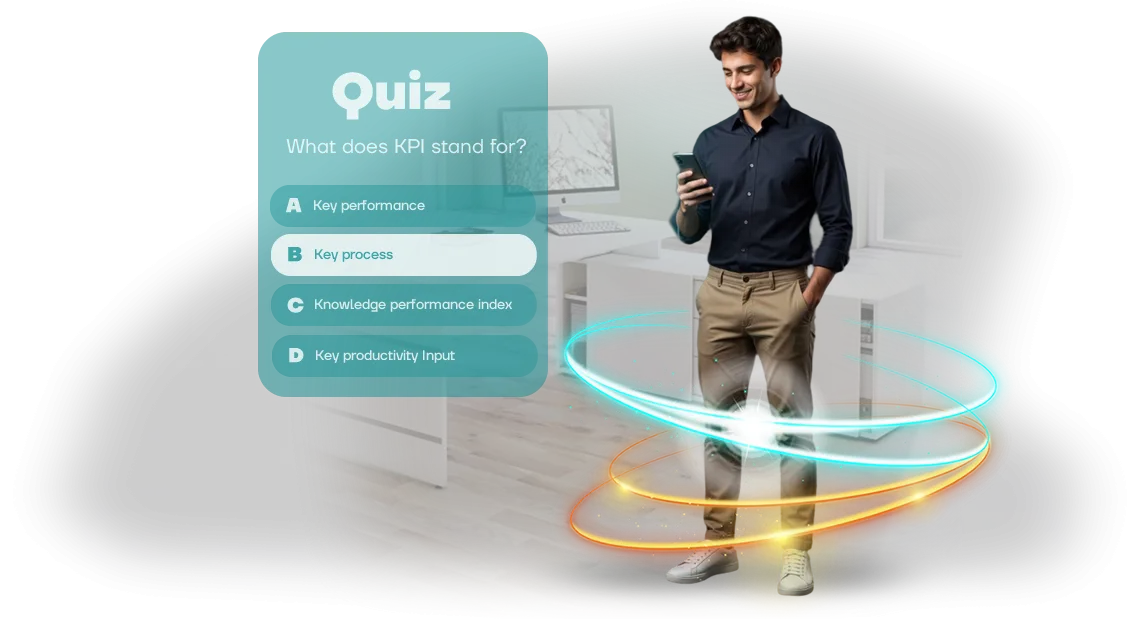
עיבוד ארכיטקטוני: למה חידוני הדרכה מאבדים עובדים
כל חברה משקיעה זמן בחידוני הדרכה, אבל לעתים קרובות מקבלת את האפקט ההפוך: עובדים משלימים אותם רק כדי לסמן וי, בלי להתעמק בחומר. התוצאה — הידע לא נשמר, ותקציבי ההדרכה יורדים לטמיון. במקום מעורבות, גדלה התסכול, והחידון הופך לפורמליות גרידא.
הסיבה פשוטה: טקסט על מסך ותמונות שטוחות לא יוצרים הקשר. המוח האנושי בנוי לזכור טוב יותר מידע הקשור למרחב ולפעולה.
בלי סביבה ויזואלית איכותית, העובד לא נכנס לתוך התרחיש — הוא פשוט עונה על שאלות מכנית כדי לסיים את המשימה כמה שיותר מהר.
כאן נכנס לתמונה עיבוד ארכיטקטוני. טכנולוגיה שבדרך כלל מקושרת להצגת מבנים ופנים עובדת מצוין בהדרכה: מרחבי תלת-ממד ריאליסטיים מאפשרים לעובדים "לחוות" מצב במקום לקרוא עליו.
העובד רואה סדנה, משרד, מחסן או אולם מכירות — ומקבל החלטות בסביבה מוכרת, לא בשאלון מופשט.
הטבילה הזו משנה את היחס ללמידה. החידון מפסיק להיות מבחן והופך להרפתקה: מרגש לראות מה יקרה הלאה, לאילו אירועים תוביל בחירה.
המעורבות גדלה, העובדים משלימים את החומר עד הסוף, והכי חשוב — הם זוכרים את הפעולות הנכונות במקום העבודה.
זה בדיוק מה שאנחנו עושים בצוות שלנו: אנחנו יוצרים חידוני הדרכה בסגנון עיבוד ארכיטקטוני, שבו תיאוריה הופכת לחוויה ריאליסטית.
כלי פיתוח מקצועיים מאפשרים לנו לבנות סצנות מפורטות שתופסות תשומת לב ומספקות תוצאות מדידות לעסק: מעורבות גבוהה יותר, פחות הדרכות חוזרות, ידע חזק יותר.
שלוש סיבות להוסיף חידוני תלת-ממד לתוכנית ההדרכה שלך
הדרכה ארגונית הופכת לעתים קרובות לפורמליות מחייבת: הרצאות, שקופיות ומבחנים שעובדים משלימים רק כדי לסמן וי. כתוצאה מכך, המעורבות יורדת והידע מתנדף תוך כמה ימים.
חידוני תלת-ממד פותרים את הבעיה הזו — הם הופכים למידה להרפתקה מרתקת שבה עובדים באמת רוצים להתעמק בפרטים ולהגיע לתשובות נכונות.
הסיבה הראשונה — עניין אמיתי. במקום טקסט שטוח, העובד נכנס לסביבה תלת-ממדית שבה הוויזואליזציה פועלת לטובת שימור החומר.
הסגנון הארכיטקטוני של המיקומים, אובייקטים מפורטים וסצנות אינטראקטיביות מעוררים סקרנות טבעית: בא לך לחקור, לנסות, להשוות. כשההדרכה מרגישה כמו משחק, אפילו אלה שבדרך כלל יושבים בצד נכנסים לעניינים.
הסיבה השנייה — הבנה מהירה יותר. משחקי הדרכה דורשים השתתפות פעילה, לא קריאה פסיבית. העובד רואה אובייקט, מקבל החלטה ומיד מקבל משוב.
הפורמט הזה מפעיל זיכרון חזותי והיגיון בו-זמנית, כך שכללים, תקנים ותהליכים נזכרים מהר יותר ונשארים בזיכרון זמן רב יותר. חידוני תלת-ממד הופכים תיאוריה מופשטת לתרחישים ברורים הלקוחים מפרקטיקת עבודה אמיתית.
הסיבה השלישית — שיפור תוצאות הלמידה. עובדים מעורבים משיגים ציונים גבוהים יותר ומיישמים ידע בביטחון רב יותר. הדרכה ארגונית עם חידוני תלת-ממד מספקת אפקט מדיד: אתה רואה דינמיקת השלמה, נושאים קשים והתקדמות של כל חבר צוות.
זה מאפשר לך להתאים את התוכנית בזמן ולהשיג שיפור אמיתי בכשירות, לא רק לסמן וי על תוכנית ההדרכה.
הוסף חידוני תלת-ממד לתוכנית ההדרכה שלך — וקבל תגובה חיה מעובדים, הבנה עמוקה של החומר וצמיחה מדידה במיומנויות מקצועיות.
פורמטים של עיבוד ארכיטקטוני לחידוני הדרכה
פורמט החידון קובע עד כמה העובד נטמע בחומר. עיבוד ארכיטקטוני הופך שאלות שטוחות לתרחישים ויזואליים: מבדיקת ידע מהירה עם ויזואליזציה תלת-ממדית ועד להשלמה מלאה של משימות הדרכה בתוך בניין וירטואלי. אנחנו מתאימים את הפורמט למשימה שלך — קליטת עובדים המונית, הסמכה או תרגול תהליכים מורכבים.
| פורמט | למי זה מיועד | מה זה מספק ללקוח |
|---|---|---|
| חידון מהיר על רנדרים | כל העובדים, בדיקות ידע שוטפות | כיסוי ב-10 דקות, סף כניסה נמוך, סטטיסטיקה ברורה |
| חידון תלת-ממד אינטראקטיבי במיקום | עובדים חדשים, הדרכה תוך כדי עבודה | תרגול פעולות בסביבה ארכיטקטונית, מעורבות גבוהה יותר ממבחנים רגילים |
| מסע הרפתקה בטבילה מלאה | ראשי מחלקות, מומחים נישתיים | טבילה מלאה בתרחיש, זכירות גבוהה ומוכנות למצבים אמיתיים |
הפורמט המהיר מתאים לבדיקות שוטפות: העובד רואה תמונה פוטוריאליסטית של אובייקט ועונה על שאלות על פריסה, חומרים ובטיחות. זה עובד על כל מכשיר ולא דורש הכנה מיוחדת.
הפורמט האינטראקטיבי משתמש במודל תלת-ממדי של חלל, שבו העובד חוקר את המיקום, מוצא אזורי סיכון או בוחר פעולות נכונות. גישה זו מספקת ניסיון מעשי ללא עלות של ביקורים באתר אמיתי.
מסע ההרפתקה בטבילה מלאה הוא רמת המעורבות הגבוהה ביותר. העובד עובד דרך שרשרת משימות בתוך בניין וירטואלי, מקבל החלטות במצבים לא סטנדרטיים ורואה את ההשלכות של בחירותיו. הפורמט הזה מיועד לתרגול נהלים מורכבים ולבניית נאמנות להדרכה.
אנחנו עובדים על מנוע Unity המקצועי — כך שסצנות תלת-ממד נטענות במהירות וביציבות על כל מכשיר של עובד. אתה מקבל חידון מוכן לשימוש עם ממשק ברור, דוחות ויכולת לעדכן תרחישים למשימות חדשות.
איך מפתחים חידון הדרכה במפתח מוכן
כדי שההדרכה באמת תעבוד ולא תצבור אבק במחלקת משאבי אנוש, התהליך חייב להיות שקוף וצפוי. אנחנו מבנים את העבודה בשלבים ברורים — אתה תמיד יודע מה קורה, על מה אנחנו מיישרים קו ומתי תקבל את החידון המוגמר.
זה מבטל הפתעות ואישורים מיותרים, ותוצאות נראות בתוך השבועות הראשונים.
-
בריף וטבילה במשימה. אנחנו קובעים מי מוכשר, אילו מיומנויות אנחנו בונים ואיך החידון משתלב בתוכניות קיימות. הפלט הוא תיאור קצר של מטרות ותוצאות צפויות, כך שכל הצדדים מדברים באותה שפה.
-
תרחיש וקונספט פורמט. אנחנו מגדירים מבנה שאלות, רמות קושי ומכניקת משחק. לחלק הוויזואלי, אנחנו משתמשים בסגנון עיבוד ארכיטקטוני — העובד נטמע בסביבה מוכרת וריאליסטית שתופסת תשומת לב ומשפרת זכירה.
-
אישור קונספט. אנחנו מציגים את התרחיש על הנייר: איך שאלות זורמות, איך המערכת מגיבה לתשובות נכונות ושגויות. אתה עורך שינויים לפני תחילת ההפקה — זה זול ומהיר יותר מאשר לעבוד מחדש על משחק מוגמר.
-
הפקת תוכן. אנחנו יוצרים מודלים תלת-ממדיים, מיקומים וממשק על מנוע המשחק, וממלאים את החידון בשאלות ותשובות. אנחנו מפרקים את העבודה לאיטרציות קצרות — כל כמה ימים אנחנו שולחים תוצאה ביניים שתוכל לבדוק ולהעיר.
-
בדיקות וליטוש סופי. אנחנו מוודאים שהחידון עובד כראוי על מחשבי העובדים ומספק תמונה יציבה ללא עיכובים. אתה מקבל קישור לגרסת בדיקה, עובר אותה כמשתמש רגיל ומאשר את הגרסה הסופית.
-
השקה ותמיכה. אנחנו מארחים את החידון בכל מקום שנוח לצוות שלך: בפורטל הלמידה, בצ'אט הארגוני או דרך קישור ישיר. אחרי ההשקה, אנחנו נשארים בקשר — מתקנים במהירות אי-דיוקים ומוסיפים שאלות חדשות כשצריך, בלי להפריע להדרכה.
מה כלול במסירת חידון התלת-ממד לעובדים
הרכבנו חבילה מלאה להשקת חידון תלת-ממד: מתרחיש ומודלים תלת-ממדיים ועד הוראות ותמיכה באחריות. לא תצטרך לחפש קבלנים בנפרד או לבזבז זמן על חיבור קבצים שונים — הכל כאן כבר מחובר ובדוק. להלן רשימת בדיקה כדי שתוכל לראות את היקף העבודה והתוצאה לכל בלוק.
מה כלול במסירה:
- תרחיש: שאלות, אפשרויות תשובה, הסברים ולוגיקת ניקוד.
- מודלים תלת-ממדיים ומיקומים: חללים בסגנון עיבוד ארכיטקטוני המשקפים את המשרד או אתר הייצור שלך.
- ממשק עובד: מסכים ברורים שאינם דורשים הכשרת צוות.
- פאנל ניהול: העלאת שאלות חדשות, הגדרת סשנים וצפייה בסטטיסטיקה.
- הוראות ונהלים: מדריכים קצרים למנחה, לתמיכה טכנית ולמנהלים.
- תמיכת אחריות: תיקוני באגים, ייעוץ ושיפורים אחרי ההשקה.
פירוט מפורט לפי בלוק — בטבלה.
| רכיב | תוכן | תוצאה עסקית |
|---|---|---|
| תרחיש | שאלות עם הסברים, אלגוריתם בדיקה | עובדים קולטים חומר מהר יותר, ואתה רואה תמונה אובייקטיבית של ידע |
| מיקומי תלת-ממד | מודלים שנבנו ב-Unity המשקפים במדויק את החלל שלך | סביבה מוכרת מגבירה מעורבות ותגובה רגשית |
| ממשק | מסכים אדפטיביים למחשבים וטאבלטים | הצוות משלים את החידון ללא הכנה, ללא קריאות תמיכה נוספות |
| פאנל ניהול | ניהול תוכן, לוח זמנים וגישה | משאבי אנוש מעדכנים את החידון באופן עצמאי בלי להסתמך על מפתחים |
| אחריות ותיעוד | נהלים, רשימות בדיקה, תמיכה | השקה מהירה, ביטחון בתוצאה וסיוע אחרי ההתחלה |
כל המסירה מועברת כפרויקט אחד. אתה מקבל בדיוק את החומרים שאושרו במפרט הטכני — בתוספת הגיבוי של הצוות שלנו אם צריך ללטש משהו.
מקרה בוחן: חידון תלת-ממד מגביר מעורבות בהדרכה
כשההדרכה מסתכמת במצגות יבשות ומבחנים, עובדים משלימים אותה רק כדי לסמן וי. החברה מבזבזת שעות על הכנת חומרים, והתוצאה נמדדת לא בידע אלא בקורסים שלא נפתחו במערכת. מעורבות חלשה פוגעת בתקציב: כסף יורד לטמיון, ומיומנויות לא נתפסות.
פתרנו את נקודת הכאב הזו עם חידון תלת-ממד שנבנה על Unity.
במקום שקופיות שטוחות — מרחב אינטראקטיבי בסגנון עיבוד ארכיטקטוני: העובד "מטייל" בתוך בניין וירטואלי, פותח אזורים, עונה על שאלות ומיד רואה את ההתקדמות שלו. האלמנט התחרותי והניווט הברור תופסים תשומת לב עד הסוף.
תוצאת הפרויקט — עלייה של 38% בהשלמת הדרכה. מנהלים ציינו לא רק את המספרים אלא גם שינוי בגישת הצוות ללמידה: זה כבר לא נתפס כפורמליות.
כך לקוחות העריכו את העבודה.
"עובדים בעצמם התחילו לשאול מתי השלב הבא — זה מעולם לא קרה לפני כן. החידון הפך לאירוע, לא לחובה," — מנהלת משאבי אנוש בחברת הלקוח.
"קיבלנו כלי מוכן שמסביר תהליכים מורכבים בלי מרצה. זמן שנחסך בהדרכת קליטה — פי כמה," — ראש מרכז ההדרכה.
"הפורמט התלת-ממדי עבד באופן בלתי צפוי גם לצוות המרוחק: עובדים מערים שונות השלימו את החידון במקביל ודנו בתוצאות בצ'אט המשותף," — מנהל תפעול ראשי.
אחרי ההשקה הראשונה, הלקוח חזר עם בקשה להרחיב את החידון לתרחישים חדשים. זה מאשר: השקעה בחוויית למידה איכותית משתלמת במעורבות ובמדדים מדידים — לא רק ב"וי" על השלמת קורס.
איך לבחור פורמט חידון תלת-ממד למשימה של הצוות שלך?
בחירת פורמט חידון תלת-ממד למשימה של הצוות שלך מתחילה בשאלה פשוטה: איזו מיומנות עובדים צריכים לחזק אחרי ההדרכה. אם המטרה היא לבדוק ידע בהוראות או נהלים, חידון קומפקטי במיקום וירטואלי יספיק.
אם צריך לתרגל פעולות במצב לא סטנדרטי, תצטרך תרחיש עם הסתעפויות והשלכות של החלטות.
בהתחלה, חשוב ליישר שלושה דברים: מספר העובדים, לוחות זמנים ותקציב. לצוות גדול עם דדליין לחוץ, עדיף לבחור בפורמט הבסיסי — מיקום תלת-ממדי עם שאלות ומשוב מיידי.
זה מהיר, צפוי בעלות וקל לקנה מידה. האופציה הזו נבחרת לעתים קרובות כשצריך להשיק הדרכה בתוך כמה שבועות.
כשהמשימה עמוקה יותר — למשל, ללמד עובדים לפעול באתר או ליצור אינטראקציה עם ציוד — כדאי לשקול חידון הרפתקה. העובד נע במרחב וירטואלי, משלים משימות ומקבל רמזים.
הפורמט הזה דורש יותר זמן פיתוח אבל מספק מעורבות גבוהה יותר וערך מעשי. הצוות זוכר לא רק תשובות אלא רצפי פעולות.
לטעויות נדירות ויקרות — למשל, בעבודה מול לקוחות או בייצור — התאמה מלאה היא תרחיש מסועף. כאן, כל בחירה משפיעה על איך האירועים מתפתחים, וההדרכה הופכת לסימולטור קבלת החלטות בטוח.
זה הפורמט היקר ביותר, אבל הוא משתלם דרך הפחתת סיכונים ופחות טעויות בעבודה אמיתית.
אנחנו עוזרים לך לנווט בין האופציות: אנחנו דנים במטרות, במספר העובדים, בלוחות זמנים ובתקציב, ואז מציעים פורמט שמספק את התוצאה הנדרשת בלי לשלם יותר מדי. המפתח הוא להתחיל מהמשימה, לא מהטכנולוגיה — ואז הבחירה הופכת מובנת מאליה.
תשובות לשאלות נפוצות על פיתוח חידונים
כל מערכת הדרכה חדשה מעלה שאלה טבעית: "מה אם זה לא יעבוד?" אנחנו מבינים את הסיכון הזה, ולכן אנחנו מבנים את העבודה כך שתקבל כלי עובד במסגרת הזמן המוסכם עם מעורבות מינימלית של הצוות שלך — ועם תמיכה ברורה אחרי ההשקה.
לפני תשלום הסכום המלא, תראה את החידון בפעולה. במהלך תקופת הבדיקה, אנחנו בודקים איך הוא מתנהג על מכשירי העובדים, עד כמה השאלות ברורות וכמה נוח הניווט. הפרויקט נחשב הושלם רק אחרי האישור שלך. אם משהו משתבש — אנחנו מתקנים על חשבוננו במסגרת התחייבויות האחריות.
מה אם יופיעו שגיאות אחרי ההשקה או שעובדים לא יבינו איך להשתמש?
אתה מקבל אחריות על כל העבודה ותמיכה טכנית אחרי ההשקה. במהלך תקופת האחריות, אנחנו פותרים במהירות כל תקלה בפעולת החידון.
וכדי שעובדים יתחברו מיד, אנחנו עורכים סשן הדרכה קצר למנהל: אנחנו מראים איך לשנות שאלות, לעקוב אחר תוצאות ולהוסיף משתתפים חדשים.
האם נוכל לעדכן שאלות בעצמנו בלי מפתחים?
כן. אנחנו מספקים ממשק ניהול פשוט: אתה יכול לשנות שאלות, תשובות ומועדי השלמה בלי לערב מתכנתים. לתרחישים בסיסיים — החלפת שאלות, הוספת קטעים, צפייה בסטטיסטיקה — מספיק סשן הדרכה קצר אחד. זה כלול בעלות.
אילו ערבויות אתם נותנים על לוחות זמנים ותוצאות?
החוזה קובע את לוח הזמנים, היקף העבודה וקריטריוני הקבלה. אתה מקבל את העבודה רק כשהחידון תואם לחלוטין למפרט הטכני המאושר ופועל ביציבות.
לפני התשלום הסופי, יהיה לך זמן לבדוק אותו בתנאים אמיתיים — על מכשירים ועם משתמשים אמיתיים.
עדיין יש שאלות על אחריות, תמיכה או תרחישי שימוש? תאר את המשימה שלך — ונציע פתרון שמסיר את כל הסיכונים לפני שהעבודה בכלל מתחילה.הזמן חידון הדרכה תלת-ממדי מותאם אישית לעובדים שלך
השאר פנייה באתר — ותוך יומיים תקבל מצגת של פורמטים אפשריים, חישוב עלות ראשוני ותוכנית השקה. ללא התחייבות: אנחנו מציעים פתרון קודם, ואז דנים בפרטים.
הייעוץ הקצר אורך 15–20 דקות. אנחנו מבררים כמה עובדים צריכים הדרכה, אילו נושאים חשובים ואיזה פורמט הכי נוח למסירה. משם, אתה לא צריך להיכנס לפרטים טכניים — אנחנו מכינים בעצמנו הצעה מסחרית ברורה.
איך מתנהלת העבודה על חידון תלת-ממד:
- פנייה וייעוץ — אנחנו לוכדים את המשימה, מגדירים מטרות הדרכה וקריטריוני הצלחה.
- חישוב עלות — אנחנו מכינים אומדן שקוף בלי תוספות נסתרות: אנחנו קובעים היקף, לוח זמנים ושלבים.
- הצגת פורמט — אנחנו מראים אפשרויות סצנת תלת-ממד ומכניקה כדי שתוכל לבחור מה מתאים לסגנון הארגוני שלך.
- פיתוח תרחיש ומיקום — אנחנו הופכים חומר הדרכה למסלול מרתק עם משימות ורמזים.
- הרכבה ובדיקות — אנחנו בונים את המשחק, מוודאים על מכשירים אמיתיים ומבטלים את כל השגיאות לפני ההשקה.
- השקה ותמיכה — אנחנו מוסרים את החידון המוגמר, מאמנים מנהלים ונשארים זמינים לשיפורים.
אחרי ההשקה, אתה מקבל יותר מסתם משחק — אתה מקבל כלי הדרכה עם אנליטיקה: אתה רואה מי השלים, אילו שאלות גרמו לקושי ואיפה התוכנית צריכה חיזוק.
אם צריך, אנחנו מרחיבים את החידון עם רמות ושאלות חדשות — זה זול יותר מאשר לבנות מוצר חדש מאפס.