

ויזואליזציה פיננסית בהכשרת עובדים: איך לצמצם תחלופת עובדים
הכשרה ארגונית סטנדרטית הופכת לעיתים קרובות לחובה: העובד מאזין להרצאה, עובר מבחן, ושבוע לאחר מכן שוכח איך ליישם את הידע בפועל.
במגזר הפיננסי זה מסוכן במיוחד — שגיאות בחישובים, לידים שאבדו ומסמכים שמולאו בצורה לא נכונה פוגעים ברווחים ומגבירים את העומס על הצוות.
התוצאה היא תסכול, שחיקה ותחלופת עובדים שעולה לעסק הרבה יותר מכל קורס.
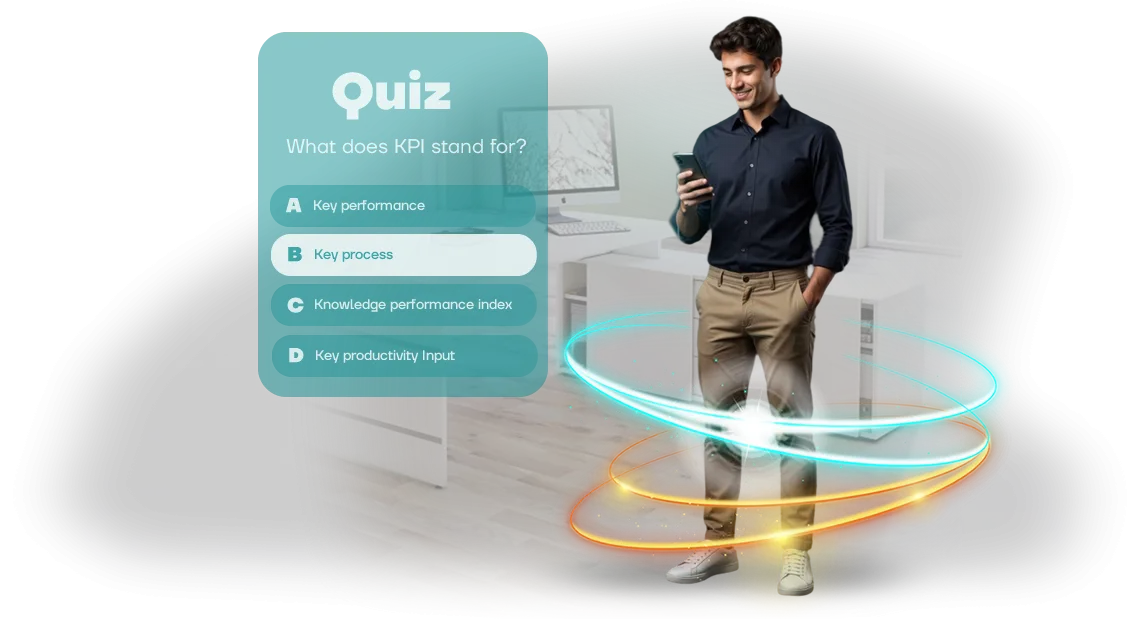
ויזואליזציה פיננסית בחידוני הכשרה משנה את הגישה: במקום שקופיות יבשות, העובד נכנס לתרחיש אינטראקטיבי שבו כל החלטה באה לידי ביטוי מיידי בתרשימים, במדדים ובדוחות סופיים.
הם לא רק משננים חוקים — הם רואים איך הפעולות שלהם משפיעות על הכסף של החברה. סוג כזה של הכשרה מטמיע ידע ברמה של הרגלים: אדם מתחיל להרגיש את ההיגיון הפיננסי במקום לדחוס הוראות בצורה מכנית.
היתרון המרכזי הוא מעורבות. חידונים מרתקים עם עלילה ומספרים "חיים" וברורים הופכים חובה משעממת לאתגר מעניין.
העובד רואה שהחברה משקיעה בפיתוח שלו, וזה ישירות מפחית את הרצון לחפש עבודה אחרת. אנשים נשארים במקום שבו הם מבינים את הערך שלהם ורואים את הכישורים שלהם גדלים.
הצוות שלנו יוצר תוכניות הכשרה ארגוניות המבוססות על ויזואליזציה פיננסית כבר למעלה מעשר שנים. אנחנו עוזרים לעסקים לסגור סיכוני משאבי אנוש באופן שיטתי: ידע נטמע, עובדים עושים פחות טעויות, והתחלופה יורדת משמעותית.
אם אתם רוצים שההכשרה תעבוד למען שימור הצוות שלכם — התחילו בצעד פשוט: דברו איתנו על החידון שלכם.
אילו תוצאות עסקיות תראו לאחר ההשקה
לאחר השקת חידון הכשרה בסגנון ויזואליזציה פיננסית, תראו תוצאות למידה מדידות כבר בחודש הראשון.
עובדים עוברים תרחישים אינטראקטיביים שבהם כל טעות מוסברת מיד, כך ששימור החומר גדל פי כמה, ומספר השגיאות בתהליכי העבודה יורד. כך חומר הופך לכישורים מעשיים במקום להישכח אחרי שבוע.
הערכת עובדים שקופה היא התוצאה השנייה שמורגשת. המערכת אוספת אוטומטית איך עובדים עונים על שאלות ומראה תמונה אובייקטיבית של הידע בכל הצוות.
אתם רואים מי מוכן לעבוד באופן עצמאי ומי זקוק להכשרה נוספת — ללא בדיקות ידניות או תהליכי אישור ארוכים. זה חוסך זמן למנהל ומסיר סובייקטיביות מההערכה.
משחקי הכשרה מיישרים את הידע לסטנדרט אחד. גם עובד חדש וגם מומחה ותיק קולטים את אותם תקנות ועקרונות, וזה חשוב במיוחד במגזר הפיננסי. זה מבטל חוסר עקביות בפעולות ומפחית סיכונים הקשורים לגורם האנושי.
יעילות העובדים גם גדלה בגלל מעורבות: משתתפי החידון שואפים בעצמם להשלים את ההכשרה ומתחרים על תוצאות. כתוצאה מכך, הצוות מקבל החלטות מהר יותר, שואל פחות שאלות המשך ופועל לפי סטנדרטים מוגדרים.
לאחר ההשקות הראשונות, תוכלו להסתמך על מספרים — שיעור העובדים שהשלימו את ההכשרה, ציונים ממוצעים לפי מחלקה, דינמיקה של ניסיונות חוזרים — ולהשתמש בנתונים אלה להחלטות משאבי אנוש ולפיתוח עובדים.
פורמטים של חידונים: ממבחן מהיר ועד משימת תלת-ממד
השאלה היא לא איזה חידון "מגניב" יותר, אלא איזה מהם פותר את המשימה שלכם. מבחן מהיר בודק ידע בתקנות במהירות, בעוד משימת תלת-ממד מטביעה עובדים בסביבה ומאלצת אותם ליישם ידע במצב לא סטנדרטי.
אם מערבבים את הפורמטים, ההכשרה הופכת או לסימון פורמלי או לתרגיל גיבוש יקר ללא תוצאה ברורה.
בחירת החידון הנכון קובעת אם העסק מקבל אפקט מדיד — כיסוי, חיזוק מיומנויות או זיהוי פערים. הצוות שלנו בונה חידונים החל משאלונים פשוטים ועד מיקומים תלת-ממדיים.
אנחנו משתמשים במנוע Unity לא לשם הטכנולוגיה אלא לשם היציבות: בכל מכשיר של עובד, המשחק נראה אותו דבר, לא קורס באמצע המשימה, ומספק סטטיסטיקות לכל משתתף.
| פורמט | למי זה מיועד | מה זה נותן ללקוח |
|---|---|---|
| מבחן מהיר | בדיקות ידע שגרתיות לאחר הרצאות | תוצאה מהירה: 5–7 דקות, סטטיסטיקות לפי קבוצה |
| תרחיש עם אפשרויות תשובה | תרגול דיאלוגים מורכבים עם לקוחות | העובד רואה השלכות של החלטות ללא סיכון לעסק |
| משימה עם מטלות | הכשרה המונית בסניפים | מעורבות של כל העובדים, גיימיפיקציה ללא כאוס |
| משימת תלת-ממד | פיתוח מיומנויות בסביבה בטוחה | הטמעה מלאה: לדוגמה, ויזואליזציה פיננסית של החברה |
בחירת פורמט היא לא עניין של בידור — זו דרך להשיג תוצאה מדידה. לכן בהתחלה אנחנו מנתחים את המשימה שלכם ומציעים פורמט שמתאים לתקציב, ללוח הזמנים ולרמת המיומנות של העובדים.
איך אנחנו יוצרים חידון הכשרה: 7 שלבים
תהליך שקוף חשוב כשההכשרה משפיעה ישירות על ביצועי העובדים. חילקנו את העבודה ל-7 שלבים — בכל אחד אתם מבינים מה קורה, אילו חומרים דרושים מכם ומתי תופיע התוצאה. אין שלבים נסתרים: רק הסכמות ברורות ונקודות ביקורת.
- בריף ומטרות. אנחנו אוספים מידע על החברה שלכם, תקנות ושגיאות אופייניות של עובדים. אנחנו קובעים איזה ידע אנחנו בודקים ואיזו תוצאה נחשב להצלחה.
- תרחיש ומכניקה. יחד איתכם, אנחנו מתכננים את מבנה החידון: עלילה, שאלות, רמות קושי, אפשרויות תשובה ומשוב — כך שהמשתתף מבין מיד היכן טעה.
- סגנון ויזואלי. אנחנו יוצרים מיקומים ודמויות תלת-ממדיים בסגנון ויזואליזציה פיננסית על Unity שמטביעים משתתפים בנושא והופכים את ההכשרה לחזותית. אתם מקבלים מודלים לאישור לפני הפיתוח.
- הרכבת החידון. אנחנו ממלאים את המשחק בחומרים שלכם: דוגמאות מעשיות, הוראות, תקנות פנימיות. אנחנו מוסיפים מערכת רמזים והסברים לתשובות נכונות.
- בדיקת קבוצת מיקוד. אנחנו מזמינים 3–5 עובדים מהצוות שלכם לעבור את החידון. אנחנו אוספים משוב, בודקים שימושיות במחשבים ובטלפונים ומבצעים תיקונים.
- השקת ההכשרה. אנחנו ממקמים את החידון במערכת ניהול הלמידה שלכם או מספקים גישה דרך קישור. אנחנו קובעים מועדי השלמה לעובדים ומגדירים התראות.
- תמיכה ואנליטיקה. אנחנו עוקבים אחרי איך תוצאות מגיעות: ציון ממוצע, מספר ניסיונות, שאלות קשות. בהתבסס על הממצאים, אנחנו מעדכנים תוכן ועוזרים לכם להעריך את השפעת ההכשרה.
ויזואליזציה פיננסית: מה כלול במסירה
אתם מקבלים לא "רק משחק" אלא כלי הכשרה מוכן שניתן להשיק בתוך השבועות הקרובים.
המסירה מעוצבת כך שהצוות שלכם לא צריך להרכיב שום דבר נוסף: אין צורך לחפש קבלן גרפיקה, לכתוב תרחישים או להבין איך לשלב את החידון בתהליך ההכשרה. כל זה כבר כלול.
- סצנות ודמויות תלת-ממד מוכנות — ויזואליזציה פיננסית בפעולה. מדדים מופשטים הופכים לתמונות מוחשיות שעובדים זוכרים ללא שינון.
- תרחישי חידון — מספר גרסאות ברמות קושי שונות, מהקדמות ועד הערכה. אתם יכולים להתאים אותן בקלות לפרטים שלכם ולשנות שאלות לתקנות או מוצרים חדשים.
- לוח בקרה — אתם קובעים מועדים וקבוצות משתתפים בעצמכם ורואים תוצאות בזמן אמת. אין צורך במתכנת כדי לעדכן חומרים.
- חומרים מתודולוגיים — המלצות ליישום, הוראות למנחה ופירוט של טעויות אופייניות. גם אם מי שאינו מומחה מתודולוגיה מוביל את ההכשרה, הכל מתנהל חלק.
- דיווח לכל עובד — המערכת מראה מי השלים את החידון, עם איזו תוצאה ואילו נושאים גרמו לקושי. זהו בסיס מוכן לפיתוח עובדים וסגירת פערי ידע.
- תמיכה טכנית בהשקה — אנחנו עוזרים לשלב את החידון במערכת ה-LMS שלכם, מטפלים בהשקה הראשונה ועונים על שאלות הצוות.
חבילה כזו מקצרת את זמן הכנת ההכשרה פי כמה — כל מה שנשאר לכם הוא לקבוע תאריך ולאסוף עובדים. משם, המערכת עצמה מדריכה את המשתתף דרך התרחיש, מתעדת התקדמות ואוספת אנליטיקה שקל להציג להנהלה.
אם תרצו מאוחר יותר להרחיב את הקורס, נוכל להוסיף סצנות, דמויות ושאלות חדשות ללא בנייה מחדש של הפרויקט כולו.
מקרה בוחן: איך חידון צמצם שגיאות עובדים
בעיה אופיינית במחלקת כספים היא הגורם האנושי: במילוי דוחות והעברת מספרים, עובדים עושים שגיאות בממוצע ב-3–4% מהפעולות.
זה אולי נראה חסר משמעות, אבל על פני מאות עסקאות ביום, זה הצטבר לשעות של עבודה חוזרת ולסיכון קנסות על דיווח לא מדויק.
הצענו ללקוח — חברה פיננסית גדולה — להפוך את הכשרת התקנות לחידון. במקום מצגות משעממות, עובדים עברו תרחישי משחק קצרים שבהם כל תשובה הראתה את ההשלכות של שגיאה בצורה של מודל פיננסי מעוות.
זה הפך את ההכשרה לחזותית: אנשים ראו איך מספר שגוי אחד "שובר" את כל הדוח. בנינו את זה על מנוע Unity המקצועי, שאיפשר לנו ליצור סצנות אינטראקטיביות חיות שרצות ביציבות על כל מחשב.
התוצאות עלו על הציפיות. ברבעון הראשון, שגיאות בהזנת נתונים ירדו ב-42%, ושיעור העובדים שהשלימו את הקורס עלה ל-91% — עם הרצאות רגילות היה נדיר לאסוף יותר מחצי מהצוות.
החידון כיסה את כל 8 הסניפים האזוריים, ו-70% מהמשתתפים השלימו אותו בהתנדבות, מחוץ לשעות העבודה — אנשים נהנו להתחרות ולצבור נקודות.
לאחר הפיילוט, הלקוח פרס גרסה מעודכנת של החידון לעובדים חדשים וכבר הזמין את המודול הבא — על טיפול בפניות לקוחות.
עבורנו, זה המדד המרכזי: החידון הפך לאירוע חד-פעמי אלא לחלק ממערכת הכשרה שבאמת מפחיתה עלויות. אם יש לכם אתגרים דומים — נראה לכם הדגמה על הנתונים שלכם.
שאלות נפוצות על פיתוח חידונים ארגוניים
חידון ארגוני פירושו עשרות או מאות עובדים בבת אחת, וכל אחד מצפה שהכל יופעל מיד וללא תקלות.
לכן השאלה המרכזית של הלקוח נשמעת בדרך כלל כך: "מה אם משהו ישתבש באמצע ההכשרה?" אנחנו שומעים את זה בכל פרויקט, ולכן אנחנו בונים את העבודה כך שהיציבות מובנית מהיום הראשון.
כך אנחנו מטפלים בחששות הנפוצים ביותר — מיישום ועד תמיכה טכנית.
מה קורה אם החידון קורס במהלך הכשרת עובדים?
אנחנו מתכננים את המערכת מראש כדי לעמוד בעומס שיא כשכל העובדים נכנסים בו-זמנית. אנחנו משתמשים בארכיטקטורת שרתים מקצועית שלא "קורסת" ומחלקת עומס אוטומטית כשצריך.
אנחנו גם מבצעים השקות ניסיון לפני ההתחלה: אנחנו בודקים את התרחיש עם מספר המשתתפים האמיתי ומתקנים בעיות פוטנציאליות. אם משהו בכל זאת משתבש, יש לנו נוהל תגובה חירום, וברוב המקרים הבעיה נפתרת בלי שהמשתמשים שמים לב.
איך עובר יישום החידון בתהליך העבודה?
היישום לא דורש מהעובדים שלכם להתקין תוכנה כלשהי או ידע מיוחד. מספיק קישור — משתתפים פותחים אותו ממחשב או טלפון, משלימים את החידון ורואים את התוצאה מיד.
אנחנו מטפלים בהכל: מגדירים גישה, מחברים את פורמטי השאלות הנדרשים ועוזרים בתקשורת עם המשתתפים. כל מה שאנחנו צריכים מכם הוא תרחיש ההכשרה עצמו ומועדי ההשקה.
בדרך כלל, לוקח שבוע עד שבועיים מהבריף ועד ההשלמה — ניישר את לוח הזמנים עם לוח הזמנים שלכם.
איזו תמיכה טכנית ניתנת לאחר ההשקה?
לאחר ההשקה, אנחנו נשארים בקשר: אנחנו עוקבים אחרי החידון בזמן אמת ומתערבים בסטייה הקטנה ביותר. במשך כל משך הקמפיין, יש לכם קו ישיר לצוות שלנו — אנחנו מגיבים מהר ורואים את הבעיה עד לפתרון.
אם החידון נשאר אצלכם על בסיס קבוע, אנחנו מציעים תחזוקה: בדיקות שגרתיות, עדכוני שאלות ושיפורי תרחישים למשימות חדשות. זה משתלם יותר מאשר להתמודד עם בעיות בדיעבד, וזה מבטיח שההכשרה עובדת כמו שעון.
איך לבחור פורמט חידון לצוות שלכם?
אין פורמט אוניברסלי: מה שעובד מצוין במחלקת מכירות יכול להיכשל בחשבונאות.
לכן לפני השקת חידון, חשוב לענות על ארבע שאלות: מה מטרת ההכשרה, באיזו תדירות הצוות ישחק במשחק, כמה מורכב צריך להיות החומר, ואילו סצנות ויזואליות יעזרו לו להיקלט.
התשובות לשאלות אלה קובעות את האפשרות הנכונה — ממבחן קצר של 5 דקות ועד משימה רב-רמות עם מיקומים תלת-ממדיים.
הקריטריון המרכזי הוא המטרה. אם אתם צריכים לבדוק ידע בתקנות במהירות, מספיק חידון קל עם שאלות ורמזים.
אם המשימה היא ללמד עובדים לראות קשרים פיננסיים, תרחישים עם מודלים תלת-ממדיים עובדים טוב יותר: תרשימים אינטראקטיביים, דיאגרמות תזרים מזומנים, משרדים וירטואליים. הם הופכים מספרים מופשטים לתמונות מובנות, מה שמשפר את השימור.
| קריטריון | אפשרויות | מה זה נותן לצוות |
|---|---|---|
| מטרה | בדיקת ידע / פיתוח מיומנויות | אימות מהיר או הבנה עמוקה של החומר |
| תדירות | חד-פעמי / חודשי / גישה מתמשכת | קמפיינים חד-פעמיים או מעורבות קבועה ללא אובדן עניין |
| קושי | קל / בינוני / מתקדם | מתאים למתחילים, לעובדים מנוסים או לכל הצוות בבת אחת |
| פורמט סצנת תלת-ממד | איורים פשוטים / מיקומים אינטראקטיביים | בהירות חזותית של תהליכים פיננסיים, מעורבות רגשית |
לאחר בחירת הקריטריונים, כל מה שנשאר הוא לקבוע באיזו תדירות עובדים יעברו את החידון ובאיזו צורה הם מעדיפים לחזור לחומר. להכשרה קבועה, סיבובים קצרים עם שאלות מתחלפות ותוצאות מומחשות עובדים היטב.
לאירועים גדולים נדירים, משחק תלת-ממד מלא עם עלילה ותגי הישגים מתאים יותר.
אנחנו עוזרים לכם לבחור פורמט לצוות שלכם: אנחנו מנתחים את המשימה, את תדירות ההשתתפות ואת מורכבות התוכן, ואז מציעים תרחיש עם סצנות תלת-ממד מתאימות.
כתוצאה מכך, עובדים מקבלים חידון שפותר את הבעיה העסקית הספציפית שלכם — ללא עומס וללא "מבחנים לשם מבחנים" משעממים. אתם מקבלים בחירת חידון ברורה שקל לאשר פנימית ולהשיק במהירות.
מה תקבלו שבועיים לאחר ההשקה
התחלה מהירה חשובה כשצריך להשיק הכשרה בתוך הרבעון הנוכחי. אנחנו לא נתקעים בתהליכי אישור ארוכים — תוך שבועיים אנחנו יוצרים חידון פיילוט שמדגים תוצאה מדידה עם קהל עובדים אמיתי.
הנה מה שתקבלו אחרי 14 הימים הראשונים של העבודה:
- חידון פיילוט עובד בסגנון ויזואליזציה פיננסית — 10–15 שאלות בנושא שלכם, עם ממשק שעובדים באמת נהנים להשתמש בו.
- דוח השקה: כמה אנשים השלימו, איזה אחוז הגיע לסוף, אילו שאלות גרמו לקושי ואיך הגיבו מחלקות שונות.
- תמונה ברורה של מעורבות: כמה זמן בממוצע לוקח להשלים, והאם עובדים חוזרים לחידון לניסיונות נוספים.
- תוכנית הרחבה: איך להרחיב את השאלות, להוסיף תפקידים ורמות קושי כדי לכסות את כל החברה.
- המלצות לשילוב בהכשרה הנוכחית שלכם: איפה למקם את החידון, איך להניע עובדים ואילו מדדים לעקוב אחריהם בהמשך.
אחרי שבועיים, לא יהיה לכם רק רעיון מופשט — יהיה לכם כלי מוכן עם נתונים. תראו מה באמת עובד בחברה שלכם ותקבלו החלטה על פריסה לכל העובדים — ללא ניחושים וללא הוצאות מבוזבזות על ניסויים.
ויזואליזציה פיננסית הופכת מספרים יבשים לתרחישים חזותיים: עובדים רואים איך הפעולות שלהם משפיעות על התקציב של החברה וזוכרים את החוקים פי 2–3 מהר יותר מאשר בקריאת הוראות. פרויקט פיילוט יראה את האפקט הזה עם הצוות שלכם.
בקשו חידון פיילוט היום — תוך שבועיים תהיה לכם תוצאה ודוח שתוכלו להשתמש בהם כדי להרחיב בקלות את ההכשרה לכל כוח העבודה.