

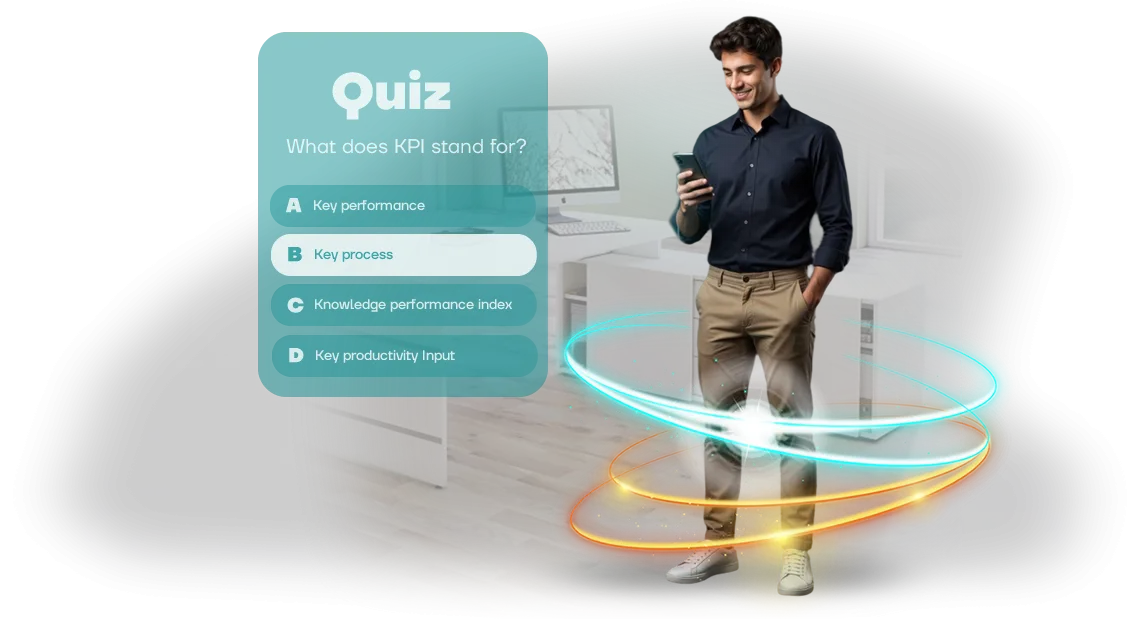
הכשרת צוותי תמיכת IT: עובדים הולכים לאיבוד בדיאלוג אמיתי
הבעיה בהכשרת תמיכת IT אינה כמות התיאוריה — חניך עשוי להכיר את מאגר הידע בצורה מושלמת, אבל כשהוא מתמודד עם לקוח עצבני בפעם הראשונה, הוא קופא.
בדיאלוג אמיתי אין תשובות מוכנות: הלקוח מפריע, מבקש הבהרות, כועס, והעובד או שותק או קורא תסריט.
זה בדיוק מה שנקרא "הפחד מהשאלה השנייה" — כשאחרי התשובה הראשונה השיחה סוטה לכיוון לא צפוי והאדם לא יודע מה לעשות.
זה מוביל לבעיות הכשרה טיפוסיות: שינון הוראות לא מספק את הדבר החשוב ביותר — היכולת לנהל שיחה תחת לחץ. העובד מגיב באופן פורמלי, מפספס את התת-טקסט, ולא נוטל יוזמה.
החברה משלמת על כל שיחה כזו בפניות חוזרות, משוב שלילי, ואובדן נאמנות; ושיקום המוניטין קשה יותר מאשר פשוט להכשיר אדם כמו שצריך פעם אחת.
הפתרון הוא תרחישי דיאלוג המתורגלים עד כדי אוטומציה. במקום מבחנים רב-ברירתיים, העובד נכנס לשיחה חיה שבה תגובות הלקוח משתנות בהתאם להתנהגותו.
כך נראית הכשרת תמיכת IT עם אפס סיכון למשתמשים אמיתיים: אפשר לטעות, לראות את ההשלכות, ולנסות מיד אסטרטגיה אחרת.
אנו יוצרים סימולטור הכשרה לעובדים המדמה דיאלוג עם סוגים שונים של לקוחות — ממתחיל מבולבל ועד מומחה תוקפני.
המשימה היא לא רק "לתת תשובה נכונה" אלא לשמור על השיחה במסגרת בונה: לנסח מחדש, להבהיר, ולסיים ברוגע. זה מה שמבדיל בין צוות שלקוחות חוזרים אליו לבין צוות שמנתקים את הטלפון ועוברים למתחרים.
מה סימולטור תלת-ממדי עם תרחישי דיאלוג נותן לצוות
עובדי תמיכה שומרים על מיומנויות טוב יותר כשהם מתרגלים אותן בעבודה במקום לקרוא הוראות. מבחנים סטנדרטיים ומצגות מספקים תיאוריה אבל לא מלמדים איך להגיב במצב מלחיץ.
סימולטור תלת-ממדי עם תרחישי דיאלוג מעביר את ההכשרה מהרצאה לתרגול ריאלי, שבו אין סיכון ללקוחות אמיתיים אבל יש את הניסיון הדרוש.
אנו משתמשים בפתרון מקצועי המבוסס על מנוע Unity כדי לבנות סביבה שנראית ומתנהגת כמו ממשק עבודה אמיתי.
זו לא סימולציה לשם "וואו" — זה כלי שהופך הכשרה לתרגול מבוקר עם תוצאה ברורה לעסק.
מעורבות עובדים
עובדים מתערבים כשהתהליך מרגיש כמו משחק, לא כמו מטלה. לסימולטור יש מטרה, דיאלוג, והשלכות לפעולות — זה שומר על תשומת הלב וגורם לאנשים לחשוב במקום ללחוץ מכנית על תשובות. כתוצאה מכך, הצוות רוצה להשלים את ההכשרה במקום לדחות אותה.
תרגול דיאלוגים קשים
המקרים הקשים ביותר — לקוח כועס, מצב חריג, בקשה דחופה — אפשר לסקור כמה פעמים שצריך. העובד מתרגל ניהול דיאלוג, בחירת ניסוח, והבאת השיחה לתוצאה. כך תמיכה מטפלת בפניות אמיתיות ברוגע, ללא פחד או פאניקה.
מהירות תגובה
תרגול על הסימולטור מקצר את זמן התגובה הראשונה לבעיה. כשמצב כבר מוכר מהסימולציה, העובד מקדיש פחות זמן לניתוח ועובר מהר יותר לפתרון. זה מוריד את העומס על הצוות ומגביר את שביעות רצון הלקוחות מאינטראקציות התמיכה.
השורה התחתונה פשוטה: הצוות לא מקבל רק מבחן אלא סימולטור מלא לפיתוח מיומנויות עבודה אמיתיות. זו הכשרה שעובדת עבור העסק, לא לשם דיווח.
פורמטי חידון: בחרו את זה שמתאים למטרה שלכם
בהכשרת תמיכת IT, פורמט החידון קובע באיזו מהירות ידע הופך למיומנות. אותו חומר יכול להיות מוצג כמבחן ליניארי או כתרחיש אינטראקטיבי — התוצאה תהיה שונה. לכן אנחנו מתחילים מהמשימה, לא מ"מכניקה מפוארת."
טבלת פורמטים
| פורמט | למה הוא מיועד | מה הוא מספק |
|---|---|---|
| מבחן ספרינט | בדיקה מהירה של ידע לאחר הרצאה או תדריך | מעורבות, מהירות, תמונה אמיתית של פערים |
| חידון עם בחירת אפשרויות דיאלוג | תרגול תקשורת עם לקוחות במצבים טיפוסיים | ביטחון וניסוח נכון בדיאלוג אמיתי |
| סימולטור אירועים תלת-ממדי | ניתוח מקרה מורכב או נדיר | טעויות בטוחות וזכירת השלכות |
| חידון עם סקירת שגיאות | חיזוק חומר וביטול תפיסות שגויות נפוצות | הבנה עמוקה במקום שינון מכני |
רשימת בדיקה לבחירת פורמט
לפני שמתחילים, ענו על שלוש שאלות: איזו מיומנות צריך לתרגל, כמה זמן יש לעובדים, ומה הרמה הנוכחית שלהם. אם המטרה היא ללמד את צוות תמיכת IT להגיב ברוגע לפניות חריגות, בחרו בחידון דיאלוג או סימולטור תלת-ממדי. אם רק צריך לבדוק במהירות ידע על נהלים, מבחן ספרינט מספיק.
אנחנו נעזור לכם לבחור פורמט ולעצב תרחיש הכשרה למשימה שלכם. תארו את המצב — נציע אפשרות עם דוגמה למכניקה.
איך אנחנו בונים הכשרת תמיכת IT על סימולטור
הכשרת תמיכת IT מספקת תוצאות מדידות כשהסימולטור משכפל מצבי עבודה אמיתיים במקום שאלות מופשטות. לכן אנחנו מבנים את התהליך כך שתשלטו בכל שלב — מהבריף הראשוני ועד ההשקה והפיתוח הנוסף של החידון. להלן שלבי הפיתוח שהפרויקט שלכם עובר.
-
בריף חידון. אנו דנים במטרות, בקהל, בטעויות טיפוסיות של עובדים, ובמיומנויות הרצויות. אנו קובעים את הפורמט והקושי כך שהסימולטור יתאים לצוות שלכם. אתם מקבלים תוכנית ברורה: אילו נושאים החידון יאמן וכיצד זה ישפיע על איכות התמיכה.
-
אישור תרחיש. אנו מכינים ענפי דיאלוג, שאלות ואפשרויות תשובה קרובות ככל האפשר לפניות משתמשים אמיתיות. אנו מציגים את לוגיקת הניקוד וההערות לעובד.
אתם רואים איך ההכשרה תעבוד ועורכים שינויים לפני תחילת הפיתוח — ללא עבודה חוזרת בשלבים מאוחרים יותר.
-
פיתוח חידון. אנו בונים את הסימולטור על מנוע מקצועי, ומשכללים את הממשק, המשוב החזותי והרמזים הברורים. אנו מציגים גרסאות ביניים בכל שלב — כך שאתם תמיד יודעים מה מוכן ומה הלאה.
-
בדיקות עם הצוות שלכם. אנו עוברים על התרחישים, בודקים לוגיקה, שימושיות ודיוק תוצאות. אנו אוספים משוב ממשתמשים עתידיים ומשכללים את המוצר לגרסה יציבה שלא תיכשל ביום ההשקה.
-
השקה ומדדי הכשרה. אנו מעניקים גישה לעובדים ומחברים ניתוח השלמה: מי מצליח, איפה נתקעים, אילו נושאים דורשים חזרה. נתונים אלה עוזרים לשפר גם את הסימולטור וגם את תוכנית ההכשרה הכוללת — אתם רואים את ההשפעה האמיתית.
-
תמיכה ואבולוציה. אנו נשארים בקשר לאחר ההשקה: אנו מעדכנים שאלות ומוסיפים תרחישים חדשים בהתאם לשינויים במוצר או בתהליכי התמיכה. הסימולטור שלכם תמיד משקף מציאות עדכנית וממשיך ללמד עובדים.
מה כלול בסימולטור ההכשרה הסופי לעובדים
כשהפרויקט מושלם, אתם מקבלים לא רק סימולטור עובד אלא סט מלא של חומרים שנשאר לרשותכם. ללא נעילת ספק: אתם יכולים להמשיך לפתח את המערכת בעצמכם או עם כל קבלן.
- תוכנית עבודה ותרחיש חידון — הבסיס המתודולוגי של הסימולטור. אתם יכולים לעדכן שאלות, להוסיף נושאים חדשים, ולהתאים תוכן למשימות עדכניות.
- לוח בקרת חידון — ממשק אינטואיטיבי להפעלת מפגשים, התאמת קושי, וצפייה בתוצאות. אין צורך במתכנת לעבודה שוטפת.
- חומרי הכשרה לעובדים — הוראות קצרות ודפי עזר על שימוש בסימולטור. עובדים מתחילים לעבוד במהירות, ויש לכם קליטה מוכנה.
- תיעוד למנהל — תיאור הגדרות, תפקידים ונהלי תחזוקה. הצוות שלכם יכול לערוך שינויים ולשלוט בתהליך באופן עצמאי.
- קוד מקור וקבצי פרויקט — כל מה שנוצר במהלך העבודה מועבר אליכם ללא הגבלות. זה הנכס שלכם שלא מאבד מערכו עם הזמן.
- הכשרה לצוות שלכם — מפגש קצר שבו אנו מראים כיצד למלא תוכן, לשנות הגדרות, ולנתח סטטיסטיקות.
- תמיכה טכנית במהלך ההשקה — אנו עוזרים בהטמעה, עונים על שאלות, ומבטיחים שהסימולטור עובד כראוי.
גישה זו מבטלת את הסיכון העיקרי של הזמנת פיתוח מותאם אישית: אתם לא נשארים עם פתרון סגור התלוי במפתח יחיד. כל החומרים הם שלכם, ואתם יכולים להמשיך לפתח את המערכת בכל עת עם הצוות שלכם או קבלן אחר.
מקרה בוחן: איך חידון שיפר את מהירות ודיוק התשובות
אחד הפרויקטים שלנו היה חידון דיאלוג לצוות תמיכת IT של אינטגרטור גדול. המשימה הייתה פשוטה: להפחית את זמן התגובה לפניות טיפוסיות ולשפר את דיוק ההחלטות כך שלקוחות לא יצטרכו לפנות שוב לתמיכה.
במקום הרצאה נוספת, בנינו תרחיש הכשרה: העובד "מדבר" עם לקוח וירטואלי, בוחר תשובות בדיאלוג, ובסוף מקבל פירוט שגיאות והמלצות.
ההכשרה ארכה שבועיים, אבל מדדנו תוצאות לא לפי מספר מבחנים שהושלמו אלא לפי פניות תמיכה אמיתיות. חודש לאחר ההטמעה, מהירות התגובה הממוצעת לאירועים עלתה ב-27%, וחלק הפתרונות במגע ראשון עלה מ-64% ל-85%.
מנהל ההכשרה אישר את ההשפעה: "החידון לא רק בודק ידע — הוא משנה את לוגיקת הפעולות. עובדים חוזרים אליו מרצון כי הם רואים את ההתקדמות שלהם."
מה השתנה עבור החברה
עבור הלקוח, זה תורגם למדדים מדידים: פחות הסלמות לקו שני, פתרון מהיר יותר של כרטיסים, וירידה ניכרת בפניות חוזרות.
החידון עצמו הפך לחלק מקליטת עובדים חדשים — במקום קריאת הוראות, הם מיד מתאמנים על מצבים אמיתיים.
לאחר ההשקה הראשונה, קיבלנו הזמנה חוזרת לחידון למחלקה סמוכה. מניסיוננו, סימולטורים כאלה מראים אפקט מתמשך: עובדים שומרים על מיומנויות לאורך זמן, וההכשרה מפסיקה להיות פורמליות.
אם אתם רוצים תוצאות דומות — נתחיל עם בריף ונבחר תרחיש בהתאם לפניות האמיתיות שלכם.
איך לבחור פורמט חידון להכשרת צוות?
בחירת פורמט חידון להכשרת צוות מתחילה לא בטכנולוגיה אלא בשאלה: איזו תוצאה אתם רוצים בסוף ההכשרה? אם עובדים צריכים רענון מהיר של תקנות וסטנדרטים, מבחן רב-ברירתי קומפקטי עובד.
אם המטרה היא ללמוד לפעול במצב חריג, כמו בקשת משתמש מורכבת, עדיף לדמות דיאלוג קרוב לשיחה אמיתית.
שימו לב לרמת המיומנות הנוכחית של הצוות. מתחילים זקוקים למכניקה תומכת: רמזים, הסברי שגיאות, ויכולת לנסות שוב. עובדים מנוסים מתאימים יותר למצב תחרותי שמעריך מהירות ודיוק החלטות.
אפשרות אוניברסלית היא חידון מודולרי שבו הקושי מתאים את עצמו לתשובות המשתתפים: כל אחד מקבל אתגר המתאים ליכולותיו, ואתם מקבלים תמונה אובייקטיבית של הידע שלהם.
הקריטריון הבא הוא מעורבות בתהליך. אנשים זוכרים טוב יותר כשהלמידה ממוקדת משחק ולא קריאה משעממת. חידונים עם עלילות, תפקידים ותפניות בלתי צפויות יוצרים חיבור רגשי לחומר.
זה חשוב במיוחד לצוותי תמיכת IT, שבהם תסריטים סטנדרטיים נשכחים במהירות ומיומנויות תקשורת חיות מספקות ערך ישיר.
לבסוף, חשבו איך תעריכו את התוצאות. פורמט חידון טוב מספק סטטיסטיקות שקופות לכל עובד: אילו נושאים נשלטו, איפה שגיאות מתרחשות באופן קבוע, וכמה מהירות התגובה השתפרה. נתונים אלה עוזרים להתאים את תוכנית ההכשרה ומראים להנהלה את ההחזר האמיתי על ההשקעה.
הצוות שלנו מפתח סימולטורים תלת-ממדיים מבוססי דיאלוג וחידונים לצרכים ספציפיים של לקוחות: מניתוח פניות טיפוסיות ועד תרחישי הסלמה מורכבים.
אנחנו נעזור לכם לבחור את הפורמט המתאים לפרטים שלכם, לעצב את המכניקה, ולהכין תוכן יחד עם המומחים שלכם — תקבלו כלי מוכן שבאמת משפר את כישורי העובדים.
טיפול בחששות נפוצים לפני תחילת פרויקט
לפני השקת פרויקט, לכל לקוח יש שאלות: כמה מהר הכל יעבוד, מי אחראי לתוצאה, והאם יצטרכו להתמודד עם הגדרות מורכבות. אספנו את החששות הנפוצים ביותר והסברנו בקצרה כיצד אנו מטפלים בהם.
כמה קשה לשלב את החידון בתהליכי עבודה?
ההטמעה היא בשלבים ואינה דורשת ידע מיוחד מהצוות שלכם. אנו מטפלים באינטגרציה, בהגדרות ובבדיקות — אתם מקבלים כלי מוכן שמושק במסגרת לוחות הזמנים המוסכמים.
המעורבות שלכם מינימלית: אתם רק צריכים למנות איש קשר לאישור חומרים.
מה קורה אם עובדים עונים לא נכון?
טעויות הן חלק מתהליך הלמידה. החידון לא מעניש; הוא מציג את התשובה הנכונה עם הסבר כדי שהעובד יוכל לחזק את המיומנות. אתם רואים סטטיסטיקות כלליות לפי מחלקה ומבינים אילו נושאים צריך לחזור עליהם.
האם נוכל לעדכן שאלות בעצמנו?
כן. אנו מספקים לוח בקרה ידידותי למשתמש שבו תוכלו לשנות שאלות, אפשרויות תשובה ותרחישים ללא מתכנתים. אם תצטרכו עזרה, נערוך מפגש הכשרה קצר ונהיה זמינים לייעוץ.
אילו ערבויות ותמיכה טכנית ניתנות?
אנו עובדים תחת חוזה עם אבני דרך ומועדים קבועים. לאחר ההשקה, אתם מקבלים תמיכה טכנית — אנו מנטרים יציבות, מתקנים במהירות כל בעיה, ועוזרים אם יש לכם שאלות תפעוליות.
אם יש לכם חששות אחרים, פשוט כתבו לנו. נשתף כיצד משימות דומות נפתרו בפרויקטים אחרים ונציע תוכנית פעולה ברורה למצבכם.התחילו את הפרויקט: השלבים הבאים ומה תקבלו
שלחו בקשה לחידון — וכבר למחרת נקיים ייעוץ שבו נפרק את המשימה שלכם ונציע פתרון סוהר.
תקבלו הערכת עלות פיתוח שקופה ולוחות זמנים ריאליים לפני תחילת הפרויקט — ללא עמלות נסתרות או פרטים טכניים שאינם נחוצים לכם.
אנו פועלים לפי תרחיש פשוט: אתם מתארים את המשימה, אנו מציעים את הפורמט האופטימלי, ותומכים בפרויקט עד ההשקה.
לאחר בקשתכם, נשלח:
- ייעוץ — נדון במטרות ההכשרה, ברמות המיומנות של העובדים ובפורמט החידון, ונמליץ על אפשרות שמספקת תוצאות מהירות ללא הוצאות מיותרות.
- הערכת עלות פיתוח עם הצעת מחיר קבועה — המחיר נקבע לאחר מילוי המשימה ואינו משתנה במהלך התהליך.
- מפת דרכים לפרויקט עם שלבים ולוחות זמנים — תוכלו לראות מה קורה ומתי, ולשלוט בהתקדמות העבודה.
- דוגמאות לחידוני הכשרה לצוותי תמיכת IT כדי להעריך סגנון, קושי והצגה.
- תרחיש השאלות ולוגיקת ההשלמה — בדיוק איך עובדים יענו ואיזה ידע זה יחזק.
- הצעה מסחרית ותוכנית השקה — לאחר אישורכם, אנו מתחילים בעבודה ללא עיכובים.
השלבים הבאים דורשים זמן מינימלי: אתם שולחים בקשה, אנו יוצרים קשר בזמן נוח, מקיימים ייעוץ, ושולחים הערכה עם תוכנית. פיתוח הקונספט אורך לא יותר משני ימי עבודה.
אנו עובדים מרחוק, כך שנוכל להשיק פרויקט בכל עיר. במשך למעלה מ-10 שנים פיתחנו עשרות תוכניות הכשרה לחברות — כל אחת הושלמה לתוצאה מוצלחת.
שלחו בקשה עכשיו כדי לקבל ייעוץ ולנעול את עלות הפיתוח — כל מה שנשאר הוא להסכים על הפרטים.