

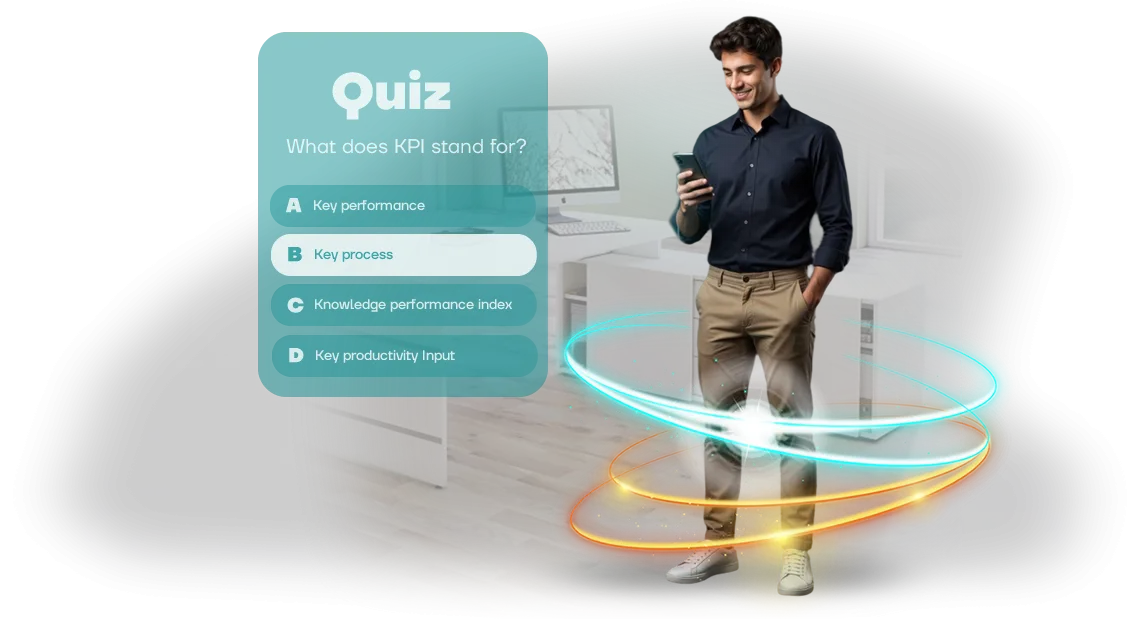
עובדים לא משלימים קורסים ב-Cornerstone Learning?
הדרכה ארגונית הופכת פעמים רבות לפורמליות: עובד פותח קורס ב-Cornerstone Learning, מאיץ את הווידאו, וסוגר את הטאב עד לתזכורת הבאה.
ולפי סטטיסטיקות החברה, אפילו עובדים חדשים ומוטיבציה מאבדים עניין במודול השני או השלישי—התוצאה היא מעורבות נמוכה וקורסים שאף אחד לא מסיים.
הבעיות בלמידה מרחוק הן כמעט אף פעם לא בתוכן, אלא בפורמט: מבוגר לא רוצה לצפות בהרצאות; הוא רוצה לפתור משימות ולראות תוצאות.
לכן אנו מציעים להוסיף משחק חידון מבוסס דפדפן לתוכנית שלכם ב-Cornerstone Learning. הוא מעביר את הערכת הידע מצפייה פסיבית לפעולה אקטיבית: העובד עונה על שאלות, צובר נקודות, רואה התקדמות, ומתחרה עם עמיתים.
מעורבות העובדים גדלה לא כי אנחנו כופים אותה, אלא כי לשחק זה כיף. אדם משחק בחידון מספר פעמים כדי לשפר את הניקוד שלו—ומבלי לשים לב, מחזק את החומר.
המכניקה הזו פותרת את הבעיה המרכזית של למידה מרחוק—חוסר המשוב. במקום מבחן טפסים לא אישי, העובד מקבל תגובה מיידית: תשובה נכונה—נקודות, טעות—רמז והסבר.
המוח זוכר מידע טוב יותר כשהוא מקושר לרגש, גם אם זה הריגוש של ניצחון. כתוצאה מכך, קורסים מושלמים לא מתוך כפייה, אלא מתוך רצון לאשר את הרמה של עצמך.
עבור החברה, זה אומר שההדרכה ב-Cornerstone Learning מתחילה להניב תוצאות מדידות: אתם רואים מי באמת קלט את החומר ומי זקוק לתשומת לב נוספת. המוטיבציה של הצוות מגיעה לרמה חדשה—העובדים עצמם שואלים מתי יהיה החידון הבא.
המשחק עצמו רץ בדפדפן, ללא התקנת אפליקציות, ומשתלב בקלות במערכת הקיימת.
אנחנו יוצרים חידונים כאלה לעסקים כבר יותר מעשר שנים. אנו מתאימים את השאלות לפרטים שלכם, מספקים פאנל ניהול נוח, ומשלבים את התוצאות ב-Cornerstone Learning.
אתם מקבלים לא רק "בידור לראווה," אלא כלי שמערב את העובדים בלמידה ומביא אותה לסיום. ספרו לנו את הנושא של הקורס הבא שלכם—ונראה לכם איך זה יעבוד.
מה gamification של למידה מביא: 3 אפקטים מרכזיים
עובדים משלימים קורסי חובה באופן פורמלי: הם צופים בשקופיות, לוחצים על "הבא," ושוכחים את הכללים המרכזיים תוך שבוע. Gamification של למידה הופך את התהליך לתרחיש חי שבו העובד לא רק מקבל מידע אלא מתקשר איתו באופן פעיל.
זה משנה את היחס ללמידה—התרגשות מחליפה שגרה, ואיתה מגיעות תוצאות עסקיות אמיתיות לחברה.
האפקט הראשון—מעורבות מוגברת בתהליך. כשחידון בנוי כמו משחק עם רמות, נקודות ומשוב מיידי, העובד עצמו רוצה לחזור לחומר.
הם מתחרים עם עמיתים, עוקבים אחרי ההתקדמות שלהם—והלמידה מפסיקה להיות חובה והופכת לחלק מתרבות העבודה. עובד מעורב מסיים את הקורס ועושה זאת בעניין, לא "רק לראווה."
האפקט השני—שיפור זכירת החומר. Gamification מאלץ להיזכר במידע וליישם אותו במצבים מדומים. כל שאלה היא משימה קטנה שמחזקת את הידע והמיומנויות הנדרשות.
בשילוב עם חזרה סדירה, זה מביא ליעילות הדרכה גבוהה: עובדים עושים פחות טעויות בעבודה האמיתית, מקבלים החלטות מהר יותר, ומבקשים עזרה פחות.
האפקט השלישי—הפחתת תחלופה. כשעובד רואה שהחברה משקיעה בפיתוח שלו והופכת את הלמידה לברורה ומרתקת, הוא מרגיש מוערך. הלמידה הופכת ליתרון תחרותי בתוך החברה: אנשים נשארים כי הם רואים צמיחה ודאגה.
זה עובד טוב במיוחד כשהחידון משולב במערכת ה-Cornerstone Learning שלכם—נקודת גישה אחת לידע שבה כל עובד רואה את ההתקדמות שלו ואת צעדי הפיתוח הבאים.
כתוצאה מכך, gamification של למידה משתלם לא רק בשיפור מיומנויות אלא גם בנאמנות הצוות. אתם מקבלים עובדים מיומנים, מעורבים ומוטיבציה—מה שאומר פחות טעויות, פרודוקטיביות גבוהה יותר, ויציבות עסקית.
פורמטים של חידון לשילוב עם Cornerstone Learning
למה "פורמט אחד מתאים לכולם" לא עובד לעסקים עובדים תופסים למידה אחרת: חלקם צריכים רוח תחרותית, אחרים מעדיפים מעבר רגוע בחומר, ועוד אחרים מתחברים טוב יותר לסיפור ארוך עם נרטיב.
אם חידון מסתכם בשאלות רב-ברירה זהות, העניין יורד עד המסך השלישי, וזכירת החומר פוחתת.
אנחנו בונים חידונים מבוססי דפדפן שמשתלבים ב-Cornerstone Learning ועובדים בתוך LMS מוכר. הלקוח מקבל תוצאות למידה במערכת שלו: התקדמות, ציונים, השלמות—ללא איסוף ידני וגיליונות אלקטרוניים.
שלושה פורמטים המכסים צרכים שונים
| פורמט | למי זה מיועד | מה זה נותן ללקוח |
|---|---|---|
| חידון Brain-Ring | בדיקת ידע מהירה לאחר הדרכה או רענון מדיניות | עד 2–3 דקות לעובד, משוב מיידי, טון תחרותי |
| מבחן Quest | עובדים חדשים, קליטה, חומרים מורכבים | מעורבות דרך סיפור: העובד עובר את החומר ומיד מיישם ידע בתרחישים |
| מרתון חידון | חזרה סדירה, שמירה על מיומנויות | סדרה של סיבובים קצרים לאורך שבועות או חודש—הידע מתחזק ללא "דחיסה" |
איך זה נראה בפועל חידון Brain-Ring הוא משחק דינמי עם טיימר, דירוג וניקוד. הוא מתאים לבדיקות ידע לאחר הדרכה או להערכה רבעונית—העובד רואה תוצאות מיד, והמנהל מקבל סיכום צוות.
מבחן Quest הוא חידון עם נרטיב: העובד עונה על שאלות ועובר בתרחיש, מתקרב למטרה. הפורמט הזה מחזיק תשומת לב פי 2–3 יותר ממבחן רגיל ומתאים יותר לחומר מורכב.
מרתון חידון הוא סדרה של סיבובים קצרים שנפתחים בלוח זמנים לאורך חודש. עובדים חוזרים ללמידה באופן סדיר, לא "ביום שלפני המבחן." משאבי אנוש רואים את דינמיקת המעורבות של כל משתתף.
אנחנו מתאימים את הפורמט למשימה: קליטה, הערכה או פיתוח שוטף. השילוב עם Cornerstone Learning מוגדר פעם אחת—וכל התוצאות זורמות אוטומטית לפרופיל העובד.
שלבי פיתוח החידון לתרחיש שלכם
פיתוח חידון הדרכה הוא לא רק אוסף שאלות, אלא תהליך מחושב שחוסך זמן ומשאבים. חילקנו את העבודה לשישה שלבים, כך שתראו תוצאות בכל שלב ותוכלו לבצע שינויים—בלי הפתעות בשלב הסופי.
- בריף וניתוח. אנחנו צוללים למשימה שלכם: מה הקהל, איזה ידע צריך לבדוק, איך החידון משתלב בהדרכה הקיימת. הפלט—הבנה מדויקת של מטרות ופורמט.
- תרחיש החידון. אנחנו כותבים שאלות, תשובות ורמזים בשפה שעובדים מבינים. אנחנו מפתחים את הנרטיב והמכניקה כך שהלמידה תהיה מרתקת, לא רק מבחן.
- עיצוב וסטיילינג. אנחנו יוצרים סגנון ויזואלי שמתאים למותג ולנושא שלכם. החידון נראה כמו חלק מהתרבות הארגונית, לא בונה חיצוני.
- פיתוח והרכבה. אנחנו בונים את החידון על פלטפורמה מקצועית שעובדת בכל דפדפן ללא התקנה. אנחנו משלבים אותו עם מערכת הלמידה שלכם Cornerstone Learning כך שתוצאות מופיעות אוטומטית בדוחות.
- בדיקות. אנחנו בודקים את התרחיש על מכשירים ודפדפנים שונים, מחפשים שגיאות ורגעים מביכים. אנחנו מוודאים שהחידון עובד באופן אמין גם בעומס כבד.
- השקה ותמיכה. אנחנו עוזרים להשיק את החידון לעובדים ומכשירים מנהלים. לאחר ההשקה, אנחנו נשארים בקשר כדי לפתור במהירות כל בעיה.
כל שלב מסתיים בהדגמה של התוצאה הביניים. אתם תמיד רואים לאן הכסף הולך ויכולים להתאים את המשימה לפני שנכתבות שורות קוד נוספות. גישה זו מונעת את המצב האופייני שבו המוצר המוגמר מתברר כשונה מהצפוי.
מה כלול במסירה: חבילת השקה
אנחנו מוסרים לא קבצים וסיסמאות, אלא פתרון עובד מוכן לשימוש מהיום הראשון.
חבילת המסירה כוללת את החידון, פאנל ניהול, מערך מסמכים, שילוב עם Cornerstone Learning והכשרת מנהלים—כל מה שצריך כדי להשיק הדרכה במהירות ולא להיות תלויים במפתחים בהמשך העבודה.
- משחק חידון מוכן לשימוש בדפדפן: משתתפים ניגשים אליו ללא התקנת תוכנה או הרשמה—הם צריכים רק מחשב עבודה.
- פאנל ניהול לעריכה עצמאית: אתם מעדכנים שאלות, תשובות ומיתוג תוך דקות, ללא הגשת בקשות חדשות לקבלן.
- מערך מסמכים: תיאור פונקציונלי, דיאגרמת פריסה, הוראות למנהלים ולמשתמשים—כל עובד יבין זאת ללא עזרה ממומחה טכני.
- שילוב עם Cornerstone Learning: תוצאות המבחן נרשמות אוטומטית ב-LMS, נכללות בסטטיסטיקות הקורס ומקושרות לתוכניות הדרכה.
- הכשרת מנהלים: מפגש מעשי קצר, שלאחריו המומחה שלכם מנהל את החידון באופן עצמאי, מוסיף שאלות ועובד עם דוחות.
- תמיכה בהשקה ותקופת אחריות: אנחנו עוזרים בהתחלה ונשארים בקשר לאורך תקופת האחריות—כוח עליון לא ישאיר אתכם ללא מערכת עובדת.
מקרה בוחן: איך חידון הגדיל את שיעורי השלמת הלמידה
פרויקט אחד—הטמעת חידון הדרכה ב-Cornerstone Learning. הלקוח התמודד עם נקודת הכאב האופיינית: קורסים בפורטל נלמדו "רק לראווה," המעורבות ירדה, ותוצאות המבחנים לא שיקפו ידע אמיתי.
תכננו משחק חידון מבוסס דפדפן המשולב בתהליך הלמידה. במקום ה"קרא וענה" המוכר, העובדים קיבלו תרחיש עם רמות, נקודות ומשוב מיידי.
החידון עובד בתוך המערכת הקיימת—אין צורך לעבור בין חלונות או ללמוד ממשק חדש.
מה השתנה
תוך חודש מההשקה, מספר העובדים שסיימו את הקורס עלה ב-40%. תוצאות המבחן הסופי השתפרו ב-25%—החומר נקלט ולא שונן מכנית.
משאבי אנוש קיבלו סטטיסטיקות שקופות: ברור מי שלט בנושא ומי זקוק לתמיכה נוספת.
העובדים ציינו שהלמידה הפכה למעניינת יותר. רבים לקחו את החידון מספר פעמים כדי להשיג את הניקוד המקסימלי—מה שיצר תחרות בריאה בין מחלקות. מנהלים ראו ערך מעשי: צוותים מיישמים ידע חדש מהר יותר במשימות היומיומיות.
המקרה הזה מראה: מכניקת משחק עובדת כשמשולבת בתרחיש למידה מוכר. אנחנו לא מחליפים את המערכת הארגונית; אנחנו מחזקים אותה—ומספקים תוצאות מדידות ללא עומס נוסף על העובדים.
שאלות נפוצות על פיתוח ושימוש בחידון
בעלי עסקים חוששים פעמים רבות שחידון הדרכה ייעלם מעיניים, יישבר ברגע קריטי, או לא יעבוד עם ה-LMS הארגוני. אנחנו סוגרים את הסיכונים האלה בשלבי התכנון וההשקה.
אנחנו עונים על השאלות המרכזיות שנשאלות לפני תחילת פרויקט.
מה אם העובדים לא מתעניינים בחידון?
אנחנו משתמשים ב-gamification: תחרות בין מחלקות, דירוגים ופרסים מחזיקים תשומת לב. אם ההשקות הראשונות מראות מעורבות נמוכה, אנחנו מתאימים את התרחיש על סמך נתוני אנליטיקה: משנים שאלות, רמות קושי ואפילו סגנון הצגה.
מי מטפל בתמיכה הטכנית של החידון?
לאחר ההשקה, אנחנו מקצים צוות שמכיר את הפרויקט שלכם. הוא פותר תקלות במהירות, עוקב אחר עומס ועוזר בעדכונים. אתם לא נשארים לבד עם הכלי: יש אחריות וזמני תגובה ברורים.
האם החידון יעבוד עם ה-LMS שלנו?
החידון רץ בדפדפן, ללא התקנת תוכנה נוספת. אנחנו בודקים תאימות עם מערכות ניהול למידה מרכזיות ומגדירים העברת תוצאות לפורטל שלכם. עובדים ניגשים למשחק דרך קישור, ואתם רואים את התוצאות במערכת הדיווח המוכרת שלכם.
האם אפשר להתאים את החידון למדיניות שלנו?
כן. אנחנו לוקחים את החומרים שלכם—מדיניות, הוראות, תקנים—והופכים אותם לתרחיש משחק. אנחנו מעצבים אותו בסגנון הארגוני שלכם ומגדירים את הכללים: מספר ניסיונות, זמן, מודולי חובה. החידון משתלב בתהליכי ההדרכה הקיימים מבלי לשבור אותם.
הזמינו פיתוח חידון היום
פיתוח חידון הדרכה הוא לא "עוד פרויקט" בדוח, אלא כלי שמגביר באמת את מעורבות העובדים ואת זכירת החומר. אנחנו יודעים איך לגרום לחידון לעבוד למען המטרה שלכם: מבדיקות ידע פשוטות ועד לתוכנית הדרכה gamified מלאה.
כשאתם מגישים בקשה, אנחנו לא פשוט לוקחים את המשימה לעבודה. אתם מקבלים תוכנית ברורה, הערכת עלות שקופה ומנהל אישי שמלווה את הפרויקט מבריף ועד השקה.
התוצאה—חידון שעובדים עושים בעניין, בזמן שאתם רואים תוצאות מדידות: צמיחה במעורבות, זכירת חומר ומהירות למידה.
מה תקבלו לאחר הגשת בקשה
- ייעוץ ראשוני—אנחנו מנתחים את המשימה, הקהל והמטרות שלכם, ומציעים פורמט חידון שמתאים לכם.
- אב-טיפוס תוך 5–7 ימים—אתם רואים איך החידון ייראה ויפעל לפני תחילת הפיתוח המלא.
- חישוב עלות שקוף—אנחנו קובעים את ההערכה ואת לוחות הזמנים בחוזה, ללא תוספות נסתרות או "הפתעות" בשלב הסופי.
- שילוב עם מערכת הלמידה שלכם—החידון משתלב בקלות ב-Cornerstone Learning ובפלטפורמות LMS אחרות; עובדים ניגשים אליו ללא מעבר בין שירותים.
- התאמה לסגנון הארגוני—העיצוב, הטון והתרחיש של החידון תואמים למותג ולתרבות הפנימית שלכם.
- תמיכה לאחר ההשקה—אנחנו עוזרים בעדכוני שאלות, אנליטיקת תוצאות ותחזוקה טכנית לאחר שהחידון פעיל.
הגישו את הבקשה היום—ועד מחר נשלח לכם תוכנית ראשונית והערכת עלות. תקבלו לא רק משחק, אלא כלי הדרכה עובד שמשתלם דרך צמיחת כישורי הצוות. ספרו לנו על המשימה שלכם—אנחנו נטפל בשאר.
איך לבחור פורמט חידון למשימת למידה?
בחירת פורמט חידון היא לא עניין של טעם, אלא החלטה שמשפיעה ישירות על תוצאות הלמידה. כדי לבחור את האפשרות הנכונה, חשוב להתחיל משני דברים: מטרת הלמידה ומאפייני הקהל. אלה קובעים איזה פורמט יביא ערך ואיזה יישאר רק בידור.
מטרות למידה יכולות להיות מגוונות: לבדוק את הידע הנוכחי של העובדים, לחזק חומר חדש, לזהות פערים או להניע להשלמת קורס. לבדיקת ידע, בדיקות קלאסיות עם נקודות ומגבלות זמן עובדות היטב.
לחיזוק—תרחיש עם מצבים מעשיים שבהם צריך ליישם ידע. למעורבות—פורמט תחרותי עם דירוגים ופרסים. אותו חידון יכול לפתור כמה משימות, אבל חשוב לקבוע סדרי עדיפויות.
קהל החידון קובע איך להציג את החומר ואיזו רמת קושי להגדיר. מתחילים צריכים שאלות ברורות עם רמזים; עובדים מנוסים צריכים אתגר ומשימות לא שגרתיות.
מוטיבציה והרגלים חשובים גם הם: אם הצוות לא אוהב מבחנים ארוכים, עדיף לפצל את ההדרכה לסיבובים קצרים. אנחנו מתחשבים גם בצד הטכני: החידון חייב לרוץ על המכשירים שיש לעובדים בפועל—לרוב, דפדפן רגיל.
בפרקטיקה שלנו, בחירת חידון מתחילה בניתוח קצר: אילו משימות עומדות בפני ההדרכה, מי ייקח אותה ובאילו תנאים. על סמך זה, אנחנו מציעים פורמט ספציפי—מבדיקת ידע פשוטה ועד לתרחיש משחק עם אלמנטים תחרותיים. אם צריך, אנחנו מתאימים את המכניקה, רמת הקושי והעיצוב לצוות שלכם.
בחירת פורמט החידון הנכון היא 80% מההצלחה. השאר הוא פיתוח שאלות וממשק באיכות גבוהה.
אם אתם לא בטוחים איזו אפשרות מתאימה למשימה שלכם, נעזור לכם להחליט: נראה איך פורמטים שונים עובדים בפועל ונציע את הפתרון האופטימלי למטרות ולקהל שלכם.