

מדוע עובדים שוכחים את ההדרכה ב-Open edX וכיצד לתקן זאת
השקעתם כסף בקורסים ארגוניים בפלטפורמת Open edX, אך תוך מספר שבועות העובדים זוכרים רק עובדות בודדות. נשמע מוכר? הדרכה פסיבית—צפייה בסרטונים וקריאת טקסטים—אינה יוצרת את רמת המעורבות הנדרשת.
החומר אינו מתחזק באמצעות תרגול, והמוטיבציה לחזור לקורסים יורדת. התוצאה: הקורס הושלם, אך הידע אינו מיושם בעבודה, ותקציב ההדרכה מתבזבז.
הבעיה אינה בפלטפורמה: Open edX מספקת מבנה קורס נוח וסטטיסטיקות ברורות. הנקודה החלשה היא אופן ההעברה עצמו. מבוגרים זוכרים 20–30% ממה שהם קוראים, אך עד 80% כאשר הם מיישמים ידע במשחק ותחרות.
ללא זאת, ההדרכה נותרת פורמליות, וההשקעה שלכם בפיתוח הצוות אינה מביאה תועלת מדידה. אנו רואים זאת מדי יום בתוכניות ארגוניות: עובדים "יושבים" באופן פורמלי על הקורס רק כדי לסמן וי ומיד שוכחים את החומר.
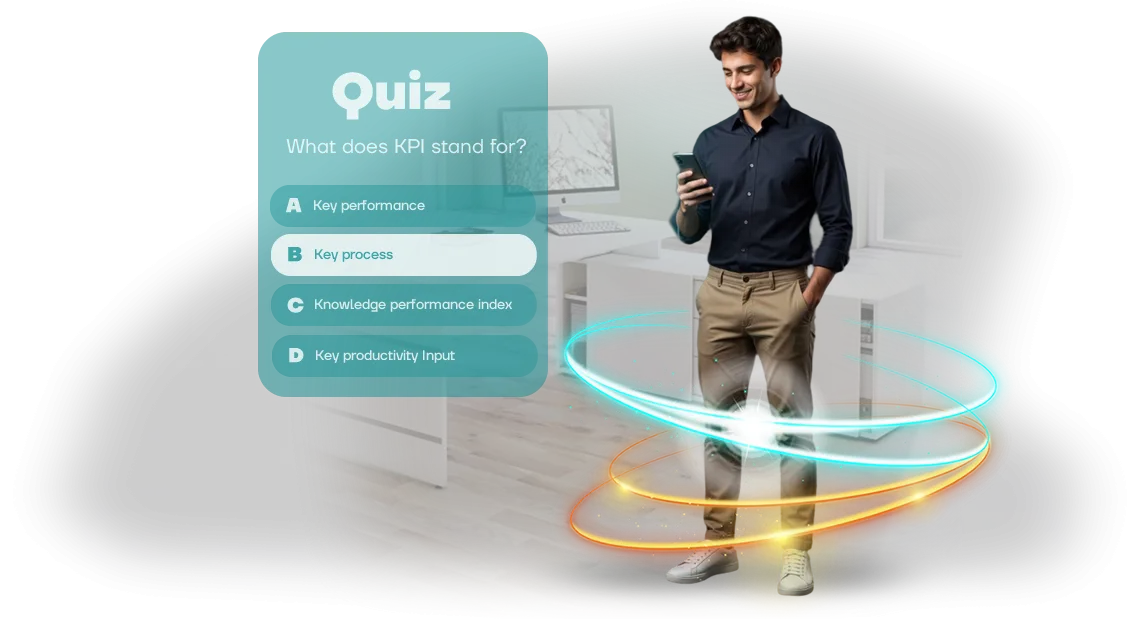
אנו סוגרים את הפער הזה עם חידוני למידה—משחקי דפדפן שהופכים את בדיקת הידע לחידון מרתק. עובד עובר תרחיש שבו עליו לענות על שאלות הנוגעות לחומר, מקבל משוב מיידי ורואה את התוצאה שלו.
המשחק מוטמע בקורס Open edX, כך שציונים והתקדמות נכנסים אוטומטית לסטטיסטיקות הכוללות. מנהלים אינם צריכים לאסוף דוחות ידנית—הכל נראה בממשק הפלטפורמה.
פורמט זה מגביר מעורבות ושימור ידע: העובדים עצמם חוזרים לחידונים כדי לשבור את השיא שלהם, ומנהלים רואים מהדוחות אילו נושאים אכן נלמדו.
ההדרכה מפסיקה להיות "תיבת סימון" ומתחילה לעבוד עבור העסק: פחות טעויות, עבודה מהירה יותר, מומחיות צוות חזקה יותר. זו בדיוק התוצאה שלשמה התחלתם בהדרכה ארגונית.
חידון מבוסס משחק: 5 יתרונות עסקיים
גיוס עובדים להדרכה הוא המשימה הקשה ביותר עבור משאבי אנוש ו-L&D. קורסים רגילים מושלמים "לשם סימון וי," הידע מתנדף תוך שבוע, ומנהלים אינם רואים את ההתקדמות האמיתית של הצוות.
חידון מבוסס משחק הופך את ההדרכה משגרה חובה לאתגר מרגש—העובדים עצמם חוזרים לחומר כדי לטפס בדירוג.
עבור העסק, זה מייצר חמישה תוצאות מדידות: מעורבות מוגברת, שימור ידע טוב יותר, אנליטיקה שקופה, חיסכון בזמן וצמיחה במדדי KPI של הדרכה. כל היתרונות מפורטים להלן בתת-סעיפים—חלקם יוערכו על ידי משאבי אנוש, חלקם על ידי ה-CFO.
מעורבות ועניין של עובדים
עובדים שוכחים הרצאות משעממות כשהם רואים תחרות. מכניקות משחק—נקודות, דירוגים, רמות—מפעילות את הרצון הטבעי לנצח, כך שסיום חידון הופך לאירוע ולא לחובה.
המעורבות גדלה לא רק במהלך המשחק: עובדים דנים בשאלות בצ'אטים, חוזרים לנושאים קשים ומזמינים עמיתים. משאבי אנוש מקבלים צוות שרוצה ללמוד בעצמו, ללא תזכורות או כפייה.
שימור ידע וזיכרון ארוך טווח
מה שנשאר הוא מה שמעורר רגשות ודורש מעורבות פעילה. חידון מאלץ את הלומד להיזכר בחומר, ליישם אותו בהקשר של מקרה ולקבל משוב מיידי—זה מחזק ידע באופן אמין יותר מאשר קריאה פסיבית של ספר לימוד.
טעות במשחק אינה מענישה אלא מלמדת: העובד רואה את התשובה הנכונה וזוכר אותה דרך החוויה האישית שלו. חזרה על החידון לאחר חודש מראה איזה ידע נשאר ואיזה צריך לחזק שוב.
אנליטיקה שקופה עבור משאבי אנוש ומנהלים
המערכת אוספת אוטומטית נתונים מפורטים על השלמה: אילו שאלות מפחידות, אילו נושאים גורמים לקשיים, מי מוביל בדירוג. המנהל רואה פילוחים לפי מחלקות ומקבל החלטות על סמך מספרים ולא ניחושים.
אנליטיקת למידה משולבת במדדי KPI של החברה: היא מראה את הקשר בין בדיקות לתוצאות עבודה בפועל. זה מספק בסיס לדוחות קבועים ולהתאמת תוכניות הדרכה ללא מחקר נוסף.
חיסכון בזמן ובתקציב
פיתוח והשקת חידון לוקח משמעותית פחות זמן מאשר קורס קלאסי, בעוד כיסוי העובדים מלא—אין צורך לאסוף קבוצות בכיתה. כלי דיווח מובנים משחררים את משאבי אנוש מספירת ציונים ידנית וכתיבת סיכומים.
המשחק עובד על כל מכשיר, כך שעובדים יכולים להתאמן בזמן נוח. החברה אינה מאבדת שעות עבודה על הדרכה פרונטלית, ומשאבי אנוש אינם מאבדים זמן על ארגון וניטור.
צמיחה מדידה במדדי KPI של הדרכה
החידון משולב במערכת ההדרכה, כך שניתן להשוות מדדי "לפני" ו"אחרי": האם המכירות גדלו, האם מהירות הטיפול בפניות עלתה, האם השגיאות ירדו. ההנהלה מקבלת ראיות ברורות להחזר על ההדרכה.
עבור L&D, זו דרך להדגים את ערך ההדרכה במספרים; עבור מנהלים, זה כלי למוטיבציה ולבדיקות ידע מהירות לפני משימות חשובות. מדדי KPI של עובדים הופכים לחלק מהמדדים העסקיים.
פורמטי חידון למשימות החברה שלכם
מבחנים רגילים לא תמיד משיגים את התוצאה הרצויה: עובדים מאבדים עניין בשאלות ארוכות, ותרחישים משעממים אינם מסייעים לגבש מיומנויות.
משימות שונות דורשות מכניקות שונות—מבדיקות ידע מהירות ועד סימולציות סוחפות שניתן להתאים לחברה שלכם.
פורמטים סטנדרטיים והשפעתם העסקית
הרכבנו שלושה פורמטים בסיסיים המכסים את עיקרי מטרות ההדרכה. הטבלה מראה למי ומתי כל אחד מתאים, והכי חשוב—אילו תוצאות מדידות הלקוח מקבל.
| פורמט | מתאים במיוחד עבור | מה הלקוח מקבל |
|---|---|---|
| חידון קלאסי | הדרכה המונית: עובדים חדשים, תקנות בטיחות, חוקים | בדיקת ידע מהירה, סטטיסטיקות על תשובות נכונות, מערכת ניקוד ברורה |
| ארקייד | חיזוק מיומנויות, תחרות צוותית, מוטיבציה | מעורבות מוגברת, רוח תחרותית, פחות עייפות מהתיאוריה |
| סימולציה | תרחישים מורכבים: מכירות, משא ומתן, מצבי קונפליקט | תרגול ללא סיכון, פחות טעויות בעבודה, הערכת התנהגות עובדים |
כל הפורמטים משולבים בפלטפורמת Open edX שלכם: אתם רואים תוצאות בתצוגת אנליטיקה אחת ואינכם מאבדים נתונים בין מערכות נפרדות.
אנו לא מוכרים "קופסה"; אנו מתאימים את המכניקות לפרטים הספציפיים שלכם—כך שהחידון פותר בעיה עסקית קונקרטית ולא רק מבדר את העובדים.
שלבי פיתוח חידון: מהבריף ועד ההשקה
פיתוח חידון למידה אינו רק בחירת שאלות ו"כפתור יפה." אופן בניית התהליך קובע עד כמה העובדים יהיו מעורבים וכמה מהר תראו תוצאות אמיתיות.
עברנו עשרות פרויקטים ועיצבנו את השלבים כך שתמיד תהיה לכם תמונה מלאה: מהבריף ועד השקת ההדרכה.
-
בריף ומטרות למידה. בהתחלה, אנו מבהירים מי הקהל שלכם, איזה ידע צריך לחזק ואיזו תוצאה אתם רוצים לראות במספרים.
אנו אוספים דרישות לתרחיש, לנוהל ההשלמה וקובעים כיצד החידון ישולב בקורס הכולל.
-
תרחיש החידון. יחד איתכם, אנו עובדים על מבנה השאלות, רמות הקושי והמשוב לכל תשובה. אנו מאשרים את התרחיש לפני תחילת העיצוב—זה חוסך זמן בתיקונים ועוזר למנוע עבודה חוזרת בשלבים מאוחרים יותר.
-
עיצוב וממשק. אנו מעצבים אותו כך שיתאים למותג שלכם: צבעים מוכרים, גופנים, איורים. החידון נראה כמו חלק ממערכת ההדרכה שלכם ולא כשירות חיצוני—זה מסיר חסמים עבור העובדים ומגביר מעורבות.
-
פיתוח ותוכן. אנו בונים את מכניקת החידון, מעלים שאלות ומגדירים את לוגיקת הניקוד והצגת ההסברים. אנו משתמשים בכלים מוכחים המבטיחים פעולה יציבה על כל מחשב ברשת שלכם.
-
אינטגרציה עם Open edX. אנו מטמיעים את החידון בפלטפורמת הלמידה שלכם, מגדירים העברת תוצאות וציונים אוטומטיים בספר הציונים המשותף. העובדים עושים הכל בחלון אחד, ואתם רואים התקדמות ללא איסוף נתונים ידני.
-
בדיקות והשקה. אנו בודקים את החידון על מכשירים שונים ותרחישים אופייניים, מתקנים בעיות ומשיקים אותו לסביבת הייצור. לאחר ההשקה, אנו נשארים בקשר: עוזרים בשגיאות, משפרים שאלות ותומכים בעדכונים כאשר תוכניות ההדרכה שלכם משתנות.
התפקיד שלכם בתהליך הוא לקבל החלטות על התרחיש, הוויזואליה ולוח הזמנים, לספק משוב ולאשר תוצאות ביניים. אנו לוקחים על עצמנו את כל העבודה הטכנית—מעיצוב מכניקות ועד הגדרת אינטגרציה ותמיכה—כדי שתוכלו להתמקד בתוכן ההדרכה.
מה כלול במסירה: חבילה מלאה להשקה
הלקוח מקבל לא רק משחק חידון אלא כלי הדרכה מוכן לשימוש שניתן להשיק ביום המסירה. חשבנו על כל שלב בשימוש כך שהצוות שלכם יוכל להתמקד בפיתוח עובדים ולא במורכבויות טכניות.
החבילה כוללת:
- משחק חידון מבוסס דפדפן מוכן, המוטמע בפלטפורמת Open edX שלכם. עובדים משתמשים בו ללא התקנת יישומים, ותוצאות נכנסות אוטומטית למערכת ההדרכה המרכזית.
- מדריך ניהול ברור: כיצד לשנות שאלות, להגדיר תזמון, להוסיף משתתפים ולצפות בסטטיסטיקות. כתוב בשפה פשוטה—מתאים גם ללא רקע טכני.
- סמינר מקוון להדרכה לצוות שלכם: תוך שעה-שעתיים אנו מכסים את כל התרחישים—מהגדרה ראשונית ועד ניתוח תוצאות. הקלטה תישאר לעובדים עתידיים.
- תמיכה טכנית לכל תקופת השימוש: אנו עונים על שאלות, עוזרים בהגדרות ופותרים מצבים לא סטנדרטיים ללא ביורוקרטיה או המתנה ארוכה.
- עדכונים שוטפים. אנו מוסיפים סוגי שאלות חדשים, משפרים את הממשק ומתאימים את המכניקות לשינויים בפלטפורמה—אינכם צריכים לעקוב אחר זה בעצמכם.
- המלצות מתודולוגיות לשימוש: לקליטת עובדים חדשים, בדיקות ידע והגברת מעורבות צוות.
ההתחייבויות חלות על כל פריט בחבילה. המשחק פועל כראוי בדפדפנים על כל מכשיר, מתמודד ביציבות עם מאות עובדים המשתמשים בו בו-זמנית, וכל הנתונים נשמרים במערכת שלכם. אם מתעוררת בעיה—אנו מתקנים אותה בעדיפות גבוהה.
בשורה התחתונה: אתם משלמים על התוצאה, לא על עבודה טכנית. המכניקות, ההשקה והתמיכה כבר כלולים—כל שעליכם לעשות הוא להעלות שאלות ולהזמין עובדים ללמוד.
מקרה בוחן: חידון ב-Open edX הגדיל את השלמת הקורס
חברת אנרגיה נזקקה להכשיר יותר מאלף עובדים על תקנות בטיחות חדשות. בעבר, רק מעטים השלימו את הקורס: החומר היה נרחב, ובדיקת הידע הייתה מבחן סטנדרטי שלא הניע רבים. כתוצאה מכך, לוחות הזמנים של ההדרכה נמשכו, ורמת המוכנות נותרה פורמלית.
פיתחנו משחק חידון מבוסס דפדפן והטמענו אותו בפלטפורמת הלמידה הסטנדרטית של Open edX. במקום קריאה מונוטונית של הוראות—תרחישים קצרים שבהם עובדים עונים על שאלות בפורמט משחק ורואים מיד את הטעויות שלהם.
גישה זו הפכה הדרכה חובה לתחרות: דירוגים, נקודות והתרגשות בריאה הופיעו.
תוצאות היישום
חודש לאחר ההשקה, 94% מהעובדים השלימו את הקורס במלואו, לעומת 55% לפני כן. זמן ההדרכה קוצר כמעט בחצי: במקום שעה וחצי להרצאה ומבחן—40 דקות לחידון עם ניתוח שגיאות.
ניסיונות חוזרים לחזק את החומר הפכו לנורמה: כל עובד שלישי חזר לחידון מרצונו.
המלצת לקוח
ראש מחלקת ההדרכה ציין: "לראשונה אנו רואים עניין כזה בהדרכה חובה.
העובדים עצמם מבקשים גישה לחידון עבור עובדים חדשים, וזמן ההכנה קוצר." לאחר ההשקה הראשונית, החברה הזמינה שלושה חידונים נוספים לתחומים אחרים—ההדרכה הפכה כעת למהירה ומדידה.
כיצד לבחור את פורמט החידון המתאים למשימה שלכם?
ראשית, בחירת פורמט החידון תלויה במטרה. אם אתם צריכים לבדוק האם עובדים שיננו את ההוראות, לזהות פערים או ללמד אותם לפעול במצבים לא סטנדרטיים, הגישות יהיו שונות. אין פתרון אחד שמתאים לכולם—פורמט נבחר עבור כל תרחיש.
לבדיקת ידע מהירה לאחר הרצאה, חידוני בחירה מרובה קומפקטיים עובדים היטב—הם לוקחים זמן מינימלי ומכסים את כל הצוות. אם יש צורך בעומק, אנו משתמשים בשאלות מבוססות תרחיש: העובד מנתח מצב אמיתי ובוחר דרך פעולה. פורמט זה מורכב יותר אך מראה כיצד אדם מתנהג בפועל.
חשוב לקחת בחשבון את הקהל. מתחילים נוח להם יותר עם חידון הכולל רמזים והסברים; עובדים מנוסים מעדיפים מבחן מהירות מחמיר יותר.
חשבו גם על מכשירים: אם עובדים מתאמנים מהטלפונים שלהם, הפורמט צריך להיות מותאם למסך קטן.
אם אתם צריכים נתונים להסמכה, בחרו פורמט עם דוח מפורט: מספר ניסיונות, זמן, אחוז תשובות נכונות. אנו משלבים חידונים ב-Open edX כך שהסטטיסטיקות נאספות אוטומטית וזמינות לכם.
בשורה התחתונה: ראשית הגדירו את המטרה והקהל, ואז אנו נבחר את הפורמט שמספק את התוצאה הרצויה—מבדיקה מהירה ועד מאמן מיומנויות. בואו נדון במשימה שלכם ונציע פתרון.
שאלות נפוצות על יישום חידונים: התייחסות לחששותיכם
הכנסת חידון להדרכה מעלה באופן טבעי שאלות ממנהלים ואנשי משאבי אנוש: כיצד יגיבו העובדים, מי יתמוך במערכת, מה לעשות אם משהו משתבש.
המשימה שלנו היא להסיר את הספקות הללו ולהראות שהתהליך ניתן לניהול והסיכונים מכוסים כבר בשלב ההשקה.
בסעיף זה, אספנו את חמש השאלות הנפוצות ביותר מלקוחות. אם התרחיש שלכם אינו כאן, שאלו אותנו ישירות—נציע פתרון.
מה אם עובדים לא ישחקו?
בדרך כלל החשש אינו מוצדק: החידון מוטמע בקורס ההדרכה ואינו דורש התקנת תוכנה נוספת. הוא נפתח דרך קישור מ-Open edX ואורך 5–7 דקות.
כדי לשמור על עניין גבוה, אנו יוצרים דירוגי צוות, לוח מובילים ופרסים לתוצאות—זה מעודד תחרות בריאה.
בנוסף, אתם רואים סטטיסטיקות השלמה בזמן אמת. אם מחלקה מסוימת אינה משתתפת, תוכלו להגדיר במהירות תזכורת או להוסיף תמריץ להשתתפות.
מה אם החידון יתקלקל במהלך השקה המונית?
הסיכון לתקלות טכניות הוא מינימלי: החידון פועל בדפדפן על כל מחשב ומתמודד עם חיבור סימולטני של כל העובדים. לפני ההשקה, אנו בודקים על הפלטפורמה שלכם ומספקים הוראות לצוות התמיכה.
במהלך הקמפיין, אנו נשארים בקשר ולוקחים שליטה. אם משהו משתבש—אנו מתקנים תוך יום עסקים ללא אובדן כיסוי.
כמה מהר ניתן לשלב חידון בהדרכה קיימת?
התרחיש הבסיסי אורך 5–7 ימי עסקים לאחר שהשאלות מוכנות. זה כולל בניית החידון, הטמעתו במודול ההדרכה ובדיקות על כל סוגי המכשירים. אם השאלות עדיין לא מוכנות—נעזור ליצור אותן מהחומרים שלכם.
האם מנהלים יראו תוצאות עובדים?
כן, התוצאות נכנסות לסטטיסטיקות הקורס הכוללות ב-Open edX. תוכלו לראות מי עשה את החידון, כמה תשובות נכונות נתן ואילו נושאים גרמו לקושי. על סמך נתונים אלה, תוכלו להתאים בקלות את תוכנית ההדרכה.
מי יתמוך בחידון לאחר המסירה?
לאחר ההשקה, אתם מקבלים הוראות לעבודה עצמאית עם המערכת. תוכנית תמיכה זמינה גם כן: אנו מנטרים את הפעולה, מעדכנים את החידון לחומרים חדשים ומסייעים בשינויים בפלטפורמה. התמיכה נשארת איתכם לאורך כל שיתוף הפעולה.
הזמינו פיתוח חידון והגבירו את אפקטיביות ההדרכה
השאירו בקשה לפיתוח—ואנו נלך את כל הדרך מהבריף ועד חידון עובד במערכת ההדרכה שלכם. אנו עובדים מרחוק, כך שכל הדיונים והאישורים מתקיימים באינטרנט, ללא צורך להיות קשורים למשרד שלכם.
כיצד אנו עובדים:
- בקשה ובריף—אתם מתארים את משימת הדרכת העובדים, אנו מבהירים מטרות וקהל.
- ייעוץ והצעת מחיר: אנו מספקים עלות ולוח זמנים ומכינים הצעה מסחרית ברורה.
- אישור תרחיש: שאלות, רמות קושי, עיצוב ומערכת תגמול.
- פיתוח ואינטגרציה: אנו יוצרים את החידון ומטמיעים אותו ב-Open edX או בפורטל הלמידה שלכם.
- בדיקות והשקה: אנו בודקים על מכשירים שונים, מציגים אב טיפוס ומבצעים תיקונים.
- מסירת חומרים: הוראות מנהל, דוחות תוצאות.
- תמיכה: אנו מתקנים שגיאות בחינם ועוזרים בשיפורים לאחר ההשקה.
מה תקבלו לאחר ההזמנה:
- חידון מוכן המותאם לתרחיש ולמותג שלכם.
- תוצאות עובדים והתקדמות—בדשבורד אישי, ללא מעקב ידני.
- פאנל ניהול לשינוי שאלות ללא מתכנת.
- הוראות והדרכה לצוות שלכם.
- אחריות איכות ותמיכה לאחר ההשקה.
השאירו בקשה—נדון במשימה שלכם, נשלח הערכת עלות ונציע פתרון שיגביר את המעורבות בהדרכה.