

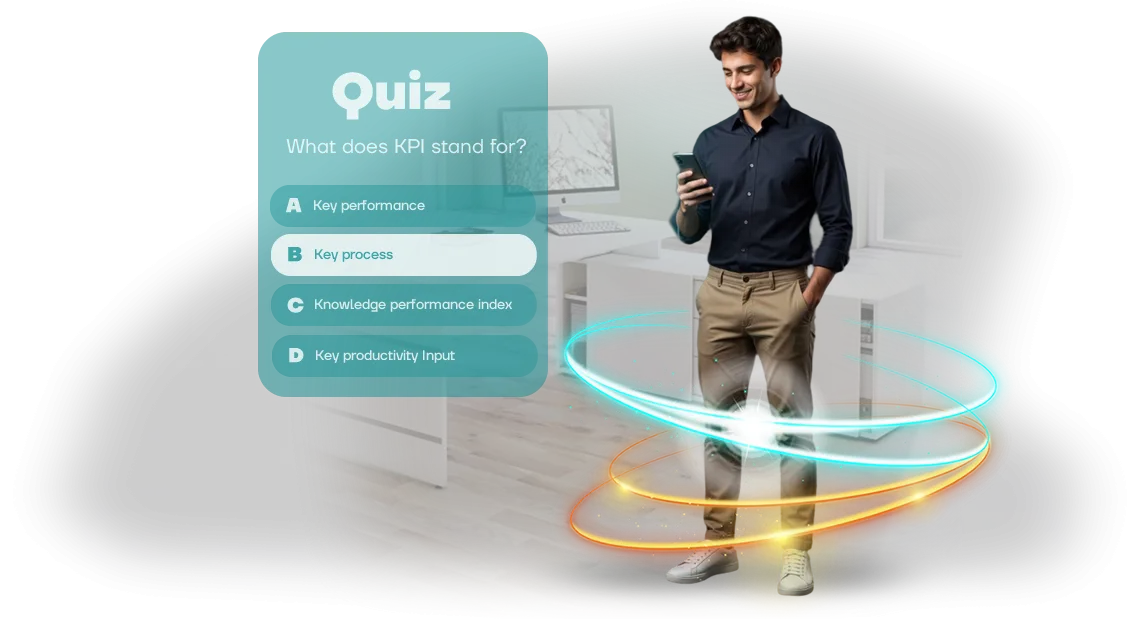
החיו את הלמידה ב-Workday Learning: חידונים במקום קורסים משעממים
הכשרה ארגונית הופכת פעמים רבות לפורמליות: עובדים פותחים קורס, מסמנים וי, וחוזרים לעבודה. הידע לא נשמר, המעורבות יורדת, ו-Workday Learning — שהחברה כבר השקיעה בו — יושב ללא שימוש. בסופו של דבר, ההכשרה לא מביאה ערך לעסק ולא צמיחה לעובדים.
הסיבה פשוטה: קורסים רגילים מרגישים כמו מטלה משעממת וכפויה. טקסטים ארוכים, הרצאות פסיביות ומבחנים סטנדרטיים לא מעוררים עניין, ולכן החומר נשכח תוך ימים.
גימיפיקציה פותרת את זה: על ידי הפיכת ההכשרה לחידון לעובדים, אתם מפעילים את הרצון הטבעי להתחרות, לבחון את עצמכם ולזכות בתגמולים.
חידון ב-Workday Learning הוא לא רק סקר, אלא תרחיש מעוצב היטב עם שאלות ברמות קושי שונות, משוב ואלמנטים משחקיים. עובדים עוברים את החומר מהר יותר, זוכרים יותר, ומנהלים רואים את ההתקדמות האמיתית של כל אדם. ההכשרה הופכת לאירוע שמדברים עליו בצ'אטים ומספרים עליו לעמיתים.
גישה זו מכפילה את המעורבות, מקצרת את הזמן הדרוש לקליטת החומר, והופכת את Workday Learning לכלי עבודה ולא ל"מדף" לקורסי חובה. אתם מקבלים הכשרה שבאמת משנה את התנהגות העובדים ומניבה תוצאות מדידות.
אנחנו בונים חידונים להכשרה ארגונית שמשתלבים באופן טבעי במערכת שלכם ומתחשבים במאפייני החברה שלכם. אנחנו עוזרים להפוך קורסים משעממים למשחק שעובדים נהנים להשלים — בזמן שאתם רואים את הצמיחה בידע ובמעורבות במספרים.
מה חידון משחקי משיג: תגובה, שימור, תוצאות
עובדים משלימים פעמים רבות קורסי חובה "רק בשביל הסימון": הם פותחים חומרים, מדפדפים בין דפים, ומיד שוכחים את התוכן. המעורבות יורדת, וההכשרה הופכת לפורמליות.
חידון משחקי משנה את הדינמיקה הזו — הוא הופך בדיקת ידע לתחרות שאנשים רוצים להצטרף אליה ולנצח.
במקום צפייה פסיבית בשקופיות, עובד עונה על שאלות, צובר נקודות ומקבל משוב בזמן אמת. זה מפעיל מוטיבציה טבעית: ההוראה הופכת לרצונית ולא כפויה.
בפורמטים כאלה, שימור החומר משתפר בממוצע ב-60% — עובדים זוכרים לא הוראות יבשות, אלא את הסיפור ואת ההחלטות שלהם עצמם.
מכניקות משחק יעילות במיוחד עבור נהלים ארוכים ופרוצדורות בטיחות, שבהן מחיר הטעות גבוה. חידון מאפשר לעובדים לתרגל תרחישים מורכבים ללא סיכון, והתוצאות של כל ניסיון נראות מיד.
משאבי אנוש ומנהלים מקבלים סטטיסטיקות שקופות: מי השלים, אילו נושאים גורמים לקושי, והיכן נדרשת הכשרה נוספת.
פיתוח חידון מבוסס דפדפן ב-Workday Learning הופך את ההכשרה לאחידה: העובד לא צריך לעבור בין מערכות, ונתוני ההשלמה זורמים אוטומטית לפרופיל שלו.
אנחנו משתמשים בכלים מקצועיים ליצירת תרחישים אינטראקטיביים כך שהחידון עובד בצורה אמינה על כל מכשיר — ממחשב משרדי ועד טאבלט ברצפת הייצור.
כתוצאה מכך, החברה מקבלת לא שעות סגורות פורמלית, אלא עובדים שבאמת מבינים את הכללים, הנהלים והתקנים.
אתם יכולים למדוד את האפקט באמצעות הפחתת שגיאות, האצת קליטת עובדים חדשים ומספר ההשלמות החוזרות — כל זה נראה בדוחות Workday Learning.
פורמטי חידון: מאונבורדינג ועד הסמכה ב-Workday Learning
הכשרת עובדים ממעטת להשתלב בתרחיש אחד: עולה חדש צריך אונבורדינג מהיר, מומחים מנוסים צריכים בדיקת ידע לפני הסמכה, ומשאבי אנוש צריכים דוחות התקדמות ברורים.
לכן אנחנו בונים חידונים בשלושה פורמטים שמשתלבים בקלות ב-Workday Learning שלכם ומכסים כל משימה — מאונבורדינג ועד הסמכה שנתית, מבלי לאלץ עובדים לעזוב את קטלוג הקורסים.
| פורמט | למי | מה זה נותן ללקוח |
|---|---|---|
| מובנה ב-Workday Learning | משאבי אנוש, מומחי הכשרה, מנהלים | העובד עונה על החידון ישירות בחלון הקורס; התוצאות מופיעות אוטומטית בפרופיל הלמידה. |
| עצמאי | חברות עם פורטל משלהן או הכשרה חיצונית | החידון זמין דרך קישור; נוח לשותפים ולהרצאות מחוץ לקטלוג הארגוני. |
| היברידי | צוותים שצריכים גם בקרה וגם גמישות | החידון עובד גם בתוך Workday וגם דרך קישור חיצוני; כל התשובות נאספות בטבלה אחת. |
אנחנו עוזרים לכם לבחור את האפשרות הנכונה בשלב הבריף: אנחנו מציגים אבטיפוס ומתאימים את היגיון הזרימה והעיצוב למותג שלכם. חידונים מוגמרים קלים לעדכון — אתם משנים שאלות ומוסיפים נושאים חדשים ללא מעורבות מפתחים, ועובדים תמיד רואים חומרים עדכניים.
כל הפורמטים עובדים כראוי על מחשבים, טאבלטים וסמארטפונים, כך שההכשרה זמינה גם במשרד וגם מרחוק.
איך אנחנו בונים חידון: 6 שלבים מבריף ועד השקה
אנחנו מבנים את התהליך כך שאתם שולטים בתוכן, לא בפרטים הטכניים. אתם לא צריכים להבין במנועי משחק או בפורמטים — אתם רק מאשרים את נקודות המפתח: בריף, תרחיש, עיצוב.
לאחר מכן אנחנו מטפלים בפיתוח ובאינטגרציה של החידון לתוך Workday Learning, ואתם מקבלים כלי מוכן להכשרת עובדים.
-
בריף ויעדי למידה. אנחנו מגדירים איזה ידע צריך להיבחן, מי הקהל, ואיזו תוצאה אתם מצפים לאחר ההשלמה. הפלט הוא מסמך עם יעדי החידון וקריטריוני הצלחה.
-
תרחיש החידון. אנחנו הופכים חומרי הכשרה לשאלות ואפשרויות תשובה. אנחנו מתכננים את ההצגה: קושי, רצף והסברים לתשובות נכונות.
-
אישור התרחיש. אתם עורכים שינויים, ואנחנו משפרים את הניסוח. אנחנו מאשרים את הגרסה הסופית לפני תחילת העבודה הטכנית.
-
עיצוב ואב-טיפוס. אנחנו מראים איך החידון ייראה: סגנון, פריסת אלמנטים, ניווט. אנחנו מיישרים את הוויזואליה לפני תחילת ההרכבה.
-
פיתוח ובנייה. אנחנו בונים את החידון כיישום דפדפן ובודקים אותו על פני מכשירים שונים. בשלב זה, אתם כבר רואים גרסאות ביניים.
-
השקה ב-Workday Learning. אנחנו משלבים את החידון במערכת הלמידה שלכם, מוודאים העברת תוצאות ומבצעים השקת ניסיון. לאחר מכן, אנחנו מוסרים הוראות ותומכים בעובדים שלכם.
כך, אתם מבינים מה קורה בכל שלב ותמיד יכולים להשפיע על התוצאה לפני ההשקה הסופית. החלק הטכני נשאר אצלנו: אתם מקבלים חידון עובד, לא רשימת משימות לצוות שלכם.
מה אתם מקבלים לאחר ההשקה: חבילה מלאה לצוות ה-L&D שלכם
לאחר ההשקה, אתם מקבלים לא רק משחק, אלא כלי הכשרה ארגוני מוכן — עם סט מלא של חומרים ותיעוד. כל מה שאנחנו יוצרים נשאר אצלכם וניתן לשימוש ללא הגבלות.
- תרחיש חידון — מבנה מוכן המותאם לנושא ולערכי החברה שלכם. אין מה להמציא: התרחיש מיושר עם המומחים שלכם ומוכן להשקה מיידית.
- מאגר שאלות — משימות עם אפשרויות תשובה והסברים. השאלות בודקות הבנה של החומר, לא שינון בעל פה.
- עיצוב מותג — מסכי פתיחה, מסכים, כפתורים, איורים. המשחק נראה כמו חלק מהתרבות הארגונית שלכם ומוכר לעובדים מיד.
- הוראות לצוות ההכשרה — איך להעניק גישה, לשלב את החידון ב-Workday Learning ולעדכן שאלות בעצמכם. אין צורך לפנות למפתחים.
- אנליטיקת למידה — דוח לכל עובד: מי השלים את החידון, באיזה ניסיון, ואילו שאלות גרמו לקושי. אתם רואים את הפערים ויכולים לשפר את תוכנית ההכשרה שלכם.
- קבצי מקור וזכויות — אנחנו מוסרים את כל החומרים, הפרויקט וקוד המקור. אתם לא קשורים לקבלן ויכולים לפתח את החידון באופן עצמאי.
אנחנו מגדירים העברת תוצאות ל-Workday Learning — ציונים מופיעים אוטומטית במערכת המעקב שלכם. מומחים לא יצטרכו לאסוף נתונים ידנית: כל תמונת הלמידה נראית בבת אחת.
לפני המסירה, אנחנו בודקים כל רכיב. אתם מקבלים חידון עובד, לא אוסף קבצים — פשוט השיקו אותו והראו לעובדים.
מקרה בוחן: רשת קמעונאית העלתה את השלמת הקורסים מ-40% ל-85%
רשת קמעונאית עם כמה אלפי עובדים נתקלה בבעיה טיפוסית: רק 40% מהצוות השלימו קורסי חובה על תקני שירות. השאר התעלמו מההכשרה כי הרצאות ומבחנים משעממים לא הציעו מוטיבציה.
כתוצאה מכך, החברה הפסידה כסף על קנסות ושגיאות צוות, ומנהלים לא ידעו מי באמת מכיר את הנהלים.
הצענו להפוך את ההכשרה למשחק. פיתחנו חידון מבוסס דפדפן המוטמע ישירות במערכת הארגונית Workday Learning. עובדים ענו על שאלות בפורמט חידון: הם צברו נקודות, ראו את הדירוג שלהם בין עמיתים וקיבלו משוב מיידי. אין מה להתקין — המשחק נפתח בדפדפן על מחשב, טאבלט או סמארטפון.
תוך חודש, השלמת הקורסים זינקה מ-40% ל-85%. הזמן שעובדים השקיעו בהכשרה ירד בשליש — החידון לקח פחות זמן אבל נזכר טוב יותר.
הציון הממוצע בבדיקת הידע הוכפל, ומספר פניות התמיכה בנושאים טיפוסיים ירד בכמעט חצי.
השינוי העיקרי היה ביחס הצוות. החידון נוגע ברצון הטבעי להתחרות, סיבובים קצרים שומרים על תשומת לב, והתקדמות נראית לעין מניעה אנשים לסיים.
מנהלים קיבלו סטטיסטיקות שקופות: מי השלים, אילו נושאים גורמים לקושי, והיכן נדרשת הכשרה נוספת. הרשת הזמינה חידונים למחלקות חדשות — הסימן הטוב ביותר ליעילות.
אותה גישה מתאימה לכל תוכנית הכשרה: אונבורדינג לעולים חדשים, נהלי בטיחות, ידע מוצר או טיפול בהתנגדויות. במקום שקופיות משעממות, אתם מקבלים פורמט מרתק שמניב תוצאות מדידות.
איך לבחור את פורמט החידון המתאים למשימה שלכם?
אל תבחרו פורמט חידון על סמך מכניקות אופנתיות — התחילו מהשאלה: מה צריך להשתנות בהתנהגות העובד לאחר ההשלמה? אם אתם צריכים לבדוק במהירות ידע על הוראה, מבחן קצר עם אפשרויות תשובה יספיק.
אם המטרה היא לתרגל מיומנות בסביבה בטוחה, סימולציה של מצב עבודה עדיפה. אם אתם צריכים לשמור על תשומת לב ולהגביר מעורבות, אנחנו מוסיפים אלמנטים משחקיים.
השוו שלושה פורמטים טיפוסיים לפי קריטריונים מרכזיים: זמן השקה, מורכבות אינטגרציה עם מערכת הלמידה שלכם, והגעה לקהל. זה יעזור לכם לבחור אפשרות למשימה ולתקציב שלכם מבלי להיכנס לפרטים טכניים.
| פורמט | זמן השקה | מורכבות אינטגרציה | הגעה לקהל |
|---|---|---|---|
| מבחן ידע קלאסי | 1–2 שבועות | נמוכה — משתלב בקורסים סטנדרטיים | כל העובדים, כולל מרוחקים |
| חידון עם גימיפיקציה (נקודות, רמות, לוחות מובילים) | 2–4 שבועות | בינונית — יש להגדיר חוקים וממשק | עובד היטב למוטיבציה, מתאים לצוותים גדולים |
| סימולציית תרחיש מסועף | 3–6 שבועות | גבוהה יותר — יש לפתח היגיון תרחיש ומשוב | ממוקד: למחלקות עם דרישות פעולה גבוהות |
נקודת ההתייחסות המרכזית היא הזמן שעומד לרשות העובדים. כולם ימצאו זמן לחידון קצר של 5 דקות, בעוד תרחיש רב-שלבי דורש זמן ייעודי. אם ההכשרה מתרחשת תוך כדי העבודה, בחרו פורמט שניתן להשלים בטלפון בין משימות. אם זה מפגש הכשרה נפרד, אתם יכולים להרשות לעצמכם מכניקות עמוקות יותר.
שקלו גם כיצד התוצאות יגיעו לדיווחים שלכם. אנחנו בונים חידונים שמעבירים תוצאות למערכת הלמידה שלכם — למשל, Workday Learning. זה סוגר את שאלת הבקרה: אתם רואים מי השלים, מי הצליח, ומי צריך הכשרה חוזרת. כל השאר הוא התאמה אישית למשימה שלכם, ואנחנו מטפלים בזה.
אם אתם מתלבטים, התחילו עם פורמט פיילוט: חידון קצר למחלקה אחת. תוך חודש, יהיו לכם נתוני מעורבות ותבינו איך להרחיב את המכניקה לחברה כולה. המפתח הוא לא לאלץ את המשימה שלכם לתוך פורמט, אלא לבחור פורמט למשימה שלכם. בזה בדיוק אנחנו עוזרים.
חששות נפוצים: האם החידון יתקלקל, ומי יתמוך בו?
כל כלי המשולב במערכת ארגונית מעלה שאלות: האם הוא יתקלקל, ומי יתחזק אותו לאחר ההשקה?
אנחנו שומעים את החששות האלה מכל לקוח שני, ולכן אנחנו עונים על העיקריים מראש — כדי שתדעו שאתם מקבלים לא "קופסה", אלא מנגנון עובד עם תמיכה מלאה.
החידון רץ בדפדפן על הציוד שלכם, כך שהוא לא דורש התקנת תוכנה נוספת לעובדים.
אנחנו לוקחים אחריות על יציבות טכנית: אנחנו עוקבים אחר תאימות לפלטפורמת הלמידה שלכם, מעדכנים רכיבים בזמן, ומגיבים במהירות לכל תקלה — כולל בשעות שיא של הכשרה.
מה קורה אם החידון מפסיק לעבוד?
אנחנו קובעים תקופת אחריות וכיסוי תמיכה — במהלך תקופה זו, כל שגיאה מתוקנת ללא עלות ובמסגרת זמנים מוסכמת.
גם לאחר תום האחריות, לא תישארו לבד: יש לנו הסכם תמיכה שבמסגרתו אנחנו ממשיכים לעקוב אחר המערכת ולפתור בעיות במהירות.
באיזו תדירות אפשר לעדכן שאלות ותרחישים?
ניתן לעדכן חומרים בכל עת — ללא מפתחים או אישורים ארוכים. אנחנו מספקים ממשק ניהול פשוט שבו אתם יכולים לשנות שאלות, אפשרויות תשובה והיגיון ניקוד בעצמכם. זה נוח כשתכנית ההכשרה שלכם משתנה או כשמופיעים נהלים חדשים.
מי יכשיר את העובדים שלכם לעבוד עם החידון?
אנחנו מספקים הכשרה קצרה למנהלי מערכת: אנחנו מראים איך להעלות שאלות, להשיק את החידון, לצפות בתוצאות ולייצא דוחות. זה מגיע עם מדריך פשוט — אפילו עמית ללא ניסיון טכני יבין תוך שעה.
גישה זו מסירה את החשש המרכזי: החידון לא יהפוך למשקל מת לאחר ההשקה. אתם מקבלים כלי שמתפתח יחד עם ההכשרה שלכם, ואנחנו נשארים בקשר בכל פעם שתצטרכו אותנו.התחילו עם פיילוט: השיקו חידון הכשרה תוך 4 שבועות
השקת פיילוט היא הפורמט האופטימלי לצעד הראשון: אתם מזמינים חידון על נושא אחד, ותוך חודש יש לכם כלי מוכן בקטלוג Workday Learning.
כך, אתם בודקים במהירות את המכניקה עם עובדים אמיתיים ומחליטים אם להרחיב את הפרויקט לכל מחזור ההכשרה — ללא השקעה מוקדמת גדולה.
ככה אנחנו מגיעים להשקה:
- שבוע 1 — בריף. אנחנו מגדירים את המטרה, הקהל וחומרי הקורס. אנחנו מסכימים על מבנה השאלות.
- שבוע 2 — תוכן. אנחנו הופכים את החומרים שלכם לחידון: שאלות, הסברים, רמזים.
- שבוע 3 — בנייה. אנחנו מרכיבים ובודקים את המשחק על מסכים ודפדפנים שונים.
- שבוע 4 — אינטגרציה עם Workday Learning והשקה. אנחנו ממקמים את החידון בקטלוג הלמידה, פותחים גישה לקבוצת עובדים, ומוסרים הוראות למנהל המערכת.
לאחר ההשקה, אתם רואים תוצאות השלמה ומבינים מה לשפר. אם צריך, אנחנו מבצעים התאמות על סמך משוב עובדים, ואז מרחיבים את הפיילוט לנושאים חדשים.
מה כלול בפיילוט:
- מ-30 עד 50 שאלות על בסיס החומרים שלכם;
- עיצוב בסגנון החברה שלכם;
- הגדרת גישה ב-Workday Learning;
- העלאת קבוצת ניסיון ואיסוף נתונים;
- תמיכה לשבועיים לאחר ההשקה;
- הוראות למנהל המערכת ולעובדים.
ככה נראית השקה מהירה — ללא אישורים ארוכים או עלויות נוספות. כדי להזמין חידון, שלחו בריף — תוך 4 שבועות הפיילוט כבר יעבוד בקטלוג הלמידה שלכם.