

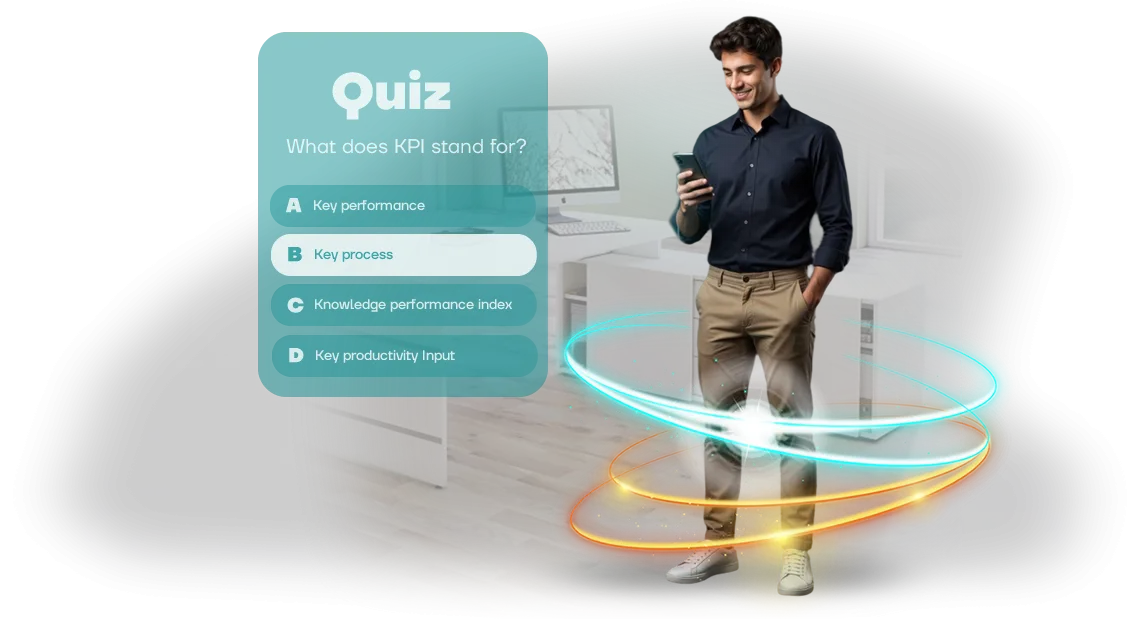
למה עובדים שוכחים הכשרה ואיך לתקן את זה
עובדים משלימים הכשרת חובה, מסמנים וי — ושבועיים אחר כך לא זוכרים את הכללים המרכזיים. זו לא עצלנות: המוח בנוי כך שקריאה פסיבית או האזנה להרצאה נקלטות הרבה פחות טוב מפעולות אקטיביות.
עסקים משקיעים זמן בקורסים אבל לא מקבלים את הדבר העיקרי — ידע אמיתי שמשתמשים בו בעבודה.
הבעיה היא מעורבות עובדים. כשההכשרה נראית כמו עוד מסמך משעמם או הקלטת וידאו, תשומת הלב נודדת תוך דקות. ואם אדם לא מעורב בתהליך, התוצאה היא פורמלית: מבחנים עוברים, אבל במציאות העובדים ממשיכים לפעול כמו קודם.
חידונים קצרים עוזרים לתקן את זה. במקום לקרוא, אדם עונה על שאלות, מקבל משוב מיידי, וזוכר חומר דרך הטעויות שלו. הכשרת עובדים כזו אורכת רק כמה דקות ביום — קל לשלב אותה אפילו בלוח הזמנים העמוס ביותר.
אנחנו הופכים הכשרה לחידון iOS נייד שתמיד בהישג יד. עובד עונה בזמן שנוח לו, ומנהל רואה תוצאות אמיתיות: מי קלט את החומר ומי צריך תמיכה נוספת. המעורבות גדלה כי לענות על שאלות זה מעניין יותר מלהקשיב להרצאה.
התוצאה העיקרית — ידע באמת נצמד ומיושם בפועל. חזרות קצרות במקום קורסים ארוכים, מכניקה ברורה במקום טקסטים משעממים, מדדים אמיתיים במקום "סימוני וי" של השלמה. זה הופך הכשרה מחובה להרגל מועיל.
מה חידון iOS נייד נותן לעסק
עובדים ממעטים לסיים קורסים ארוכים, ותוך שבוע הם שוכחים חצי מהחומר. חידון iOS נייד פותר את הבעיה: ההכשרה הופכת למשחק קצר עם שאלות, נקודות ודירוג — הוא שומר על תשומת הלב ומעורר תחרות בריאה בתוך הצוות.
המכניקה המרכזית היא חזרה ומשוב מיידי. עובד עונה על שאלות, רואה מיד טעויות, ומחזק ידע בפועל, במקום רק לדפדף בשקופיות.
הפורמט הזה מכפיל את שימור הידע פי כמה, ואפשר ללמוד בכל זמן ישירות מהסמארטפון — בדרך, בין משימות, או בבית. אין קשר למקום העבודה.
לעסק, זה תקן הכשרה אחיד: כל העובדים עוברים את אותם תרחישים, והמנהל רואה תמונה אובייקטיבית — מי קלט את החומר ומי צריך הסברים נוספים.
התוצאות נאספות לדוח ברור שמקל לתכנן פיתוח צוות. וחידון ממותג מחזק עוד יותר את הכרת המותג — עובדים זוכרים את הערכים שלו דרך משחק.
מבחינה טכנית, החידון רץ על מנוע Unity המקצועי. זה אומר הפעלה יציבה במכשירי iOS עדכניים, טעינה מהירה, ופעולה תקינה אפילו עם חיבור אינטרנט לא יציב.
לעובדים — נוחות וללא תקלות; לחברה — תוצאת למידה צפויה בלי הפתעות טכניות.
בסך הכול, ארבעה יתרונות: מעורבות גבוהה יותר, שימור ידע טוב יותר, תקן הכשרה אחיד, ונוחות iOS. אלה נותנים מענה לנקודת הכאב המרכזית של כל הכשרה ארגונית — כשמשקיעים זמן ואין תוצאה מדידה.
פורמטים של חידון למשימה שלך
חידון הכשרה הוא לא רק מבחן, אלא כלי שמתאים את עצמו לאתגר העסקי. דבר אחד זה להכיר לעובד חדש את המוצר תוך שבוע, דבר אחר זה לעדכן את הידע של עובדים מנוסים, ודבר שלישי זה לגרור את כל הצוות לתחרות.
אנחנו בוחרים פורמט למטרה שלך כך שההכשרה תניב תוצאות מדידות בלי לבזבז זמן נוסף של הצוות.
שלושה פורמטים — שלוש מטרות
| פורמט | למי | מה זה נותן ללקוח |
|---|---|---|
| חידון קליטה | עובדים חדשים בשבועות 1-2 הראשונים | התעמקות מהירה במוצר ובתהליכים, הפחתת חרדת עובד חדש, בדיקה אוטומטית של כללים מרכזיים |
| בדיקת ידע תקופתית | כל הצוות או מחלקות ספציפיות אחרי הכשרות והסמכות | שמירה על כישורים גבוהים, תמונה ברורה של פערים, חיסכון בזמן על בדיקה ידנית |
| משחק ארגוני | קבוצות גדולות, חגים, שבועות ידע, גיבוש צוות | מעורבות והתרגשות גבוהות יותר, חזרה לא פורמלית על חומר, חשיפה נוספת בתקשורת פנימית |
קל לשלב בין הפורמטים: קליטה יכולה לעבור לבדיקות תקופתיות, ומשחק המוני יכול להפוך לאירוע הסיום של קורס הכשרה.
אנחנו עושים את כל החידונים לניידים וידידותיים לעובדים — כולל במכשירי iOS — כך שאפשר להשתמש בהם מכל טלפון או טאבלט בלי קשר למקום העבודה.
איך אנחנו יוצרים חידון: 7 שלבים מבריף עד השקה
תהליך שקוף ושירות לקוחות הם המפתח לתוצאה צפויה. אנחנו מנהלים את הפרויקט מהבריף הראשון ועד ההשקה והתמיכה, כך שתמיד תדע באיזה שלב החידון נמצא ומה הלאה. אישור מובנה בכל שלב — בלי הפתעות במסירה הסופית.
- בריף ומטרות — אנחנו מגדירים קהל יעד, ידע שנבדק, ותוצאת עסקית. התוצר הוא מסמך עם יעדים וקריטריוני הצלחה.
- תוכנית והערכת עלות — אנחנו קובעים לוחות זמנים, היקף עבודה ופורמט: אפליקציית iOS או אחת אוניברסלית. אתה מקבל תוכנית ברורה, והתקציב קבוע.
- תרחיש ואישור — אנחנו מפתחים שאלות ולוגיקת למידה. אתה מאשר את הטקסטים כך שהחידון ידבר בשפה של העובדים שלך.
- עיצוב ואב-טיפוס — אנחנו מציגים מסכים לפני תחילת הפיתוח. אתה נותן הערות מיד — זה חוסך זמן וכסף.
- פיתוח ובנייה — אנחנו מרכיבים את המשחק על מנוע Unity המקצועי, מגדירים מעקב תוצאות, ומשלבים אותו עם מערכת ההכשרה שלך.
- בדיקות והשקה — אנחנו בודקים על מכשירים שונים ומפרסמים ל-App Store. אתה מקבל קישור לעובדים.
- תמיכה ואנליטיקה — אנחנו עוקבים אחר יציבות, מעדכנים שאלות, ומציגים סטטיסטיקות השלמה. אנחנו עוזרים בהשקות חוזרות.
מה כלול במסירה: חבילה להשקת הכשרה
אתה מקבל לא רק חידון אלא חבילה מלאה להשקת הכשרה ארגונית. אתה לא צריך להרכיב שום דבר מחלקים נפרדים — תרחיש, עיצוב, הגדרות ודיווח כבר מחוברים למערכת אחת. כל מה שצריך זה לשלוח לעובדים את הקישור ולעקוב אחרי תוצאות.
הנה מה שכלול במסירה:
- תרחיש חידון מותאם למשימה שלך. שאלות ותשובות מוכנות לשימוש, והמבנה ניתן להתאמה בקלות לרמת העובדים שלך.
- עיצוב בסגנון המותג שלך. ויזואליה ממותגת כך שההכשרה תרגיש חלק מהתרבות הארגונית, לא שירות חיצוני.
- מכניקת משחק עם מוטיבציה. מערכת של נקודות, רמות ומשוב מיידי ששומרת על תשומת לב ומעודדת עובדים לסיים את החידון.
- הוראות למנהלים ולמשתמשים. מדריכים קצרים שמאפשרים לכל עובד להשתלט תוך דקות, ואתה יכול להשיק את החידון בלי עזרת מפתח.
- פאנל ניהול לניהול. הקצה חידונים למחלקות ספציפיות, פתח וסגור גישה, ושנה שאלות לפי הצורך.
- דיווח ואנליטיקת למידה. ראה מי השלים את החידון, מי עשה טעויות, ואילו נושאים צריך לחזור עליהם — נתונים לכל עובד ולכל הצוות.
- תמיכה בהשקה. אם צריך לתקן משהו אחרי הריצה הראשונה, לא תישאר לבד עם זה — אנחנו זמינים.
זה בעצם פתרון מוכן שמכסה את כל המחזור: מהגדרת המשימה ועד הערכת תוצאות. אתה משלם פעם אחת ומקבל כלי שעובד מיד, בלי הגדרות ארוכות או שכירת קבלנים בכל שלב.
מקרה בוחן: איך חידון iOS הגדיל את השלמת ההכשרה ב-40%
בעסקי המסעדנות, כל יום חשוב: תחלופה גבוהה, עובדים חדשים מתחילים משמרות בלי ניסיון, וטעויות שירות עולות לאורחים.
תדרוכים רגילים וחוברות טקסט לא עובדים — מידע נשכח תוך יום, תקנים מופרים, והקליטה נמשכת שבועות.
לרשת המסעדות Vkusnye Istorii, פיתחנו חידון הכשרה על Unity ל-iOS. עובדים עוברים תרחישי משחק קצרים באפליקציה: איך לקבל אורח, מה להציע מהתפריט, איך לפתור קונפליקט.
ההכשרה משולבת בקצב העבודה הרגיל — 10–15 דקות ביום מספיקות, ואפשר לעשות את זה בין משמרות.
התוצאות של הרשת בחודש הראשון: השלמת ההכשרה גדלה ב-40% — מ-55% ל-95% מהצוות. זמן קליטת עובד חדש ירד משבועיים לארבעה ימים, ומספר שגיאות ההזמנות ירד באופן ניכר. מנהלי סניפים ציינו שמלצרים חדשים מתחילים לעבוד עצמאית מהר יותר ומבקשים פחות עזרה.
מנהלים גם קיבלו סטטיסטיקות ברורות: החידון מראה מי שלט בחומר ומי צריך הכשרה חוזרת. אין יותר איסוף של חדשים להרצאות קבוצתיות ותקווה שהם לא יוסחו.
בעלי הרשת היו מרוצים והזמינו הרחבה של החידון לכל המסעדות, עם הוספת קורס על תקני שירות.
המקרה מאשר: מכניקת משחק עם שאלות קצרות ומשוב מיידי מעוררת עובדים יותר מצפייה כפויה במצגות — ולכן מניבה תוצאות מדידות לעסק.
איך לבחור חידון למחלקות ומשימות שונות?
אין חידון אוניברסלי שמכשיר מכירות, תמיכה טכנית ועובדים חדשים באותה מידה. לכל מחלקה יש משימות משלה: חלק צריכים לקלוט חדשים מהר יותר, אחרים צריכים לתרגל טיפול בהתנגדויות לקוחות או לשפר ידע על מוצר.
לכן, בחירת החידון הנכון מתחילה לא בשאלה "איזה פורמט יותר טרנדי" אלא ב"את מי אנחנו מלמדים, מה, ולמה".
כדי לבחור פורמט, הסתכל על המאפיינים של המחלקה ועל התוצאה הרצויה. למכירות, תרחישי "שאלה — תשובה" קצרים עם ניתוח מצבים אמיתיים עובדים היטב: העובד רואה מיד איך לפעול במשא ומתן.
למומחים טכניים, חידונים עם ניתוח שגיאות ומקרים מורכבים מתאימים כדי לבדוק לא זיכרון אלא הבנת תהליכים.
ולקליטת חדשים, עדיף ליצור משחק שלב-אחר-שלב עם מורכבות הדרגתית — הוא מטביע אותם בעדינות בתקנים הארגוניים בלי לחץ.
החידון חייב להתחשב לא רק בנושא אלא גם ברמת המיומנות של הצוות. עובדים מנוסים צריכים אתגרי מהירות ותרחישים מורכבים, אחרת ישתעממו. חדשים צריכים יותר רמזים והסברים אחרי כל תשובה.
אנחנו מתאימים גרסאות לכל קבוצה: רמת קושי שונה, זמן השלמה שונה, סוגי שאלות שונים — מבחירה מרובה ועד ניתוח מצב ספציפי.
נקודה חשובה נוספת היא חיבור החידון למדדים עסקיים אמיתיים. לדוגמה, למחלקת מכירות אפשר לשלב שאלות שמשכפלות התנגדויות אמיתיות של לקוחות, והתוצאות יראו אילו מנהלים מתמודדים איתן בביטחון ומי צריך הכשרה נוספת.
לתמיכה טכנית, אפשר לדמות בקשות לא סטנדרטיות כדי לתרגל תרחישים מורכבים מראש.
אנחנו בוחרים חידון שיתאים למאפיינים של החברה שלך: אנחנו מתחשבים בתקנים ארגוניים, טרמינולוגיה, טעויות עובדים אופייניות, ואיך אתה מודד תוצאות למידה.
אתה מקבל לא רק משחק אלא כלי שפותר משימות של מחלקה ספציפית — מקליטה מהירה של חדשים ועד שיפור איכות העבודה של צוות מנוסה.
ספר לנו אילו מחלקות צריכות הכשרה — נציע פורמט מתאים ונראה איך זה יעבוד בהקשר שלך.
שאלות נפוצות על פיתוח והשקת חידון
לפני השקת חידון עובדים, שואלים לעתים קרובות דבר אחד: מי אחראי על המשחק אחרי ההשקה, האם הנתונים מוגנים, וכמה מהר אפשר לבצע שינויים.
בנינו את התהליך כך שהשאלות האלה לא מאטות את הפרויקט — הצד הטכני נשאר אצלנו. הנה תשובות לחששות נפוצים.
איך עובדת התמיכה אחרי ההשקה?
אנחנו מתחזקים את החידון ועוקבים אחרי פעולתו היציבה ב-iOS. אם יוצאים עדכוני מערכת או עולות בעיות, אנחנו מטפלים בהן. זמן תגובה ממוצע הוא תוך יום עסקים אחד.
מה קורה עם נתוני עובדים?
הנתונים מאוחסנים על שרתים מאובטחים ואינם משותפים עם צדדים שלישיים. אתה רואה סטטיסטיקות אנונימיות: מי השלים את החידון, אילו שאלות גרמו לקושי. זה עוזר לשפר הכשרה בלי לפגוע בסודיות.
כמה מהר אפשר לשנות שאלות?
אנחנו יכולים לשנות שאלות, אפשרויות תשובה וסדר נושאים בכל זמן. אנחנו מבצעים עריכות לפי בקשתך ומפרסמים עדכון — עובדים לא צריכים להתקין מחדש כלום; הגרסה החדשה מופיעה אוטומטית.
מה אם עובד לא יכול לפתוח את המשחק?
המומחים שלנו בודקים כל מקרה. אנליטיקה מובנית מראה אילו מכשירים נתקלים בבעיות, כך שאנחנו מוצאים ומתקנים את הסיבה במהירות. העובד מקבל חידון שעובד — ואתה נשאר בלי דאגות.
הזמן פיתוח חידון לצוות שלך
הגשת בקשה לפיתוח חידון פירושה להפוך הכשרת עובדים משעממת למשחק שהם ישחקו באייפון שלהם. אנחנו מטפלים בכל המסע: מרעיון וייעוץ ועד אפליקציה מוכנה ב-App Store.
אתה מקבל כלי שבאמת מגדיל מעורבות ושימור חומר, לא רק "עוד תוכנה".
איך עובד ההזמנה
- בקשה וייעוץ. אתה מגיש בקשה באתר — אנחנו חוזרים אליך תוך יום עסקים אחד, מבהירים את המשימות שלך, ועונים על שאלות לגבי לוחות זמנים ותקציב.
- בריף והתעמקות. אנחנו לומדים את הנושא שלך, קהל העובדים ומטרות ההכשרה. אנחנו מגדירים איזה ידע צריך להיבדק ואיזו רמת קושי מתאימה לצוות שלך.
- אב-טיפוס ותרחיש. אנחנו מכינים את מבנה החידון: שאלות, אפשרויות תשובה, ניקוד ומערכת תגמול. אנחנו מאשרים את זה איתך לפני תחילת הפיתוח.
- פיתוח המשחק. אנחנו בונים את החידון על מנוע מקצועי ומתאימים אותו ל-iOS — עם אנימציה חלקה, סאונד וממשק ברור.
- בדיקות והשקה. אנחנו בודקים את האפליקציה על דגמי אייפון שונים, מתקנים פגמים, ועוזרים בפרסום. אתה מקבל חידון מוכן שעובדים יכולים להוריד ולענות ישירות מהמכשירים שלהם.
מה אתה מקבל אחרי ההזמנה
- אפליקציית חידון iOS מוכנה בסגנון המותג שלך;
- תרחיש הכשרה מעוצב היטב של 15–30 דקות — לא שינון עיוור, אלא משחק עם התקדמות ותוצאות;
- סטטיסטיקות השלמה: מי השלים, אילו שאלות גרמו לקושי, כמה רמות הידע השתפרו;
- מדריך למנהל על איך לשנות שאלות ולהוסיף נושאים חדשים בלי עזרת מפתח;
- תמיכה טכנית ועדכונים כדי לשמור על רלוונטיות החידון;
- היכולת לשכפל את הפורמט למחלקות ותחומי הכשרה שונים.
כדי לדון במשימה שלך ולקבל ייעוץ על תרחיש, פשוט השאר בקשה. ספר לנו איזה ידע העובדים שלך צריכים לחזק — ונציע פתרון שהצוות שלך באמת ירצה להשלים.