

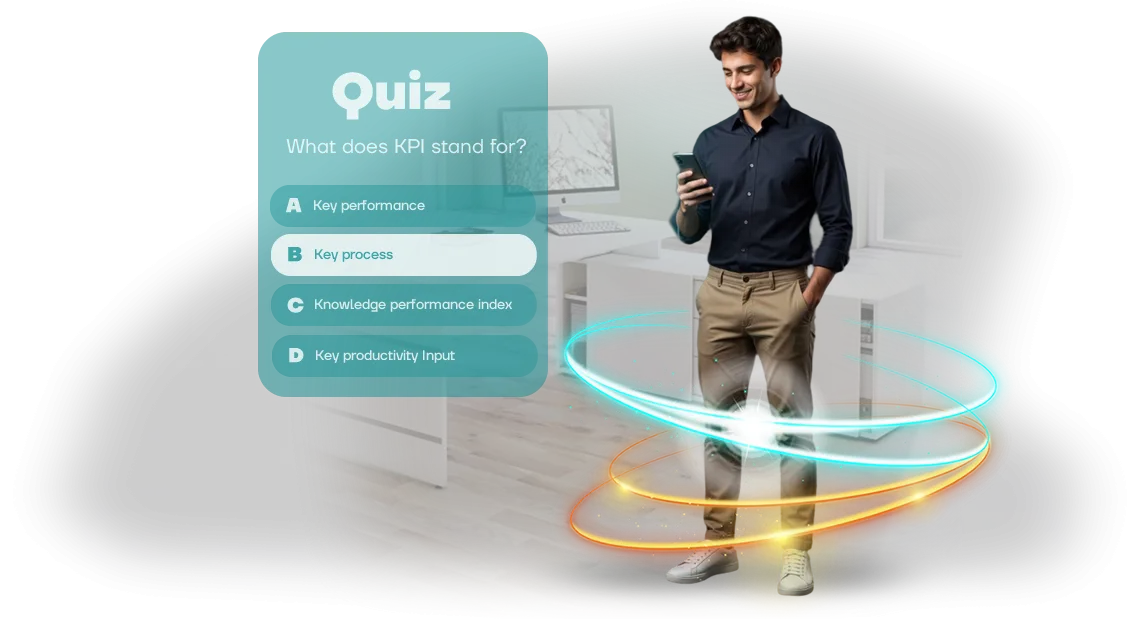
כיצד חידוני Windows מגבירים מעורבות עובדים
הכשרת עובדים הופכת פעמים רבות לפורמליות: מצגת יבשה, מבחן בסגנון סימון וי, מעורבות נמוכה. אנשים יושבים ומקשיבים בלי לקלוט את החומר, ותוך שבוע הם שוכחים חצי מהכללים והתקנים. התוצאה היא טעויות בעבודה ועלויות נוספות עבור הדרכות חוזרות.
חידונים משנים את הגישה. משחקי למידה הופכים שגרה לתחרות: עובדים עונים על שאלות, רואים את ההתקדמות שלהם, ומיד מיישמים את מה שלמדו בפועל. החומר נקלט טוב יותר כי התהליך מרגיש כמו חידון, לא כמו חובה.
ההתרגשות והעניין בתוצאות שומרים על תשומת הלב של אפילו אלה שבדרך כלל מתנתקים במהלך הרצאות.
קל להפעיל את חידוני העובדים האלה ישירות על מחשבי עבודה עם Windows — ללא ציוד נוסף או התקנה מסובכת. הכל כבר נמצא במשרד, ההכשרה מתבצעת בסביבה מוכרת, וזה לא מעורר התנגדות.
אלה הם יישומי Windows מלאים שמשתלבים בתהליכים הקיימים של החברה ללא השבתה או עלויות נוספות.
הכשרה ארגונית מפסיקה להיות חובה משעממת והופכת לכלי צמיחה. מעורבות העובדים עולה, תקנים ונהלים נקלטים מהר יותר, וטעויות קורות פחות.
מנהלים רואים תוצאות עבור כל עובד: כמה שאלות נענו, אילו נושאים דורשים יותר תשומת לב, ומי השלים את ההכשרה במלואה.
אנחנו מפתחים משחקי חינוך ל-Windows שפותרים בדיוק את הבעיות האלה. אנחנו עוזרים להפוך את החומרים שלכם לחידוני עובדים מרתקים — במהירות, עם אחריות, ומותאמים לצרכים העסקיים הספציפיים של החברה שלכם.
מה למידה מבוססת משחק משיגה: מעורבות ותוצאות
למידה מבוססת משחק מסירה את הבעיה המרכזית של החינוך הארגוני: אדישות עובדים. מצגות והנחיות רגילות נסרקות במהירות, בעוד שפורמט החידון התחרותי מחזיק תשומת לב מעצמו.
עובדים עוברים על החומר בעניין וזוכרים אותו טוב יותר, כי כל תשובה נכונה נותנת משוב מהיר ותחושת התקדמות. זה עובד עבור כל תפקיד ורמת מיומנות — מעובדים חדשים ועד מומחים מנוסים.
עבור העסק, היתרונות נראים בכמה כיוונים בבת אחת. המעורבות גדלה: במקום סימון וי פורמלי, עובדים רוצים באופן פעיל להשלים את החידון ולשפר את התוצאה שלהם.
במקביל, בדיקות ידע אורכות דקות במקום שעות — אין צורך למשוך אנשים להרצאות ארוכות או לאסוף את כולם בחדר ישיבות.
חידונים ארגוניים על מכשירי Windows מופעלים ישירות ממחשב העבודה, כך שההכשרה משתלבת בקצב של החברה ללא לוגיסטיקה נוספת.
חיסכון בזמן הופך בולט במיוחד בשלב ההערכה. המערכת בודקת תשובות אוטומטית ומיד מראה אילו נושאים נלמדו והיכן נותרו פערים.
מנהל רואה תמונה אובייקטיבית עבור כל עובד ועבור כל הצוות — ללא איסוף דוחות ידני או ניחושים. אנליטיקת הכשרה שקופה עוזרת לספק הבהרות נוספות לאלה שנשארים מאחור ולחזק את ההצלחה של משתתפים חזקים.
בסופו של דבר, למידה מבוססת משחק פותרת שתי משימות בבת אחת: היא הופכת את התהליך לשימושי ומעניין עבור העובדים ונותנת לעסק מדדי ביצוע ברורים.
החברה מקבלת צוות מיומן וחיסכון במשאבים, בעוד העובדים מקבלים פורמט נוח שלא מרגיש כמו עונש. והכי חשוב, התוצאה ניתנת למדידה: אחרי כל משחק, אפשר לראות איך הידע של הצוות משתנה.
פורמטים של חידונים ארגוניים ב-Windows: ממבחנים לחידונים
משימות הכשרה שונות דורשות פורמטים שונים. חלק צריכים לרענן ידע במהירות, אחרים צריכים לתרגל שיחות מורכבות עם לקוחות, וחלק רק רוצים חידון קליל לחיזוק רוח הצוות.
פורמטי החידון של Windows מכסים את כל התרחישים האלה: עובדים עורכים מבחנים, חידונים ומשחקי תרחישים ישירות על מחשבי העבודה שלהם, ללא התקנת תוכנה נוספת.
בחירת הפורמט משפיעה ישירות על המעורבות ועל המהירות שבה החומר נקלט. להלן שלוש האפשרויות העיקריות שאנו משתמשים בהן בפרויקטים ארגוניים, עם הערה לגבי מתי כל אחת מתאימה ביותר.
| פורמט | מתאים ביותר ל | מה הוא מספק |
|---|---|---|
| מבחן מהירות | צוותי שטח, צוותי מכירות, מוקדי שירות | בדיקות ידע מהירות, אלמנט תחרותי, מעורבות ללא הפרעה לעבודה |
| חידון רב-ברירתי | משאבי אנוש, שיווק, צוות אדמיניסטרטיבי | שימור חומר עמוק, סטטיסטיקה ברורה לכל עובד ולכל צוות |
| משחק תרחישים | מנהלים, מנהלי חשבונות לקוחות, מומחים טכניים | תרגול מצבי עבודה אמיתיים בסביבה בטוחה, מוכנות לבקשות לא שגרתיות |
מבחן מהירות אורך 5–7 דקות, כך שקל להריץ אותו בתחילת משמרת או אחרי פגישה מתוכננת. חידון אינו דורש הכנה מהעובדים ועובד היטב לרענון חומר קבוע.
משחק תרחישים הוא הפורמט העמוק ביותר: העובד נכנס לסיטואציה מדומה, מקבל החלטה, ומיד רואה את ההשלכות. סוג זה של הכשרה מבוססת תרחישים נשאר עם אנשים לאורך זמן והופך ידע למיומנות מעשית.
אם אתם רק מציגים חידונים, התחילו עם מבחן מהירות — הוא פשוט וקל להבנה. כשאתם צריכים אנליטיקה מפורטת, הוסיפו חידון רב-ברירתי. לתרגול אינטראקציות מורכבות, בחרו בפורמט התרחישים.
אנחנו נעזור לכם לבחור את האפשרות הנכונה ולארוז אותה ליישום Windows נוח — מותאם למשימה ולסגנון החברה שלכם.
שלבי פיתוח חידון: מבריף ועד השקה
אנחנו עוקבים אחר תהליך שקוף: בכל שלב, אתם רואים מה קורה ומשפיעים על התוצאה. אין "קופסאות שחורות" — רק שלבים ברורים, לוחות זמנים ונקודות אישור. להלן השלבים האופייניים לפיתוח חידון הכשרת עובדים.
- בריף חידון וגילוי צרכים — אנחנו נכנסים לשיחה ומפרקים את מטרות ההכשרה, הקהל ותרחיש השימוש. אתם מספרים לנו על החומר, ואנחנו מציעים מכניקות שהופכות את הלמידה למעניינת.
- אישור תוכן — אנחנו הופכים את החומרים שלכם (תקנים, הנחיות, מצגות) לשאלות ואפשרויות תשובה. אתם מאשרים את הניסוח, רמת הקושי וסדר הנושאים — החידון נשאר בשליטתכם.
- אב-טיפוס ותוכנית עבודה — אנחנו קובעים את מבנה המסכים, לוגיקת הניקוד וקונספט העיצוב. אתם מקבלים מודל לחיצה והערכת עלות עם לוחות זמנים מדויקים.
- פיתוח המשחק — אנחנו בונים את החידון על מנוע מקצועי עם מחשבי Windows בראש כדי שהעובדים שלכם יוכלו להריץ אותו. הממשק מותאם למסכים המשמשים בחברה.
- בדיקות ותיקונים — אתם בודקים את הגרסה העובדת ושולחים את המשוב שלכם. אנחנו מתקנים בעיות ומאמתים כל תרחיש השלמה כדי ששום דבר לא ייכשל בהשקה.
- השקה ותמיכה — אנחנו מתקינים את המשחק, מאמנים את המנהל, ומוסרים את ההנחיות. אחרי ההתחלה, אנחנו נשארים בקשר ומעדכנים במהירות שאלות אם החומר שלכם משתנה.
מה כלול בחבילת משחק החינוך
הרכבנו חבילה שמאפשרת להכשרה לעלות לאוויר מיד, ללא עלויות נסתרות או טרחה מיותרת. להלן הרשימה המלאה של כל מה שאתם מקבלים כחלק מהפרויקט.
-
יישום הכשרה מוכן לשימוש עבור Windows. הוא מותקן על מחשבי העובדים והלפטופים, עובד במצב לא מקוון ללא רישיונות נוספים, ואינו דורש מעורבות של מחלקת IT.
-
פאנל ניהול חידון. דרך ממשק פשוט, אתם מעלים שאלות, עורכים אפשרויות תשובה, מוסיפים נושאים חדשים ומקצים מבחנים למחלקות ספציפיות — הכל ללא סיוע של מפתחים.
-
הנחיות שימוש. שני מדריכים ברורים: אחד למנהלים על איך להגדיר את המשחק ולצפות בדוחות, ואחד לעובדים על איך לעבור את החידון ולראות את התוצאות שלהם.
-
הדגמה חיה לצוות שלכם. בשיחה מקוונת, אנחנו מראים איך להשתמש בפאנל הניהול, עונים על השאלות שלכם ונותנים המלצות השקה כדי שתוכלו לקחת שליטה במהירות.
-
תמיכה לאחר ההשקה. לתקופה מוסכמת, אנחנו עוזרים עם שאלות טכניות, עדכוני תוכן ושיפורי תרחישים כשהצרכים העסקיים משתנים.
-
כל הגישה והזכויות. אתם מקבלים פרטי מנהל, תיעוד פרויקט וזכויות שימוש — אתם נשארים הבעלים המלאים של הפתרון ויכולים להמשיך לפתח אותו.
כל הפריטים כלולים בעלות. אתם מקבלים תהליך צפוי: עובדים עורכים חידונים, אתם רואים סטטיסטיקה בפאנל הניהול, ותמיכה זמינה כשעולות שאלות. ההכשרה הופכת לחלק משגרת העבודה, לא לכאב ראש נוסף.
מקרה בוחן: איך הכפלנו את המעורבות
אחד מפרויקטי הדגל שלנו — חידון הכשרה לרשת הקמעונאות MarketPro. החברה התמודדה עם נקודת כאב טיפוסית: הכשרות פרונטליות נערכו כמעט כל שבוע, אבל הידע דהה במהירות. אף אחד לא קרא את התקנים המבוססים על טקסט, ובדיקת התוצאות אכלה יום עבודה מלא למנהלים.
העברנו את ההכשרה ליישום שולחני של Windows: חידונים קצרים של 5–7 דקות, גימיפיקציה והתקדמות נראית לעין. עובדים משלימים מודול בהפסקה או בתחילת משמרת — מחשב עבודה רגיל מספיק, ללא צורך בהתקנה נוספת.
התוצאות נראו תוך חודשיים: המעורבות גדלה ב-40%, ומספר העובדים שמשלימים בדיקות ידע באופן קבוע הוכפל.
הזמן שהושקע בפיקוח ירד פי שלושה — במקום מבחנים ידניים, מנהל רואה סטטיסטיקה בדשבורד אישי ומבין במהירות היכן הצוות צריך יותר הכשרה.
"לפני כן, בילינו חצי יום על מבחנים ובדיקת תוצאות," אומרת אנה סרגייבה, מובילת הכשרה ב-MarketPro. "עכשיו עובדים מבקשים שאלות חדשות בעצמם.
החידון של Windows הפך לסטנדרט הארגוני שלנו: הוא נוח, מהיר, ובאמת מגביר מעורבות."
הניסיון מראה: אתם לא צריכים תשתית מורכבת כדי לקבל תוצאה מדידה. חברות קמעונאות, לוגיסטיקה ושירות רק צריכות להתאים את התוכן שלהן ולהשיק חידון בתחנות עבודה — ההחזר על ההשקעה נראה כבר ברבעון הראשון.
איך לבחור את פורמט החידון הנכון לצוות שלכם?
איך בוחרים פורמט חידון לצוות שלכם? אין פורמט נכון אחד לכולם — רק זה שמתאים למשימת ההכשרה שלכם.
כדי לבחור, ענו על שלוש שאלות: מה עובדים צריכים לדעת אחרי ההכשרה, באיזו תדירות צריך לעדכן את הידע, וכמה אנשים יעברו את ההערכה בו זמנית.
לבדיקות ידע תקופתיות, מבחן קצר עם הסברים על תשובות נכונות עובד היטב; להטמעת עובדים חדשים, מסע בסגנון תרחישים; למחלקות גדולות, חידון תחרותי עם לוח תוצאות.
אם העובדים שלכם עובדים בעיקר על מחשבי Windows, בחרו פורמט שמופעל ללא התקנות נוספות ומתנהג זהה בכל תחנת עבודה. זה מפחית התנגדות ולא מסיח מהעבודה העיקרית.
בחירת מפתח היא סיפור נפרד. הסתכלו מעבר לתיקי עבודות מלאים במשחקים יפים והתמקדו במקרים שפתרו בעיות למידה אמיתיות: איך נמדדה ההתקדמות, באיזו תדירות נערך התוכן, והאם הייתה תמיכה טכנית?
מפתח טוב שואל שאלות על המטרות והקהל שלכם — זה סימן לגישה בוגרת, לא רק מבצע שמחכה למשימה.
אנחנו ממליצים להתחיל עם ריצת פיילוט על קבוצה קטנה. כך תראו איך עובדים מקבלים את הפורמט, איפה עולות שאלות, ויהיה לכם זמן להתאים את המכניקה לפני ההרחבה.
ודאו שהחוזה כולל את היכולת לעדכן שאלות ולקבל דוחות על תוצאות — זה יחסוך לכם תקציב ועצבים.
בשורה התחתונה: בחרו חידון לא לפי מכניקה אופנתית אלא לפי הידע והמיומנויות שהוא צריך לחזק. הפורמט הנכון מאיץ הטמעה, מגביר מעורבות ונותן תמונה שקופה של מוכנות העובדים.
אם אתם מתלבטים — דברו איתנו על המשימה, נמליץ על האפשרות האופטימלית לצוות שלכם ונראה לכם בדיוק איך בדיקת הידע תעבוד מהשלב הראשון.
שאלות נפוצות על פיתוח חידוני עובדים
ההחלטה לבנות חידון ארגוני מעלה פעמים רבות שאלות: מה אם המשחק לא רץ על המחשבים של העובדים? האם יהיה קשה לעדכן שאלות כשהתוכנית משתנה? כמה זמן תיקח ההשקה? בואו נעבור על החששות האופייניים ונראה איך אנחנו מטפלים בהם.
אנחנו יוצרים משחקי למידה לעסקים כבר למעלה מ-10 שנים. כל פרויקט נבדק על המכשירים בפועל של הלקוח, כך שהסיכון ל"פתאום לא עובד" מצטמצם לאפס. להלן השאלות שאנחנו שומעים הכי הרבה לפני שפרויקט יוצא לדרך.
מה אם המשחק לא עובד על המחשבים של העובדים?
אנחנו אוספים מראש את תצורות תחנות העבודה ובודקים את החידון ישירות עליהן. אם מכונה לא יכולה להתמודד, אנחנו מפשטים את הגרפיקה או מתאימים את המשחק לחומרה חלשה יותר. ההשקה מתרחשת בשליטתכם, ואחרי ההשקה אנחנו נשארים בקשר ומתקנים במהירות כל בעיה.
הערובה העיקרית היא לא ניירת — זה תהליך שלב אחר שלב: קודם גרסת פיילוט לקבוצה קטנה, אחר כך משוב ושיפורים. רק אחרי שאישרתם שהכל עובד, אנחנו עושים את הפריסה המלאה. גישה זו בונה ביטחון בכל שלב.
האם קשה לעדכן שאלות חידון?
בכלל לא. אנחנו בונים פאנל ניהול פשוט שבו אתם יכולים לשנות שאלות, אפשרויות תשובה וסדר נושאים בעצמכם. אין צורך במתכנתים — רק דפדפן רגיל והרשאות גישה. עדכונים אורכים דקות, לא ימים.
אם אתם צריכים להעלות קבוצה גדולה של שאלות חדשות, פשוט שלחו לנו את הקובץ — נטען אותו עבורכם ונוודא שהכל מוצג כראוי. אתם יכולים לעדכן תוכן בתדירות שהעסק דורש: אפילו כל שבוע.
כמה זמן אורך הפיתוח?
פרויקט טיפוסי אורך שבועיים עד ארבעה שבועות, תלוי במספר השאלות ובמורכבות העיצוב. בבריף הראשון, אנחנו קובעים את ההיקף ומסכימים על תאריכים מדויקים, כך שאתם תמיד יודעים מתי החידון יהיה מוכן.
משימות דחופות אפשריות גם כן: אם ההכשרה צריכה לעלות לאוויר תוך שבוע, אנחנו יכולים להרכיב גרסה פשוטה מתבניות מוכנות. אפשרות זו עובדת היטב כשהתוכן כבר קיים ואתם רק צריכים אריזה.
איך נתוני העובדים והתוצאות מוגנים?
החידון רץ בתוך הרשת שלכם או דרך שרת מאובטח הנגיש רק לעובדים שלכם. התוצאות נשמרות בדוח נקי שניתן לייצא בפורמט שאתם צריכים. אנחנו לא משתפים נתונים עם צדדים שלישיים ולא משתמשים בהם למטרות שלנו.
במידת הצורך, אנחנו יכולים להגביל את זמן ההשלמה, מספר הניסיונות והגישה לפי קבוצת עובדים. הכל מוגדר בהתאם למדיניות הפנימית שלכם, כך שההכשרה מתנהלת בצורה מאורגנת ללא דליפות.
לא מצאתם את התשובה לשאלה שלכם? כתבו לנו — נספר לכם איזה פורמט חידון מתאים לעסק שלכם.הזמינו פיתוח חידון במפתח מלא
הזמנת פיתוח חידון במפתח מלא פירושה קבלת כלי הכשרה מוכן שניתן להשיק על מחשבי העובדים כבר מחר. אתם לא צריכים להבין בפרטים הטכניים: אנחנו מטפלים בהכל — מהקונספט ועד לקובץ סופי שרץ על כל מכשיר Windows.
אתם משאירים פנייה באתר, ואנחנו לוקחים את הפרויקט לעבודה. הכל מתנהל לפי תרחיש ברור, ללא שלבים נסתרים או הפתעות.
מה אתם מקבלים אחרי הפנייה שלכם:
- ייעוץ: אנחנו דנים במטרות ההכשרה, פורמט החידון וקהל היעד.
- הערכת עלות: אנחנו מספקים מחיר מדויק זמן קצר לאחר הפנייה שלכם.
- תוכנית פיתוח: אתם מבינים את לוח הזמנים והשלבים מההתחלה.
- בחירת מכניקה: אנחנו ממליצים איזה פורמט שאלות יעבוד הכי טוב עבור העובדים שלכם.
- מוצר מוגמר: קובץ חידון ל-Windows שמופעל בקלות על מחשבי עבודה.
- סיוע בתוכן: במידת הצורך, אנחנו מכינים שאלות ותרחיש סביב הנושא שלכם.
- תמיכה לאחר ההשקה: אם משהו משתבש, אנחנו נשארים זמינים.
למה זה שווה: אתם חוסכים זמן למנהלים ולמשאבי אנוש, מקבלים כלי שמגביר את מעורבות העובדים, ולא מסתכנים בפספוס לוחות זמנים — יש לנו עשרות פרויקטי הכשרה שהושקו מאחורינו.
השאירו פנייה לפיתוח — נחזור אליכם בהקדם, נענה על השאלות שלכם ונכין הצעה מותאמת למטרותיכם.