

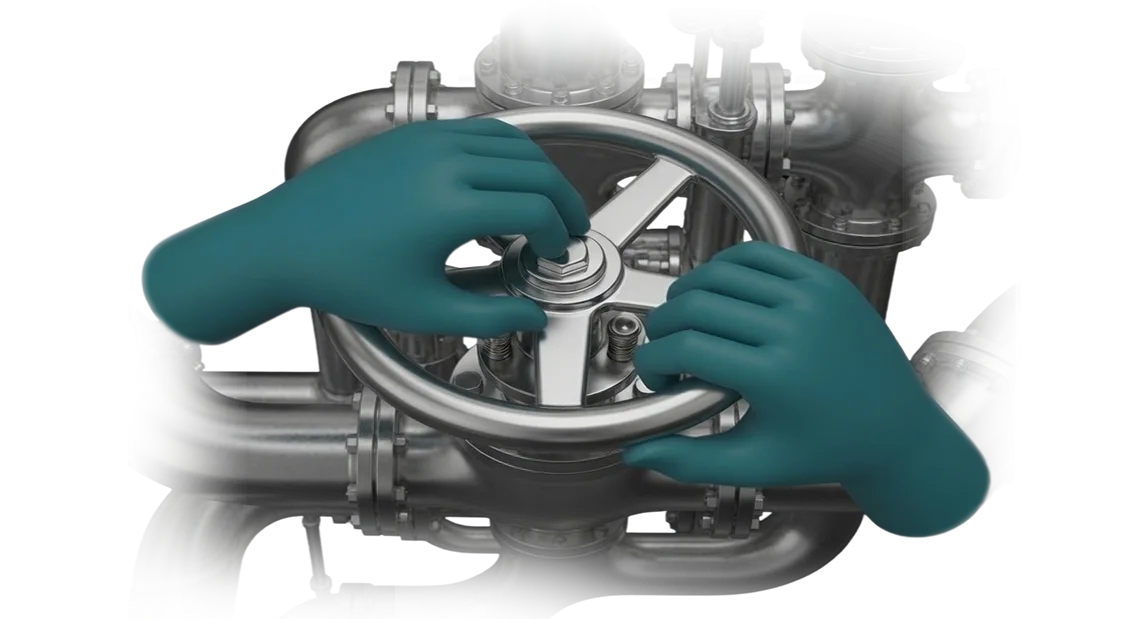
סימולטור אינטראקטיבי של חללית אוריון: אימון צוותים
אימון צוותים לטיסות חלל כולל מאות שעות על ציוד אמיתי. כל מפגש אימון הוא יקר: אורך חיי החללית, דלק, המהנדסים המעורבים, והסיכון לאנשים.
טעות בתנאים אמיתיים עלולה להוביל לתאונה, ולכן תרגול על חומרה אמיתית הוא תמיד מוגבל — הסיכון גבוה מדי.
הסימולטור האינטראקטיבי של חללית אוריון משנה את ההיגיון הזה. אוריון היא תאום דיגיטלי של תא הטייס והמערכות על הסיפון, המאפשר לצוותים להתאמן במצבים רגילים וחירום ללא סיכון לאף אחד.
הקוסמונאוטים מתאמנים בסביבה קרובה ככל האפשר למציאות, ואנחנו מתאימים את התרחישים למטרות תוכנית האימון שלכם.
סימולטור מסוג זה פותר בעיה ששיטות מסורתיות לא יכולות להתמודד איתה: חזרות בלתי מוגבלות. המתאמנים מתרגלים עגינה, שיגור ותקלות חריגות שוב ושוב עד שהפעולות הופכות לאוטומטיות.
אימון הצוותים הופך ליעיל יותר, ובטיחות הטיסה משתפרת מכיוון שהצוותים כבר נתקלו בכל מצב על החללית האמיתית.
עבור ארגון, זה אומר עלויות אימון נמוכות יותר ופחות תקריות. אנחנו לוקחים אחריות על פיתוח תרחישים, גרפיקה ריאליסטית וסימולציית התנהגות מערכות — אתם מקבלים תוכנית אימון מלאה שניתנת להרחבה לצוותים ורמות מיומנות שונות.
למה ארגונים עוברים לסימולטורים וירטואליים
אימון מסורתי על ציוד אמיתי משמעותו הוצאות שוטפות וסיכונים. טעויות של עובדים מובילות להשבתה, בזבוז חומרים ופציעות. סימולטורים וירטואליים מסירים את העלויות האלה: המתאמנים מתרגלים מיומנויות בסביבה דיגיטלית בטוחה בעוד נכסי הייצור ממשיכים לעבוד.
ריאליזם הסימולציה קובע את יעילות האימון. אנחנו יוצרים עותקים דיגיטליים של ציוד עם פיזיקה והתנהגות מערכות מדויקות — מפעולות סטנדרטיות ועד תרחישי חירום.
גישה זו משמשת בסימולטור האינטראקטיבי של חללית אוריון, שבו כל פרט בסביבת העבודה משקף את המציאות. ככל שהמודל מדויק יותר, כך המיומנויות עוברות מהר יותר לייצור בפועל.
מהירות האימון עולה פי כמה. במקום חונכות ארוכה, יש תוכנית מרוכזת בקצב נוח. המתאמן חוזר על פעולות מורכבות, בעוד המערכת מתעדת טעויות ומציעה פעולות נכונות. עובדים חדשים מגיעים למיומנות עבודה תוך שבועות, לא חודשים.
מנהל מקבל תהליך אימון סטנדרטי ועלויות צפויות. סימולטורים מחזירים את ההשקעה באמצעות חיסכון בחומרים, ציוד ומדריכים.
הכישורים של הצוות משתפרים באופן שווה, והארגון מחזק את המוניטין שלו כמעסיק מודרני, ומגדיל את ההכרה במותג בשוק העבודה.
אנחנו מפתחים סימולטורים המותאמים לצרכים הספציפיים של הייצור שלכם, תוך שימוש בציוד מקצועי. זה מבטיח ביצועי מערכת יציבים ופריסה מהירה.
ארגונים שכבר עברו לאימון וירטואלי מפחיתים עלויות ומאיצים את פיתוח כוח האדם.
פורמטים של סימולטור לצרכים שונים של לקוחות
כל ארגון ניגש לאימון אחרת: חלקם צריכים ללמד עובדים חדשים במהירות פעולות סטנדרטיות, בעוד אחרים צריכים לתרגל תרחישים ייחודיים שאינם זמינים בפתרונות מוכנים.
לכן אנו מציעים מספר פורמטים של סימולטור — מסטנדרטי ועד מותאם אישית לחלוטין. כולם בנויים על גישה מודולרית: אתם משלמים על הפונקציונליות שאתם צריכים ויכולים להרחיב את המערכת ככל שהמשימות שלכם גדלות.
| פורמט | למי | מה זה נותן ללקוח |
|---|---|---|
| סימולטור סטנדרטי | לאימון בפעולות בסיסיות ותרגול תרחישים סטנדרטיים | השקה מהירה, לוחות זמנים ותקציב צפויים, עומס עבודה מינימלי על הצוות |
| ערכת מודולרית | לחברות המתכננות לפתח תוכנית אימון שלב אחר שלב | גמישות: תרחישים וציוד חדשים מתווספים ללא החלפת המערכת |
| פיתוח מותאם אישית | לתהליכים ייחודיים ולמאפיינים הספציפיים של ארגון מסוים | הסימולטור משקף פעולות אמיתיות, משתלב בקלות באימון הקיים ומתרחב |
הודות לארכיטקטורה המודולרית, סימולטור אחד יכול תחילה ללמד רצף פעולות בסיסי ולאחר מכן לעבור למצבים חריגים מורכבים. זה מסיר את החשש העיקרי של הלקוח: אנחנו לא קושרים אתכם למוצר "ארוז"; אנחנו מתאימים את הפתרון לתהליכים העסקיים שלכם.
לאחר שתבחרו פורמט, המהנדסים שלנו מכינים את חבילת התיעוד, מאמנים את המדריכים ותומכים במערכת לאחר ההשקה. כתוצאה מכך, אתם מקבלים כלי שעובד עבור המדדים שלכם: אימון היכרות קצר יותר, פחות שגיאות ואיכות אימון עקבית.
איך אנחנו עובדים: מהבריף ועד השקת הפרויקט
בנינו את שלבי פיתוח הסימולטור כך שתוכלו לראות את התוצאה ולשלוט בתקציב בכל נקודה. הפרויקט מתחיל לא בקוד, אלא בבריף ובמודל מאושר. זו הסיבה שהשקת הסימולטור עוברת חלק, ללא שינויים בלתי צפויים או עיכובים.
- בריף פיתוח. אנו לומדים את המשימה שלכם, סביבת העבודה ודרישות העובדים. אנו מציבים מטרות ולוחות זמנים וקובעים אילו מיומנויות הסימולטור צריך לאמן.
- עיצוב תרחיש ואישור מודל. אנו מראים איך תיראה הסביבה הווירטואלית ואילו משימות המפעיל יבצע. כאן תוכלו לבצע שינויים ללא עלויות נוספות.
- אב טיפוס לאישור. אנו מרכיבים במהירות את המכניקות המרכזיות — בקרות, פעולות ותגובת המערכת. אתם מנסים את אב הטיפוס ומאשרים שאנחנו נעים בכיוון הנכון.
- פיתוח הסימולטור. אנו ממלאים את הפתרון בגרפיקה, לוגיקה ותרחישי אימון. כל נקודת ביקורת מתועדת בדוח כדי שתבינו את מצב העבודה.
- אינטגרציה ובדיקות. אנו בודקים את הסימולטור על הציוד שלכם, מתרגלים מצבים חריגים ומכווננים אותו לפעולה יציבה.
- השקת הסימולטור והכשרת צוות. אנו מתקינים את הפתרון באתר ומספקים הוראות למדריכים ולמפעילים. אנו מוסרים את התיעוד והגישה לחומרים.
- תמיכה לאחר ההשקה. אנו מעדכנים תוכן, עונים על שאלות עובדים ומשכללים תרחישים על סמך שימוש אמיתי. לעולם לא נשארים לבד עם הסימולטור לאחר המסירה.
מה כלול במסירת הסימולטור הווירטואלי
אתם לא מקבלים "מוצר חצי גמור" או קבצים מפוזרים, אלא חבילה מלאה לשימוש עצמאי. כל מה שמתואר להלן נרשם בחוזה ומועבר עם קבלת הפרויקט.
בתוך הצוות, אנחנו קוראים לזה "פתרון סוהר": אתם יכולים להתחיל לאמן עובדים מיד, בלי לחכות לנו.
- הסימולטור עצמו, מוכן לחלוטין להפעלה. אנו מתקינים אותו על הציוד שלכם או מספקים אותו כהשכרה מנוהלת מלאה. אנו מחברים תרחישים, משתלבים עם תוכניות האימון שלכם ומגדירים אותו לפי הנהלים שלכם.
- מערך מלא של תיעוד טכני. זה לא "ניירת לשם עמידה בדרישות", אלא הוראות עבודה: איך להפעיל, איך לעדכן, איך לתחזק. המהנדס או מנהל המערכת שלכם יתמודדו ללא מעורבותנו.
- הוראות הפעלה לעובדים ולמדריכים שלכם. מדריכים ברורים ותרחישי שיעור המאפשרים להכניס את הסימולטור לשימוש יומיומי כבר למחרת ההתקנה.
- מודלי תלת-ממד מקוריים וחומרי פרויקט. אתם לא קשורים אלינו לנצח: אם צריך, המומחה הפנימי שלכם או קבלן אחר יכול להמשיך לפתח את הסימולטור מאפס. כל זכויות התוכן שייכות לכם.
- עדכונים ותמיכה טכנית. אנחנו לא נעלמים לאחר מסירת הפרויקט. יש תקופת אחריות ותוכניות פיתוח — אתם תמיד יכולים לסמוך על העזרה שלנו: לשכלל תרחיש, להוסיף מודולים חדשים או לכלול ציוד חדש.
מקרה בוחן: איך סימולטור הפחית עלויות אימון
בואו נראה מקרה יישום אמיתי.
מרכז הכשרה גדול בתעשיית החלל, Atlant, פנה אלינו: אימון מפעילי חללית אוריון היה יקר — האב-טיפוס הפיזי היה מוזמן חודשים מראש, כל שעת פעילות הייתה יקרה (העלות חושבה לאחר ביקורת), והיו רק כמה תרחישי חירום.
יצרנו סימולטור אינטראקטיבי של חללית אוריון המשחזר מצבים רגילים וחריגים. האימון מתבצע בתחנות עבודה רגילות, כך שניתן לאמן קבוצה שלמה באותו זמן — ללא הזמנת מתקני בדיקה יקרים או המתנה לטכנאים.
תוצאות האימון
הלקוח ראה את ההשפעה כבר בחודש הראשון: עלויות האימון ירדו ב-42%, הקורס קוצר מ-120 ל-45 שעות, וחלקם של התלמידים שעברו את הבחינה בניסיון הראשון עלה מ-68% ל-92%. ההנהלה מביאה עובדים לכשירות במהירות, ללא השבתה או חריגות תקציב.
יעילות הסימולטור מאושרת על ידי המלצת לקוח: "המפעילים הפסיקו לפחד ממצבים חריגים — עשרות ריצות תרגול בסימולטור מייצרות תגובה רגועה ונכונה." תוך שישה חודשים הסימולטור החזיר את ההשקעה וכיום משמש להכשרה שנתית חוזרת.
למה זה עבד
הסוד הוא לא בציוד, אלא במודל הנכון: אנו משחזרים את ההיגיון של מערכות החללית ואת ההשלכות של טעויות.
סימולטור כזה מחליף את רוב זמן האימון על מתקן הבדיקה ומאפשר לתרגל תרחישי חירום נדירים ללא סיכון לאנשים או לציוד.
המסקנה ממקרה זה פשוטה: במקום אב-טיפוס פיזי יקר, כל מה שצריך הוא מודל דיגיטלי בנוי היטב שקל לעדכן.
אנחנו תומכים בפרויקט לאחר ההשקה — מוסיפים תרחישים, מעדכנים נהלים ומבטיחים תוצאות אימון גבוהות באופן עקבי.
איך לבחור את פורמט הסימולטור הנכון?
פורמט הסימולטור הנכון הוא לא היקר ביותר או המתקדם ביותר טכנולוגית; הוא זה שפותר את המשימות הספציפיות של הייצור שלכם. אין תשובה אוניברסלית: מה שעובד עבור ארגון אחד עשוי להיות מיותר עבור אחר.
אז הבחירה מתחילה לא בטכנולוגיה, אלא בניתוח המטרות שלכם — הפחתת זמן אימון, שיפור בטיחות או תרגול מצבים חריגים נדירים.
הדרישות הספציפיות של כל סדנה, אתר או משמרת קובעות מה צריך להיות הסימולטור. אם עובדים צריכים ללמוד איך לפעול במהלך תאונה שקורה פעם בשנה, אתם צריכים תרחיש סוחף בקנה מידה מלא.
אם המשימה היא ללמד עובדים חדשים רצף פעולות בסיסי, מודול קומפקטי שניתן לפרוס במקום מספיק. לכן אנחנו לא מוכרים פתרונות "ארוזים"; אנחנו מתכננים מותאם אישית סביב התהליכים שלכם.
איך זה נראה בפועל? המהנדסים שלנו מספקים ייעוץ מומחה: הם לומדים נהלים, שגיאות עובדים אופייניות, רמות סיכון והתוצאה הרצויה. לפעמים יום אחד באתר מספיק כדי להבין איזה פורמט יניב את התשואה הטובה ביותר.
כתוצאה מכך, אתם מקבלים סימולטור שמשתלב באופן טבעי במערכת האימון הקיימת שלכם — בין אם זה קורס היכרות קצר או סימולטור אינטראקטיבי מורכב של חללית אוריון המותאם לתרחישים שלכם.
בחירת הפורמט הנכון משפיעה ישירות על כלכלת האימון. ההחלטה הנכונה מקצרת את הזמן עד לכשירות, מפחיתה את מספר השגיאות ומונעת השבתה הנגרמת מחוסר ניסיון של הצוות.
חשוב לציין, לאחר השקת הסימולטור, תמיד ניתן להתאים תרחישים — להוסיף פעולות חדשות או להקשות על התנאים — ללא בנייה מחדש של המערכת כולה.
אתם לא צריכים להבין בפרטים הטכניים: פשוט תארו את המשימה, ואנחנו נציע את האפשרות האופטימלית. ספרו לנו על הדרישות הספציפיות שלכם — יחד נבחר את הפורמט שמחזיר את ההשקעה הכי מהר.
חששות נפוצים ותשובות
חששות לגבי הכנסת כלי חדש הם נורמליים. הסימולטור צריך להשתלב בייצור הקיים מבלי לשבש תהליכים מוכרים, וגם להתחיל לספק יתרונות במהירות. לכן אנו מתייחסים לחששות אופייניים מראש, כדי שתוכלו לראות את התמונה המלאה.
אנחנו מנהלים כל פרויקט בשקיפות: אנו מגדירים את ההיקף, לוחות הזמנים וההבטחות בהתחלה, מציגים גרסאות ביניים לאורך הדרך ונשארים זמינים לאחר ההשקה.
האם אתם מבטיחים שהסימולטור יפעל ללא תקלות?
כן, אנו מספקים אחריות תוכנה רשמית למינימום שנה. במהלך תקופה זו, אנו מתקנים שגיאות ומתאימים לוגיקה על סמך משוב מהמומחים שלכם ללא עלות. אם הבעיה קריטית, אנו מגיבים בעדיפות.
כמה זמן ייקח פיתוח הסימולטור?
זמן הפיתוח הסטנדרטי לסימולטור לאתר או תהליך אחד הוא 8 עד 14 שבועות. משך הזמן תלוי במספר התרחישים, רמת הפירוט ומספר תחנות העבודה. אנו כוללים הכשרת צוות בלוח הזמנים הכולל כדי שההשקה לא תתעכב.
האם נצטרך לבנות מחדש את תהליך אימון העובדים שלנו?
לא. הסימולטור משלים את מערכת האימון הקיימת שלכם במקום לשבש אותה. אנו מגדירים תרחישים כך שיתאימו לנהלים שלכם, כך שהמפעילים מתרגלים בדיוק את הפעולות שהם יבצעו מאוחר יותר על ציוד אמיתי. היישום הוא בשלבים: תחילה קבוצת פיילוט, ולאחר מכן הרחבה.
מה קורה בעוד שנה — האם הסימולטור יתיישן?
סימולטור לא מתיישן אם מתחזקים אותו. אנו מציעים תנאי תמיכה ברורים: עדכונים שוטפים, התאמות לציוד חדש וייעוץ. גרסה חדשה מותקנת בזמן נוח ואינה עוצרת את מחזור הייצור.
איך אתם מטפלים בנושאי אבטחת מידע?
כל הנתונים נשארים על השרת שלכם. אנחנו לא מאחסנים מידע פנימי אצלנו ולא משתפים אותו עם צדדים שלישיים. אנו מגדירים בקרת גישה מבוססת תפקידים וחיבור מאובטח כך שרק הצוות שלכם יוכל לראות חומרי אימון ופרמטרי ייצור.
אם עדיין יש לכם שאלות לגבי משימה ספציפית, שלחו לנו כמה שורות בצ'אט. נבהיר את הפורמט, לוח הזמנים והעלות, ואם צריך, נשלח דוגמאות של פרויקטים דומים.קבלו הערכת עלות לסימולטור המותאם למשימה שלכם
שלחו בקשה להערכה, ונכין הערכת פרויקט תוך יום עסקים אחד: עלות פיתוח, לוח זמנים והיקף עבודה.
זו ייעוץ חינמי שנותן לכם תוכנית ברורה — לא "חזרו אלינו מאוחר יותר ונחשב". ללא תנאים נסתרים: אתם מיד מבינים ממה מורכב המחיר ואילו שלבים כלולים.
מה כלול בהערכה ומה אתם מקבלים כתוצאה:
- הערכת פרויקט למשימה הספציפית שלכם — אנו מנתחים את תרחיש הסימולטור ואת הדרישות שלכם כדי להציע פתרון עם רמת הפירוט הנכונה, מבלי לשלם יותר מדי עבור אפשרויות מיותרות.
- לוח זמנים ריאלי — לא "נראה איך יהיה". אנו קובעים תאריכים לכל שלב: עיצוב, פיתוח, בדיקות, השקה. אתם יכולים לתכנן את התקציב ולשלב את הסימולטור בלוח האימונים שלכם.
- עלות פיתוח שקופה — המחיר קבוע בהצעה המסחרית ואינו משתנה במהלך התהליך אלא אם תוסיפו משימות חדשות.
- בחירת פורמט לפי התקציב שלכם — מסימולטור פשוט על תחנת עבודה אחת ועד כיתת VR מלאה עם מספר סצנות. אנו מראים לכם איך לחסוך כסף מבלי לאבד איכות.
- דוגמאות של פרויקטים וצוותים דומים — במהלך הייעוץ, אנו דנים באילו משימות כבר פתרנו בענף שלכם ומשתפים אנשי קשר של לקוחות שמוכנים לאשר את התוצאות.
- תשובות לשאלות טכניות — אתם מקבלים המלצות על ציוד, דרישות מתקן ותחזוקה כדי שתוכלו להכין הכל מראש.
מלאו את הטופס או כתבו לנו — זה ייקח רק כמה דקות. לאחר מכן, נערוך ייעוץ חינמי, נענה על שאלותיכם ונכין הערכה מפורטת של עלות ולוחות זמנים. תקבלו מסמך שעל בסיסו תוכלו לקבל החלטה ולהשיק את הפרויקט.