

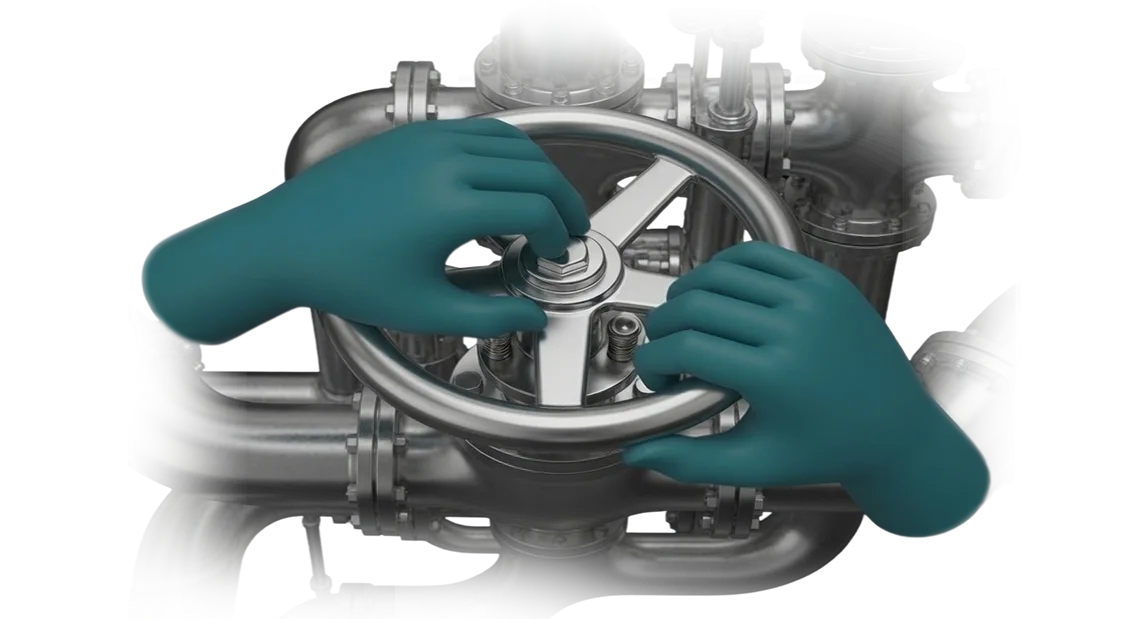
תעשיית המלט סופגת הפסדים עקב טעויות כוח אדם
ייצור מלט הוא מסוע רציף שבו עצירה בכל קו פוגעת ישירות בהכנסות.
במקביל, חלק ניכר מהתקלות והפגמים מתרחש לא בגלל בלאי ציוד, אלא בגלל פעולות כוח אדם: הפעלת ציוד שגויה, הפרת נהלים, תגובה מאוחרת למצב חריג. כל טעות כזו משמעותה שעות של השבתה, עיכובים במשלוחים ועלויות תיקון.
המצב מחמיר עקב תחלופת עובדים: עובדים חדשים מגיעים למכונות מורכבות ללא אפשרות לצבור ניסיון מעשי מלבד על קו ייצור פעיל.
הכשרה תוך כדי עבודה היא סיכון הן לבטיחות האדם והן לציוד יקר, בעוד שמדריכי הוראה מבוססי תיאוריה אינם בונים מיומנויות לאורך זמן. בסופו של דבר, המפעל משלם פעמיים: על התקרית עצמה ועל אובדן הפרודוקטיביות במהלך תקופת ההסתגלות של העובד החדש.
אנו פותרים בעיה זו על ידי העברת התרגול לסביבה וירטואלית בטוחה, שבה כל עובד מתרגל פעולות עד כדי אוטומטיזציה מבלי לעצור את רצפת הייצור או לסכן תאונה.
אילו תוצאות הכשרת VR משיגה על רצפת הייצור
הכשרת VR בתעשיית המלט משיגה תוצאות עסקיות מדידות בתוך החודשים הראשונים לאחר ההטמעה. העובדים מתאמנים על הסימולטור לפני שהם דורכים על קו אמיתי, כך שמספר הטעויות וההשבתות הנלוות יורד באופן ניכר.
מפעלים המשתמשים בגישה זו מפחיתים מצבי חירום ומשפרים את תרבות הבטיחות הכוללת מבלי להפריע לייצור.
ההשפעה המרכזית היא הכשרת כוח אדם גבוהה יותר ללא סיכון לציוד או לאנשים. מפעיל יכול לעבור על מצב חריג בסימולטור עשרות פעמים עד שהנוהל הופך לאוטומטי.
ההכשרה מתבצעת בסביבה בטוחה, כלומר עובד חדש מגיע למשמרת שלו כבר מוכן, בעוד שעובד מנוסה מרענן מיומנויות מבלי לאבד זמן עבודה.
יעילות ההכשרה עולה גם היא באופן כללי. במקום תיאוריה בכיתה ותרגול ארוך עם חונך, העובד מקבל ניסיון מרוכז: תוך כמה שעות הוא שולט במה שנהגו לקחת שבועות.
מנהל רואה תמונה אובייקטיבית של מוכנות כל עובד — בהתבסס על מספר התרחישים שהושלמו, הטעויות וזמן התגובה. זה מאפשר לדעת בדיוק אילו עובדים מוכנים לעבודה עצמאית ואילו זקוקים להכשרה נוספת.
כתוצאה מכך, המפעל זוכה להכשרת כוח אדם יציבה, פחות תאונות ופרודוקטיביות גבוהה יותר. אלה המדדים שבסופו של דבר משפיעים על עלות המוצר ועל הבטיחות בכל המפעל.
פורמטים של סימולטור VR לתעשיית המלט
עבור תעשיית המלט, פורמט הכשרת ה-VR נבחר בהתאם למשימה הספציפית: קליטת עובדים חדשים, תרגול נהלים, הכשרה מתקדמת למפעילים או תגובה למצבים חריגים.
פורמט שנבחר כראוי משיג תוצאות מהירות — כוח אדם מסתגל מהר יותר, עושה פחות טעויות בעבודה ומוריד את עלות ההכשרה הפרונטלית.
הטבלה שלהלן מציגה אילו פורמטים של סימולטור VR אנו מציעים וכיצד הם מועילים למפעל.
| פורמט | קהל יעד | מה זה נותן ללקוח |
|---|---|---|
| סימולטור אישי | עובדים חדשים, חניכים | תרגול מיומנויות בסביבה בטוחה: העובד שולט בציוד ללא סיכון לעצמו או להשבתת ייצור. |
| הכשרה קבוצתית | צוותים, משמרות, כוח אדם במחלקה | תיאום צוות ותרגול אינטראקציה במצבים שגרתיים וחירום — מבלי לעצור את רצפת הייצור. |
| סימולציית מפעיל | מפעילים מנוסים, כוח אדם מפתח | הכשרה מתקדמת וניתוח מצבי פעולה מורכבים. המפעיל מתרגל שליטה על עותק דיגיטלי של האתר ומקבל החלטות נכונות מהר יותר. |
קל לשלב פורמטים לתוכנית הכשרה אחת: תחילה תרגול מיומנויות אישי, לאחר מכן תרחישים קבוצתיים ומבחני בדיקה. אנו בוחרים את הפורמט למשימה שלך ובמידת הצורך משלבים אותם לפרויקט אחד כדי לכסות במהירות מספר יעדי הכשרה בבת אחת.
כתוצאה מכך, המפעל מקבל מערכת הכשרת כוח אדם שעובדת מבלי להפריע לייצור וניתנת להרחבה בקלות לאתרים או נהלים חדשים.
כיצד מפתחים סימולטור VR למפעל תעשייתי
פיתוח סימולטור VR לתעשיית המלט הוא תהליך שחידדנו במשך 10+ שנות פרויקטים. אתה מקבל תוכנית שקופה: כל שלב מתואם איתך, ואתה תמיד יודע מה קורה עם הכשרת העובדים בכל רגע נתון. להלן איך אנו עובדים, מהבריף ועד ההשקה.
-
בריף וסקירת משימה — אנו נפגשים איתך ועם הטכנולוגים שלך כדי לגלות אילו פעולות העובדים מבצעים, היכן מתרחשות טעויות ואילו תרחישים צריך לתרגל. אתה מקבל מסמך עם יעדים וקריטריוני הצלחה.
-
עיצוב תרחיש — אנו הופכים את הנהלים הטכנולוגיים שלך לתרחיש סימולטור. אתה רואה אב טיפוס: כיצד העובד יתקשר עם הציוד ואילו הנחיות יקבל.
-
אישור תוכנית ולוח זמנים — אנו קובעים שלבים, נקודות ביקורת ואחראים. אתה יודע מתי גרסת האלפא תהיה מוכנה, מתי יתבצעו בדיקות ומתי תתבצע ההשקה.
-
פיתוח סביבת VR — אנו יוצרים עותקים וירטואליים של רצפות הייצור והציוד שלך. אנו משתמשים בחומרה מקצועית ובכלים מוכחים — הוויזואליה מפורטת, והבקרות אינטואיטיביות עבור העובד.
-
בדיקת סימולטור — תחילה פנימית, ולאחר מכן עם העובדים שלך. אנו אוספים משוב: האם הכלי נוח לאחיזה, האם ההנחיות ברורות. אנו מבצעים תיקונים לפני שהסימולטור מגיע לכולם.
-
השקת פרויקט והכשרת עובדים — אנו מתקינים את המערכת, מאמנים מדריכים ומוסרים חומרים. מנקודה זו, העובדים מנהלים מפגשי הכשרה ללא מעורבותך, ואנו נשארים זמינים לתמיכה.
מה כלול במסירת סימולטור VR ללקוח
כשמפעל מזמין סימולטור VR, חשוב להבין: אתה לא מקבל "תוכנה ארוזה" אלא פתרון עבודה למשימות ספציפיות.
אנו מרכיבים את החבילה כך שניתן יהיה להשיק את ההכשרה מיד לאחר ההתקנה, והעובדים שלך — מדריכים וטכנולוגים — יוכלו לעבוד איתה ללא מעורבות המומחים שלנו.
הנה מה שכלול במסירה ללקוח:
- חומרה מותאמת למשימות שלך. אנו בוחרים משקפי VR בהתבסס על המתקנים שלך ומספר החניכים. הכל נמסר מוגדר, עם חלקי חילוף ומארזי אחסון.
- תוכן סימולטור. תרגול פעולות טכנולוגיות, תגובות למצבים חריגים ותרחישים נדירים — כל החומר נוצר על בסיס הנהלים והמשימות האופייניות שלך.
- תיעוד טכני. הוראות ברורות להפעלה, שליטה, תחזוקה ופתרון תקלות נפוצות. המסמכים כתובים למהנדסים ומפעילים, לא למפתחים.
- הכשרת מדריכים. אנו מקיימים מפגשים עבור הצוות שלך: הם לומדים להפעיל מפגשי הכשרה, לשנות פרמטרים של תרחישים ולהעריך תוצאות.
- עדכוני תוכן. נהלים משתנים, ולכן הסימולטור חייב להסתגל. תמיכה כלולה בחבילה: אנו מבצעים עריכות בתרחישים, מוסיפים מצבים או ציוד חדשים.
- תמיכה שוטפת לאורך כל תקופת הפעילות. אבחון מרחוק, ייעוץ, תחזוקה מתוזמנת ותיקוני אחריות — כך שהסימולטור לעולם לא יושב בטל.
- דיווח הכשרה. המערכת אוספת אוטומטית נתונים על השלמות, טעויות וזמן השלמה. מנהל רואה אילו עובדים שלטו במיומנות ומי זקוק לתרגול נוסף.
חבילה זו עונה על החשש המרכזי של הלקוח: הסימולטור מתחיל לעבוד מהיום הראשון ונשאר רלוונטי חודשים לאחר מכן. אנו תומכים בפרויקט גם לאחר ההשקה — אתה מקבל לא מסירה חד-פעמית אלא כלי הכשרת כוח אדם ארוך טווח.
מקרה בוחן: הפחתת תאונות במפעל מלט עם הכשרת VR
מקרה בוחן הוא תמיד על מספרים שמופיעים בעבודה בפועל, לא במצגת. במפעל מלט בינוני, נתקלנו במצב טיפוסי: עובדים חדשים עשו טעויות בתחזוקת ציוד, ומדריכים בילו שבועות בתרגול מיומנויות. בינתיים, כל טעות על קו אמיתי משמעותה השבתה ולפעמים סיכון לאנשים.
המשימה והפתרון
הלקוח — מפעל מלט — ביקש מאיתנו לבנות סימולטור VR שיכסה שלושה תרחישים: הגדרת טחנה, בקרת טמפרטורת כבשן ותגובה לגילוי עשן.
ההכשרה הסטנדרטית כללה תיאוריה ועבודה עם מדריך על מתקן, אך ניסיון אמיתי הגיע רק לאחר קבלת גישה לציוד. מומחים צעירים פחדו לקבל החלטות.
בנינו את תרחישי ה-VR על בסיס הנהלים בפועל של המפעל. המפעיל נכנס לעותק וירטואלי של רצפת הייצור, רואה את המכשירים, שומע את רעש הציוד, וחייב לבצע פעולות ברצף הנכון.
אם הוא עושה טעות, המערכת מציגה את ההשלכות ומציעה לנסות שוב. גישה זו מאפשרת להתאמן כמה פעמים שצריך, עם אפס סיכון לייצור.
תוצאות הכשרת VR
לאחר שלושה חודשים של שימוש בסימולטור, השווינו את הביצועים של שתי קבוצות עובדים חדשים: אלה שהתאמנו ב-VR ואלה שעברו את התוכנית הקלאסית. התוצאות הן כדלקמן:
- טעויות הגדרה ירדו ב-40%.
- זמן הקליטה קוצר משבועיים לארבעה ימים.
- מדריכים שוחררו מכ-60% מהזמן שבו נהגו להסביר מחדש את אותו חומר.
ציינו גם ירידה בתקריות הקשורות לעשן — הן כמעט נחצו. מנהל הייצור של המפעל אמר שהסימולטור הפך לחלק האינטואיטיבי ביותר בהכשרה: העובדים עצמם מבקשים תרחישים נוספים.
אנו מרחיבים כעת את הפרויקט: שילוב ניטור פעולות מפעיל בזמן אמת והכנת תרחישים לצוותי תחזוקה. אבל הכי חשוב — המפעל כבר חזר אלינו עם בקשה להכשיר כוח אדם לקו חדש. זו ההוכחה הטובה ביותר שסימולטורי VR משתלמים ועובדים באתר ייצור אמיתי.
כיצד לבחור סימולטור VR להתאמה למפעל שלך?
בחירת סימולטור VR מתחילה לא בחומרה אלא בשאלה: איזו בעיית ייצור אתה פותר?
עבור תעשיית המלט, זה יכול להיות קליטת מפעילים חדשים, תרגול תגובות לחסימות ותקלות ציוד, או שיפור תרבות הבטיחות באזורים מסוכנים. התשובה קובעת את פורמט התרחיש, עומק הפירוט וקריטריוני הערכת התוצאות.
הקריטריון השני הוא המאפיינים הייחודיים של הייצור שלך: הרכב חומרי גלם ותכולת לחות, תצורות כבשן וטחנה, פריסות קווי מסוע, נהלים עדכניים וטעויות כוח אדם אופייניות.
פתרון אוניברסלי מוכן מראש מתעלם לרוב מהפרטים הללו, ולכן יעילות ההכשרה יורדת. אנו בוחרים ומגדירים את סימולטור ה-VR לאתר שלך: התרחישים משלבים את יחידות הציוד בפועל, מסלולי בדיקה ומצבים חריגים שהעובדים שלך נתקלים בהם.
הנקודה השלישית היא פורמט המסירה: טבילה מלאה לתרגול פעולות מורכבות ומודולים קצרים לבדיקות ידע תקופתיות.
חשוב שהסימולטור יספק לא רק ויזואליה אלא תוצאות מדידות: כמה ניסיונות נדרשו, היכן התרחשה הטעות, איזה נוהל נלמד. נתונים אלה עוזרים לעקוב אחר התקדמות כל עובד ולהתאים את תוכנית ההכשרה בזמן.
אנו לא מציעים "מוצר ארוז": תחילה אנו מבצעים סקירה של מחזור הייצור והמשימות שלך, ולאחר מכן ממליצים על הפורמט והיקף התרחישים.
כך אתה מקבל פתרון שמתאים לנהלים הקיימים ומשיג תוצאות לאחר השבועות הראשונים של השימוש — מבלי להוציא כסף על פונקציונליות שאינך צריך.
שאלות נפוצות על הטמעת סימולטור VR
מנהלי מפעלים שואלים את אותן שאלות: האם ההכשרה תעצור את הייצור, כמה זמן ייקח הסימולטור, ומי אחראי על החומרה.
אנו מיישמים פתרונות VR בתעשייה כבר 10 שנים ואספנו תשובות לחששות העיקריים של הלקוחות.
כמה זמן לוקחת הטמעת סימולטור VR?
התרחישים הראשונים עובדים תוך 3-4 שבועות — אתה רואה תוצאות מבלי לחכות לקו הסיום. פרויקט מלא אורך 2-3 חודשים, וההתקנה אינה דורשת עצירת רצפת הייצור.
האם נצטרך לעצור את הייצור?
לא. סימולטור ה-VR פועל באופן אוטונומי ואינו מתקשר עם מערכות הייצור. מפגשי ההכשרה מתקיימים בלוח זמנים מוסכם — הקווים והכוח אדם ממשיכים לעבוד כרגיל.
מה קורה אם החומרה מתקלקלת?
תמיכה טכנית כלולה בחבילת השירות. במקרה של תקלה, אנו מבצעים אבחון מרחוק ומחליפים ציוד תוך 2-3 ימים, ומספקים ערכת חלופית במהלך התיקונים. השבתת הכשרה מתבטלת.
האם הסימולטור יתיישן לאחר שנה?
אנו תומכים בסימולטור גם לאחר ההשקה: אנו מוסיפים תרחישים חדשים ומעדכנים הוראות כדי להתאים לנהלים שהשתנו. עדכונים עולים הרבה פחות מפיתוח מאפס ואורכים ימים ספורים בלבד.
התחל פרויקט סימולטור VR למפעל שלך
סימולטור VR לא מופיע מעצמו: זה פרויקט עם שלבים ברורים ותוצאות בכל שלב. אנו מובילים את הלקוח מהבקשה הראשונה ועד לעבודה היומיומית של העובדים — ללא השבתות או "הפתעות".
השאר בקשה לחישוב עלות ותקבל תוכנית פעולה ברורה. הנה איך אנו מתקדמים לקראת השקה:
- בקשה לחישוב: אתה שולח את הטופס או מתקשר אלינו — אתה מקבל תשובה והערכה ראשונית תוך יום עסקים אחד.
- ייעוץ: אנו דנים במצבים התפעוליים ובמשימות שלך כך שהסימולטור פותר את הבעיה הספציפית שלך.
- הערכת עלות ולוח זמנים: אנו מכינים הצעה שקופה עם שלבים ומסירה, ללא עבודה נסתרת.
- פרויקט פיילוט: אנו משיקים אב טיפוס באתר שלך — אתה בודק אותו עם העובדים שלך ורואה את התוצאות הראשונות.
- השקת גרסה מלאה: אנו מחברים תחנות עבודה, מאמנים מדריכים ונשארים בתמיכה לאחר ההתחלה.
כל שלב מתוכנן כך שאתה שולט בהשקעה ורואה תוצאות לפני הרחבה. אם הפיילוט מראה שהתרחיש צריך שינויים, אנו מבצעים תיקונים לפני הפריסה.
השאר בקשה לחישוב עלות היום — התחל בייעוץ קצר, ובתוך השבועות הקרובים העובדים שלך יתחילו להתאמן ברצפת ייצור וירטואלית.