

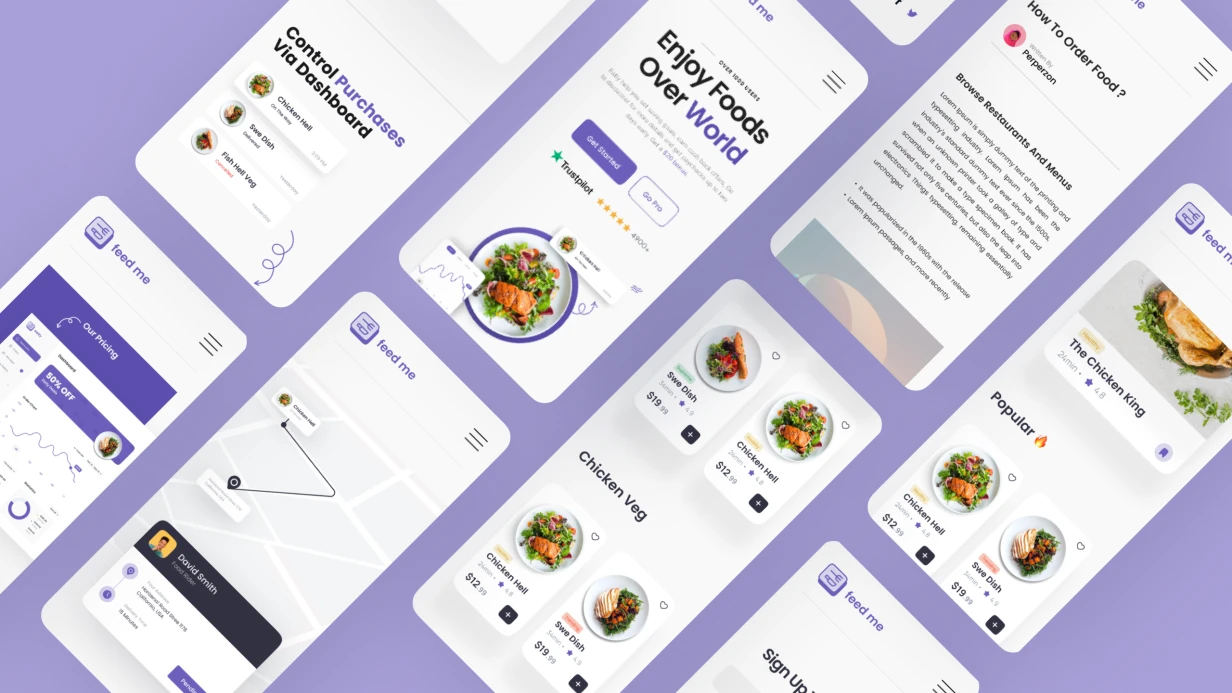
תארו לעצמכם: מחסן עם 500+ יחידות ציוד, מנהלים שמבזבזים שעות על הזמנות צולבות, ולקוחות שמתלוננים על כפילויות. ניהול חשבונאות קלאסי מבוסס Excel גורם ל-30% שגיאות במלאי. פיתחנו אפליקציה סלולרית סוהרת שמבטלת את הבעיות האלה: ספירת מלאי באמצעות QR, הזמנה אוטומטית בזמן אמת, ותיעוד צילומי של מצב הציוד. המערכת בנויה על Swift 5.9+ עבור iOS, Kotlin Jetpack Compose עבור Android, ו-Python FastAPI בשרת. הנתונים מסונכרנים באמצעות GraphQL ו-Firebase Cloud Messaging. ניהול ההשכרה הופך לשקוף: כל פעולה מתועדת, ולקוחות רואים זמינות ציוד אמיתית. באמצעות אוטומציה, החברה חוסכת עד $18k–26k בשנה עם צי של 500+ יחידות. הניסיון שצברנו אפשר לנו להשיק 12 פתרונות דומים למחסנים בטווח של 100 עד 2000 יחידות. ROI ממוצע הוא 4 חודשים בזכות הפחתת זמן השבתה וביטול קונפליקטים. נעריך את הפרויקט שלכם תוך יומיים. צרו קשר כדי ללמוד כיצד להאיץ את תהליך הקופה פי 5.
אילו בעיות האפליקציה פותרת?
אובדן ציוד ושגיאות חשבונאות
ללא מערכת, כל יחידה דורשת הזנה ידנית. הניסיון שלנו מראה שיישום ספירת מלאי באמצעות QR מפחית אובדן ב-95%. לפי סטטיסטיקות, 60% ממחלוקות ההחזרה נפתרות בזכות תיעוד צילומי.
הזמנות כפולות והזמנות שאבדו
קונפליקטים בהזמנות הם כאב ראש נפוץ. בדיקת זמינות אוטומטית עם נעילת תאריכים בזמן אמת מבטלת חפיפות. נעילה אופטימית בצד השרת מספקת תגובה מיידית: 200 OK או 409 Conflict.
מחלוקות בעת החזרת ציוד
תיעוד צילומי של המצב לפני ואחרי ההשכרה הוא הוכחה ברזל לשלמות. האפליקציה דוחסת תמונות תוך שמירה על EXIF ומצרפת אותן לחוזה.
תפקיד התיעוד הצילומי בקופה
לפני הקופה, המפעיל מצלם את הציוד. התמונות מצורפות לחוזה כראיה למצב. זה קריטי לפתרון מחלוקות בעת החזרה.
// Android: CameraX для фотофиксации состояния
private fun takeHandoverPhoto() {
    val imageCapture = imageCapture ?: return
    val outputOptions = ImageCapture.OutputFileOptions.Builder(
        createTempFile("handover_${System.currentTimeMillis()}", ".jpg")
    ).build()
    imageCapture.takePicture(
        outputOptions,
        ContextCompat.getMainExecutor(this),
        object : ImageCapture.OnImageSavedCallback {
            override fun onImageSaved(output: ImageCapture.OutputFileResults) {
                val photoFile = output.savedUri?.toFile() ?: return
                viewModel.addHandoverPhoto(photoFile, currentRentalId)
            }
            override fun onError(exception: ImageCaptureException) {
                showError("Ошибка съёмки: ${exception.message}")
            }
        }
    )
}
התמונות נדחסות ל-1200px בצד הארוך לפני העלאה לשרת—התמונה המקורית של 12MP 4MB מוגזמת למטרה זו.
איך עובדת ספירת מלאי באמצעות QR?
כל ציוד מקבל מזהה ייחודי—מדבקת QR או ברקוד המוצמדת לגוף. המפעיל סורק אותה לקופה ולהחזרה:
// iOS: быстрый скан через AVCaptureSession
class BarcodeScannerViewController: UIViewController, AVCaptureMetadataOutputObjectsDelegate {
    func setupCapture() {
        let session = AVCaptureSession()
        guard let device = AVCaptureDevice.default(for: .video),
              let input = try? AVCaptureDeviceInput(device: device) else { return }
        session.addInput(input)
        let output = AVCaptureMetadataOutput()
        session.addOutput(output)
        output.setMetadataObjectsDelegate(self, queue: .main)
        output.metadataObjectTypes = [.qr, .code128, .ean13]
        let previewLayer = AVCaptureVideoPreviewLayer(session: session)
        previewLayer.frame = view.bounds
        view.layer.addSublayer(previewLayer)
        session.startRunning()
    }
    func metadataOutput(
        _ output: AVCaptureMetadataOutput,
        didOutput metadataObjects: [AVMetadataObject],
        from connection: AVCaptureConnection
    ) {
        guard let readableCode = metadataObjects.first as? AVMetadataMachineReadableCodeObject,
              let assetId = readableCode.stringValue else { return }
        AudioServicesPlaySystemSound(SystemSoundID(kSystemSoundID_Vibrate))
        loadEquipmentDetails(assetId: assetId)
    }
}
לאחר הסריקה, האפליקציה מציגה כרטיס ציוד: שם, מספר סידורי, סטטוס נוכחי (AVAILABLE / RENTED / MAINTENANCE), היסטוריית השכרות.
השוואה: הזנה ידנית מול סריקת QR
| קריטריון | הזנה ידנית | סריקת QR |
|---|---|---|
| זמן ליחידה | 15–30 שניות | 1–2 שניות |
| שגיאות הזנה | 5–10% | <0.1% |
| הכשרת מפעיל | שעה | 5 דקות |
סריקת QR מהירה פי 15 מהזנה ידנית—זה מאיץ את הקופה פי 5.
איך למנוע הזמנות כפולות?
אפליקציית הלקוח מציגה לוח זמינות. חפיפות אינן מותרות. לוגיקת הבדיקה נמצאת בשרת, אך ממשק המשתמש חוסם תאריכים תפוסים:
// iOS: DatePicker с недоступными датами
func configureDatePicker(unavailableDates: [DateInterval]) {
    datePicker.minimumDate = Date()
    // Для более гибкого контроля используем кастомный calendar component
    // с блокировкой конкретных диапазонов
    calendarView.disabledDateRanges = unavailableDates.map { CalendarDateRange(start: $0.start, end: $0.end) }
}
במקרה של הזמנה במקביל (שני משתמשים שמנסים להזמין בו-זמנית), נעילה אופטימית בצד השרת: הראשון מקבל אישור, השני מקבל שגיאת 409 Conflict עם הצעה לבחור תאריכים אחרים.
איך מחושבת עלות ההשכרה?
תעריפים יכולים להיות שעתיים, יומיים או משולבים. חישוב בצד השרת:
def calculate_rental_cost( equipment: Equipment, start_date: datetime, end_date: datetime ) -> Decimal:
    duration = end_date - start_date
    hours = duration.total_seconds() / 3600
    if hours <= 4:
        return equipment.hourly_rate * Decimal(str(hours))
    elif hours <= 24:
        return equipment.daily_rate # посуточная ставка выгоднее
    else:
        days = math.ceil(hours / 24)
        return equipment.daily_rate * Decimal(str(days))
האפליקציה מציגה את החישוב בזמן אמת כשהתאריכים משתנים—באמצעות בקשת API עם debounce או חישוב מקומי עם אותם כללים.
פיקדון וערבון
עבור ציוד יקר, נדרש פיקדון. השיטה: בעת ההזמנה, הסכום נחסם בכרטיס (החזקת אישור); בעת החזרה במצב תקין, הוא משוחרר (void); במקרה של נזק, הוא נגבה (capture).
// Stripe: authorization-only payment intent
let params = STPPaymentIntentParams(clientSecret: clientSecret)
params.captureMethod = .manual // захватим позже при необходимости
STPPaymentHandler.shared().confirmPayment(params, with: self) { status, intent, error in
    // intent.id сохраняем — нужен для capture или void при возврате
}
תהליך העבודה
- אנליטיקה—חקר תהליכים עסקיים, הסכמה על אב-טיפוס.
- עיצוב—עיצוב UX/UI, ארכיטקטורת מסד נתונים.
- פיתוח—iOS (Swift 5.9+, SwiftUI), Android (Kotlin, Jetpack Compose), שרת (Python/FastAPI).
- בדיקות—בדיקות יחידה, אינטגרציה עם App Store Connect ו-Google Play Console.
- פריסה—פרסום בחנויות, הגדרת התראות push (APNs/FCM).
משך שלבים אופייני
| שלב | משך |
|---|---|
| אנליטיקה ואב-טיפוס | 1–2 שבועות |
| עיצוב (UX/UI) | 2–3 שבועות |
| פיתוח אפליקציה סלולרית (iOS + Android) | 4–6 שבועות |
| בקאנד ואינטגרציה | 2–3 שבועות |
| בדיקות ופריסה | 1–2 שבועות |
מה כלול בעבודה
- קוד מקור ותיעוד API.
- גישה לבקאנד ולפאנל ניהול.
- הכשרת מפעילים (שעתיים).
- תמיכה טכנית ל-30 יום לאחר ההשקה.
- סיוע בעמידה בהנחיות App Store Review (סעיף 4.2/5.1).
טעויות יישום אופייניות: הזנחת הגדרת הרשאות מבוססות תפקיד (מפעיל מול מנהל), חוסר בדיקות בתנאי אות חלש—קריטי לסריקת QR, התעלמות מדרישות אחסון נתונים אישיים (GDPR/152-FZ). הניסיון שלנו עוזר להימנע מאלה—אנו משלבים הגדרות נכונות בשלב העיצוב.
הערכות זמן
גרסה בסיסית (קטלוג, הזמנה, ספירת מלאי QR, תשלום): 5–7 שבועות. מודול מפעיל עם תיעוד צילומי וחוזים: עוד 2–3 שבועות. העלות מחושבת באופן אישי, אך החיסכון מהיישום מגיע ל-$18k–26k בשנה למחסן ממוצע.
אנחנו צוות עם ניסיון של למעלה מ-7 שנים בפיתוח פתרונות השכרה סלולריים. אנו מבטיחים מעבר ב-App Store Review וב-Google Play. קבלו ייעוץ לפרויקט שלכם—נכין הצעה מסחרית תוך יומיים.