

סימולטורי VR לעיבוד עץ: המחיר של טעות גבוה מדי
בקו ייצור לעיבוד עץ, טעות עולה ביוקר: מהירויות מכונה גבוהות, כלים חדים, אבק עץ וקצב עבודה תובעני. אפילו עובד מנוסה יכול לאבד ריכוז—ואז יש פציעה, השבתת קו וחקירה של המפקח.
הפסדים ישירים מהשבתה וקנסות הם רק קצה הקרחון: המוניטין של החברה נפגע, תחלופת העובדים עולה, ועובדים חדשים מגיעים עם הרגלים מסוכנים שכבר נוצרו.
תדריכי בטיחות קלאסיים אינם מספיקים—שינון פוסטרים לא מאפשר לאדם לחוות את המצב. לכן אנחנו מעבירים את הדרכת הבטיחות התעסוקתית למציאות מדומה.
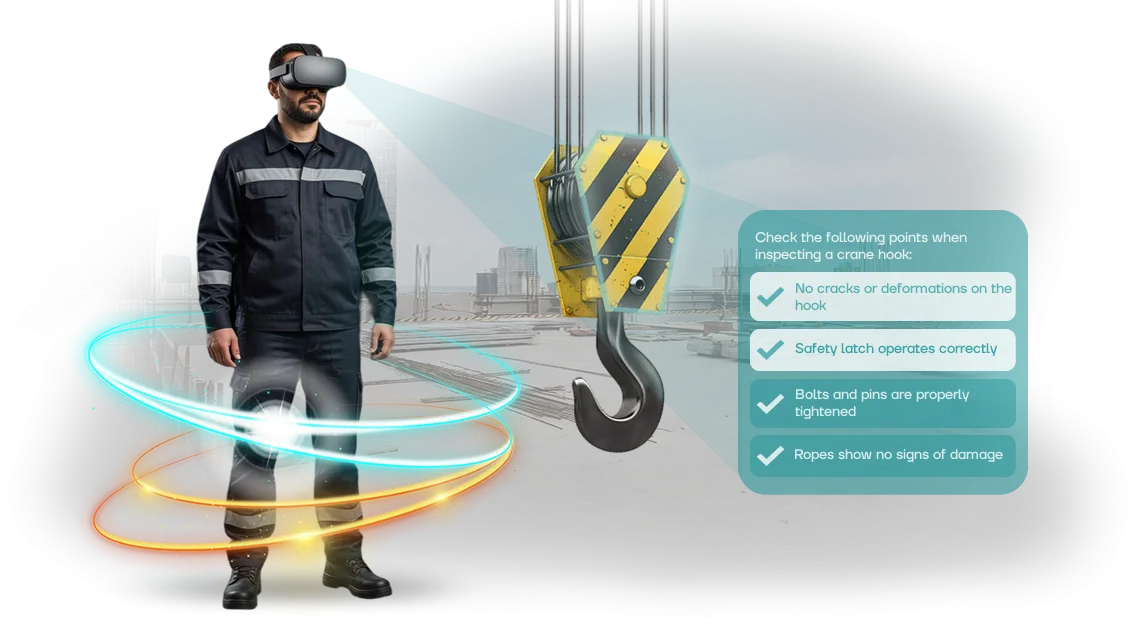
אימון VR בסימולטורי עיבוד עץ מטביע עובד בסדנה מציאותית שבה הם מתרגלים טכניקות בטיחות, לומדים לזהות סיכונים ולפעול ללא פאניקה במצב חירום. כל זה קורה ללא איום על הבריאות וללא הפרעה לייצור.
התועלת העסקית ברורה: עובדים צוברים ניסיון שבעבר ניתן היה להשיג רק באמצעות טעויות. החברה מקבלת רמה צפויה של בטיחות תעשייתית, שיעורי פציעות נמוכים יותר, וכתוצאה מכך פחות בדיקות וקנסות. מנהלים רואים את התוצאה: כוח אדם מיומן, נהלים ברורים ובדיקות ללא תקלות.
אנחנו מטפלים בכל המחזור: אנו מנתחים את המאפיינים הספציפיים של החברה שלך, מפתחים תרחישים על בסיס הציוד בפועל, משלבים את הסימולטורים בתוכנית התדריכים הקיימת שלך ותומכים בתוצאות.
כך, אתם מכסים את הסיכונים העיקריים בעיבוד עץ—וזוכים למשמעת בטיחות שעובדת כל יום.
אילו יתרונות מקבל הייצור מסימולטורי VR
עיבוד עץ הוא אחד התחומים המועדים לפציעות: מסורים, מכונות ומנגנונים נעים יוצרים סיכונים בכל עמדת עבודה. אפילו פער קטן בהכשרה יכול להוביל לתאונה חמורה.
סימולטורי VR מציבים עובד בסדנה וירטואלית שבה הם לומדים לפעול בבטחה ללא איום אמיתי.
הפחתת פציעות
העובד נכנס לתרחישים שלא ניתן לדמות בכיתה רגילה: תקלת מכונה פתאומית, עשן, כיבוי חירום של הקו. הם לומדים לשים לב לסכנה ולהגיב תוך שניות.
בשטח הייצור, זה מפחית ישירות את מספר התאונות—ולכן מקצר השבתות, תשלומי פיצויים ובדיקות רגולטוריות.
הכשרה מהירה יותר
תדרוכים מסורתיים נמשכים ימים ומרחיקים אנשים מהעבודה. סימולטור VR דוחס את התהליך לכמה שעות: העובד מיד שוקע בסביבה מציאותית ומתרגל פעולות עד שהן הופכות לאוטומטיות. צוות שהוכשר מהר יותר מגיע למשמרות מוקדם יותר, והידע נשמר לאורך זמן.
חיסכון בתדריכים
לאחר רכישת הסימולטור, העלות של כל מפגש מינימלית: אין צורך בחומרים מתכלים, השכרת אולמות או עמלות מרצה חוזרות. תרחיש וירטואלי אחד מחליף עשרות שעות של תיאוריה ומשמש מאות עובדים. עבור מתקן לעיבוד עץ, זה אומר החזר השקעה מהיר.
מוטיבציה של הצוות
עובדים תופסים אימון VR כגישה מודרנית ומכבדת לבטיחותם. במקום הרצאות משעממות, הם מקבלים מעורבות אינטראקטיבית שמעוררת עניין ורצון להתאמן שוב.
זה מגביר מעורבות ומשמעת—ולכן מפחית את הסיכון להפרות בשטח הייצור בפועל.
פורמטים של אימון VR לעיבוד עץ
אין פתרון אחד שמתאים לכולם להכשרת בטיחות תעסוקתית בעיבוד עץ. חברה אחת צריכה להשלים במהירות תדריך סטנדרטי, בעוד אחרת צריכה לתרגל תגובות למצב חירום במכונה ספציפית.
לכן אנו מציעים מספר פורמטים של אימון VR ועוזרים לכם לבחור את האפשרות שמתאימה ללוחות הזמנים והתקציב שלכם.
| פורמט | למי זה מיועד | מה זה נותן ללקוח |
|---|---|---|
| תרחיש מוכן | חברות שצריכות להשיק אימון תוך 1–2 שבועות | תוכנית VR מוכנה על כללי בטיחות בסיסיים; תוצאות מהירות במחיר קבוע |
| תרחיש סטנדרטי עם התאמה אישית | מתקנים עם צרכים ספציפיים בינוניים: הפריסה שלכם, המכונות שלכם | התוכנית הבסיסית מותאמת לחצרים ולציוד שלכם; עובדים מזהים את הסדנה שלהם ומעבירים מיומנויות לעבודה אמיתית מהר יותר |
| תרחיש אישי | סדנאות גדולות, אזורים מסוכנים, תהליכים לא סטנדרטיים | אזור עיבוד עץ משוחזר במלואו—מגרירה למכונה ועד שריפות; הנהלים הספציפיים שלכם והסיכונים האמיתיים מטופלים |
| מערכת מודולרית | ארגונים עם מספר אתרים | אתם רוכשים רק את התרחישים הדרושים לכל סדנה ומעדכנים אותם כשהתהליכים משתנים; חיסכון בהרחבה |
תמחור שקוף ללא תוספות נסתרות
העלות תלויה בפורמט: פתרון מוכן מתחיל ברמה מינימלית, בעוד תרחיש אישי מחושב עבור האזור הספציפי שלכם. אנחנו תמיד מסיימים את ההערכה לפני ההתחלה—אתם יודעים את הסכום הסופי, לא "טווח" שגדל תוך כדי.
המחיר כולל התאמת תוכנית, ייעוץ ותמיכה טכנית במהלך תקופת ההשקה.
לא בטוחים איזה פורמט מתאים לכם? שלחו לנו תיאור של הסדנה והפעולות האופייניות שלכם—נציע אפשרות שעומדת בדרישות הבטיחות התעסוקתית מבלי לגרום לכם לשלם יותר מדי עבור תכונות מיותרות.
כיצד פועלת הטמעת סימולטור VR
הטמעת סימולטור בטיחות תעסוקתית VR לעיבוד עץ אינה "קופסה שחורה", אלא תהליך ברור עם נקודות בקרה.
ביצענו עשרות פרויקטים כאלה ובנינו נתיב מהבריף הראשוני ועד לאימון יומיומי כך שתמיד תדעו מה קורה ומתי יופיעו תוצאות.
-
בריף וסקר. אנו בוחנים את המצב שלכם: אילו פעולות ייצור קיימות, אילו סיכונים קיימים, כיצד בנוי התדריך הנוכחי ואילו דרישות דיווח חלות.
בהתבסס על זה, אנו מגדירים יעדים וקריטריוני הצלחה—כך שהסימולטור פותר את המשימות האמיתיות של החברה שלכם ולא "טכנולוגיה לשם הטכנולוגיה".
-
תרחיש ותוכנית אימון. יחד עם מומחי הבטיחות התעסוקתית שלכם, אנו כותבים את התרחיש: אזור עבודת עיבוד העץ, מצבים מסוכנים אופייניים ונהלי חירום. אנו מאשרים את החומר לפני תחילת הפיתוח—זה מונע תיקונים בשלבים מאוחרים יותר.
-
פיתוח סימולטור. אנו יוצרים סביבה וירטואלית המשקפת את הייצור שלכם ומלמדת עבודה בטוחה עם מכונות וכלים. אתם מקבלים גרסאות ביניים: אתם רואים איך המוצר נראה ומספקים משוב תוך כדי, לא רק לאחר מסירה סופית.
-
בדיקת פיילוט. אנו בודקים את הסימולטור עם קבוצת עובדים: אוספים את המשוב שלהם, מזהים היכן נוצרים קשיים ומתאימים את התרחיש ואת לוגיקת האימון. עבור עיבוד עץ, זה גם אומר בדיקה מול התקנות והסטנדרטים הפנימיים שלכם.
-
השקה והכשרת מדריכים. אנו מתקינים את המערכת באתר שלכם או מתחברים מרחוק, מוודאים את הציוד ומכינים את המומחים שלכם. לאחר ההשקה, הם יכולים להעביר אימונים בעצמם ולראות תוצאות מהמפגשים שהושלמו.
-
תמיכה ופיתוח. אנו מספקים תמיכה טכנית שוטפת: אנו עוקבים אחר יציבות, מסייעים בעדכונים ומשנים תרחישים אם תהליכי הייצור או דרישות הבטיחות שלכם משתנים. אתם לא נשארים לבד עם הסימולטור לאחר ההשקה.
גישה זו מספקת תוצאה צפויה: לוחות זמנים ברורים, ללא הפתעות בהתחלה, וסימולטור שמשולב במערכת ההכשרה שלכם ולא "תלוי" כניסוי נפרד.
מה כלול בחבילת סימולטור ה-VR
עבור מפעל לעיבוד עץ, סימולטור VR הוא בעל ערך כי הוא נותן לעובדים ניסיון עם מצבים מסוכנים ללא סיכון אמיתי. כדי לחסוך מכם חיפוש אחר ציוד נוסף, אנו מספקים חבילה מלאה להשקת אימון.
החבילה כוללת:
-
תרחישי VR המותאמים למאפייני עיבוד עץ: הפעלת מכונות, החלפת סכינים, תחזוקת ציוד ופעולות במצבי חירום עם עשן. הסיכונים המדויקים הקיימים בסדנה שלכם מתורגלים.
-
ציוד VR מקצועי: משקפי standalone עם בקרים שאינם דורשים מחשבים חזקים. ניתן לבצע אימון בחדר התדריכים ללא הפסקת ייצור.
-
מערכת ניהול למידה: הקצאת קורסים, מעקב אחר התקדמות וקבלת דוחות על אישור עובדים לעבודה עצמאית.
-
הוראות וחומרים מתודולוגיים: מדריכי מדריך שלב אחר שלב, תזכורות לעובדים ותבניות ליומנים ורישומים—אין צורך לפתח דבר מאפס.
-
הכשרה לצוות שלכם: אנו מתקינים את הציוד, עורכים הדגמה ומעבירים מיומנויות למדריכים שלכם. לאחר מכן, אתם משיקים מפגשי אימון בעצמכם.
-
אחריות ותמיכה לאחר: עדכוני תרחישים, ייעוץ ותיקון או החלפת ציוד במהלך תקופת האחריות.
חבילה זו מכסה את כל הצרכים שלכם: קנו, התקינו, התחילו באימון. אין צורך לקנות שום דבר נוסף או למצוא קבלנים—אתם מקבלים מערכת עבודה מלאה.
תוצאות הטמעה: מקרה בוחן של לקוח
תאונות במפעלי עיבוד עץ עולות ביוקר: פציעות ידיים, כוויות, השבתת ציוד ותשלומי ביטוח. באחד הפרויקטים שלנו—מפעל רהיטים עם 600 עובדים—תועדו 12–15 תקריות עם השבתת סדנאות בכל שנה.
הכשרת בטיחות תעסוקתית מסורתית בצורת הרצאות ומבחנים לא הפחיתה את המספר: אנשים לא הבינו כיצד מכונה מסוכנת פועלת בפועל.
הצענו להחליף חלק מהתדריכים בתרחישי VR: הגדרת מסור עגול, החלפת להב, ניקוי נסורת ללא עצירת המכונה ופעולות במהלך שריפה.
בסימולטור, כל פעולה מסוכנת מעוררת תגובה מיידית—העובד "רואה" את ההשלכות ללא סיכון.
תוך חודש, 300 עובדים משתי המשמרות השלימו את האימון הווירטואלי, ובסך הכל בוצעו 480 מפגשי אימון—ללא הפרעה לייצור.
מפעל הרהיטים "Russky Les" סיכם את התוצאות לאחר 6 חודשים: הפציעות ירדו ב-42%, ומספר המיקרוטראומות כמעט נחתך בחצי.
הזמן הנדרש להכשרת מפעיל אחד ירד מ-4 שעות ל-1.5, בעוד ההבנה על בסיס שאלות בקרה עלתה מ-60% ל-95%. עובדים חדשים החלו לעבוד 3 ימים מוקדם יותר—אפקט כלכלי ישיר למפעל.
חיסכון בזמן עבודה הסתכם ב-900 שעות אדם במשך שישה חודשים. בדיקה חוזרת לאחר 3 חודשים הראתה שמיומנויות ה-VR נשמרו ב-30% טוב יותר מאשר לאחר הרצאה רגילה.
הלקוח ראה תוצאות בחודש הראשון, ולכן לאחר הפיילוט הם הזמינו הרחבה של התוכנית לסדנת האריזה ולמחסן—וכתוצאה מכך חוזה חוזר.
בנוסף לפחות פציעות, החברה שמה לב שתחלופת העובדים באזורים מסוכנים ירדה ברבע: עובדים מעריכים את הדאגה לבטיחות.
אנחנו עכשיו מכינים הערכת חיסכון על בסיס הנתונים של החברה שלכם—רק ספרו לנו את מספר העובדים ואת המאפיינים של האזורים שלכם, ותקבלו הערכה קונקרטית של הפחתת פציעות.
שאלות נפוצות על סימולטורי VR לעיבוד עץ
הטמעת סימולטורי VR בייצור עיבוד עץ מעלה שאלות מובנות: האם הציוד יתקלקל, האם עובדים יסרבו ללמוד, מי יתמוך בפרויקט לאחר ההשקה? הספקות הללו נפתרים במהלך ההתקנה ולאורך השימוש. אנו עונים על השאלות המרכזיות כדי שתוכלו לראות כיצד האימון יעבוד במתקן שלכם.
עבור עיבוד עץ, בטיחות אינה פורמליות אלא דרך להימנע מפציעות, השבתות וקנסות. סימולטור VR מאפשר לעובד לחוות בבטחה מצב מסוכן לפני שהוא קורה במכונה אמיתית.
התרחישים משקפים את הפעולות הספציפיות שלכם—מעבודה עם מסורים עגולים ועד הגנה על דרכי הנשימה.
האם קשה להטמיע סימולטור VR בייצור?
לא. אנו מתאימים את התרחישים למכונות ולפעולות שלכם. ההתקנה אורכת יום או יומיים, ועובדים מתחילים באימון בשבוע הראשון. אין צורך לעצור את הייצור—הכל קורה בזרימת העבודה הרגילה.
מה עם עובדים שמעולם לא השתמשו ב-VR?
כל מה שהם צריכים לעשות זה לשים משקף ולתפוס את הבקרים. אנו נותנים הקדמה קצרה—רוב האנשים תופסים את העניין תוך 15–20 דקות. התרחיש כולל הנחיות על המסך, כך שהמשתמש לא הולך לאיבוד אפילו במצב מלחיץ.
האם הסימולטור יתאים למתקן הייצור שלנו?
כן, התרחישים מתוכננים סביב המכונות והשגיאות האופייניות שלכם: תחזוקת להבי מסור, עבודה עם כרסום, ניקוי נסורת ושימוש בציוד מגן אישי. אנו דנים במקרים אמיתיים עם המומחים שלכם ומעבירים אותם לסביבה הווירטואלית. במידת הצורך, אנו מוסיפים פרטים ספציפיים לסדנה: פריסה, סימון ונהלים.
אילו ערבויות ותמיכה ניתנות לאחר ההשקה?
לאחר ההטמעה, אנו נשארים בקשר: אנו מעדכנים תרחישים, עוזרים בהכנת דוחות השלמת אימון ועונים על שאלות עובדים. התמיכה לא מסתיימת ביום המסירה—אתם עובדים איתנו על בסיס שוטף.
הזמינו סימולטור VR למתקן הייצור שלכם
כל סדנת עיבוד עץ היא ייחודית: מכונות משלה, פריסה, הוראות וטעויות אופייניות של עובדים. לכן אנחנו לא מציעים מוצר "מוכן", אלא מפתחים סימולטור VR לתהליכי הייצור, הסיכונים והתקנות שלכם.
לאחר פנייתכם, אתם מקבלים לא רק מצגת אלא תוכנית ברורה: מה נאמן, על איזה ציוד, כמה עובדים יכוסו ומתי נשיק. לאחר מכן, יש תמיכה מלאה כך שהסימולטור באמת עובד בתוך מערכת ההכשרה שלכם.
מה כלול בעבודה לאחר בקשתכם:
- ייעוץ: אנו בוחנים את תוכנית ההכשרה הנוכחית שלכם ומזהים היכן ל-VR יכולה להיות השפעה מהירה.
- הערכת פרויקט: לוחות זמנים ועלות מדויקים המותאמים להיקף הייצור שלכם—מ-20 עד 500+ עובדים.
- תרחיש אישי: אנו מדמים את המכונות, הסדנאות ומצבי החירום שלכם—מעבודה עם מסור ועד פעולות במהלך שריפה.
- חבילת הכשרה מלאה: הוראות יסודיות, מעקב תוצאות ודיווח ניהולי.
- הכשרת המדריכים שלכם: הם יכולים להעביר מפגשים בעצמם ולשנות תרחישים ללא מעורבות מפתחים.
- הטמעה ותמיכה: אנו עוזרים בתזמון, השקת פיילוט ותמיכה בכל שלב.
השאירו בקשה באתר או התקשרו אלינו—תוך יום עסקים אחד נכין הערכה למשימה שלכם. תקבלו הצעה מסחרית ברורה, לא הבטחות מעורפלות, ותוכלו להשיק את הפרויקט העונה.
כיצד לבחור את פורמט אימון ה-VR המתאים?
בחירת פורמט אימון VR תלויה לא בטכנולוגיה אופנתית אלא בצרכים הספציפיים של הייצור שלכם. אם העובדים שלכם צריכים לרענן את ידיעות הבטיחות שלהם באופן קבוע, מודולים אינטראקטיביים קצרים של 10–15 דקות מתאימים.
אם הם צריכים לתרגל פעולות במצבי חירום נדירים, אתם זקוקים לתרחישים מלאים עם טבילה וניתוח שגיאות.
הקריטריונים המרכזיים הם מספר האנשים להכשרה, המאפיינים של תהליך עיבוד העץ ותדירות עדכון ההוראות.
עבור זרם גדול של עובדים, פורמטים קבוצתיים עם רוטציה אוטומטית של תרחישים יעילים; עבור עובדים מתמחים, מפגשי אימון אישיים עם משוב מפורט טובים יותר.
חשוב שהאימון ישתלב בלוח הזמנים של העבודה ולא ידרוש עצירת ייצור.
הסתכלו על תהליך ההכשרה הנוכחי שלכם: מה לוקח הכי הרבה זמן, היכן מתרחשות שגיאות לרוב, אילו פעולות הן המסוכנות ביותר?
התשובות לשאלות אלה קובעות אם אתם צריכים פורמט עם טבילה מלאה בסדנה וירטואלית או שמודל של מכונה אחת מספיק. הפורמט הנכון הוא זה שמטפל בסיכונים הספציפיים שלכם, לא רק מרשים את העובדים.
אנו עוזרים לבחור אפשרות המתאימה למשימות החברה שלכם כבר בשלב הבריף: אנו מעריכים את מספר הצוות, מורכבות התפעול והתקנות הקיימות.
כתוצאה מכך, אתם מקבלים לא סימולטור VR מופשט אלא כלי שמפחית פציעות ומאיץ קליטת עובדים חדשים. בסופו של דבר, האימון מפסיק להיות פורמליות והופך לחלק מתרבות הבטיחות בייצור שלכם.