

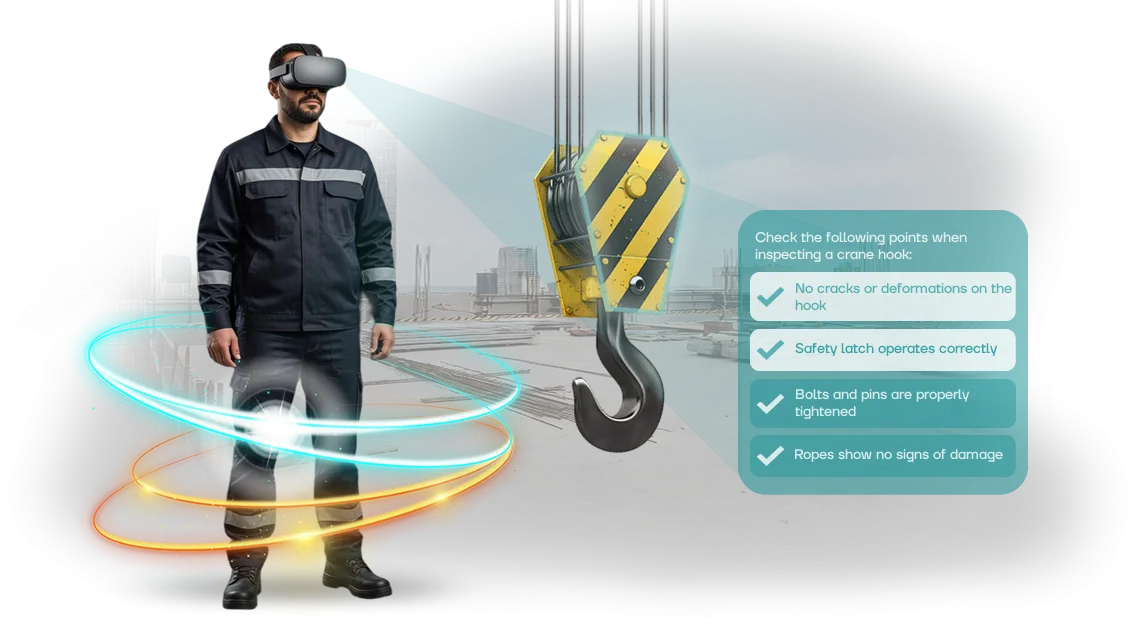
הדרכת VR לאוניברסיטאות: למה תרגול חשוב יותר מהרצאות
הכשרת בטיחות תעסוקתית מסורתית באוניברסיטאות מסתכמת בדרך כלל בהרצאות ומבחנים סטנדרטיים.
סטודנטים משננים את החוקים אך אף פעם לא נתקלים בסכנה אמיתית, כך שכשהם נכנסים למקום העבודה, הבוגרים הולכים לאיבוד: הם לא יודעים כיצד לפעול במקרה של דליפה, שריפה או תקלת ציוד.
בטיחות תעשייתית היא מיומנות מעשית, לא קבוצה של נקודות תיאורטיות שנשכחות עד היום הראשון לעבודה.
עבור אוניברסיטה, זו אחריות ישירה לאיכות ההכשרה של מהנדסים ומומחים עתידיים. מעסיקים מעריכים בוגרים לפי מוכנותם לפעול במצב לא סטנדרטי, לא לפי שורה בתעודה.
אם סטודנט לא יכול להעריך סיכון בסביבה אמיתית, זה פוגע במוניטין של האוניברסיטה ובבטיחות העובדים בחברות שבהן הבוגרים הולכים לעבוד.
הדרכת VR לבטיחות תעסוקתית פותרת בעיה זו. סטודנטים מתרגלים את פעולותיהם בסביבה וירטואלית בטוחה הקרובה ככל האפשר לסדנה, אתר בנייה או מתקן אנרגיה.
הקורס משחזר תרחישים אמיתיים: פינוי, עבודה עם ציוד ופעולות במהלך תאונה. זה בונה מיומנויות מעשיות ללא סיכון לחיים ולבריאות — טעות בסימולטור הופכת לניסיון, לא לפציעה.
ההשכלה האוניברסיטאית מקבלת כלי מודרני שמשתלב בתוכניות לימודים ומחליף עמדות הדרכה מיושנות.
סטודנטים צוברים ניסיון שהיה זמין בעבר רק באתר ייצור פעיל, והאוניברסיטה בולטת בין מוסדות חינוך אחרים בעיני מועמדים ומעסיקים שותפים.
תרגול חשוב יותר מהרצאות — זו בדיוק הגישה שהדרכת VR לבטיחות תעשייתית מספקת.
מה הדרכת VR משיגה: מעורבות, שימור ובטיחות
תדריכי בטיחות תעסוקתית מסורתיים הם לרוב פורמליים: עובד מקשיב להרצאה, עובר מבחן, ושבוע לאחר מכן לא זוכר חצי מהדרישות. הסיבה פשוטה — מידע ללא תרגול ורגש לא נשאר בזיכרון.
הדרכת VR פותרת בעיה זו: אדם לא קורא על חוקים אלא חווה את המצב בסביבה וירטואלית בטוחה.
מעורבות העובד במהלך מפגש הדרכת VR גבוהה פי כמה מאשר בכיתה רגילה. אדם מפסיק להיות מאזין פסיבי — הוא מקבל החלטות, רואה את ההשלכות של מעשיו ומגיב לסביבה בזמן אמת. פורמט זה מחזיק תשומת לב לחלוטין, מה שאומר שהחומר נקלט לעומק רב יותר.
שימור החומר הופך ליתרון מרכזי. כשעובד רואה במו עיניו למה מובילה הפרת בטיחות, הוא זוכר את רצף הפעולות לאורך זמן.
אלגוריתם ההתנהגות במצב חירום מתקבע כמיומנות, לא רק כשורה במדריך הוראות.
התוצאה היא הפחתה בתאונות עבודה. עובדים שסיימו הדרכת VR פועלים בביטחון רב יותר במצבים מסוכנים ועושים פחות טעויות.
הם כבר נתקלו בסיכון בסביבה בטוחה, כך שבתנאים אמיתיים הם לא נכנסים לפאניקה ומקבלים החלטות נכונות בזמן.
בטיחות תעסוקתית עבור חברה משמעותה גם שמירה על בריאות האנשים וגם הגנה מפני השבתות, קנסות והפסדים מוניטיים.
שילוב סימולטורי VR בתוכניות הכשרה, כולל הכשרה אוניברסיטאית של מומחים, בונה תרבות בטיחות כבר מתחילת הקריירה.
אנו יוצרים פתרון ברור ונוח הן לסטודנטים והן לעובדים נוכחיים — עם ציוד מקצועי שמספק תוצאות יציבות וצפויות.
פורמטים של סימולטור VR לאוניברסיטאות, ארגונים ומרכזי הכשרה
לאוניברסיטאות, ארגונים ומרכזי הכשרה יש מטרות שונות: חלקם צריכים לכסות הכשרה מתוכננת של מאות סטודנטים, אחרים צריכים תרגול חירום של פעולות במצבים לא סטנדרטיים.
לכן פיתחנו שלושה פורמטים של סימולטור VR הנבדלים בעומק הטבילה, היקף התוכנית ורמת המעורבות. כולם בנויים על תרחישי בטיחות תעסוקתית אמיתיים ופועלים על ציוד מקצועי, מה שמבטיח תוצאות יציבות.
אתם בוחרים את הפורמט שמתאים למשימה ולתקציב שלכם, ואנחנו מתאימים את התוכן לפרטים הספציפיים שלכם — מאתר בנייה ועד ייצור כימי.
התוצאה זהה: עובדים וסטודנטים פועלים בביטחון רב יותר, טעויות מנותחות בסביבה בטוחה, ושימור החומר גבוה באופן ניכר בהשוואה להרצאות רגילות.
| פורמט | למי | מה זה נותן ללקוח |
|---|---|---|
| טבילה מלאה | אוניברסיטאות, מרכזי הכשרה | סטודנטים עוברים תרחיש "כמו בחיים האמיתיים" — מתדריך ועד ניהול השלכות. תוכנית הלימודים הופכת ויזואלית, והעניין במקצוע גובר. |
| תוכניות מודולריות | ארגונים עם הכשרה שוטפת | מערכת של בלוקים קצרים שמתאימים ללוחות הזמנים של העובדים. אין צורך לעצור את הסדנה — ההכשרה מתבצעת ללא הפרעה לתהליך העבודה. |
| תרחישים עצמאיים | ארגונים, מרכזי הכשרה | תרגול מהיר של מיומנות ספציפית — למשל, פעולות במהלך שריפה או בעבודה עם ציוד. תרחיש אחד מכסה מצב קריטי אחד. |
גישה זו מכסה תדריכים מתוכננים, בדיקות ידע לא מתוזמנות והכנה למבחני בטיחות תעסוקתית. אתם רק בוחרים את הפורמט — אנחנו מטפלים בשאר: מפיתוח החלל הווירטואלי ועד השקת הסימולטור והכשרת מדריכים.
איך אנחנו יוצרים סימולטור VR: מהבריף ועד ההשקה
אוניברסיטה מזמינה סימולטור VR כדי שסטודנטים ילמדו לפעול במצב מסוכן, לא רק לשנן חוקים. אנחנו שומרים על תהליך שקוף: אתם שולטים בכל שלב ומבצעים שינויים לפני ההשקה. תהליך עבודה מכוונן היטב מאפשר לנו למסור את הפרויקט בזמן וללא הפתעות.
-
בריף וניתוח. אנו לומדים את תוכנית הלימודים שלכם, תקנות הבטיחות התעסוקתית ותקריות אמיתיות במקום העבודה. אנו מתעדים אילו מיומנויות סטודנטים חייבים לתרגל וכיצד הסימולטור ישתלב בתוכנית הלימודים.
-
אישור תרחיש. יחד עם מדריכים ומומחי בטיחות, אנו כותבים את המצב ההתחלתי, פעולות הסטודנט, השלכות הטעויות ומערכת הערכה. אתם מאשרים את התרחיש לפני תחילת הפיתוח — בשלב זה, שינויים לא עולים כלום.
-
עיצוב חלל. אנו יוצרים גרסת תלת-ממד של האתר שלכם: סדנה, מעבדה, אתר בנייה. הסביבות קרובות למקומות העבודה האמיתיים של הבוגרים כך שהעברת המיומנויות היא מקסימלית.
-
פיתוח סימולטור VR. אנו מתכנתים את הלוגיקה, התגובות לכל פעולה, רמזים ורישום סטטיסטיקות. אנו משתמשים בכלי פיתוח מוכחים, כך שהסימולטור פועל ללא תקלות גם במהלך מפגשים ארוכים.
-
בדיקות עם סטודנטים. קבוצת פיילוט עוברת את ההכשרה, ואנחנו מנתחים טעויות אופייניות ואוספים משוב. אנו משכללים את התרחיש לפני שהסימולטור נכנס לתוכנית הלימודים.
-
השקת הכשרה. אנו מתקינים את הסימולטור, מגדירים תחנות עבודה, מאמנים מדריכים ומספקים חומרים מתודולוגיים. סטודנטים מתחילים לתרגל מיומנויות מיד לאחר תדריך קצר.
-
תמיכה ופיתוח. אנו מעדכנים תרחישים כדי לעמוד בדרישות חדשות, מוסיפים מצבים לפי בקשותיכם ומסייעים בכל בעיה טכנית לאורך כל תקופת השימוש בסימולטור.
מה כלול במסירת סימולטור VR
אנו מספקים לא רק סימולטור וירטואלי אלא חבילה מלאה לתהליך החינוכי של האוניברסיטה. המסירה כוללת כל מה שצריך כדי שמדריך יתחיל שיעורים בשבוע הראשון: תרחישים מוכנים, חומרים מתודולוגיים, פאנל בקרה והוראות. להלן בדיוק מה אתם מקבלים וכיצד זה עובד בפועל.
- תרחישי VR מוכנים לבטיחות תעסוקתית ובטיחות תעשייתית. התרחישים מדמים מצבי עבודה אמיתיים: מהתניידות בסדנה ועד פעולות במהלך תאונה. הם כבר נבדקו ואינם דורשים שכלול — אפשר להשתמש בהם בשיעורים מיד.
- חומרים מתודולוגיים למדריך. מערכי שיעור, שאלות חזרה וקריטריוני הערכה — כל התוכנית מיושרת עם דרישות הכשרת בטיחות תעסוקתית סטנדרטיות. המדריך לא צריך לבנות תוכנית מאפס.
- מדריך למדריך. מדריך שלב-אחר-שלב: איך להכין את הכיתה, להגדיר ציוד, להפעיל את המפגש ולסקור טעויות של סטודנטים. זה ברור אפילו למי שעובד עם מציאות מדומה בפעם הראשונה.
- פאנל בקרה. המדריך רואה את ההתקדמות של כל סטודנט: מספר ניסיונות, טעויות וזמן השלמה. זה נוח למעקב אחר ביצועים ולדיווח.
- חומרי הכשרה לסטודנטים. סרטונים קצרים ודפי עזר עוזרים לסטודנטים להתכונן מראש, כך שיותר זמן שיעור מוקדש לתרגול ולא להסברת תיאוריה.
- עדכוני תוכן. אנו מעדכנים תרחישים באופן שוטף ככל שתקני הבטיחות משתנים, כך שחבילת סימולטור ה-VR נשארת רלוונטית שנה אחר שנה ללא השקעה נוספת.
- תמיכה בהשקה. אנו עוזרים להתקין את המערכת, מאמנים מדריכים ומספקים תמיכה שוטפת לאורך כל תקופת שיתוף הפעולה — זו ערובה לכך שהיישום יעבור חלק.
מקרה בוחן: איך מוסד חינוכי הפחית הפרות
אחת האוניברסיטאות הטכנולוגיות המובילות התמודדה עם האתגר של הפחתת פציעות במהלך הכשרה מעשית. סטודנטים השלימו תדריכי בטיחות תעסוקתית באופן פורמלי ועשו טעויות אופייניות בסימולטורים ובציוד אמיתי.
הצענו ליישם מערך של סימולטורי VR לתרגול תרחישים מסוכנים ללא סיכון לחיים.
תוצאות היישום
במשך שישה חודשים, יותר מ-400 סטודנטים בשנה השנייה והשלישית השלימו את הסימולטורים. מספר ההפרות בעת תרגול מיומנויות על ציוד פיזי ירד ב-35%.
סטודנטים השלימו תרחישי בחינה מהר פי שניים, ו-89% מהמשתתפים עברו את מבחן הבטיחות התעסוקתית הסופי בניסיון הראשון — לפני הפרויקט, נתון זה לא עלה על 60%.
מדריכים ציינו עלייה במעורבות: במקום להקשיב פסיבית להרצאות, סטודנטים מנתחים באופן פעיל את ההשלכות של מעשיהם בסביבה סוחפת.
האוניברסיטה קיבלה סטטיסטיקה מלאה עבור כל סטודנט, מה שאיפשר עבודה ממוקדת על נושאים קשים. בסוף הסמסטר, המחלקה הזמינה מודולים נוספים להתמחויות בסיכון גבוה — המדד הטוב ביותר להצלחת הפרויקט.
משוב לקוח
פחדנו ש-VR הוא רק בידור. התברר שסימולטורים באמת משנים את התנהגות הסטודנטים. הם הפסיקו לדלג על שלבי בטיחות בתרגול, ומדריכים קיבלו כלי להערכה אובייקטיבית של מיומנויות. אנחנו מתכננים להרחיב את התוכנית לכל המחלקות.
מקרה זה מאשר: המכון לטכנולוגיות תעשייתיות השיג תוצאות מדידות בזמן קצר וממשיך לפתח הכשרה איתנו. אם האוניברסיטה שלכם מתמודדת עם אתגרים דומים, אנחנו מוכנים להראות הדגמה ולחשב את ההשפעה עבור התחומים שלכם.
איך לבחור את פורמט סימולטור ה-VR המתאים למשימה שלכם?
אין פורמט אוניברסלי של סימולטור VR — בחירת הפורמט נקבעת על ידי משימת הלמידה והקהל. אם אתם צריכים לתרגל אלגוריתם פעולה לשריפה או מצב חירום, תרחישים עם החלטות מסועפות מתאימים.
להכרות עם ציוד ייצור, סקירה אינטראקטיבית מספיקה. אנו עוזרים להתאים את המשימה שלכם לפורמט האופטימלי כך שההכשרה תניב תוצאות מדידות.
הפרטים של הכשרה אוניברסיטאית חשובים במיוחד. לסטודנטים לעתים קרובות אין ניסיון ייצור, כך שתרחישים צריכים להתחיל בשלבים בסיסיים, לכלול רמזים ולהשתמש במערכת שגיאות סלחנית.
במקביל, הסימולטור חייב להשתלב בתוכנית הלימודים: לפי משך השיעור, מספר חניכים בו-זמנית ושיטות הערכת ידע.
דרישות אישיות כוללות לא רק תוכן אלא גם תנאים טכניים של האתר. אנו מבררים כמה אנשים ישלימו את ההכשרה בסמסטר, האם יש כיתה ייעודית לאזור VR, או האם המפגשים יתקיימו מחוץ לאתר. פרטים אלה משפיעים ישירות על בחירת הציוד ומספר הסימולטורים.
כדי להימנע מתשלום יתר על אפשרויות מיותרות, אני ממליץ להתחיל בייעוץ. ספרו לנו אילו מיומנויות סטודנטים צריכים לרכוש ואיזה פורמט אתם מדמיינים למפגשים — נציע אפשרות מתאימה ובמידת הצורך נתאים תרחישים לפרטי ההכשרה שלכם.
לאחר הייעוץ, תקבלו תוכנית ברורה: פורמט סימולטור, עומק טבילה, מבנה תרחיש ראשוני ולוח זמנים ליישום. גישה זו עוזרת להימנע מקניית פתרון "ארוז" שאינו תואם את הצרכים שלכם.
תשובות לשאלות נפוצות על יישום הדרכת VR
יישום סימולטורי VR באוניברסיטה מעלה לעתים קרובות ספקות: האם יהיה קשה למדריכים, איזה ציוד נדרש, ומי יתמוך במערכת.
אלה חששות נורמליים — אנו תומכים בפרויקטים חינוכיים ושומעים שאלות אלה בכל שלב, לכן אספנו תשובות לנפוצות שבהן.
להלן סקירה קצרה של תהליך היישום, הדרישות הטכניות והתמיכה שלנו. אם השאלה שלכם לא כאן, פשוט כתבו לנו — נדון במקרה שלכם בנפרד.
האם קשה לשלב סימולטורי VR בתהליך החינוכי?
היישום הוא מפתח ביד: אנו בוחרים ציוד שמתאים לתקציב האוניברסיטה, מתקינים ומגדירים את המערכת ומאמנים מדריכים.
בפועל, הדרך מהחוזה לשיעור הראשון אורכת בין כמה ימים לשבועיים — תלוי במספר הקורסים והכיתות.
מהן דרישות הציוד?
אתם צריכים משקפת VR אחת ומחשב עם כרטיס גרפי מתאים — לעתים קרובות החומרה הקיימת של האוניברסיטה מספיקה. אנו עוזרים לקבוע את התצורה ומספר התחנות כך שהסימולטורים יפעלו ביציבות גם תחת לוח זמנים עמוס.
מי יתחזק את הסימולטורים לאחר ההשקה?
לאורך משך הפרויקט, אנו מספקים תמיכה טכנית: אנו עוקבים אחר ביצועים, פותרים בעיות במהירות ומעדכנים תרחישי הכשרה ותוכן. האוניברסיטה מקבלת כלי שעובד באופן אמין מבלי להעמיס על מחלקת ה-IT או להוסיף כוח אדם.
האם מפגשי VR יתאימו ללוח הזמנים?
כן, ההכשרה יכולה להתקיים גם בכיתת VR ייעודית וגם באולם הרצאות רגיל. מפגש אחד אורך 15–30 דקות, כך שהוא משתלב בקלות במסגרת שיעור או הופך לחלק מתרגול. אנו מספקים המלצות לארגון תהליך הלמידה ורצף התרחישים.
מה אם מדריכים לא יודעים לעבוד עם VR?
אנו עורכים תדריך קצר ומספקים חומרים מתודולוגיים. הממשק פשוט: המדריך מפעיל את התרחיש, עוקב אחר התקדמות הסטודנטים ורואה תוצאות סופיות. בדרך כלל מפגש הכשרה אחד מספיק כדי להשתמש בסימולטור בביטחון.
דונו בפרויקט סימולטור ה-VR שלכם — קבלו הערכת עלות
אתם כבר יכולים לראות כיצד סימולטור VR ישתלב בתהליך החינוכי של האוניברסיטה שלכם, אבל נשארות שאלות: כמה זמן ייקח הפיתוח, אילו סצנות נדרשות וכיצד לשלב את הסימולטור עם מערכת הלמידה.
כדי לקבל הערכה מדויקת, אין צורך למלא בריפים ארוכים — פשוט שלחו בקשת פיתוח, ונבחן את המשימות שלכם במהלך ייעוץ.
אנו עובדים עם אוניברסיטאות כבר שנים, כך שאנו מבינים את הפרטים: חומרי הערכה, מעקב אחר התקדמות סטודנטים ועמידה בדרישות בטיחות תעסוקתית חשובים.
לאחר שיחה קצרה, תקבלו הצעה מסחרית עם תוכנית עבודה ברורה — מהתרחיש ועד השקת הפרויקט. ללא שלבים נסתרים וללא עלויות נוספות.
שלחו בקשה וקבלו:
- חישוב עלות מדויק למשימות שלכם, לא הערכת "בערך".
- תוכנית פיתוח עם שלבים ולוחות זמנים — מהבריף ועד השקת הפרויקט.
- ייעוץ בנושא המתודולוגי: כיצד לשלב את הסימולטור בתוכנית ההכשרה.
- המלצות על פורמט סימולטור ה-VR: טבילה מלאה, תרחיש אינטראקטיבי או סימולציית מבחן.
- דוגמאות לעבודה שלנו עבור אוניברסיטאות ומרכזי הכשרה — ראו איך זה נראה בפועל.
- תמיכה בכל השלבים: לאחר ההשקה, אנו נשארים בקשר ועוזרים בעדכונים.
זו לא התחייבות: אנחנו לא "מוכרים" פתרון ספציפי אלא מציעים את האפשרות הטובה ביותר לתקציב ולמטרות הלמידה שלכם. מלאו את הטופס — נגיב תוך יום עסקים אחד.