

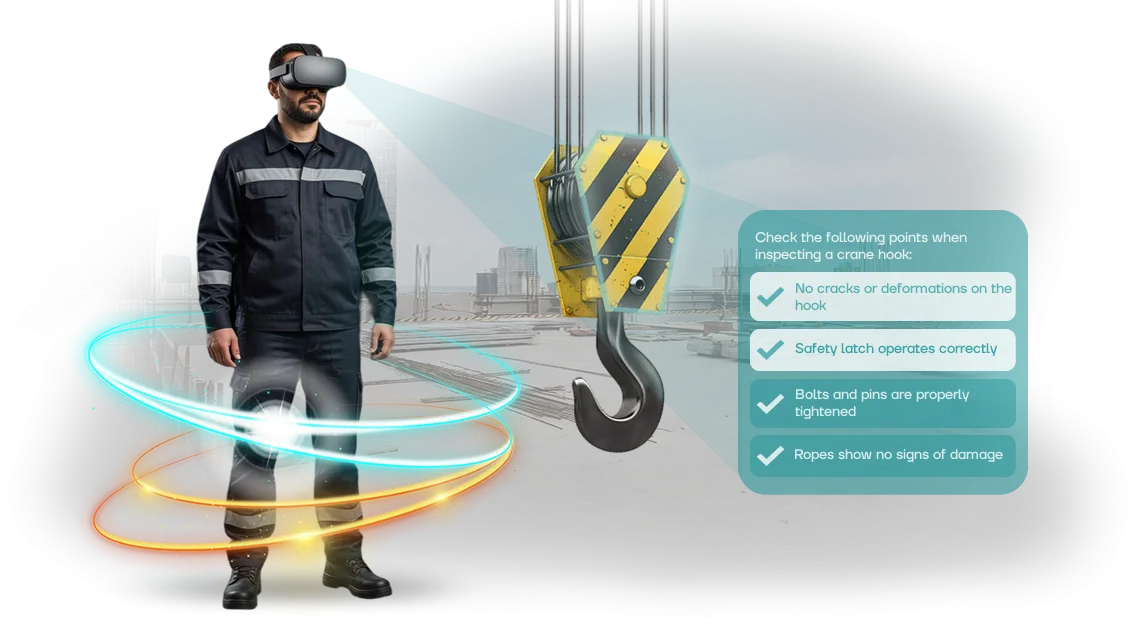
בטיחות בעבודה בתעופה: מחיר הטעות
בתעופה, מחיר הטעות נמדד לא בקנסות, אלא בחיי אדם ובמוניטין. כל תקרית במקום העבודה משמעותה קרקע של טיסות, חקירות, ואובדן אמון מצד נוסעים ושותפים.
רוב התקריות מתרחשות לא בגלל מכונות מורכבות, אלא בגלל הגורם האנושי: עובד החמיץ מפגע, לא הגיב למצב חריג, או פשוט עבר את הדרכת הבטיחות באופן פורמלי.
הדרכת בטיחות בעבודה מסורתית בתעופה מספקת ידע אך לא בונה מיומנויות. הרצאות ומצגות נזכרות בשיעור של 20–30%, ולאחר חודש נשאר אפילו פחות.
העובד יודע את החוקים, אך במצב מלחיץ פועל מתוך הרגל—וההרגל הזה הוא לעתים קרובות מסוכן. זה קריטי במיוחד עבור שירותי קרקע, מהנדסים וצוות שדה התעופה, שבהם כל שניה של היסוס יכולה לעלות ביוקר.
בטיחות תעופתית דורשת שכל עובד לא רק ידע את ההוראות, אלא הפנים אותן עד כדי אוטומטיות. כאן נכנסת הדרכת VR: היא מאפשרת לעובדים לתרגל פעולות בתנאים קרובים ככל האפשר למציאות, ללא סיכון לחיים.
העובד נכנס לסביבה וירטואלית, רואה את המפגע, מקבל החלטה, ומקבל משוב מיידי. חוויה מסוג זה נקלטת הרבה יותר לעומק מאשר קריאת תקנה.
במקביל, סימולטורי VR אינם מחליפים הדרכות בטיחות—הם מחזקים אותן. הם עוזרים לזהות את נקודות התורפה של כל עובד לפני שטעות מובילה לתקרית.
אתה מקבל נתונים אובייקטיביים: מי מגיב איך במצב חירום, היכן חוזרות שגיאות מערכתיות, איזה כוח אדם זקוק להדרכה נוספת. זה כבר לא רק אימון—זה כלי לניהול סיכונים.
אנו מפתחים סימולטורי VR למשימות הספציפיות של מפעל תעופתי: מתרגול תגובה לשריפה ועד פינוי נוסעים. יחד איתך, אנו מזהים את התרחישים הקריטיים ביותר, מתאימים אותם לנוהלים שלך, ומשלבים אותם בתוכנית ההדרכה.
כתוצאה מכך, עובדים מתאמנים עם התעמקות מלאה והבנה אמיתית של ההשלכות של החלטותיהם—ובטיחות בעבודה מפסיקה להיות פורמליות.
מה סימולטור VR נותן לצוות שלך
בתעופה, מחיר הטעות גבוה במיוחד: הפרת כללי בטיחות על הקרקע או בסדנה מובילה לעיכובי טיסות, נזק לציוד, והכי חשוב—סיכון לאנשים.
הגורם האנושי נותר הגורם לרוב התקריות, והדרכות סטנדרטיות אינן מספקות את המיקוד הנדרש. עובד מקשיב להרצאה באופן פורמלי ומאבד את המיומנות תוך מספר שבועות.
סימולטור VR משנה זאת: העובד ממוקם בסביבה ריאליסטית שבה לכל פעולה יש השלכות, והם לומדים לקבל החלטות נכונות לא מתוך זיכרון, אלא ברמת רפלקס.
מעורבות גבוהה משפיעה ישירות על יעילות ההדרכה. בסצנה וירטואלית, אדם שקוע לחלוטין במשימה, שום דבר לא מסיח את תשומת ליבו, והמסירה דמוית המשחק גורמת לחומר להיקלט הרבה יותר טוב מאשר הרצאות קלאסיות.
זה קריטי למקצועות התעופה: בטיחות הנוסעים, שלמות הציוד ומוניטין החברה תלויים במהירות ובדיוק התגובה.
תרגול מיומנויות ללא סיכון אמיתי הוא היתרון המרכזי השני של סימולטורי VR. שריפה, דקומפרסיה, דליפת דלק, עבודה בגובה, פינוי נוסעים—אי אפשר לתרגל תרחישים כאלה במציאות מבלי לסכן חיים או להשתמש בציוד יקר.
סימולטור מאפשר לכל עובד לעבור מצב חירום בסביבה בטוחה, לבנות את אלגוריתם התגובה הנכון עד כדי אוטומטיות, ובכך להפחית פציעות עבודה.
הערכה מיידית של פעולות חוסכת ממנהלים בדיקת ידע ידנית. המערכת מתעדת כל פעולה, זמן תגובה וטעויות שנעשו, ולאחר מכן מייצרת דוח ברור לאחר התרגיל.
אתה רואה אילו עובדים באמת מוכנים למצב חריג ואילו זקוקים להדרכה נוספת, ויכול להתאים את תוכנית ההדרכה בדיוק. זהו בקרת ידע שקופה שאינה דורשת הוצאת אנשים מהעבודה לבדיקות נוספות.
לבסוף, סימולטורי VR בונים תרבות בטיחות. כאשר אדם רואה את ההשלכות של הפרת נהלים במו עיניו, היחס שלו לחוקים משתנה: הוא מציית לא תחת כפייה, אלא מתוך מודעות.
הצוות מקבל תקן אחיד של פעולות נכונות, והחברה מקבלת הפחתה מתמשכת וארוכת טווח בתקריות.
אנו בונים סימולטורים באמצעות חומרת VR מקצועית המותאמת לתרחישים ולתקנות הייצור שלך. ספר לנו על המשימה שלך—נציע פתרון שישתלם במהירות באמצעות הפחתת פציעות והגברת משמעת.
פורמטים של סימולטור VR למשימות תעופה
תעופה היא תחום שבו חיי אדם ושלמות הציוד תלויים במוכנות הצוות. לכן ההדרכה חייבת לא רק לספק תיאוריה, אלא גם לבנות מיומנויות מתמשכות לטיפול במצבים חריגים.
למחלקות שונות יש צרכים שונים: טייסים צריכים לתרגל אלגוריתמים, טכנאים צריכים ידע בנהלים, וצוותים צריכים תיאום. אין פתרון אוניברסלי, ולכן אנו מציעים מספר פורמטים של סימולטור VR.
אנו מפתחים תרחישים וירטואליים למשימות ולמאפיינים הספציפיים של יחידת התעופה שלך. הטבלה שלהלן מציגה את הפורמטים האופייניים שבהם אנו משתמשים בפרויקטים תעופתיים.
| פורמט | למי | מה הוא נותן ללקוח |
|---|---|---|
| תרחיש וירטואלי אישי | עובדים חדשים, טייסים, מהנדסים | התעמקות מהירה בנהלי עבודה, תרגול ללא סיכון, ניתוח טעויות אישי |
| מפגש קבוצתי ב-VR | צוותים, צוותי תחזוקה | תרגול אינטראקציה במצבים חריגים, סנכרון החלטות, חלוקת תפקידים |
| מודול תרגול מיומנויות | עובדים מנוסים, הדרכה תקופתית | שמירה על כישורים, חזרה על פעולות מורכבות, הפחתת שגיאות בפועל |
קל לשלב בין הפורמטים: לדוגמה, התחל עם תרחיש אישי ולאחר מכן עבור לתרגיל קבוצתי.
בעת הבחירה, אנו מתחשבים בגודל הצוות, בתדירות ההדרכה ובמאפייני הארגון שלך—אתה לא משלם על פונקציונליות מיותרת ומקבל פתרון המותאם למשימה שלך.
איך אנו בונים סימולטור: שלבים עבור הלקוח
אנו לא מנהלים תהליך של "קופסה שחורה"—בכל שלב אתה יכול לראות מה קורה והיכן נדרשת מעורבותך. כל העבודה מחולקת לשלבים עם נקודות אישור ברורות, כך שאתה שולט בלוחות זמנים, בתקציב ובתוצאה. כך נעבוד יחד.
- בריף פרויקט. אתה שולח לנו תקנות, הוראות בטיחות בעבודה, ומתאר תרחישי בעיה: לדוגמה, שגיאות במהלך בדיקת מטוסים, או תגובה לשריפה. אנו מגדירים יעדי הדרכה וקריטריוני הערכה.
- תרחיש הדרכה. מעצבי ההדרכה שלנו הופכים את ההוראות שלך לתרחיש אינטראקטיבי: מה העובד עושה, אילו טעויות הוא עושה, כיצד המערכת מגיבה. אתה מקבל מסמך לאישור—לפני הפיתוח, לא אחריו.
- אישור פרויקט. אתה מאשר את התרחיש, הסגנון החזותי ותוכנית העבודה. אנו נועלים לוחות זמנים, שלבים ואחראים. לאחר מכן אנו מתחילים בייצור.
- פיתוח סימולטור. אנו בונים את הסביבה הווירטואלית: ציוד מטוסים, ציוד מגן, מצבי חירום. אתה מקבל גרסאות ביניים מעת לעת—זה לא "חזור בעוד חודש", אלא תהליך חי.
- בדיקות עם העובדים שלך. אנו מריצים בדיקת פיילוט עם קבוצת מומחים. אנו אוספים משוב, בודקים בהירות ממשק, ובודקים האם יעדי ההדרכה מושגים. אנו מבצעים התאמות.
- השקת סימולטור. אנו מתקינים את המערכת, מאמנים את המדריכים שלך, ומוסרים את כל החומרים. העובדים מתחילים להתאמן ב-VR, ואתה רואה סטטיסטיקות על השלמות וטעויות.
- תמיכה ופיתוח. אנו מאמנים משתמשים חדשים ומעדכנים תרחישים כאשר התקנות משתנות. אם יש לך שאלה, אתה פונה לצוות שלנו ישירות, ללא מתווכים.
כל שלב מסתיים בתוצאה ברורה: מסמך, גרסת סימולטור, דוח בדיקה. אתה תמיד יודע באיזה שלב נמצא הפרויקט ומה הלאה. זה מאפשר לך לתכנן לוחות זמנים של צוות ולשמור על הדרכה רציפה ללא הפרעות.
מה כלול במסירת סימולטור VR
אף אחד לא קונה סימולטור VR בשביל הטכנולוגיה עצמה—הם רוצים תוצאה מוכנה. לכן הפרויקט כולל לא רק את הסביבה הווירטואלית, אלא חבילה מלאה: תרחישים, מערכת מעקב, תיעוד והדרכת צוות.
הנה מה שאתה מקבל עם הסימולטור:
- תרחישים מוכנים ספציפיים לתעופה. פעולות צוות במצבי חירום, פינוי נוסעים, עבודת שירותי קרקע ליד המטוס. התרחישים מותאמים לתקנות שלך ולמצבי עבודה אמיתיים.
- מערכת ניהול. המנהל רואה מי השלים הדרכה, כמה ניסיונות נעשו, ואילו טעויות חוזרות. זה עוזר לחזק את הכנת הצוות וצוות הקרקע באופן ממוקד.
- מדריך למשתמש והוראות צוות. מסמכים ברורים: כיצד להפעיל תרחיש, לנתח שגיאות ולעקוב אחר התקדמות. כל עובד מקבל מדריך שלב אחר שלב.
- הדרכת הצוות שלך. סדנה למדריכים ומנהלי מערכת: הגדרת ציוד, עבודה עם אנליטיקה וסקירת טעויות. לאחר מכן, המומחים שלך עובדים באופן עצמאי.
- עדכונים ותמיכה. התקנות משתנות—התרחישים מתעדכנים. בעיות טכניות נפתרות מרחוק, כך שההדרכה לעולם לא נעצרת.
בסופו של דבר, אתה מקבל לא "קופסת טכנולוגיה", אלא מערכת הדרכה עובדת המשולבת בתהליכי הבקרה שלך. עובדים מתרגלים פעולות עד כדי אוטומטיות, ומנהלים רואים התקדמות—ללא עצירת פעולות ייצור.
מקרה בוחן: כיצד מפעל תעופתי הפחית פציעות
עבור מפעל התעופה Aero-Technika, פציעות היו סעיף הוצאה קבוע: טעויות בעבודה על הרמפה ובסדנאות הובילו להשבתה, קנסות וסיכונים לחיי עובדים.
הדרכות סטנדרטיות לא עזרו—התיאוריה נשכחה תוך שבוע, ותרגול תרחישי חירום באתר אמיתי מסוכן מדי.
הצענו מקרה בוחן של הדרכת בטיחות בעבודה ב-VR: העובד נכנס לעותק וירטואלי של מקום עבודתו. במקום שקופיות—מצבים אינטראקטיביים: עשן, דליפת דלק, תקלת ציוד. הסימולטור מתעד כל פעולה ומראה היכן הופרו כללי הבטיחות.
תוצאות היישום
לאחר שלושה חודשי שימוש, מספר השגיאות בעבודה אמיתית ירד ב-38%, במיוחד באזורים בסיכון גבוה. עלויות ההכשרה המחודשת נחתכו בחצי: עובדים הפסיקו "לשכוח" מיומנויות, ועובדים חדשים הגיעו לרמה הנדרשת בשבועיים במקום חודשיים.
גם היחס של הצוות השתנה: עובדים עצמם מבקשים תרחישים נוספים, כי הדרכת VR אורכת 15–20 דקות וניתן לעשותה מבלי לצאת מהמשמרת. עבור הלקוח, זה אומר חיסכון בזמן—צוות של 40 איש ניתן להכשיר ביום אחד במקום חודש.
חוויית הלקוח
שישה חודשים לאחר מכן, המפעל הזמין סימולטור שני לסדנה אחרת והוסיף הדרכת VR לתוכנית החובה לעובדים חדשים.
לדברי ראש מחלקת הבטיחות בעבודה, זהו הכלי הראשון שבאמת הפחית תקריות, ולא רק "סימן וי" לפני בדיקה.
מקרה הבוחן הדגים: סימולטור VR משתלם כמערכת ניהול סיכונים. אתה מקבל תהליך הדרכה ניתן לניהול עם מדדים ברורים—פחות שגיאות, קליטת עובדים קצרה יותר, סטטיסטיקות שקופות לכל עובד.
איך לבחור את פורמט הסימולטור המתאים למשימה שלך?
בחירת פורמט סימולטור VR מתחילה לא בציוד, אלא בשאלה: מה בדיוק אתה פותר? בתעופה, זה יכול להיות תרגול תגובות למצבי חירום על המטוס, הכשרת צוות קרקע בטיפול בציוד, או סקירת נהלים לפני פעולות מורכבות.
כל תרחיש דורש רמת התעמקות ומשך משלו—מה שאידיאלי לצוות טיסה הוא לעתים קרובות מוגזם עבור שירות הנדסי.
אין פתרון אוניברסלי, וזה נורמלי. חלק מהחברות זקוקות למודולים קצרים של 7–10 דקות: הם מאפשרים חזרה קבועה על אלגוריתמים מרכזיים ושומרים על חדות המיומנויות.
אחרות זקוקות לתרחישים בקנה מידה מלא עם ענפים מרובים, שבהם עובדים מקבלים החלטות בתנאים קרובים למציאות. ועוד אחרות זקוקות לסימולציות של מצבי חירום נדירים שאי אפשר לתרגל על ציוד חי.
חשוב להבין: הפורמט משפיע לא רק על התוצאה, אלא גם על התקציב, לוחות הזמנים של היישום ודרישות החומרה המקומיות. אנו עוזרים לך לבחור אפשרות המתאימה למאפיינים שלך—מתרחיש בודד ועד חבילה מלאה המשולבת במערכת ההדרכה שלך.
במהלך הייעוץ, אנו מנתחים אילו מיומנויות צריך לפתח, כמה עובדים יעברו הדרכה, ואילו תנאים טכניים כבר קיימים באתרים שלך.
אם אתה לא בטוח מאיפה להתחיל, אנו ממליצים על פרויקט פיילוט: תרחיש קטן למשימה נוכחית אחת. זה מאפשר לך להעריך את ההשפעה בפועל ולקבל החלטה על הרחבה ללא סיכון מיותר.
השאר פנייה—תוך שני ימי עבודה נציע פורמטים מתאימים למשימה שלך ונחשב אפשרויות יישום.
התייחסות לחששות נפוצים של לקוחות
"התייחסות לחששות נפוצים של לקוחות" היא המשך ישיר לשיחה עם אלה שעדיין לא בטוחים לגבי יישום VR בהדרכת בטיחות בעבודה בתעופה.
מובן שטכנולוגיה חדשה מעלה שאלות: האם הציוד לא יתקלקל, האם זה יהיה שימושי, האם זה ישתלב בתקנות הנוכחיות? אנו עובדים עם תעשיית התעופה כבר שנים, אז ריכזנו תשובות לפחדים ולספקות הנפוצים ביותר.
להלן התנגדויות אופייניות שאנו שומעים מלקוחות, והעמדה הכנה שלנו בכל נקודה.
מה אם הציוד יתקלקל או ייפגם במהלך ההדרכה?
אנו משתמשים במשקפי VR מקצועיים המיועדים לשימוש אינטנסיבי. התרחיש הטיפוסי של "שברנו את זה במפגש הראשון" מתבטל באמצעות כיסויי מגן ולוגיסטיקה מתוכננת היטב.
בנוסף, אנו מאמנים את המדריכים שלך תוך 30 דקות, והתמיכה הטכנית נשארת בקשר לאורך כל תקופת הפרויקט.
האם הצוות יוכל ללמוד VR אם אין להם ניסיון עם טכנולוגיה?
ממשק הסימולטור בנוי כך שאדם נכנס לסביבה מוכרת: האנגר, מטוס, סדנה, מסלול המראה. אין "תפריטים מורכבים"—רק מרכיבים את המשקפיים ועוקבים אחר ההנחיות.
בממוצע, עובד עובד בביטחון לאחר התרחיש הראשון, ומפגשים חוזרים אורכים לא יותר מהדרכה סטנדרטית.
האם יש ערובה שהדרכת VR באמת תשפר את הבטיחות ולא תהפוך ל"צעצוע"?
אנחנו לא רק מוסיפים אווירה ויזואלית. כל תרחיש בוחן את פעולות העובד במצבי חירום ריאליסטיים ומתעד טעויות בדוח.
בתעופה זה קריטי: בזכות המפגשים האלה, הלקוחות שלנו מפחיתים הפרות בטיחות ומקצרים את זמן התגובה במצבים חריגים. הערובה מגובה בעובדה שאנו משכללים את התרחיש עד שהוא מכסה את רשימות הבדיקה הפנימיות שלך.
האם הפתרון יתאים למערכות ההדרכה הפנימיות ולתקנות שלנו?
הסימולטור משתלב בתוכנית ההדרכה הקיימת שלך: תוצאות מיוצאות בקלות ליומן ההדרכה ומיושרות עם הסטנדרטים שלך. אם החברה כבר משתמשת במערכות רישום אלקטרוניות—אנו משתלבים איתן.
הכל מתועד, ובמידת הצורך, אנו מתאימים תרחישים לחוקים חדשים או לשינויים בהוראות התעשייה—זה כלול בתמיכה.
אם יש לך שאלה אחרת—פנה אלינו ישירות: נחשב לוחות זמנים, נציג הדגמה באתר שלך, או פשוט "נטוס יחד" בפורמט מצגת קצר. מה אתה בוחר?בואו נדבר על סימולטור VR עבור המפעל שלך?
ספר לנו על המשימה שלך—ונציע פתרון המותאם למאפייני המפעל שלך. אנו עובדים עם תעשיית התעופה, כך שאנו מבינים את הדרישות להכשרת כוח אדם: מבדיקות ידע ועד תרגול פעולות במצבים חריגים.
נדון במשימה שלך, נציג דוגמאות, ונעזור לך להעריך את הפרויקט. תקבל תמונה ברורה כיצד סימולטור VR ישתלב במערכת ההדרכה הנוכחית שלך ואילו משימות הוא יכסה.
לאחר פנייתך, תקבל:
- ייעוץ בנושא הדרכת VR—נייעץ לך מאיפה להתחיל.
- הערכה של תרחישי ההדרכה שלך והצעת פורמט סימולטור מתאים.
- אומדן לוחות זמנים ותקציב למשימה שלך—תדע את עלות הפרויקט מראש.
- דוגמאות מהעבודה שלנו וחומרי הדגמה לצוות שלך.
- תוכנית לשילוב הסימולטור בתוכנית ההדרכה שלך ללא השבתה או הפרעות בעבודה.
- תמיכה לאחר ההשקה: התאמת תרחישים, עדכוני תוכן ותמיכה טכנית.
אתה יכול להזמין סימולטור VR עבור צוותי טיסה, צוות קבינה או שירותי קרקע. כל עובד מתרגל מצבים סטנדרטיים וחריגים ללא סיכון לאנשים או לציוד—זה מפחית את מספר השגיאות בעבודה אמיתית.
אתה יכול להשאיר בקשת פיתוח באמצעות הטופס באתר או דרך מסנג'ר. נגיב תוך יום עסקים אחד, נבהיר את הפרטים, ונציע פתרון שהופך את ההדרכה לתקני הבטיחות בעבודה שלך לחזותית וניתנת לניהול.