

בטיחות בעבודה במכרות: מדוע עובדים אינם מוכנים למצבי חירום?
באופן פורמלי, לכל עובד יש היתר וחתימות ביומן ההדרכה. אך כאשר מתרחש מצב חירום במשמרת בפועל — עשן, תקלת ציוד, שינוי פתאומי בתנאים — העובדים פועלים מתוך הרגל או קופאים.
הרצאות ופוסטרים מספקים ידע, אך הם אינם בונים את הפעולות האוטומטיות, הרפלקסיביות, הנדרשות תחת לחץ ומגבלת זמן.
עבור מפעלי כרייה, זהו פער קריטי: מחיר הטעות נמדד לא בקנסות אלא בבריאות אנשים, בהשבתת האתר ובסיכון מוניטיני. ההדרכה בודקת זיכרון, לא מוכנות.
הצוות יודע שצריך ללחוץ על עצירת חירום או לעטות מכשיר הצלה עצמי, אך במצב חירום אמיתי הם מאבדים במהירות את המיומנות הזו עקב פאניקה וחוסר בזיכרון שרירי.
זו הסיבה שבטיחות בעבודה בכרייה עוברת ממפגשי מידע פורמליים לתרגול מבוסס תרחישים. סימולטור VR מציב את העובד בסביבה מבוקרת אך מציאותית ככל האפשר, שבה הם עושים טעויות ולומדים מהן ללא כל איום על החיים.
פורמט זה בודק לא ידע בתקנות אלא את היכולת לפעול — והופך את הבטיחות בעבודה מדיווח למיומנויות אמיתיות. אנו עוזרים לסגור את הפער הזה ומספקים כלי שעובד על כל עובד ועובדת.
מה נותן אימון VR לבטיחות בעבודה: מפחות פציעות ועד חיסכון בעלויות
פציעות במקום העבודה הן לא רק סיכון מוניטיני אלא גם הפסדים ישירים. כל תאונה בכרייה משמעותה השבתה, חקירות, קנסות ואובדן כוח אדם מיומן.
הדרכות מסורתיות אינן מכינות את הצוות למצבי חירום אמיתיים — העובדים משננים חוקים אך אינם יכולים ליישם אותם תחת לחץ.
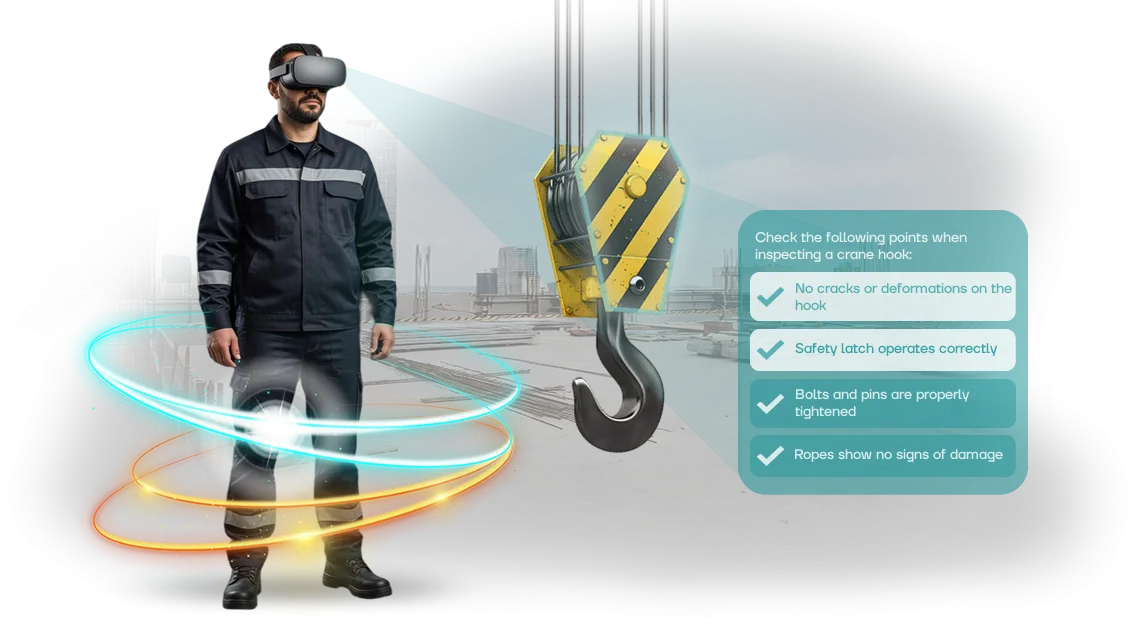
סימולטורי VR מאפשרים לתרגל תרחישים מסוכנים ללא כל סיכון לבריאות העובד. אדם נכנס למכרה וירטואלי או לאסדת קידוח שבה עליו לפעול במהירות ובדייקנות.
זה בונה מיומנויות התנהגות בטוחה לאורך זמן שמפחיתות את מספר התקריות בתוך החודשים הראשונים לאחר ההטמעה.
מהירות התגובה במצב קריטי מצילה חיים. תחושת הנוכחות יוצרת תחושה של איום אמיתי, כך שהמוח זוכר את רצף הפעולות לא באופן מופשט אלא ברמת הרפלקסים.
עובד שסיים אימון VR פועל בדיוק גם כשסביבו כאוס ופאניקה.
יתרון נוסף הוא בקרת עמידה בדרישות. כל הסטטיסטיקות עבור כל עובד נאספות אוטומטית: מספר אימונים, טעויות, זמן תגובה.
זה מפשט את ההכנה לבדיקות ומאפשר להנהלה לראות את רמת המיומנות האמיתית של הצוות ולא סימנים פורמליים ביומן. מפקח מקבל תמונה שקופה של מי מוכן לעבוד בתנאים קשים ומי זקוק להכשרה נוספת.
כתוצאה מכך, החברה חווה פחות תאונות, תשלומי ביטוח נמוכים יותר ופחות השבתות. כל תאונה שנמנעה חוסכת תקציב שבעבר הלך לטיפול בתוצאות ולתשלום פיצויים לנפגעים.
ויש גם שקט נפשי לאנשים וביטחון שכל עובד יחזור הביתה בריא. זהו ה-ROI האמיתי של אימון VR — נמדד לא במדדים מופשטים אלא בחיים שנשמרו וכסף שנחסך.
פורמטים של סימולטור VR למשימות ייצור שונות
בטיחות בעבודה בכרייה אינה משימה אחת אלא כמה: מתחיל צריך להיות מוכשר, עובד מנוסה צריך להיות מוערך, מפקח צריך ללמוד לראות סיכונים. סימולטור אוניברסלי לא עובד כאן, ולכן אנו משתמשים בשלושה פורמטים של תרחישים וירטואליים.
הם מכסים את כל מחזור ההכשרה לעובדים — מהיכרות ראשונית עם האתר ועד לבקרת ידע לפני אישור עבודה.
| פורמט | למי | מה זה נותן ללקוח |
|---|---|---|
| תרחישים וירטואליים אישיים | עובדים חדשים, עובדים במקצועות נלווים | תרגול פעולות במצבים מסוכנים ללא סיכון לחיים. העובד עובר את התרחיש בקצב שלו, והמערכת מתעדת טעויות — מיד ברור מי מוכן לעבודה עצמאית. |
| סימולציות קבוצתיות לצוות | צוותים העובדים באותו אתר | אימון לפעולות מתואמות ותקשורת בתנאי חירום. המפקח מקבל תמונה אובייקטיבית: מי לוקח יוזמה ומי נשבר במצב חריג. |
| מבחני הערכה ב-VR | עובדים לפני אישור עבודה, בדיקות תקופתיות | בדיקה מהירה ושקופה של ידע בתקנות. תוצאות במספרים, ללא "מחיקות" נייר — ניתן להשוות עובדים ולאשר כישורים. |
הפורמטים קלים לשילוב: קודם תרגול אישי, אחר כך מפגש קבוצתי, ולבסוף מבחן הערכה. זה נותן לך מחזור הכשרה מלא שעומד בדרישות הבטיחות ומפחית את הסיכון לתקריות בכרייה.
שלבי יצירת סימולטור VR לדרישות שלך
אנו מבינים שבכרייה, כל יום של עיכוב משמעותו סיכון לאנשים והשבתה לייצור. לכן תהליך פיתוח הסימולטור מתוכנן כך שאתה שולט בכל שלב ומקבל כלי עובד במסגרת הזמן המוסכמת.
להלן הדרך מהשיחה הראשונה לפתרון מוגמר שמשתלב במערכת ההכשרה שלך.
- בריף וטבילה במשימה. אתה מספר לנו על התרחישים, התקנות והטעויות האופייניות של העובדים שלך. אנו שואלים שאלות הבהרה, לומדים את התיעוד שלך ואת מאפייני האתר — כך שהסימולטור משקף בדיוק את הסיכונים שלך.
- אישור תרחיש ומתודולוגיה. אנו מגדירים את מטרות ההכשרה: אילו מיומנויות ותגובות חייבות להיות מתורגלות. אתה מאשר את התרחיש, רצף הפעולות וקריטריוני ההערכה לפני תחילת הייצור.
- פיתוח אב טיפוס. אנו יוצרים גרסה עובדת של פרק מפתח אחד. אתה בודק "hands-on" איך הציוד נראה, איך עמיתים וירטואליים והוראות מתנהגים. בשלב זה ניתן לבצע שינויים בקלות ללא אובדן זמן.
- בניית סימולטור מלא. אנו ממלאים את כל התרחישים ומוסיפים ענפי אירועים שונים — מפעולה רגילה ועד מצבי חירום. אנו מכינים מערכת להערכת פעולות העובד — אתה רואה מי מתמודד ומי זקוק להכשרה חוזרת.
- בדיקה אצלך. אנו מספקים גרסת הדגמה למומחי הבטיחות שלך ולכמה עובדים. אנו אוספים משוב ומבצעים התאמות אחרונות לריאליזם ולשימושיות.
- השקה ואינטגרציה. אנו מתקינים את הסימולטור, מגדירים אותו לציוד שלך ולאינטגרציה עם מערכת ההכשרה. אנו עורכים הדרכה לאלה שיתמכו במפגשי ההכשרה — אתה מריץ את התהליך ללא תלות חיצונית.
- תמיכה ופיתוח. לאחר ההשקה, אנו נשארים בקשר: אנו מעדכנים תרחישים כדי להתאים לתקנות חדשות ועוזרים בבעיות טכניות. במידת הצורך, אנו מוסיפים מודולים למקצועות או אתרים אחרים ככל שהמשימות שלך גדלות.
כל שלב מסתיים בתוצר ברור ואישורך. אתה תמיד יודע מה קורה ואין "הפתעות" במסירה הסופית.
גישה זו כבר עזרה לחברות כרייה לצמצם את זמן ההדרכה הראשונית לבטיחות ולהפחית את מספר הטעויות בפעולה במצבי חירום.
מה כלול במסירה של סימולטור VR לבטיחות בעבודה
כדי להשיק הכשרה, אינך צריך לרכוש דבר נוסף או להגדיר משהו עם צוות ה-IT שלך.
חבילת המסירה כוללת תרחישים מוכנים, מערכת מעקב תוצאות, חומרים מתודולוגיים ועדכונים שוטפים — כל מה שצריך כדי לקיים את המפגשים הראשונים תוך שבוע.
- תרחישים מותאמים למאפייני הכרייה. אלה סימולטורים מוכנים: פעולות במקרה של זיהום גז, שריפה, התמוטטות, עבודה בגובה ועם ציוד כבד. העובד נכנס לסביבה מציאותית אך לומד ללא סיכון לבריאות.
- מערכת מעקב תוצאות. יומן אוטומטי: מי סיים את ההכשרה, כמה ניסיונות, אילו טעויות חוזרות. המפקח רואה את המוכנות של כל עובד ושל כל המשמרת ללא דוחות ידניים או גיליונות נייר.
- אנליטיקת צוות. המודול אוסף נתונים מכל הסימולטורים ומראה נקודות חולשה בהכשרה. בהתבסס על המספרים האלה, קל להתאים את תוכנית ההכשרה ולחסל סיכונים מראש.
- חומרים מתודולוגיים. מדריכים למדריכים, רשימות בדיקה להדרכה ותבניות לארגון מפגשים. ההטמעה מתבצעת ללא שינוי בלוח הזמנים הרגיל של העבודה וללא עומס על המומחים הפנימיים.
- עדכוני תרחישים. ככל שדרישות הרגולציה משתנות או מופיעים סוגי עבודה חדשים, אנו משלימים את הסימולטורים. התוכן נשאר רלוונטי, ועובדים מתרגלים מצבים חדשים עם משימות עדכניות.
חבילה זו מכסה את כל המחזור: מהמפגש הראשון ועד לבקרת מיומנויות.
אתה מקבל תוצאה מדידה — מוכנות מוגברת של עובדים למצבי חירום, לא רק "חשיפה למציאות מדומה". הודות למערכת המעקב והאנליטיקה, כל הפעולות מתועדות והופכות לנתונים לקבלת החלטות ניהוליות.
מקרה בוחן לכרייה: כיצד סימולטורי VR מפחיתים פציעות
פציעות בתעשיית הכרייה יקרות: השבתות, תשלומי פיצויים, סיכון מוניטיני. פוסטרים והדרכות אינם מכינים עובדים לתאונה אמיתית — הם מתמודדים איתה ברגע שבו מחיר הטעות הוא חיים.
כאשר מפעל כרייה פנה אלינו, המשימה הייתה לא פשוט "ליצור סימולטור VR" אלא להפחית פציעות באזורים מסוכנים. למדנו את התקנות ותרחישי התאונות האופייניים, ואז בנינו מצבים קרובים ככל האפשר לעבודה אמיתית.
מה עשינו ומה קיבלנו
אנחנו — הצוות שלנו — יצרנו תרחישים: התמוטטות סלע, מנהרה מלאת עשן, תקלת משאית עפר. אימון עם משקפי VR אפשר לעובדים "לחיות" תאונה במקום להקשיב להרצאה.
התוצאות מדברות בעד עצמן. תוך חודשיים, 340 עובדים מארבע משמרות סיימו את הסימולטור, והפרות באזורים מסוכנים ירדו ב-37% כבר ברבעון הראשון. זמן בדיקות הידע קוצץ בחצי: 40 דקות תרגול במקום ארבע שעות תיאוריה.
ההדרכות החוזרות הפכו לקלות יותר: עובדים עצמם נרשמו למפגשים נוספים כדי לשפר את התוצאות שלהם. המעורבות גדלה ללא לחץ אדמיניסטרטיבי.
הנהלת החברה כבר הזמינה בלוק שני של תרחישים — לעבודה בגובה ובחללים סגורים. מקרה זה הוא המדד העיקרי: הלקוח ראה אפקט מדיד והחליט להרחיב את ההכשרה. רוצה את אותה תוצאה — נראה לך כיצד לשלב סימולטורי VR במערכת שלך.
כיצד לבחור את פורמט סימולטור ה-VR המתאים למשימות שלך?
כדי לבחור את פורמט סימולטור ה-VR המתאים, הערך תחילה שני פרמטרים: כמה עובדים צריכים הכשרה ואילו סיכונים הם ניצבים מולם מדי יום.
עבור מפעלי כרייה, המספרים האלה שונים מאוד — מצוות מתחלף של 30 איש ועד כמה אלפי עובדים במספר אתרים. זה קובע אם אתה צריך מתחם נייח אחד או כמה מערכות ניידות שניתן לפרוס לפי לוח זמנים.
אם הצוות קטן ויציב, מספיק סימולטור אחד או שניים עם תרחישי מפתח: פעולות במהלך התמוטטות, עשן, תקלת ציוד. פורמט זה קל לשילוב בהדרכות חודשיות ללא עצירת תהליך הייצור.
כשמדובר במאות עובדים ותחלופה גבוהה, פתרונות מרובי משתמשים משתלמים יותר — הם מאפשרים להכשיר משמרות שלמות במקביל ולעקוב אוטומטית אחר מי שכבר סיים ומי לא.
הקריטריון השני הוא הרמה והמאפיינים של הסיכונים. מכרה פחם פתוח ומפעל עיבוד שונים בתרחישי החירום שלהם, ולכן הסימולטור חייב לדמות בדיוק את המצבים הקריטיים שלך.
חשוב מה גורם לרוב הפציעות: זה יעזור לך לבחור תרחישים שמספקים תוצאות מעשיות מקסימליות, לא רק סימן השלמה פורמלי.
שאלות נפוצות על הטמעת אימון VR לבטיחות בעבודה
בעת הטמעת אימון VR במפעלי כרייה, מנהלים חוזרים על אותן שאלות: האם הציוד יתקלקל באבק, האם המציאות המדומה מסיחה מהמשמרת, איך לכסות מספר אתרים. אנו עונים על החששות העיקריים וגם נותנים טיפים להימנעות מטעויות הטמעה אופייניות.
האם הציוד יתקלקל באבק ובתנודות טמפרטורה?
אנו משתמשים במשקפי VR תעשייתיים קשיחים ובמארזים עמידים לזעזועים. הערכה מונפקת לאחראי על כל משמרת, ואם מכשיר נשבר, אנו מחליפים אותו כחלק משירות התמיכה שלנו. זה מסיר את הסיכון של השבתת הכשרה עקב תקלה טכנית.
האם VR מסיח מהעבודה?
ההכשרה מתבצעת לפי לוח זמנים: 15–20 דקות למשמרת. העובד נכנס לתרחיש שמשחזר מצב אמיתי וחוזר עם תוכנית פעולה ברורה. זהו שיפור להדרכה, לא תחליף, כך שתהליך הייצור אינו נפגע.
איך מרחיבים הכשרה למספר אתרים?
התוכנית מתאימה את עצמה למאפיינים שלך ומותקנת על מספר הערכות הנדרש. עדכונים נטענים מרכזית — כל האתרים מכוסים ללא נסיעות של המדריך. גידול בכוח האדם אינו דורש פיתוח חדש; אתה פשוט מוסיף ערכות נוספות.
מהן טעויות ההטמעה הנפוצות ביותר?
העיקרית היא התייחסות ל-VR כבידור. במציאות, סימולטורים מפחיתים טעויות ומאיצים תגובה. השנייה היא שימוש באותה הכשרה לכולם. אנו מתאימים תרחישים לסיכונים האמיתיים של המפעל שלך כך שאנשים יתרגלו בדיוק את האיומים שהם ניצבים מולם.
הזמן סימולטור VR לבטיחות בעבודה — מה אתה מקבל
בבחירת סימולטור VR לבטיחות בעבודה, אתה מקבל לא רק קובץ תוכנית אלא פתרון מוכן שמשתלב במערכת ההכשרה שלך. אנו דואגים להכל: מהגדרת המשימה ועד להשקה ולתמיכה. כתוצאה מכך, העובדים שלך מתרגלים מיומנויות עבודה בטוחות בתנאי כרייה ללא סיכון לחיים.
לאחר ההזמנה, אתה מקבל:
- תרחיש פיילוט עובד תוך שבועיים — אתה רואה את התוצאה ומחליט אם להרחיב.
- הוראות השקה ברוסית: שלבים ברורים למומחה שלך, ללא צורך במעורבות מפתח.
- הכשרה למדריכים שלך: הם מנהלים מפגשי VR באופן עצמאי.
- התאמה אישית לתקנות ולכללי הבטיחות שלך באתר הייצור הספציפי שלך.
- דוח סיום הכשרה: מי סיים, כמה טעויות נעשו, אילו נושאים דורשים חזרה.
- תמיכה טכנית בהשקה ואחריה — אנו מגיבים תוך יום עסקים אחד.
- עדכוני סימולטור כשדרישות הרגולציה משתנות — אתה תמיד נשאר עומד בתקנים העדכניים.
כל פריט פותר משימה ספציפית. לדוגמה, דוח סיום ההכשרה עוזר למנהל לראות את רמת המיומנות האמיתית של הצוות. תרחיש הפיילוט מאפשר לך להעריך את האפקט לפני הטמעה מלאה.
אנו עובדים מרחוק, כך שהתהליך אינו מואט על ידי מיקום אתר הייצור שלך. ההשקה אורכת משבועיים, והתמיכה השוטפת הופכת את התוצאה לברת קיימא. אתה מקבל לא שירות חד-פעמי אלא כלי עובד שמפחית פציעות והשבתות.