

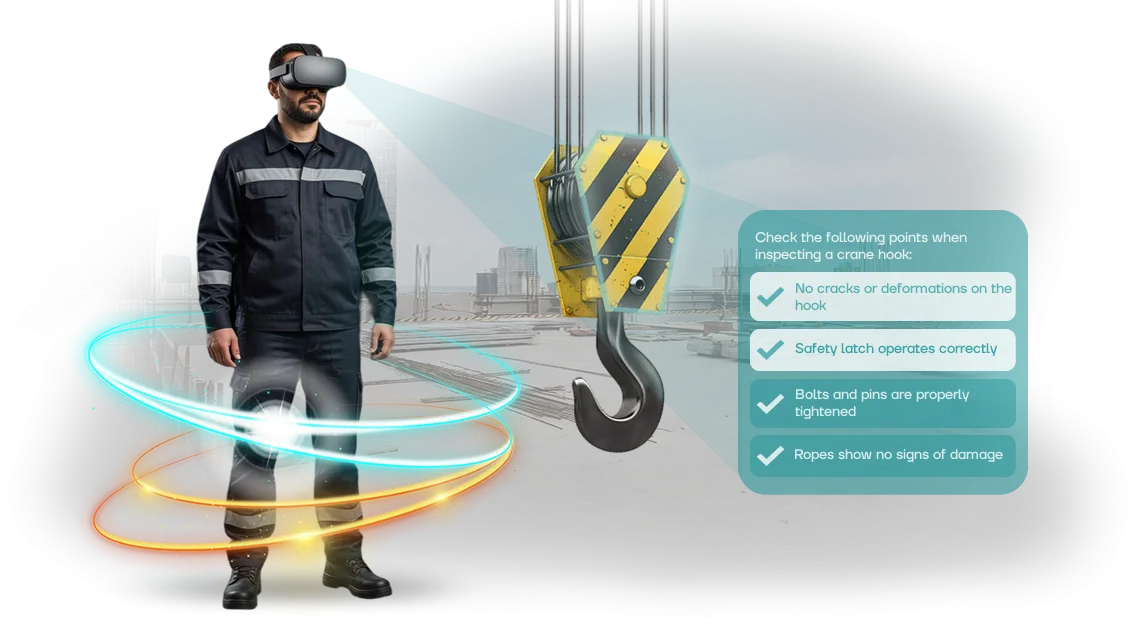
מדוע גופי אכיפת חוק בוחרים בהכשרת בטיחות תעסוקתית ב-VR
הכשרת בטיחות תעסוקתית מסורתית באכיפת החוק מסתכמת לרוב בהרצאות, תדריכים ופוסטרים. העובדים שומעים על סיכונים, אך במצב אמיתי הם צריכים לפעול במהירות וללא הנחיה—כאן מחיר הטעות נמדד בבריאות, ולפעמים בחיים.
הגישה המיושנת יוצרת תחושת ביטחון כוזבת: אדם יודע את הכללים אך אינו יכול ליישם אותם תחת לחץ.
זו הסיבה שיותר ויותר מפקדי יחידות וגופי ביטחון מעבירים את הכשרת הבטיחות התעסוקתית ל-VR.
תרחישים וירטואליים מטביעים את העובד בסביבה מסוכנת באופן ריאלי—בין אם מדובר בעבודה בגובה, אינטראקציה עם עבריין חמוש, או תגובה לתוצאות של אירוע.
אין סיכון אמיתי: מיומנויות מתורגלות במרחב בטוח שבו טעות אינה מובילה לפציעה.
עבור הארגון, זה מפחית סיכונים מקצועיים ותדמיתיים. עובד שסיים הכשרת VR מזהה איומים מהר יותר, מגיב נכון יותר למצבי חירום, ומפר תקנות בתדירות נמוכה יותר.
המנהל מקבל תוצאות מדידות: כל קורס מסתיים בהערכת פעולות, והסטטיסטיקות מראות אילו נושאי בטיחות בעבודה מפגרים וזקוקים לשיפור.
הכשרת VR באכיפת החוק מכסה גם מה שלא ניתן לדמות בכיתות קלאסיות. אירועים נדירים אך מסוכנים—שריפה בבניין, דליפת חומרים מסוכנים, התקפה במהלך הובלה—מתורגלים ללא הכנת שטח, ציוד, או יצירת סיכון לעובדים אחרים. תרחיש יחיד ניתן לחזרה פעמים רבות, תוך שינוי קלטים והשגת אוטומטיות.
בסופו של דבר, בחירת סימולטורי VR היא החלטה אסטרטגית. היא מגנה על עובדים מפציעות תעסוקתיות, על הארגון מחקירות והשבתה, ועל ההנהלה מבעיות עם רשויות הפיקוח.
ההכשרה הופכת לבטוחה, ויזואלית ומבוקרת באותה מידה, ורמת המוכנות של הצוות גדלה עוד לפני שמתרחש אירוע אמיתי.
מה מספק סימולטור בטיחות תעסוקתית ב-VR: 5 יתרונות מרכזיים
מפקד יחידה אחראי על חיי העובדים, ותדריך שגרתי אינו מבטיח שאדם יגיב נכון במצב קריטי.
סימולטור VR מעביר את ההכשרה לתנאי שירות אמיתיים: העובד מקבל החלטות ורואה את ההשלכות מבלי לסכן את בריאותו.
רשימת חמישה יתרונות עבור המנהל:
- הפחתת פציעות. מצבים מסוכנים מתורגלים שוב ושוב עד שהפעולות הופכות לאוטומטיות. טעות בסימולטור אינה עולה בבריאות ולא בחקירה.
- חיסכון במשאבים. אין צורך בחומרים מתכלים, מגרשי אימונים או תדריכים חוזרים. ערכת ציוד אחת מכסה את כל הצוות.
- בקרה אובייקטיבית. המערכת מתעדת טעויות ומהירות תגובה—אתה רואה מי מוכן לתפקיד ומי לא, מבלי להיות נוכח.
- סטנדרט אחיד. התרחישים אינם תלויים במדריך: כל העובדים עוברים את אותם תנאים ואת אותה הערכה.
- מעורבות. העובדים רואים בהכשרה תרגול, לא חובה—החומר נקלט מעצמו.
פורמטים שמשתלבים במערכת ההכשרה שלך:
| פורמט | למי | מה הוא מספק |
|---|---|---|
| תרגול אישי | עובדים באזורים מסוכנים | מיומנות שפותחה עד כדי אוטומטיות |
| מפגש קבוצתי | צוות היחידה | בדיקת פעולות במצבים טיפוסיים |
| הסמכה | כל הצוות | נתונים אובייקטיביים למתן אישור |
אנחנו—הצוות שלנו—מעצבים הכשרות VR לאכיפת החוק ולשירותי חירום כבר למעלה מ-10 שנים. אנו מתאימים תרחישים לתקנות שלך ולאירועים אמיתיים, כך שהסימולטור מספק תוצאות כבר מההפעלה הראשונה.
פורמטי סימולטור VR לגופי אכיפת חוק
פורמטי סימולטור VR לגופי אכיפת חוק שונים כמו משימות אמיתיות: דבר אחד הוא תרגול מיומנות יחידה, ודבר אחר הוא תיאום של קבוצה שלמה.
אנו בוחרים את הפורמט למטרת ההכשרה הספציפית כך שהלקוח יקבל לא "צעצוע וירטואלי" אלא כלי עבודה להתכוננות למצבי לחץ גבוה.
להלן השוואה בין הפורמטים המרכזיים המשמשים בתוכניות לגופי אכיפת חוק. ניתן לבחור באפשרות האופטימלית או לשלב אותם למערכת אחת.
| פורמט | למי | מה הוא מספק ללקוח |
|---|---|---|
| סימולטור אישי | עובדים שצריכים להביא את אלגוריתם הפעולה שלהם לאוטומטיות | כל אדם עובר את המבחן בקצב שלו; טעויות מתועדות ונבדקות ללא לחץ נוסף |
| סימולטור תרחישים | יחידות מבצעיות ומשמרות תורן | תרגול פעולות במצב חירום ללא סיכון לאנשים או לרכוש |
| סימולטור VR קבוצתי | צוותים שחייבים לפעול בצורה מגובשת | אימון אינטראקציה, חלוקת תפקידים; הוא מראה היכן יש פיגור בסנכרון |
| תוכנית מקיפה | מפקדי יחידות | תמונה מלאה של מוכנות: ממבחנים אישיים ועד תרחישים משותפים |
הפורמטים קלים לשילוב: ראשית, עובד עובר מבחן אישי על ידיעת התקנות, ולאחר מכן מצטרף לתרחיש קבוצתי. זה מספק נתונים אובייקטיביים להסמכה ומאפשר בניית תוכנית הכשרה ממוקדת לכל יחידה.
נעזור לך לבחור פורמט למשימה ולגודל הצוות שלך. נייעץ אילו תרחישי הכשרה יניבו תוצאות מהר ביותר וכיצד לשלב VR בזהירות בתוכנית ההכשרה הנוכחית שלך—פשוט תאר את המצב שלך בפנייה.
כיצד אנו מיישמים סימולטור VR: מבריף ועד השקה
יישום סימולטור VR בתוכנית הכשרת צוות אינו רק רכישת ציוד; זהו תהליך מובנה שבו כל שלב מקרב אותך לתוצאה ספציפית: מיומנויות מתורגלות, פחות טעויות במצבים אמיתיים ודיווח שקוף.
אנו מטפלים בכל התהליך—אתה תמיד מבין מה קורה ומתי התוצאה תהיה מוכנה.
- בריף ואודיט—אנו נפגשים עם מפקדי יחידות, לומדים תקנות, טעויות טיפוסיות ותרחישים שצריך לתרגל. אנו מתעדים את המטרות: אילו מיומנויות יש לפתח וכיצד נמדוד הצלחה.
- אישור תרחיש—אנו מפתחים תרחישי הכשרה מפורטים תוך התחשבות במאפייני השירות: תגובת חירום, פינוי, שימוש בציוד מגן. אתה מאשר כל תרחיש לפני תחילת ההפקה.
- הכנת אב טיפוס—אנו בונים גרסה עובדת של הסימולטור על פרק מפתח אחד כדי שתוכל להעריך ריאליזם, בקרות וסגנון ויזואלי. אנו מבצעים שינויים לפני המעבר לפיתוח מלא.
- הפקה ובדיקות—אנו יוצרים סט מלא של תרחישים, ממלאים את הסימולטור בפרטים ובודקים אותו עם קבוצת עובדים. אנו אוספים משוב ומשכללים את הממשק כך שההכשרה תהיה אינטואיטיבית.
- השקה והכשרה—אנו מתקינים את הסימולטור, מגדירים תחנות עבודה ומכשירים את המדריכים. אתה מקבל מערכת מוכנה, לא רק תוכן.
- דוח סופי ותמיכה—לאחר ההשקה, אנו מנתחים תוצאות הכשרה: מספר השלמות, מגמות טעויות וזמן השלמה. אנו מוסרים את הדוח ונשארים זמינים לשיפורים ופיתוח התוכנית.
מה כלול בחבילת סימולטור VR ללקוח
במקום "קופסת ציוד," אתה מקבל מערכת הכשרה עובדת ומוכנה להפעלה מהיום הראשון. אנו מטפלים בכל השלבים: מתרחיש והפקה ועד התקנה ומסירה.
התוצאה היא חבילה שכבר לוקחת בחשבון את דרישות הגוף שלך, והעובדים שלך יכולים להתחיל בהכשרה מיד לאחר תדריך קצר.
מה כלול בערכת המסירה:
- תרחיש סימולטור VR מוכן שפותח בהתאמה לתקנות ולאירועים הטיפוסיים שלך. הוא מדמה מצבים אמיתיים: תרגול תגובה לשריפה, פינוי, עבודה עם חומרים מסוכנים—מה שנפוץ ביותר בפרקטיקה שלך.
- ערכת ציוד VR מלאה עם רישיונות. אנו משתמשים במשקפי VR ובקרים מקצועיים העומדים בשימוש אינטנסיבי בחדרי הכשרה—ללא תקלות או הגדרות ארוכות.
- תיעוד מתודולוגי: מדריך למדריך, תסריט שיעור, רשימות הערכה, הוראות בטיחות. כל מה שדרוש ליישום חוקי ולבדיקות עתידיות.
- הכשרת המומחים שלך. אנו מקיימים הכשרה פרונטלית או מרחוק לצוות: המדריכים יוכלו להפעיל תרחישים באופן עצמאי, להקצות הכשרות ולבחון טעויות של עובדים.
- לוח מחוונים אישי עם אנליטיקה. אתה יכול לראות מי סיים את ההכשרה, כמה ניסיונות בוצעו ואילו טעויות חוזרות. זה מאפשר לך לעקוב אחר רמת המיומנות של כל עובד.
- תמיכה טכנית לאורך כל תקופת השימוש. עדכוני מערכת, ייעוץ, פתרון בעיות מהיר—אנו נשארים בקשר ולא נעלמים לאחר מסירת הפרויקט.
- שיפורים לדרישות חדשות. אם התקנות משתנות או מופיעים סוגי אירועים חדשים, אנו משלימים תרחישים ומרחיבים את מאגר התרגילים מבלי להחליף את החבילה.
כל זה מאורגן בשלבים ברורים: אתה מקבל את העבודה לפי רשימת בדיקה, מקבל גישה ומכשיר את העובדים שלך. כך, החבילה אינה רק חומרה אלא פתרון שלם שחוסך זמן לצוות שלך ומשפר את איכות ההכשרה.
מקרה בוחן: כיצד הכשרת VR הפחיתה פציעות ביחידת אבטחה
עבודה באכיפת החוק משמעה אחריות על חיי אנשים ועל מצב היחידה. פציעות במהלך מעצרים, טעויות בטיפול בציוד, כשלונות בהסמכה—כל אלה גורמים להשבתה, קנסות וסיכונים תדמיתיים. מנהל אחראי לא רק לתוצאות אלא גם לבטיחות של כל עובד.
פנינו לצורך זה אל חברת האבטחה הפרטית גרניט. יישמנו סימולטורי VR המשחזרים תרחישים אמיתיים: מבדיקת מסמכים ועד מעצרים תוך שימוש בכוח. העובד מתאמן בסביבה בטוחה, והמנהל מקבל סטטיסטיקות אובייקטיביות על כל אחד.
מספרים לאחר ההשקה
במשך שישה חודשים, הפציעות במהלך מעצרים ירדו ב-60%, ושיעור המעבר בבדיקות הבקרה עלה מ-74% ל-96%. טעויות בטיפול בציוד ירדו בחצי. ההכשרה מהירה פי שלושה—אין צורך לאסוף קבוצה או למצוא מקום.
מה זה אומר עבור המנהל
פחות פציעות משמעותן פחות ימי מחלה ופחות השבתה. שיעור מעבר גבוה יותר בבדיקות משמעותו אמון גדול יותר של הלקוחות ובדיקות נקיות יותר. אנו תומכים במערכת: אנו מכשירים מדריכים, מעדכנים תרחישים ומסייעים בשילוב דוחות VR במערכת ניהול האיכות.
יחידת האבטחה לא רק הגנה על עובדיה—היא קיבלה כלי לשליטה ופיתוח כוח אדם. הזמנה חוזרת מאשרת זאת: התוצאה הייתה נראית כבר בחודש הראשון. צור קשר כדי לדון כיצד אותה גישה יכולה לעבוד בארגון שלך.
שאלות נפוצות על יישום סימולטורי VR
אנו מתייחסים לחששות טיפוסיים של לקוחות לפני השקת הכשרת VR: זה נראה מסובך, גוזל זמן ומסוכן. בפועל, היישום אורך כמה שבועות, ואנו לוקחים אחריות על התוצאה. להלן תשובות לשאלות שמנהלים שואלים לרוב כשהם לומדים על הפורמט לראשונה.
האם זה בטוח לעובדים והאם הנתונים מוגנים?
ההכשרה מתקיימת בסביבה סגורה: העובד רואה רק את התרחיש הווירטואלי ואינו בא במגע עם גורמים מסוכנים אמיתיים.
עבור גופי אכיפת חוק, אנו מיישמים תרחישים במעגל מבודד—מידע רשמי ונתונים אישיים לעולם אינם יוצאים מגבולות הארגון שלך.
הציוד נבחר למשימות ונבדק בעשרות פרויקטים. אין צורך לדאוג לבריאות: משקפי VR מודרניים אינם גורמים לאי נוחות גם במפגשים ארוכים של עד 20 דקות. התדריך מתבצע על ידי המומחה שלנו, ולאחר ההשקה הראשונית העובדים מתאמנים באופן עצמאי.
עד כמה קשה לשלב סימולטור VR בתהליכים הקיימים?
אנו מטפלים בכל המחזור: מאודיט תקנות ועד השקה ותמיכה טכנית. אין צורך להעסיק מומחה נפרד או לשנות את תשתית ה-IT—חדר של 10–15 מ"ר ושקע חשמל מספיקים. הסימולטור משתלב בתוכנית ההכשרה הקיימת כפורמט נוסף לתרגול מיומנויות.
העובדים שולטים בבקרות תוך 5–10 דקות; הממשק אינטואיטיבי גם למי שמעולם לא עבד עם VR. המדריך רואה את התוצאות של כל משתתף בלוח המחוונים האישי ומתאים את התוכנית במידת הצורך.
כמה זמן אורך ההשקה ומתי יופיעו תוצאות?
תרחיש טיפוסי מושק תוך 3–4 שבועות: שבוע לניתוח התקנות שלך, שבוע להתאמת התרחיש למשימות שלך, ועוד 7–10 ימים לבדיקה עם העובדים שלך. תוכניות מורכבות עם פרקים מרובים אורכות 6–8 שבועות, אך בכל שלב אתה רואה תוצאות ביניים.
האפקט ניכר מיד: המנהל מקבל סטטיסטיקות אובייקטיביות על כל עובד—מי קלט את החומר ומי זקוק לתרגול נוסף. אנו נשארים בקשר לאחר ההשקה ומסייעים בעדכון תרחישים כשהתקנות משתנות.
כיצד לבחור את פורמט סימולטור ה-VR המתאים למשימות שלך?
בחירת פורמט סימולטור VR אינה עניין של טכנולוגיה אלא של איזו משימה אתה פותר. עבור אכיפת החוק, הדבר החשוב אינו המציאות הווירטואלית עצמה אלא היכולת לתרגל בבטחה פעולות הנושאות סיכון בחיים האמיתיים.
לכן, אין פתרון אוניברסלי: מה שעובד לתדריך ראשוני אינו תמיד יעיל לתרגול תרחישי מעצר מורכבים או תגובת חירום.
הקריטריון הראשון הוא מטרת ההכשרה. אם אתה צריך להכיר לעובדים את כללי הבטיחות התעסוקתית ונהלי הבטיחות באתר, מספיקים תרחישי הדרכה קצרים שבהם אדם סוקר את המתחם ומוצא הפרות.
אם המשימה היא בניית מיומנות מתמשכת, למשל פעולה בשריפה או כשהבריאות מאוימת, נדרש סימולטור אינטראקטיבי עם בחירות החלטות והשלכות. פורמט זה גורם לאנשים לחשוב, לא רק לשנן הוראות.
הקריטריון השני הוא מספר המתאמנים והמקום. להכשרה שוטפת של יחידה שלמה, מתחם נייד שניתן להקים ישירות במתקן שלך נוח: אין צורך לקחת אנשים לעיר אחרת או למשוך אותם מהתפקיד.
אם ההכשרה מרוכזת, חדר קבוע עם מספר תחנות עבודה יאפשר מעבר של זרם עובדים מבלי לאבד איכות. זהו עניין לוגיסטי המשפיע ישירות על לוח הזמנים ועלות היישום.
הקריטריון השלישי הוא מידת הריאליזם ורמת הלחץ. כדי לתרגל פעולות במצבים קיצוניים שבהם מהירות התגובה חשובה, נדרשת תחושת נוכחות מלאה.
לשיעורי בטיחות תעסוקתית שגרתיים, גרפיקה פשוטה מספיקה—העיקר שהעובד לומד את האלגוריתם. אנו ממליצים על הפורמט שמספק תועלת מרבית למצב הספציפי שלך, לא רק על "המרהיב ביותר."
כך זה עובד בפועל: אתה מתאר את המשימה שלך, מספר העובדים והתוצאה הצפויה, ואנו בוחרים את התרחיש והפורמט האופטימליים—מסימולטור אישי ועד מפגש קבוצתי עם מדריך.
במשך למעלה מ-10 שנות עבודה, יישמנו עשרות פרויקטים לארגונים שונים, כך שאנו יודעים כיצד להתאים את התוכנית לתקני בטיחות תעסוקתית ולתקנות פנימיות.
צור קשר—יחד נבחר פתרון שיפעל למען הבטיחות והיעילות שלך, ולא רק יופיע בדוחות.
הזמן הדגמה של סימולטור הבטיחות התעסוקתית ב-VR
אנו מבינים: לפני הכנסת דבר חדש להכשרת צוות, אתה צריך לראות את הציוד בפעולה, לוודא שהוא פותר את הבעיות שלך ולהימנע מסיכון לתקציב. לכן לאחר פנייתך אתה עובר מסלול קצר: מהיכרות ועד פעולה בקנה מידה מלא.
- בקשת הדגמה. אתה משאיר פנייה באתר או בטלפון—אנו קובעים מועד להדגמה תוך יום עסקים אחד.
- הדגמת סימולטור VR. בפגישה מקוונת או פרונטלית, אנו מציגים תרחישים לבטיחות תעסוקתית ולהתנהגות בטוחה במצבים קיצוניים. אתה רואה את הממשק, התרגילים וכיצד עובד מתקשר עם הסביבה הווירטואלית.
- פרויקט פיילוט. באתר שלך, אנו בודקים את הסימולטור עם קבוצת עובדים. זה מאפשר לך להעריך שימושיות, זמן השלמה ותועלת אמיתית ללא יישום מלא.
- השקה. אנו מתאימים תרחישים לתקנות ולהנחיות שלך, מתקינים את החבילה ומכשירים את המדריכים. העובדים מתחילים בהכשרה.
- תמיכה. אנו נשארים בקשר: אנו מעדכנים תרגילים, מוסיפים תרחישים ומסייעים בבעיות טכניות随着 התוכנית גדלה.
גישה זו מבטלת סיכונים: אתה לא קונה "חתול בשק" אלא מיישם באופן שיטתי כלי שכבר הראה תוצאות עם העובדים שלך.
כתוצאה מכך, אתה מקבל הכשרה שוטפת מבלי למשוך צוות מהתפקיד, פחות פציעות, וצוות מוכן למצבי חירום.