

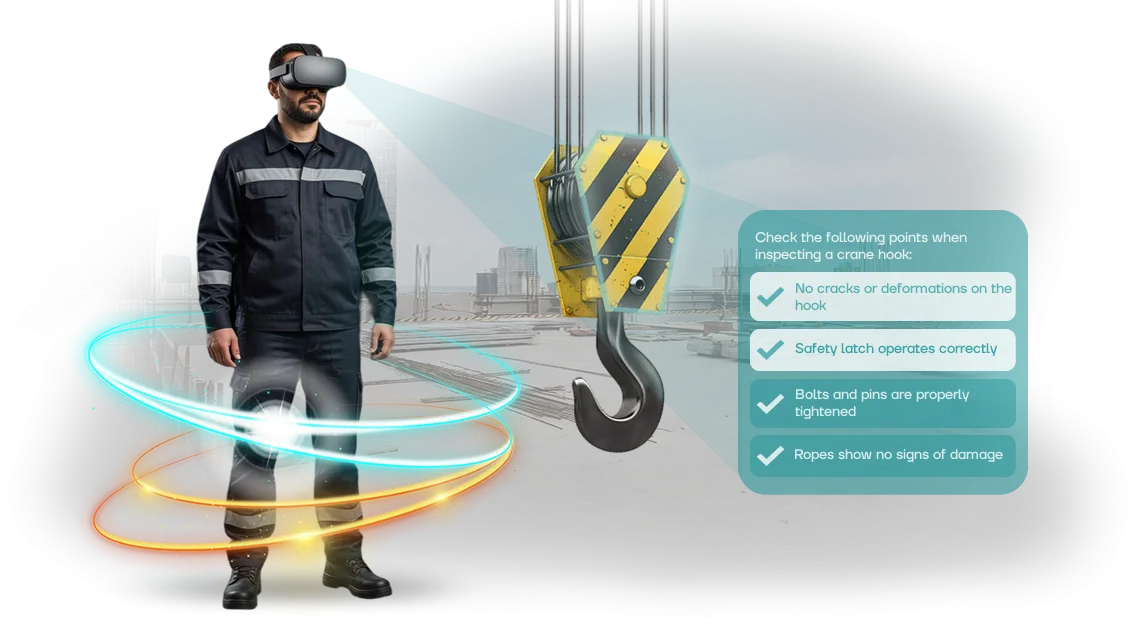
סימולטור אימון טקטי וירטואלי: הבסיס למוכנות
תדריכים מסורתיים ותרגילי אימון כבר מזמן לא מספקים את רמת המוכנות הנדרשת. עובד מקשיב לכללים, צופה במצגת, חותם ביומן — אבל במצב חירום אמיתי, הוא פועל על אוטופילוט, מתוך הרגל.
אם ההרגל הזה שגוי, מחיר הטעות הוא פציעות, ציוד פגום ושיבוש בפעילות היחידה.
הבעיה אינה האנשים, אלא פורמט האימון. קליטה פסיבית של מידע נשכחת מהר מהזיכרון, ותרגילי שטח נדירים אינם יכולים לבנות מיומנות מתמשכת.
לפי ארגון העבודה הבינלאומי, רוב התקריות מתרחשות עקב פעולות שגויות של כוח אדם — דווקא אלה שניתן היה לתרגל מראש.
סימולטור אימון טקטי וירטואלי הוא פתרון מודרני להכנת יחידות. עובד נכנס לתרחיש מציאותי — שריפה, דליפה, תאונה, פינוי — ולומד לקבל החלטות תחת לחץ.
טעויות בסביבה הווירטואלית אינן מובילות להפסדים אמיתיים, אבל הן מספקות את הניסיון שמעצב את דרך הפעולה הנכונה. יותר ויותר ארגונים אחראיים בוחרים בגישה זו לאימון בטיחות.
הצוות שלנו מפתח סימולטורים כאלה המותאמים למטרות הלקוח. אנו מתכננים את האזורים הספציפיים ואת מצבי החירום של הארגון שלך, מיישמים מערכת להערכת פעולות ומספקים תמיכה לאחר ההשקה. התוצאה היא יחידה מוכנה, שמוכנה לפעול בנחישות כשכל שנייה חשובה.
אילו תוצאות מביאה הטמעת טכנולוגיית VR לאימון
הכנת עובדים לפעול במצבים קיצוניים היא יקרה: השכרת מגרשי אימון, חומרים מתכלים, סיכון לפציעות.
תדריכים קלאסיים מספקים ידע אך אינם בונים מיומנות מתמשכת — בקרב אמיתי, אדם פועל לא מתוך זיכרון אלא מתוך רפלקסים, שניתן לפתח רק באמצעות תרגול חוזר.
סימולטורי VR סוגרים את הפער הזה: מפעיל מתרגל את התרחיש בסביבה מציאותית, שבה מחיר הטעות אינו חיי חבר אלא כמה שניות של שידור חוזר.
למנהלים: עלויות צפויות ותוצאות מדידות
אין צורך לשכור מגרש אימונים, לשלם עבור נסיעות מדריך או לבזבז זמן על לוגיסטיקה: מערכת אחת עובדת כל השנה ומתרחבת לקבוצות חדשות.
כל מפגש מוקלט אוטומטית, כך שתוכל לראות את ההתקדמות של כל עובד בדוחות — מי מוכן לפריסה ומי זקוק לאימון נוסף.
חזרה על תרחיש אינה דורשת משאבים חדשים: מגרש האימונים הווירטואלי והיריב לעולם אינם נשחקים. עלויות האימון יורדות דרמטית, בעוד שמהירות התגובה עולה — זהו חיסכון ישיר באימון ללא פגיעה באיכות.
למדריכים: שליטה מלאה וטעויות בטוחות
בעבר, אי אפשר היה לדמות פיצוץ, עשן או אש אויב ללא סכנה פיזית. בסביבה וירטואלית, הכל מותר: לטעות, לנתח בתחקיר קבוצתי, ולנסות שוב כעבור דקה.
המדריך רואה נתיבי תנועה, זמני החלטה ודיוק ירי — ומקבל תמונה אובייקטיבית של המיומנות, במקום הערכה סובייקטיבית של "הוא ניסה, אבל זה לא הצליח."
ניתן להתאים תרחישים בקלות למשימות עכשוויות — מניקוי חדרים ועד חילוץ בני ערובה. זה מגביר את האפקטיביות של כל מפגש, והופך אותו לשימושי באותה מידה למתחילים שזקוקים ליסודות ולמפעילים מנוסים שזקוקים לתגובות אוטומטיות מחודדות.
פורמטים של סימולטור לקבוצות מתאמנים שונות
לקבוצות מתאמנים שונות יש מטרות שונות: מתחיל צריך לשלוט ביסודות בבטחה, מפעיל פעיל צריך לחדד פעולות עד כדי אוטומטיות, ומפקד צריך ללמוד כיצד לתאם צוות.
תרחיש אחד שמתאים לכולם לא עובד כאן, ולכן אנו בונים פורמטים של סימולטור VR לתפקידים ורמות מיומנות ספציפיות.
גישה זו מקצרת את זמן התדריך המקדים ומשפרת את שימור החומר. כל קבוצה מתרגלת רק את הכישורים הטקטיים שהיא צריכה, והמנהל רואה סטטיסטיקות התקדמות עבור האנשים שלו — ללא אישורים ארוכים או ציוד נוסף.
| פורמט סימולטור VR | למי | מה זה נותן ללקוח |
|---|---|---|
| תרחישים אישיים | מתגייסים, עובדים ללא ניסיון | תרגול פעולות ותגובות בסיסיות בסביבה בטוחה. לטעויות אין השלכות, וריצות חוזרות מחזקות את המיומנות. |
| סימולטורים קבוצתיים | עובדים פעילים, משמרות, מחלקות | אינטראקציה צוותית: חלוקת תפקידים, תקשורת בין משתתפים וקבלת החלטות משותפת במצבי חירום. |
| תרחישי צוות פיקוד | מנהלים, קציני בטיחות | אימון בתיאום ושליטה על הקבוצה. המנהל מתרגל מנהיגות תחת לחץ זמן ועם מידע מוגבל. |
מתגייסים
הם צריכים לצבור ביטחון לפני כניסה למתקן אמיתי. VR מאפשר להם להשלים עשרות חזרות ללא סיכון לבריאות או לציוד, וההערכה האוטומטית מראה אילו כישורים עדיין דורשים שיפור.
עובדים פעילים
עבורם, הגורמים המרכזיים הם תיאום וזמן תגובה. אימון קבוצתי ב-VR משחזר סביבה אמיתית עם רעש, ראות מוגבלת והצורך לתקשר ברדיו — כך שהצוות מתרגל לפעול בצורה חלקה וללא פאניקה.
מנהלים
כאן, העדיפות היא קבלת החלטות ניהולית, לא זריזות אישית. התרחיש מעוצב כך שהמנהל מעריך את המצב, מטיל משימות לכפופים ומתאם את פעולותיהם בזמן. התוצאה היא קיצור זמן החלטה במצבים אמיתיים.
גישה זו לפורמטים של סימולטור VR כבר נמצאת בשימוש בחברות שבהן אימון כישורים טקטיים חשוב: מרצפות ייצור ועד שירותי תגובה מהירה. אנו מתאימים את התרחיש לפרטים הספציפיים שלך ולקבוצת המתאמנים, ומבטיחים שכל מפגש יניב תוצאה מדידה.
שלבי השקת תוכנית VR ביחידה שלך
הטמעת סימולטור VR אינה קניית קופסה מוכנה; זהו פרויקט שעובר שלבים ברורים. מבננו את התהליך כך שהעובדים שלך יוכלו להתחיל להתאמן במהירות, וכל שלב מביא תוצאה מדידה.
-
תדרוך והבנת המשימה. אנו מנתחים את הפרטים שלך: אילו מצבים מסוכנים, כמה עובדים זקוקים לאימון, ואילו תקנות חלות באתר. התוצאה היא הבנה מדויקת של מה הסימולטור צריך לאמן.
-
תרחיש ואישור. המתודולוגים שלנו מכינים תרחישי אימון המבוססים על הוראות הבטיחות התעסוקתית שלך. אתה מאשר אותם לפני תחילת הפיתוח — ללא איטרציות מיותרות.
-
אב טיפוס ותוכנית השקה. אנו מציגים אב טיפוס עובד של התוכנית העתידית ותוכנית יישום: איזה ציוד נדרש, היכן להקים את אזור האימון, וכיצד לשלב את האימון בלוח הזמנים. אנו מתחייבים ללוחות זמנים.
-
פיתוח ובדיקות. אנו בונים את הסימולטור המלא ומבצעים ריצות ניסיון עם העובדים שלך. אנו אוספים משוב, מבצעים התאמות ומגדירים את מערכת הערכת הפעולות לסטנדרטים שלך.
-
השקה והכשרת מדריכים. אנו פורסים את המערכת באתר שלך, מוסרים הוראות ומכשירים את הצוות שלך לעבוד איתה. העובדים מתחילים להתאמן.
-
תמיכה שוטפת. אנו נשארים בקשר: מוסיפים תרחישים חדשים, מעדכנים את התוכנית בהתאם לשינויים רגולטוריים ועוזרים לך להפיק דוחות להנהלה.
לוח זמנים אופייני ליישום
פרויקט סוהר אורך בממוצע 3–6 שבועות. נדרשים עוד כמה ימים להכנת המתחם והציוד. אנו מספקים את משך הזמן המדויק לאחר התדריך — הוא קבוע בתוכנית ואינו משתנה במהלך התהליך.
מה כלול בחבילת האספקה: תרחישים, תמיכה, אחריות
חבילת אספקת פתרון ה-VR כוללת לא רק את הסימולטור עצמו אלא כל מה שדרוש לשימוש יעיל בו: תרחישים, חומרים מתודולוגיים, לוח בקרה, הכשרת מדריכים ואחריות.
חבילת אספקה
התרחישים מדמים מצבי ייצור אמיתיים — מבדיקות שגרתיות ועד אירועי חירום. אתה מקבל ערכות המותאמות לתפקידים ורמות מיומנות שונות, בעוד חומרים מתודולוגיים מאפשרים למדריכים להפעיל מפגשים ללא הכנה נוספת.
- תרחישי אימון ספציפיים לתעשייה המתחשבים בפרטי הארגון שלך.
- חומרים מתודולוגיים: מדריכים ורשימות בדיקה למדריכים.
- לוח בקרה עם הגדרות תרחיש ודוחות עבור כל עובד.
- הכשרת מדריכים: הצוות שלך לומד את התהליך בהדרכת המומחים שלנו.
- רישיון שימוש ועדכוני תרחישים שוטפים.
לוח הבקרה קל ללמידה — העובדים שלך יכולים להשתמש בו ללא הכשרה מיוחדת. כל הדוחות נוצרים אוטומטית.
אחריות ותמיכה
אנו תומכים בפרויקט לאחר ההשקה ואינם משאירים את הלקוח לבד עם בעיות. התחייבויות אחריות ותקשורת ישירה עם הצוות שלנו הם חלק מהחבילה.
- אחריות רשמית על חומרה ותוכנה.
- תמיכה טכנית לאורך כל תקופת השימוש.
- ייעוץ וסיוע בחידוד תרחישים למשימות חדשות.
האחריות מכסה את כל רכיבי הסימולטור, וזמן התגובה הממוצע לפניית שירות קבוע בחוזה.
מקרה בוחן: צמיחת מוכנות היחידה לאחר הטמעת VR
לאחר שילוב סימולטור VR בתוכנית האימון הטקטי של היחידה, השגנו תוצאות מדידות בתוך הרבעון הראשון של מפגשים סדירים.
ביחידת "רובז׳”, מספר הטעויות במהלך תרגילי תרחיש מורכבים ירד ב-37%, וזמן ההחלטה במצבי חירום ירד בממוצע מ-12 ל-7 שניות.
אלה אינם מספרי מעבדה — השווינו את הביצועים של אותה קבוצה לפני ואחרי אימון וירטואלי בתנאים זהים.
ההשפעה המרכזית הייתה העברת מיומנויות. מפעילים שהתאמנו ב-VR ביצעו תרגילים אמיתיים 25% מהר יותר ואיבדו קשר עם הקבוצה בתדירות נמוכה יותר.
בנוסף, ההנהלה ציינה שביטחון העובדים עלה, ומספר הטעויות בפרוטוקולי הבטיחות ירד בכל השלבים — מהפריסה ועד השלמת המשימה.
עדות המנהל
"ציפינו ש-VR יעניין את המפעילים, אבל לא חשבנו שהתוצאות ייראו כל כך מהר. תרגול תרחישים שיקרים ומסוכנים במציאות מתרחש כעת ללא סיכון ובחזרות בלתי מוגבלות. הכי חשוב, הצוות עצמו מבקש אימונים נוספים," אמר מפקד היחידה.
לאחר פרויקט הפיילוט, הרחבנו את התוכנית בארבעה תרחישים נוספים וחיברנו מחלקה שנייה. היחידה משתמשת כעת בסימולטור כשלב אימון חובה לפני תרגילי שטח — הוא הפך לחלק מהנוהל התפעולי הסטנדרטי. הזמנה חוזרת לחבילת תרחישים חדשה אישרה שאימון VR מעניק ליחידה יתרון אמיתי.
כיצד לבחור את פורמט תוכנית ה-VR המתאים ליחידה שלך?
כדי לבחור את פורמט תוכנית ה-VR המתאים, ראשית הגדר מה האימון אמור להשיג: תדריכי בטיחות המוניים, תרגילי תגובה לחירום או הערכת כישורי צוות.
גם הפורמט וגם התקציב תלויים בכך: תרחיש קומפקטי אחד יכול לכסות את הצורך בתדריכים שוטפים, בעוד שסימולטור מלא נדרש לפעולות נדירות ומסוכנות שבהן טעויות יקרות.
הקריטריון השני הוא גודל היחידה ותדירות העדכונים. אם יש לך 500 עובדים ותחלופה גבוהה, פריסה מהירה של מודולים מוכנים והחלפת תוכן קלה הם המפתח.
אם הקבוצה קטנה ומתמחה מאוד, סימולטור אישי עם פיתוח תרחיש מפורט ומשוב לכל עובד יעיל יותר.
אלה הקריטריונים לבחירת VR: עלות לשעת אימון, יכולת עדכון התוכנית וזמן היישום.
פורמט האימון עצמו חשוב לא פחות. מודולים סוחפים קצרים עובדים היטב לקליטת מתחילים: הם שומרים על תשומת הלב ומספקים בסיס. סימולטורים וירטואליים מלאים מחקים מקומות עבודה אמיתיים ומאפשרים תרגול בטוח של מצבי חירום נדירים.
סימולציות קבוצתיות מתאימות לפעולה מתואמת במהלך פינויים או עבודה משותפת בתנאים מסוכנים. כל אחד מהפורמטים הללו משרת את מטרתו — המפתח הוא לא לשלם יותר מדי עבור מורכבות מוגזמת במקום שתרחיש פשוט יספיק.
בבחירת תוכנית VR, שקול גם לוחות זמנים להשקה ותמיכה.
המהנדסים שלנו עוזרים להעריך פרמטרים אלה בשלב התדריך: אנו משווים אפשרויות לפי מחיר, זמן יישום ועלות תחזוקה, ואז ממליצים על פורמט שמתאים לתקציב שלך ומניב תוצאה מדידה — קיצור זמן אימון ופחות טעויות באתר האמיתי.
שאלות נפוצות וחששות לפני הזמנה
לפני הזמנת סימולטור VR, למנהלים יש לעתים קרובות אותן שאלות: כיצד לשלב את הסימולטור באימון השוטף, האם הוא ידרוש תשומת לב מתמדת ממחלקת ה-IT, והאם הוא יצדיק את ההשקעה. כאן אנו מתייחסים לארבעת החששות המרכזיים.
האם קשה לשלב סימולטור VR באימון השוטף?
לא, השילוב אורך 2–4 שבועות. אנו מגדירים את התוכנית כך שתתאים לתקנות שלך, מכשירים מדריכים ומספקים מדריך פשוט: הפעל, בחר תרחיש, והעובד מתאמן. לאחר מכן, הסימולטור פועל באופן אוטונומי.
מה מבטיח שהסימולטור לא יתקלקל?
אנו מספקים אחריות על ציוד ותוכנה לכל תקופת החוזה ותומכים בפרויקט: אנו מעדכנים תרחישים, עונים על שאלות ומחליפים חומרה תוך כמה ימי עסקים אם מתרחש כשל. ב-10+ שנים, לא היו השבתות ארוכות מזה.
כמה עולה אימון VR?
העלות תלויה במספר התרחישים ותחנות העבודה. ברוב המקרים, עלות הפרויקט מחושבת לאחר ביקורת — כולל פיתוח, ציוד, התקנה והכשרת מדריכים.
אנו מספקים את הסכום המדויק לאחר תדריך חינמי וקובעים אותו בהערכה לפני חתימת החוזה.
כמה מהר סימולטור ה-VR מחזיר את ההשקעה?
החיסכון נובע מהפחתת פציעות, קנסות והשבתות. ברוב הפרויקטים, הסימולטור מחזיר את ההשקעה בשנה הראשונה: אירוע חמור אחד שנמנע חוסך מספיק כדי לכסות את העלות, המחושבת לאחר ביקורת. העובדים גם משלימים אימון פי 2–3 מהר יותר מאשר בקורסים רגילים.
בואו נדון במשימה שלך: נשלח לך הצעה מסחרית
השאר פנייה — ונכין הצעה מסחרית שתוכל להביא ישירות להחלטה. אתה מתאר תרחיש או פשוט מגדיר את המשימה, ואנו מתרגמים אותה לשפת הסימולטור: פורמט, מספר מיקומים, רמת פירוט ותקציב בקנה המידה שלך.
אנו עובדים על עיקרון שקוף: תחילה ייעוץ מומחה, לאחר מכן חישוב עלות ולוח זמנים. ללא "החל מ-" מופשט — אנו נותנים טווחים ספציפיים המבוססים על התרחיש שלך.
לאחר ההשקה, אתה מקבל חבילה מלאה: חומרים מתודולוגיים, מדריכי מדריכים ותמיכה טכנית.
מה תקבל בתגובה לפנייתך
- ייעוץ מומחה — אנו מנתחים את המשימה שלך ומייעצים היכן VR יניב תוצאות מהירות והיכן אימון רגיל מספיק
- בחירת פורמט — סימולטור יחיד, תוכנית מרובת תרחישים או מתחם של מספר מיקומים לסוגי עבודה שונים
- חישוב עלות — הערכה ספציפית לתרחיש שלך: מסימולטור בסיסי ועד פתרון מקיף, עם סכום מדויק שנקבע לאחר ביקורת
- לוח זמנים ליישום — מ-4 שבועות לסימולטור הראשון, עם אספקה בשלבים והדגמה לאחר כל שלב
- דוגמאות פתרונות — נציג מקרים אמיתיים מהתעשייה שלך כדי שתראה כיצד הסימולטור עובד בפועל
- יתרון טקטי — העובדים שלך מתאמנים על תרחישים שאי אפשר לתרגל בחיים האמיתיים ללא סיכון
השאר פנייה — ובתוך יום אחד נכין הצעה מסחרית למשימה שלך. ללא שיחות ארוכות או ביקורת טכנית: אתה מקבל מסמך שתוכל מיד לדון בו עם ההנהלה ולכלול בתקציב.
אנו ממתינים לפנייתך — נחשב את העלות ונראה כיצד סימולטור ה-VR ישתלם באתר שלך.