

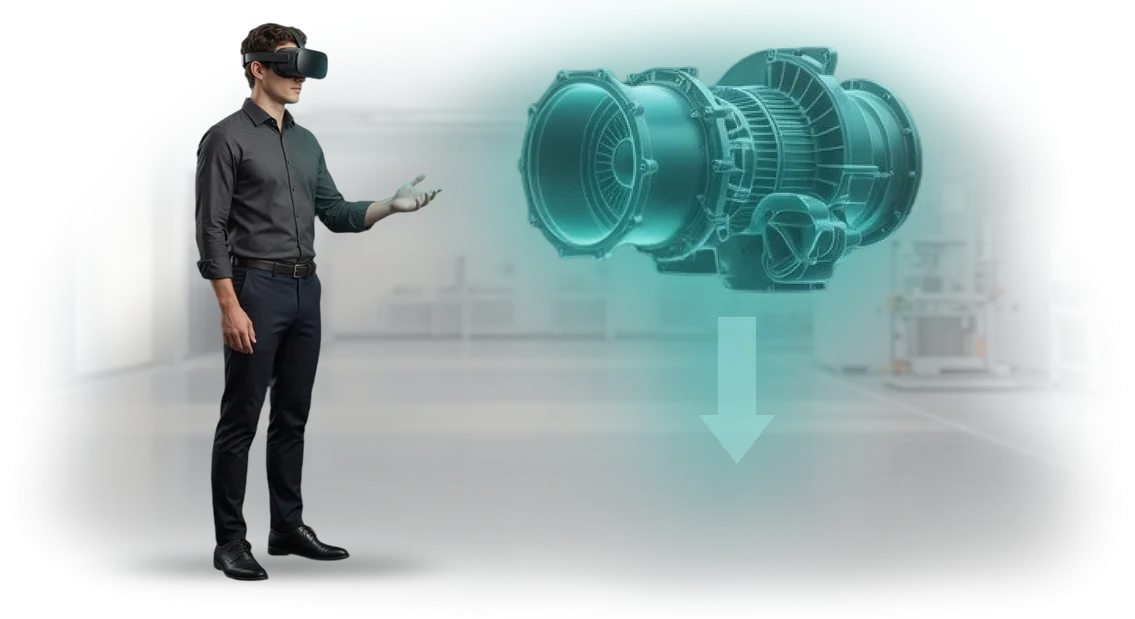
מדוע אורתודונטיה דורשת סימולטורי VR לאימון
אורתודונטיה היא אחת הדיסציפלינות המורכבות ביותר ברפואת שיניים: כאן, מחיר הטעות נמדד לא רק בהפסדים כספיים אלא גם בחודשים של טיפול חוזר, חוסר שביעות רצון של מטופלים, ופגיעה במוניטין של המרפאה.
טעויות באורתודונטיה קורות אפילו אצל רופאים מנוסים, ועוד יותר אצל מתחילים: מיקום שגוי, חישוב עומס לא נכון, דינמיקת תזוזה שלא הבחינו בה. כל מקרה כזה משמעותו כסף, זמן ואמון מטופלים שאבדו.
המערכת המסורתית של הכשרת אורתודנטים מסתמכת על מטופלים אמיתיים: סטודנטים צופים במשך זמן רב, ואז מנסים תחת פיקוח של חונך, אך הסיכון לטעות רפואית עדיין קיים.
תרגול מלא הוא יקר — יש צורך בבסיסים קליניים, מפקחים וחומרים, ולמומחה צעיר יש סיכוי קטן לתרגל מקרים נדירים ומורכבים לפני שהוא נתקל בהם בעבודה אמיתית.
סימולטורי VR פותרים בעיה זו: הם מאפשרים להכשיר אורתודנטים בסביבה וירטואלית בטוחה שבה אפשר לעשות טעויות ללא השלכות על המטופל.
הרופא מתרגל אבחון, תכנון טיפול ומעקב אחר תנועת שיניים כמה פעמים שצריך — עד שהמיומנות הופכת ליציבה. אימון כזה מזרז את הכנת המומחה ומגן על המרפאה מטעויות אורתודונטיות יקרות.
אנחנו בונים סימולטורי VR לצרכים של מרפאה או מרכז הכשרה: אנו מדמים מקרים קליניים אמיתיים, מוסיפים תרחישים עם טעויות אופייניות, והופכים את האימון למדיד.
כתוצאה מכך, המרפאה מקבלת כישורי רופאים צפויים, ומרכז ההכשרה מקבל פורמט מודרני שמושך סטודנטים ומעלה את ערך התכנית.
מה אימון עובדים ב-VR נותן למרפאה
סימולטור וירטואלי לאורתודנטים משנה את פורמט ההשתלמות: במקום הרצאות ותרגול נדיר על מודלים — שקיעה בתרחישים קליניים ריאליסטיים. תרגול מיומנויות קורה ללא סיכון למטופלים, וכל טעות הופכת לרגע למידה.
דיוק בפעולות הוא היסוד של האורתודונטיה. סימולטור VR מתעד את מיקום היד, זווית המכשיר ולחץ, ומספק משוב מיידי.
הרופא מתרגל את הטכניקה עד שהיא הופכת לאוטומטית, ובפרקטיקה האמיתית זה אומר פחות טעויות ותוצאות טיפול צפויות יותר.
האימון מואץ: הרופא בוחר את הזמן לאימון וחוזר על תרחישים מורכבים כמה פעמים שצריך.
אין תלות במקרים קליניים נדירים או בלוח הזמנים של חונך — מיומנות חדשה נרכשת מהר יותר, כלומר המרפאה מקבלת מומחה מוכן לפרוצדורות מורכבות מוקדם יותר.
שקיעה ואלמנטים של משחק מחזיקים את תשומת הלב של הרופאים, כך שהם לא נוטשים את האימון באמצע. הרופאים עצמם חוזרים לסימולטור כדי לשפר את התוצאות שלהם — השתלמות מפסיקה להיות פורמליות.
זה משפיע גם על מטופלים: רופא בטוח עושה פחות טעויות, והמרפאה זוכה למוניטין של מקום שבו עובדים אנשי מקצוע אמיתיים.
ציוד VR מקצועי ופלטפורמת שרת מכווננת היטב אחראים ליציבות ולפעולה חלקה. אנו משתמשים בפיתוחים של הצוות שלנו — זה מבטיח שהסימולטור מופעל מיידית ולא נופל אפילו בעומס גבוה.
אילו פורמטים של סימולטור VR מתאימים למרפאות
רוב המרפאות מאמנות אורתודנטים באמצעות הרצאות וכיתות אמן, אבל מיומנויות מוטוריות — מיקום סמכים, עבודה עם קשתות, תיקון נשיכה — נוצרות רק באמצעות תרגול. על מטופלים חיים זו סיכון, ועל פנטומים יש חוסר בריאליזם.
לכן, אנו בוחרים את פורמט הסימולטור למשימה ספציפית: לתרגל מניפולציה מורכבת, לקלוט מתמחה, או להסמיך את כל הצוות.
| פורמט | למי | מה זה נותן למרפאה |
|---|---|---|
| סימולטור VR בשקיעה מלאה | אורתודנטים, מתמחים, עוזרים | תרגול מניפולציות ללא סיכון למטופל, תיעוד טעויות ותקנים |
| אימון AR עם רמזים מוצגים | אחיות, עוזרים בפגישות | בקרת פעולות שלב-אחר-שלב בזמן אמת, פחות טעויות בסיוע |
| סימולציות ניידות | כל הצוות, כולל מנהלים | לימוד מהיר של פרוטוקולים ותקנים של המרפאה מכל מקום |
שקיעה מלאה מוצדקת כשצריך ללמד רופא רצף פעולות מורכב — מאבחון ועד קיבוע קשת. מציאות רבודה עוזרת לעוזרים ישירות במהלך הפגישה ללא הסחת דעת של הרופא.
הפורמט הנייד פותר את המשימה של אימון המוני ובדיקת ידע ללא תלות בחדר טיפול.
אנו משלבים פורמטים בתכנית אחת: קורס נייד — לתיאוריה, סימולטור VR — לתרגול מיומנויות מוטוריות, AR — לתמיכה יומיומית. כך המרפאה לא משלמת יותר מדי על ציוד מיותר, והעובד מקבל בדיוק את רמת ההכשרה הנדרשת לתפקידו.
אנו בונים תרחישים על מקרים קליניים אמיתיים מהפרקטיקה שלך — זה מזרז את המעבר של עובד חדש לטיפול במטופלים ומפחית את מספר הטעויות בביקורים הראשונים.
איך פיתוח סימולטור עובד ב-6 שלבים
שלבי הפיתוח שקופים מראש ומוסכמים איתך. אתה תמיד יודע איפה הפרויקט עומד: מהמשימה הראשונה ועד כניסת סימולטור ה-VR לתכנית.
אישור הפרויקט בכל שלב מבטל את הסיכון של "לקבל משהו אחר ממה שציפית." אתה שולט בתהליך ומבין על מה אתה משלם. כל שלב מסתיים בתוצאה ברורה.
- מטרות אימון. אנו מגדירים את היעדים: אילו מיומנויות חסרות, אילו טעויות חוזרות, כמה אנשים יוכשרו.
- תרחיש עם מומחים. אנו מתארים מצבים מהפרקטיקה של האורתודנטים שלך. אנו קובעים כיצד הסימולטור מעריך פעולות ומספק רמזים.
- אישור אב-טיפוס. אנו מציגים את הסכימה: ממשק, שלבים, אפשרויות פעולה. אתה מבצע תיקונים לפני הפיתוח העיקרי — זה חוסך זמן ותקציב.
- פיתוח. אנו יוצרים מודלים תלת-ממדיים ומגדירים אינטראקציה ריאליסטית. אנו עובדים על ציוד מקצועי — התוצאה יציבה.
- בדיקות. כמה עובדים עוברים את הסימולטור במצב בדיקה. אנו אוספים נתונים על זמן וטעויות, ומשפרים.
- הטמעת VR ותמיכה. אנו מתקינים את הסימולטור ומכשירים מנהלים. לאחר ההשקה, אנו מעדכנים תוכן ועוזרים בדוחות התקדמות.
כתוצאה מכך, אתה מקבל כלי אימון מוכן: פחות טעויות, ביטחון גבוה יותר של המומחים.
מה כלול במסירה של פתרון VR סוהר
בהזמנת פתרון VR סוהר לאורתודונטיה, אתה מקבל מוצר מוגדר במלואו, לא פרויקט גולמי. חבילת המסירה מורכבת כך שניתן להשיק אימון מיידית — ללא מעורבות של מפתחים או מומחים טכניים.
מה כלול בחבילת המסירה:
- יישום VR עם תרחישים אורתודונטיים מוכנים — תרגול אבחון, תכנון טיפול, עבודה עם מערכות סמכים.
- מודולי אימון המבוססים על מקרים קליניים אמיתיים: העובד מתאמן על מצבים קרובים ככל האפשר לפרקטיקה.
- מערכת ניהול למידה — להקצאת קורסים, מעקב אחר התקדמות וניטור תוצאות של כל עובד.
- הוראות לצוות — כיצד להשתמש בסימולטור, מה לעשות במקרה של תקלה, כיצד לסיים פגישה.
- מודול למדריכים — המנטורים שלך יוכלו להעביר פגישות היכרות למתחילים בעצמם.
- השקה סוהר ותמיכה — אנו עוזרים להגדיר תחנות עבודה ונשארים בקשר לאורך תקופת השימוש.
כך, הכשרת צוות הופכת לתהליך ברור: יש לך את היישום, התרחישים, התקנות והתמיכה. כל מה שנשאר הוא להקצות קורסים — והצוות יתחיל להתאמן.
מקרה בוחן: איך VR עזר למרפאה להפחית טעויות
בעיה: טעויות זהות אצל מתמחים
מרפאה אורתודונטית מבלה חודשים בהתאמת רופאים חדשים. גם אחרי הרצאות וסקירת מקרים, מתמחים חוזרים על אותן טעויות: הם מעריכים לא נכון את הכוח בקיבוע הקשת, מדלגים על שלבי אבחון, ופועלים אחרת באנטומיה לא סטנדרטית. תיקון טעויות כאלה דורש פגישות נוספות, והמטופל מאבד אמון.
פתרון: אימון VR במרפאה
פיתחנו סימולטור וירטואלי לרשת המרפאות האורתודונטיות DentalMentor, שבו הרופא מתרגל את מחזור הטיפול המלא: מהדמיה ועד קיבוע מכשיר.
כל פעולה נבדקת מול הפרוטוקול, וטעות מודגשת מיידית — המתאמן לומד מהר וללא סיכון למטופל אמיתי.
אחרי חודשיים, מספר הטעויות בקרב מומחים חדשים ירד ב-40%, וזמן ההתאמה נחתך כמעט בחצי: רופאים עבדו עם סמכים בביטחון רב יותר כבר אחרי מחזור האימון הראשון.
מנהל המרפאה ציין שהצוות החל לפעול באופן אחיד במקרים מורכבים — מטופלים מקבלים תוצאות צפויות ללא קשר למי שמטפל בהם.
המרפאה משתמשת כעת באימון VR לקליטה ובדיקות מיומנות שנתיות. זו לא יוזמה חד-פעמית אלא כלי שיטתי לבקרת איכות — ולכן הלקוח חזר אלינו כדי להרחיב את התכנית לכל העובדים.
איך לבחור סימולטור VR לאורתודונטיה?
בחירת סימולטור VR לאורתודונטיה מתחילה לא בציוד אלא במשימת האימון. מה עובדים צריכים לדעת לעשות אחרי הקורס: לבצע אבחון, לתכנן טיפול, או לבצע טכניקות ידניות בביטחון? התשובה קובעת את תרחישי הסימולציה ואת רמת הפירוט, ולכן את התקציב.
כשהמשימות ברורות, השווה אפשרויות לפי ארבעה קריטריונים: היקף ההטמעה, תקציב, אינטגרציה עם תכנית האימון שלך ותמיכה. סימולטור שמשתלב בתהליך האימון הקיים עובד לתוצאות קבועות, לא להדגמה חד-פעמית.
| קריטריון | למה להסתכל | מה המרפאה מקבלת |
|---|---|---|
| מטרות אימון | אילו מיומנויות אנו מאמנים: אבחון, תכנון, טכניקות ידניות | עובדים מגיעים לעבודה עצמאית מהר יותר |
| היקף ההטמעה | כמה מומחים מתאמנים במקביל | עומס שווה על מרכז ההכשרה ללא תורים |
| תקציב | עלות הפיתוח והתמיכה השוטפת | השקעה שקופה עם תקופת החזר ברורה |
| אינטגרציה | תאימות לתכניות האימון שלך ולמערכת הלמידה מרחוק | האימון הופך לחלק מההכנה הקבועה, לא לאירוע נפרד |
בנפרד, שאל על תמיכה לאחר ההשקה. עדכוני תרחישים ותמיכה טכנית המובנים מההתחלה מגנים מפני השבתה וחומרים מיושנים.
בחירת סימולטור VR למשימות ולתקציב שלך היא מה שאנחנו עושים כל יום. נעזור לך לבחור פרמטרים, לעצב תרחישים, ולהראות כיצד האימון ישפיע על מהירות הכנת הצוות. נתחיל בייעוץ מקדים.
תשובות לשאלות נפוצות על הטמעה
כל מנהל שואל את אותן שאלות לפני השקת אימון VR: האם יהיה קשה לעובדים ללמוד סימולטורים, האם יהיה צורך לרכוש ציוד יקר, כמה מהר הפרויקט יחזיר את ההשקעה. זה נורמלי — פורמטים חדשים תמיד מעוררים ספקות. אספנו תשובות לשאלות הנפוצות ביותר על VR כדי שתוכל לקבל החלטה מאוזנת.
האם קשה לעובדים לעבוד בסימולטור VR?
לא. אנו מעצבים ממשקים למשתמש הממוצע: העובד מרכיב את המשקפיים, רואה רמזים ועוקב אחר שלבי התרחיש. בדרך כלל 10–15 דקות של תרגול מספיקות לעבודה בטוחה. האימון מתבצע על הסימולטורים שלנו, ואנו תומכים בהשקה.
איזה ציוד נדרש ומי מכין אותו?
משקפי VR עצמאיים מודרניים מתאימים — הם לא צריכים מחשב חזק. אנו עוזרים לך לבחור דגם לתקציב ולמשימות שלך, ומספקים גם הגדרה ותמיכה טכנית בהתחלה. עובדים פשוט מרכיבים את המשקפיים ומתחילים להתאמן.
כמה מהר האימון מחזיר את ההשקעה?
סימולטורי VR מפחיתים את זמן הכשרת העובדים בממוצע פי 2–3 בהשוואה להרצאות קלאסיות. זה אומר שהעובד מגיע למשימות אמיתיות מהר יותר ומתחיל להניב תוצאות. בנוסף, העלויות עבור חונכים, כיתות אימון וחומרים מתכלים מופחתות.
מה קורה אם משהו משתבש?
אנחנו לא נעלמים אחרי ההשקה. תנאי התמיכה קבועים בחוזה: עדכוני תוכן, ייעוץ לצוות, עזרה בבעיות טכניות. אם מתעוררות קשיים, אתה פונה לצוות שלנו — ואנחנו פותרים את הבעיה מרחוק.
אם נותרו ספקות אחרי התשובות האלה, שאל אותנו שאלה ישירה. כל מה שצריך זה להשאיר פנייה בעמוד, ונבחן ביסודיות את התרחיש הספציפי שלך.הזמן סימולטור VR לאימון עובדים
השאר פנייה — ותוך מספר דקות נדון כיצד סימולטור VR ישתלב בתכנית הכשרת האורתודנטים שלך. הצוות שלנו עובד סוהר: אתה מקבל תרחיש מוכן, תוכן, תמיכה טכנית והכשרת צוות.
לא "להעביר את המפרט הטכני לקבלנים אחרים" — אנחנו מטפלים בכל השלבים בעצמנו.
הבא — תוכנית ברורה, שכל שלב בה קבוע בחוזה:
- פנייה ובריף קצר: אתה מתאר את המשימה, אנו מציעים את הפורמט ולוח הזמנים.
- תרחיש ומתודולוגיה: אנו מנתחים מקרים קליניים אמיתיים כך שהסימולטור מאמן את המיומנויות הנכונות.
- אב-טיפוס: אתה רואה את המסכים הראשונים ואת היגיון התרגילים לפני הפיתוח המלא.
- פיתוח סוהר: אנו בונים את הסימולטור ומתאימים אותו למכשירים שלך.
- בדיקות עם העובדים שלך: אנו בודקים את השימושיות והבהירות של הממשק.
- השקה והכשרת מנהלים: אתה מקבל את העבודה ומתחיל להשתמש בה.
לאחר המסירה אתה מקבל:
- אחריות על הסימולטור — אנו מתקנים ליקויים טכניים בחינם במסגרת לוחות זמנים מוסכמים.
- חומרי מקור: תרחישים, מדריך מתודולוגי והוראות לצוות.
- תמיכת השקה: אנו עוזרים לקיים את הפגישות הראשונות ועונים על שאלות עובדים.
- מרחב לשיפור: אנו מוסיפים תרגילים חדשים ומורכבות גוברת ככל שהתכניות גדלות.
- הכשרה לצוות שלך: המדריכים שלך מפעילים פגישות VR בעצמם ללא נוכחותנו.
- אנליטיקת שימוש: אתה רואה כמה פגישות התקיימו וכיצד העובדים מתמודדים עם המשימות.
השאר פנייה דרך הטופס באתר — נשלח הצעה מסחרית ולוחות זמנים לבקשתך.