

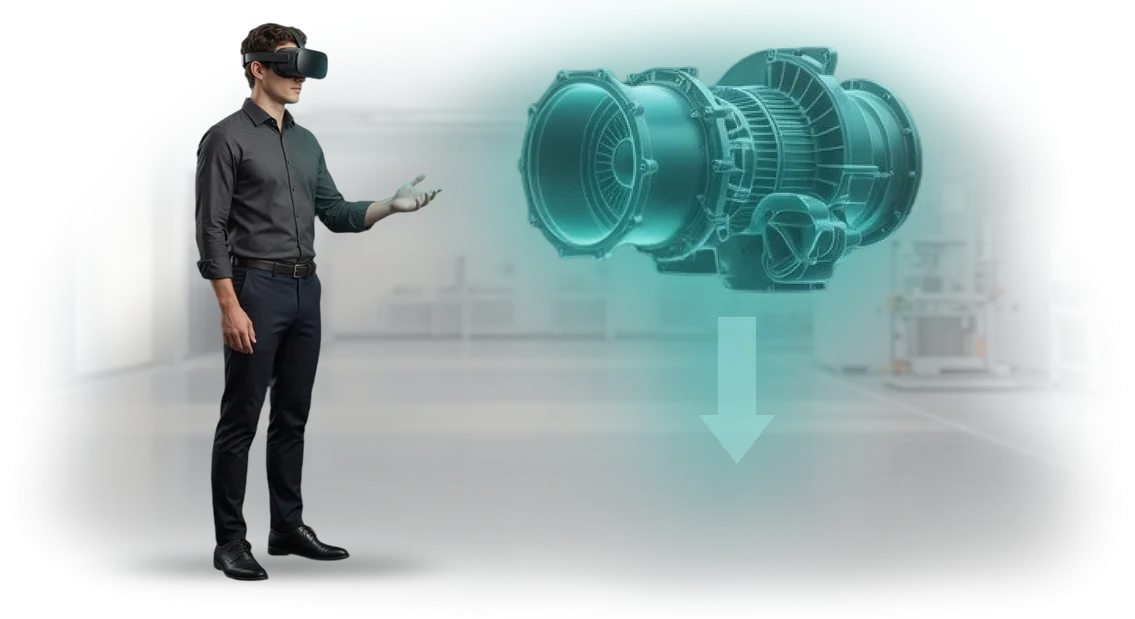
כיצד להכשיר מהנדסי בניין ללא סיכון לאתר?
הכשרה מסורתית למהנדסי בניין היא או תיאוריה בכיתה או תרגול באתר אמיתי. התיאוריה לא בונה מיומנויות תגובה מהירה, בעוד שתרגול באתר כרוך בסיכונים לאנשים וטעויות יקרות. טעות של מתחיל יכולה לעלות בשבועות של השבתה ולסכן את בטיחות כל הצוות.
סימולטור וירטואלי לבנייה מאפשר למהנדס לעבוד בהעתק מדויק של האתר—מבור החפירה ועד מבנים גבוהים—ללא סכנה פיזית.
הם לומדים לקרוא שרטוטים, להקצות ציוד, לשלוט באיכות ההרכבות ולקבל החלטות במצבי חירום. כל הטעויות נשארות בתוך הסימולציה, לא באתר האמיתי.
הכשרת עובדים כזו פותרת את הסתירה המרכזית: להפחית סיכונים באתר תוך מתן ניסיון מעשי מלא למהנדס. ניתן לחזור על ההכשרה אינסוף פעמים, בזמנים נוחים, עם משוב מיידי על כל החלטה.
מנהלים רואים מדדי התקדמות אובייקטיביים—היכן העובד כבר מוכן לעבודה והיכן נדרש תרגול נוסף.
אנחנו מעצבים תרחישי VR בהתבסס על התהליכים האמיתיים שלכם: אנחנו לוקחים שרטוטים, תקנות וטעויות אופייניות מהאתר שלכם והופכים אותם לסימולטור בטוח. התוצאה—מהנדס מגיע לאתר מוכן, בזמן שאתם שומרים על קצב הבנייה והמוניטין.
מה אתם מרוויחים מהטמעת VR ו-AR בהכשרת עובדים
הטמעת סימולטורי VR מעבירה את ההכשרה מתיאוריה לפרקטיקה לפני שהעובד דורך אי פעם באתר אמיתי. בענף הבנייה, מחיר הטעות גבוה במיוחד: פספוס מועדים, עבודות חוזרות וסיכוני בטיחות.
אז הערך המרכזי של סימולטור הוא שעובדים צוברים ניסיון בבטחה וללא הפסדים עסקיים.
אנחנו יוצרים תוכניות VR המותאמות למשימות הייצור שלכם. מה אתם מקבלים לאחר ההטמעה:
- פחות טעויות צוות. תרגול תרחישים מורכבים ומצבי חירום בסביבה וירטואלית—לפני היציאה לאתר. זה מפחית עבודות חוזרות ותקריות.
- ידע אחיד. תוכנית אחת לכל הצוותים. לא משנה מי מעביר את ההדרכה—התקן הוא אחד, וכל מומחה פועל לפי סכמה אחת.
- אפקטיביות הכשרה. תרגול נקלט מהר יותר מהרצאות וסרטונים. עובדים מקבלים החלטות בסביבה ריאלית, והמיומנות מתחזקת בצורה אמינה יותר.
- קליטה מהירה יותר. ההכשרה מתבצעת במשרד או באתר, ללא השכרת מגרשי אימון או ציוד בטל. עולים חדשים הופכים למועילים לצוות מהר יותר.
- הערכת מוכנות אובייקטיבית. המערכת מתעדת את פעולות העובד. אתם רואים לא "ציון מבחן" אלא התנהגות בפועל במצב מדומה.
התוצאה—רמות מיומנות צפויות בכל הצוותים והגנה מפני טעויות יקרות. ההכשרה הופכת לא להוצאה אלא לכלי ליציבות וצמיחה.
פורמטי הכשרת VR למהנדסי בניין
בחירת פורמט ההכשרה הווירטואלית תלויה במשימה הספציפית: דבר אחד הוא תרגול פעולות במהלך קריסה או שריפה, ודבר אחר הוא ללמד מהנדס לקרוא במהירות קונפליקטים בין רשתות תשתית.
הפורמט הנכון מקצר את זמן ההכנה, מפחית את הסיכון לטעויות באתר ומגביר את ביטחון העובד לפני הכניסה לאתר. להלן אפשרויות אופייניות שאנחנו מיישמים עבור חברות בנייה.
| פורמט | למי | מה הוא נותן ללקוח |
|---|---|---|
| סימולטור VR מלא ומרתק | מהנדסי פיקוח טכני, מנהלי עבודה, מומחי בטיחות בעבודה | תרגול מצבים מסוכנים ללא סיכון לחיים או לאתר; הפחתת פציעות והשבתות |
| הוראות והכוונת AR | מתקינים, טכנאי הרצה, צוותי שטח | בדיקת הרכבות ורצפי עבודה ישירות באתר; פחות טעויות ועבודות חוזרות |
| תרחישי תלת-ממד אינטראקטיביים | מתכננים, שמאים, מהנדסים אזרחיים | למידה מהירה יותר של מבנים והרכבות ללא יציאה לאתר; קליטה מהירה לתפקיד |
| מפגשי VR שיתופיים | ראשי צוותים, מנהלי אזורי אתר | תרגול תיאום צוות ותגובה למצבי חירום; שיתוף פעולה חלק בצוות |
אנחנו עוזרים לכם לבחור פורמט למשימה שלכם: אפשר להתחיל עם סימולטור אחד למומחיות מפתח ואז להתרחב לכל מגוון התפקידים ההנדסיים.
עבור כל אפשרות, אנחנו מכינים תוכנית הכשרה, תרחיש ומערכת הערכת תוצאות—אתם רואים את התקדמות העובד במספרים: זמן ביצוע, מספר טעויות, מוכנות לעבודה עצמאית.
כך, ההכשרה מפסיקה להיות פורמליות והופכת לכלי מדיד לשיפור מיומנויות.
שלבי השקת סימולטור וירטואלי בחברה שלכם
כל שלב בפיתוח הכשרת VR מתוכנן כך שאתם שולטים בתוצאה, לא בתהליך. אתם מקבלים עבודה לפי תוכן: ברור מה הסימולטור עושה, איך הוא נראה לעובדים ומה התועלת העסקית שלו.
-
בריף וסקירת משימות. אנחנו מנתחים היכן מהנדסים טועים הכי הרבה ואילו פעולות אפשר לתרגל ללא סיכון. אנחנו מציבים יעדי הכשרה ומדדים שתבדקו לאחר ההשקה.
-
עיצוב סימולטור ואישור תרחיש. אנחנו הופכים את התקנות שלכם לעלילה אינטראקטיבית. אנחנו מאשרים אותה עם המומחים המרכזיים שלכם כך שההכשרה תתאים לדרישות האתר בפועל.
-
פיתוח אב-טיפוס. אנחנו יוצרים גרסה עובדת של התרגיל על הסצנה המאושרת. אתם רואים איך עובדים יפעלו ועורכים שינויים לפני בניית הקורס המלא.
-
הרכבת קורס מלא. אנחנו מסיימים את המודולים על בסיס אב-הטיפוס ובודקים פעולה יציבה על הציוד הסטנדרטי של החברה. הסימולטור פועל ללא מעורבות מתכנת.
-
השקת פיילוט. קבוצה קטנה של מהנדסים משלימה הכשרה בפורמט קרוב למציאות. בהתבסס על המשוב שלהם, אנחנו מכווננים את הממשק והלוגיקה לרמה נוחה.
-
הטמעה והתחלה. אנחנו מחברים את הסימולטור למערכת הרישום שלכם, מגדירים הרשאות משתמש ומכשירים מנהלים להפעלת מפגשים וצפייה בסטטיסטיקות.
-
תמיכה לאחר השקת הכשרת VR. אנחנו עוקבים אחר התקדמות, מעדכנים תרחישים לתקנים חדשים ועוזרים להרחיב את ההכשרה למחלקות אחרות.
מה כלול בחבילת הסימולטור: סט מלא לצוות שלכם
אתם מקבלים לא רק אפליקציית VR אלא מערכת הכשרה מוכנה למהנדסי בניין. כל החומרים מותאמים לפרטי הענף ומוכנים לשימוש מהיום הראשון. החבילה כוללת כל מה שהצוות שלכם צריך:
- סימולטור VR מוכן — תרחישים וירטואליים של תהליכי בנייה, כולל בטיחות, מצבי חירום ובקרת איכות. עובדים מתאמנים ללא סיכון לעצמם, לאתר או ללוחות הזמנים של הבנייה.
- פאנל ניהולי — סטטיסטיקות נוחות לכל עובד: ביצועים, זמן השלמה, טעויות אופייניות. אתם רואים את רמת ההכשרה האמיתית ויכולים להתאים את התוכנית.
- תיעוד מתודולוגי — תקנות, הוראות ותבניות שקל לשלב במערכת ההכשרה הקיימת שלכם. המתודולוגים שלכם יכולים להתאים את התהליך בצורה ברורה ומהירה ללא יועצים חיצוניים.
- הכשרת המדריכים שלכם — תוכנית ייעודית לצוות שיפעיל ויתמוך בסימולטור. עובדים לומדים ניהול, הגדרות קושי ועבודה עם דוחות.
- מאגר תוכן — סט של אובייקטים, דמויות ותרחישים מוכנים. כשהתקנים משתנים או מופיעות מיומנויות חדשות, אתם מעדכנים את ההכשרה עם הצוות שלכם, ללא מפתחים.
- תמיכה לאחר ההטמעה — אחריות, עדכונים מתוזמנים וייעוץ בכל שאלה. אנחנו נשארים בקשר כך שהסימולטור יעבוד בצורה אמינה ויניב תוצאות.
תיעוד ותמיכה כאן הם לא פורמליות אלא חלק ממערכת שמבטיחה הטמעה מהירה וצמיחה נוספת. אתם קונים לא רק תוכנית, אלא בסיס אמין להכשרת מהנדסים לשנים רבות.
מקרה בוחן: איך קיצרנו את זמן הכשרת העובדים באתר ייצור
חברת האחזקות לבנייה StroyAktiv התמודדה עם בעיה אופיינית בענף: קליטת מהנדסים חדשים ארכה עד 1.5 חודשים, ובהשקת אתרים חדשים היה צריך לאייש צוותים במהירות.
החונכים הוסחו מעבודתם, איכות ההכשרה הייתה תלויה בעומס שלהם, ובאתרים חסרו מומחים שיכלו לבצע פעולות מורכבות בבטחה.
הצענו להחליף חלק מההכשרה בכיתה בסימולטור VR. בסביבה הווירטואלית, מהנדס עובר את כל השלבים—מבדיקת מבנים ועד הרצה—ללא סיכון ובלוח זמנים נוח.
ההכשרה מתנהלת במקביל לעבודה הרגילה, התוצאות נלכדות אוטומטית, והמדריך רואה את ההתקדמות של כל עובד.
ההטמעה הניבה תוצאות עסקיות מדידות. זמן ההכשרה ירד משישה שבועות לשניים, וחלק העובדים שעברו הסמכה בניסיון הראשון עלה ל-95%.
הטעויות בפעולות אמיתיות ירדו ב-60%—זה אומר חיסכון ישיר בעבודות תיקון ושיפור בטיחות. בשנה הראשונה, יותר מ-200 מהנדסים השלימו את הסימולטור, ותוכנית הקליטה הפכה לאחידה בכל האתרים.
"סימולטור ה-VR פתר בעיה שלא יכולנו לפתור עם קורסים מסורתיים," אומר אלכסיי קובליוב, מנהל משאבי אנוש של חברת האחזקות. "אנחנו מקבלים מומחה מוכן פי שניים מהר יותר והפחתנו את התחלופה בשלב הקליטה בשליש.
אפשר גם לנהל את ההכשרה מרחוק, ואנחנו יכולים לראות אילו עובדים כבר מוכנים לעבודה."
לאחר התוצאות הראשונות, הלקוח הרחיב את הפרויקט: הסימולטור משמש כעת בכל אתרי הבנייה המרכזיים של החברה, ואנחנו מעדכנים באופן קבוע תרחישים לפרויקטים חדשים ולדרישות בטיחות.
הזמנה חוזרת היא ההוכחה הטובה ביותר שהכשרת VR מספקת ערך עסקי מדיד, לא רק פורמט מודרני לשם הפורמט.
איך לבחור את פורמט ההכשרה הנכון לעובדים שלכם?
לקוחות רבים שואלים איך לבחור פורמט הכשרה—ובצדק. אין פתרון אוניברסלי: חלקם צריכים רק הנחיית AR קלה בטאבלט, אחרים צריכים סימולטור VR לתרגול פעולות מסוכנות.
המשימות העסקיות קובעות את התשובה: מה עובדים חייבים לדעת לעשות, כמה אנשים להכשיר ובאיזו תדירות לעדכן את התוכנית.
עבור מהנדסי בניין, הפרטים הם כמעט תמיד זהים: מודעות מרחבית מדויקת, עבודה עם שרטוטים וציוד ופעולות במצבי חירום.
VR מאפשר לתרגל בבטחה מה שיקר או מסוכן בחיים האמיתיים—לדוגמה, הרכבת מנוף או פינוי מגובה. פורמט ה-AR נוח להוראות מהירות באתר: בדיקת הרכבה או קבלת מידע ללא הפרעה לעבודה.
אנחנו בוחרים פורמט בהתבסס על הדרישות הספציפיות שלכם: אתם מציינים את המטרה, אנחנו מנתחים את החומרים הזמינים ומציעים תרחיש. אם המשימה היא בדיקת ידע המונית ותרגול אלגוריתמים, אנחנו משתמשים ב-VR עם לכידת תוצאות אוטומטית.
אם עובד צריך תמיכה בקטע מורכב, אנחנו משתמשים במצב AR. אנחנו часто משלבים את שני הפורמטים: קודם אדם לומד פעולות בסיסיות ב-VR, ואז משתמש בהנחיות AR בעבודה אמיתית.
כתוצאה מכך, אתם מקבלים פתרון שלא דורש הכשרה מחדש של עובדים ונכנס בקלות ללוח הזמנים הנוכחי שלכם. אנחנו מריצים פיילוט על קבוצה קטנה כדי שתראו את ההשפעה על מהירות ואיכות העבודה, ורק אז מרחיבים את הפרויקט. כך אתם יודעים בוודאות שבחרתם את הפורמט הנכון.
שאלות וחששות נפוצים של לקוחות לגבי הכשרת VR
לקוחות השוקלים הכשרת VR בפעם הראשונה ממעטים לפקפק באפקטיביות שלה. מה שמעורר חשש הוא משהו אחר: האם נוכל להתמודד עם ההטמעה, האם לוחות הזמנים יחליקו, האם התקציב יחרוג מהציפיות. בואו נעבור על החששות המרכזיים ונראה איך אנחנו מטפלים בכל אחד מהם.
כמה עולה פיתוח סימולטור VR?
העלות תלויה במספר התרחישים, ברמת הפירוט ובמיומנויות שצריך לתרגל. אנחנו מכינים אומדן שקוף לפני ההתחלה, קובעים את המחיר בחוזה ולעולם לא חורגים ממנו.
יתר על כן, הכשרת VR זולה יותר מהשכרת ציוד ותשלום למדריכים על בסיס קבוע—התוצאה מחזירה את עצמה עם קבוצות העובדים הראשונות.
כמה זמן לוקח הפיתוח?
פרויקט אופייני לוקח חודשיים עד ארבעה חודשים, תלוי במורכבות. אנחנו מפרקים את העבודה לשלבים, מסכימים על כל תוצאת ביניים איתכם ומציגים אבות-טיפוס עובדים.
אתם תמיד מבינים באיזה שלב נמצא הפרויקט ומה הלאה, כך שאין הפתעות עם לוחות זמנים.
האם קשה לשלב הכשרת VR בתוכניות קיימות?
לא, אנחנו עושים את זה "מפתח אל מפתח." הסימולטור משתלב עם מערכת ניהול הלמידה שלכם ולא דורש חדר מיוחד או התקנה מורכבת.
המדריכים מקבלים הכשרה קצרה ותרחישי שיעור מוכנים—אתם פשוט משיקים את הקורס ומיד רואים את התקדמות העובדים.
האם הסימולטור תואם לציוד שלנו?
אנחנו עובדים עם דגמי משקפי VR פופולריים שכבר נמצאים בשימוש בהכשרה ארגונית. אם אין לכם מכשירים משלכם, נעזור לכם לבחור אפשרות שמתאימה לתקציב ולצרכים שלכם—מהשכרה ועד מסירה מלאה. אנחנו מחשבים דרישות טכניות מראש, כך שלא יהיו בעיות השקה.
האם זה בטוח לעובדים לעבוד במציאות וירטואלית?
כן, ההכשרה מתבצעת בסביבה וירטואלית בטוחה שבה טעות לא מובילה לפציעה או נזק. הסימולטור מחקה את סביבת העבודה האמיתית, והעובד שולט לחלוטין בתהליך.
למי שיש התוויות רפואיות (לדוגמה, הפרעות וסטיבולריות), אנחנו מספקים פורמטים חלופיים לתרגול מיומנויות.
אנחנו יודעים שכל כלי חדש מעלה שאלות, אז אנחנו שמחים להראות גרסת הדגמה עוד לפני דיון בתקציב. פשוט כתבו לנו—נסקור את התרחיש שלכם, נעריך את לוח הזמנים ונציע פתרון שמסיר את כל הספקות.השאירו פנייה לקבלת אומדן פרויקט וייעוץ
כדי להזמין הכשרת VR למהנדסי בניין, פשוט השאירו פנייה באתר. נחזור אליכם תוך יום עסקים אחד, נבהיר את המשימות שלכם ונשלח אומדן פרויקט—לא הבטחות מופשטות, אלא בהתבסס על התרחישים שלכם ומספר העובדים.
לאחר הפנייה שלכם, תקבלו:
- אומדן ראשוני של עלות ולוח זמנים לתרחיש שלכם—ללא תוספות נסתרות.
- ייעוץ על פתרונות VR: איזה פורמט מתאים למתחילים, מהנדסים מנוסים או הכשרה המונית.
- סקירה של חומרי ההכשרה שלכם: מה להמיר ל-VR ומה להשאיר בפורמט הסטנדרטי.
- דוגמאות לעבודה שלנו בענף הבנייה—תוכלו להעריך איכות לפני שמתחילים.
- תוכנית הטמעה: מהשקת פיילוט עם צוות אחד ועד פריסה מלאה במרכז הכשרה.
- מפרט טכני לאב-טיפוס—תוכלו להראות אותו להנהלה ולאשר את התקציב.
- מנהל אישי שמטפל בפרויקט מהפנייה ועד ההשקה ונשאר זמין לאחר המסירה.
ללא התחייבויות: האומדן והייעוץ ראשוניים, גם אם אתם עדיין רק בוחנים את הנושא. השאירו פנייה—בואו נדבר על איך סימולטור VR יכול לקצר את זמן הקליטה ולהפחית את הסיכון לטעויות באתר.