

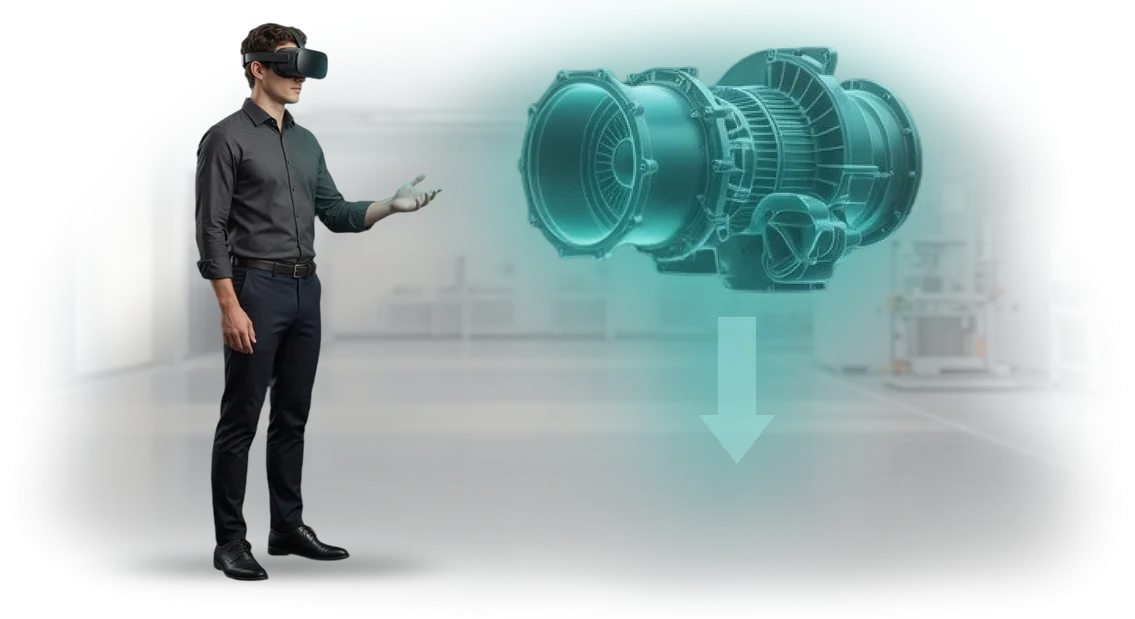
מדוע אימון מכוונני ציוד על מכונות אמיתיות משבש לוחות זמנים ותקציבים
אימון מכוונני ציוד כמעט תמיד סובב סביב מכונות אמיתיות, מה שאומר עימותים מתמידים עם תוכנית הייצור. כדי לאפשר למתאמן לתרגל, יש לעצור את קו הייצור: זמן אובד, משמרות לא עומדות ביעד, ומשלוחים מתעכבים.
אפילו חצי שעת תרגול לעובד חדש הופכת לשעות של השבתה, ולכן מנהלי מחלקות דוחים זאת לרגע האחרון.
בזמן שהאימון ממתין לחלון פנוי, עובד חדש מקבל משכורת במשך שלושה או ארבעה חודשים מבלי להשיג תוצאות. וכשהתרגול סוף סוף קורה, טעויות על ציוד יקר עולות אפילו יותר: הגדרות שגויות, כלים פגומים, חלקי עבודה הרוסים. ההוצאות הבלתי צפויות וההשבתות השקטות הללו מנפחות את תקציב הכשרת כוח האדם פי כמה.
סימולטור VR מסיר את הדילמה בין "לאמן על מכונה אמיתית" לבין "לא לעצור את הייצור". מכוונן שולט בפעולות בעותק וירטואלי בטוח של מקום העבודה, ללא סיכון לאנשים או לציוד, וזמן ההגעה לכשירות מצטמצם פי כמה.
במקביל, העברת הידע מואצת: החונך משקיע פחות זמן בכל עובד חדש, והידע הופך לתקני—הוא כבר לא תלוי בעייפות או בזמינות של המומחה.
החברה מקבלת תוכנית הכשרת עובדים צפויה שניתן לשכפל באתרים חדשים מבלי לעצור מכונות. כך בדיוק אנו מטפלים בנקודות הכאב של לוחות זמנים ותקציבים, והופכים את אימון המכווננים מבעיה לתהליך ניתן לניהול.
אילו יתרונות עסקיים מקבלת החברה מסימולטורי VR לכוח אדם
אימון מכוונני ציוד באתר ייצור אמיתי הוא יקר: השבתות, חומרים מקולקלים, והזמן של מומחים מנוסים. סימולטור VR מעביר את התהליך לסביבה וירטואלית בטוחה שבה ניתן לתרגל כל מיומנות עד שהיא הופכת לאוטומטית.
זו לא תחליף לתיאוריה, אלא כלי שמספק יתרונות מדידים—הנה העיקריים שבהם.
- זמן מהיר להגעה לפרודוקטיביות. עובד שולט בפעולות פי 2–3 מהר יותר מאשר בשיטה הקלאסית של "חונך בתוספת תרגול על מכונה". במקביל, מחזור הייצור אינו מואט: האימון מתנהל ללא עצירת ציוד.
- בטיחות ואפס תקלות. מכוונן ב-VR יכול לטעות ללא השלכות: תרחישי חירום ומצבים חריגים מתורגלים במצב בטוח. זה חשוב במיוחד לעובדים חדשים שחוששים מלפגוע במכונה יקרה.
- עלויות אימון נמוכות יותר. ההוצאות על חומרים מתכלים, חשמל וזמן מדריך מופחתות פי כמה. סימולטור אחד מחליף עשרות שעות תרגול על ציוד אמיתי.
- נאמנות ומעורבות של כוח אדם. גישה מודרנית לפיתוח מראה לעובדים שהחברה משקיעה בצמיחה שלהם. זה מפחית תחלופה ומחזק את מותג המעסיק.
- תקן אימון אחיד. כל העובדים עוברים את אותו תרחיש עם קריטריוני הערכה ברורים. תוצאת האימון צפויה, מה שאומר שגם איכות העבודה צפויה.
החברה שהצוות שלנו מפתח עבורה סימולטורי VR למשימות ייצור ספציפיות: מתרגול פעולות בסיסיות ועד אלגוריתמי חירום מורכבים. אנו מודדים יעילות יחד עם הלקוח—לפי ירידה במספר הטעויות, זמן הגעה לכשירות מלאה, וחיסכון בתקציב האימון.
פורמטים של אימון VR למשימות ארגוניות שונות
סימולטורים וירטואליים כבר מזמן חדלו להיות "משחקי מחשב"—הם כלי עבודה שמשתלבים במערכת ההכשרה של כוח אדם בייצור. משימות ארגוניות שונות דורשות פורמטים שונים: מתרגול כוונון ציוד ועד תגובה למצבים חריגים.
בחרנו את הפורמטים כך שתוכלו לבחור את זה שמתאים למטרה ספציפית. ומומחי הצוות שלנו יעזרו להתאים את התרחיש לציוד ולתקנות שלכם.
| פורמט אימון VR | למי הוא מיועד | מה הוא נותן ללקוח |
|---|---|---|
| סימולטור כוונון אישי | מכווננים, צוות תחזוקה | תרגול מיומנויות ללא סיכון לציוד, פחות זמן הנדרש לכוונון אמיתי, הערכת כשירות אובייקטיבית |
| סימולציית תהליך קבוצתי | משמרות, צוותים, מפעילים | פעולות מתואמות, הבנת תחומי אחריות, תרגול תקשורת בזמן אמת |
| תרחיש חירום | כל כוח האדם בייצור | פעולות בטוחות בזמן תקלות, שיעור תאונות נמוך יותר, עמידה בדרישות בטיחות תעסוקתית |
| סיור וירטואלי בבית המלאכה | עובדים חדשים, מתאמנים | היכרות מהירה עם ציוד ומסלולים, תקופת קליטה קצרה יותר, פחות פציעות במשמרות הראשונות |
כל פורמט יכול לעבוד כמודול עצמאי או כחלק מתוכנית הכשרה מקיפה. לדוגמה, עובד חדש משלים תחילה סיור וירטואלי, אחר כך סימולטור אישי, ורק לאחר מכן סימולציה קבוצתית עם עמיתים.
השילוב הזה מאפשר לכוונן את כל שלבי הכשרת כוח האדם מבלי לעצור את הייצור.
חשוב לציין, הפורמטים אינם דורשים כישורים טכניים מיוחדים מהעובדים: הממשק ברור מהדקה הראשונה, וההוראות מובנות בתוך התרחיש.
אתם מקבלים פתרון סוהר—אנו מפתחים את התרחיש, ממלאים אותו בתקנות שלכם ומשלבים אותו במערכת ההכשרה הקיימת. כל שנותר לכם הוא להקצות קבוצה ולעקוב אחר ההתקדמות באמצעות סטטיסטיקות נוחות.
אם אינכם בטוחים איזה פורמט מתאים למשימה שלכם, שלחו לנו תיאור של המצב: יחד נבחר את הסימולטורים הווירטואליים שיניבו את האפקט המקסימלי עבור הייצור הספציפי שלכם.
שלבי הטמעת סימולטור VR בתהליך ההכשרה
הטמעת סימולטור VR אינה קנייה של "קופסה", אלא תהליך מובנה שמשנה את מערכת הכשרת המכווננים. זה בדרך כלל אורך מספר שבועות ודורש אינטראקציה הדוקה עם הצוות שלכם—ממשאבי אנוש ועד למהנדס הראשי.
אנו תומכים בכם בכל שלב, כך שאתם מקבלים לא אב טיפוס גולמי אלא כלי עבודה משולב בתהליכים העסקיים שלכם.
אנו עובדים לפי תכנית שקופה—אתם תמיד מבינים באיזה שלב נמצא הפרויקט ומה אתם מקבלים כתוצאה. להלן הנתיב האופייני שעברו לקוחותינו ביצירת סימולטור למכוונני ציוד.
- בריף וסקירת מערכת ההכשרה הנוכחית. אנו מתוודעים לתקנות שלכם ומנתחים את הטעויות האופייניות ומצבי החירום שמכווננים נתקלים בהם. אנו מתעדים את המטרות: מה עובד אמור לדעת לעשות לאחר האימון וכיצד תאמתו את התוצאה.
- פיתוח תרחיש ומתודולוגיה. יחד עם הטכנולוגים והמכווננים המנוסים שלכם, אנו יוצרים את תרחיש הסימולטור—הוא משקף מצבי עבודה אמיתיים: הגדרה, אבחון, פתרון תקלות. בשלב זה אנו מגדירים קריטריוני הערכה ורמות קושי לעובדים חדשים ומנוסים.
- בניית הסימולטור. אנו יוצרים מקום עבודה וירטואלי קרוב ככל האפשר לציוד האמיתי. הוא נראה ומתנהג כמו המכונה או קו הייצור בפועל—כך שמיומנות שנלמדה ב-VR עוברת לרצפת הייצור ללא "אימון מחדש".
- בדיקת פיילוט. אנו מציגים את הסימולטור למכווננים ולמדריכים שלכם ואוספים משוב. בשלב זה אנו מתאימים תרחישים, רמת קושי של משימות והממשק כך שהאימון יתנהל בצורה חלקה ויישאר מחובר למציאות.
- שילוב בתהליך ההכשרה. אנו מחברים את הסימולטור למערכת ההכשרה שלכם, מכינים מדריכים ומתעדים נהלי שימוש. העובדים מתחילים להתאמן לפי לוח זמנים, ואתם רואים סטטיסטיקות התקדמות לכל לומד.
- תמיכה ופיתוח. אנו מעדכנים תרחישים עבור דגמי ציוד חדשים או שינויים בתהליכים טכנולוגיים ומספקים תמיכה טכנית והרחבת הסימולטור למחלקות ואתרים אחרים.
הערך המרכזי של תהליך זה הוא תוצאות צפויות. אתם יודעים מראש את לוח הזמנים, העלות והכשירות שהעובד שלכם ירכוש.
כתוצאה מכך, הארגון מקצר את הזמן הנדרש להכשרת מכווננים חדשים ומפחית את מספר עצירות החירום של הציוד הנגרמות מהגורם האנושי.
מה כולל ערכת סימולטור VR לעבודות כוונון
לפני רכישת סימולטור למכוונני ציוד, חשוב להבין מה כלול—אחרת אתם עלולים לקבל "תוכנה חשופה" שעדיין צריך להתאים ולתחזק.
אנו מספקים פתרון סוהר: מתרחישים ועד דוחות ותמיכה, כך שהמכווננים שלכם יכולים להתחיל ללמוד בימים הראשונים לאחר ההשקה.
המסירה הסטנדרטית כוללת:
- תרחישי כוונון אינטראקטיביים—הם חוזרים על פעולות אמיתיות על הציוד שלכם, כולל תקלות אופייניות.
- ציוד VR מקצועי—משקפי ראש ובקרים המיועדים לשימוש אינטנסיבי בחדרי הדרכה.
- מערכת ניהול למידה—חשבונות אישיים, תזמון ודוחות אוטומטיים על התקדמות כל עובד.
- חומרים מתודולוגיים למדריך—תרחיש שיעור, רשימות בדיקה והמלצות להערכת מיומנויות.
- התקנה והשקה—התקנה, בדיקות והכשרת מנהלי המערכת שלכם לעבודה עם הסימולטור.
- תמיכה טכנית ועדכונים—תחזוקה ועידון תרחישים כדי להתאים לשינויים בייצור שלכם.
חבילה כזו מכסה את כל המחזור: אינכם צריכים לחפש קבלן, ציוד ומערכת מעקב בנפרד—הכל כבר ארוז בפתרון אחד.
לכן ההטמעה אורכת שבועות, לא חודשים, ומניבה מיד תוצאות מדידות: פחות שגיאות כוונון וקליטה מהירה יותר של עובדים חדשים.
מקרה בוחן: כיצד מכוונני ציוד צמצמו השבתות בקו הייצור
מה השתנה לאחר הטמעת סימולטור ה-VR
מפעל לבניית מכונות נתקל בבעיה אופיינית: אימון מכוונני ציוד ארך שבועות, וכל טעות של עובד חדש גרמה להשבתת קו.
הלקוח חיפש דרך לקצר את זמן ההגעה לכשירות מבלי לאבד מאיכות האימון ומבלי לסכן מכונות יקרות.
במקום מפגשי הדרכה קלאסיים, הצענו סימולטור VR שבו העובדים מתרגלים הגדרת ציוד בעותק וירטואלי של בית המלאכה.
האימון הפך לבטוח: טעות בסימולטור אינה שוברת את המכונה ואינה עוצרת את הייצור, אבל היא מספקת ניסיון שלא יסולא בפז. מפעל בניית המכונות שבו הטמענו את הפתרון העריך את התוצאות כבר ברבעון הראשון.
המספרים שהלקוח ראה
לאחר השלמת פרויקט הפיילוט, זמן הכוונון ירד ב-30%—העובדים הפסיקו לפעול בניסוי וטעייה. ההשבתות שנגרמו מהגדרת ציוד שגויה ירדו בכמעט חצי, ופרודוקטיביות הקו עלתה ב-15% ללא השקעה נוספת במודרניזציה.
לדברי מנהל הייצור, הסימולטור החזיר את ההשקעה מהר מהצפוי. האימון הווירטואלי לא רק הפחית עלויות של חומרי הדרכה, אלא גם שחרר חונכים: הם מתמקדים כעת במשימות מורכבות במקום לחזור על פעולות בסיסיות עבור כל עובד חדש.
למה זה עובד
אימון VR נותן לעובד תקן פעולה אחיד. במקום דיאגרמות מופשטות והוראות—שקיעה בסביבה ריאליסטית שבה כל צעד של המכוונן נראה לעין וניתן למדידה.
זה חשוב במיוחד כאשר עובדים עם רמות ניסיון שונות עובדים בייצור: הסימולטור מיישר את רמת המיומנויות שלהם.
המערכת עצמה מציינת היכן העובד טועה ומאפשרת לחזור על הפעולה עד שהיא הופכת לאוטומטית. כתוצאה מכך, רק מומחה מוכן לחלוטין מורשה לעבוד על ציוד אמיתי—מישהו שמקבל החלטות מהר יותר ובביטחון רב יותר.
מוכנות כוח אדם בזמן קצר משפיעה ישירות על קצב הייצור. ארגון שמשקיע באימון VR מקבל לא רק כלי מודרני, אלא תהליך ניהול כוח אדם עם תוצאות צפויות. דווקא השינויים הללו מייצרים אפקט מוחשי על קו הייצור.
שאלות נפוצות על אימון VR לעובדים
כשעולה הנושא של הטמעת סימולטורי VR להכשרת מכווננים, למנהל ייצור בדרך כלל יש יותר שאלות מתשובות.
זה נורמלי—אתם אחראים לתוצאות, לבטיחות העובדים ולתקציב, ולכן אתם רוצים להבין כיצד הטכנולוגיה תשתלב בתהליכים שלכם. להלן תשובות להתנגדויות הנפוצות ביותר שאנו שומעים מלקוחות לפני תחילת פרויקט.
"המכווננים שלנו הם אנשים מנוסים—למה הם צריכים VR?"
עובדים מנוסים הם עתודת זהב, אבל הם הכי קשים לאימון על ציוד חי. כל עצירת קו שנגרמת מטעות אימון משמעותה אובדן הכנסה.
סימולטור VR מאפשר לתרגל מצבי חירום נדירים ותרחישים לא סטנדרטיים שמתרחשים פעם בשנה במציאות. הלקוח מקבל עובד ש"ראה" מקרה קשה אלפי פעמים, אך מעולם לא סיכן מכונה אמיתית.
"העובדים לא יתמודדו עם הטכנולוגיה"
הסימולטורים שלנו מתוכננים עבור אנשים שאינם משתמשים בטאבלטים בעבודה היומיומית. הממשק אינטואיטיבי: מרכיבים משקפי ראש—ואתם בבית מלאכה מוכר. האימון אורך 15 דקות, והצעדים הראשונים מלווים על ידי מדריך דרך מסך חיצוני.
תוך שעה, אפילו המכוונן הסקפטי ביותר עובד בביטחון בתרחיש—זה הוכח במאות פרויקטים תעשייתיים.
"זה לוקח יותר מדי זמן ועולה יותר מדי להטמעה"
אנו עובדים מרחוק וכבר ייעלנו את תהליך ההשקה: אתם לא מבזבזים זמן על פגישות. הסימולטור הראשון המבוסס על התרחיש שלכם מופיע תוך מספר שבועות, וההשקה הראשונה עם תוצאות מדודות מתרחשת ברבעון הראשון של ההטמעה.
במקביל, אתם לא עוצרים את הייצור—האימון מתרחש במשקפי הראש, לא על ציוד אמיתי. שעתיים בחודש לכל עובד מספיקות כדי לשמור על כשירות מבלי להפריע למשמרות.
"העובדים יתייחסו לזה כמשחק, לא כאימון"
הפורמט דמוי המשחק הוא רק מעטפת. בפנים יש תרחיש קפדני, נוהל והערכת פעולות. אתם רואים סטטיסטיקות אובייקטיביות: כמה פעולות בוצעו, היכן אירעה השגיאה, כמה זמן זה לקח.
בקרת הידע הופכת לשקופה—אתם מבינים אילו מכווננים באמת מוכנים לעבודה מורכבת ואילו זקוקים להכנה נוספת.
אם נותרו ספקות, שאלו אותנו ישירות. אנו מתחילים כל פרויקט בייעוץ חינמי שבו אנו מנתחים את המצב הספציפי שלכם: סוג הציוד, מאפייני בית המלאכה ומטרות האימון. נדון היכן VR ישתלם הכי מהר במקרה שלכם.
קבלו סימולטור VR לצוות שלכם תוך 4 שבועות בלבד
אימון מכוונני ציוד הוא תמיד סיכון: טעויות על מכונות אמיתיות יקרות, וספסלי אימון אינם מכסים את כל המצבים החריגים.
סימולטור VR סוגר את הפער הזה: עובד מתרגל פעולות כמה פעמים שצריך, מבלי לעצור את הייצור וללא סכנה לעצמו או לציוד. אתם מקבלים צמיחת מיומנויות צפויה והפחתה בהשבתות חירום.
אנו בונים סימולטור למשימה שלכם תוך 4 שבועות—מבריף ועד השקה. אתם לא מחכים שישה חודשים ולא משלמים יותר מדי עבור "וירטואליזציה" מופשטת: כל תרחיש מבוסס על הפעולות האמיתיות של הקו שלכם, ההוראות והטעויות האופייניות של כוח האדם.
התוצאה היא כלי מוכן שמשתלב מיד בתוכנית ההכשרה וההסמכה שלכם.
לאחר פנייתכם, אתם מקבלים:
- תוכנית עבודה קבועה והעלות המלאה של האימון המחושבת לאחר הסקר, ללא חיובים נסתרים.
- תרחישי VR המבוססים על התקנות שלכם ומצבי חירום אמיתיים.
- סימולטור שרץ על הציוד שכבר יש לכם—אין צורך לרכוש ערכות יקרות.
- חומרים מתודולוגיים להערכת מיומנויות והסמכת מכווננים.
- הכשרת המדריכים שלכם: הם יוכלו לשנות פרמטרים ולהוסיף תרחישים חדשים בעצמם.
- תמיכה לאחר ההשקה ועדכוני תרחישים כאשר הייצור משתנה.
כל התהליך אורך חודש: בשבוע הראשון אנו צוללים לתהליך שלכם ומכינים את התרחיש, בשני אנו מציגים אב טיפוס, בשלישי אנו בונים את הגרסה המלאה ובודקים אותה עם העובדים שלכם, וברביעי אנו מוסרים את הסימולטור ואת המדריכים המוכשרים. אתם לא מנהלים את הפרויקט—אתם מקבלים את התוצאה במועד המוסכם.
השאירו פנייה—למחרת נשלח תוכנית והערכה ראשונית. אם VR אינו מתאים למשימה שלכם, נאמר זאת בכנות ונציע חלופה. אבל ב-9 מתוך 10 מקרים, הסימולטור מחזיר את ההשקעה כבר במחזור ההכשרה הראשון.
מאיפה מתחילים בהטמעת סימולטור VR?
רוב הלקוחות חושבים שהטמעת סימולטור VR מתחילה בקניית ציוד. במציאות, הפרויקט מתחיל בייעוץ קצר: 30–40 דקות של שיחה על מערכת ההכשרה הנוכחית, טעויות מכווננים אופייניות והמשימות שצריך לפתור.
אנו לא מוכרים "חומרה לשם חומרה"—קודם כל אנו מחפשים נקודות שבהן מציאות מדומה תביא ערך מדיד.
במהלך הייעוץ, אנו קובעים אילו פעולות הכי יקר לתרגל על ציוד אמיתי, כמה עובדים צריכים הכשרה, ואיזה פורמט סימולטור יניב תוצאות מהירות.
בסוף, אתם מקבלים תמונה ברורה: מה אנו מאמנים, כיצד אנו משלבים את זה בתוכנית ההכשרה, איזה לוח זמנים ואיזה צוות יידרשו. זהו בסיס מוצק להחלטה אם להתחיל—ללא כל התחייבות מצדכם.
השלב הבא הוא הדגמה: דוגמה עובדת המבוססת על התרחיש שלכם או על אחד קרוב אליו. אתם רואים כיצד עובד מתקשר עם הסימולטור, מעריכים את השימושיות והריאליזם ושואלים שאלות.
רק לאחר מכן אתם מחליטים על ההיקף: פיילוט לפעולה אחת או תוכנית הסבה מלאה למכווננים.
כדי לקחת את הצעד הראשון, פשוט השאירו פנייה להדגמה באתר. ניצור קשר, נאשר זמן נוח, נערוך את הייעוץ ונציע תוכנית הטמעה המותאמת למשימות שלכם.
כך תבינו במהירות מה סימולטור VR יכול לעשות עבור הייצור הספציפי שלכם ותוכלו להתקדם עם מטרה ברורה.