

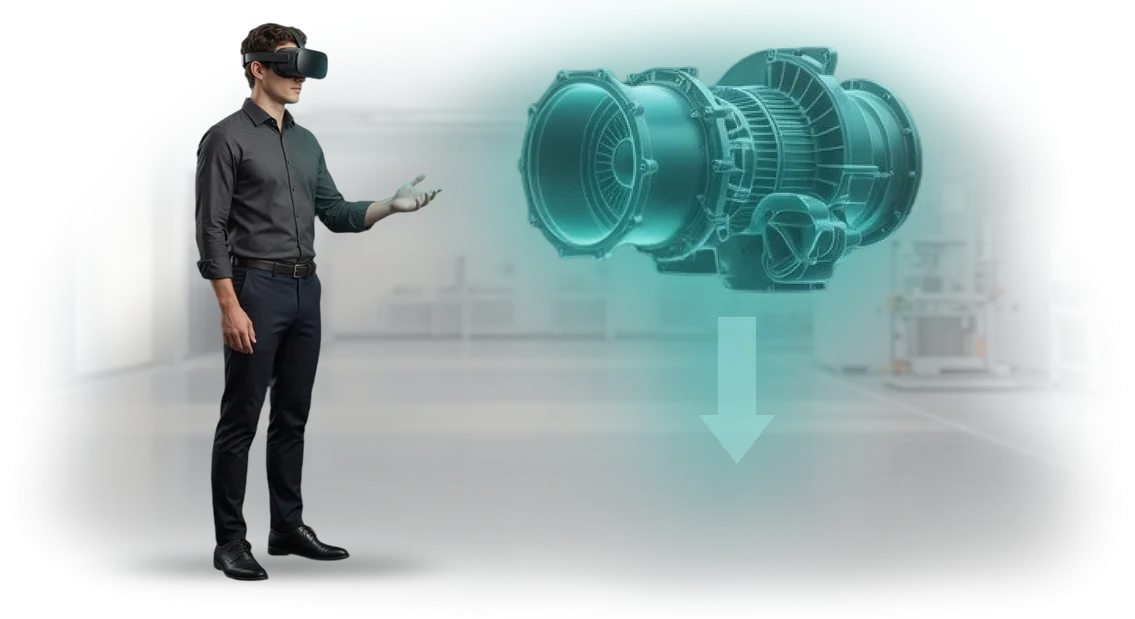
הכשרה לקויה של נציגי מוקד טלפוני עולה לכם בלקוחות
כל יום נציגי מוקד טלפוני עונים לעשרות שיחות, וכל אחת מהן היא מבחן קטן למוניטין המותג. אם עובד עונה בהיסוס, מתבלבל בתעריפים, או לא מצליח לפתור בעיה במהירות, אתם מאבדים לא רק שיחה אחת אלא גם את רצון הלקוח הטוב.
מחקרים מאשרים: רוב הקונים עוזבים לאחר ייעוץ ראשון לא מוצלח, והשליליות מתפשטת ברשתות החברתיות ומפה לאוזן הרבה יותר מהר מהמלצות חיוביות.
הבעיה היא לא באנשים אלא בגישת ההכשרה. הרצאות קלאסיות ותסריטי נייר מספקים תיאוריה, אבל בשיחה מלחיצה הידע מתנדף — הנציג מאבד עשתונות, שוכח נהלים, עושה טעויות בעיבוד הזמנות, או לא מצליח להרגיע סכסוך.
כתוצאה מכך, איכות השירות נפגעת, ואיתה הרווח: כל לקוח מאוכזב הוא לא רק הכנסה אבודה אלא גם סיבה נוספת לבחור במתחרה.
סימולטור VR למוקד טלפוני משנה את חוקי המשחק. אנו יוצרים תרחישים מציאותיים עם בן שיח וירטואלי, שבו הנציג מתרגל דיאלוגים מורכבים, התנגדויות ובקשות לא סטנדרטיות לפני השיחה האמיתית הראשונה.
תרגול בסביבה בטוחה עוזר לחזק מיומנויות ולפעול בביטחון ללא סיכון לעסק.
אנחנו מכסים את זה: אנו מתכננים את תוכנית ההכשרה לנציגים יחד איתכם, תוך שימוש בתסריטים ובתקני השירות שלכם. התוצאה — פחות טעויות, המרת מכירות גבוהה יותר, ואיכות שירות עקבית ששומרת על לקוחות ומגדילה את הרווח שלכם.
מה הכשרת VR נותנת לעסק שלכם
עבור עסקים, הכשרת עובדים ב-VR היא לא ניסוי אלא כלי שמביא עובדים חדשים למדדים הנדרשים מהר יותר. במקום הרצאות ארוכות, הנציג נכנס לתרחישים וירטואליים של שיחות אמיתיות ולומד לעבוד עם התנגדויות, תוקפנות ובקשות לא סטנדרטיות. הצוות שלנו עוזר ליישם פורמט זה לצרכי המוקד הטלפוני שלכם.
בדקו אילו יתרונות אתם מקבלים מסימולטור VR כבר עכשיו:
-
האצת קליטת עובדים. עובד חדש שולט בתסריטים ובשיחות טיפוסיות מהר יותר מאשר בהכשרות קלאסיות. זה מקצר את תקופת "אפס התוצאות" ומפחית את העומס על החונכים.
-
פחות טעויות בשיחות אמיתיות. תרגול לקוחות קשים בסביבה בטוחה הופך תגובות נכונות להרגל. הנציג עושה פחות טעויות בתקשורת חיה, ואיכות השירות מפסיקה להיות תלויה במזל.
-
שביעות רצון גבוהה יותר של לקוחות. עובד מוכן פותר בעיות בביטחון במגע הראשון. זה מגביר נאמנות, מפחית שיחות חוזרות ומשפיע לטובה על ההכנסות.
-
שקיפות ביעילות ההכשרה. אתם רואים אילו תרחישים הצוות כבר תרגל והיכן נדרש שיפור. החלטות מתקבלות על סמך נתונים, לא על סמך תחושות.
בגישה זו, החברה מפחיתה עלויות הכשרה ותחלופת עובדים. יעילות ההכשרה עולה, והעסק מקבל תוצאות יציבות בזמן קצר.
פורמטי הכשרת VR ו-AR לנציגי מוקד טלפוני
לכל פורמט הכשרה יש משימה משלו. סימולטור VR מטביע את המתאמן באווירת העבודה ומלמד ניהול לחץ; הנחיות AR תומכות בעובד ישירות במהלך השיחה; וסימולטור דיאלוג מתרגל במהירות תרחישים סטנדרטיים. בואו נראה איזה מהם פותר את הצורך של המוקד הטלפוני שלכם.
| פורמט | למי | מה זה נותן ללקוח |
|---|---|---|
| סימולטור VR לנציגים | עובדים חדשים שעדיין לא נתקלו בתוקפנות ובמצבים לא סטנדרטיים | תרגול בטוח של דיאלוגים מורכבים: תגובה להתנגדויות, התפרצויות רגשיות, שליטה בשיחה — ללא סיכון לאבד לקוח אמיתי |
| הכשרת AR (הנחיות ממשק) | נציגים מנוסים בעת השקת מוצר חדש או שינויים בתסריטים | פחות שגיאות, הסתגלות מהירה יותר לעדכונים, הפחתת לחץ וביטחון בכל שיחה |
| סימולטור דיאלוג מבוסס מסך | צוותים מרוחקים, גיוס המוני, בדיקות תקופתיות | תרגול מצבים טיפוסיים על מחשב רגיל, פורמט נוח להכשרות תכופות ובדיקות מיומנות ללא צורך בציוד מיוחד |
בחרו פורמט על סמך המשימה הנוכחית. אם נציגים חוששים מ"שיחות תלונה", קחו סימולטור VR. אם צריך להציג במהירות קו מוצרים חדש לצוות, הנחיות AR יעזרו.
אם אתם מחפשים דרך חסכונית לתחזק מיומנויות באופן קבוע, סימולטור דיאלוג יעבוד.
אנו משלבים פורמטים: VR לתרחישים מורכבים, AR לתמיכה יומיומית, סימולטור להכשרה המונית. זה נותן לכם מערכת גמישה שמשפיעה על מהירות טיפול בשיחות, המרת מכירות ושביעות רצון לקוחות.
ספרו לנו על המצב שלכם — אנו נבחר את הפורמט האופטימלי או שילוב שיתאים למדדים שלכם.
איך פועל פרויקט הכשרת VR: מהבריף ועד ההשקה
בנינו את התהליך כך שבכל שלב תבינו מה קורה, על מה אתם משלמים ומתי תקבלו את התוצאה. אין "קופסאות שחורות" — רק שלבים ברורים, לוחות זמנים מוסכמים ויכולת להשפיע על הפרויקט לפני ההשקה.
שלבי העבודה
-
בריף והתעמקות במשימה. אתם מספרים לנו על העובדים שלכם, תרחישי התקשורת והמצבים הקשים שצריך לתרגל. אנו שואלים שאלות הבהרה ומגדירים מטרות הכשרה: מה נציג חייב לדעת לעשות לאחר הסימולטור.
-
תוכנית פרויקט והערכת תקציב. אנו מכינים תוכנית מפורטת: הרכב צוות, לוחות זמנים לשלבים ופורמט אישורים. אתם רואים את היקף העבודה ומבינים על מה אתם משלמים לפני תחילת הפיתוח.
-
אישור תסריט. יחד איתכם, אנו ממקדים דיאלוגים, תשובות של לקוח וירטואלי ואפשרויות תגובה של הנציג. בשלב זה, עריכות נעשות ללא עלויות נוספות — אתם מאשרים את התסריט שיהווה את הבסיס לסימולטור.
-
פיתוח סימולטור VR. אנו יוצרים את הסביבה הווירטואלית, הדמויות והלוגיקה של הערכת פעולות. אתם רואים גרסאות ביניים מעת לעת ויכולים להגיב עליהן בזמן שהעבודה מתנהלת.
-
בדיקות עם העובדים שלכם. אנו משיקים את הסימולטור על משתמשים אמיתיים — הנציגים שלכם. אנו אוספים משוב, בודקים אם ההנחיות ברורות ומבצעים התאמות סופיות.
-
השקה ויישום. אנו מספקים את הפתרון המוגמר, עוזרים בהגדרת הציוד ומשלבים את ההכשרה בתוכנית ההכנה שלכם. עובדים יכולים לתרגל בזמן נוח מבלי להפריע ללוח העבודה.
-
תמיכה ופיתוח. אנו נשארים בקשר לאחר ההשקה: אנו מעדכנים תרחישים למוצרים חדשים, משנים תשובות ומוסיפים רמות קושי כאשר תהליכי העסק שלכם משתנים.
כתוצאה מכך, אתם מקבלים לא רק תוכנת VR אלא כלי הכשרה עובד שמתייחס למטרות ספציפיות של המוקד הטלפוני — מקליטה מהירה של חדשים ועד תרגול דיאלוגים מורכבים עם לקוחות לא מרוצים.
מה כלול במסירת סימולטור VR לנציגים
מסירת סימולטור VR לנציגי מוקד טלפוני היא לא רק אפליקציה אלא חבילת הכשרה מלאה מוכנה לשימוש. אתם מקבלים כל מה שצריך להשקה כבר מהשבוע הראשון: תרחישים, חומרים מתודולוגיים, הנחיות ואינטגרציה טכנית.
החבילה כוללת:
- תרחישי VR — 3–5 מצבי עבודה המשקפים שיחות אמיתיות: לקוח קשה, התנגדויות, לחץ. הנציג מתאמן בסביבה בטוחה ללא סיכון למוניטין החברה.
- חומרים מתודולוגיים — מדריך למדריך, פירוט תרחישים, קריטריונים להערכת מיומנויות. החונך לא צריך להמציא דבר — התהליך כבר מתואר.
- הנחיות הפעלה — מדריכי משתמש ברורים למנהלים ולמשתמשי קצה. הגדרת אזור VR והתחלת סשן אורכת פחות מחצי שעה.
- אינטגרציית LMS — תוצאות נשלחות אוטומטית למערכת ניהול הלמידה שלכם. אתם רואים את ההתקדמות של כל עובד בלוח מחוונים אישי.
- עדכוני תוכן ותמיכה — אנו מוסיפים תרחישים חדשים לפי בקשה ותומכים בהשקה באתר שלכם. סיוע מומחה זמין במהלך תקופת הניסיון ואחריה.
חבילה זו מכסה את כל השלבים — מהמגע הראשון של העובד עם VR ועד הדוח של המנהל. ליישום, מספיקים מחשב רגיל וציוד VR; אנחנו מטפלים בשאר.
מקרה בוחן: הפחתת טעויות נציגים עם הכשרת VR
טעויות של נציגי מוקד טלפוני מופיעות לרוב בדיאלוגים מלחיצים: הם לא מצליחים להרגיע לקוח, סוטים מהתסריט, או שוכחים לרשום פנייה. זה אומר הפסדים — שיחות חוזרות, לקוחות לא מרוצים ועומס נוסף על הקו. הכשרות רגילות מספקות תיאוריה אבל לא מלמדות איך לפעול במהלך שיחה.
בנינו הכשרה אחרת. עבור הלקוח, יצרנו סימולטור VR שבו הנציג עובר תרחישים מציאותיים: לקוח בקונפליקט, בקשות לא סטנדרטיות, ניהול זמן בדיאלוג.
העובד עם המשקפיים מתרגל מיומנויות עד כדי אוטומטיות, בעוד המערכת מסמנת שגיאות ומציעה פעולות נכונות. אפשר להתאמן בכל זמן מבלי להפריע ללוח העבודה.
מה הראה היישום
תוצאות היישום מדברות בעד עצמן. ארבעה שבועות לאחר תחילת השימוש בסימולטור, מספר הטעויות בטיפול בשיחות ירד ב-40%. במקביל, משך השיחה הממוצע התקצר וחלק הבעיות שנפתרו בשיחה הראשונה גדל.
עבור המנהל, זה אומר גם צוות רגוע יותר: נציגים מרגישים בטוחים יותר במצבים לא סטנדרטיים.
מקרה הכשרת VR זה היה פרויקט מוצלח: מציאות מדומה פתרה בעיה עסקית אמיתית. הצוות שלנו פיתח את הסימולטור במפתח מלא — מכתיבת תרחישים ועד הגדרת דוחות למנהל הצוות.
לאחר הפיילוט, הלקוח הרחיב את המערכת למחלקות שכנות וממשיך להשתמש בהכשרת VR לעובדים חדשים.
איך לבחור פורמט הכשרה לצרכי המוקד הטלפוני שלכם?
בחירת פורמט הכשרה למוקד טלפוני פירושה להחליט מה חשוב יותר: מהירות קליטת עובד חדש, עומק התרגול של דיאלוגים מורכבים, או עלות היישום.
לכל משימה יש כלי משלה: סימולטורי VR מספקים התעמקות מלאה בשיחה אמיתית, הנחיות AR עוזרות במהלך שיחה חיה, וקורסים קלאסיים מכסים תיאוריה ונהלים. פורמטים אלה לא שוללים זה את זה — כל אחד פותר משימות עסקיות ספציפיות במידה שונה.
כדי לא לשלם יותר מדי על טכנולוגיה "לצמיחה עתידית", פעלו לפי היגיון פשוט: מה הנציג צריך ללמוד וכמה מהר זה צריך להשפיע על מדדי המוקד. טבלת ההשוואה שלהלן היא כלי מוכן לקבלת החלטה כזו.
| פורמט | אילו משימות הוא מכסה | מה העסק מקבל |
|---|---|---|
| סימולטור VR | תרגול לקוחות בקונפליקט, תרחישי לחץ, התנגדויות | נציגים מנהלים דיאלוגים רגועים יותר, פחות טעויות בשיחות חיות, המרת מכירות גבוהה יותר |
| הנחיות AR | תמיכה במהלך שיחה: תרחישי תגובה, הפניות מהירות למוצר | הפחתת עומס על המפקחים, איכות שירות עקבית ללא הכשרה ארוכה |
| קורסים קלאסיים | תיאוריה, נהלים, יסודות המוצר | התחלה מהירה למתחילים, בקרת ידע ברורה, עלויות מינימליות |
הדוגמה מהפרקטיקה שלנו מדברת בעד עצמה: רשת מוקדים טלפוניים הציגה סימולטור VR המבוסס על סצנה מ-IRYS VR לתרגול שיחות קשות. חודש לאחר מכן, מספר התלונות על גסות נציגים ירד בחצי, ומשך השיחה הממוצע ירד ב-15%.
המסקנה המרכזית — טכנולוגיות מייצרות תוצאות מדידות כאשר התסריט משקף את נקודות הכאב האמיתיות של הנציג, ולא מצבים מופשטים.
אז איך בוחרים? התחילו בפרויקט פיילוט: תארו את הטעויות הטיפוסיות של העובדים שלכם ואת המדדים שברצונכם לשפר — אנו נעזור להתאים משימות לפורמטים ונראה את התוצאה על קבוצה קטנה.
כך תקבלו מספרים לפני ואחרי, לא הבטחות מופשטות, ותוכלו להרחיב את הפתרון בביטחון.
שאלות נפוצות על פיתוח הכשרת VR
ללקוחות יש לעתים קרובות ספקות לפני תחילת הכשרת VR: האם לוחות הזמנים יחליקו, האם נדרש צי מורכב של ציוד, כיצד העובדים יתפסו את הפורמט החדש. אנו עונים על השאלות המרכזיות — כדי שתבינו את השלבים והסיכונים לפני תחילת הפרויקט.
כמה זמן אורך פיתוח הכשרת VR?
פרויקט טיפוסי אורך בין 4 ל-8 שבועות: בריף, תסריט, יצירת סצנות תלת-ממד, בדיקות והשקה. אנו מספקים את לוח הזמנים המדויק לאחר הבריף — הוא תלוי במספר התרחישים ורמות האינטראקציה. עבור נציגי מוקד טלפוני, מודול מרכזי אחד מספיק לעתים קרובות, כך שההשקה מהירה יותר.
העובדים לא עבדו עם VR — האם זה יהיה קשה?
אנו מתכננים במיוחד את הממשק כך שהנציג יצטרך רק שתי הנחיות קצרות בתחילת הדרך.
ההכשרה אורכת 10–15 דקות במקום הרצאות של שעה, וסימולטורים וירטואליים משחזרים דיאלוגים אמיתיים עם לקוחות, כך שהמעבר לעבודה מעשית מתרחש באופן טבעי. במידת הצורך, אנו מספקים הכנה קצרה למדריכים.
איזה ציוד נדרש ומי מספק אותו?
אנו משתמשים במשקפי VR מקצועיים שעובדים בצורה אמינה במשרד ואינם דורשים מחשב חזק לכל עובד.
ניתן לשכור ציוד למשך הפרויקט או לרכוש — אנו נמליץ על האפשרות הטובה ביותר על סמך מספר המתאמנים ושיקולי עלות. אנו דואגים לתמיכה טכנית במהלך ההשקה.
האם קשה לשלב VR בהכשרה הנוכחית?
לא. מודול ה-VR משתלב בקלות במערכת ניהול למידה או פועל בנפרד לפי לוח זמנים.
אנו מספקים הנחיות למנהלים, ותוצאות הסשן מיוצאות לדוח — המנהל רק פותח את הסטטיסטיקות כדי לראות את התקדמות הקבוצה ולהתאים את התוכנית במידת הצורך.
אם עדיין יש לכם שאלות על התרחיש שלכם — שאלו אותן לפני הבריף כדי לפתור ספקות ולקבל הערכת זמן ריאלית למשימה שלכם.הזמינו הכשרת VR לנציגים עוד היום
כדי להזמין הכשרת VR לנציגים, פשוט שלחו בקשת פרויקט. אין צורך במפרט טכני או בידע מעמיק — אנו נציע את הפורמט למשימות שלכם בעצמנו.
ניצור עמכם קשר תוך יום עסקים אחד, נספק ייעוץ VR, נראה כיצד הסימולטור משתלב בהכשרה הנוכחית שלכם, וניתן לכם הערכת עלות לפני תחילת הפיתוח.
תקבלו תוכנית לתרחיש שלכם: אילו מיומנויות אנו מתרגלים, כמה עובדים אנו מאמנים, כיצד אנו מודדים את התוצאה. לאחר האישור, אנו משיקים את פיתוח הסימולטור ומלווים את הפרויקט עד לשילובו בתוכנית ההכשרה שלכם.
מה תקבלו לאחר שליחת בקשה:
- ייעוץ VR: אנו מנתחים את המשימה ובוחרים את פורמט הסימולטור — ממודולי היכרות קצרים ועד מחזור מלא של טיפול בהתנגדויות.
- הערכת עלות תוך שני ימי עסקים: תמחור שקוף ללא חיובים נסתרים ועלות קבועה בכל שלב.
- תרחיש לדוגמה לדיאלוגים הטיפוסיים שלכם: ראו שיחה בין נציג ללקוח וירטואלי לפני תחילת הפיתוח.
- תוכנית יישום להכשרה: הבינו כמה זמן נדרש להכנת עובדים וכיצד לשלב סשני VR בלוח הזמנים הנוכחי.
- תמיכה בכל השלבים: מאישור תסריט ועד השקה ועדכונים כאשר התסריטים משתנים.
בקשת פרויקט היא צעד אחד שחוסך שבועות של הכנה ידנית למפגשי משחק תפקידים. שלחו בקשה עכשיו — כבר השבוע תקבלו ייעוץ והערכה, תצפו בתרחיש לדוגמה, ותדעו מתי פיתוח הסימולטור ישתלם.