

טעויות של דיילים בטיסות אמיתיות — מה עומד על הכף
טעות של דייל בטיסה אמיתית אינה ליקוי פורמלי, אלא איום ישיר על חיי הנוסעים ועל המוניטין של חברת התעופה. רצף פינוי שגוי, פקודה מאוחרת, בלבול בזמן שריפה — ותקרית הופכת לאסון.
ואז מגיעות בדיקות, חקירות, קנסות ועזיבת לקוחות. העלות של טיפול בהשלכות עולה בהרבה על ההשקעה בהכשרה נאותה של הצוות.
הכשרת דיילים קלאסית מבוססת על הרצאות, מבחנים ובובות. התיאוריה בונה ידע אבל לא מספקת את העיקר — ניסיון בפעולה תחת לחץ אמיתי.
אי אפשר לאמן מישהו עם "מדריך": במצב קריטי, המוח מכבה את ההיגיון והאדם פועל על אינסטינקט. ותרגילים בקנה מידה מלא עם שריפה מדומה או ירידת לחץ בתא נוסעים אמיתי הם נדירים מדי, יקרים מדי ומסוכנים מדי.
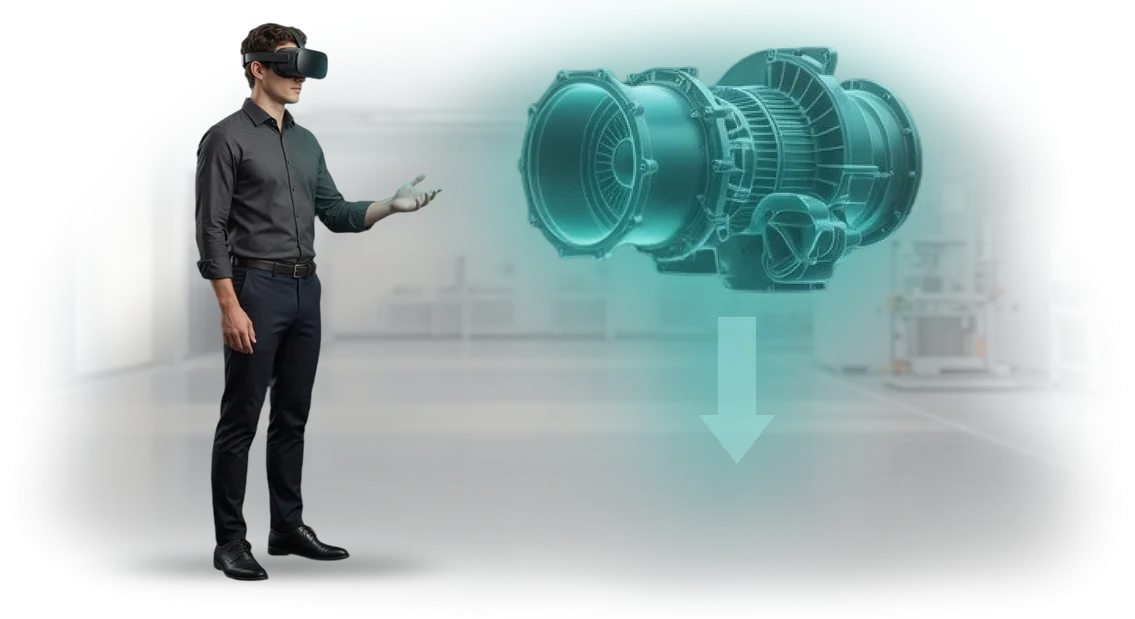
סימולטור VR להכשרת דיילים סוגר את הפער הזה. העובד נכנס לתא נוסעים וירטואלי של מטוס שבו מתרחשים תרחישי חירום: עשן, בלימת חירום, נוסע סורר.
הם מאתרים יציאות, מנהלים את הפינוי, מתקשרים עם הצוות — בעוד המערכת מתעדת כל פעולה וזמן תגובה. והכי חשוב, זה קורה ללא כל סיכון לאנשים או לציוד, במרחב בטוח.
הפורמט הזה הופך את הכשרת צוות התעופה לתרגול שיטתי של תגובות אוטומטיות. הצוות חווה מצבים נדירים ומסוכנים עשרות פעמים עד שהם מתחילים לפעול בביטחון וברוגע.
עבור חברת התעופה, זה אומר רמת מוכנות צפויה לכל עובד והסתברות נמוכה יותר לתקרית יקרה. זו הסיבה שסימולטורי VR הופכים יותר ויותר לחלק חובה בתוכניות הכשרת דיילים.
מה הכשרת VR מעניקה לצוות שלך ולחברת התעופה שלך
הכשרת דיילים וצוות תא הנוסעים היא תהליך יקר ועתיר עבודה. סימולטורים מסורתיים, השכרת כיתות, והוצאת צוות מנוסה מתפקידם אוכלים את התקציב, בעוד מצבי חירום נדירים כמעט בלתי אפשרי לתרגל במציאות.
הכשרת VR מעבירה את הכנת הצוות לסביבה דיגיטלית שבה אפשר לתרגל כל מיומנות כמה פעמים שצריך, ללא סיכון או עלויות נוספות.
הפחתת עלויות הכשרה
מציאות מדומה מחליפה סימולטורים פיזיים יקרים ומתקני הכשרה. ערכת VR אחת יכולה לשמש להכשרת קבוצות עובדים שונות — מחדשים ועד דיילים מנוסים.
אין צורך לשכור חללים נפרדים או לשלוח צוות למרכזי הכשרה: אפשר לקיים מפגשים ישירות בבסיס חברת התעופה או אפילו מרחוק.
זמן ההכנה נחתך כמה פעמים. תרחיש מופעל מיידית, המדריך רואה את התוצאה של כל פעולה ומתקן טעויות מיד. פחות שעות הכשרה — עלויות נמוכות יותר למדריכים ולמשכורות החניכים. במקביל, שימור החומר גבוה יותר מאשר בהרצאות ותדריכים על נייר.
שיפור בטיחות הטיסה
הערך המרכזי של סימולטורי VR הוא תרגול מצבי חירום וחריגים עם אפס סיכון לאנשים או לציוד. הצוות לומד לפעול בשריפה, ירידת לחץ או פינוי חירום — בתנאים קרובים ככל האפשר למציאות, אך בטוחים לחלוטין.
הפעולות מתורגלות עד כדי אוטומטיות, כך שבמצב קריטי אמיתי התגובה תהיה מהירה ומדויקת.
בניגוד לסימולטורים מסורתיים, סביבה וירטואלית מאפשרת לדגמן תרחישים נדירים אך מסוכנים: תקלת ציוד, מזג אוויר קיצוני, התנהגות חריגה של נוסעים.
הניסיון שנצבר ב-VR נשאר עם הדייל לאורך כל הקריירה שלו ומפחית ישירות את הסיכונים לנוסעים ולמוניטין של חברת התעופה.
שיפור איכות השירות
הכשרת VR אינה עוסקת רק בבטיחות — היא גם על סטנדרטים של שירות. במציאות מדומה, דיילים מתרגלים פרוטוקולי קבלת פנים, עבודה עם קטגוריות נוסעים מיוחדות וטיפול במצבי קונפליקט.
אפשר ליצור כל תרחיש — מטיסה שגרתית ועד בקשה מורכבת של נוסע — והעובד מקבל משוב מיידי על פעולותיו.
כתוצאה מכך, הצוות יוצא לטיסה בטוח, אדיב ומוכן לכל מצב. הנוסעים מרגישים את זה וחוזרים, וממליצים על חברת התעופה לאחרים. המוניטין של המוביל גדל יחד עם נאמנות הלקוחות — הכל בזכות גישה מודרנית להכשרה.
לסיכום, הכשרת צוות ב-VR היא השקעה שמשתלמת דרך עלויות נמוכות יותר, בטיחות גבוהה יותר ואיכות שירות טובה יותר. חברת התעופה שלך מקבלת לא רק טכנולוגיה, אלא כלי שפותר אתגרים עסקיים מרכזיים ומחזק את מעמדך בשוק.
פורמטים של סימולטור VR להכשרת דיילים
הכשרת דיילים עוסקת בתרגול פעולות שחייהם ובריאותם של נוסעים תלויים בהן. לא כל תרחיש אפשר לשחק בכיתה רגילה: שריפה על המטוס, ירידת לחץ, פינוי חירום.
לכן בחירת פורמט ההכשרה קובעת באיזו מהירות עובד מתחיל לעבוד בביטחון ונהלי חירום הופכים לאוטומטיים.
אנחנו מתאימים את פורמט הכשרת ה-VR למשימה שלך. טבילה מלאה — לדימוי מצבי חירום מההתחלה. סימולטור AR לדיילים — להכשרה ישירות על המטוס כשצריך לוודא פעולות לפי רשימת בדיקה.
אפשרויות היברידיות משלבות את שתי הגישות ומכסות את הצרכים של קבוצות עובדים שונות — מחדשים ועד צוות מנוסה.
| פורמט | למי | מה הוא מעניק ללקוח |
|---|---|---|
| סימולטור VR בטבילה מלאה | דיילים חדשים, הסבה, הסמכה | דימוי מצבי חירום ללא סיכון לאנשים או לציוד; תרגול פעולות עד אוטומטיות; הערכה אובייקטיבית של תגובת כל עובד |
| סימולטור AR עם הנחיות | תרגול על מטוס אמיתי, תמיכה בחדשים | פחות טעויות בשמירה על התקנות; פחות זמן המושקע בהכשרה על המטוס; בקרת סטנדרטים בזמן אמת |
| פורמט היברידי VR + AR | הכשרה חוזרת שוטפת, גיוס צוות עונתי | שילוב של טבילה מלאה עם עבודה בתא נוסעים אמיתי; חיסכון במרכזי הכשרה חיצוניים; לוח זמנים גמיש ללא הוצאת צוותים מטיסות |
גישה זו מאפשרת לך להימנע מבחירה של "רק דבר אחד" ובמקום זאת לבנות תוכנית מהפורמטים שמתאימים.
כל אחד מהם פותר את המשימה שלו: הבאת עובד חדש לקו מהר יותר, רענון הידע של צוות מנוסה, או ביצוע הסמכה מתוזמנת עם קריטריונים ברורים.
שלבים בפרויקט הכשרת VR לאנשי תעופה
בנינו את התהליך כך שתמיד תדע באיזה שלב נמצא הפרויקט ומה אתה מקבל בכל שלב. כל שלב מתועד בחוזה, ואתה מעורב בהחלטות מפתח — בלי הפתעות ובלי "קופסאות שחורות".
-
בריף וסקירת משימה. אנו מנתחים אילו מיומנויות דיילים צריך לתרגל: פעולות במהלך מערבולות אוויר, פתרון מצבי קונפליקט או נהלי חירום. אנו קובעים יעדי הכשרה וקריטריונים להערכת תוצאות.
-
עיצוב תרחיש VR. יחד עם המדריכים שלך, אנו יוצרים את קו העלילה של הסימולטור: מצבים ריאליסטיים, בחירת פעולות, השלכות של החלטות. באותו שלב, אנו מגדירים כיצד המערכת מעריכה את פעולות העובד.
-
פיתוח אב טיפוס. אנו בונים גרסת טיוטה עם תרחיש ליבה של 2-3 מצבים. אתה יכול לראות את היגיון ההכשרה ולכוונן אותו לפני שפיתוח מלא מתחיל — זה חוסך תקציב וזמן.
-
הפקת גרסה מלאה. אנו מרנדרים את הסביבה (תא מטוס, טרמינל, אזור המתנה), מוסיפים את כל תרחישי ההכשרה ובונים את מערכת ההנחיות למדריך. במקביל, אנו מכינים את ממשק הניהול.
-
בדיקות ועידון. אנו בודקים את הסימולטור עם קבוצת טייסים ודיילים, אוספים משוב ומבטלים "נקודות עיוורות" בתרחישים. אנו מעדכנים את מערכת הניקוד על סמך תוצאות הבדיקות.
-
הטמעת הכשרת VR. אנו מתקינים את הציוד, מגדירים תחנות עבודה במרכז ההכשרה שלך ומכשירים צוות לעבודה עם המערכת. אנו מספקים הוראות ומדריכי וידאו קצרים למדריכים.
-
תמיכה טכנית ופיתוח. אנו נשארים בקשר לאחר ההשקה: אנו מעדכנים תוכן, מוסיפים תרחישים חדשים על פי התקנות שלך ופותרים בעיות במהירות. אם תקני הבטיחות משתנים, אנו מתאימים את הסימולטור תוך מספר שבועות.
בכל שלב, אתה מקבל תוצאת ביניים שניתן לבדוק ולאשר. זה מגן מפני חריגה מלוחות זמנים ועלויות מיותרות — אתה משלם על שלבים שכבר אושרו, לא על "התהליך".
מה כלול במסירת סימולטור ה-VR
מה שאתה צריך לדאוג לגביו אינו הסימולטור עצמו, אלא ה"קופסה" שנשארת לאחר ההשקה — בלי תוכן, תמיכה ותוצאות ברורות.
אנו מספקים מוצר עובד במחזור מלא: מתרחיש הכשרה מוכן ועד סטטיסטיקת התקדמות חודשית לכל עובד, ללא צורך במעורבות מפתחים.
מה אתה מקבל בחבילה
תרחישים מוכנים, לא קליפה ריקה. אתה מקבל מצבי עבודה משוחזרים במלואם: מהליכים סטנדרטיים ועד מקרים חריגים — למשל, פעולות במהלך מערבולות אוויר או פינוי.
התרחישים נכתבים יחד עם מומחים מהתעשייה שלך ומוכנים לשימוש מיידי לאחר ההתקנה.
אינטגרציה עם מערכת ההכשרה שלך. הסימולטור משתלב בתהליך הקיים שלך: לא תצטרך לשנות את התקנות הרגילות או לנהל רישומים ידנית. תוצאות השלמה מועברות אוטומטית למערכת הפנימית שלך ומצורפות לתיק העובד.
ממשק ברוסית ובאנגלית. המומחים שלך יכולים להשלים הכשרה בשפה שהם מעדיפים, כולל מצב בדיקה עצמית ללא מדריך.
- חבילת VR מלאה: ציוד עם התקנה, תרחישים, רישיון שימוש.
- חומרי הכשרה: מדריכים מתודולוגיים למדריכים וכרטיסי עזר מהירים לעובדים.
- אנליטיקת הכשרה: לוח מחוונים אישי עם דוחות על כל עובד וקבוצה — התקדמות, טעויות, זמן השלמה. אתה יכול לראות איזה חומר נקלט בצורה גרועה ולהתאים את התוכנית.
- אינטגרציה עם פורטל ארגוני או מערכת ניהול למידה — ללא מפתחים מצידך.
- עדכוני תוכן: הוספה שוטפת של תרחישים בהתאם לתקנות חדשות — אנחנו מבצעים את השינויים, כך שאתה לא צריך לטפל בצד הטכני.
- תמיכה טכנית: סיוע מההתקנה ולאורך כל תקופת השימוש.
לאחר ההשקה, אתה מקבל לא רק תוכנית, אלא כלי ניהולי: ברור מי למד מה, היכן הפערים וכיצד לשפר את ההכנה למחזור הבא.
כל מה שצריך כדי להפעיל את הסימולטור כבר כלול במסירה, כולל הכשרת המדריכים שלך ועדכונים. כל מה שנשאר הוא לשייך את קבוצת העובדים הראשונה ולהתחיל בהכשרה.
מקרה בוחן: קיצוץ עלויות הכשרת צוות ב-30%
הכשרת דיילים היא אחד התהליכים היקרים ביותר בחברת תעופה. השכרת סימולטורים, שכר מדריכים, מספר מוגבל של ניסיונות לתרגול מצבי חירום — כל זה מנפח את התקציב ומאריך את הזמן עד שהעובד מוכן לקו.
סימולטורי VR מסירים את המגבלות האלה: הצוות מתאמן בסביבה ריאליסטית ללא השכרת ציוד או סיכון לאנשים.
הרצנו פרויקט פיילוט עבור חברת התעופה "Wings" והטמענו סימולטור וירטואלי להכשרת דיילים תוך חודשיים. במקום שבועיים של שיעורי תיאוריה וארבע נסיעות למתקן האימונים, העובדים השלימו את כל הקורס ב-VR תוך ארבעה ימים.
ההכשרה התקיימה ישירות במשרד, בחדר מאובזר במיוחד, מה שחיסל נסיעות עסקים וזמני השבתה.
תוצאות פרויקט הפיילוט
עלויות הכשרת הצוות ירדו ב-30%, ומספר הטעויות בבדיקות מיומנות ירד ברבע. המנהלים ציינו שהדיילים זוכרים אלגוריתמי פעולה מהר יותר ומתנהגים בביטחון רב יותר במצבים חריגים.
לאחר הפיילוט, חברת התעופה הרחיבה את התוכנית לכל קבוצות העובדים החדשים וכללה הכשרת VR בתוכנית השנתית שלה. זה מאשר: מקרה בוחן של הכשרת VR מספק תוצאות מדידות שגם מחלקת הכספים וגם מחלקת משאבי אנוש יכולות לראות.
אם תרצה תוצאות דומות — אנחנו מוכנים להריץ פרויקט פיילוט עבור החברה שלך ולחשב את התועלת הפוטנציאלית. השאר פנייה, ונכין חישוב על סמך המשימות שלך.
איך לבחור סימולטור VR לצרכים של חברת התעופה שלך?
בחירת סימולטור VR לא מתחילה במפרט הציוד, אלא ביעדים של חברת התעופה. מה בדיוק צריך לתרגל: נהלי חילוץ חירום, תגובות למצבים חריגים, סטנדרטים של שירות נוסעים או מיומנויות תקשורת במצבי קונפליקט?
זה קובע את סוג התרחיש, עומק הטבילה ואת היקף התוכנית — ולכן גם את התקציב שיביא תוצאות מדידות.
קריטריוני הבחירה העיקריים הם ריאליזם התרחיש, מגוון המצבים והיכולת לעדכן תוכן במהירות. המציאות היא שלכל חברת תעופה יש צי משלה, מסלולים משלה ותקנות ארגוניות משלה.
פתרון מוכן "מן המדף" רק לעתים רחוקות תואם אותם ב-100%, ולכן אנו מציעים תרחישים מותאמים אישית — אתה מקבל בדיוק את המצבים שהעובדים שלך נתקלים בהם, לא תרגילים מופשטים.
חשוב שהכשרת תעופה ב-VR תיתן להנהלה תמונה ברורה: מי סיים את הקורס, היכן נעשו טעויות וכמה הסיכון ירד.
אנו בונים מערכת הערכת פעולות לתוך הסימולטור — המדריך רואה תוצאות לכל עובד ויכול להתאים את התוכנית בדיוק. זה הופך את ההכשרה מסימון פורמלי לתהליך מנוהל.
קריטריון נוסף הוא תאימות למערכת ההכשרה הנוכחית שלך. סימולטור VR לא אמור להחליף הכשרה פרונטלית — הוא מחזק אותה: הוא מספק תרגול בטוח של מצבי חירום נדירים שקשה לדגמן במציאות.
אנו מתאימים את ערכת המודולים כך שהסימולטור יעבוד כתוספת ולא יפריע למחזור ההכשרה הרגיל.
הבחירה הנכונה אינה קניית הפתרון "המתקדם ביותר", אלא מציאת איזון בין יעדים, תקציב ולוח זמנים ליישום.
אם אתה רוצה שהסימולטור באמת יעלה את מוכנות הצוות, התחל עם בריף: ספר לנו על התקנות שלך, מצבים אופייניים ותחומי צמיחה. אנחנו נעזור לך לקבוע את הפורמט האופטימלי מבלי לשלם יותר מדי על אפשרויות מיותרות.
שאלות נפוצות על הטמעת הכשרת VR
אנחנו מבינים: המעבר להכשרת VR מעלה שאלות למנהלים ולמחלקת משאבי אנוש — מתקלות ציוד ועד איך הצוות יקבל את הטכנולוגיה החדשה. אנו עונים על החששות הנפוצים ביותר כדי שתוכל להעריך את הסיכונים לפני תחילת הפרויקט, לא אחריו.
מה אם הציוד יתקלקל במהלך הקורס?
אנו משתמשים במשקפי VR ובקרי מקצועיים המיועדים לשימוש יומיומי בכיתת הכשרה. אם מכשיר ניזוק בכל זאת, החוזה מספק החלפה מהירה — המפגש ממשיך עם ערכה חלופית. הדיילים שלך לא יישארו ללא הכשרה בגלל תקלה אחת.
דיילים הם לא אנשי טכנולוגיה — האם יהיה להם קשה להתרגל ל-VR?
התרחישים מעוצבים כך שאדם ללא ניסיון יכול להתחיל לעבוד תוך 10-15 דקות. אנו מספקים מפגש היכרות קצר עם הפקדים, והממשק עצמו מנחה לשלב הבא.
בפרויקטים שלנו, למעלה מ-90% מהעובדים משלימים תרחיש בהצלחה בניסיון הראשון ללא עזרת מדריך — ההסתגלות תלויה לא בטכנולוגיה, אלא בעיצוב UX מחושב, שאנו יוצרים עבור הצוות שלך.
איך VR משתלב במערכת ההכשרה הקיימת וב-LMS?
הסימולטורים מתחברים לפלטפורמה הארגונית שלך באמצעות מנגנוני העברת נתונים סטנדרטיים. תוצאות — מספר מפגשים, זמן השלמה, טעויות — מיוצאות אוטומטית ל-LMS ומתווספות לתיק האישי של העובד.
אנחנו מטפלים בהגדרת האינטגרציה הזו בעצמנו, כך שמחלקת משאבי האנוש שלך ממשיכה לעבוד עם דוחות מוכרים ללא העברת נתונים ידנית.
אילו ערבויות ותמיכה טכנית מגיעות עם פרויקט VR?
אנו מספקים אחריות על תפקוד הפתרון לאורך כל תקופת השימוש: תמיכה טכנית, עדכוני תרחישים וייעוץ למדריכים. אנו מגיבים לפניות תוך יום עסקים אחד — פותרים את הבעיה מרחוק או שולחים מומחה לאתר שלך. אתה מקבל לא "קופסת ציוד", אלא תהליך עבודה עם תמיכה רציפה.
כמה זמן אורך יישום הכשרת VR?
פרויקט טיפוסי מבריף ועד השקה אורך 4-6 שבועות. עיקר הזמן מושקע ביצירת תרחישים על פי התקנות שלך. במקביל לפיתוח, אתה יכול להמשיך בהכשרה רגילה, כך שהמעבר קורה ללא הפסקה בהכנת כוח האדם. אם אתה צריך פיילוט לקבוצה אחת, אנחנו יכולים לעשות זאת תוך 2-3 שבועות ולהראות תוצאות ראשונות.
הזמן פיתוח הכשרת VR עבור הצוות שלך
הצוות שלך יוצא לטיסה מחר — וזה אומר שכל טעות עולה כסף ומוניטין.
סימולטור VR מסיר את הסיכון: תרגול מצבי חירום, קונפליקטים עם נוסעים ותרחישי שירות מתרחש בסביבה בטוחה, מבלי להוציא עובדים מלוח הייצור.
הזמנת פיתוח VR במפתח יחיד פירושה קבלת סימולטור המותאם לסטנדרטים של חברת התעופה שלך, עם תוכנית יישום וערבות לתוצאה. אנחנו יודעים כמה יקר זמן השבתה, ולכן אנחנו עוזרים בבחירת פורמט ולוח זמנים כבר בשלב הערכת הפרויקט.
מה אתה מקבל כשאתה פונה אלינו:
- ייעוץ: נסקור את התרחישים שלך ונראה היכן VR יניב את האפקט המקסימלי.
- הערכת פרויקט: לוח זמנים, עלות מחושבת לאחר ביקורת והיקף עבודה — לפני החתימה על החוזה, ללא תנאים נסתרים.
- גרסת הדגמה של הסימולטור: הראה להנהלה ולמדריכים איך ההכשרה עובדת לפני שפיתוח בכלל מתחיל.
- תרחיש מותאם אישית: רק התקנות, רשימות הבדיקה וסטנדרטי השירות שלך.
- סיוע בהשקה: התקנה, הגדרה והדרכה לצוות ההכשרה שלך.
- תמיכה לאחר מסירה: עדכוני תוכן ותמיכה שוטפת כדי לשמור על רלוונטיות ההכשרה.
השאר פנייה — ונשיב תוך יום עסקים אחד, נחשב את העלות ונכין גישה להדגמה. תראה איך הכשרת VR משתלבת בהכנת דיילים סטנדרטית ומתחילה לחסוך משאבים כבר מהחודש הראשון.