

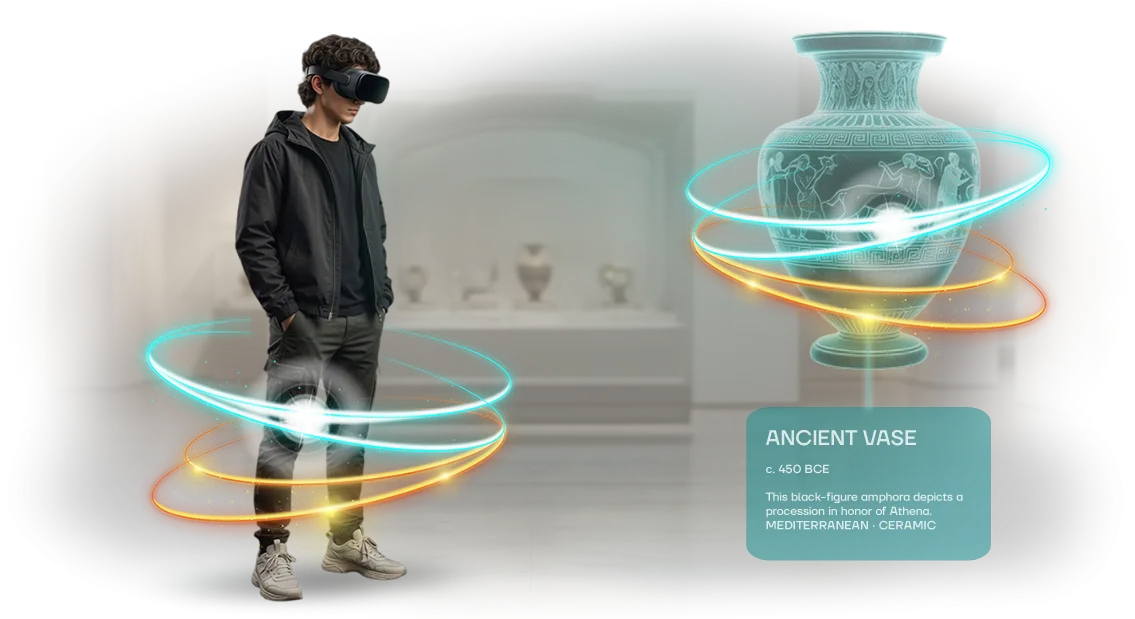






מאמן דיבור מול קהל ב-VR: איך להתכונן לאירוע חשוב
מצגת חשובה היא לא רק דיווח—זו הזדמנות לסגור עסקה, לחזק את המוניטין שלך או לעורר השראה בצוות.
ההכנה לנאום מסתכמת פעמים רבות בשינון שקופיות, וברגע הקריטי החרדה משתלטת: הקול רועד, המחשבות מסתבכות, והטיעונים המרכזיים חומקים. כך מאבדים לקוחות, שותפים ותקציבים.
מאמני דיבור מול קהל ב-VR פותרים את הבעיה הזו. אתה מתאמן במציאות מדומה מול קהל ריאליסטי שמקשיב, צופה ומגיב.
זהו אימון דובר בתנאים הקרובים ככל האפשר לאירוע האמיתי—מפגישה אינטימית ועד אולם גדול עם מאות אנשים.
מציאות מדומה למצגות עוזרת לך לתרגל לא רק את הטקסט אלא גם את אופן ההגשה: הפסקות, קשר עין, שפת גוף ושליטה בקול. כל חזרה מורידה את רמת הלחץ, ועד שיגיע היום הגדול, המצגת הופכת לשגרה מוכרת, לא למבחן.
התוצאה: ביטחון, מבנה ברור ועצבים שמורים—מה שאומר סיכוי גדול יותר להעביר את המסר שלך ולהשיג את ההחלטה שאתה צריך.
אנחנו יוצרים תרחישים וירטואליים המותאמים למשימה שלך: נאום ברכה, הגנת פרויקט, מצגת בכנס.
המהנדסים שלנו מגדירים את המאמן כך שתפיק תועלת מרבית מכל דקת הכנה ותעלה לבמה עם התחושה של "כבר עשיתי את זה בעבר". יחד, נעבוד על הרגעים הקשים ונהפוך את המצגת שלך לכלי שמניב תוצאות.
מה מספקת חזרה קבועה בסביבה וירטואלית
פחד במה הוא האויב העיקרי אפילו של מנהלים מנוסים: לפני מצגת חשובה, המחשבות מתבלבלות והטיעונים המרכזיים חומקים.
חזרות קבועות בסביבה וירטואלית מאפשרות לך לחיות את המצגת עשרות פעמים לפני האירוע האמיתי, כך שברגע המכריע תפעל בביטחון וברוגע.
היתרון הראשון הוא ביטחון הדובר. הקהל הווירטואלי מגיב לדבריך, ואתה לומד להחזיק הפסקות וליצור קשר עין במקום להיות מוסח על ידי מחשבות זרות.
שליטה מחליפה פחד: כבר דיברת בתנאים דומים—אז תצליח להתמודד גם עם הבמה האמיתית.
היתרון השני הוא הגשה חיה. אתה מפסיק לקרוא מתסריט ומתחיל לספר סיפור: מופיעות תנועות ידיים טבעיות, האינטונציה משתנה עם המשמעות, והמאזינים חשים במעורבות שלך.
זה חשוב במיוחד כשצריך להגן על תקציב או אסטרטגיה מול דירקטוריון.
היתרון השלישי הוא שליטה בזמן. בסביבה הווירטואלית אתה יכול לראות בדיוק כמה זמן כל שקופית לוקחת, כך שאתה לומד לעמוד במגבלת הזמן בלי לאבד משמעות. אתה יודע מראש היכן לדבר מהר יותר והיכן להוסיף דוגמה.
היתרון הרביעי הוא שכנוע רב יותר. האימון כולל תרגול תגובות לשאלות קשות, כך שבדיון אמיתי אתה מתמודד בקלות עם התנגדויות ונתפס כמומחה שראוי לאמון.
היתרון החמישי הוא זכייה במכרזים נוספים. אמון הקהל מתורגם ישירות לזכייה בתחרות: דובר בטוח נשמע משכנע יותר כבר מהדקה הראשונה, כך שמשקיעים ולקוחות מקבלים החלטות לטובתך מהר יותר.
פורמטי אימון למשימות שונות
לכל מצגת יש מטרה משלה: לשכנע משקיע, לעורר השראה בצוות, להגן על תקציב. הכנה אוניברסלית לא עובדת כאן—צריך תרגילים המותאמים לפורמט ולקהל ספציפיים.
מאמן ה-VR שלנו מתאים את התרחיש למצב שלך, כך שאתה מתאמן בדיוק על מה שמחכה לך על הבמה האמיתית.
פורמטים למשימה שלך
| פורמט | למי מיועד | מה זה נותן ללקוח |
|---|---|---|
| מצגות עסקיות | מנהלים, צוותי מכירות, מנהלי פרויקטים | אתה מתרגל הצגת מוצר והתמודדות עם התנגדויות, וצובר ביטחון מול דירקטוריון או לקוח מרכזי |
| כנסים | דוברים, מומחים, נציגי חברות | אתה מתאמן מול אולם וירטואלי, לומד לעמוד במגבלת הזמן ורואה מראש היכן אתה מאבד את תשומת הלב של הקהל |
| הגנות פרויקט | צוותי פרויקט, ראשי מחלקות | אתה מתאמן בהגנה מול "ועדה קפדנית", מתרגל התמודדות עם שאלות קשות ומפחית לחץ לפני ההחלטה הסופית |
לאחר כל אימון אתה מקבל ניתוח: היכן הקול שלך נשמע לא בטוח, היכן הקצב מהיר מדי, ואילו משפטים אתה חוזר עליהם.
לאחר 2–3 מפגשים, התחושה של "כבר עשיתי את זה בעבר" נכנסת—היא מסירה את פחד הבמה והופכת את הנאום שלך למשכנע יותר במשא ומתן אמיתי.
ניתן להתאים את הפורמט לכל משימה, מפיץ קצר ועד מצגת של שעה. נעזור לך לבחור תרחיש וליצור תוכנית אימון להופעה הראשונה שלך.
איך עובדת ההכנה למצגת
ההכנה למצגת מתחילה הרבה לפני שאתה עולה לבמה. בנינו את התהליך כך שלא תצטרך להיכנס לפרטים טכניים: אתה מספר לנו על המשימה, ואנחנו הופכים אותה לתוכנית אימון מוכנה.
- בריף לפיתוח. אנחנו מגדירים את נושא המצגת, פרופיל הקהל ומטרת הנאום: לשכנע, למכור, לעורר השראה או לחנך. בשלב זה אתה מקבל תוכנית עבודה והבנה של משך ההכנה.
- אישור תוכנית האימון. המתודולוגים שלנו מכינים את מבנה המפגשים, מתרגול בלוקים בודדים ועד לריצה מלאה של המצגת. אתה מאשר את התרחיש ורמת הקושי—העומס גדל בהדרגה.
- הגדרת החלל הווירטואלי. אנחנו בונים אולם לפורמט שלך: כנס, משא ומתן או הגנת פרויקט. הקהל הווירטואלי מגיב לקצב, להפסקות ולעוצמת הקול—אתה לומד לחוש את תשומת הלב של החדר.
- מפגש ניסיון. אנחנו מריצים את החזרה הראשונה, בודקים את איכות זיהוי הדיבור ומוודאים שהמאזינים הווירטואליים מגיבים כראוי. אתה גם מתנסה בבקרות ה-VR ומתרגל לפורמט.
- השקת האימון. אתה מקבל גישה ללוח בקרה אישי עם לוח זמנים וסטטיסטיקות. רק 20–30 דקות ביום מספיקות—אחרי כמה שבועות פחד הבמה נעלם והביטחון מופיע.
- תמיכה לאחר ההשקה. אנחנו עוקבים אחר התוצאות שלך, מתאימים את התוכנית ומוסיפים תרחישים חדשים. אם חודש לאחר מכן תרצה ללטש חלק אחר של המצגת, רק תגיד לנו.
פורמט היישום המדורג הזה נותן לך שקיפות בכל שלב. אתה לא קונה חתול בשק; אתה מקבל כלי שמספק ערך מההתחלה: פחות חרדה, יותר בהירות בהגשה ומוכנות לשאלות מהקהל.
מה כלול בתוכנית ההכנה לדובר
אנחנו מגדירים את היקף המסירה כך שמנהל יבין מיד מה הוא מקבל—בלי להיכנס לפרטים טכניים.
התוכנית כוללת רצף אימונים מוכן, מדריכים מתודולוגיים למאמנים שלך, ניתוח התקדמות לכל משתתף וגישה לפלטפורמה לכל הצוות.
- תוכנית הכנת דובר מוכנה: מהניסיונות הראשונים ועד לפורמטים מורכבים—מצגות, משאים ומתנים, שאלות קהל. העובד שלך עוקב אחר נתיב מוכח שכבר הניב תוצאות למאות דוברים.
- מדריכים מתודולוגיים למאמנים פנימיים ואנשי משאבי אנוש: כיצד לשלב מפגשים בהכשרה השוטפת, לנתח טעויות ולהתאים תרחישים לתחום שלך.
- ניתוח התקדמות: אתה רואה את הדינמיקה של כל משתתף—מספר מפגשים, יציבות, זמן תגובה והפחתת מתח. זה מאפשר לך להעריך באופן אובייקטיבי את תוצאות הלמידה.
- גישה לפלטפורמה לכל העובדים: האימון מתבצע בסביבה וירטואלית מכל מכשיר ומכל עיר. אין צורך לשכור אולמות או לבזבז זמן על נסיעות.
- לוח בקרה אישי למנהל: דוחות מרוכזים לפי קבוצות, השוואת מדדים והמלצות על מי שזקוק לתשומת לב נוספת.
- תמיכה בהשקה: המהנדסים שלנו עוזרים לפרוס את המאמן בתשתית שלך ולהכשיר מנהלי מערכת. זה בדרך כלל לוקח לא יותר מיומיים.
מקרה בוחן: הופעת בכורה בטוחה של צוות בכנס
עבור תאגיד "וקטור", הכנו צוות לכנס שנתי בתעשייה. הגנת פרויקט מרכזי הייתה אמורה להתקיים מול הדירקטוריון והשותפים: על הפרק עמדו התקציב לשנה הבאה והמוניטין של המחלקה.
עד אז, המנהלים היו בטוחים בחדרי ישיבות, אבל על במה גדולה הם איבדו את אחיזתם: הקצב נשבר, מילות מילוי הופיעו ושפת הגוף בגדה בעצבנות.
במקום חזרות סטנדרטיות, הצענו מאמן VR עם סימולציה של האולם, מצלמות ושאלות קשות. המהנדסים שלנו בנו תרחיש מהמקרים האמיתיים של החברה, ממצגת סטנדרטית ועד הגנה אגרסיבית.
בשבועיים, הצוות השלים שישה מפגשי אימון של 20 דקות—כל משתתף תרגל את הבלוק שלו עד שהפך לאוטומטי.
מה השתנה
הכנס עצמו הראה את התוצאה: המצגת עברה ללא תקלות, לוח הזמנים נשמר, ושאלות מהקהל רק חיזקו את הנאום.
חבר השופטים והשותפים ציינו את הביטחון של הצוות, וסקר פנימי הראה ש-9 מתוך 10 משתתפים אמרו שפחד הבמה שלהם ירד בחצי.
חודש לאחר מכן, הלקוח חזר עם בקשה למאמן עבור כל צוות המכירות: הם הבינו שמיומנויות דיבור מול קהל מביאות חוזים ישירים.
מקרה בוחן זה מראה כיצד סדרה קצרה של חזרות הופכת חרדה לפני כנס לכלי עבודה. מצגות מוצלחות מפסיקות להיות תלויות במזל—הן הופכות לתוצאה של תרגול בסביבה הקרובה ככל האפשר לבמה האמיתית.
מה אם אין לך ניסיון בדיבור מול קהל?
הפחד מהמצגת הראשונה מוכר לכולם: נדמה שכל הסובבים אותך מנוסים יותר, וכל טעות תעלה לך במוניטין.
במציאות, ביטחון מגיע רק דרך תרגול, ומאמן ה-VR שלנו מספק אותו בבטחה—אתה יכול לטעות, לנסות שוב ולחדד את המצגת עד לאוטומטיות לפני שאתה עומד מול קהל אמיתי.
אנחנו לא דורשים ניסיון. אם אתה מתחיל מאפס, אנחנו יוצרים תרחיש אישי לפי הרמה והמטרות שלך: אתה בוחר מאיפה להתחיל—ברכה קצרה, סיפור פרויקט או תשובות לשאלות קשות.
אפילו דרישות לא סטנדרטיות, כמו תרגול מצגת פרויקט למשקיעים בפורמט שאלות ותשובות או הכנה לנאום בכנס תעשייתי, הופכות לחלק מהאימון.
בחירת הפורמט נשארת גם היא בידיך. זה יכול להיות חזרה רגועה במשרד וירטואלי, סימולציה של אולם גדול עם קהל קשוב, או מבחן עם שאלות בלתי צפויות.
אנחנו מתאימים את הסביבה ורמת הקושי כך שכל מפגש פותר משימה ספציפית, מהפגת מתח ועד תרגול משמעת זמן.
לא נדרש ניסיון—רק נכונות להתאמן. נלווה אותך צעד אחר צעד, נראה מה עובד במקרה הספציפי שלך ונספק משוב.
כתוצאה מכך, תקבל לא רק חזרה חד-פעמית, אלא מיומנות מתמשכת להחזיק מעמד מול כל קהל—מההופעה הראשונה ועד מצגות בעלות סיכון גבוה.
ספקות נפוצים לפני השקת האימון
לפני השקת מאמן ה-VR, למנהלים יש בדרך כלל את אותם ספקות: האם צריך לקנות ציוד נוסף, כמה מהר ההטמעה תשתלם, ומה קורה לאחר ההשקה. בואו נתייחס להתנגדויות המרכזיות.
אנחנו עובדים על פרויקטים כאלה עבור צוותים שעובדיהם מדברים מול לקוחות, אז אנחנו יודעים מה עוצר אנשים לרוב. אנחנו עונים ישירות.
האם אני צריך לקנות ציוד VR?
לא. המאמן מתאים את עצמו לטכנולוגיה שכבר קיימת בחברה, או שאנחנו מספקים ערכות להשקה. אנחנו מטפלים בהתקנה—העובד מרכיב את המשקפיים ומתחיל להתאמן מיד.
כמה זמן לוקחת ההטמעה?
מהבריף ועד למפגש הראשון—3–4 שבועות. אנחנו יוצרים את התרחיש, מגדירים את האולם הווירטואלי ובודקים אותו איתך. לאחר מכן, המאמן עובד ללא מעורבות מפתחים.
אילו אחריות ותמיכה יש?
אנחנו מספקים אחריות לפעילות יציבה של המוצר וזמינות השרת. לאחר ההשקה, אנחנו נשארים בקשר: מעדכנים תרחישים, מוסיפים מצבים למשימות שלך ועוזרים להרחיב את האימון.
מה אם העובדים לא יצליחו להבין?
אנחנו מספקים מפגש הדרכה של 15 דקות, מחלקים מדריכים מהירים ונשארים זמינים בצ'אט תמיכה. העובדים מתחילים להתאמן כבר ביום הראשון—בלי להתעסק בהתקנה.
מוכן לעלות לבמה בביטחון?
העלייה לבמה היא הרגע שמכריע את גורל המצגת שלך. אפילו מנהלים מנוסים מתרגשים: הנשימה הופכת לא סדירה, המחשבות נעלמות ותשומת הלב של הקהל חומקת.
מאמן ה-VR שלנו מאפשר לך לתרגל את המצגת בסביבה הקרובה ככל האפשר למציאות—ולהגיע לפגישה בטוח בכל מילה.
אנחנו דואגים לכל התהליך, מהפגישה הראשונה ועד להכשרת העובדים שלך. כל מה שאתה צריך לעשות זה להשאיר פנייה, ותקבל מפת דרכים מוכנה לתוצאות בלי צורך להבין בטכנולוגיה.
- גרסת הדגמה של המאמן, המותאמת לתרחיש המצגת שלך—תראה במו עיניך איך זה עובד.
- תוכנית הטמעה ראשונית: לוחות זמנים, שלבים ותפקידים—מיושרים עם היעדים העסקיים שלך.
- הערכת עלות לפי היקף: מספר משתמשים, מורכבות התרחיש ופורמט האימון.
- ייעוץ עם המומחים שלנו: נעזור לזהות אילו מיומנויות צוות יש לפתח קודם.
- הכשרת העובדים שלך לשימוש במאמן—הם יתחילו להתאמן מיד לאחר ההשקה.
- תמיכה בהטמעה בתחילת הדרך ותמיכה שוטפת לאורך כל הפרויקט—לעולם לא תישאר לבד עם טכנולוגיה חדשה.
כתוצאה מכך, העובדים שלך מדברים בצורה חיה יותר, מחזיקים את תשומת הלב של הקהל ועונים על שאלות בביטחון. ואתה מקבל צוות שעולה לבמה מוכן לכל קהל.
השאר פנייה להדגמה—נראה לך את המאמן בפעולה, נדון במטרותיך ונציע פתרון שמתאים לתקציב שלך.