

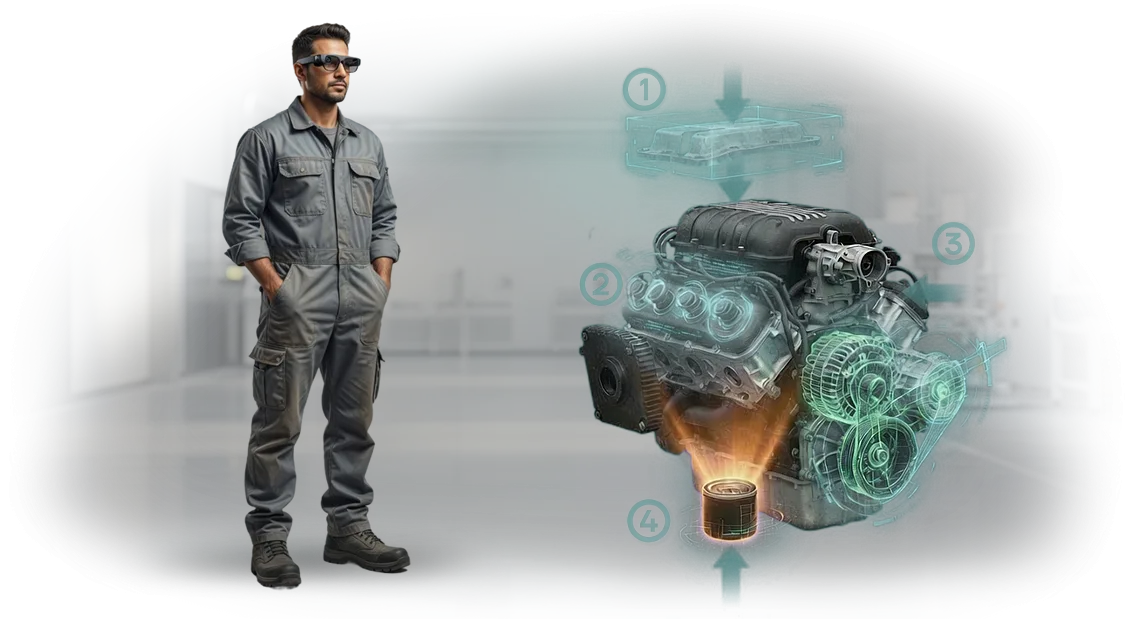
צמצום זמן השבתת מטוסים עם AR לתחזוקת תעופה וחלל
כל שעה שמטוס עומד על הקרקע, חברת התעופה מפסידה כסף — לא רק מהטיסה עצמה, אלא גם מאפקט הדומינו של עיכובים, הזמנות מחדש, לוחות זמנים של צוותים ואמון הנוסעים.
השבתת מטוסים לא מתוכננת היא אחת הבעיות היקרות ביותר בתעופה, ולעתים קרובות היא נובעת מחוסר עקביות קטן באופן שבו מבוצעות פרוצדורות מורכבות.
טיפול במנועים ותחזוקה שוטפת הם עבודות בלחץ גבוה. התיעוד הטכני משתרע על אלפי עמודים, ושני מהנדסים מנוסים יכולים לקרוא את אותו דיאגרמה בצורה שונה. שגיאות תחזוקה הן לרוב התוצאה — לא חוסר מיומנות, אלא הוראות לא ברורות.
ערך מומנט שהוחמץ או נקודת חיבור שגויה הופכים בדיקה שגרתית לביצוע חוזר יקר, ולעתים גורמים להארקת המטוס שוב.
AR לתחזוקת תעופה וחלל מחליף ניחושים בתהליך ויזואלי מונחה.
הצוות שלנו מתכנן הוראות מציאות רבודה שמחברות שלבים דיגיטליים ישירות לציוד הפיזי: הטכנאי רואה בדיוק איזה מחבר לגעת, איזה כבל לנתק, איזו קריאה לקחת. התחזוקה הופכת לעקבית ללא קשר למי שנמצא במשמרת.
השורה התחתונה היא פחות זמן השבתת מטוסים וצנרת תחזוקה צפויה יותר. פרוצדורות לוקחות פחות זמן, שגיאות נתפסות לפני שהן יוצרות בעיות, והכשרת עובדים חדשים נעשית מהירה יותר כי הידע מוטמע בהוראה עצמה.
זה אומר פחות קריאות חוזרות, זמני סיבוב מהירים יותר וצוות תחזוקה שעובד כמו יחידה אחת. אנחנו מספקים בדיוק את זה — AR לתחזוקת תעופה וחלל שנבנה עבור הציוד שלך והצוות שלך.
מה מפעילים מרוויחים מתהליכי עבודה ויזואליים מונחים
תהליכי עבודה ויזואליים מונחים הופכים פרוצדורות תחזוקה מורכבות לרצף פשוט של שלבים על המסך. במקום לדפדף במדריכים ולפענח דיאגרמות, הטכנאי רואה בדיוק מה לעשות הלאה — על הציוד בפועל.
בתעופה וחלל, שבה פרוצדורות משתרעות לעתים על מאות שלבים, יצרנים כמו Boeing הראו שהנחיה ויזואלית מפחיתה שגיאות באופן משמעותי. זה אומר פחות טעויות, פחות ניחושים, ונתיב מהיר יותר למיומנות מלאה.
עם תהליכי עבודה מונחים, מפעילים מרוויחים:
- יעילות תחזוקה – השלמת משימות בפחות מעברים כי כל שלב מאומת ויזואלית לפני שממשיכים.
- מניעת שגיאות – שכבות-על על המסך מפחיתות פעולות שהוחמצו וערכי מומנט שגויים, כך שעבודה חוזרת וסיכוני בטיחות יורדים.
- העברת ידע – מומחיות מובנית של מהנדסים בכירים נתפסת ישירות בתהליך העבודה, וזמינה לכל משמרת.
- זמן הכשרה – טכנאים חדשים מתקדמים בימים במקום בחודשים, כשהמערכת פועלת כמו חונך לצידם.
- איכות בדיקות – רשימות בדיקה ויזואליות מבטיחות שכל נקודה קריטית מכוסה באופן עקבי, עם הוכחת השלמה לכל בדיקה.
- רשומות מוכנות לביקורת – כל סשן מתעד בדיוק מה נעשה ומה נמצא, ונותן לרגולטורים שובל דיגיטלי ברור ללא ניירת נוספת.
עבור מפעילי תעופה וחלל, זה מתורגם ללוחות זמני תחזוקה צפויים, עלויות תפעול נמוכות יותר וביטחון גדול יותר בכל שחרור.
הצוות שלנו בונה את תהליכי העבודה האלה עם כלי AR ברמה מקצועית, כך שאתה מקבל פתרון שמשתלב בצורה חלקה בתהליך התחזוקה הקיים שלך — ומחזיר את עצמו פעמים רבות.
מפעילי תעופה וחלל: בחירת פורמט ההנחיה הנכון
כל מפעיל תעופה וחלל חייב לבחור פורמט הנחיה שמתאים למשימה. תחזוקה כבדה, תחזוקה שוטפת והכשרה יש להם אילוצים שונים: זמן האנגר, גישה, רמות מיומנות וקישוריות באתר. אין פורמט אחד שמשרת את כל השלושה; הטבלה שלהלן משווה בין הפורמטים הנפוצים.
| פורמט | תחזוקה כבדה | תחזוקה שוטפת | הכשרה וקליטה |
|---|---|---|---|
| וידאו | טוב להיכרות, קשה לעדכון | איטי מדי ברחבת החניה; צוותים צריכים תשובות מיידיות | שימושי כקריאה מוקדמת, פסיבי |
| שכבת-על תלת-ממדית | טוב לחקר פירוק, אבל מאלץ מעבר בין מסך לחלק | לא פרקטי על מסך קטן ליד המטוס | מציג מערכות, אבל ללא תרגול אמיתי |
| AR | שלב-אחר-שלב על החלק בפועל, פחות שגיאות | מציג את הפעולה הבאה ישירות על הציוד | תרגול על נכס אמיתי עם רמזים חיים |
AR הוא הפורמט היחיד ששומר על ידיים ועיניים על החלק בפועל תוך הצגת השלב הבא בהקשר. זה חשוב תחת אילוצי אתר — תאים צפופים, רחבת חניה רועשת, Wi-Fi לא יציב — כי הטכנאי אף פעם לא עובר בין מדריכים, מסכים והמטוס.
להכשרה, AR הופך את המטוס עצמו לסימולטור, כך שהקליטה מהירה יותר והמוכנות לקו מגיעה מוקדם יותר.
כפי ש-IATA מצביע, הבנת פרוצדורה היא מרכזית לאמינות התחזוקה. בחירת AR למשימות מורכבות ושמירת וידאו להכשרה מוקדמת מפחיתה סיכון לשעת תחזוקה וגורמת להנחיה להתאים לדרך שבה טכנאים עובדים בפועל.
שלב אחר שלב: איך פרויקט טיפוסי מתפתח
אנחנו מפרקים את הפרויקט לשלבים ברורים כך שתמיד תדע מה קורה הלאה ומה אנחנו צריכים ממך. אתה נשאר בשליטה מהשיחה הראשונה ועד לתמיכה לאחר ההשקה, וכל שלב מסתיים במשהו שאתה יכול לראות ולאשר.
- בריף ואיסוף דרישות. אנחנו מתחילים מתהליך התחזוקה שלך, המדריכים הקיימים והמשימות שבהן AR יעזור ביותר. המהנדסים שלנו מתעדים את השלבים, הכלים והסביבה המדויקים. אתה מקבל תמונה ברורה של מה יעבור דיגיטציה.
- תוכנית תוכן וסטוריבורד. אנחנו הופכים את הפרוצדורות שלך לתסריט ויזואלי עם כל שלב, אזהרה ובדיקה. אתה בודק אותו בשפה פשוטה, לא בקוד, ומאשר לפני שמתחילים לבנות.
- אישור והתאמות. אתה מקבל תוכנית מפורטת עם לוחות זמנים ועלויות. אנחנו מתאימים כל דבר שלא תואם את המציאות שלך, כך שהמוצר הסופי מתאים לשגרת התחזוקה של הצוות שלך.
- אב-טיפוס והשקת פיילוט. פיילוט קטן רץ עם כמה טכנאים על ציוד אמיתי. אנחנו מודדים איך זה משפיע על מהירות, שגיאות וביטחון, ואז משפרים לפני ההשקה המלאה.
- השקה מלאה ואינטגרציה. אנחנו פורסים AR בכל האתרים שלך, מחברים אותו לתיעוד הקיים שלך ומכשירים את הצוות שלך להשתמש ולעדכן את התוכן בעצמם.
- תמיכה לאחר השקה. אנחנו מנטרים ביצועים, אוספים משוב מהמהנדסים שלך ומספקים עדכונים כשהפרוצדורות שלך מתפתחות. ספריית ה-AR שלך נשארת מדויקת ושימושית.
מה נמסר בערכת ההשקה
ערכת ההשקה היא מקור האמת היחיד של הצוות שלך לתחזוקת AR. במקום לאסוף חלקים מקבלנים שונים, אתה מקבל חבילה אחת מלאה שמכסה תוכן, תוכנה, הכשרה ותיעוד.
הנה מה שאנחנו מכינים ומוסרים:
- מערך הוראות AR מוכן. הוראות לרכיבי המטוס הספציפיים ולפרוצדורות התחזוקה שתציין. כל משימה מכילה רמזים ויזואליים והנחיה שלב-אחר-שלב, כך שטכנאים יודעים בדיוק מה לעשות הלאה.
- גישה לפלטפורמת התוכנה. המהנדסים שלך פותחים, מעדכנים ומנהלים הוראות ממקום אחד. אין צורך בשרתים נוספים או אינטגרציות מורכבות בצד שלך.
- כלי כתיבה למדריכים שלך. עורך פשוט מאפשר לצוות הפנימי שלך ליצור הוראות חדשות או להתאים קיימות ללא כישורי תכנות. זה שומר על רלוונטיות התוכן כשהציוד שלך משתנה.
- הכשרת משתמשים מעשית. אנחנו מלמדים את הטכנאים והמדריכים שלך על ציוד אמיתי, תוך שימוש בהוראות ה-AR בפועל. זה מקצר את עקומת הלמידה ומפחית טעויות במהלך הפעולות הראשונות.
- מדריך מלא ותיעוד. מדריכי משתמש, מדריכי מנהל, הוראות פתרון תקלות ורשימות בדיקת תחזוקת מערכת — כל מה שאתה צריך לביקורות, קליטה ועבודה יומיומית.
- תמיכת פריסה. המהנדסים שלנו נשארים איתך בשבועות הראשונים לאחר ההשקה, כך שיש לך קו ישיר אם משהו צריך התאמה.
עם ערכה זו, צוותי התחזוקה, ההכשרה והאיכות שלך עובדים כולם לפי אותו תקן. התוצאה היא השלמת משימות מהירה יותר, פחות שגיאות ותהליך שקוף שקל להדגים במהלך בדיקות.
מקרה מבחן: זמני סיבוב מהירים יותר באתר MRO אזורי
עבור מרכז ה-MRO האזורי המשרת מטוסי תעופה עסקית, AeroFix MRO, נקודת הצוואר הייתה ההוראות להחלפת רכיבים: טכנאים התייעצו עם דיאגרמות נייר, בילו זמן בחיפוש אחר הסעיף הנכון, וחניכים דרשו השגחה מתמדת של עמיתים בכירים.
שגיאות הרכבה הובילו לעבודה חוזרת ולעיכובים בלוח הזמנים של התחזוקה. יישמנו הוראות AR לחמש הפעולות השכיחות ביותר — הטכנאי רואה את רצף הפעולות ישירות על הציוד, עם נקודות חיבור מודגשות ורמזי סובלנות.
תוך שלושה חודשים, זמן התיקון לרכיב אחד ירד מ-5.5 ל-3.5 שעות (הפחתה של 35%), ושיעור התיקונים המוצלחים בניסיון הראשון עלה מ-78% ל-94%. העבודה החוזרת ירדה בחצי — האנגר היה פחות פנוי, וההמראות לא התעכבו עוד מסיבות טכניות. ניצול האנגר גדל, ועבודה מתוכננת החלה להסתיים בזמן.
מה אומרים הטכנאים והבעלים
הטכנאים אימצו במהירות את הפורמט החדש: חדשים מבצעים פעולות ללא חשש לערבב את הרצף, וצוות בכיר מבלה פחות זמן בהסברים.
מנהל האתר ציין שנקודות מחלוקת נפתרות ללא קריאות למהנדס, והקליטה של עובדים חדשים ירדה משבועיים לשלושה ימים. כל 14 הטכנאים במחלקה נתנו משוב חיובי — אף אחד לא ביקש לחזור להוראות נייר.
לפי הערכות המרכז, החיסכון השנתי הוכח כמשמעותי כשחושב לאחר ביקורת — תוך התחשבות בהפחתת זמן השבתה, פחות עבודות חוזרות והסמכה מהירה יותר של עבודה.
לאחר הפיילוט במחלקה אחת, הלקוח הרחיב את הפרויקט לסדנה הסמוכה והפך את הוראות ה-AR לחלק מתקן התחזוקה שלהם.
איזה פורמט הנחיה מתאים ביותר לפעילות שלי?
אין דרך אחת מושלמת לספק AR לתחזוקת תעופה וחלל — הבחירה הנכונה תלויה באופן שבו הפעילות שלך עובדת בפועל. כשאתה בוחר פורמט, הסתכל על שלושה דברים קודם: גודל הצי, אילוצי האתר ורמת הניסיון של הטכנאים שלך.
הגורמים האלה חשובים יותר מכל רשימת תכונות, כי הם קובעים אם הכלי ישמש על הרצפה או יישאר באנגר.
גודל הצי מעצב את היקף הפתרון. אם אתה מתחזק רק כמה מטוסים או יחידות הניתנות להחלפה בקו, מדריך AR נייד פשוט יכול לבטל חיפוש בנייר ולקצר זמן הכשרה.
צי גדול עם כמה דגמים, לעומת זאת, מרוויח מ-AR שמתאים לכל גרסה ושומר על כל טכנאי באותה פרוצדורה מעודכנת — ללא צורך בבריף חוזר לצוותים אחד אחד.
אילוצי אתר נוגעים לסביבה הפיזית: כמה מקום יש לך, תאורה, רעש, חוקי בטיחות ואמינות רשת. באזורים צפופים או מוגבלים, AR ללא ידיים שומר על שתי הידיים על העבודה ומפחית סיכון להחמצת שלב.
אם הכיסוי חלש ברחבת החניה או באנגר, פורמט שתומך בעבודה לא מקוונת חוסך לך הפרעות ברגע הגרוע ביותר.
ניסיון הטכנאים משחק גם הוא תפקיד מרכזי. חברי צוות חדשים לעתים קרובות צריכים שכבות-על ויזואליות שלב-אחר-שלב שמנחות אותם דרך כל ערך מומנט ונקודת בדיקה. ותיקים רק רוצים רשימת בדיקה מהירה וניווט מהיר למשימה הבאה.
פורמט טוב מתאים לשניהם — הוא צריך לזרז זוטרים מבלי לגרום לטכנאים מנוסים להרגיש מוגבלים.
ברגע שתעריך את הצי, האתר והצוות שלך, הנתיב הטוב ביותר מתבהר. המהנדסים שלנו מתחילים בהערכה זו ורק אז ממליצים על פורמט שמתאים לתהליך העבודה שלך — לא דמו גנרי. שלח לנו כמה פרטים על הפעילות שלך, ונמפה יחד את הגישה הנכונה.
חששות נפוצים לפני שמתחילים
צוות התחזוקה נזהר בצורה מובנת מכלים חדשים: רגולציות, סובלנויות ובטיחות טיסה לא משאירות מקום לניסויים. לכן אנחנו לא מחליפים תהליכים — אנחנו מחזקים אותם. הוראות AR משתלבות בפרוצדורות שכבר אושרו.
האם זה יתאים לרגולציות שלנו?
אין צורך לשכתב דבר: אנחנו לוקחים את כרטיסי התהליך שלך והופכים אותם לתרחישי AR שלב-אחר-שלב. הטכנאי רואה את השלב הבא ישירות על הרכיב, והמערכת מתעדת את השלמת כל פריט.
האם זה בטוח לציוד תעופתי?
שליטה קולית שומרת על תשומת הלב על הציוד, לא על המסך. דרישות הסובלנות נשארות במקומן, וכל פעולה מאושרת ומתועדת ביומן.
כמה זמן לוקחת ההכשרה?
שעתיים עד שלוש שעות לקבוצה מספיקות: הממשק משקף כרטיסים ורשימות בדיקה מוכרים, והמערכת מזכירה את השלב הבא.
מה קורה לאחר ההשקה?
אנחנו לא נעלמים לאחר המסירה: אנחנו מעדכנים תרחישים, מכשירים עובדים חדשים ומספקים תמיכה עם זמן תגובה מובטח. התנאים מופיעים בחוזה.
האם הפתרון יתרחב עם הצי?
דגם ציוד חדש מתווסף לספריית התרחישים ללא עצירת התהליך. גידול במספר המשתמשים אינו דורש פרויקט IT נפרד.
כל פרויקט מסתיים בתוצאה מדידה — זמן פעולה מופחת ופחות שגיאות. שאל את השאלות שלך לפני שמתחילים: ניתן לך תשובות קונקרטיות.בקש מחקר היתכנות באתר שלך
לפני השקעה ב-AR לתחזוקת תעופה וחלל, אתה צריך לדעת אם זה באמת יעבוד עבור הפעילות שלך. מחקר היתכנות עונה על זה בכן או לא ברור — בהתבסס על האתר האמיתי שלך, הציוד ותהליכי העבודה הקיימים. צוותים רבים מהססים כי AR מרגיש חדש; המחקר הופך את אי-הוודאות הזו לעובדות קונקרטיות.
כשתפנה אלינו, אנחנו מתחילים בשיחה קצרה כדי להבין את המטרות שלך. לאחר מכן המהנדסים שלנו מעריכים את סביבת התחזוקה שלך באתר או מרחוק, ומכינים כל מה שצריך להחלטה מושכלת. אנחנו מתמקדים בשאלה מעשית אחת: היכן AR יכול לחסוך לך הכי הרבה זמן וכסף.
הנה מה שאתה מקבל ממחקר ההיתכנות:
- מחקר היתכנות מותאם לאתר שלך ולמשימות התחזוקה הספציפיות
- הוראת AR לדוגמה אחת שנוצרה למשימה אמיתית על הציוד שלך
- הערכת עלויות ולוח זמנים ליישום לפרויקט שלך
- הצעת מחיר ישירה ללא עלויות נסתרות או התחייבויות
- המלצה ברורה היכן AR מספק את הערך הגדול ביותר
- שיחת המשך להדרכתך על התוצאות והשלבים הבאים
עם חומרים אלה, אתה יכול להעריך AR בפועל לפני התחייבות גדולה יותר. תדע בדיוק למה לצפות, כמה זה עולה וכמה מהר אתה יכול להתחיל.
בקש את מחקר ההיתכנות שלך היום — השיחה אורכת 30 דקות, והמחקר עוזר לך להימנע מטעויות יקרות.