

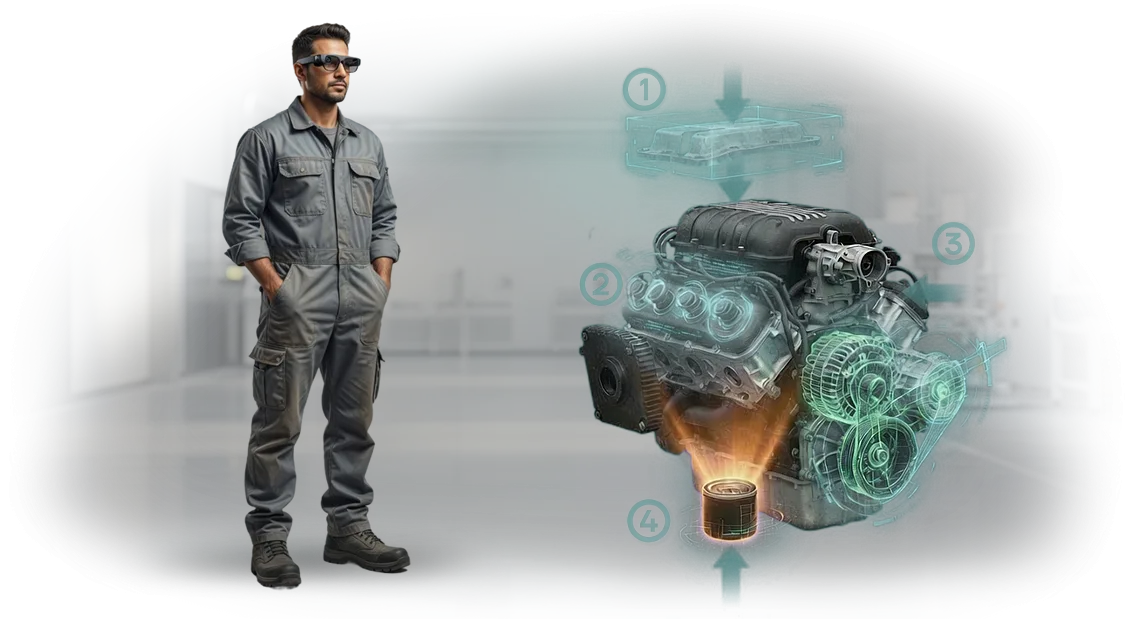
הוראות עבודה ב-AR: כיצד לבטל שגיאות והשבתות על רצפת הייצור
הוראות נייר הן גרירה בלתי נראית על הייצור. בזמן שהעובד מחפש את הרכיב הנכון בין הדפים, המכונה עומדת בטלה, ושגיאת הרכבה הופכת לאצווה פגומה.
עם תחלופת עובדים גבוהה או מוצרים מורכבים, הכשרת עובד חדש אורכת שבועות, ואפילו טכנאים מנוסים אינם חסינים מפני דילוג על שלב.
השבתות ועיבודים חוזרים פוגעים בעלות של כל מוצר. לפי הערכות הלקוחות שלנו, עד 30% מזמן העבודה על רצפת הייצור מושקע לא בהרכבה אלא בקריאה ובפרשנות של תיעוד. זה מוביל לעיכובים במשלוחים, לקנסות על החמצת מועדים ולפגיעה במוניטין.
הוראות עבודה ב-AR פותרות את הבעיה הזו: ההוראה הדיגיטלית מוקרנת ישירות על הציוד או מוצגת על טאבלט. העובד רואה את השלב הבא בהקשר של ההרכבה האמיתית, המערכת מדגישה נקודות חיבור ושולטת על רצף הפעולות. אין ניחושים — רק פעולות ברורות.
להכשרת עובדים, זה מקצר את זמן הקליטה פי 2-3: מתחילים עובדים עם הנחיות ועושים פחות טעויות. לייצור, זה אומר איכות הרכבה עקבית והתאמה מהירה לדגמים חדשים בלי לעצור את הקו. הנייר נשאר לארכיון, והתהליך הופך לשקוף לבקרה.
אנחנו מיישמים הוראות עבודה ב-AR המותאמות לפעולות רצפת הייצור שלך: אנו מגדירים תרחישים, מחברים אותם לתיעוד הקיים ומכשירים עובדים. זה אומר פחות פגמים, פחות השבתות, והוראות שלעולם לא הולכות לאיבוד או מתיישנות אחרי כל עריכה.
אילו יתרונות הייצור מקבל מהוראות AR
הוראות AR הופכות את עבודת הציוד לתהליך ברור שלב-אחר-שלב: העובד רואה הנחיות ישירות על רכיבי המכונה ולא מוסח על ידי נהלי נייר.
זה משפיע ישירות על פריון העבודה — העובד מקדיש פחות זמן לאיתור הפעולה הנכונה ועושה פחות טעויות ברצף הפעולות. למנהל, זה אומר תוצאות צפויות ועמידה בתוכנית בלי שעות נוספות מיותרות.
היתרון הבולט הראשון הוא ביצוע מהיר יותר של משימות. במקום לדפדף במסמכים או להיזכר בסדר הפעולות, העובד פשוט עוקב אחר השלבים המודגשים.
בתצפיות שלנו, זמן המחזור בפעולות טיפוסיות יורד ב-15–30%, וההבדל בולט עוד יותר עבור עובדים חדשים.
היתרון השני נוגע לאיכות המוצר. כאשר כל שלב בדיקה ממוקם ישירות מול העיניים, הסיכון להחמצת בדיקה חשובה או הידוק מחבר עם מומנט לא נכון פוחת.
פגמים נתפסים בשלבים מוקדמים ולא בסוף המשמרת, כאשר עיבוד חוזר יקר משמעותית.
היתרון השלישי הוא פחות פגמים באמצעות אחידות בפעולות. אפילו טכנאים מנוסים עובדים לפעמים מהזיכרון, אבל הוראת AR נועלת את התהליך הייחוס ומונעת סטייה ממנו. כתוצאה מכך, עקביות האיכות כבר לא תלויה בעייפות או ברמת המיומנות של עובד מסוים.
לבסוף, AR מאיץ את קליטת העובדים החדשים. עובד חדש מגיע לרמת הפריון היעד תוך ימים ולא שבועות, מה שמפחית את העומס על החונכים ומוריד את עלויות הקליטה.
כל ההשפעות הללו מצטברות לתוצאה כלכלית מוחשית בחודשים הראשונים לאחר היישום, וסטטיסטיקות מצטברות מאשרות עלייה יציבה בתפוקה בכל קו.
פורמטים של הוראות עבודה ב-AR לסוגי פעולות שונים
כל פורמט של הוראת AR נותן מענה למחלקת משימות משלו. טאבלט מתאים לתיקונים מורכבים, משקפיים חכמים משחררים את הידיים, והנחיות הקרנה מתאימות לפעולות נייחות. בחירת הפורמט הנכון משפיעה ישירות על מהירות הכשרת העובדים ועל שיעור הפגמים.
| פורמט | למי | מה זה נותן ללקוח |
|---|---|---|
| טאבלטים | לצוותי תיקון ועובדים ניידים | הנחיות שלב-אחר-שלב המוצגות על הציוד, איתור תקלות קל וגישה למאגר ידע מלא |
| משקפי מציאות רבודה | לעובדי פס ייצור ופעולות ידניות מורכבות | ידיים חופשיות: העובד רואה את התרשים ישירות מול עיניו ומבצע את הפעולה בלי להסתכל על מסך |
| הוראות הקרנה | לתחנות עבודה נייחות ובקרת איכות | תרשימים ונקודות ביקורת מוקרנים ישירות על החלק — בלבולים בסדר הפעולות מתבטלים |
טאבלטים הם נקודת ההתחלה המגוונת ביותר: אין צורך לקשור אותם לתחנת עבודה, וכתיבת הוראות אורכת זמן מינימלי. משקפיים משתלמים בפעולות שבהן מהירות היד והדיוק קריטיים.
הקרנה אידיאלית לפסי ייצור ואזורי עבודה שבהם הפעולה תמיד מתרחשת במיקום אחד.
אנחנו מטפלים בצד הטכני — הגדרת מעקב, כיול ועדכוני הוראות. לדוגמה, בפרויקטים שלנו אנו משתמשים ב-Microsoft Dynamics 365 Guides, המאפשר לנו לבנות מחדש הוראות במהירות ולשמור גרסאות במקום אחד.
הלקוח לא צריך להיכנס לעומק של איך AR עובד — אנחנו בוחרים את הפורמט לפעולה שלך ומכשירים את הצוות שלך.
שלבי השקת הוראות AR בארגון שלך
אנחנו מבינים: יישום הוראות AR בייצור אינו רק החלפת נייר — זה שינוי בדרך שבה עובדים עובדים. לכן בנינו את התהליך כך שתראה תוצאות בכל שלב, תבין את לוחות הזמנים ואת התפקיד שלך — מהשיחה הראשונה ועד לשימוש יומיומי.
פרויקט טיפוסי אורך ארבעה עד שמונה שבועות בהתאם למורכבות אזור העבודה. בכל שלב אתה מקבל תוצר מוחשי: תרחיש, אב-טיפוס, פיילוט רץ. אין קופסה שחורה — רק עבודה שקופה עם נקודות בקרה ברורות.
- בריף וסקר אתר. אנחנו נפגשים, אתה מציג את המטרות ונקודות הכאב שלך, ואנחנו בוחרים אזור פיילוט. מצידנו — סקר הנדסי: אילו פעולות מתאימות ל-AR והיכן האפקט יגיע הכי מהר.
- פיתוח תרחיש. המומחים שלנו הופכים תהליכים טכניים, נהלים והניסיון של העובדים הטובים ביותר להוראות חזותיות שלב-אחר-שלב. אתה מקבל תרחיש טקסטואלי לאישור.
- יצירת אב-טיפוס. אנחנו בונים הוראת AR עובדת לפעולה אחת או שתיים. אתה מעריך את הממשק, היגיון ההנחיות ונוחות השימוש — ומבצע עריכות לפני שפיתוח המוני מתחיל.
- פיתוח מערך מלא. אנחנו מכינים הוראות לכל הפעולות באזור הפיילוט, בודקים אותן על ציוד אמיתי ומתחשבים במאפיינים הספציפיים של מכונות מסוימות ותנאי עבודה.
- השקת פיילוט. אנחנו פורסים את המערכת באזור אחד והעובדים שלך עובדים עם הוראות AR בזמן אמת. אנחנו אוספים משוב ומודדים זמני פעולה ומספרי שגיאות.
- הכשרת צוות. אנחנו מכשירים עובדים, מפקחים ומנהלים, ומכינים את המומחים הפנימיים שלך לעדכן תוכן בעצמם ולהתאים הוראות לשינויים.
- השקה ותמיכה. אנחנו מרחיבים את הפתרון לאזורים אחרים ומחברים ציוד נוסף. אנחנו נשארים בקשר: אנליטיקת שימוש, חידודים ופיתוח המערכת.
הדבר המרכזי עבורך: אחרי כל שלב, אתה יודע בדיוק מה קורה הלאה ואיזו תוצאה תקבל. אנחנו מטפלים בצד הטכני, בעוד אתה מנהל את התהליך ומקבל החלטות.
מה כלול במסירה ובתמיכה של פתרון AR
יישום הוראות AR אינו אפליקציה עצמאית — זה תהליך שלם המשולב בעבודה היומיומית של הצוות. אנחנו בונים את הפתרון סביב המשימה שלך ותומכים בו בכל שלב — מאזור הפיילוט ועד לעדכוני תוכן מתוזמנים. חבילת המסירה כוללת:
- אפליקציית AR לטאבלטים או סמארטפונים — עובדים עובדים דרך מכשיר מוכר, בלי משקפיים יקרים או הכשרה מיוחדת.
- ספריית הוראות AR מוכנה להרכבות ולפעולות שלך — אנחנו הופכים כרטיסים טכניים ונהלים להנחיות שלב-אחר-שלב הנראות ישירות על הציוד.
- אינטגרציה עם מערכת החשבונאות או התיעוד שלך — הוראות מופעלות באמצעות קוד QR או מהמערכת הפנימית שלך, בלי כפילות נתונים או השבתות.
- הכשרה לעובדים ולמנהלים — סדנאות קצרות, דפי עזר וסרטונים כדי שהצוות יתחיל לעבוד ביום ההשקה.
- תמיכה טכנית ועדכונים — אנחנו עוקבים אחר יציבות, מתקנים שגיאות ומוסיפים הוראות חדשות לפי בקשותיך.
כתוצאה מכך, אתה מקבל לא "קובץ אפליקציה" אלא כלי עבודה להפחתת שגיאות והאצת הכשרה.
עובדים שולטים בפעולות מהר יותר, עוצרים את הקו פחות פעמים לצורך הבהרות, ומנהלים רואים סטטיסטיקות שימוש בהוראות ויכולים לשפר אותן ככל שהניסיון מצטבר. אנחנו נשארים בקשר לאחר ההשקה כדי שהפתרון יגדל יחד עם הייצור שלך.
מקרה בוחן: קיצור זמן ההרכבה ב-30% עם AR
הרכבה של ציוד מורכב נתקלת באופן מסורתי בגורם האנושי: עובד חדש מבלה זמן רב באיתור הרכיב הנכון, מבלבל את הרצף וממשיך לשאול את החונך. כל טעות משמעותה עיבוד חוזר, השבתת קו ושעות הכשרה נוספות. חברות סופגות הפסדים עוד לפני שהמוצר יוצא מפס הייצור.
מקרה בוחן: ייצור משאבות תעשייתיות
עבור יצרן משאבות תעשייתיות אחד, פיתחנו הוראת AR על Vuforia — פלטפורמת מציאות רבודה מוכחת. העובד רואה במשקפיים או בטאבלט את תרשים מיקום החלק המדויק ואת השלב הבא ישירות על ההרכבה האמיתית. אין יותר חיפוש שרטוטים או בדיקה חוזרת של הרצף — המערכת עצמה מנחה מה לעשות.
מה מדדנו
זמן ההרכבה הממוצע ליחידה ירד ב-30%, ועובד חדש מגיע לקצב של עובד מנוסה פי שניים מהר יותר. מספר העיבודים החוזרים שנגרמו מרצף שגוי ירד לכמעט אפס.
הלקוח השתכנע כל כך מהתוצאה עד שהזמין הרחבה של ההוראות לשלושה קווי ייצור נוספים.
חשוב לציין, לא רק מסרנו גאדג'טים לעובדים — עבדנו מחדש את התהליך הטכני לתרחישים חזותיים ברורים. לכן התוצאה הגיעה במהירות והשתלבה בקלות בעבודה הקיימת של רצפת הייצור.
כעת הצוות משתמש בהוראות לכל אצווה חדשה, והתמיכה הטכנית שלנו מלווה אותם ומעדכנת תוכן בכל פעם שהעיצוב משתנה.
מה אם יש לנו ציוד או תהליכים לא סטנדרטיים?
ציוד לא סטנדרטי אינו סיבה לוותר על הוראות דיגיטליות — להיפך, זה המקרה העיקרי שבו הן משתלמות. ככל שהתהליך מורכב יותר והפעולה נדירה יותר, כך טעות יקרה יותר והכשרת עובדים חדשים אורכת זמן רב יותר.
לכן אנחנו מתכננים הוראות AR מותאמות אישית לציוד ספציפי ולא תרחיש גנרי.
המהנדסים שלנו מבקרים באתר שלך או עובדים מרחוק עם המומחים שלך: הם מנתחים נהלים בפועל, מתעדים רצפי פעולות ומתחשבים במאפיינים של כל דגם ובפעולות לא סטנדרטיות.
כתוצאה מכך, אתה מקבל הוראות עבודה ב-AR המשקפות את היגיון הייצור שלך — עם הסובלנות, ההנחיות ונקודות הביקורת הנדרשות.
ההתאמה לא מסתיימת בתכנון. כאשר ציוד משודרג או תהליך משתנה, אנחנו מעדכנים את ההוראות — בלי לבנות מחדש את כל החבילה. זה שומר על תיעוד עדכני ומכין את הצוות לעדכונים במהירות.
גם אם התהליך מורכב מפעולות ידניות ייחודיות, אנחנו מפרקים אותו לשלבים ברורים ומוסיפים הנחיות בנקודות הנכונות. גישה זו מפחיתה את התלות בניסיון האישי של העובדים והופכת את האיכות לעקבית.
בסופו של דבר, הלא סטנדרטי הופך ליתרון שלך: עובדים מגיעים למהירות הנדרשת מהר יותר, עושים פחות טעויות, וטכנאים מנוסים כבר אינם בעלי הידע הבלעדיים.
אנחנו מתחילים עם אזור עבודה או דגם אחד, מדגימים תוצאות על פעולות אמיתיות ומרחיבים לשאר התהליכים שלך.
מענה לחששות נפוצים של לקוחות
ספקות בהזמנת הוראות AR הם שלב נורמלי. אנחנו שומעים אותם ממנהלים כל חודש: "האם זה ישבש את התהליכים הנוכחיים שלנו?", "כמה מהר זה ישתלם?", "האם נצטרך להחליף ציוד?" אנחנו עונים ישירות.
היישום ייקח חודשים ויעצור את הייצור?
לא. אנחנו משלבים הוראות AR לצד העבודה הנוכחית: קודם פיילוט באזור אחד, אחר כך הרחבה. המהנדסים שלנו מגדירים את המערכת מרחוק, ועובדים מסיימים הכשרה תוך 1-2 ימים. ההשבתה לא עולה על כמה שעות בשלב ההשקה.
המכונות שלנו ישנות ולא תואמות לטכנולוגיות חדשות?
הוראות AR עובדות על גבי מה שכבר יש לך. כל מה שצריך זה טאבלט או סמארטפון והפלטפורמה שלנו — אין צורך בהחלפת ציוד. אנחנו מתאימים את הממשק לנהלים ולתרשימים שלך, לא להיפך.
זה יקר ולא ברור מתי זה ישתלם?
תחשוב במונחים של זמן: אפילו קיצור של 20-30% בכל פעולה חוסך במהירות בשכר ובשגיאות. בפרויקטים שלנו, ההחזר מגיע תוך 3-6 חודשים בממוצע, ואחרי זה AR מספק חיסכון נקי. אנחנו מחשבים את הנתון המדויק במהלך הבריף.
מה לגבי בטיחות?
הוראות AR אינן מחליפות את דרישות הבטיחות התעסוקתית — הן שומרות על העובד בתוך הנוהל. הנחיות מופיעות לפני כל שלב נדרש, כך שהעובד לא מדלג על בדיקות מפתח. התוצאה: פחות הפרות ותאונות.
הזמינו הוראות AR לייצור שלכם — התחילו עם פיילוט
אתה לא צריך להזמין פריסה מלאה בכל המפעלים בבת אחת — זה מסוכן ויקר. אנחנו מציעים להתחיל בפרויקט פיילוט: אנחנו לוקחים פעולה אחת או אזור עבודה שבו שגיאות עולות הכי הרבה, ותוך 3-4 שבועות מראים תוצאה עובדת. אתה רואה את האפקט במספרים אמיתיים ורק אז מחליט על הרחבה.
מה אתה מקבל לאחר שליחת בקשה:
- ייעוץ ראשוני: אנחנו מנתחים היכן הוראות AR ישתלמו הכי מהר — בהתבסס על מורכבות הפעולה, תחלופת עובדים או עלות הפגמים.
- סקר ייצור מהיר: המהנדסים שלנו מבקרים באתר, לומדים נהלים ומזהים 2-3 תהליכים שיניבו חיסכון מקסימלי.
- אב-טיפוס הדגמה של הוראת AR על הציוד שלך: עובד מרכיב טאבלט או משקפיים ומבצע את הפעולה עם הנחיות שלב-אחר-שלב — בלי מדריכי נייר עבים.
- חישוב השפעה כלכלית: כמה תחסוך בהכשרת עובדים חדשים, בהפחתת פגמים ובקיצור השבתות. כל המספרים — לפני רכישה, בפורמט ברור.
- תוכנית הרחבה ברורה: אילו פעולות נמיר בשלב השני, אילו אינטגרציות יידרשו, איזה תקציב לתכנן.
הזמנת הוראות AR מאיתנו פירושה קבלת לא "מצגת לשם המצגת" אלא תוצאה מדידה. אנחנו עובדים כשותפים: אנו קובעים מדדי מטרה לפני ההתחלה ואחראים להשגתם לאחר היישום.
שלחו בקשת ייעוץ — תוך 15 דקות נדון במשימה שלך, נייעץ אם פרויקט פיילוט מתאים לך, וניתן לך מושג על לוחות זמנים ותקציב. התחל בקטן ומדוד את האפקט על הקו שלך.