

בדיקת איכות ב-AR: כיצד להאיץ קבלה ולהפחית את שיעור הפגמים
כאשר קו ייצור מייצר מאות יחידות במשמרת והקבלה מתבצעת ידנית, צוואר הבקבוק אינו המכונה אלא העין האנושית. המפקח עובד עם רשימת בדיקה מנייר, זוכר עשרות סובלנויות, ובודק את אותו חלק מספר פעמים.
בינתיים, קצב הייצור ממשיך לגדול, וטעות בקבלה מתגלה רק לאחר שמנה פגומה כבר נשלחה ללקוח.
התוצאה היא הפסדים: עבודות חוזרות, החזרות, החמצת מועדים, ומוניטין של ספק ש"או שלא רואה, או שלא רוצה". בדיקה ידנית פיזית לא יכולה לעמוד בקצב הזרימה: חלק מהפריטים חומקים מהבקרה, בעוד אחרים מוחזקים זמן רב מדי.
מפקח מנוסה יכול לפעול מהר יותר, אך אינו יכול להישאר גם מהיר וגם מדויק בכל נקודה על הקו בו זמנית.
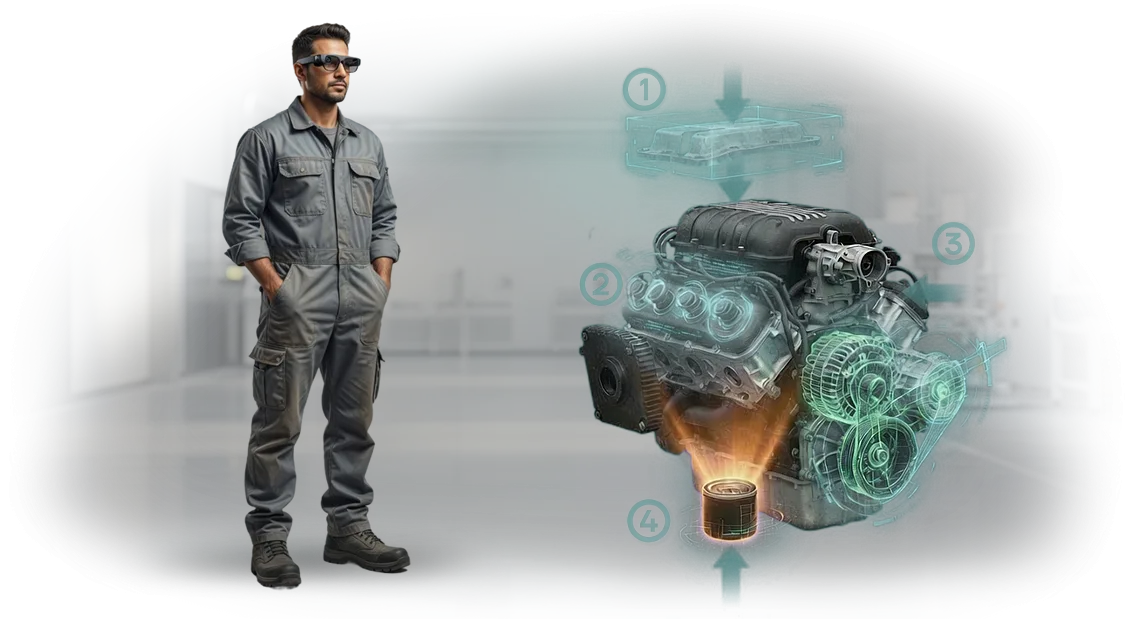
בדיקת איכות ב-AR פותרת דילמה זו. הוראה דיגיטלית המוצבת ישירות בשדה הראייה של העובד מראה בדיוק מה ואיך לבדוק: אזורי פגם אפשריים, סטיות מותרות, וסדר הפעולות.
המפעיל אינו צריך להסתכל על נייר או לזכור את מסלול הבדיקה — הוא רואה את ההנחיה ישירות על האובייקט עצמו ומתעד את התוצאה במגע אחד.
אימוץ גישה זו מקצר את זמן הקבלה ומפחית באופן ניכר את חלקם של פגמים שהוחמצו, מכיוון שכל מפקח עובד לפי תקן אחד במקום להסתמך על ניסיונו האישי.
זוהי צמיחה בפרודוקטיביות ללא גיוס מפקחים נוספים וללא עצירת מחזור הייצור. כבר יישמנו כמה פרויקטים כאלה ואנחנו יודעים כיצד לבנות בדיקת AR בתהליך קיים כך שתקבלו את התוצאה הראשונה תוך מספר שבועות.
מה מספקת בקרת איכות עם מציאות רבודה
בקרת איכות בייצור היא תמיד איזון בין מהירות ליסודיות. בדיקה מהירה מדי מפספסת פגמים; בדיקה איטית מדי מעכבת משלוח ופוגעת ברווח.
המציאות הרבודה מסירה את הקונפליקט הזה: היא מזכירה למפעיל בדיוק למה להסתכל, ישירות בשדה הראייה שלו.
מהירות בדיקה
במקום לדפדף בין שרטוטים והוראות, המומחה רואה את כל נקודות הבקרה ישירות על החלק. בדיקת יחידה אורכת דקות, לא שעות. עבור ייצור סדרתי, משמעות הדבר היא יותר מנות משוחררות ללא אובדן איכות.
דיוק בדיקה
מערכת ה-AR מדגישה סטיות מותרות ומראה בדיוק היכן למדוד. שגיאות אנוש נסוגות אל הרקע מכיוון שהמפעיל עוקב אחר הנחיה ויזואלית ברורה.
אנו עובדים עם משקפי AR מקצועיים Microsoft HoloLens — זה מבטיח הצגת גרפיקה יציבה ויישור מדויק עם הציוד האמיתי.
הכשרת עובדים
עובד חדש מפסיק להיות לא פרודוקטיבי בשבועות הראשונים. הוראת ה-AR מנחה אותו צעד אחר צעד: מה לבדוק, איזה כלי לקחת, ואיזו סובלנות נחשבת תקינה.
מומחים מנוסים מקדישים פחות זמן לחונכות, ואיכות הבדיקה כבר אינה תלויה בוותק.
הפחתת עלויות
פחות גרוטאות, פחות עבודות חוזרות, פחות השבתה בהמתנה למפקח. בהערכות שלנו, חברות מחזירות את ההשקעה בבדיקת AR תוך מספר חודשים באמצעות הפחתת הפסדים מפגמים שהוחמצו.
פורמטים של בדיקת איכות עבור סביבות ייצור שונות
איכות המוצר הסופי תלויה ישירות במידת הדיוק שבה מבצע העובד כל שלב.
על פס הייצור, בבית המלאכה או באתר מרוחק, הבדיקה מסתכמת לעתים קרובות ברשימות בדיקה מנייר ובניסיון של המאסטר — זה איטי ומשאיר מקום לטעויות אנוש.
אנו סוגרים את הפער הזה עם הוראות AR: העובד רואה את נקודות הבקרה הנדרשות ישירות על הציוד, המערכת מזכירה את השלב הבא, והתוצאה מתועדת.
פורמט הפריסה נבחר לפי המשימה, החל מבדיקות מכונות יומיות ועד קבלה של יחידות מורכבות באתר קבלן.
פורמטי פריסה של בקרת איכות ב-AR
הוראות שלב-אחר-שלב — עבור פעולות שבהן כל שלב חשוב: הרכבה, הגדרה, כוונון. העובד רואה את היחידה הנדרשת מודגשת על המסך ומאשר כל שלב. שגיאות מסולקות לפני שהן הופכות לפגמים.
רשימות בדיקה אינטראקטיביות — עבור בדיקות ותחזוקה שוטפות. המפעיל עובר בין נקודות בקרה, מתעד קריאות, ומיד רואה סטיות. המנהל מקבל פרוטוקול דיגיטלי ללא מילוי ידני של טפסים.
קבלה מרחוק — כאשר מהנדס אינו יכול להיות פיזית באתר אך חייב לאשר איכות. עובד מכוון את המצלמה אל האובייקט, והמומחה בודק עמידה בדרישות מרחוק ומסמן זאת במערכת.
הכשרת עובדים חדשים — במקום שבוע של חונכות, העובד החדש מבצע משימות בסביבת AR. הוא עובד מיד על ציוד אמיתי, והמערכת מדגישה את רצף הפעולות הנכון.
| פורמט | למי מיועד | מה הוא מספק |
|---|---|---|
| הוראות שלב-אחר-שלב | מפעילי קו, מרכיבים | מינימום שגיאות בפעולות מורכבות |
| רשימות בדיקה אינטראקטיביות | מחלקות שירות, בקרת איכות | בקרה שקופה ללא נייר |
| קבלה מרחוק | מהנדסי איכות, מנהלים | חיסכון בנסיעות ובזמן |
| הכשרת AR | עובדים חדשים, תפקידים שכנים | הגעה לקצב עבודה תוך ימים |
כל הפורמטים פועלים על פתרון אחד וניתנים לשילוב: למשל, הכשרה במצב שלב-אחר-שלב, ולאחר מכן רשימות בדיקה יומיות לבקרה. הנתונים נאספים במערכת אחת ומראים את התמונה האמיתית עבור כל אזור.
כיצד מתבצעת הפריסה: מסקר אתר ועד השקה
בנינו את הפריסה כך שתראו תוצאות בכל שלב ולא תעצרו את הייצור. ראשית אנו לומדים את האתר, לאחר מכן מכינים תוכנית, מאשרים אותה, ורק אז פורסים את המערכת.
שלבי הפריסה
- סקר האתר ומשימות בקרת האיכות. המהנדסים שלנו מבקרים באתר, לומדים את הפעולות ונקודות הבדיקה, ומזהים היכן להנחיות AR תהיה ההשפעה הגדולה ביותר.
- תוכנית וחישוב תועלת. אנו מראים אילו פעולות נאיץ, כמה זמן נחסוך בהכשרה ובקרה, ומה נדרש להשקה.
- אישור תרחישים. אנו דנים בטקסטים, בהדגשת פגמים וברצף פעולות המפעיל. אתם מאשרים את ההיגיון לפני תחילת הפיתוח.
- הכנת חומרים ופיתוח. מומחים יוצרים הוראות שלב-אחר-שלב ומשלבים אותן בתוכנית לטאבלטים או למשקפיים.
- הפעלת פיילוט. אנו בודקים את המערכת באתר אחד יחד עם העובדים שלכם, אוספים משוב ומבצעים חידודים.
- השקה ותמיכה. אנו פורסים את ההוראות בכל האזורים הנדרשים, מאמנים את הצוות, ונשארים זמינים לתמיכה לאחר ההשקה.
המחזור המלא אורך מספר שבועות — ללא השבתה ממושכת או עבודות חוזרות. אתם מקבלים לא "פיתוח גולמי", אלא כלי מוכן לשימוש שעובדים מתחילים להשתמש בו מיד לאחר ההשקה.
מה כולל חבילת בקרת האיכות
אנו מספקים לא רק אפליקציה, אלא כלי בקרת איכות מוכן לשימוש שעובדים יתחילו להשתמש בו כבר במשמרת הראשונה. החבילה כוללת את כל הדרוש להוראות AR כדי לפעול באתר שלכם ללא מעורבות מפתחים נוספים.
- תרחישי בקרת איכות: הוראות AR שלב-אחר-שלב לבדיקות טיפוסיות, החל מבקרת חומרים נכנסים ועד קבלת מוצר סופי. כל תרחיש מתחשב במאפייני הציוד שלכם ובתקנות העדכניות, כך שהמפעיל רואה בדיוק את השלבים הנדרשים באזור מסוים.
- ממשק ידידותי למפעיל: הנחיות, הדגשת אזורים נדרשים וסימוני חלקים ישירות בשדה הראייה. העובד אינו מוסח מקריאת תקנות על נייר, עושה פחות טעויות ומוצא סטיות מהר יותר.
- חומרי הכשרה: סרטונים קצרים ומדריכי עזר להטמעה מהירה של עובדים חדשים. זה מקצר את זמן ההגעה למיומנות ומפחית את מספר הטעויות בהתחלה, במיוחד כשעובדים זמניים מגיעים לאתר.
- תוכנית הכשרת צוות: אימון מעשי למדריכים ומפעילים. לאחר ההשקה, המומחים שלכם משתמשים בפתרון ה-AR באופן עצמאי ויכולים להתאים תרחישים למשימות חדשות בלעדינו.
- תמיכה טכנית: ערוץ תקשורת ייעודי עם המהנדסים שלנו וסיוע מרחוק במהלך ההשקה ובעבודה השוטפת. אנו תומכים בכם גם לאחר היישום — זו ערובה ליציבות התהליך.
- מדיניות עדכונים: הוספה שוטפת של תרחישים חדשים והתאמת קיימים ללא עצירת ייצור. הכלי חי יחד עם התהליכים שלכם ואין צורך להחליפו כאשר הדרישות משתנות.
מקרה בוחן: מציאות רבודה הפחיתה את עלויות הפגמים ב-35%
יצרן מכונות תעשייתיות פנה אלינו עם כאב אקוטי: במהלך קבלת מוצר סופי, עובדים בילו עד שעתיים ליחידה, וחלק מהפגמים עדיין הגיעו ללקוח. כל מקרה כזה גרר עבודות חוזרות, עיכובים במשלוח והפסדים ישירים.
המפעל הבין שהבעיה אינה האנשים אלא הוראת הנייר המיושנת המשתרעת על פני מאות עמודים: קל היה ללכת לאיבוד בה ולפספס נקודת בקרה חשובה.
הצענו להחליף אותה במציאות רבודה. המהנדס מכוון טאבלט אל היחידה, והמערכת מציגה אזורים מבוקרים ישירות על החלק: היכן למדוד, איזו סובלנות לבדוק, ומה לאשר.
המפעיל רואה את כל השלבים ברצף ומתעד תוצאות בחלון אחד — ללא מעבר בין שרטוט, מכשיר ויומן. אי אפשר לדלג על פריט: השלב הבא נפתח רק לאחר אישור הקודם.
לאחר פרויקט פיילוט באתר ההרכבה, מפעל PromVector השיג אפקט מדיד. זמן הקבלה של מוצר אחד ירד פי שלושה, מארבעים לחמש עשרה דקות. עלויות הפגמים, כולל עבודות חוזרות ותלונות, ירדו ב-35%.
שגיאות אנוש כמעט נעלמו: המערכת מונעת טכנית סגירת קבלה עם נקודות שלא נבדקו. מחלקת הכספים הבחינה במספרים אלה במהירות — תביעות אחריות והוצאות השבתת קו ירדו.
התוצאה נשמרה יציבה במשך מספר חודשים, ולכן הלקוח הרחיב את הפתרון לשתי סדנאות נוספות וסידר תמיכה שנתית.
עדכון הוראות לדגמי מכונות חדשים אורך כיום שעות, לא שבועות: המהנדס משנה את הסכימה בטאבלט, וכל העובדים מקבלים אוטומטית את הגרסה העדכנית.
עבורנו, זהו סיפור על איך בקרת איכות מובנית כהלכה הופכת לכלי חיסכון ולא לפריט עלות.
כיצד לבחור את פורמט הבקרה המתאים למשימה שלכם
אין פורמט בקרה אוניברסלי — הוא תלוי בשלושה דברים: מספר העובדים שבודקים את הציוד, סוג הציוד עצמו, והתקציב למערכת.
תשלום יתר על ניטור כאשר בדיקה חד-פעמית מספיקה אינו משתלם בדיוק כמו חיסכון במקום שבו פגמים כבר פוגעים בהכנסות.
להלן השוואה של שלושה פורמטים טיפוסיים לפי קריטריונים מרכזיים. השתמשו בה כנקודת התחלה, ואנו נעזור להתאים את הפתרון למצב הייצור שלכם.
| קריטריון | בדיקה חד-פעמית | בקרה שוטפת | ניטור רציף |
|---|---|---|---|
| גודל צוות | עד 5 אנשים | 5–20 אנשים | 20+ אנשים |
| סוג ציוד | יחידות בודדות וקווים בודדים | מספר קווים, דגמים שונים | ייצור רב-משמרתי הרגיש להשבתות |
| תקציב | נמוך יותר — משלמים לפי פרויקט | בינוני — דמי מנוי | גבוה יותר, אך משתלם באמצעות הפחתת פגמים והשבתות |
אם יש לכם קו קטן וכמה מפעילים, בדיקה חד-פעמית עם הוראת AR מספיקה: העובד רואה את התקן ישירות על הציוד ומיד משווה פרמטרים בפועל.
כאשר יש יותר אנשים והציוד מגוון, נדרשת בקרה שוטפת — ההוראות מתעדכנות מרכזית, ואתם תמיד יודעים מי ביצע את הבדיקה ומתי.
עבור ייצור רב-משמרתי גדול, ניטור רציף מועיל: הוא מדגיש סטיות אוטומטית ומונע מפגמים להתקדם הלאה בשרשרת. זו לא "מערכת לשם המערכת", אלא דרך לקצץ הפסדים ולהפוך את התפוקה לצפויה יותר.
אנו נבחר את הפורמט לפי קנה המידה שלכם, נחשב תקציב לאתר פיילוט, ונראה בדיוק מה תחסכו כבר בחודש הראשון.
שאלות נפוצות על יישום בקרת איכות עם מציאות רבודה
יישום בקרת איכות עם מציאות רבודה מפחיד בדרך כלל לא בגלל המחיר, אלא בגלל אי-הוודאות: מה אם תצטרכו לעצור את הסדנה, לבצע עבודות חוזרות בקווים, או לבזבז חודשים בשינוי תהליכים מוכרים.
בפועל, הדברים קורים אחרת — המציאות הרבודה מונחת על גבי הייצור הקיים ואינה דורשת החלפת ציוד.
אנו עונים על השאלות שהכי מעסיקות מנהלים לפני השקת פיילוט. אם התרחיש שלכם לא מופיע כאן, שאלו אותנו ישירות, ונספק חישוב ספציפי למתקן שלכם.
כמה זמן אורך היישום?
אנו משיקים את אתר הפיילוט הראשון תוך 2–4 שבועות. זה כולל הגדרת תרחישים, הכנת הוראות והכשרת צוות קצרה. העבודה מתנהלת במקביל לייצור — ללא עצירת הסדנה או עיכוב תוכנית התפוקה.
האם נצטרך לשנות או לשדרג ציוד?
לא. המציאות הרבודה עובדת על טאבלטים, סמארטפונים או משקפיים תעשייתיים שכבר קיימים אצל העובדים או שניתן לשכור בקלות. סמנים מיוחדים מחוברים למעטפת, וכל הלוגיקה מוגדרת בתוכנה — מכונות וקווים נשארים ללא שינוי.
האם הייצור ייעצר במהלך ההתקנה?
לא. אנו מגדירים את המערכת ברקע, וההכשרה אורכת 2–3 משמרות קצרות. לאחר ההשקה, העובדים עובדים בקצב הרגיל שלהם — רק שיטת הבקרה משתנה: הנחיות מוצגות ישירות על הציוד במקום ברשימות נייר.
איזו תוצאה נקבל ומתי היא תיראה?
האפקט נראה כבר בשבוע הראשון של הפיילוט: שיעור הפגמים יורד, הבדיקות מואצות, ועובדים חדשים זקוקים לפחות זמן הכשרה. לאחר הפיילוט, אנו מפיקים דוח עם מדדי "לפני" ו"אחרי" — על בסיסו תחליטו על הרחבה לאזורים אחרים.
אנו עובדים על ציוד מקצועי ומטפלים בכל ההגדרות בעצמנו, כך שעבור הצוות שלכם היישום משמעותו לוחות זמנים ברורים, שינויים מינימליים ותוצאה מדידה — לא פרויקט ארוך עם תוצאה בלתי צפויה.בואו נדון בפרויקט שלכם ונכין תוכנית יישום
כל יום, הפסדים מפגמים, השבתות וזמני הכשרה ממושכים מצטברים לסכומים שקל לפספס. אנו מציעים לא טכנולוגיה מופשטת, אלא כלי עבודה שמחזיר את עצמו מיד.
במהלך הייעוץ, נסקור את המצב שלכם ונראה כיצד הוראות AR מפחיתות שגיאות בקרה, מאיצות קליטת עובדים ומורידות עלויות.
לא משנה באיזה ציוד אתם משתמשים — ממכונות קומפקטיות ועד קווים אוטומטיים של KUKA. אנו נתאים את הפתרון לתהליכים שלכם ולא נמכור לכם תבנית. תקבלו תוכנית יישום ברורה עם שלבים, לוחות זמנים והערכת עלות.
אנו עובדים מרחוק, כך שאין צורך לנסוע לשום מקום — הייעוץ יתקיים בזמן נוח.
מה תקבלו מהייעוץ:
- הערכה של המשימה שלכם ולוחות זמנים ריאליים להשקה.
- תוכנית יישום להוראות AR המותאמת לתהליך ולציוד שלכם.
- פירוט עלויות לפי שלב, ללא עמלות נסתרות.
- דוגמאות פתרונות לתעשייה שלכם והדגמה של מקרים דומים.
- תשובות לשאלות על אינטגרציה עם התקנות והמערכות שלכם.
- המלצות להכשרת עובדים והפעלה.
- תמיכה בכל שלב, מתכנון ועד השקה.
השאירו פנייה באתר — ניצור עמכם קשר תוך יום עסקים אחד. גם אם אתם עדיין לא בטוחים מאיפה להתחיל, נעזור לכם לקבוע סדרי עדיפויות. תקבלו מסלול מוכן לאיכות בקרה גבוהה יותר ועלויות נמוכות יותר.
ההשקעה מחזירה את עצמה תוך מספר חודשים באמצעות הפחתת פגמים והאצת תהליכים. ואחרי ההשקה, נישאר בקשר ונעזור לכם לפתח את הפתרון.