

תוכנת בדיקת AR לתעשייה: כיצד לחסל הפסדים מפגמים
פגמי ייצור הם לא רק חלק מקולקל. הם משמעותם עבודה חוזרת, החמצת מועדים, הפסדים לוגיסטיים ושחיקה באמון הלקוחות.
ככל שהציוד התעשייתי מורכב יותר, כך כל טעות הופכת ליקרה יותר: פגם שהתגלה לא בשלב מוקדם אלא ממש לפני המשלוח — או כבר אצל הלקוח — הופך לעלויות המוכפלות פעמים רבות.
הבעיה העיקרית של בקרת איכות מסורתית היא בדיקות ידניות. מהנדסים מצוידים ברשימות בדיקה מנייר ומשווים שרטוטים לאובייקט האמיתי "בעין", והתוצאה תלויה בקשב של אדם מסוים.
עם אצוות גדולות, בדיקות כאלה הן איטיות מדי או מתבצעות באופן פורמלי — ומכאן פגמים שהוחמצו ואיכות לא אחידה. זו לא אשמת העובדים; זהו מגבלה של תהליכים שאינם מותאמים למורכבות הייצור המודרני.
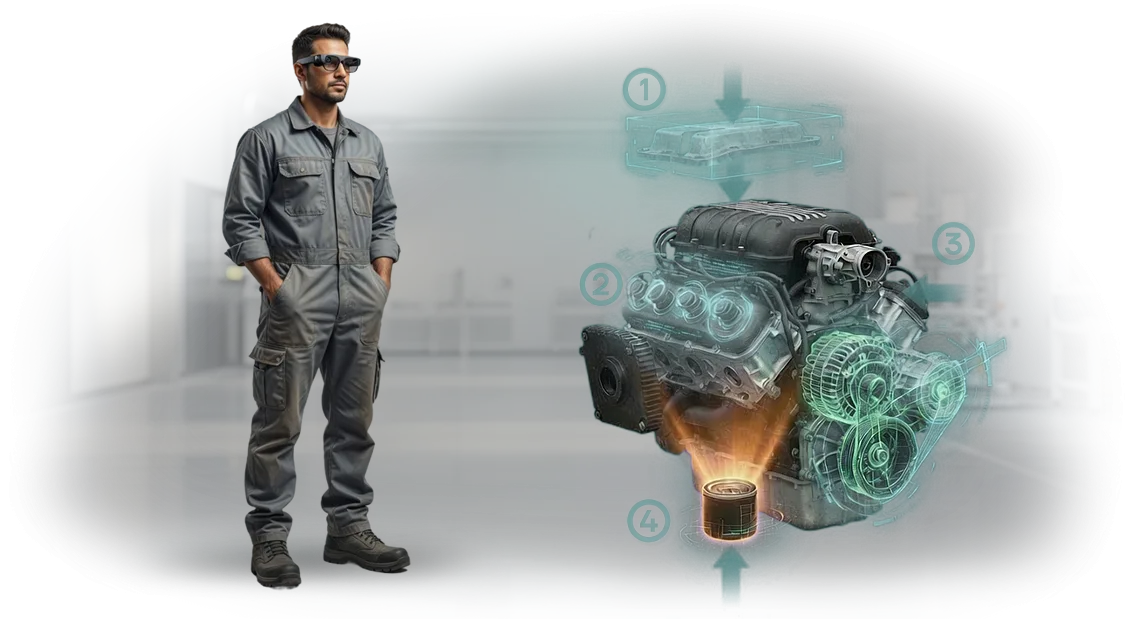
בדיקת AR משנה את הגישה. מומחה העוטה משקפי מציאות רבודה רואה סמנים וירטואליים, סטיות מותרות ורצף שלבי הבדיקה ישירות על הציוד.
ההוראה מזכירה למה להסתכל והיכן, מתעדת תוצאות בפרוטוקול דיגיטלי ומדגישה מיד פערים. טעויות כמו "שכחתי לבדוק את ההרכבה" או "קראתי לא נכון את השרטוט" נעלמות כי המערכת לא מאפשרת לדלג על שלב.
עבור מנהל, זה אומר תוצאות מדידות: שיעור פגמים נמוך יותר, קבלה מהירה יותר ובקרת איכות ללא עצירת תהליך הייצור.
תוכנת בדיקת AR הופכת את האיכות המעורפלת "באחריותו של המנהל" לנתונים שקופים ולאלגוריתם ניתן לשחזור. להלן, אנו מפרקים את השלבים שבהם השפעה זו נראית ביותר.
מה הטמעת הוראות AR נותנת למפעל
בייצור, כל שעת השבתה עולה כסף, וכל טעות היא סיכון מוניטיני.
תוכנת בדיקת AR מודרנית עוזרת לפתור את שני האתגרים: המפעיל מקבל רמזים חזותיים ישירות על הציוד מבלי להיות מוסח על ידי הוראות נייר או חיפוש מידע במערכות.
הטמעת פתרונות כאלה נותנת למפעל שיפורים מדידים במהירות, באיכות ובהכשרת צוות.
מהירות ודיוק של בדיקות
העובד רואה הוראות שלב-אחר-שלב בשדה הראייה שלו, ולכן הוא מבצע את הבדיקה מהר יותר וללא השמטות. הבדיקה אורכת פחות זמן, והתוצאות מתועדות אוטומטית — המנהל רואה תמונה אובייקטיבית לכל משמרת.
הכשרת צוות ללא עצירת ייצור
עובד חדש יכול לעבוד מהיום הראשון: הוראות AR מראות את רצף הפעולות ומתריעות על שגיאות. אין צורך לשלוח אנשים לקורסים או להביא חונך — ההכשרה מתרחשת במקום העבודה מבלי להאט את קו הייצור.
פחות שגיאות ובקרת איכות
המערכת משווה כל פעולה של המפעיל מול התקן ומדגישה סטיות. זה מפחית פגמים ומשפר את איכות המוצר, והבקרה כבר לא תלויה בניסיון של עובד מסוים.
יעילות ייצור כוללת
כשהוראות תמיד בהישג יד ושגיאות ממוזערות, הציוד פועל בתפוקה גבוהה יותר. ההשבתות פוחתות, התפוקה של מוצרים טובים גדלה, וההנהלה מקבלת נתונים שקופים לתכנון עומסים ולשיפור תהליכים.
פורמטים של תוכנת בדיקת AR: מרצפת הייצור ועד שליטה מרחוק
בייצור תעשייתי, אותה הוראת AR נדרשת במצבים שונים: מפקח רצפה צריך למצוא במהירות הרכבה, מהנדס צריך לבדוק תקנות, ומנהל צריך לפקח על אופן ביצוע העבודה.
לכן אנו מציעים מספר פורמטים של תוכנת בדיקת AR המכסים את המשימה מרצפת הייצור ועד שליטה מרחוק.
כל הפורמטים עובדים על הוראות AR אחידות, כך שמעבר מטאבלט למשקפיים אינו אומר יצירת תוכן מחדש.
אנו משלבים את הפתרון הנבחר עם התהליכים שלכם בעצמנו: אנו מחברים אותו למאגר הציוד, לתקנות וליומנים כך שהנתונים זורמים לאותה מערכת שבה אתם כבר רואים את המדדים שלכם.
| פורמט | למי | מה זה נותן ללקוח |
|---|---|---|
| טאבלט נייד או טלפון | מפקחים, מפעילים, מכווננים | הוראת AR שלב-אחר-שלב במכונה: פחות שגיאות, קליטה מהירה יותר, ללא תקנות נייר |
| משקפי AR תעשייתיים | צוותי תיקון ושירות | הידיים פנויות, והחלקים הנדרשים מודגשים ישירות בשדה הראייה — תיקונים אורכים פחות זמן, עם רווח ברור במהירות |
| גישה מרחוק ממחשב או טאבלט | מנהלים, מבקרים, תמיכה טכנית | הם רואים את רצפת הייצור דרך עיניו של המומחה ויכולים לתת רמז או לבדוק את התוצאה מבלי לבקר באתר |
| שילוב עם מערכת החשבונאות שלכם | מהנדסי תהליך, מהנדסי איכות | כל פעולה מתועדת במערכת שלכם — אתם יכולים לראות אילו פעולות בוצעו והיכן התהליך זקוק לתשומת לב |
אנו נעזור לכם לבחור את הפורמט למשימה שלכם: מקו אחד ועד מפעל שלם. ראשית, אנו מריצים בדיקת פיילוט באזור ייצור אמיתי, מראים את המדדים — זמן הגדרה מופחת ופחות שגיאות — ורק אז מרחיבים את הפתרון.
כיצד פיתוח הוראות AR למשימה שלכם עובד
כל בית מלאכה עובד עם ציוד, תקנות ורמות מיומנות צוות משלו. הוראות סטנדרטיות לא לוקחות בחשבון את הפרטים הללו — אף אחד לא קורא אותן, ושגיאות חוזרות.
אנו יוצרים תוכנת בדיקת והוראת AR המותאמת למכונה ולפעולות שלכם, כך שהעובד רואה רמזים ישירות על הציוד ופועל ללא שגיאות.
שישה שלבים — מבריף ועד תמיכה
- בריף וסקר — אנו לומדים את הציוד ואת אזורי הבעיה שבהם עובדים טועים לרוב.
- אישור תרחיש — אנו מגדירים את מערך ההוראות, המכשירים והלוגיקה של האינטראקציה.
- אב-טיפוס ותוכנית — אנו מראים מודל ומסכימים על לוחות זמנים, תקציב וקריטריוני קבלה.
- פיתוח — אנו בונים את התוכן: מודלים תלת-ממדיים, אנימציות, רמזי טקסט, אימות פעולות.
- בדיקה באתר שלכם — אנו בודקים על ציוד אמיתי ומבצעים התאמות.
- השקה והכשרה — אנו מתקינים את המערכת, מאמנים עובדים ומוסרים תיעוד.
- תמיכה ועדכונים — אנו מתאימים הוראות כאשר התקנות או מערך הפעולות משתנים.
אתם שולטים בכל שלב: אתם רואים את אב-הטיפוס לפני ההשקה, מעריכים את התוצאה על ציוד אמיתי, ולאחר ההשקה נשארתם עם מערכת עובדת ותמיכה שוטפת. זה מסיר את הסיכון העיקרי — קבלת "קופסה" שאיש לא משתמש בה.
מה כלול במסירת פרויקט הוראות AR
לאחר ההשקה, אתם מקבלים לא "תוכנית בוואקום" אלא חבילה שמתחילה לעבוד מיד בייצור. המסירה כוללת כלים, תקנות ותמיכה — כל מה שצריך כדי שהוראות AR יספקו ערך מהיום הראשון ולא יישארו פרויקט הדגמה.
- הוראות AR מוכנות לפעולות מפתח — עובדים רואים רמזים שלב-אחר-שלב ישירות על הציוד במקום מדריכי נייר.
- שילוב עם מערכת ניהול המסמכים או ההכשרה הקיימת שלכם — עדכוני הוראות אינם דורשים שכתוב של כל מאגר הנתונים.
- הכשרה למהנדסים ולטכנולוגים שלכם בעבודה עם כלי AR — הם יוכלו להפעיל ולהתאים הוראות באופן עצמאי, ללא מעורבות קבלן.
- תיעוד מלא ברוסית: תיאור תהליך, תפקידי עובדים, תקנות עדכון ונקודות ביקורת איכות.
- תמיכה טכנית לכל תקופת ההפעלה — המהנדסים שלנו זמינים לפתרון בעיות וטיפול בשיפורים מתוכננים.
- אנליטיקה על שימוש בהוראות: אילו פעולות נפתחות לרוב, היכן מתרחשות השהיות ואילו שלבים כדאי לפשט.
- תוכנית פיתוח פרויקט ל-6–12 חודשים — כיצד להרחיב את כיסוי ההוראות ולמדוד את ההשפעה על הייצור.
מקרה בוחן: כיצד קיצרנו את זמן הבדיקה ב-40%
לפני הטמעת הוראות AR, בדיקה באחד הפרויקטים שלנו הייתה כמו קריאת תיעוד טכני רב-כרכים. העובד היה צריך לשמור על דיאגרמת ההרכבה בראשו, לשנן את רצף הבדיקות ולמלא רשימות בדיקה מנייר.
כל פרט קטן יכול היה להוביל לשגיאה, והשבתות מאבחון שגוי הפכו לתיקונים יקרים.
עבור הלקוח — מפעל הבנייה למכונות Prommash — פיתחנו הוראת AR לבדיקת ציוד שאיבה. דרך משקפיים או טאבלט, המפעיל רואה ישירות על החלקים אילו נקודות לבדוק, אילו פרמטרים לרשום ובאיזה סדר לבצע את הפעולות. כל הנתונים נכנסים אוטומטית למערכת, תוך עקיפת הזנה ידנית ופעולות מיותרות.
במהלך תקופת הפיילוט של שלושה חודשים, זמן הבדיקה להרכבה אחת הופחת ב-40% — משעתיים לשעה ושתים עשרה דקות.
מספר הסטיות שהוחמצו ירד בחצי, וההכשרה לעובדים חדשים הפכה למהירה פי שלושה: במקום שבוע של לימוד הוראות, יומיים של תרגול עם רמזים בשטח. עלויות הפיתוח הוחזרו תוך ארבעה חודשים הודות להפחתת השבתות ופחות שגיאות.
"נהגנו להסתמך על הניסיון של מומחה מסוים", אומר המהנדס הראשי של המפעל. "כעת המערכת עצמה מובילה את המפעיל דרך רשימת הבדיקה ומבטלת את הגורם האנושי. עבורנו, זה לא רק חיסכון בזמן אלא תהליך בקרת איכות ניתן לניהול."
מקרה זה מראה שהוראות AR מספקות תוצאות מדידות תוך מספר חודשים מההשקה. אנו מתאימים פתרון זה לכל ציוד ותהליך — מבדיקת מכונות ועד אבחון יחידות מורכבות — ואנו מאשרים את נתוני היעילות בכל פרויקט.
כיצד לבחור את פורמט הוראות ה-AR המתאים לתקציב שלכם?
בחירת פורמט הוראות AR אינה שאלה של "יקר או זול" אלא שאלה של התאמה למשימות שלכם. אם אתם צריכים לכסות פעולה אחת על שתי מכונות, רמז מונפש פשוט מספיק.
אם אתם מתמודדים עם עשרות יחידות ציוד ותקנות מתעדכנות באופן קבוע, משתלם יותר לכלול פתרון פלטפורמה מההתחלה — כזה שמשתלם בקנה מידה.
| פורמט | למי | תקציב | מה זה נותן ללקוח |
|---|---|---|---|
| רמזי AR בסיסיים (שכבות על תמונות וסרטונים) | ייצורים קטנים, 1–5 פעולות | עלות מחושבת לאחר סקר | השקה מהירה, פחות שגיאות בתהליך ספציפי |
| הוראות תלת-ממד אינטראקטיביות | בתי מלאכה בינוניים, הרכבות מורכבות, החלפות תכופות | עלות מחושבת לאחר סקר | הכשרה ברורה, הפחתת השבתות ופחות זמן באיתור תקלות |
| פלטפורמת בדיקת AR עם שילוב | ארגונים גדולים, הרבה ציוד, תקנות משתנות | עלות מחושבת לאחר סקר | מאגר ידע אחיד, אנליטיקה, עדכונים ללא צילום מחדש |
קריטריוני הבחירה פשוטים: מספר ההוראות, תדירות השינויים ומספר העובדים. אם יש מעט תהליכים והם יציבים, הפורמט הבסיסי פותר את המשימה תוך מספר שבועות.
אם הציוד מגוון והצוות עובר תכופות בין משימות, הפורמט האינטראקטיבי משתלם מהר יותר על ידי הפחתת זמן ההכשרה וביטול שגיאות.
אינכם חייבים לשלם עבור המקסימום מהיום הראשון. בדרך כלל, אנו מתחילים עם אזור פיילוט, מעריכים את התוצאה במונחים של הפחתת השבתות ושגיאות, ואז מרחיבים את הפתרון.
אנו עוזרים לכם לבחור פורמט שמתאים לתקציב שלכם במקום לאלץ את המשימה שלכם להתאים לפונקציונליות מיותרת. אנו נכין הערכת עלות ותוכנית הטמעה — תראו על מה אתם משלמים ומתי תקבלו את התוצאה.
שאלות נפוצות על הטמעת הוראות AR
אנו מבינים: הטמעת טכנולוגיות חדשות מעלה שאלות, במיוחד כשמדובר באתר ייצור פעיל. אנו עונים על החששות העיקריים — מורכבות השילוב, הפרעות בעבודה וערבויות לתוצאות.
האם קשה לשלב הוראות AR עם המערכות שלנו?
לא, השילוב אינו דורש החלפת ציוד או שכתוב תהליכי ייצור. אנו עובדים עם התיעוד הקיים ומודלי התלת-ממד שלכם, כך שהוראות AR משלימות מערכות קיימות ולא שוברות אותן.
המהנדסים שלנו מתחברים מרחוק ומגדירים הכל לפי התקנות שלכם — זה בדרך כלל אורך מספר ימים.
האם ההטמעה תוביל לעצירת ייצור?
לא. כל עבודת ההתקנה והבדיקה מסתיימת לפני ההשקה, בזמן שנוח לכם. אנו מספקים לעובדים מפגש הכשרה קצר של "1–2 שעות", שלאחריו הם משתמשים בהוראות ישירות על רצפת הייצור. במידת הצורך, אנו משיקים בשלבים: תחילה אזור אחד, ואז השאר — ללא השבתות או אובדן קצב.
אילו ערבויות יש לכך שזה יביא תועלת?
אנו אחראים לתוצאה. לפני ההתחלה, אנו מציבים יעדים: הפחתת שגיאות, האצת פעולות, הפחתת זמן הכשרה. אנו מריצים השקת פיילוט בתחנת עבודה אחת ומראים את האפקט המדיד.
אם התוצאות אינן תואמות את הציפיות, אנו משפרים את הפתרון בחינם או מחזירים את התשלום עבור אותו שלב. אתם גם מקבלים תמיכה טכנית מהצוות שלנו לכל תקופת שיתוף הפעולה.
מה אם אין מומחה טכני בצוות?
לא תצטרכו לגייס עובד נפרד. אנו לוקחים על עצמנו התקנה, הגדרה, יצירת תוכן והכשרת צוות. הצוות שלנו נשאר בקשר ועוזר בעדכונים, כך שכל מה שאתם צריכים לעשות הוא להשתמש בפתרון המוכן.
קבלו הערכת עלות לפרויקט הוראות AR תוך 24 שעות
אל תבזבזו זמן בניחושים: השאירו פנייה, ותוך 24 שעות נשלח לכם הערכת עלות לפרויקט הוראות AR עם עלות מדויקת ולוחות זמנים.
המהנדסים שלנו ינתחו את המשימה שלכם, יבחרו את הפורמטים והציוד המתאימים, ותקבלו הערכת עלות שקופה — ללא תשלומים נסתרים או אותיות קטנות.
אנו נשאל את שאלות ההבהרה בעצמנו כדי שההערכה תהיה מדויקת ככל האפשר. אינכם צריכים להבין בפרטים טכניים — פשוט תארו איזה ציוד ואילו תרחישים צריך לכסות. אנו נטפל בשאר.
מה תקבלו עם ההערכה:
- הערכת עלות שקופה — רק העבודה הנדרשת, ללא שירותים כפויים.
- לוחות זמנים קבועים — הבנה מתי הפרויקט יהיה מוכן ויושק.
- תוכנית הטמעה: מבריף ועד בדיקה והשקה.
- המלצת פורמט: הוראות AR, מודלים תלת-ממדיים, אפליקציה ניידת או שילוב פתרונות.
- הערכת החזר השקעה: כיצד הוראות AR יפחיתו את זמן ההכשרה ואת מספר השגיאות.
- ייעוץ מומחה — נענה על שאלותיכם לפני שתקבלו החלטה.
ההערכה והייעוץ הם ללא התחייבות. השאירו פנייה באתר או כתבו לנו בהודעה — נחזור אליכם תוך יום עסקים אחד, נבהיר את הפרטים ונשלח את ההערכה תוך 24 שעות.