

פיתוח אפליקציות AR ארגוניות: פתרון פער המיומנויות בתעשייה
בתעשייה, פער המיומנויות אינו איום עתידי—הוא עלות יומיומית. מהנדסים מנוסים פורשים ולוקחים איתם עשרות שנים של ידע מעשי, בעוד שמצטרפים חדשים נדרשים לתחזק ציוד מורכב יותר ויותר לאחר קריאת מדריכים והדרכות קצרות בלבד.
התוצאה היא תיקונים ארוכים יותר, סיכוני בטיחות מיותרים, וקווי ייצור שנעצרים בדיוק כשהם צריכים לפעול במלוא התפוקה.
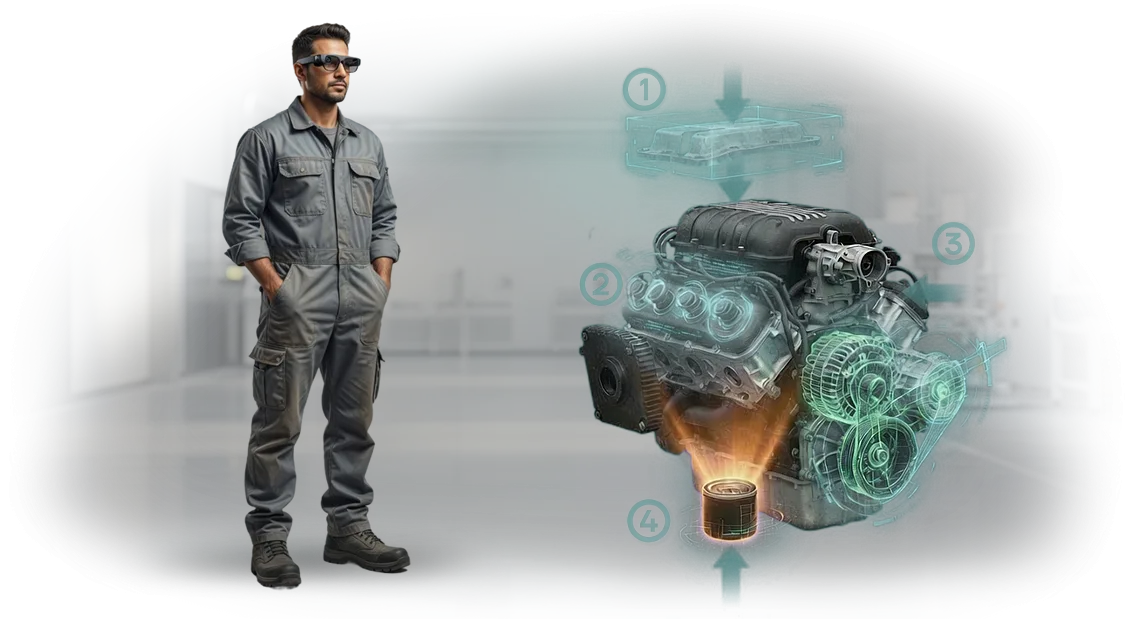
פיתוח אפליקציות AR ארגוניות פותר זאת בכך שהוא מציב את הידע המומחה בדיוק במקום שבו הוא נחוץ. עם הוראות AR לתעשייה, עובד רואה חיצים דיגיטליים, אזהרות בטיחות ופעולות שלב-אחר-שלב המוצגות ישירות על המכונה הפיזית.
אין יותר חיפוש בתיקיות, פענוח שרטוטים או קריאה למומחה בכיר בכל תקלה—ההנחיה כבר מול העיניים, בהקשר הנכון.
הדרכת AR תעשייתית מקצרת את עקומת הלמידה באופן דרמטי. עובדים חדשים יכולים לבצע הליכי הרכבה ותחזוקה מורכבים בביטחון ובהרבה פחות שגיאות, בעוד שצוות מנוסה משתמש ב-AR לתחזוקה כדי לאבחן תקלות מהר יותר ולהימנע מעבודה חוזרת.
חברות רואות פחות עצירות לא מתוכננות, איכות מוצר עקבית יותר וסיכון נמוך יותר לתאונות—רווחים שנראים על רצפת הייצור ובדוח הרווח וההפסד.
הערך אינו על טכנולוגיה נוצצת; הוא תשובה מעשית לבעיה יקרה מאוד. הצוות שלנו מתכנן יישומי AR תעשייתיים מותאמים אישית שמשתלבים בזרימת העבודה הקיימת שלכם, משמרים ידע ארגוני ומאיצים את תהליך הקליטה.
אנחנו עוזרים לכם להכשיר מהר יותר, לתקן בצורה חכמה יותר ולשמור על רציפות ייצור—זה מה שפיתוח אפליקציות AR ארגוניות אמור לספק לעסק שלכם.
יתרונות מרכזיים של הוראות מציאות רבודה לצוות שלכם
הוראות מציאות רבודה הופכות תחזוקת ציוד מורכבת לתהליך חזותי מודרך. הצוות שלכם רואה הנחיות שלב-אחר-שלב ישירות על המכונה, כך שהם יכולים לפעול בביטחון כבר מהימים הראשונים בעבודה.
במקום לקרוא מדריכים, טכנאים שומרים את הידיים על הציוד ואת המיקוד על המשימה.
קליטה מהירה יותר היא היתרון הראשון שתבחינו בו. מפעילים חדשים לומדים תוך כדי עשייה, לא על ידי שינון נהלים על נייר. בפרויקטים שלנו, זמן ההכשרה יורד ב-30–40% כאשר הנחיות AR מחליפות הוראות מסורתיות.
זה אומר שצוות מנוסה מבלה פחות זמן בהדרכה, בעוד שמתחילים מגיעים לתפוקה מלאה הרבה יותר מהר.
פחות שגיאות מגיעות באופן טבעי. הוראות עבודה במציאות רבודה מאמתות כל שלב ויזואלית, כך שפעולות שהוחמצו ורצפים שגויים הופכים לנדירים. בייצור, זה אומר פחות תקלות, פחות עבודה חוזרת ופחות בזבוז חומרים. התוצאה היא איכות עקבית גם במהלך משמרות וסבבי כוח אדם.
היעילות התפעולית גדלה בכל זרימת העבודה. כל עדכון נעשה פעם אחת בשכבה הדיגיטלית ומגיע מיד לכל העובדים—אין צורך בהדפסה חוזרת של מדריכים, אין תדרוכים נוספים.
תמיכה מרחוק הופכת גם היא לפשוטה: מומחה רואה מה שהטכנאי רואה ומנחה תיקונים בזמן אמת, וחוסך שעות של השבתה ונסיעות.
ההשפעה הכספית מצטברת לאורך זמן. פחות השבתות, פחות חלקים מבוזבזים, קליטה קצרה יותר—יחד אלה יוצרים חיסכון חודשי יציב. במקביל, AR גורם לחברה שלכם להיראות מודרנית, מה שעוזר למשוך ולשמר מהנדסים מיומנים.
בקיצור, הצוות שלכם מקבל את הביטחון לעשות את העבודה נכון בפעם הראשונה, בכל פעם, בעוד שהפעילות שלכם הופכת ליעילה יותר באופן מדיד.
בחרו את פורמט הוראות המציאות הרבודה המתאים
אין פורמט "הטוב ביותר" יחיד להוראות AR—יש את הפורמט הנכון לפעילות שלכם.
משקפיים חכמים משחררים את הידיים ושומרים את השרטוט מול העיניים, טאבלטים מספקים תמונה מפורטת להרכבות מורכבות, וסמארטפונים הם הדרך המהירה ביותר לקבל הנחיה בשטח.
השוואת פורמטי AR מסתכמת בשלוש שאלות: עד כמה ידיו של העובד תפוסות, באיזו תדירות ההוראה משתנה, ואיזה תקציב ציוד יש לכם בראש.
להלן טבלה המתאימה פורמטים למשימות ייצור טיפוסיות. השתמשו בה כמדריך כללי; בעת קבלת ההחלטה, נתחשב במאפייני האתר שלכם, בסוג הפעולות וברמת המיומנות של הצוות.
| פורמט | למי | מה הוא נותן ללקוח |
|---|---|---|
| משקפיים חכמים (הוראות עבודה AR ללא ידיים) | עובדי פס ייצור, טכנאי תחזוקה, בקרת איכות | עבודה ללא ידיים, פעולות מהירות יותר, פחות שגיאות ופגמים |
| טאבלטים (הוראות AR על טאבלט) | תחזוקה, קליטת עובדים חדשים, הרכבות מורכבות | הוראות מונפשות מפורטות, זמן קצר יותר להגעה למיומנות, פחות השבתות |
| סמארטפונים | צוותי שטח, אתרים מרוחקים, עסקים קטנים | חסם כניסה נמוך, מחיר משתלם, פעולה מבוססת מצלמה ללא ציוד נוסף |
לייצור טיפוסי, הבחירה בדרך כלל מסתכמת בין משקפיים חכמים לטאבלטים. משקפיים מספקים מהירות מקסימלית בתרחישים ללא ידיים: העובד רואה את השלב הבא מבלי להסיט את המבט מהכלי.
טאבלטים עובדים טוב יותר במקום שבו צריך להציג שרטוט גדול, וידאו או חתך של הרכבה—הכל נקרא בבירור ובמהירות על המסך.
אנחנו נבחר את הפורמט הנכון ונעזור לכם להריץ פיילוט באתר אחד. תקבלו תוצאה מדידה: מהירות פעולה, ספירת שגיאות לפני ואחרי, ודירוג נוחות עובדים. המספרים האלה מניעים את ההחלטה להרחיב למחלקות ואזורים נוספים.
כיצד אנו מספקים את פרויקט המציאות הרבודה שלכם שלב אחר שלב
ללקוחות תעשייתיים, הטמעת הוראות AR היא צעד משמעותי: היא משפיעה על מהירות הכשרת העובדים, בטיחות העבודה ונוחות התחזוקה. לכן בנינו תהליך הטמעת AR שקוף עם שישה שלבים—מבריף ועד תמיכה. שלבי פרויקט AR אלה מאפשרים לכם לשלוט בתקציב ובלוחות זמנים ללא הפתעות עד מועד ההשקה.
-
בריף וסקר אתר. אנו מראיינים את מהנדסי התהליך שלכם וקובעים היכן וכיצד תיעשה שימוש בהוראה: על אילו מכונות, באיזו תאורה, מאיזה מכשיר. אנו קובעים את היעד ומדדי ההצלחה.
-
אב טיפוס ותוכנית. אנו יוצרים סקיצה של ההוראה העתידית ומיישרים אותה עם המומחים שלכם. אנו מאשרים לוחות זמנים, תקציב וקריטריוני קבלה כך שלא יהיו משימות נסתרות.
-
פיתוח תוכן ולוגיקה. אנו בונים את תרחיש ה-AR: טקסטים, אנימציות, שרטוטים ושכבת-על על ציוד אמיתי. אתם רואים גרסאות ביניים כל שבוע-שבועיים ומספקים משוב.
-
ולידציה בשטח. אנו בודקים את ההוראה בתנאי רצפת ייצור אמיתיים: תאורה, נראות, נוחות מחוות. אנו פותרים כל בעיה לפני המסירה לצוות שלכם.
-
השקה תעשייתית והדרכה. אנו פורסים את הפתרון על מכשירים, מאמנים קבוצות עבודה ומוסרים תיעוד. שלב זה—פריסת AR תעשייתית—הופך את המערכת לעצמאית.
-
תמיכה ואבולוציה. אנו מעדכנים הוראות כאשר הציוד משתנה, מוסיפים תרחישים ומנטרים יציבות. זה חלק מזרימת העבודה של פיתוח AR שמגנה על ההשקעה שלכם.
מה כלול בחבילת הטמעת המציאות הרבודה שלכם
אתם מקבלים לא יישומים עצמאיים אלא חבילה מוכנה לשימוש להטמעת הוראות AR. החבילה כוללת תוכן, תוכנה, הדרכת עובדים ותמיכה—כל מה שצריך כדי להשיק את המערכת ולהשתמש בה מהיום הראשון.
- תוכן AR תעשייתי לציוד שלכם — הוראות שלב-אחר-שלב לתיקון, תחזוקה ואבחון, המקושרות לדגמים ומכלולים ספציפיים.
- תוכנת עובדים — אפליקציה פשוטה לטאבלטים וסמארטפונים שאינה דורשת הכשרה מיוחדת.
- פאנל ניהול — אתם רואים באילו הוראות משתמשים הכי הרבה ומעדכנים חומרים ללא מעורבות מפתחים.
- הדרכת צוות — אנו מקיימים תדרוכים לעובדים ומכשירים מנהל פנימי שמנהל את המערכת באופן עצמאי.
- תמיכה טכנית — אנו עונים על שאלות, עוזרים בהתקנה ועדכונים ומנטרים פעילות יציבה.
- עדכוני תוכן — כאשר התקנות משתנות, אתם מעדכנים הוראות בעצמכם או מזמינים מאיתנו עדכון.
- אינטגרציה עם התקנות שלכם — אנו מתאימים את לוגיקת ההנחיות לתהליכים הפנימיים ולתקני הארגון שלכם.
הכל עובד כמערכת אחת. העובד לא צריך להבין איך הטכנולוגיה עובדת—הוא רואה הנחיות ישירות על הציוד ועוקב אחר השלבים.
המנהל מקבל תמונה שקופה: מי משתמש בהוראות, כמה זמן נמשכות פעולות, והיכן מתרחשות שגיאות.
החבילה מכסה את כל המחזור—מיצירת תוכן ועד פעילות יומיומית. אנחנו נשארים עם הפרויקט לאחר ההשקה, כך שלעולם לא תישארו לבד עם הטכנולוגיה. זה מפחית את סיכון ההטמעה ומאיץ את ההחזר על ההשקעה.
AR בפעולה: מקרה בוחן של מפעל שקיצץ את זמן ההכשרה ב-40%
במפעל לבניית מכונות Atlant-Mash, הכשרת מפעילים חדשים ארכה עד שבועיים. המשמרות הראשונות עבדו רק תחת פיקוח של חונך, וטעות במהלך הגדרת הקו יכלה לגרום לשעות של השבתה.
עם הזמנות גדלות, היה צריך להביא אנשים חדשים לקצב עבודה מהר—כל שבוע של המתנה פירושו הכנסות אבודות.
פיתחנו הוראות AR עבור הקו המורכב ביותר. דרך טאבלט, המפעיל רואה הדגשה שלב-אחר-שלב של המכלולים והנחיות לכל פעולה—אין צורך לחפש שרטוטים או לזכור עשרות תקנות.
המערכת פועלת על חומרה מקצועית, כך שההנחיות מופיעות באופן אמין גם בסביבה רועשת. הטמענו את ההוראות ישירות בתהליך ההכשרה הקיים כך שהחונך יכול לראות היכן המפעיל טעה ולהחזיר אותו מיד לשלב הנכון.
מה השתנה לאחר ההשקה
קבוצת המפעילים הראשונה הגיעה לעבודה עצמאית 40% מהר יותר מאשר בתוכנית הישנה. שגיאות בהפעלת הקו ירדו בכמעט שליש, וההשבתות בשבועות הראשונים קוצצו בחצי.
הפיילוט החזיר את עצמו תוך שני רבעונים, ולאחר מכן המפעל הרחיב את הפתרון לשלוש מחלקות נוספות—למעשה, הזמנה חוזרת לאותה טכנולוגיה.
המלצת לקוח
"ציפינו לחיסכון רק בהכשרה, אבל קיבלנו יותר: עולים חדשים מגיעים לקצב מהר יותר ומייצרים פחות פגמים. ארבעים אחוז של זמן שנחסך הוא נתון מדיד שהבעלים ראה בדוח. פרויקטים כאלה מחזירים את עצמם," מציין מנהל הייצור.
זו דוגמה אחת ל-AR שמספק תוצאות מהירות ומדידות בתעשייה. השלב הבא הוא לראות כיצד הטכנולוגיה מתאימה לאתגר התפעולי שלכם.
מה אם הציוד שלכם מורכב מדי לפתרונות סטנדרטיים?
חבילות AR סטנדרטיות נראות לעתים קרובות כלא מתאימות כאשר רצפת הייצור שלכם מלאה במכונות שיוצרו לפני עשורים, שונו בתוך המפעל, או מריצות תהליכים חד-פעמיים.
הוראות מוכנות פשוט לא משקפות את הפקדים, רצפי ההפעלה הבטוחים והמוזרויות התחזוקתיות האלה—אז התוכנה יושבת ללא שימוש.
בדיוק כאן הוראות AR מותאמות אישית מוכיחות את ערכן. במקום לאלץ את הציוד הייחודי שלכם להתאים לתבנית גנרית, אנחנו בונים את חוויית ה-AR סביב המכונה האמיתית שהצוות שלכם נוגע בה כל יום.
אנחנו מתחילים מהיחידה בפועל: הפקדים שלה, מנעולי הבטיחות, היסטוריית התחזוקה והדרך שבה הטכנאים שלכם באמת עובדים.
התאמת AR לציוד ייחודי פועלת על ידי הפיכת המדריכים הקיימים, הקלטות הווידאו והידע הלא-מתועד של המהנדסים הבכירים שלכם למדריכים חזותיים שלב-אחר-שלב. אם אין תיעוד שמיש, אנחנו מצלמים וממירים את ההליך הנכון ישירות על המכונה.
התוצאה היא מערכת הוראות שתואמת את הפריסה והלוגיקה התפעולית הספציפית של אותו ציוד מסוים.
זו תשובה מעשית להתנגדות "מורכב מדי". האנשים שלכם רואים בדיוק איזה שסתום, כבל או פקד הם צריכים לגעת—בלי ניחושים, בלי חיפוש בתיקיות עבות.
זמן ההכשרה על מכונות נדירות או מסובכות יורד, וטעויות על ציוד יקר הופכות לפחות סבירות.
כבר בנינו AR למכונות שלא היה להן פתרון סטנדרטי: קווים משופצים, מודולים מותאמים אישית ומתקנים חד-פעמיים. ספרו לנו על המכונה החריגה שלכם, ונראה לכם כיצד ניתן ליצור עבורה הוראות מותאמות—לפני שתתחייבו לפריסה מלאה.
שאלות נפוצות על הוראות מציאות רבודה
החשש הנפוץ ביותר לגבי הטמעת הוראות AR אינו המחיר או מורכבות ההתקנה, אלא השאלה: "מה קורה אם המערכת מפסיקה לפתע לעבוד באמצע תיקון?" השבתה פירושה קו ייצור עצור, ציוד בטל וכסף אבוד.
לכן אנחנו בונים סובלנות לתקלות כבר בשלב התכנון: ההוראות ממשיכות לעבוד גם עם רשת לא יציבה, ונתונים קריטיים משוכפלים מקומית על המכשיר.
אם החיבור נופל או השרת הופך ללא זמין, הנחיות AR ממשיכות לפעול במצב לא מקוון. ואם עובד עושה טעות, המערכת לא "תקפא"—היא תראה את רצף הפעולות הנכון ותחזיר אותו לשלב המתאים.
מה קורה אם הטאבלט או הטלפון של העובד נשבר בזמן העבודה עם ההוראה?
שום דבר קריטי. כל סשן של הוראות AR נשמר אוטומטית. העובד לוקח מכשיר אחר, מתחבר וממשיך בדיוק מהשלב שבו הפסיק. אין אובדן התקדמות, אין צורך לחזור על הכשרה או לקרוא למהנדס.
המהנדסים שלנו תכננו גם את התרחיש שבו חומרת AR אינה זמינה זמנית. כל ההוראות זמינות כקובצי PDF או וידאו רגילים על טאבלט או מחשב נייד. במילים אחרות, אתם מקבלים מערכת דיגיטלית שאינה חוסמת עבודה אלא מגבה אותה.
מה אם הוראת AR מציגה מידע שגוי או אינה תואמת לדגם הציוד בפועל?
מצב זה נשלל במהלך הפיתוח. אנחנו בונים כל הוראה מהתיעוד הטכני שלכם וממודלי תלת-ממד, ובודקים על ציוד אמיתי לפני ההשקה.
ההוראה מקושרת לא ל"תמונה" אלא למכלול מכונה ספציפי—המערכת מזהה את הדגם המדויק שלכם, לא סתם מכונה כלשהי.
אם אתם משדרגים או משנים את הציוד, אתם מודיעים לנו ואנחנו מעדכנים את ההוראה במהירות. בזמן שהשינויים מתבצעים, התרחיש הישן נשאר פעיל—הייצור אף פעם לא עוצר, אפילו לא לשעה.
מי יתמוך במערכת לאחר ההשקה? אין לנו צוות פיתוח משלנו.
אנחנו פועלים כמחלקת ה-IT החיצונית שלכם. אנו מטפלים ביציבות, עדכונים ועידון תוכן ככל שדגמי ציוד חדשים מופיעים. אתם לא צריכים להעסיק מתכנתים, לקנות שרתים או להתעסק בפרטים טכניים—אתם מקבלים כלי עובד ותמיכה חוזית.
זמן התגובה הממוצע לפנייה הוא בתוך יום עסקים אחד, וכל הבעיות נפתרות מרחוק. אנחנו תומכים בפרויקט כל עוד צריך: מהחודש הראשון של פעילות ניסיון ועד מספר שנים של שימוש רציף.
מוכנים לשפר את יעילות הייצור שלכם?
השבתות ושגיאות על ציוד מורכב עולות יותר מכל אוטומציה. הוראות מציאות רבודה מקצרות את זמן ההכשרה ב-30–40% ומצמצמות שגיאות למינימום—אבל אתם לא צריכים חודשים של הטמעה כדי לבדוק זאת על רצפת הייצור שלכם. פנייה אחת מספיקה.
צרו קשר עם הצוות שלנו, ותוך מספר ימים תקבלו תוכנית פעולה קונקרטית למשימה שלכם. הנה מה שהשלב הראשון כולל:
- סקירת תהליך הייצור שלכם: אנו מזהים אילו פעולות מתאימות ביותר לפורמט AR.
- הדגמה של הוראת AR על הציוד שלכם: תראו כיצד עובד מקבל הנחיות שלב-אחר-שלב מול העיניים.
- ייעוץ הטמעה: אנחנו מדברים לא על טכנולוגיה אלא על תוצאות—נראה כיצד זה משפיע על מהירות, איכות ובטיחות.
- תוכנית ראשונית ל-2–4 השבועות הראשונים: באילו פעולות להתחיל, מי משתתף ואילו משאבים נדרשים.
- הערכת עלות שקופה—המחיר מחושב לאחר הסקר: אנו קובעים את התקציב לפני ההשקה, ללא עמלות נסתרות או הפתעות.
- תמיכה מובטחת לאחר ההשקה: אנחנו נשארים בקשר ומתאימים הוראות ככל שהתהליכים משתנים.
בקשו הדגמת AR—היא ללא התחייבות. במהלך ייעוץ קצר, נאמר לכם בכנות היכן AR תביא ערך והיכן אפשר בלעדיה. אם הפתרון מתאים, תקבלו הצעת AR מפורטת עם החזר השקעה מותאם להיקף שלכם.
כתבו לנו היום. תוך מספר ימים תהיה לכם תוכנית ברורה לקיצוץ השבתות, האצת הכשרה והפחתת סיכון השגיאות על רצפת הייצור שלכם.