

מדוע פרויקטים ללא AR לבנייה מפספסים מועדים ומנפחים תקציבים
אתר בנייה הוא מרוץ מתמיד נגד הזמן והתקציב. הפסדים באתר בנייה נובעים לא מציוד ירוד או מעובדים עצלנים, אלא מהפער בין תיעוד התכנון לבין מה שאדם רואה בפועל מול עיניו.
עובד קורא שרטוט לא נכון ומרכיב רכיב בצורה שונה ממה שהמהנדס התכוון — עבודה חוזרת, השבתה, וסטייה בלוח הזמנים. כל טעות כזו מכפילה את ההוצאות על חומרים, ציוד ושכר, בעוד שמועדי האספקה נדחים בשבועות.
בדרך כלל, הוראות באתר הן תיקיות עבות, קבצי PDF בטאבלטים, או מנהלי עבודה שמסבירים עם תנועות ידיים. עובד מבזבז זמן בחיפוש אחר השרטוט הנכון, בפירוש דיאגרמה מורכבת, ובדאגה מפני ביצוע צעד שגוי.
כתוצאה מכך, מידע קריטי הולך לאיבוד ברעש של האתר, ובקרת האיכות הופכת לסדרה אינסופית של בדיקות בדיעבד.
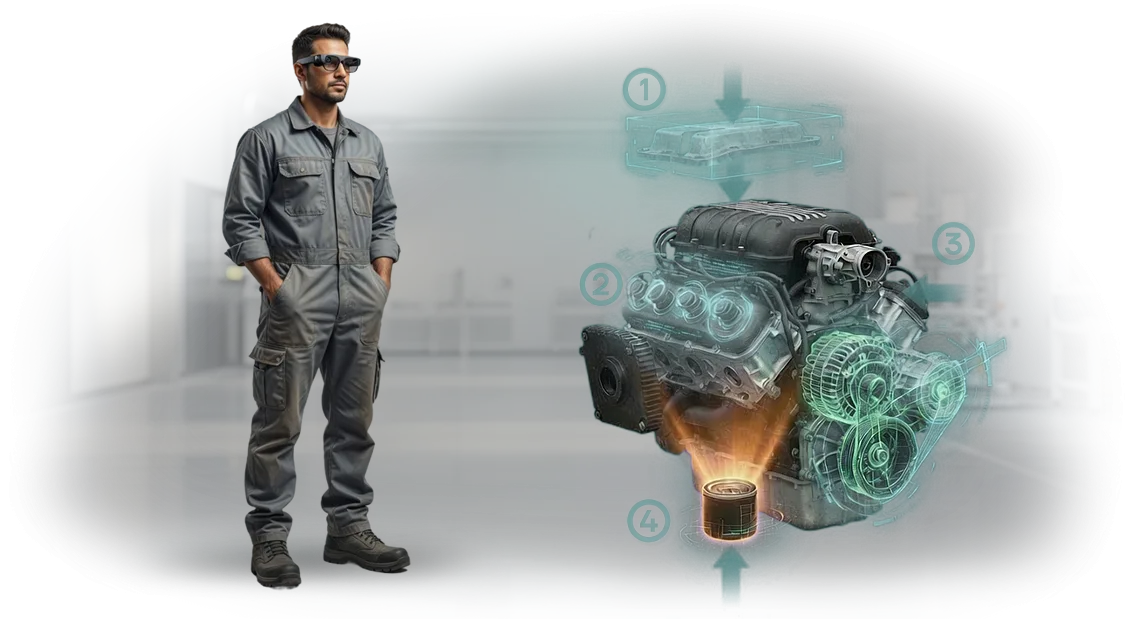
הטמעת AR לבנייה פותרת את הבעיה הזו: ערכת הוראות דיגיטלית מוצגת ישירות על גבי הציוד או המבנה האמיתי. אדם רואה חיצים, רמזים ורצף פעולות על גבי האובייקט, כמו מכשיר ניווט על כביש.
קשה לטעות — המערכת מראה היכן להרכיב, מה להדק, וכיצד לבדוק את התוצאה לפני שהטעות הופכת ליקרה.
זה לא גאדג'ט לשם הגאדג'ט אלא כלי בנייה דיגיטלי שמחזיר את השקעתו כבר על הרכיב הראשון.
ההשבתה מצטמצמת, העבודה החוזרת פוחתת, ומנהל העבודה אינו עוד מאגר הידע הבלעדי — כל המומחיות מתועדת וזמינה לכולם ברגע הנכון. הפרויקט נשאר בלוח הזמנים, התקציב אינו מתנפח, והאחריות הופכת לשקופה.
מה עסקים מרוויחים מהוראות מציאות רבודה
במקום הוראות נייר והסברים מילוליים — הנחיות AR ישירות על הציוד. עובד רואה מה לעשות ואיפה דרך קסדה תעשייתית (למשל, HoloLens) ואינו מוסח על ידי חיפוש מידע.
זה מפחית את מספר הטעויות ומאיץ את ההרכבה, מה שבתורו חותך את עלות העבודה החוזרת והבדיקות.
פחות שגיאות הרכבה
הולוגרמות שלב-אחר-שלב מציגות את סדר הפעולות ונקודות הרכבה מדויקות. עובדים לא צריכים לפענח שרטוטים — הם פשוט עוקבים אחרי ההנחיה. כתוצאה מכך, ליקויים כמעט ומתבטלים, ועבודה חוזרת לא אוכלת את התקציב.
אספקת פרויקט מהירה יותר
מתקינים לא מבזבזים זמן בחיפוש אחר הרכיב הנדרש בתיעוד. זמן הפעולה הממוצע יורד ב-20–30%, כלומר המתקן מושלם מוקדם יותר. מסירה מוקדמת יותר משמעותה תשלום מהיר יותר ופחות השבתה.
בטיחות גבוהה יותר
ההוראה מזהירה מפני אזורים מסוכנים ורצף הפעולות הנכון. עובד חדש נוטה פחות להגיע למצבי חירום, ומפקח יכול לראות שהדרישות מתקיימות. זה מפחית את הסיכון לפציעות ולהפסקות עבודה.
הכשרה קלה יותר לצוותים חדשים
מתאמן עובד מיד עם הנחיות בדיוק כמו עם מנטור מנוסה. אין צורך להפריע למומחים בכירים — פשוט טוענים את ההוראה. כך, צוות חדש מגיע מהר יותר לקצב הנכון ואינו תלוי בגורם האנושי.
פורמטים של AR לבנייה לכל משימה ותקציב
פורמטים של AR לבנייה אינם מתחרים זה בזה — כל אחד פותר את המשימה שלו. הוראות טאבלט חוסכות זמן בהכשרה חוזרת, קסדות מציאות רבודה מאיצות פעולות מורכבות, ואפליקציית בנייה ניידת מאחדת תהליכים בכל האתרים.
אנו בוחרים את הפורמט בהתאמה למשימה ולתקציב הספציפיים שלך, כך שתקבל תוצאות מיידית, לא "טכנולוגיה לשם הטכנולוגיה".
| פורמט | למי | מה זה נותן ללקוח |
|---|---|---|
| הוראות טאבלט | מהנדסים, מנהלי עבודה באתר | פחות טעויות במהלך התקנה והרכבה: מומחה רואה הנחיות ישירות על המסך מבלי להיות מוסח על ידי שרטוטים. הכשרת עולים חדשים הופכת למהירה פי כמה. |
| קסדות מציאות רבודה | מנהלי פרויקטים, הרכבות מורכבות | משחררת את הידיים — פעולות מבוצעות מהר יותר, ותאימות לפרויקט נבדקת מבלי לעצור את העבודה. חיונית בחללים סגורים ובגובה. |
| אפליקציית בנייה ניידת | מנהלי עבודה, קבלנים, בקרת איכות | מערכת אחת לכל האתרים: תיעוד צילומי, ייצוא דוחות וגישה להוראות מכל סמארטפון. מתקפלת לעשרות צוותים ללא אובדן איכות. |
בחירת הפורמט תלויה בתרחיש: לשימוש מזדמן, טאבלט מספיק; לעבודה רציפה בגובה או בחללים סגורים, קסדות נוחות יותר; ולהרחבת התהליך לעשרות צוותים, אפליקציה ניידת.
אנו נעזור לך לבחור אפשרות שמתאימה לתקציבך וליישם אותה מבלי לעצור את עבודת האתר. ניצור קטע פיילוט כדי שתוכל להעריך את ההשפעה במספרים, לא במילים.
כיצד מיושמת מציאות רבודה באתר בנייה
יישום מציאות רבודה אינו ניסוי חד-פעמי אלא תהליך שלב-אחר-שלב. אנו מפרקים אותו לשלבים כדי שתוכל לראות את התוצאה בכל שלב ולהשפיע על כיוון הפרויקט, במקום לקבל פתרון מוכן בעיניים עצומות.
- בדיקת משימות ואתר. אנו בוחנים אילו פעולות חוזרות על עצמן הכי הרבה, היכן מתרחשות טעויות, ואילו הוראות הצוות באמת צריך. הפלט הוא רשימת משימות שבהן AR תניב השפעה מדידה.
- אב-טיפוס על ציוד אמיתי. אנו יוצרים דוגמה עובדת למשימה אחת — לא מצגת, אלא משהו שניתן לבדוק ישירות באתר. אנו משתמשים בפלטפורמה המקצועית Unity, כך שאב-הטיפוס יציב גם בשלב זה.
- אישור תקציב והיקף. אנו מראים אילו משימות יטופלו ראשונות, כמה זמן כל אחת תיקח, ומה התועלת שתפיק. לאחר ה"כן" שלך, אנו משיקים את מחזור הפיתוח המלא.
- אינטגרציה עם תיעוד. אנו מטמיעים הוראות AR בנהלים קיימים: גיליונות תהליך, רשימות בדיקה והוראות בטיחות בעבודה. זה חשוב למחלקת האיכות ולבדיקות.
- הכשרת צוות. אנו מקיימים מפגשים מעשיים קצרים באתר. עובדים שולטים בממשק ביום אחד, והכנת כל מומחה אורכת לא יותר משעה.
- השקה ותמיכה. אנו מסייעים במשמרות הראשונות, אוספים משוב ומשכללים פרטים. לאחר ההשקה נשאר ערוץ תמיכה — בעיות נפתרות תוך יום עסקים אחד.
בסופו של דבר, אתה מקבל לא רק אפליקציה אלא כלי עבודה שמקצר את זמן ההכשרה ואת מספר הטעויות. פרויקט הפיילוט הראשון אורך בדרך כלל 3–4 שבועות — מספיק כדי להעריך את ההשפעה ולהחליט אם להרחיב לאזורים אחרים.
מה כלול במסירה של פתרון מציאות רבודה
הפתרון אינו מוגבל לתוכנה אחת — הוא חבילה עובדת שמכסה את כל המחזור: מההוראה הראשונה ועד עדכונים לציוד חדש.
אנו מרכיבים אותו סביב הצרכים הספציפיים של האתר שלך, כך שמהנדסים ומתקינים יוכלו להתחיל להשתמש בו מהיום הראשון, ללא פריסה ארוכה.
החבילה הסטנדרטית כוללת:
- הוראות לרכיבים ופעולות מפתח. אנו מכסים 10–20 מהתרחישים השכיחים ביותר: התקנה, החלפת רכיב, תחזוקה שוטפת. עובדים רואים הנחיות שלב-אחר-שלב ישירות על הציוד ואינם דפדפים במדריכי נייר.
- הכשרה לעובדים חדשים. הסימולטור האינטראקטיבי מאפשר למתאמן ללמוד את רצף הפעולות ללא סיכון של שבירת רכיב יקר. ההגעה לעבודה עצמאית מואצת, ומספר הטעויות יורד.
- מדריך עזר על המסך. כל המידע הדרוש — פרמטרים, סובלנויות, דיאגרמות חיבור — זמין בשטח, לא במשרדו של מנהל העבודה. אין צורך לרוץ אחרי תיעוד; הכל מול העיניים.
- לוח בקרה לניהול. אתה מוסיף הוראות חדשות, משנה נהלים ומקצה הרשאות גישה בעצמך — מבלי לפנות למפתחים. המערכת שומרת היסטוריית שינויים כדי שתוכל תמיד לראות מי עדכן את הנתונים ומתי.
- עדכוני הוראות. כאשר נוהל משתנה או רכיבים מוחלפים, אתה מבצע עריכות בלוח הבקרה, והן מופיעות מיד לכל העובדים. אין גרסאות מיושנות שנשארות בטאבלטים.
- אחריות ותמיכה לכל תקופת השימוש. המהנדסים שלנו זמינים: הם יעזרו להתאים הוראות לדגם ציוד חדש, יטפלו בפניות משתמשים וישכללו את הממשק במידת הצורך.
כל פריט נותן מענה לנקודת כאב ספציפית: זמן אבוד בחיפוש מידע, טעויות שנגרמות מהגורם האנושי, ותלות במומחים צרים.
אתה מקבל לא "קובץ עם תמונות" אלא כלי שממשיך לעבוד לאחר מסירת הפרויקט — הוא מתעדכן, מאמן וחוסך שעות בכל משמרת.
מקרה בוחן: כיצד צמצמנו השבתה באתר בנייה
באתר בנייה של נדל"ן מסחרי, הקבלן הראשי איבד עד 20% מזמן העבודה לבדיקות שרטוט ועבודה חוזרת: מתקינים בלבלו בין הרכבות, וטעויות צצו רק בקבלה.
כל כשל דחף את לוח הזמנים לאחור והגדיל את התקציב — הלקוח חיפש דרך לעצור את שרשרת ההפסדים הזו.
הצענו להחליף את הוראות הנייר בהנחיות AR המבוססות על HoloLens: דיאגרמת ההרכבה מוקרנת ישירות על הציוד, והעובד רואה היכן להרכיב את הרכיב ובאיזה כוח להפעיל.
אין יותר דפדוף בתיקיות וחיפוש אחר העמוד הנכון — הכל מול העיניים, הידיים פנויות, והסבירות לטעות יורדת מהיום הראשון.
תוך חודשיים, שגיאות ההרכבה נחתכו בחצי, וההשבתה מעבודה חוזרת ירדה בשליש. המתקן נמסר שבועיים מוקדם מהמתוכנן, והלקוח האריך את החוזה לשלבי בנייה הבאים.
נקודת המפתח היא לא הטכנולוגיה עצמה, אלא התאמת התרחישים להרכבות בפועל באתר. יחד עם מהנדסי הלקוח, אנו מנתחים טעויות אופייניות, מתכננים הנחיות ומכשירים את הצוותים.
כתוצאה מכך, הלקוח מקבל לא הדגמה יפה אלא כלי עבודה שמפחית הפסדים בכל שלב.
אם גם אתר הבנייה שלך מאבד זמן על שרטוטים ותיקון ליקויים, נשלח לך את מקרה הבוחן עם המספרים ונעריך את ההשפעה עבור המתקן שלך.
כיצד לבחור פורמט מציאות רבודה למשימה ספציפית?
בחירת פורמט מציאות רבודה לבנייה מתחילה לא בבחירת מכשיר, אלא במענה על שלוש שאלות: איזה סוג עבודה יתמוך ב-AR, מה היקף הפרויקט, ואיזה תקציב אתה מקצה למציאות רבודה.
זה קובע אם אתה צריך תוכנית פשוטה על טאבלט או מערכת מלאה לעשרות צוותים.
קריטריון הבחירה השני הוא רמת ההכשרה של הצוות. אם עובדים נתקלים ב-AR בפעם הראשונה, עדיף להתחיל עם התרחישים הפשוטים ביותר: הנחיות שלב-אחר-שלב ישירות באתר.
למומחים מנוסים, פורמטים שמאיצים בדיקה ואימות יעילים יותר. הטבלה שלהלן מסכמת משימות אופייניות ופורמטים מתאימים.
| סוג עבודה | איזה פורמט AR מתאים | מה זה נותן ללקוח |
|---|---|---|
| התקנת הרכבות מורכבות, צנרת | הוראה שלב-אחר-שלב המוצגת על האובייקט האמיתי | פחות טעויות ועבודה חוזרת, מהירות גבוהה יותר |
| בקרת איכות, בדיקת סובלנות | הצגת מודל תלת-ממדי על האובייקט בפועל | זיהוי סטיות מיידי, סיכונים נמוכים יותר |
| הכשרת צוותים חדשים | סימולטור אינטראקטיבי על ציוד אמיתי | הגעה מהירה לקצב עבודה ללא השבתה |
| אישורי לקוח | הדמיית הפרויקט ישירות באתר | שקיפות, קבלת החלטות מהירה |
באשר לתקציב: למשימות פשוטות, טאבלטים ופתרונות מוכנים מספיקים; למורכבות, נדרש פיתוח מותאם אישית. אתה לא חייב להוציא סכומים גדולים בבת אחת.
פשוט השיקו אזור פיילוט והעריכו את ההשפעה לפי מועדים, מספר טעויות ועלויות הכשרה. כך תוכל להחליט על הרחבה על סמך מספרים ולא הנחות.
אנו נעזור לך לבחור פורמט לסוג העבודה והתקציב שלך, ונראה כיצד AR יכול להשתלב בתהליכים הקיימים שלך. בקש ייעוץ — נסביר כמה מהר תוכל להשיק פיילוט ומה זה יביא ספציפית לאתר שלך.
שאלות נפוצות על תמיכה באתר
לפני השקת הוראות AR באתר בנייה, מנהלים נוטים לשאול את אותן שאלות: האם הציוד שלנו יתמוך בזה, מה קורה ללא אינטרנט, ומי יעדכן את הדיאגרמות. אנו עונים על העיקריות — כדי שתוכל לראות איך אנו עובדים ומה כוללת התמיכה.
מה אם הציוד שלנו לא תומך ב-AR?
אנו לא קושרים את עצמנו לרשימה מצומצמת של מכשירים. המהנדסים שלנו בוחרים פורמט למשימות שלך: מטאבלטים ועד קסדות שכבר נמצאות באתר או מושכרות לפרויקט. אם הציוד שלך מיושן, נציע אפשרויות שאינן דורשות החלפת כל הצי.
כיצד אנו עובדים באתר ללא אינטרנט?
אתר בנייה לא תמיד כולל רשת יציבה. לכן אנו מתכננים הוראות שנטענות מהמכשיר לאחר סנכרון חד-פעמי. לאחר מכן, מומחה יכול לפתוח את הדיאגרמה הנדרשת בכל מקום — אפילו במרתף או בקומות עליונות.
מי אחראי על עדכוני הוראות?
אנחנו. כאשר נוהל או דגם ציוד משתנה, אתה שולח לנו חומרים חדשים, אנו מעדכנים את התוכן ומספקים לך את הגרסאות העדכניות. זה לא שירות חד-פעמי אלא תמיכה שוטפת, עם נהלים ולוחות זמנים ברורים.
כמה זמן אורך היישום?
זה תלוי בהיקף, אבל במקרים טיפוסיים אנו משיקים פיילוט תוך 2–3 שבועות. לאחר מכן, אתה מעריך את התוצאות באתר אמיתי ומחליט אם להרחיב.
הזמן פתרון מציאות רבודה וקבל תוצאות
הזמנת מציאות רבודה לבנייה אינה קניית "קופסה"; זה השקת תהליך שמביא תועלת מדידה. מבננו את העבודה כך שתראה תוצאות בכל שלב ותבין את התקציב לפני תחילת העבודה העיקרית. גישה זו מאפשרת לך להעריך את ההשפעה לפני השקעה ביישום בקנה מידה מלא.
כך מתחיל הפרויקט שלנו:
- אתה משאיר פנייה — אנו חוזרים אליך תוך יום עסקים אחד ומבהירים את המשימה.
- אנו עורכים בדיקה של אזור או תהליך אחד: אנו מזהים היכן מציאות רבודה תאיץ הרכבה, בדיקה והכשרה.
- אנו מכינים פרויקט פיילוט באזור זה — מבלי לבנות מחדש את כל האתר ובעלות סבירה.
- בהתבסס על הפיילוט, אנו מציגים תוכנית הרחבה לאתרים וצוותים אחרים.
- אנו קובעים את העלות ולוח הזמנים בהצעה מסחרית, ואז משיקים את הפרויקט המלא.
- אנו מוסרים את ההוראות, מכשירים את הצוות ותומכים ביישום.
כך, אתה מקבל לא "מציאות רבודה" מופשטת אלא כלי עבודה: הכשרה מהירה יותר, פחות טעויות, בקרת איכות שקופה. אנו לוקחים על עצמנו את ההתקנה וההתאמה לתהליכים שלך, ואתה מקבל תוצאה מתועדת. וכל זה עם מחיר ברור וצעדים ברורים.
השאר פנייה — נתחיל בבדיקה ופיילוט באזור אחד. תראה את ההשפעה בחיים האמיתיים ורק אז תחליט על הרחבה.