

PTC Vuforia Expert Capture: כיצד להפחית טעויות אנוש
הגורם האנושי הוא מקור ההפסדים העיקרי בייצור. טעויות של עובדים בעבודה עם ציוד מובילות לזמני השבתה, ליקויים ותיקונים יקרים.
הדרכה מסורתית לא תמיד עוזרת: הידע דוהה, ההוראות נשכחות, ומנטור מנוסה פיזית לא יכול לפקח על כולם.
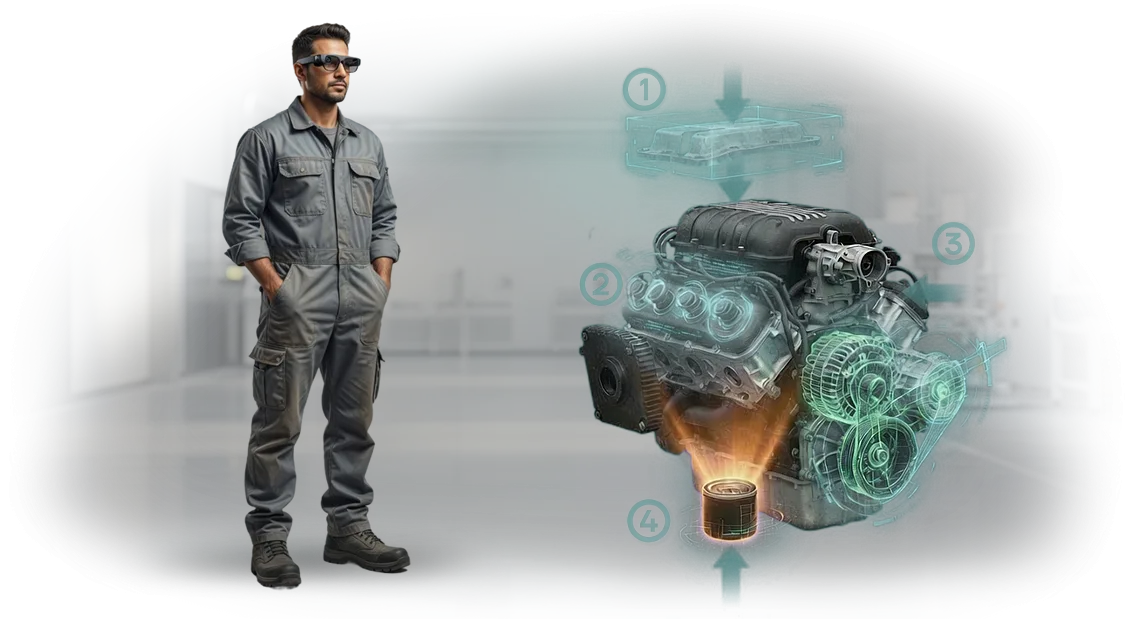
בדיוק למשימות כאלה נוצרה PTC Vuforia Expert Capture. הפתרון מתעד את פעולותיו של מומחה מנוסה והופך אותן להוראות AR שלב-אחר-שלב המוצגות ישירות על גבי הציוד האמיתי.
העובד רואה על המסך מה לעשות וכיצד לעשות זאת ברגע הנוכחי — אין צורך לזכור נהלים מורכבים.
הטמעת המערכת מפחיתה את מספר הפעולות השגויות: מפעילים מדלגים על שלבים פחות, מוצאים רכיבים נכונים מהר יותר, ועובדים בביטחון רב יותר גם לאחר הפסקות.
הכשרת עובדים הופכת לקצרה וויזואלית יותר — עולה חדש מגיע לרמה מקובלת תוך ימים, לא חודשים. זמני השבתה של ציוד הקשורים לעבודה חוזרת ופעולות מתקנות מופחתים.
ההשפעה בולטת במיוחד בפעולות הרכבה ותחזוקה מורכבות, שבהן מחיר הטעות הוא הגבוה ביותר.
עבור העסק, זה אומר איכות יציבה למרות תחלופת עובדים ועלויות נמוכות יותר עבור מנטורים. אנו עוזרים לכם להטמיע את PTC Vuforia Expert Capture בייצור שלכם: אנו בוחרים תרחישים לפעולות אמיתיות, מגדירים את התהליך ותומכים בהשקה. כתוצאה מכך, אתם מקבלים כלי שמחזיר את עצמו על ידי הפחתת ליקויים וזמני השבתה.
מה פיתוח הוראות AR לתעשייה ייתן לכם
המהנדסים שלנו משתמשים ב-PTC Vuforia Expert Capture כדי להפוך את הניסיון של המומחים הטובים ביותר להוראות AR שלב-אחר-שלב עבור הציוד שלכם. כתוצאה מכך, עובדים מוצאים תקלות מהר יותר, עושים פחות טעויות, וממתינים פחות להגעת מומחה חיצוני.
מהירות תיקון ותחזוקה
העובד רואה את הפעולות הנדרשות ישירות על הציוד — ללא חיפוש שרטוטים או היזכרות ברצף הפעולות. זמן איתור התקלות מופחת פי 2-3, וזמני ההשבתה של המכונות יורדים. כל שעה אבודה היא הזמנה שלא בוצעה, כך שחיסכון בזמן הופך מיד לכסף.
בטיחות בעבודה
ההנחיות מגיעות לפני הטעות, לא אחריה: ההוראה מזהירה מפני אזורים מסוכנים ואוכפת את הרצף הנכון. זה אומר פחות פציעות, פחות תאונות, ושקט נפשי למנהל בנוגע לעמידה בדרישות.
הכשרה תוך כדי עבודה
עולה חדש שולט בפעולות בקצב שלו, ועובדים מנוסים אינם מוסחים על ידי הסברים מתמידים. הידע של המאסטרים הטובים ביותר נשאר עם החברה גם לאחר שהם עוזבים, וההכשרה אורכת שבועות, לא חודשים.
הפחתת ליקויים ובקרת איכות
המערכת בודקת כל שלב ומזהירה אם דילגו על פעולה. שיעור הליקויים, במיוחד בפעולות מורכבות, יורד באופן ניכר. המנהל גם רואה באילו שלבים מתרחשים עיכובים ומבטל אותם לפני שהרווח אובד.
פחות זמני השבתה, שיעור פציעות נמוך יותר, איכות יציבה ומשמרת מיומנת — זו התוצאה שתקבלו מהוראות AR.
פורמטים של הוראות AR למשימות שונות: השוואה ובחירה
אותן פעולות מבוצעות על ידי מהנדס בסביבות שונות: בבית מלאכה, בשטח או במוסך שירות. כל מקרה דורש פורמט הוראות AR משלו — מאפליקציה ניידת פשוטה ועד משקפי AR עצמאיים לחלוטין.
המפתח הוא לא "טכנולוגיה לשם טכנולוגיה", אלא המהירות שבה עובד מוצא את הרכיב הנדרש ומשלים שלב ללא טעויות.
אנחנו מתאימים את הפורמט למשימה, לא להיפך. להלן דף רמאות לתרחישים טיפוסיים: היכן הפורמט חוסך זמן, היכן הוא מפחית את הסיכון לתקלה, והיכן הוא פשוט הכרחי לעבודה ביד אחת.
| פורמט | למי | מה זה נותן ללקוח |
|---|---|---|
| טאבלט (הוראה אינטראקטיבית) | צוותי תיקון, התקנה מורכבת | תרשים גדול של הרכיב עם פעולות שלב-אחר-שלב על המסך — העובד רואה את הרצף המדויק ואינו קורא שוב תיעוד נייר |
| משקפי AR | מפעילי פס ייצור, עבודה בגובה או בחללים סגורים | הידיים פנויות, הראש מורם — השלב הבא מודגש ישירות בשדה הראייה, סיכון מינימלי לדילוג על פעולה |
| סמארטפון (אפליקציה ניידת) | מהנדסי שטח, שירות נייד | ההוראה הנדרשת תמיד בכיס: כוונו את המצלמה לציוד — קבלו שלבי תיקון מונפשים |
| תרחיש משולב | תמיכה מרחוק של מומחה | עולה חדש עובד עם הנחיות AR על טאבלט, בעוד מומחה רואה את המסך שלו ומספק סיוע קולי — אתם סוגרים את בקשת השירות מהר יותר |
בחירת הפורמט משפיעה ישירות על זמן ההכשרה ומספר הטעויות.
לדוגמה, בהרכבת יחידה מורכבת, משקפי AR מפחיתים את זמני ההשבתה ב-20-30% בהשוואה לעבודה משרטוטים, ובסמארטפון מהנדס מקבל את ההוראה הנדרשת 2 דקות מהר יותר מאשר חיפוש בארכיון מסמכים.
אנחנו נעזור לכם לבחור פורמט לפעולה ולסוג הציוד שלכם. אם אתם מתלבטים בין טאבלט למשקפיים, נתחיל בפיילוט על קו בית מלאכה אחד ונוכיח את התוצאה על תהליך חי לפני הרחבת הפתרון.
שלבי יצירת הוראת AR: מהבריף ועד ההטמעה
בנינו את התהליך כך שבכל שלב תבינו מה קורה ומה תוצאה תקבלו. אין צורך להיכנס לפרטים טכניים — אנו מטפלים בכל ההטמעה: מניתוח המשימה ועד ההשקה והתמיכה השוטפת. להלן נתיב פרויקט טיפוסי לפיתוח הוראת AR.
- בריף וניתוח משימה. אנו בוחנים את הציוד, הנהלים ותרחישי העבודה הטיפוסיים שלכם. אנו מזהים היכן עובדים טועים לרוב ואילו פעולות צריך לכסות קודם. התוצאה היא מפרט טכני ברור עם יעדים וקריטריוני איכות.
- תוכנית, לוח זמנים ואומדן. אנו קובעים את היקף העבודה, תאריכי מפתח ועלות. אתם מקבלים תוכנית שקופה: מה אנחנו עושים, מתי, ומי אחראי. אין עלויות נסתרות או "הפתעות" באמצע הפרויקט.
- אישור תצוגה מקדימה. לפני השקת הייצור, אנו מציגים את תרחיש הוראת ה-AR על המסך: השלבים, עיצוב הממשק והיכן מופיעות ההנחיות. אתם עורכים שינויים — אנו מתקנים עד לאישור מלא, כך שלא תצטרכו לעבוד מחדש על המוצר המוגמר.
- פיתוח תוכן. אנו יוצרים הוראות AR שלב-אחר-שלב: מודלים תלת-ממדיים, אנימציות, הנחיות טקסט וקול. בשלב זה, אנו משתמשים בכלים מוכחים (כולל PTC Vuforia Expert Capture) כך שההוראות יהיו מדויקות וקלות לעדכון כשהנהלים משתנים.
- בדיקה על ציוד אמיתי. אנו בודקים את ההוראה בבית המלאכה או באתר: נכונות השלבים, קריאות ההנחיות ונוחות המפעיל. אנו מוצאים ומתקנים בעיות לפני שהן משפיעות על זרימת העבודה.
- השקה והטמעה. אנו מאמנים עובדים לעבודה עם הוראת ה-AR, מעלים אותה לטאבלטים או למשקפיים תעשייתיים. אנו מגדירים הרשאות גישה ובמידת הצורך, משלבים את ההוראה עם מערכת ניהול המסמכים שלכם.
- תמיכה ופיתוח. לאחר ההשקה, אנו נשארים בקשר: אנו מעדכנים תוכן כשהציוד או הנהלים משתנים, מוסיפים שלבים חדשים ועוזרים בשיפורים. אתם אף פעם לא נשארים לבד עם שאלות.
מה כלול במסירת הוראת AR: חבילת התוצאה
אתם לא מקבלים סתם קובץ סימון, אלא כלי עבודה המבוסס על PTC Vuforia Expert Capture המכסה משימות הדרכה, תיקון ובקרת איכות.
חבילת המסירה כוללת הוראות אלקטרוניות, גישה לענן וכל מה שצריך כדי לעדכן תוכן באופן עצמאי עם הצוות שלכם.
- הוראות AR מוכנות — תרחישים שלב-אחר-שלב לפעולות מפתח: מהפעלת ציוד ועד תיקונים מורכבים. עובדים רואים הנחיות ישירות על רכיבי המכונה מבלי להיות מוסחים על ידי מסמכי נייר.
- הוראות אלקטרוניות בענן — כל התיעוד הטכני וחומרי ההדרכה בסביבה מאובטחת הנגישה מטאבלטים, סמארטפונים ומשקפי AR. גרסאות חדשות נראות לכל העובדים בו זמנית.
- כלי עדכון — הטכנולוג שלכם יכול לשנות את רצף הפעולות, להוסיף תמונות וסרטונים ולהתאים הנחיות. אין צורך לחכות לנו לכל שינוי קטן.
- אנליטיקת שימוש — אתם יכולים לראות אילו הוראות נפתחות לרוב, באילו שלבים עובדים נתקעים וכמה זמן אורכת פעולה. זה עוזר לשפר נהלים ולהפחית זמני השבתה.
- חומרי הדרכה לצוות שלכם — קורסים ומדריכים מהירים למנהלי מערכת, מפעילים ומהנדסים: כיצד להשתמש בהוראות AR, לעדכן תוכן ולהטמיע אותו בתהליכים קיימים.
- תיעוד טכני ונהלים — תיאור ארכיטקטורת הפתרון, סדר הפריסה והרשאות הגישה כך שהמומחה שלכם יוכל להבין הכל ללא תמיכה מתמדת שלנו.
- תמיכת השקה — אנו עוזרים להעלות את ההוראות הראשונות, לוודא פעולה על הציוד שלכם ולהכשיר קבוצת פיילוט. לאחר מכן, אתם עובדים באופן עצמאי.
מקרה בוחן: כיצד הוראות AR הפחיתו את זמני ההשבתה ב-35%
מפעל הנדסה קטן פנה אלינו עם נקודת כאב: זמני השבתה של ציוד על פס הייצור הגיעו ל-14 שעות בשבוע, וחלק מהליקויים נגרמו מטעויות של מפעילים חדשים.
ההכשרה ארכה עד שלושה שבועות, אבל גם לאחר מכן עובדים ערבבו את רצף הפעולות ופנו להוראות נייר. הצענו לדיגיטציה של הנהלים כהוראות AR שלב-אחר-שלב על פלטפורמת PTC Vuforia Expert Capture.
תוך חודשיים, המרנו חמש פעולות מפתח ל-AR: הגדרת מכונה, החלפת כלים, בקרת איכות, תחזוקה הידראולית והרכבת רכיב.
המפעיל רואה ישירות על הציוד היכן ללחוץ, איזה חלק לקחת ובאיזה שלב לבדוק את הכוח. אין יותר צורך בהוראות נייר ובשמועות.
מדדנו את התוצאות לאחר שלושה חודשי פעילות. זמני ההשבתה ירדו ב-35%, מספר טעויות ההרכבה ירד בחצי, והזמן של עובד חדש להגיע לקצב נורמלי קוצר משלושה שבועות לארבעה ימים.
כעת הצוות מסיים את המשמרת שעתיים מוקדם יותר, וטכנאי ההגדרה מתמקדים במשימות מורכבות במקום בהסברים חוזרים.
כך אמר מפעיל באתר: "נהגתי לבדוק כל שלב על נייר, מפחד לעשות טעות.
עכשיו ההנחיה הנכונה מופיעה ממש מול העיניים — העבודה זורמת חלק וברור יותר מהר." מנהל הייצור הוסיף: "ההוראות האלה החזירו את עצמן תוך ארבעה חודשים, והכי חשוב — הפסקנו להיות תלויים בעובדים מנוסים שפורשים."
כיצד לבחור פורמט הוראת AR למשימה שלכם?
בחירת פורמט הוראת AR מסתכמת בשאלה אחת: מה בדיוק העובד צריך לעשות וכמה מהר הוא חייב ללמוד את זה. להרכבה או תיקון שלב-אחר-שלב של רכיב, תרחיש ליניארי עם שכבות על גבי ציוד אמיתי עובד היטב.
לבדיקות מוכנות ובקרת טעויות, רשימת בדיקה עם הדגשת אזורים בעייתיים מתאימה. להכשרת מומחים חדשים, סימולטור אינטראקטיבי עם הנחיות וניתוח פעולות הוא אידיאלי.
דרישות הציוד מינימליות: רוב ההוראות פועלות על טאבלטים וסמארטפונים שכבר יש לעובדים שלכם. אם סביבת הייצור מאתגרת — אבק, לחות, רטט כבד — אנו בוחרים מכשירים עמידים.
המהנדסים שלנו עובדים עם כלים מוכחים המבוססים על PTC Vuforia Expert Capture, אבל אתם לא קשורים לחומרה ספציפית: הפתרון מתאים את עצמו למה שכבר מותקן בארגון שלכם.
לוחות הזמנים והעלות תלויים לא ב"כמות הקוד", אלא במספר התרחישים ובמורכבות הפעולות. הוראה פשוטה של 5-10 שלבים ניתנת להטמעה תוך 2-3 שבועות; פרויקט טיפוסי עם מספר רכיבים אורך 1-2 חודשים.
התקציב מתחיל מעלות המחושבת לאחר ביקורת וגדל ככל שמוסיפים הוראות חדשות — כל תרחיש מתומחר בנפרד, כך שאתם משלמים רק על מה שאתם באמת משתמשים בו.
חשוב לציין, העלות הסופית מחושבת על בסיס התוצאה: הפחתת טעויות הרכבה, האצת קליטת עובדים והפחתת העומס על מנטורים.
לכן, לפני ציטוט מחיר, אנו עורכים ביקורת קצרה של המשימה שלכם ומציעים פורמט ספציפי — ללא התחייבות מצדכם.
שלחו לנו תיאור של הפעולה שאתם רוצים להמיר ל-AR, ונייעץ תוך יום עסקים אחד איזו אפשרות מתאימה לכם וכמה זמן זה ייקח.
שאלות נפוצות על פתרונות PTC: תשובות מומחים
כשמדובר בהטמעת הוראות AR, למנהלים יש נטייה לשאלות דומות: על מורכבות, לוחות זמנים, עלות ותאימות. אנו עונים בקצרה ולעניין.
האם עובד יכול להבין הוראות AR ללא הכשרה מיוחדת?
כן. הממשק בנוי על עיקרון "תראה וחזור": העובד רואה הנחיות ישירות על הציוד. אנו מתאימים את התרחיש לרמת המיומנות, וההכשרה אורכת 15-20 דקות. הצוות מתחיל לעבוד באופן עצמאי במהירות.
מה קורה אם הציוד משתנה או עובר מודרניזציה?
ההוראות מתעדכנות יחד עם הייצור. אנו בונים תהליך עריכה: כשרכיב משתנה, התרחיש מותאם תוך שעות, והמערכת שומרת היסטוריית גרסאות. העובד תמיד רואה את רצף הפעולות העדכני.
כיצד הפתרון משתלב עם מערכת החשבונאות שלנו?
אנו מחברים את ה-AR למערכת הקיימת שלכם: מסד הזמנות, מדריך פעולות או בקרת משימות. אין צורך להחליף את התוכנה הנוכחית שלכם. אנו מגדירים חילופי נתונים והרשאות גישה כך שהמידע עובד בסביבה אחת ללא הזנה כפולה.
כמה זמן אורכת ההטמעה וכמה זה יעלה?
לוח הזמנים הוא משבועיים עד שישה שבועות בהתאם למספר ההוראות ולמורכבות הפעולות. העלות מחושבת בדרך כלל לאחר ביקורת. הפרויקט מחזיר את עצמו על ידי הפחתת זמני השבתה וליקויים. אנו מספקים אומדן מדויק לאחר הביקורת, ללא תשלומים נסתרים.
התחילו את פרויקט הוראת ה-AR שלכם: ייעוץ והערכת עלות
הזמנת פיתוח הוראת AR היא השקעה בבטיחות במקום העבודה וביעילות הצוות. אנו נספק ייעוץ AR: ננתח את התהליך שלכם ונראה היכן הוראה דיגיטלית תפחית זמני השבתה וטעויות. מהנדס יפנה אליכם ישירות ויציע פתרון שמתאים לתקציב שלכם.
בשיחה אחת תקבלו:
- ייעוץ AR ממהנדס עם ניסיון מעשי בהטמעות ייצור.
- תוכנית ראשונית: אילו פעולות לדיגיטציה קודם.
- הערכת עלות להוראת AR המותאמת להיקף ולמורכבות שלכם.
- דוגמאות מעשיות עם לוחות זמנים ותוצאות אמיתיים.
- הערכה כנה: היכן AR יניב תוצאות והיכן זול יותר בלעדיו.
- הבטחה שהמחיר קבוע בחוזה — ללא תוספות נסתרות.
כדי ללכוד את הידע של המומחים שלכם, אנו משתמשים בפלטפורמה המקצועית PTC Vuforia Expert Capture — היא הופכת פעולות מומחים להוראות ברורות שלב-אחר-שלב למתחילים. אתם מקבלים כלי עבודה למפעל, לא אב טיפוס יפה.
אנחנו מדברים על פרטים: האתר, מספר הפעולות, הציוד וההשפעה הצפויה תוך 3-6 חודשים. מכם: 15 דקות לשיחה. מאיתנו: תוכנית ואומדן.
אתם יכולים לחשב את עלות הוראת ה-AR כבר מחר: השאירו בקשה, ונספק אומדן תוך 2 ימי עסקים. אם הפרויקט לא מתאים, נאמר לכם בכנות כדי שלא תבזבזו את התקציב. אתם יכולים ליצור קשר עם מהנדס כבר עכשיו — לחצו על הכפתור ובחרו זמן נוח לשיחה.