

AR עבור RealWear: כיצד להפחית את זמן השבתת הציוד
זמן השבתת ציוד אינו אומר רק קו עצור, אלא גם החמצת מועדים, לקוחות לא מרוצים ובזבוז כסף על זמן עובדים.
הסיבה השכיחה אינה אפילו תקלה, אלא הזמן שעובד מבלה בחיפוש אחר ההוראה הנכונה: היא נמצאת בתיקיית נייר, או בקובץ PDF על המחשב של מישהו, או כתובה בשפה שרק מהנדסים מנוסים יכולים להבין.
בעוד עובד חדש מנסה להבין על ידי שאלת עמיתים, המכונה עומדת בטלה. עובד מנוסה, לעומת זאת, ממהר, עובד מהזיכרון ועושה טעויות: תיקוני חירום עולים יותר מתחזוקה מונעת.
בסופו של דבר, הארגון מפסיד כסף לא בגלל חוסר מיומנויות, אלא בגלל גישה לא נוחה להוראות עדכניות.
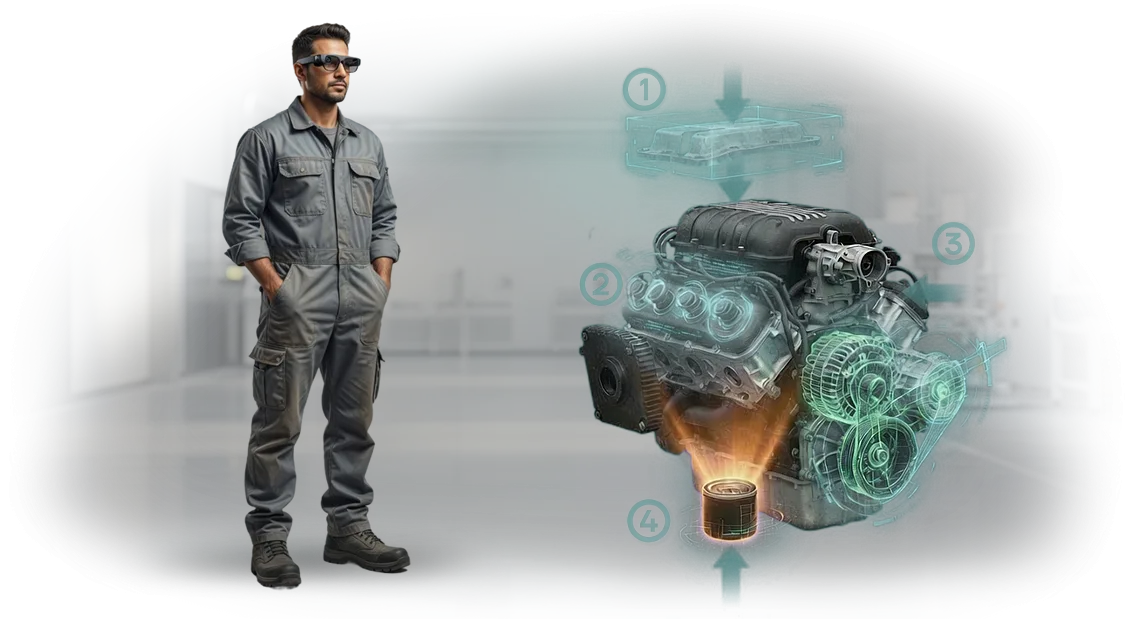
הוראות AR על RealWear מציבות הנחיות שלב-אחר-שלב ישירות בשדה הראייה של העובד, ומשאירות את הידיים חופשיות לעבודה.
אין צורך לדפדף בניירות, להתקשר למנטור או להיזכר בהליך מורכב — המפעיל עוקב אחר ההנחיות החזותיות ומבצע כל פעולה ללא שגיאות.
זה מפחית את זמן התיקון והתחזוקה, מוריד את מספר שגיאות העובדים ומאיץ את התגובה במצבים חריגים.
יישום הוראות כאלה אינו רק החלפת נייר במשקפי AR. זהו תהליך מובנה: כל פעולה מפותחת תוך התחשבות במפרטי הציוד שלך ובזרימת העבודה של העובדים. התוצאה: פחות זמן השבתה, פעילות יציבה של הקו ותוכנית ייצור צפויה.
יתרונות מרכזיים של הוראות AR לתעשייה
ציוד תעשייתי הופך למורכב יותר מדי שנה, ועלות שגיאת המפעיל ממשיכה לעלות. הוראות נייר מסורתיות וסרטונים מרחיקים את העובדים מהעבודה, אינם מספקים משוב ומתיישנים במהירות.
הוראות AR פותרות בעיות אלה ישירות בתחנת העבודה: המפעיל רואה הנחיות בשדה הראייה שלו ומבצע שלבים מבלי לאבד ריכוז.
היתרון המרכזי הוא הפחתת זמן ההכשרה של הצוות. במקום לבלות שבועות עם מנטור, עובד חדש שולט בפעולות תוך ימים ספורים: המערכת מנחה אותו שלב אחר שלב, מדגישה את הרכיבים הרלוונטיים ומאמתת את התקינות. זה מקל על עובדים מנוסים ומאיץ את ההגעה לפריון מלא.
התוצאה העסקית השנייה היא פחות שגיאות ופגמים. כאשר הוראות מוצגות על גבי הציוד האמיתי, המפעיל אינו יכול לדלג על שלב חשוב או לבלבל את הרצף. שגיאות אנוש ממוזערות, מה שאומר פחות עבודה חוזרת, פחות זמן השבתה ופחות תביעות.
היתרון השלישי הוא בטיחות גבוהה יותר. הנחיות AR מתריעות על אזורי סיכון מראש, מזכירות על נעילות ומאכיפות את רצף הפעולות הנכון. זה מפחית תקריות ופציעות, וזה חיסכון ישיר בקנסות, פיצויים והשבתות.
הרביעי הוא בקרה שקופה על הפעולות. מנהל רואה באיזה שלב נמצאת כל משימה, כמה זמן פעולה באמת אורכת והיכן מתרחשים צווארי בקבוק. זה מאפשר החלטות מהירות יותר, איזון עומסי עבודה ויעילות גבוהה יותר של רצפת הייצור.
יחד, תוצאות אלה מספקות השפעה כלכלית מדידה: האצת עליית קווים חדשים, פריון עבודה גבוה יותר וסיכון תפעולי נמוך יותר. יישום הוראות AR מחזיר את עצמו על ידי הפחתת עלויות הכשרה, פגמים ותקריות.
AR עבור RealWear: פורמטים ותרחישי יישום
קשה לטפל בציוד תעשייתי "בעיוורון": מפעילים זקוקים לידיים חופשיות, לא להוראות נייר. AR על משקפי RealWear מציג נתונים ישירות מול העיניים — העובדים עובדים במקום לדפדף במסמכים.
במשך למעלה מ-10 שנים אנו מיישמים פתרונות כאלה ובוחרים את הפורמט המתאים למשימה שלך.
| פורמט | למי | מה זה נותן ללקוח |
|---|---|---|
| תמיכה מרחוק | מהנדסי שירות, מומחים נדירים | המומחה רואה בדיוק מה המפעיל רואה ופותר את הבעיה תוך דקות — ללא ביקורי שטח |
| הוראות שלב-אחר-שלב | מפעילי קו, טכנאי תחזוקה | עובדים חדשים לא עושים טעויות, זמן ההתקנה יורד, ההוראות תמיד בהישג יד |
| בקרת איכות | צוות בקרת איכות, צוותי קבלה | רשימות בדיקה ישירות על הציוד — שום דבר לא מוחמץ, התוצאות מתועדות מיד |
| הכשרה | מרכזי הכשרה, מנטורים | חניכים מגיעים לעבודה עצמאית מהר יותר, מנטורים מוסחים פחות |
הפורמט נבחר לאחר ביקורת באתר: אנו מחשבים את החיסכון, מכינים פיילוט ואז משיקים. אם הליך משתנה, קל לעדכן את ההוראות — אינך קשור לנייר.
RealWear הוא תקן תעשייתי עם גוף קשיח ושליטה קולית: הידיים נשארות חופשיות, תשומת הלב נשארת על המשימה. הלקוחות שלנו מפחיתים את זמן ההשבתה ב-20–30% ומחזירים את ההשקעה בתוך החודשים הראשונים.
שלבי פיתוח הוראות AR לארגונים
כדי שהוראת AR באמת תפשט את עבודת העובדים ותפחית את זמן ההשבתה, התהליך חשוב לא פחות מהתוצאה. אנו מחלקים פרויקט לשבעה שלבים — מהבריף ועד לתמיכה לאחר ההשקה.
אתה תמיד יודע באיזה שלב נמצאת העבודה, מה נדרש ממך ומתי יהיו תוצאות ביניים מוכנות.
-
בריף. אתה מתאר את המשימה, ההליכים, התרחישים האופייניים ומפרטי הציוד. אנו מתעדים מטרות, אחריות ולוחות זמנים — הפרויקט מתקדם אז ללא הפתעות.
-
עיצוב הפתרון. המומחים שלנו מתכננים את המבנה של ההוראה העתידית ואת לוגיקת ההנחיות. אתה מקבל את הקונספט לאישור: אתה רואה כיצד עובד יתקשר עם AR ואילו שלבים מודגשים.
-
פיתוח אב-טיפוס. אנו יוצרים גרסת בדיקה לרכיב או פעולה אחת. אתה בודק אותה על ציוד אמיתי ומבצע תיקונים — בשלב זה שינויים זולים, בעוד שלאחר ההשקה הם יקרים.
-
אישור תוכן. הטכנולוגים ומומחי הבטיחות התעסוקתית שלך בודקים את הטקסטים, התמונות ורצף הפעולות. אנו מבצעים התאמות עד שהכל תואם במלואו לסטנדרטים שלך.
-
פיתוח מלא. לאחר אישור אב-הטיפוס, אנו בונים הוראות לכל הרכיבים והפעולות הנותרים. אתה מקבל סט מלא מוכן לפריסה בכל הקווים.
-
השקה והכשרה. אנו מתקינים את ההוראות על המכשירים, עוזרים להכין עובדים ותמיכה טכנית ומכשירים את המנהלים שלך כדי שיוכלו לעדכן תוכן בעצמם.
-
תמיכה ופיתוח. אנו נשארים בקשר לאחר ההשקה: אנו מעדכנים הוראות כאשר הליכים משתנים, מוסיפים רכיבים חדשים ועוזרים להרחיב את הפתרון לאתרים אחרים.
מה כולל משלוח פרויקט הוראות AR
חבילת המשלוח של הוראות AR היא פתרון סוהר, לא רק אפליקציה. אנו מרכיבים אותה מחמישה מרכיבים מרכזיים כדי שתקבל כלי שמפעילים יכולים להתחיל להשתמש בו ביום היישום.
- תרחישי שימוש. אנו מפרקים כל פעולה לשלבים, מהפעלה ועד תחזוקה, ומפרטים פעולות ובדיקות, ומבטלים ניחושים ושגיאות.
- תוכן חזותי. אנו מכינים מודלים תלת-ממדיים, אנימציות והנחיות שמראים את רצף הפעולות הנכון. מפעיל מבין מה לעשות גם ללא ניסיון.
- התאמה לציוד שלך. אנו מקשרים הוראות לדגמים ולגרסאות ספציפיים ומתחשבים בהליכים ובתקני הבטיחות שלך.
- הכשרת מפעילים. אנו מקיימים מפגשי הכשרה שבהם עובדים לומדים לעבוד עם הוראת AR על משימות אמיתיות. המיומנויות מתחזקות מיד, מבלי לעצור את הייצור.
- תמיכה טכנית. אנו תומכים בפרויקט לאחר ההשקה: מעדכנים תוכן כאשר תהליכים משתנים, עונים על שאלות ועוזרים לשלב הוראות בעבודה היומיומית.
כתוצאה מכך, אתה מקבל חבילה עם תרחישים מחושבים היטב, תוכן, תצורה ותמיכה. זה מקצר את זמן הקליטה של עובדים חדשים, מפחית שגיאות והופך מפעילים לבטוחים יותר. כל מה שאתה צריך כבר כלול במשלוח.
מקרה בוחן: כיצד הוראות AR האיצו תיקונים במפעל
אחד הלקוחות שלנו הוא מפעל לבניית מכונות עם צי ציוד במספר סדנאות. מכונאים בילו עד שעה וחצי בתיקון יחידה מורכבת: הם נאלצו לשלוף תיעוד נייר, למצוא את התרשים הנכון, לבדוק אותו ואז לפעול בניסוי וטעייה. חלק מהמומחים היו מתחילים, וכל השבתה לא סטנדרטית הפכה לזמן השבתה של הקו.
הצענו להמיר הליכים מרכזיים להוראות AR הפועלות על משקפי RealWear. המפעיל רואה הנחיות ישירות בשדה הראייה: חיצים, רצפי שלבים ואזהרות סיכון. הידיים חופשיות, והתרשים תמיד באופק — ללא דפדוף בניירות וללא הסחות דעת.
חודשיים לאחר ההשקה מדדנו את האפקט. אבחון תקלות הפך למהיר ב-40% — הזמן הממוצע למציאת הגורם ירד מ-45 ל-27 דקות. שגיאות תיקון פחתו פי שניים: מכונאים דילגו פחות על שלבים והדקו רכיבים בצורה נכונה יותר.
זמן ההשבתה של הציוד באזור אחד ירד בשליש בערך, מה שנתן למפעל יותר שעות עבודה ללא השקעה נוספת במכונות.
הם גם ציינו את ההשפעה על הכשרת מתחילים: חניך מגיע לקצב מהר יותר כי ההוראה מנחה אותו שלב אחר שלב. המנטור מבלה פחות זמן בפיקוח, ואיכות החניך מתקרבת לזו של עובד מנוסה. הנהלת המפעל כבר ביקשה להרחיב את המערכת לסדנאות שכנות.
אנו עובדים בסוהר: אנו מנתחים פעולות, מכינים תרחישים, מגדירים משקפיים ומיישמים הכל לפי ההליכים שלך. ניקח אזור אחד כפיילוט ונראה תוצאה מדידה לפני הרחבה לכל הארגון.
כיצד לבחור את פורמט הוראת ה-AR הנכון למשימה שלך?
פורמט הוראת AR אינו נבחר "מעצמו" — שני דברים מגדירים אותו: סוג הציוד והמשימה הספציפית שאתה פותר. אם אתה צריך להכשיר עובד במהירות על מכונה חדשה, זה תרחיש אחד.
אם מדובר בתיקון מורכב עם אבחון, זה אחר. לכן הדבר הראשון שאנו עושים הוא לנתח את המצב שלך: איזה ציוד, אילו פעולות, מי ישתמש בהוראה.
אותה מכונה יכולה לדרוש פורמטים שונים. לדוגמה, לפעולה רגילה מפעיל צריך רק הנחיה שלב-אחר-שלב בשדה הראייה שמראה איזה כפתור ללחוץ.
לתיקון או הגדרה, הוראת ה-AR צריכה אנימציות מנגנון ווידאו של רכיבים כדי שהמומחה יוכל לראות את המבנה הפנימי מבלי לפתוח תיעוד נייר. לבקרת איכות, פורמט עם רשימות בדיקה ותוצאות מתועדות עובד הכי טוב.
המפתח הוא שהעובד מקבל בדיוק את ההנחיה שהוא צריך באותו רגע ואינו מוסח על ידי מידע מיותר.
המהנדסים שלנו בוחרים את הפורמט למשימה שלך, לא למכשיר ספציפי. אנו עובדים עם ציוד מגוון — מרובוטים תעשייתיים ועד קווי אריזה — ולכל מקרה אנו מציעים תרחיש הוראת AR מתאים, מהנחיות קוליות פשוטות ועד הדרכה תלת-ממדית מלאה.
אנו גם מסבירים מראש איך תיראה התוצאה וכיצד היא תשפיע על מהירות העבודה, השגיאות וזמן ההכשרה.
הערבות פשוטה: אתה מקבל לא "ניסוי טכנולוגי" אלא כלי שפותר את הבעיה הספציפית שלך. אנו לוקחים אחריות על בחירת הפורמט, בדיקה על ציוד אמיתי והתאמה לעובדים שלך.
אם המשימה משתנה, נרחיב או נעצב מחדש את ההוראה. בסופו של דבר, אתה מקבל פתרון AR שמחזיר את עצמו על ידי הפחתת זמן השבתה ועזרה לעובדים להגיע לקצב העבודה שלהם מהר יותר.
ספקות נפוצים לגבי יישום הוראות AR
יישום הוראות AR בתהליכי ייצור הוא צעד שמעלה שאלות בקרב מנהלים. הספקות נוגעים בדרך כלל לאמינות הציוד, בטיחות העובדים, מהירות הלמידה ולוחות הזמנים של ההשקה. להלן אנו מתייחסים לשלושה חששות אופייניים ומראים כיצד אנו מטפלים בכל אחד בפועל.
מה קורה אם משקפי RealWear נשברים או ניזוקים על רצפת הייצור?
אנו מספקים ציוד בדרגה תעשייתית המיועד לעבודה יומיומית בסדנה. המארזים מוגנים מפני אבק ולחות, וקיימים כיסויים מחוזקים לתנאים קשים.
אם מכשיר נכשל, חלים אחריות והחלפה מהירה — העובד אף פעם לא נשאר ללא כלי, ותהליך ההכשרה אינו נעצר. המערכת גם משפרת את בקרת הבטיחות: המפעיל רואה אזהרות סיכון ישירות על המסך.
האם קשה למפעילים ללמוד הוראות AR?
מניסיוננו, אנשים מתרגלים לממשק תוך 20–30 דקות. המפעיל רואה הנחיות ישירות מול העיניים — אין צורך לשבור ריכוז או לדפדף בהליכי נייר.
אנו מתאימים את ההוראות עצמן למינוח הייצור שלך, כך שההכשרה נטולת לחץ ומספר השגיאות יורד מהימים הראשונים.
האם לוקח זמן רב ליישם הוראות AR לאזור אחד?
אזור הפיילוט הראשון בדרך כלל לוקח 2–4 שבועות, מביקורת פעולות ועד השקת מערכת עובדת. ההרחבה אז מהירה יותר — אם הציוד סטנדרטי, הוראות חדשות מוכנות תוך מספר ימים. אתה מקבל תוצאות בתוך הרבעון הראשון, לא אחרי שישה חודשים של אישורים.
אם יש לך שאלה משלך, שאל אותנו ישירות. נענה האם הוראות AR מתאימות למשימות ולציוד שלך ונעזור לך לחשב את התועלת הפוטנציאלית.דון במשימת הוראת ה-AR שלך עם מהנדס
השאר בקשה בעמוד או כתוב לנו בהודעה — מהנדס יחזור אליך תוך 1–2 ימי עסקים.
כדי שהשיחה תהיה פורייה, תאר מראש את סוג הציוד והמשימה: לדוגמה, "אנחנו צריכים הוראות למתקיני מכונות" או "אנחנו מכשירים עובדי תחזוקה לפי נוהל תחזוקה." זה מספיק לייעוץ הראשון.
מה תקבל לאחר פנייתך אלינו:
- ייעוץ מהנדס — אנו מנתחים את המצב שלך ללא תשובות תבניתיות ומציעים היכן הוראות AR ישפיעו והיכן מספיק תיעוד נייר.
- ביקורת ציוד ותהליכים — אנו מזהים אילו רכיבים, פעולות והליכים מתאימים ל-AR והיכן השגיאות וזמן ההשבתה הם הגבוהים ביותר.
- תוכנית יישום ראשונית — אנו מראים את רצף הצעדים: אילו הוראות לדיגיטציה ראשונה וכיצד לשלב אותן מבלי לעצור את הייצור.
- הערכת עלות — העלות מחושבת לאחר הביקורת, בהתבסס על ההיקף שלך: מספר ההוראות, מספר תחנות העבודה ומורכבות הפעולה.
- המלצות למשקפיים — אנו מייעצים אילו דגמים מתאימים לתנאים שלך: לדוגמה, משקפי RealWear תעשייתיים קשיחים לעבודה ברצפות ייצור רועשות ומאובקות.
- הערכת לוח זמנים — תאריכים משוערים לכל שלב, מאישור התרחיש ועד ההוראה הראשונה בתחנת העבודה.
הביקורת והייעוץ הם ללא התחייבות. אם יתברר לאחר השיחה שאינך צריך עדיין AR, נאמר זאת בכנות.
השאר בקשה — המהנדס יחזור אליך בזמן נוח. לאחר מכן תקבל תוכנית, עלות ולוח זמנים כדי לקבל החלטה.