

זמן השבתה עולה כסף: אפליקציית סיוע מרחוק ב-AR לתיקונים מהירים
זמן השבתה של ציוד אינו רק קו עצור—הוא גם אומר החמצת מועדים, קנסות חוזיים ולקוחות לא מרוצים.
בעוד מהנדס נוסע לאתר או מחפש את התיעוד הנכון, החברה מפסידה הכנסות, וכל דקת המתנה מגדילה את עלות התקלה. באקלים של מחסור במומחים מוסמכים, אפילו תקלה פשוטה יכולה להפוך לשעות או ימים של השבתה.
שגיאות תיקון קורות לעיתים קרובות כי לעובד חסר מידע מדויק בהישג יד: הוראות מיושנות, שרטוטים אבודים, ומנטור מנוסה עסוק באתר אחר. כתוצאה מכך, יש לעשות את העבודה מחדש, להזמין חלקי חילוף נוספים, ולהפסיק את הציוד שוב.
זהו הפסד ישיר שניתן למנוע על ידי מתן תמיכה ברורה שלב-אחר-שלב לטכנאי התיקון ברגע העבודה עצמו.
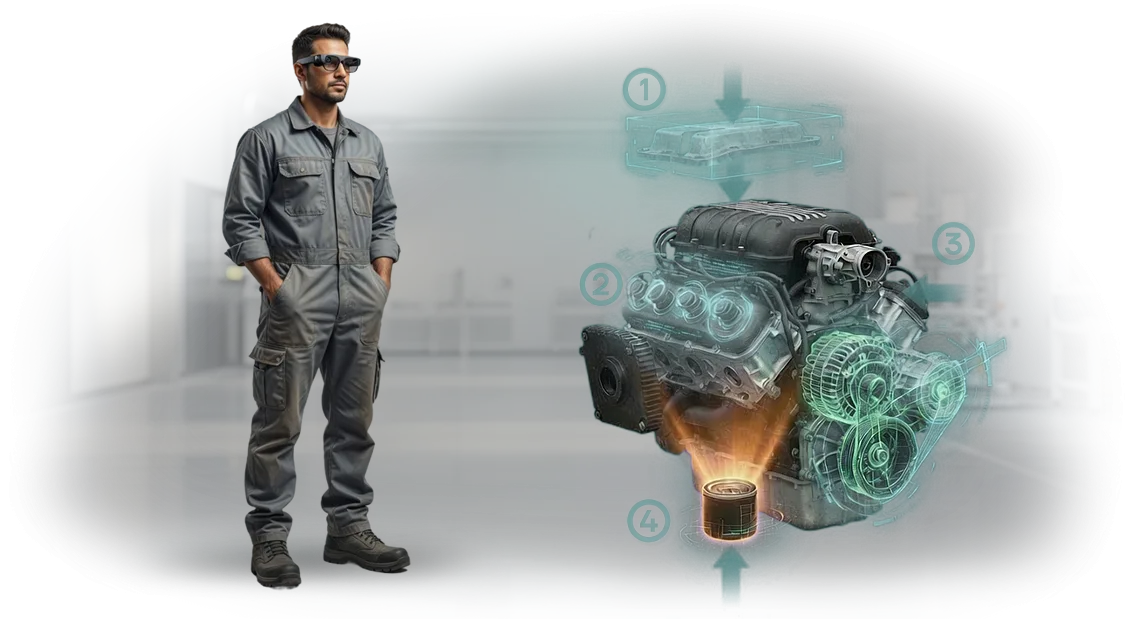
אפליקציית סיוע מרחוק לתיקונים עם מציאות רבודה מחברת מומחה מרחוק ומספקת רמזים חזותיים המוצגים על גבי הציוד האמיתי. העובד רואה מה והיכן להבריג, באיזה סדר לפעול, ועושה הכל נכון בפעם הראשונה.
אנו עוזרים לחברות ליישם פתרונות כאלה: אנו מתכננים תרחישים למכונות שלך, מגדירים תהליכים ומספקים תמיכה כך שזמן ההשבתה יקטן והתיקונים לא יהיו תלויים עוד במומחה יחיד.
מה מספק תמיכה מרחוק עם מציאות רבודה
תמיכה מרחוק עם מציאות רבודה הופכת ביקור מומחה יקר לפגישה מקוונת מהירה: המומחה רואה מה שהמפעיל רואה, וישירות במסגרת התמונה מציע מה ללחוץ ולאן להסתכל. עבור מתקן ייצור, זה אומר דבר אחד—המתנה לעזרה אינה עוד הנורמה.
מה משתנה בעבודה
- מהירות תגובה. עזרה מגיעה תוך דקות, לא ימים: אין צורך לחכות שהמהנדס יגיע או לתאם נסיעת עסקים. תקלות תכופות מתוקנות במשמרת הראשונה, לא שבוע לאחר מכן.
- פחות שגיאות. רמזים מוצגים על גבי הציוד האמיתי—המפעיל רואה את רצף הפעולות המדויק ואינו מסתמך על זיכרון או מדריכים עבים. מספר הפעולות השגויות יורד באופן ניכר, כלומר פחות תיקונים חוזרים ופחות גרוטאות.
- חיסכון בנסיעות. מומחה אחד יכול לייעץ למספר אתרים ביום מבלי לצאת מהמפעל. הוצאות על כרטיסים, מלונות וזמן נסיעה מתבטלות.
- הטמעה מהירה של עובדים חדשים. מתחיל מבצע תיקונים מורכבים עם רמזים דיגיטליים לאחר שיעור היכרות קצר. הניסיון של עמיתים בכירים נשאר בחברה גם אם המומחה עוזב או פורש.
לפי Deloitte, היתרונות של מציאות רבודה נראים כבר באתר פיילוט: זמן התיקון מופחת פי כמה, וזמן התגובה למקרה חירום יורד משעות לדקות.
זו אינה העתיד—זהו כלי עבודה שמחזיר את עצמו בתוך שלוש או ארבע קריאות השירות הראשונות.
שלב תמיכה מרחוק במערכת התחזוקה שלך וקבל פעולת ציוד צפויה, פחות שעות השבתה וניצול מלא של מומחים. אנו עוזרים לפרוס תוכנית כזו על הציוד שלך תוך מספר שבועות ולשלב אותה בנהלים הקיימים.
פורמטים של אפליקציות תעשייתיות: באיזה מהם לבחור
בחירת הפורמט צריכה להיות מונעת לא על ידי "אופנתיות" הטכנולוגיה אלא על ידי אופי המשימות. לביקור הפעלה חד-פעמי, שיחת וידאו מספיקה; לפעולה רציפה של צי מכונות, יש צורך במערכת המשולבת בנהלי התחזוקה.
ההבדל טמון במהירות התגובה, בעלות לשעת השבתה ובדרישות מיומנות המפעיל.
המדד העסקי העיקרי—הזמן מתקלה ועד למצב עבודה—תלוי בפורמט.
ייעוץ מרחוק מכסה התאמות קלות; מציאות רבודה עם רמזים על המסך מבטלת שגיאות בפעולות מורכבות; תמיכה מלאה מוסיפה מעקב אחר KPI ותקציב תמיכה צפוי.
| פורמט | למי | מה זה נותן ללקוח |
|---|---|---|
| שיחת וידאו עם צ'אט | סדנה קטנה, בקשות נדירות | חיסכון בכל ביקור מומחה (עלות מחושבת לאחר ביקורת) |
| וידאו עם רמזי AR על המסך | ייצור בינוני, התאמות תכופות | תיקונים מהירים פי 2–3, פחות שגיאות ופחות השבתה |
| תמיכה מלאה | אתרים גדולים, ציוד קריטי | צד אחד אחראי לתוצאה, נהלים והכשרת צוות |
אנו עובדים על העיקרון "מהפשוט למורכב": אנו מתחילים באבחון תהליכים ובוחרים פורמט שמחזיר את עצמו בחודשים הראשונים. תעריפי התמיכה שקופים—תעריף קבוע למספר חיבורים, ללא שעות נסתרות. כשהעומס גדל, הפורמט מתרחב מבלי להחליף את הפלטפורמה.
שלבי הטמעת סיוע מרחוק במפעל שלך
הטמעת סיוע מרחוק אינה רכישת אפליקציה; זהו פרויקט העובר מספר שלבים. אנו מלווים אותך בכל שלב: מהבריף הראשוני ועד ההשקה והתמיכה. להלן נתיב אופייני שמפעל עובר.
-
בריף וביקורת תהליכים — אתה מתאר את המשימות ונקודות התורפה; אנו בוחרים מקרה שימוש. התוצאה היא הבנה ברורה היכן סיוע מרחוק יניב תוצאות מהירות.
-
הסכמה על פתרון ופורמט — אנו קובעים באילו מכשירים השירות יעבוד, מי מקבל גישה, ואילו תרחישים לכסות תחילה. אתה מקבל תוכנית פרויקט והערכת עלות.
-
הכנת ציוד ותחנות עבודה — המהנדסים שלנו מגדירים את המערכת, אינטגרציה עם התשתית שלך, ובודקים ערוצי תקשורת. אינך צריך להתעסק בפרטים טכניים.
-
התאמה לנהלים שלך — אנו מעלים הוראות, דיאגרמות ורשימות בדיקה, ומגדירים תפקידים והרשאות. המערכת פועלת לפי הכללים שלך, לא להיפך.
-
השקת פיילוט באתר אחד — אנו בודקים את התרחיש עם עובדים אמיתיים, אוספים משוב ומתאימים את התהליך. אתה רואה תוצאות "בשטח" לפני הרחבה.
-
הכשרת עובדים וצוות תמיכה — אנו עורכים מפגשי הכשרה קצרים למפעילים, מכונאים ומפקחים כך שהצוות יתחיל להשתמש במערכת מיד ולא ידחה זאת.
-
השקה מלאה ותמיכה — אנו מפעילים את המערכת בכל האתרים שנבחרו, נשארים בקשר, מספקים תחזוקה, עדכונים וניתוח יעילות. אנו מרחיבים פונקציונליות לפי הצורך.
רצף זה מאפשר לך להשיק פרויקט סיוע מרחוק מבלי לעצור את הייצור ולהשיג תוצאות מהירות: התרחישים הראשונים עובדים מיד לאחר שלב הפיילוט, ולאחר מכן אתה מרחיב את הפתרון לאזורים אחרים.
מה כלול בתפוקת שירות התמיכה
בהזמנת שירות סיוע מרחוק ב-AR, אתה מקבל לא רק אפליקציה אלא כלי עבודה שעובדים מתחילים להשתמש בו בתוך השבוע הראשון לאחר ההשקה.
אנו תומכים בפרויקט מהמפרט הטכני ועד ההשקה ואיננו נעלמים לאחר המסירה—תחום אחריות ברור נשאר. זה מבטל את הסיכון העיקרי: הצוות שלך לא נשאר לבד עם טכנולוגיה חדשה.
תפוקות
- תיעוד: הוראות לשימוש במצב AR, מדריכי מפעיל ונהלי מנהל.
- הכשרת צוות: אנו עורכים מפגשים למהנדסים וטכנולוגים כך שיוכלו ליצור ולערוך הוראות AR בעצמם ללא מתכנתים.
- אינטגרציית ציוד: אנו מקשרים רמזים וירטואליים למכלולים וקווים ספציפיים של מכונות—בהפניית המצלמה, העובד רואה את הרכיב הנכון ואת רצף הפעולות מבלי להסתכל בשרטוטים.
- התאמה לנהלים שלך: אנו מגדירים תרחישים כך שיתאימו לרשימות הבדיקה ותקני התחזוקה הקיימים; לא תצטרך לשנות את התהליכים שלך.
- תמיכה טכנית: ערוץ תקשורת ייעודי עם הצוות, עדכונים ופתרון תקלות בעדיפות גבוהה בשעות העבודה.
- מסירה: חומרי מקור, גישת מנהל וסרטוני הדרכה לשימוש עצמאי.
- ביקורת תהליכים נוכחית: לפני ההגדרה, אנו בוחנים כיצד התחזוקה מאורגנת כיום ומטמיעים סיוע AR ללא השבתת ייצור.
כתוצאה מכך, אתה מקבל שירות עצמאי: הצוות שלך עובד באופן עצמאי, ואנו נשארים זמינים לשיפורים ואבולוציה של המערכת. חודש לאחר ההשקה, הוראות AR הופכות לכלי רגיל—כמו נוהל נייר, רק ויזואלי יותר ותמיד בהישג יד.
מקרה בוחן: כיצד מפעל הפחית את זמן ההשבתה ב-30% עם מערכת סיוע חדשה
הלקוח הוא מפעל לבניית מכונות Vektor המייצר מערכות הידראוליות.
הקווים פועלים מסביב לשעון, וכל שעת השבתה עולה סכום משמעותי: בזמן ההמתנה למהנדס שירות שיגיע, משמרת אובדת, משלוחים מתעכבים ומתח המפעילים גובר.
בעבר, במצב חריג, המפעיל התקשר למומחה טכני, תיאר את הבעיה בטלפון וחיכה—לפעמים 6 עד 8 שעות. אבחון באתר ארך עוד מספר שעות, וביקורים חוזרים התרחשו בכל מקרה שלישי. זהו סיפור אופייני לחברות עם צי מכונות מבוזר.
יישמנו מערכת סיוע מרחוק המבוססת על מציאות רבודה: המפעיל מפנה מצלמת טאבלט לרכיב, והמהנדס רואה את אותה תמונה וממש "מצייר" ישירות על המסך—היכן ללחוץ, מה להבריג, איזה חיישן לבדוק. אזור הפיילוט הראשון כבר הראה שזמן התגובה הממוצע ירד פי 4 וזמן ההשבתה ב-30%.
ההשפעה הכלכלית השנתית עלתה על העלות שחושבה לאחר ביקורת: פחות משמרות אבודות, פחות נסיעות עסקים דחופות ופחות גרוטאות שנגרמו מפעולות שגויות.
מנהל המפעל ציין שהמערכת החזירה את עצמה תוך מספר חודשים, וכעת תמיכת השירות נקראת רק לתקלות מורכבות באמת—כל השאר נפתר באתר תוך 10 עד 15 דקות.
כיום זו תוצאה אופיינית לפרויקטים שלנו: אנו לוקחים על עצמנו אינטגרציה, הכשרת מפעילים ותמיכה, בעוד הארגון מקבל מדד שקוף—כמה שעות וכמה כסף כל פגישה חסכה.
אם תרצה להעריך את ההשפעה הפוטנציאלית עבור הסדנה שלך, נשלח לך חישוב המבוסס על נתוני ההשבתה שלך.
שאלות נפוצות על שירות הסיוע מרחוק
לפני השקת השירות, מנהלים בדרך כלל שואלים שלוש שאלות: האם זה בטוח לייצור, האם זה יעבוד עם הציוד הנוכחי, ומתי זה יחזיר את עצמו. אנו עונים מיד: כל הנקודות הללו מכוסות בשלב הטמעת הפיילוט, לא רק "על הנייר".
אבטחת השירות מובטחת בשתי רמות. טכנית: תחנות העבודה של העובדים נשארות בסביבה הרגילה, והמומחה מתחבר מרחוק דרך ערוץ מאובטח מבלי להפריע לתהליכי הייצור.
ארגונית: הגישה נשלטת בקפדנות, וכל חיבור מתועד—אתה תמיד יודע מי עזר לצוות שלך ומתי.
תאימות התוכנה מאומתת לפני תחילת הפרויקט. אנו עורכים ביקורת: אנו מתחברים למכשיר שלך ומאשרים תוך 1–2 ימים שהשירות יעבוד עם המכונות והמערכות שלך.
אם הציוד אינו נתמך, אנו אומרים זאת בכנות ומציעים פתרון חלופי כך שלא תשלם עבור אינטגרציה שאינה פונקציונלית.
מה אם תקלה דחופה מתרחשת בלילה והמומחה נמצא באזור זמן אחר?
אנו עובדים מרחוק ומתאימים את לוח הזמנים שלנו לייצור שלך. מהנדסים זמינים מחוץ לשעות העבודה ובחגים—אתה משלם רק עבור חיבורים בפועל, לא עבור זמן המתנה. זמן תגובה ממוצע הוא עד 15 דקות לאחר הבקשה.
כיצד אוכל לחשב החזר השקעה לפני הרכישה?
הנה נוסחה פשוטה. ביקור טכנאי אחד, כולל נסיעות והשבתה, עולה סכום מסוים; פגישת AR זולה פי כמה. אם מתרחשות לפחות 5 מצבי חירום בחודש, השירות מחזיר את עצמו ברבעון הראשון. אנו עושים חישוב מדויק על סמך הנתונים שלך במהלך פרויקט הפיילוט.
מה לגבי ערבויות אם השירות אינו מתאים?
אנו לא לוקחים תשלום מקדמה של 100%. ראשית, אנו מריצים פיילוט על הציוד שלך—אתה מעריך מהירות ונוחות. אתה משלם רק לאחר שהמערכת מראה תוצאות. אם הדברים לא משתפרים במהלך הפיילוט, אנו נפרדים ללא קנסות.
עבורנו, התוצאה ארוכת הטווח חשובה: אנו מתאימים את הממשק לתהליך שלך, לא להיפך. לכן, לפני ההשקה, כל פרויקט עובר ביקורת קצרה, שלאחריה אתה מקבל מסמך ברור עם לוחות זמנים, עלות ותחזית החזר השקעה. זה מאפשר לך לקבל החלטה ללא סיכון.גלה כמה אתה יכול לחסוך בכל תקלה—בקש חישוב המותאם למשימות שלך. נגיב תוך יום עסקים אחד.
בקש ייעוץ על הטמעת סיוע במציאות רבודה
השאר בקשת ייעוץ—תוך יום עסקים אחד, המהנדס שלנו יצור איתך קשר כדי לדון במשימה שלך. לא נשלח מצגת כללית: תקבל ניתוח ספציפי החל על הציוד, התהליכים והצוות שלך.
מה כלול בייעוץ הראשוני ובשלבים הבאים:
- שיחה עם מהנדס שכבר יישם סיוע AR בייצור—הוא ישאל את השאלות הנכונות ויקשיב למצב הספציפי שלך.
- הערכת תרחישים: היכן סיוע מרחוק עם מציאות רבודה יחזיר את עצמו הכי מהר—התקנה, תיקון, קבלה, הדרכה.
- גישת הדגמה לאב-טיפוס עובד: תראה כיצד מפעיל צופה בהוראות וכיצד מומחה עוזר לו מרחוק.
- הערכת לוחות זמנים ועלות הטמעה המותאמת לפרטים שלך—ללא עבודה נסתרת או "נגלה מאוחר יותר".
- המלצות על פורמט: אפליקציה מוכנה, אינטגרציה עם המערכת שלך, או גרסה קלה לפיילוט.
- תוכנית ברורה של צעדים ראשונים: מה נדרש ממך, אילו נתונים להכין, מי ישתתף.
הייעוץ אינו מחייב, ואתה מקבל את החישוב בכתב—אתה יכול להראות אותו להנהלה ולהשתמש בו לתכנון תקציב. גישת ההדגמה תישאר אצלך כדי שתוכל להראות את הפתרון לעמיתים ולאסוף משוב.
אנו עובדים מרחוק ואיננו קשורים לאזור שלך—העיקר הוא חיבור אמין ויכולת לקיים פגישת וידאו.
שליחת בקשת הטמעה אורכת דקה: מלא את הטופס או כתוב לנו דרך המסנג'ר, ונמצא זמן לשיחה השבוע.
כיצד לבחור פורמט למשימות הציוד שלך?
כדי לבחור פורמט, אינך צריך להבין בטכנולוגיה—אתה רק צריך לענות על ארבע שאלות: מה בדיוק המפעיל עושה, עד כמה הפעולה נדירה, מי ישתמש בפתרון, ומה קורה אם נעשית שגיאה.
התשובות כבר קובעות את רמת הפירוט, הממשק ושיטת הצגת ההוראות.
אם הציוד נעצר פעם בחודש ונדרשת תשובה מיידית—עזרת מומחה מרחוק תתאים לך. אם מפעילים מבצעים את אותה התאמה מדי יום—הוראת AR שלב-אחר-שלב עדיפה.
אם אתה צריך להכשיר חדשים ולתקנן עבודה על פני עשרות מכונות—מדריך עזר אינטראקטיבי הוא הדרך.
אנו עוזרים לך לבחור בשלב הבריף: אנו שואלים שאלות, מראים דוגמאות ולוכדים דרישות ייצור ספציפיות—חליפות מגן, תאורה לקויה, עבודה בגובה, גישה מוגבלת ללולאה.
| פורמט | מתי לבחור | מה זה נותן ללקוח |
|---|---|---|
| עזרת מומחה מרחוק | מקרי חירום נדירים, תקלות מורכבות | פתרון מהיר ללא שליחת מומחה לאתר, פחות השבתה |
| הוראת AR שלב-אחר-שלב | פעולות תכופות: תחזוקה, התאמה, החלפת רכיבים | המפעיל עובד באופן עצמאי, זמן הפעולה מופחת, פחות שגיאות |
| מדריך עזר AR אינטראקטיבי | הכשרת כוח אדם, צי מכונות גדול | תקן עבודה אחיד, הטמעה מהירה של חדשים |
| פורמט משולב | משימות מעורבות: גם הדרכה וגם תמיכה מרחוק | פלטפורמה אחת מכסה תרחישים נוכחיים ועתידיים |
הכלל העיקרי: התחל לא עם "איזו טכנולוגיה לקנות" אלא עם המשימה ותנאי העבודה.
אנו מספקים סיוע בבחירת פורמט—שלח תיאור של הרכיב או התהליך, ותוך שיחה אחת נציע פורמט שלא יגרום לתשלום יתר ובאמת ישמש אותך.