

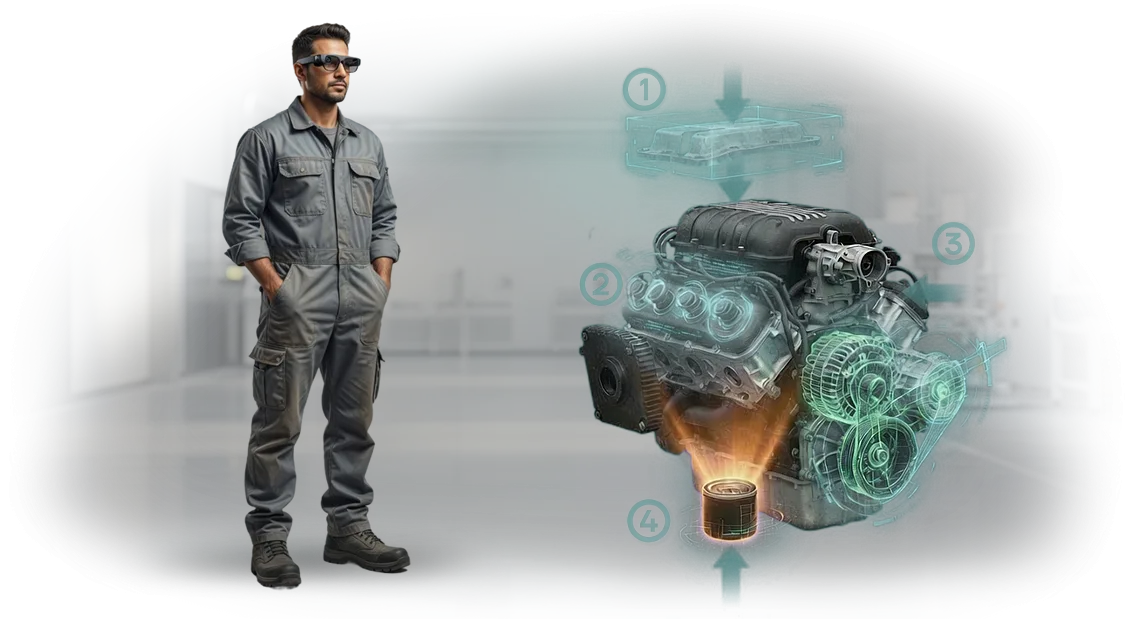
אפליקציית AR SOP לייצור: מחסלים את ההפסדים מההוראות
הוראות נייר ו-PDF ברצפת הייצור הופכות למיושנות ברגע שמבצעים בהן עריכות.
עובד דפדף במדריך בחיפוש אחר הרכיב הנכון, מוסח מהציוד, ועובד מהזיכרון — וזוהי אובדן זמן ישיר, סיכון לשגיאות והשבתה מיותרת.
מהנדס תהליך מבלה שעות בעדכון תיעוד, אבל קו הייצור עדיין רץ על הגרסה הישנה כי הקובץ החדש מעולם לא הגיע לרצפת הייצור.
אפליקציית AR SOP מציגה הוראות במצב שכבת-על על הציוד האמיתי: העובד רואה את רצף הפעולות ישירות על רכיבי המכונה, בלי להסיט את תשומת הלב למסך או לנייר.
אלה הוראות דיגיטליות שלא הולכות לאיבוד ולא נקרעות, תמיד מעודכנות, וברורות אפילו למתחיל. הכשרת עובדים מתקצרת משבועות לימים: המפעיל עוקב אחר השלבים עם הנחיות חזותיות במקום לשנן מדריך ארוך.
עבור מנהל, זה אומר פחות פגמים, מעברים מהירים יותר והעברת ידע חלקה כשמומחה מפתח יוצא לחופשה או עוזב.
פיתוח הוראות AR הופך את הידע של העובדים לנכס של החברה — התהליך מוגן משגיאות אנוש ומן "הידע שתקוע בראש של מאסטר אחד".
אנחנו מפתחים אפליקציות AR SOP לצרכים של מפעלים תעשייתיים: אנחנו מנתחים את הנהלים שלכם, הופכים אותם לתרחישים שלב-אחר-שלב עם רמזים חזותיים, ופורסים אותם על הציוד שבו אתם משתמשים. אתם לא צריכים מחלקת IT נפרדת — רק להגדיר את המשימה, ואנחנו נטפל בשאר.
מה הוראת AR מספקת: 4 יתרונות למנהל ייצור
עבור מנהל ייצור, הוראת AR היא לא ויזואליזציה אופנתית אלא כלי עבודה שמשפיע ישירות על מהירות התפעול, שיעורי השגיאות ועלויות ההכשרה.
הוראות אינטראקטיביות מציגות הנחיות שלב-אחר-שלב ישירות על הציוד, כך שעובדים לא צריכים לדפדף במדריכי נייר או לשמור את הנוהל בראש. זה מפחית את ההשפעה של הגורם האנושי והופך את התהליך לצפוי.
יתרון ראשון — מהירות. המפעיל רואה הנחיה מדויקת ולא מבזבז זמן בחיפוש אחר השלב הנכון במדריך נייר. בפעולות טיפוסיות, זמן הביצוע יורד ב-20–30% בחודש הראשון לשימוש.
יתרון שני — פחות שגיאות. AR SOP מדגיש אזורי סיכון ומזהיר את המפעיל לפני ביצוע פעולה שגויה. זה קריטי במקומות שבהם פגמים, תקלות ציוד או עיבוד חוזר של אצווה עולים יותר מכל חיסכון.
יתרון שלישי — בקרת איכות. המנהל רואה איך מתבצעות הפעולות: כמה זמן לקח כל שלב, האם היו חריגות מהתקן. הבעיה מתגלה לפני הבדיקה הסופית, לא אחרי שיוצרה אצווה פגומה. הוראת AR הופכת לתקן דיגיטלי אחיד לכל המשמרות.
יתרון רביעי — חיסכון בהכשרת מפעילים. עובד חדש עובד לצד הוראה אינטראקטיבית שמנחה אותו שלב אחר שלב, ומגיע לרמה של עמית מנוסה תוך ימים, לא שבועות. העלות של חונכים וההשלכות של תחלופת עובדים מפסיקות להיות כאב ראש.
אנחנו מיישמים הוראות AR לאתר ולזרימת עבודה ספציפיים: אנחנו מנתחים פעולות, יוצרים תרחישים שלב-אחר-שלב ומגדירים את המערכת כך שתהיה ברורה לכולם. המנהל מקבל לא צעצוע הדגמה אלא כלי עבודה שמחזיר את ההשקעה דרך מהירות, איכות ועלויות נמוכות יותר.
פורמטים של יישום הוראת AR לצרכי רצפת הייצור שלכם
כל בית חרושת ומפעל פועלים אחרת: לפעמים צוות צריך הסבה מהירה, לפעמים צריך לסנכרן כמה אתרים.
בפיתוח אפליקציות AR למפעלים, אנחנו מציעים צורות שונות של הוראות AR: לאתר מקומי, למתקנים מבוזרים ולהכשרת עובדים שוטפת.
שלושה פורמטי עבודה
| פורמט | למי מיועד | התועלת ללקוח |
|---|---|---|
| רצפת ייצור מקומית | אתר ייצור אחד, אזור אחד | השקה מהירה, שינויי תהליך מינימליים, הוראות ישירות בעמדות העבודה |
| אתרים מבוזרים | חברות עם כמה מפעלים או מתקנים מרוחקים | תקן הוראות אחיד, עדכונים מיידיים בכל המיקומים, בקרת תאימות |
| הכשרת עובדים חדשים | מחלקות משאבי אנוש, חונכים, צוותי פיתוח | קליטה מהירה יותר, הפחתת עומס החונכים, הערכה אובייקטיבית של שימור ידע |
בחירת הפורמט תלויה במשימה הנוכחית שלכם: אם צריך לענות במהירות על הצרכים של בית חרושת ספציפי, פתרון מקומי עובד. אם אתם מרחיבים ניסיון על פני כמה אתרים, בחרו בגרסה המבוזרת.
להכשרה שוטפת, הוראות AR מחליפות מדריכי נייר והופכות תדריכי ייצור לחזותיים וניתנים למדידה. אנחנו נעזור לכם לבחור את האפשרות הנכונה בשלב התדריך — אתם מקבלים בדיוק מה שאתם צריכים בלי עלויות מיותרות.
איך עובד היישום: שישה שלבים מתדריך ועד השקה
אנחנו מבצעים יישום בלי להפריע לקצב הייצור: אנחנו עובדים באתר שלכם ועם המומחים שלכם. בלי עצירת ציוד או ארגון מחדש ארוך של תהליכים — רק הכנת תוכן, הגדרה והכשרה.
- תדרוך וסקר. אנחנו מזהים היכן השגיאות מתרחשות לרוב, אילו פעולות הן המורכבות ביותר, והיכן הכשרת עובדים חדשים לוקחת הכי הרבה זמן. הפלט הוא רשימת תרחישים ל-AR.
- תוכנית והערכת עלות. אנחנו קובעים את היקף העבודה, לוח הזמנים והעלות. אתם רואים בדיוק על מה אתם משלמים: מספר ההוראות, פורמטי המכשירים, ההכשרה והתמיכה.
- אישור אב-טיפוס. אנחנו מציגים הוראה אחת על הציוד שלכם. אתם בודקים את לוגיקת השלבים, הממשק והשימושיות — אנחנו מבצעים תיקונים לפני שפיתוח מלא מתחיל.
- פיתוח תוכן. אנחנו יוצרים תרחישים שלב-אחר-שלב עם רמזים תלת-ממדיים, אנימציה ונקודות ביקורת. כל שלב מאומת מול התקנות שלכם.
- השקה והכשרה. אנחנו פורסים את המערכת על טאבלטים או משקפיים חכמים ומחברים אותה לרשת שלכם. אנחנו מבצעים הכשרת עובדים — ממפעילים ועד מהנדסים.
- תמיכה והתפתחות. אנחנו מעדכנים הוראות כשהתהליכים משתנים, מוסיפים תרחישים חדשים ותומכים בכם אחרי ההשקה.
כתוצאה מכך, אתם מקבלים כלי עבודה, לא "פרויקט על הנייר". עובדים שולטים בפעולות מהר יותר, עושים פחות טעויות, ומומחים חדשים מגיעים לקצב נורמלי תוך ימים. אתם תמיד יודעים איפה הפרויקט עומד ומה הלאה.
מה כלול במסירה: חבילה מלאה למחלקת התפעול
כשאתם מזמינים הוראות AR — בעצם נהלי הפעלה תקניים דיגיטליים (SOP) — אנחנו מספקים לא רק אפליקציה אלא חבילה מלאה למחלקת התפעול.
הפרויקט נמסר כך שהמהנדסים והעובדים שלכם מקבלים כלי עבודה, לא "מוצר חצי גמור" שצריך לעבד מחדש.
- היקף פרויקט AR — תרחישים מעודנים לפעולות ספציפיות: בדיקה יומית, תחזוקה, תיקון ואבחון. כל הוראה נבדקת עם המומחים שלכם לפני המסירה.
- חבילת הוראות AR — פורמטים נוחים לרצפת הייצור: טאבלט, טלפון או משקפיים חכמים. אנחנו גם מספקים גרסאות טקסט ודפי רמאות מודפסים קצרים.
- הכשרת עובדים — הדרכה מעשית למהנדסים, טכנולוגים ועובדים. אנחנו בוחנים מצבים אמיתיים על הציוד שלכם כך שהצוות עובד בביטחון כבר בשבוע הראשון.
- אינטגרציה עם המערכת שלכם — אנחנו מעלים הוראות לפורטל או לתחנות העבודה שלכם. מעתה, אתם יכולים לשחרר עדכונים בעצמכם — אנחנו מספקים תוכנית ברורה לכך.
- העברת פרויקט AR וזכויות — אתם מקבלים זכויות תוכן, חומרי מקור ותיעוד. המערכת גדלה באופן עצמאי מאיתנו: הצוות שלכם יכול להרכיב תרחיש חדש.
- תמיכה לאחר ההשקה — מהנדס ייעודי נשאר בקשר בחודשים הראשונים. אנחנו עוזרים להוסיף פעולות חדשות ומייעצים איך להכשיר עובדים מהר יותר.
החבילה הזו מכסה הכל — מיישום ועד שירות עצמי. מחלקת התפעול מקבלת כלי שמאיץ עבודה, מפחית שגיאות ואינו דורש מעורבות מתמדת של מפתחים.
מקרה בוחן: אפליקציית AR SOP קיצצה את זמן ההכשרה ב-40% בקו סימנס
תדרוך טיפוסי על קו תעשייתי הוא שעות של תיאוריה, דיאגרמות ותקווה לזיכרון. עובדים עדיין מבלבלים את רצף הפעולות, ושגיאה על ציוד יקר מובילה להשבתה ותיקונים.
נתקלנו בזה על קו ייצור של סימנס: מפעילים נאלצו לשלוט בעשרות פעולות, והקליטה נמשכה זמן רב.
יצרנו הוראת AR שעובדת ישירות בעמדת העבודה. דרך טאבלט או משקפיים חכמים, העובד רואה את הציוד ועליו שכבת-על של הנחיות: מה להרים, איפה ללחוץ ובאיזה סדר.
אין צורך לדפדף במדריכי נייר או לשמור דיאגרמה בראש: המערכת עצמה מדגישה את השלב הבא ועוצרת אם פעולה בוצעה לא נכון.
התוצאה — נמדדה על ייצור חי: זמן ההכשרה ירד ב-40%, והשגיאות במשמרות העצמאיות הראשונות נחתכו בחצי. עובד חדש מגיע לקצב הנדרש בשתיים או שלוש משמרות במקום שבועות, והחונך מבלה זמן רק במצבים חריגים.
למה זה עבד
העובד לומד תוך כדי עשייה, לא מתוך קריאה. הנחיות AR מונעות שגיאה לפני שהיא קורית, ומפחיתות גם פגמים וגם פציעות. זו הסיבה שהלקוח הרחיב את הפתרון לאזורים אחרים — אחרי ההשקה הראשונה, יצרנו הוראות לשלוש פעולות נוספות.
עבור מנהל, זה אומר קו צפוי: קליטה מהירה יותר של אנשים חדשים, פחות השבתות, איכות יציבה. והכי חשוב — הפתרון אינו דורש שינוי ציוד: אנחנו עובדים עם מה שכבר קיים בבית החרושת.
איך לבחור פורמט לדרישות ייצור לא סטנדרטיות?
כשהציוד לא סטנדרטי ויש כמה אתרי ייצור, פתרון AR טיפוסי נראה לא מתאים.
במציאות, אלה המשימות שאנחנו פותרים לרוב: פורמט ההוראה נקבע לא לפי דגם המכונה אלא לפי איך המפעיל יעבוד עם המידע.
ליחידות חד-פעמיות מורכבות, תרחיש מפורט יחיד הקשור לרכיבים ספציפיים עובד היטב — העובד עובר את התהליך שלב אחר שלב על האובייקט האמיתי.
לקבוצת קווים דומים, מבנה מודולרי עדיף: תרחיש בסיס פלוס תוספות קצרות לכל שינוי. כך אתם לא משלמים על תרחישים מיותרים ויכולים לעדכן הוראות בקלות כשמתרחשים שינויים.
ראשית, אנחנו מנתחים את היקף הפעולות, מספר נקודות הגישה ורמת המיומנות של העובדים. אם יש הרבה רכיבים והגישה קשה, ניווט AR שלב-אחר-שלב עם הדגשת אזור העבודה מתאים. אם הידיים של המפעיל תפוסות, אנחנו משתמשים בשליטה קולית והנחיות גדולות בשדה הראייה.
המפתח הוא לא לגרום לכם להסתגל לפורמט. המהנדסים שלנו לומדים שרטוטים, תרשימי תהליך ותקנות, ואז מציעים תרחיש שפותר בדיוק את המשימה שלכם: הפחתת מספר השגיאות, האצת הכשרה או קיצור השבתות.
גישה זו מאפשרת לבנות פתרון אפילו לבית חרושת עם דורות שונים של מכונות ותקנות בטיחות פעילות.
במקביל, אפשר להתחיל עם פיילוט באתר אחד: אנחנו בונים חלק עובד של ההוראה, בודקים אותו עם המפעילים שלכם, ורק אז מרחיבים למיקומים אחרים.
אתם מקבלים תוצאה צפויה ומבינים איך AR ישתלב בפעולות לפני פריסה מלאה — בלי סיכון להפריע למחזור הייצור.
חששות נפוצים: תקלות, עדכונים ותאימות לרצפת הייצור
כשמיישמים הוראות AR בייצור, עולים אותם חששות: מה אם הטכנולוגיה תיכשל, כמה מהר אפשר לעדכן הוראות, והאם ציוד ישן יתמודד. בואו נטפל בכל חשש — בלי פרטים טכניים מורכבים, בשפה עסקית.
מה קורה אם הוראת AR נשברת או קופאת?
אנחנו מספקים אחריות על הפתרון ותומכים בו לאחר ההשקה. אם משהו משתבש, מהנדס מתחבר מרחוק ופותר את הבעיה, ובמהלך התקלה העובד רואה את אותם שלבים על מסך רגיל. השבתה ברצפת הייצור אינה נכללת.
איך מבצעים שינויים בהוראות אם התהליך משתנה?
עדכון הוראה לוקח שעות, לא שבועות. אתם שולחים שלבים חדשים — אנחנו מבצעים את העריכות ומפרסמים גרסה חדשה. דרך ממשק ידידותי, הטכנולוג שלכם יכול לעשות זאת בלי מתכנת. חידוד הוראות AR הוא חלק מהשגרה שלנו, כך שזה אף פעם לא הופך לפרויקט ארוך.
האם זה יעבוד על ציוד וטאבלטים ישנים?
כן. הוראות AR רצות על סמארטפונים וטאבלטים רגילים שכבר נמצאים בבית החרושת. אנחנו בודקים את הפתרון על צי המכשירים שלכם ואם צריך, מתאימים את הממשק לדגמים ספציפיים — ממודרניים ועד כאלה שיצאו לפני כמה שנים.
אנחנו לא מבטיחים פתרון "אידיאלי" מהיום הראשון — אנחנו תומכים בכם דרך פעולה יציבה ומעבר לכך. אם עולות שאלות אחרי ההשקה, מהנדס זמין. זו הסיבה שלקוחות לא מבזבזים זמן בחיפוש קבלן חדש אלא משכללים הוראות במהלך העבודה הרגיל.התחילו עם אזור פיילוט: שלחו בקשה לפיתוח
מפעלים תעשייתיים דוחים לעתים קרובות יישום הוראות AR כי הם חוששים ממורכבות ותוצאות לא ברורות. אבל דווקא באזור פיילוט אפשר לבדוק במהירות איך הטכנולוגיה עובדת בתנאים שלכם: על ציוד אמיתי, עם העובדים שלכם, בקצב שלכם. אנחנו מציעים להתחיל בקטן כדי לצבור ביטחון ואפקט מדיד.
שלחו בקשה לפיתוח אפליקציית AR — ואנחנו נכין חבילת מסמכים להחלטה שלכם:
- תדרוך: אנחנו מתעדים מטרות, סוגי פעולות וקריטריוני הצלחה;
- תוכנית פרויקט פיילוט: אילו תהליכים אנחנו ממפים תחילה;
- הערכת עלות: פיתוח, אינטגרציה, תמיכה;
- לוח זמנים: מועדים לפני ההשקה באתר;
- הרכב צוות: מי ינהל את הפרויקט שלכם;
- הצעת הרחבה אחרי פיילוט מוצלח.
זה לא מסמך גנרי אלא פתרון מותאם אישית לאתר שלכם. אנחנו עובדים עם חברות ייצור ויודעים כמה חשוב לדבר בשפת ה-KPI שלכם: הפחתת זמן הכשרת עובדים חדשים, הורדת שיעורי שגיאות ושיפור עמידה בנהלים.
פרויקט פיילוט AR הוא הזדמנות להעריך החזר השקעה בלי עלויות התחלתיות גדולות. תראו איך עובדים מתקשרים עם ההוראות ותוכלו לקבל החלטה מאוזנת על המשך היישום.
שלחו את הבקשה עכשיו — הצעד הראשון לוקח רק כמה דקות, ואנחנו נטפל בשאר.