

שגיאות בתחזוקת מעמיסי תבואה עולות ביוקר
תחזוקת מעמיסי תבואה היא תהליך שבו טעות עולה יותר מכל חלק חילוף. מרווח שהוגדר לא נכון, רכיב שדולג במהלך ההרכבה, רצף פעולות שגוי — והציוד נכשל בדיוק באמצע העונה. השבתת מעמיס תבואה משמעותה החמצת מועדים, כאוס והוצאות נוספות על תיקוני חירום.
לא נעימים במיוחד הם שגיאות תיקון שמתגלות רק לאחר שהציוד הופעל. פירוק חוזר, הזמנת מומחה, המתנה לחלקי חילוף — כל מקרה כזה מכפיל את עלויות תחזוקת מעמיסי התבואה.
יתרה מכך, רוב הליקויים נובעים מטעות אנוש ולא ממורכבות טכנית: מכונאי מסתמך על זיכרון או עובד בחיפזון.
הוראות נייר לא פותרות את הבעיה: מציאת הסעיף הנכון במדריך בן מאה עמודים אורכת זמן, ובשטח המדריך נשאר לעיתים קרובות בסדנה.
כתוצאה מכך, רצף הפעולות ונקודות הבדיקה מתעוותים — ומכאן שגיאות חוזרות והשבתות לא מתוכננות.
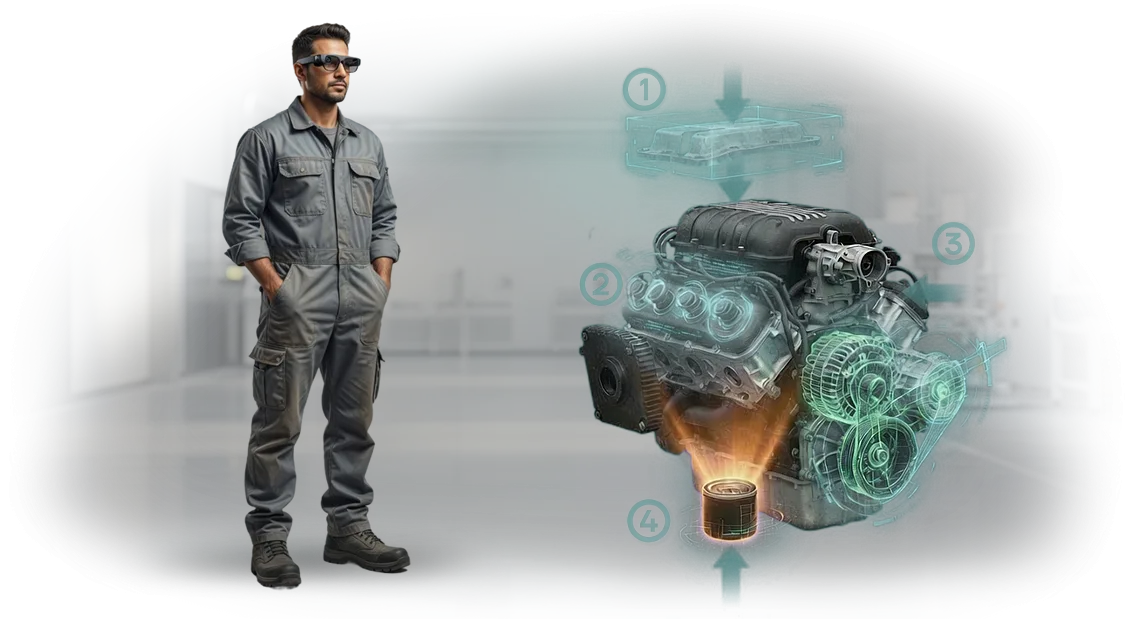
הוראות AR מסירות את אי-הוודאות הזה. באמצעות טאבלט או משקפיים חכמים, העובד רואה הנחיות מדויקות: היכן להתקין רכיבים ובאיזה סדר, כיצד לבדוק מומנט, ומתי לעבור לשלב הבא.
שגיאות נקטעות כבר בהתחלה, התחזוקה מואצת, ומספר מקרי ההשבתה פוחת.
בדיוק מסיבה זו אנו בצוות שלנו מפתחים הוראות AR לתחזוקת מעמיסי תבואה. במקום מדריכי נייר מגושמים — מערכת אינטראקטיבית שלב-אחר-שלב שמנחה את המומחה ומבטלת שגיאות אופייניות.
העובדים שלכם עובדים בביטחון רב יותר, השבתות הציוד מתרחשות בתדירות נמוכה יותר, ועלויות התחזוקה מפסיקות להיות הפתעה.
אילו יתרונות הוראות AR מביאות לצוותי תיקון
תיקוני מעמיסי תבואה מתרחשים לעיתים קרובות תחת לחץ זמן חמור: מסוע שעוצר עולה כסף, והצוות צריך למצוא במהירות את התקלה ולתקן אותה.
נהלי נייר רגילים וסרטונים לא מספקים את הדיוק הנדרש — טכנאי מבלה שעות בחיפוש הסעיף הנכון ועדיין מסתכן בפספוס של משהו.
הוראות AR פותרות בעיה זו על ידי הצגת הנחיות שלב-אחר-שלב ישירות על הציוד שהטכנאי עובד עליו.
הניסיון בצוות שלנו מראה: צוותי תיקון שמשתמשים בהוראות AR לתחזוקת מעמיסי תבואה מסיימים עבודה מתוכננת מהר יותר ועושים פחות טעויות. להלן היתרונות המרכזיים.
- הפחתת השבתות. במקום קריאת מסמכים מרובי עמודים, הטכנאי רואה את רצף הפעולות המדויק מול עיניו. זמן תיקון אופייני יורד ב-20–30%, מה שמשפיע ישירות על כושר הייצור ולוחות הזמנים של המשלוחים.
- פיתוח מיומנויות תוך כדי עבודה. הוראת ה-AR מנחה את העובד שלב אחר שלב: מראה איזו יחידה לפתוח, באיזה כלי להשתמש, אילו פרמטרים לבדוק. אפילו מתחיל מבצע פעולה מורכבת ברמה של מומחה מנוסה.
- פחות שגיאות. המערכת מדגישה בדיוק את החלקים שצריך לטפל בהם ולא מאפשרת למשתמש לעבור לשלב הבא עד להשלמת בדיקות חובה. התוצאה — פחות עבודות חוזרות וביקורי שירות חוזרים.
- שימור ידע בתוך החברה. הניסיון של המכונאים הטובים ביותר נלכד דיגיטלית וזמין לכל הצוות. אובדן של ותיק כבר לא אומר אובדן של מיומנויות קריטיות.
- בטיחות ובקרה. ההוראה מזהירה מפני פעולות מסוכנות ודורשת אישור של כל שלב שהושלם. זה מפחית את הסיכון לפציעות ונזק לציוד, והמפקח יכול לראות שההליך נשמר.
גישה זו מחזירה את ההשקעה כבר מפגישות התחזוקה הראשונות: הוראות AR אינן דורשות שום שינוי בתכנון מעמיס התבואה ומשתלבות בקלות בתהליך התיקון הקיים.
פורמטים של הוראות AR לתחזוקת מעמיסי תבואה
הוראות AR למעמיסי תבואה אינן "מוצר מדף" יחיד אלא מספר אפשרויות יישום. הבחירה תלויה במשימה שלכם: האם אתם צריכים להכשיר עובדים חדשים, לצמצם את זמן הבדיקות המתוכננות, או להאיץ תיקוני שטח. להלן שלושה פורמטים בסיסיים שמכסים 95% מהפניות.
בקצרה: כל הפורמטים פועלים על אותו עיקרון — הנחיות דיגיטליות מוצגות על ציוד אמיתי דרך מסך טאבלט או סמארטפון. ההבדל הוא בעומק הפירוט ובאופן ההגשה.
להכשרת עובדים חדשים
תרחיש מלא עם פעולות שלב-אחר-שלב, הדגשת רכיבים בתלת-ממד ובדיקה אוטומטית. העובד רואה לא דיאגרמה מופשטת אלא מעמיס תבואה "חי": היכן נמצא החיישן, כיצד להסיר את המעטפת, באיזה סדר להדק את הברגים.
פורמט זה מקצר את ההכשרה הראשונית מימים לכמה שעות ומפחית שגיאות במהלך פגישת התחזוקה העצמאית הראשונה.
לתיקוני שטח מהירים ואבחון
הנחיות קומפקטיות בסגנון "שכבת-על": העובד מכוון את המצלמה ליחידה — ומקבל רשימה של תקלות סבירות, הכלים הנדרשים ואלגוריתם החלפה שלב-אחר-שלב.
אין צורך לסחוב מדריכי נייר או להתקשר למוקד השירות — כל מה שצריך כבר נמצא בטאבלט.
לבקרת תהליך וסטנדרטיזציה
פורמט זה מתאים כאשר חשוב שכל המכונאים יפעלו לפי נוהל אחיד. המערכת מתעדת את השלבים שהעובד ביצע בפועל, ובמידת הצורך מציגה הוראת וידאו מהמומחה הטוב ביותר.
למנהל זה אומר שקיפות שירות; לחברה זה אומר פחות השבתות ציוד הנגרמות מגורם אנוש.
| פורמט AR | למי זה מיועד | ערך עסקי |
|---|---|---|
| תרחיש הכשרה | מכונאים חדשים, מפעילים, סטודנטים | זמן קליטה קצר יותר, אימות מיומנויות מהיר לפני גישה לציוד |
| הנחיות שטח | צוותי תיקון, שירות נייד | פחות השבתות: אבחון ופתרון תקלות ללא המתנה למומחה "בכיר" |
| בקרת נוהל | מנהלי שירות, מהנדסים ראשיים | תקן עבודה אחיד, דיווח על פעולות בפועל, פחות תאונות |
לא משנה איזה פורמט תבחרו, דבר אחד חשוב: הוא חייב להשתלב בתהליכים הנוכחיים שלכם, לא לשבור אותם.
לכן אנחנו תמיד מתחילים בביקורת של פעולה ספציפית אחת על מעמיס התבואה שלכם — אנו מראים את התוצאה על רכיב אמיתי ורק אז מרחיבים את הפתרון לכל צי הציוד. כך אתם יודעים מה אתם קונים לפני חתימת החוזה.
שלבי פיתוח הוראת AR לציוד שלכם
פיתוח הוראת AR למעמיסי תבואה הוא תהליך שבו חשוב לא לאבד את הפרטים הספציפיים של הציוד שלכם. אנו עובדים לפי נוהל שקוף: בכל שלב אתם רואים את התוצאה הביניים ומבינים מה תקבלו בסוף. להלן שלבי הפיתוח המרכזיים, מהבריף ועד ההשקה.
-
בריף AR והגדרת משימה — אנו לוכדים את המטרות: צמצום זמן תחזוקה, הפחתת שגיאות צוות, האצת קליטת עובדים חדשים.
-
ביקורת חומרים קיימים — אנו בוחנים תיעוד, נהלים, סרטוני פירוק והתאמה. אנו מזהים פעולות שבהן AR תספק תועלת מרבית עבור מעמיס התבואה שלכם.
-
אב-טיפוס תרחיש — אנו בונים את הלוגיקה שלב-אחר-שלב של ההוראה: מה המפעיל רואה, אילו הנחיות הוא מקבל. אנו מיישרים קו עם המהנדסים והטכנולוגים שלכם.
-
אישור פריסה וסגנון ויזואלי — אנו מראים כיצד הוראת ה-AR נראית על טאבלט או סמארטפון המעוגנת לציוד האמיתי. אנו משכללים טקסטים, אנימציות ורצף פעולות.
-
יישום — אנו מפתחים את הוראת ה-AR המלאה: מודלים, אנימציות, אלמנטים אינטראקטיביים. אנו משלבים אותה באפליקציה שלכם או משתמשים בפלטפורמה מוכחת.
-
בדיקה באתר אמיתי — אנו בודקים את ההוראה על מעמיס התבואה בתנאי עבודה ומכווננים פרטים. אנחנו לא מוסרים מוצר "גולמי".
-
השקה ותמיכה — אנו מתקינים אותה על מכשירים, מאמנים מפעילים ומכונאים, ומוסרים את כל החומרים. אנו מספקים תמיכה טכנית ועדכונים כאשר נהלים משתנים.
רצף זה מבטיח שהוראת ה-AR תהיה ברורה לעובדים שלכם ותאיץ באמת את תחזוקת הציוד. כל שלב מסתיים בשלב אישור, כך שאתם תמיד שולטים בתהליך.
מה כלול בחבילת הוראת ה-AR
לאחר סיום הפרויקט, אתם מקבלים לא רק אפליקציה אלא ערכת חומרי עבודה מלאה. כל מה שאנו יוצרים נשאר אצלכם וניתן לשימוש להכשרת עובדים חדשים, תחזוקה ופיתוח עתידי.
- הוראת AR מוכנה לשימוש — אפליקציה לסמארטפונים וטאבלטים שעובדת על הציוד שלכם ומציגה פעולות שלב-אחר-שלב.
- מודלים תלת-ממדיים אינטראקטיביים של רכיבים ומכלולים — ניתן לסובב, לפרק ולבחון אותם בפירוט כדי להבין במהירות את מבנה מעמיס התבואה.
- תרחישי תחזוקה שלב-אחר-שלב — רצפי פעולות לכל פעולה: מהחלפת מיסב ועד כוונון מקדח הפריקה.
- שרטוטים ותיעוד טכני בפורמט דיגיטלי — כל המידע הדרוש על חלקי חילוף, סובלנות ונהלים בפורמט נוח.
- מדריך עדכון תוכן — תוכלו לשנות תרחישים בעצמכם אם נהלים משתנים או מתווספת פעולה חדשה.
- חומרי הכשרה לצוות — סרטונים קצרים ודפי עזר שעוזרים למפעילים ומכונאים להכיר את הוראת ה-AR מהר יותר.
כל החומרים נמסרים בפורמט מובנה ומותאמים לציוד שלכם. אין צורך להיכנס לפרטים טכניים — הכנו את החבילה כך שכל מומחה, מהנדס ועד מכונאי שטח חדש, יוכל להשתמש בה.
במידת הצורך, אנו מספקים גם קבצי פרויקט מקוריים — הם יועילו אם תרצו לפתח את הוראת ה-AR עם צוות משלכם או להזמין מאיתנו תכונות נוספות.
הנקודה המרכזית היא שאחרי מסירת הפרויקט, יש לכם הכל לעבודה עצמאית ולהרחבת הפתרון.
מקרה בוחן: הוראות AR הפחיתו השבתות ציוד
כשציוד עומד, כסף אובד. במעמיסי תבואה, השבתות מתרחשות כי המפעיל צריך לחכות למדריך, לדפדף בנהלי נייר, או להתקשר למוקד השירות. כל שעת המתנה משמעותה מכונות לא עמוסות והחמצת מועדי משלוח.
הצענו להעביר את ההוראות לפורמט AR כך שהעובד יקבל הנחיות ישירות על הציוד — ללא שיחות וללא המתנה.
כיצד התנהל המקרה
הלקוח היה מתחם הטחינה Yug-Zerno, שמתחזק צי של מעמיסי תבואה במעלית. הצוות כלל 12 מפעילים ו-4 מכונאים, רובם עם פחות משנת ניסיון.
בעבר, הכשרת עולה חדש ארכה יומיים, והחלפת רכיב אופיינית ארכה עד שלוש שעות בגלל חיפוש הסעיף הנכון בהוראות.
יישמנו הוראות AR לחמש פעולות מפתח: בדיקה יומית, כוונון מנגנון ההזנה, החלפת רצועה, פתרון סתימות וכיבוי חירום.
תוצאות ומשוב לקוח
לאחר חודש של פעילות, מדדנו את האפקט. השבתות הציוד ירדו ב-40%: זמן תיקון ממוצע בשטח ירד משלוש שעות ל-50 דקות. מפעיל חדש מתחיל משמרת לאחר אימון של שעתיים בלבד עם הנחיות AR — בעבר זה לקח יומיים. שגיאות הפעלה ירדו בשליש, וקריאות חוזרות לצוות השירות פסקו לחלוטין.
מנהל התפעול הדגיש את הנקודה המרכזית: "העובדים כבר לא מפחדים ממצבים לא סטנדרטיים. ההוראה עצמה מדגישה איזה כפתור ללחוץ ואיזה מפתח ברגים לקחת.
הפסקנו לעצור את הטעינה בגלל גורם אנוש." בתוך רבעון, המתחם הזמין הרחבה לציוד שכן — הוכחה טובה יותר לערך מכל הבטחה.
רוצים את אותה תוצאה? נציג תרחיש הדגמה על מעמיס התבואה שלכם ונחשב את החיסכון הפוטנציאלי מהפחתת השבתות.
תשובות לשאלות על יישום הוראות AR
לפני תחילת פרויקט, ללקוחות תמיד יש אותן שאלות: כיצד הוראות AR ישתלבו בעבודה שלהם, האם יהיה צורך לשנות תהליכים, ומי יתמוך בפתרון לאחר ההשקה. ריכזנו תשובות לחששות המרכזיים כדי שתדעו למה לצפות.
הוראות AR הן כלי מעשי לחברות שרוצות לתחזק מעמיסי תבואה מהר יותר ולעשות פחות טעויות. להלן שאלות לקוחות אופייניות ותשובותינו.
מהי הוראת AR למעמיס תבואה?
בטאבלט או דרך משקפיים חכמים, המכונאי רואה פעולות שלב-אחר-שלב ישירות על הציוד: כיצד לפרק יחידה, להחליף חלק, לבדוק הגדרות. אין צורך לחפש תיעוד נייר או לשנן את רצף הפעולות.
האם קשה לשלב הוראות AR בתהליך שלנו?
לא, אנחנו משתלבים בנוהל שלכם. ראשית, אנו אוספים מידע על מעמיסי התבואה, לאחר מכן אנו יוצרים את ההוראות, ועובדים מתחילים להשתמש בהן באותו יום. אין צורך לשנות ציוד או לגייס מומחים חדשים.
האם המכונאים יקבלו את ההוראות?
כן, האימון אורך בדרך כלל כשעה, והתוצאה נראית מיד: פחות זמן בחיפוש מידע, פחות שגיאות. מכונאים מתרגלים מהר, במיוחד שהממשק דומה לאפליקציות רגילות.
מה לגבי תמיכה ועדכונים?
לאחר ההשקה, אנו תומכים בפרויקט: מתקנים בעיות, מוסיפים רכיבים חדשים ומעדכנים הוראות כאשר דגמים משתנים. החודש הראשון של התמיכה הוא בחינם, ולאחר מכן אתם בוחרים תוכנית נוחה.
אם יש לכם שאלות אחרות, כתבו לנו — נסביר כיצד היישום ייראה ספציפית עבור החברה שלכם.כיצד להזמין פיתוח הוראת AR
תהליך הזמנת הוראות AR למעמיסי תבואה עבר שיפור על פני עשרות פרויקטים. להלן הצעדים הבאים שיובילו אתכם לפתרון מוכן ללא התכתבויות מיותרות. אין צורך להיכנס לפרטים טכניים — פשוט תארו את המשימה שלכם.
כדי להזמין AR, קחו כמה צעדים פשוטים. לאחר מכן, אנו מטפלים בצילום, פיתוח, בדיקה והשקה.
- השאירו פנייה באתר או התקשרו — מנהל ירשום את בקשתכם ויענה על שאלותיכם.
- קבלו ייעוץ: נדון באילו פעולות תחזוקה ותיקון של מעמיסי תבואה כדאי להמיר ל-AR.
- נכין הצעה עם לוחות זמנים והיקף עבודה — אתם רואים את העלות וההיקף לפני חתימת החוזה.
- נאשר גרסת הדגמה של הוראת ה-AR על אחד הרכיבים — תעריכו את השימושיות והצגת החומר.
- אנו מבצעים תיקונים, מאשרים את הגרסה הסופית ומשיקים את ההוראות יחד עם הכשרת עובדים.
- לאחר ההשקה, אנו נשארים בקשר: מעדכנים תוכן ומשכללים תרחישים אם הציוד משתנה.
מרגע חתימת החוזה, אנו קובעים לוח זמנים ומדווחים על כל שלב. פגישות ה-AR הראשונות זמינות תוך 2-3 שבועות — מספיק כדי שתרגישו את חיסכון הזמן בהכשרה ותחזוקה.
כיצד לבחור את פורמט הוראת ה-AR המתאים למשימה שלכם?
בחירת פורמט הוראת AR מתחילה לא בטכנולוגיה אלא בשאלה: מה בדיוק ההוראה אמורה לפתור — הכשרת עובד חדש, צמצום זמן תיקון, או ביטול שגיאות בתחזוקת מעמיסי תבואה.
אותה מכונה יכולה להיות מוצגת כהנחיות שלב-אחר-שלב המוצגות על חלקים, דיאגרמת פירוק מונפשת, או רשימת בדיקה אינטראקטיבית עם בקרת פעולות. התאמת ה-AR למשימה קובעת באיזו מהירות אדם קולט את החומר ובאיזו בטיחות הוא מבצע את העבודה.
תנאי ההפעלה משפיעים גם על הפורמט. אם מכונאי עובד בסדנה רועשת או במעלית עם תאורה חלשה, כדאי לבחור הנחיות קוליות וסמנים ויזואליים גדולים במקום טקסט ארוך.
כאשר צוותי שטח צריכים את ההוראה באתרים שונים, מצב לא מקוון הגיוני יותר: הוא אינו תלוי בקישוריות ועובד על כל טאבלט.
לתיקוני חירום במעמיסי תבואה, עדיף פורמט שמדגיש את השלב הבא לאחר השלמת הקודם, מבלי להסיח את תשומת הלב.
המלצות הבחירה נופלות לשלושה תרחישים. להכשרה ראשונית — ניווט AR שלב-אחר-שלב עם אימות פעולות: הוא מקצר את הקליטה לכמה משמרות עבודה.
לתחזוקה מתוכננת — דיאגרמות מונפשות עם נקודות סיכה וכוונון: הן מונעות פעולות שהוחמצו ומאריכות את חיי הציוד.
לתיקוני חירום — רשימת בדיקה דיאגנוסטית קומפקטית שמזהה במהירות את סיבת התקלה ואת סדר החלפת רכיבי מעמיס התבואה.
אין פורמט אוניברסלי, אבל הבחירה הנכונה של AR נשענת תמיד על שני פרמטרים: מורכבות הפעולה וניסיון העובד. ככל שהעבודה קריטית יותר, כך ההוראה מפורטת יותר והממשק שלה פשוט יותר.
אנו עוזרים לכם לקבוע את האפשרות הנכונה בבריף: אתם מתארים את המשימה והתנאים — אנו שולחים המלצת פורמט ודוגמת מבנה הוראה. זה לוקח פחות משעה ומראה מיד כיצד הוראת AR תעבוד בתהליך שלכם.