

הוראות AR לתחנות כוח הידרואלקטריות: כיצד להימנע מהשבתות ותאונות
בתחנות כוח הידרואלקטריות, המחיר של טעות גבוה במיוחד: עצירת יחידה משמעותה אובדן ייצור חשמל, ונזק לציוד משמעותו תיקונים יקרים וסיכון לצוות.
הוראות נייר ודיאגרמות עובדות כאן בצורה גרועה: הן לא מראות את המצב האמיתי של הרכיבים, ומציאת הסעיף הנכון במאות עמודים לוקחת זמן ממומחה שכבר עובד תחת לחץ זמן.
הגורם האנושי הוא זה שגורם לרוב ההשבתות ומצבי החירום במתקנים הידרואלקטריים. מפעיל או טכנאי תיקונים עלול לבלבל את רצף הפעולות, לדלג על שלב בקרה, או לפרש דיאגרמה בצורה שגויה — במיוחד תחת לחץ או בלוחות זמנים צפופים לתיקונים.
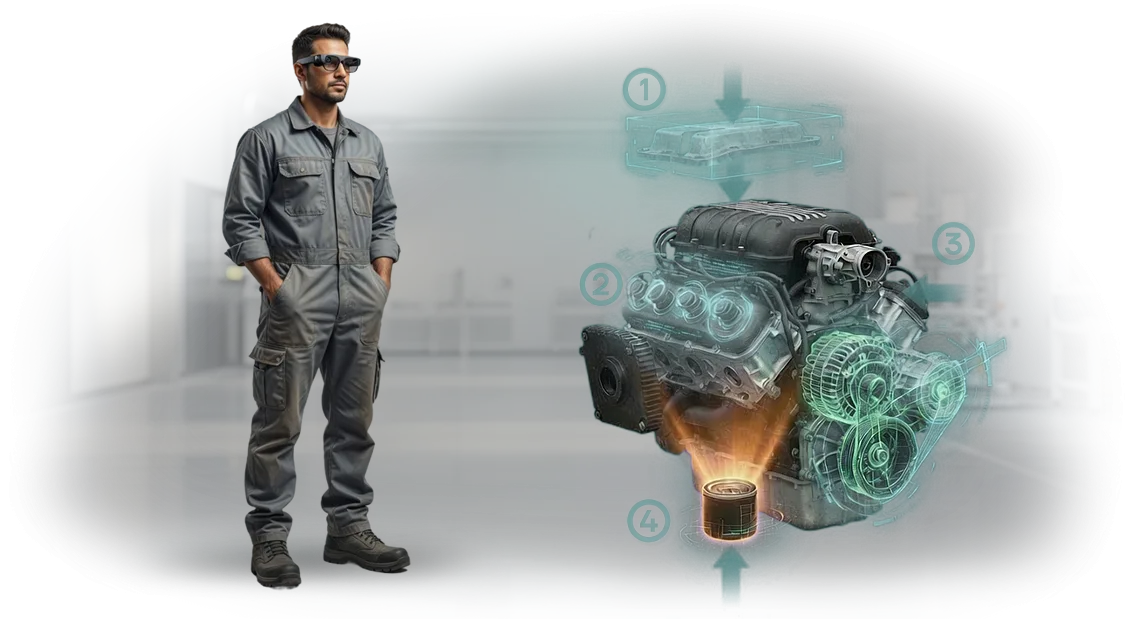
הוראות AR לתחנות כוח הידרואלקטריות פותרות בעיה זו: רמזים דיגיטליים מוצגים ישירות על הציוד, ומראים את רצף הפעולות ואזורי הבקרה.
המומחה רואה היכן להפעיל את הכלי, איזה רכיב להבריג, ובאיזה סדר — ללא צורך בעיון בתיעוד וללא סיכון לערבב שלבים. כתוצאה מכך, ההשבתות מצטמצמות והסבירות לטעות ממוזערת.
הצוות שלנו מפתח מערכות סיוע מרחוק מבוססות AR שמשתלבות בתהליכי תחזוקה קיימים. בעבודה עם ציוד מקצועי, אנו עוזרים להפחית את זמן הפעולה, לבטל טעויות אופייניות, ולקצץ בהשבתות.
מומחה יכול לפקח מרחוק על העבודה באמצעות מצלמה ולתת הוראות בזמן אמת — זה חשוב במיוחד בתחנות כוח הידרואלקטריות מרוחקות שבהן ביקור של מהנדס לוקח שעות.
מה משתנה בתחנה לאחר הטמעת הוראות AR
לאחר הטמעת הוראות AR, פעולת התחנה משתנה בכמה כיוונים בבת אחת. הצוות שולט בפעולות חדשות מהר יותר, עושה פחות טעויות, ובקרת האיכות כבר לא תלויה בניסיון של עובד מסוים. להלן רשימת בדיקה של שינויים מרכזיים שמנהלי תחנות מבחינים בהם לאחר ההשקה.
-
מהירות הדרכה. עובדים חדשים מפסיקים לחפש תשובות בתקנות נייר: רמזים מופיעים מול עיניהם ברגע הנכון. זמן ההדרכה הממוצע מצטמצם פי כמה.
-
פחות טעויות אנוש. בדיקות חזותיות שלב-אחר-שלב מונעות דילוג על שלבים קריטיים, והמערכת מתריעה מיד כאשר פעולה מבוצעת בצורה שגויה. זה מפחית ליקויים וכיבויי חירום.
-
תקן אחיד לפעולות. כל העובדים פועלים לפי תוכנית אחת מאושרת, ללא קשר לניסיון ולמשמרת. התוצאה צפויה, וניתוח התקלות מפושט.
-
בטיחות תעסוקתית משופרת. הוראות AR מציגות אזהרות והגבלות לפני תחילת העבודה, ומזכירות על סיכונים. פציעות ומצבים מסוכנים הופכים לנדירים.
-
יעילות כוללת. הזמן לתיקונים שגרתיים ותחזוקה מצטמצם, והשבתות הציוד פוחתות. התחנה פועלת בצורה יציבה יותר עם אותם משאבים.
כל השינויים הללו מושגים ללא ארגון מחדש של התהליכים הטכנולוגיים: הוראות AR מרכיבות על התקנות הקיימות. הצוות שלנו מתאים את התוכן לציוד הספציפי של התחנה, והעובדים משתמשים בטאבלטים מוכרים או במכשירים קשיחים.
פורמטים של הוראות AR למשימות שונות בתחנות כוח הידרואלקטריות
בתחנות כוח הידרואלקטריות, משימות שונות דורשות פורמטים שונים של מציאות רבודה. דבר אחד הוא להכשיר עובד חדש על מבנה היחידה ההידרואלקטרית, ודבר אחר הוא לתמוך בצוות תיקונים בתנאים צפופים של אולם מכונות.
אם תתאימו את הפורמט לתרחיש הספציפי ולסוג הציוד, הוראות AR יספקו אפקט מדיד: פחות טעויות, הפעלה מהירה יותר, ועבודה בטוחה יותר של הצוות.
כדי להקל על קביעת האפשרות הנכונה, נשווה בין שלושת הפורמטים העיקריים.
| פורמט | למי | מה זה נותן ללקוח |
|---|---|---|
| עמדת AR נייחת | מרכזי הדרכה, מחלקות הכשרה והסבה | לימוד חזותי של מבנה הציוד והנהלים ללא סיכון לציוד האמיתי. מאיץ את קליטת העובדים החדשים ומשפר את איכות ההסמכה. |
| טאבלט AR | צוותי תיקון והתקנה בשטח | רמזים שלב-אחר-שלב על גבי הציוד האמיתי — המומחה רואה היכן נמצאים המחברים, איזה רכיב להסיר, ובאיזה סדר. מפחית טעויות ומקצר השבתות. |
| משקפי AR | מומחים המבצעים פעולות הדורשות ידיים חופשיות | הוראות מופיעות מול העיניים, ומשאירות את הידיים חופשיות. נוח לתיקונים מורכבים, אבחון והפעלה — המהירות והבטיחות עולות. |
חשוב לציין, כל הפורמטים עובדים על אותו בסיס הוראות. כאשר אתם מעדכנים נוהל, השינויים מופיעים מיד על העמדה, הטאבלט והמשקפיים. הצוות תמיד עובד עם הגרסה העדכנית, ואתם נמנעים מהשבתות ותאונות הנגרמות ממדריכי נייר מיושנים.
במתקנים גדולים, לעתים קרובות יעיל לשלב פורמטים: עמדה נייחת להדרכה מתוכננת, משקפיים או טאבלטים לעבודה בשטח. אנו נעזור לכם לבחור את הסט האופטימלי למשימות ולתקציב שלכם, ובמידת הצורך, נפרוס פרויקט פיילוט על אחת היחידות.
כיצד מתנהל פיתוח הוראות AR למתקן שלכם
פיתוח הוראות AR אינו רק שליחת קובץ במייל, אלא פרויקט משותף עם הצוות שלכם. אנו עוברים מבריף ועד השקה כך שבכל שלב אתם מבינים מה קורה ואיזו תוצאה תקבלו בהמשך.
-
בריף וטבילה במשימה. אתם מספרים לנו על תקנות, פעולות אופייניות וקשיים שעובדים נתקלים בהם. אנו מתעדים מטרות, רשימת רכיבים וקריטריוני מוכנות — מסמך זה הופך לבסיס של כל הפרויקט.
-
ביקורת ציוד ותנאי עבודה. אנו לומדים את התכנון, נהלי התחזוקה ומאפייני ההפעלה במתקן שלכם, ובמידת הצורך, מבקרים באתר. כך ההוראות תואמות לציוד האמיתי מהשלב הראשון, ולא גנריות.
-
אישור תרחיש. אנו מראים כיצד ייראו ההוראות: רצף שלבים, רמזים חזותיים, טקסט. אתם עורכים שינויים לפני תחילת הייצור — זה מבטל עבודה חוזרת יקרה בשלב הסופי.
-
פיתוח תוכן AR. אנו מציבים רמזים אינטראקטיביים על תמונת הציוד: חצים, הדגשת רכיבים, אנימציות של רצף פעולות. אתם מקבלים טיוטה ובודקים אותה באתר.
-
בדיקה עם העובדים שלכם. אנו מנסים את ההוראות בתנאים אמיתיים: האם נוח להחזיק את הטאבלט, האם הרמזים בולטים, האם ההיגיון של השלבים ברור. אנו מתקנים פרטים שנראים רק "בשטח" ומאשרים את הגרסה הסופית.
-
השקה ותמיכה. אנו מתקינים את האפליקציה על טאבלטים וסמארטפונים ומבצעים הדרכה קצרה לצוות. אנו ממשיכים לתמוך בפרויקט: עדכון הוראות אם התקנות או הרכב הציוד משתנים.
כתוצאה מכך, אתם מקבלים כלי עבודה שמאיץ את קליטת העובדים החדשים ומפחית את הסיכון לטעויות במהלך התחזוקה — ללא הפרעה לייצור.
מה כלול במסירת הוראות AR
כאשר אתם מזמינים הוראות AR, אתם מקבלים לא אב-טיפוס חד-פעמי, אלא כלי מוכן לשימוש. המסירה כוללת את כל הדרוש להשקת המערכת בארגון שלכם: אפליקציה, כלי ניהול, ידע לצוות ותמיכת מפתחים. כל האלמנטים פועלים כמכלול אחד, כך שהמעבר לפורמט החדש אורך ימים ספורים בלבד.
הנה מה שכלול במסירה:
- אפליקציית AR לטאבלטים וסמארטפונים שמציגה רמזים שלב-אחר-שלב ישירות על הציוד. העובדים מבצעים פעולות מהר יותר וללא הוראות נייר.
- פאנל ניהול לניהול תוכן: המומחים שלכם יכולים להוסיף ולערוך הוראות ולשנות דיאגרמות בעצמם — ללא מפתחים.
- הדרכה למנהלים ולעובדים מרכזיים: כיצד לעבוד עם האפליקציה, לבצע שינויים ולפרסם אותם.
- תמיכה טכנית: ערוץ תקשורת ייעודי עם הצוות, עזרה בהתקנה ופתרון בעיות.
- חבילת תיעוד: תקנות, מדריכי משתמש, המלצות לפריסה באתרים אחרים.
- התאמה ועידון של תוכן על סמך תוצאות שימוש: אנו מעדכנים הוראות כדי להתאים לשינויי ציוד ולדרישותיכם.
התוצאה היא לא רק מסירת אפליקציה, אלא לולאת עבודה מלאה: עובדים משתמשים בהוראות ברורות, מנהלים מעדכנים תוכן, ואנו מבטיחים יציבות ופיתוח של המערכת. גישה זו ממזערת השבתות ומאיצה את ההפעלה.
מקרה בוחן: הוראות AR לתחנות כוח הידרואלקטריות הפחיתו את זמן התיקון ב-30%
כאשר חברת GidroEnergoService, המפעילה מספר תחנות כוח הידרואלקטריות, פנתה אלינו, נקודת הכאב העיקרית הייתה מחזור התיקונים.
ציוד מורכב דורש הקפדה קפדנית על תקנות, והוראות נייר לא תמיד מספקות את ההבנה הדרושה — במיוחד בעת החלפת רכיבים או הפעלה.
כל שעה נוספת של השבתת יחידה הידרואלקטרית היא אובדן ישיר של ייצור, ובמהלך עונת השיטפונות מחיר הטעות גבוה במיוחד.
פרסנו הוראות AR לצוותי תיקונים: על טאבלטים ומשקפיים תעשייתיים, העובדים רואים רמזים שלב-אחר-שלב ישירות על הציוד. זה מבטל את הצורך לדפדף בתיעוד ומאפשר עבודה בקצב אחיד.
יצרנו תרחישים לחמש הפעולות השכיחות ביותר — מפירוק ועד כוונון — ושילבנו אותן בזרימת העבודה תוך שבועיים.
האפקט היה מדיד כבר ברבעון הראשון. הזמן להחלפת רכיב אופייני ירד ב-30%, טעויות ההרכבה הצטמצמו בחצי, וקריאות חוזרות עקב עבודה לא גמורה הפכו לנדירות.
תיקון ממוצע אורך כעת שעתיים וחצי במקום ארבע — הצוות מספיק יותר במשמרת.
לאחר שלב הפיילוט המוצלח, החברה הזמינה פריסה של הוראות AR לשלושה מתקנים נוספים שלה. עבור בעל תחנת הכוח ההידרואלקטרית, זה אומר לא רק חיסכון בתיקונים, אלא גם ייצור צפוי יותר: פחות השבתות — הכנסות יציבות יותר.
שאלות נפוצות על הטמעת הוראות AR
לפני הטמעת הוראות AR, ללקוחות יש בדרך כלל אותן שאלות מעשיות: כיצד זה ישתלב עם התהליכים הנוכחיים, האם זה ידרוש ארגון מחדש גדול, ומה קורה אם הטכנולוגיה נכשלת. להלן תשובות לחששות הנפוצים ביותר.
אם השאלה שלכם לא כאן, שאלו אותנו ישירות — נכין ייעוץ אישי למצבכם.
כיצד הוראות AR משתלבות עם המערכות הקיימות שלנו?
אנחנו לא מחליפים את התוכניות ומאגרי הנתונים הקיימים שלכם, אלא מתחברים אליהם בקפידה. אנו משתמשים בפרוטוקולי תקשורת סטנדרטיים, כך שנתונים ממערכות החשבונאות שלכם נמשכים אוטומטית.
ההטמעה מתבצעת ללא עצירת ייצור: ראשית, אנו משיקים פיילוט באתר אחד, מוודאים את התוצאה, ורק אז מתרחבים.
האם נצטרך להכשיר מחדש צוות ולשנות תהליכים מוכרים?
ההדרכה אורכת זמן מינימלי מכיוון שהוראות AR קרובות ככל האפשר לעבודה חזותית מוכרת. העובד מקבל רמזים ישירות על המסך — אין צורך ללמוד תוכנות מורכבות.
עבור מתקינים וטכנאי תיקונים, אנו מכינים מפגשי היכרות קצרים ודפי עזר, ולעובדים חדשים מערכת כזו מקצרת את תקופת ההסתגלות משבועות לכמה ימים.
מה קורה אם הציוד מתקלקל או התקשורת אובדת?
אנו בונים תרחישי גיבוי: הוראות הליבה זמינות במצב לא מקוון, כך שגם כשלי תקשורת זמניים לא עוצרים את העבודה. אם מתעוררת בעיה טכנית, הצוות שלנו מתחבר מרחוק במהירות ועוזר לפתור אותה ללא שליחת מומחה לאתר.
זה מפחית השבתות ומשחרר אתכם מהוראות "נייר" שהולכות לאיבוד ומתיישנות.
האם תמיכה ועדכון מערכת ה-AR יהפכו לנטל נוסף על הצוות שלנו?
אנו מטפלים בכל התמיכה בעצמנו: אנו מעדכנים תוכן, עוקבים אחר תאימות לציוד שלכם, ומשכללים הוראות ליחידות חדשות לפי הצורך. מומחי ה-IT שלכם לא יצטרכו להיכנס לפרטים — אנו עובדים ישירות עם צוות הייצור שלכם ומתעדים כל שלב. מודל זה מוריד מכם את העומס השגרתי ומבטיח שהמערכת תמיד עדכנית.
הזמינו פיתוח הוראות AR למתקן ההידרואלקטרי שלכם
עבודת הצוות במתקנים הידרואלקטריים כרוכה בעומס עבודה גבוה ובסיכונים. טעויות בתחזוקת ציוד עולות ביוקר: השבתות, תיקונים ובטיחות אנשים.
הוראות AR מקצרות את זמן ההדרכה ומפחיתות את מספר הטעויות, אך האפקט אפשרי רק עם פיתוח נכון המותאם למשימותיכם.
השאירו פנייה — ונפתח הוראות AR למתקן ההידרואלקטרי שלכם עם תוצאה מובטחת. מיד לאחר ההזמנה, אתם מקבלים:
- ייעוץ: אנו מנתחים את המשימה שלכם ומראים אילו תרחישים משתלמים הכי מהר;
- תוכנית פרויקט ראשונית: לוחות זמנים, שלבים, אילו רכיבים ופעולות ייכללו בהוראות ה-AR;
- מחיר קבוע ללא תוספות נסתרות — האומדן הסופי לא משתנה במהלך התהליך;
- הבטחת תוצאה: אנו מצהירים בחוזה שהוראות ה-AR יעבדו על הציוד שלכם;
- בונוס — קטע הוראות ניסיון לאחד הרכיבים שלכם, כדי שתוכלו להעריך את הערך לפני ההשקה המלאה.
אנו עובדים עם ציוד מקצועי וכלים מוכחים, ולכן אנו לוקחים על עצמנו את כל המחזור: מניתוח תהליכים ועד הטמעה והדרכת עובדים. אתם לא צריכים להבין בטכנולוגיות — אנו מספקים פתרון מוכן שמשתלב בעבודה שלכם.
אל תדחו: השאירו פנייה, קבלו ייעוץ, וקבלו קטע ניסיון בונוס. תוך מספר שבועות, העובדים שלכם יעבדו עם הוראות AR, יפחיתו סיכונים ויזרזו תחזוקה.
כיצד לבחור את פורמט הוראות ה-AR למשימה שלכם?
בבחירת פורמט הוראות AR, המדריך היחיד הוא המשימה העומדת בפני הצוות שלכם. עבור תחנות כוח הידרואלקטריות, אלה בדרך כלל שלושה תרחישים: תחזוקה מתוכננת, פתרון תקלות והכשרת עובדים חדשים.
לכל תרחיש יש פורמט אופטימלי משלו, וטבלת ההשוואה תעזור לכם לזהות אותו ללא צורך להיכנס לפרטים טכניים.
| פורמט הוראות AR | מתי לבחור | מה זה נותן ללקוח |
|---|---|---|
| הוראות תלת-ממד שלב-אחר-שלב | תחזוקה מתוכננת, פעולות חוזרות על יחידות הידרואלקטריות | הפחתת זמן פעולה באמצעות רצף פעולות מדויק |
| עוזר AR מרחוק | תקלות נדירות, מחסור במומחים צרים באתר | חיבור מהיר למומחה ללא שליחתו לתחנה |
| רשימות בדיקה AR | קבלת ציוד, אבחון מצב רכיבים | פחות פריטים שהוחמצו, פרוטוקול בדיקה שקוף |
עבור תחנות כוח הידרואלקטריות, עלות ההשבתה ממלאת תפקיד מכריע: ככל שהצוות מסיים פעולה מהר יותר ומחזיר ציוד לשירות, כך ההפסדים קטנים יותר. לכן, בבחירת פורמט, העריכו תחילה באיזו תדירות הפעולה מתבצעת ועד כמה הזמן קריטי.
אם הפעולה חוזרת מדי שבוע — מספיקה הוראה שלב-אחר-שלב שהעובד תמיד רואה מול עיניו. אם מדובר בתיקון מורכב שקורה אחת לכמה חודשים — יש צורך בפורמט מרחוק עם חיבור מומחה.
המלצה מעשית: התחילו בפרויקט פיילוט על יחידה אחת או סוג ציוד אחד. תעדו את זמן הביצוע הנוכחי, מספר הטעויות וזמן קליטת עובד חדש, ואז השוו עם המדדים לאחר הטמעת AR.
כך תקבלו נתונים אובייקטיביים לתנאים שלכם ותוכלו להרחיב את הפתרון ליחידות ההידרואלקטריות הנותרות.
אנו עוזרים לכם לבחור פורמט ולבדוק אותו על הציוד שלכם. כתבו לנו על איזו פעולה אתם רוצים לזרז — נציע אפשרות שפותר את המשימה הספציפית שלכם.