

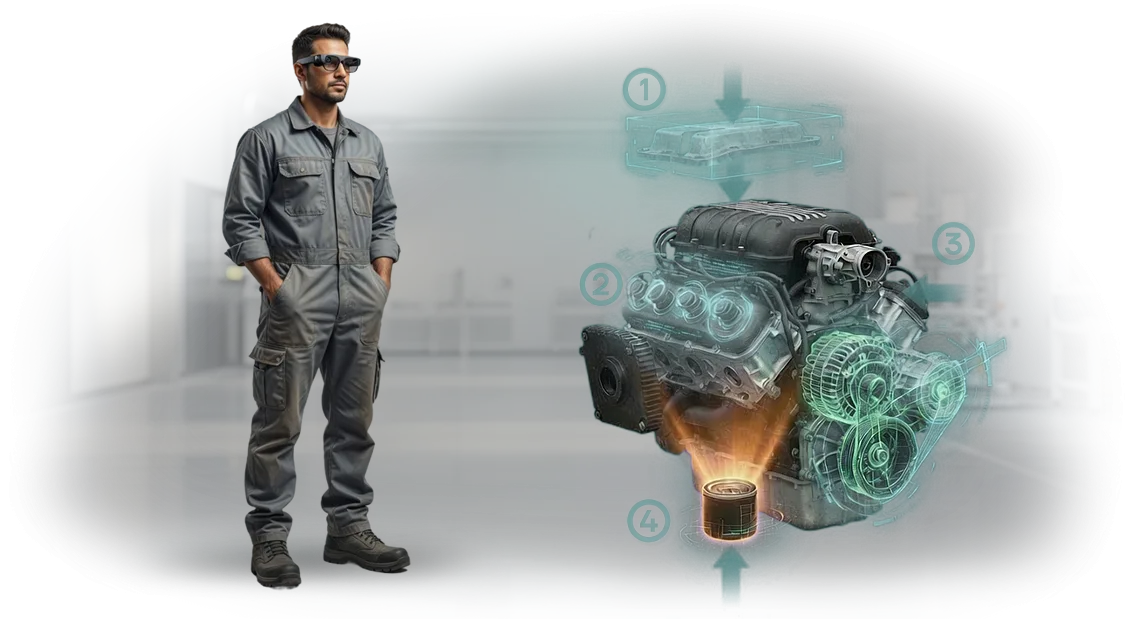
הפסדי ייצור מהוראות עבודה במיקרואלקטרוניקה
בתחום המיקרואלקטרוניקה, מחיר הטעות נמדד לא בדקות אלא במנה שלמה של לוחות יקרים.
תהליך הייצור דורש דיוק מושלם מהמפעיל: כל תנועה שגויה במהלך הרכבת רכיבים או הלחמה הופכת את חומר העבודה לפסולת שאינה ניתנת לתיקון.
וכשעובד דפדף בתקנון נייר רב-עמודים בניסיון למצוא את היחידה הנכונה במקום לעבוד, הוא בהכרח מוסח ומאבד ריכוז.
ההפסדים עצמם מורכבים משני מרכיבים: פסולת ישירה וזמן השבתה. הראשון הוא עלות חומרים מקולקלים וזמן עבודה חוזר. השני הוא דקות ההמתנה בזמן שהמפעיל מנסה להבין את ההוראה, מתקשר לטכנולוג או שואל שוב עמית.
במיקרואלקטרוניקה, שבה הסובלנות המותרת נמדדת בשברי מילימטר, אפילו עצירה קצרה של פס הייצור גורמת לאובדן של מאות אלפי שבבים שלא יוצרו.
מאפיין מיוחד של מיקרואלקטרוניקה הוא שקשה לבטל את הגורם האנושי באמצעות בקרת איכות. פגמים מתגלים לעיתים קרובות רק בבדיקה הסופית, כאשר עלות החומרים שכבר הושקעו אינה ניתנת להשבה.
יתר על כן, הוראות נייר מיושנות אינן רק סיכון לטעות אלא גם אובדן זמן שקט: מחקרים מראים שמפעיל מבלה עד שליש מהמשמרת בחיפוש מידע הכרחי בתיעוד במקום בביצוע העבודה בפועל.
זו הסיבה שחברות במיקרואלקטרוניקה עוברות יותר ויותר מתקנוני נייר לרמזים חזותיים שלב-אחר-שלב המופיעים ישירות מול עיני העובד.
זה לא עניין של "טכנולוגיה מפוארת" אלא של כלכלת ייצור ישירה: פחות פסולת, פחות זמן השבתה, הכשרה מהירה יותר לעובדים חדשים.
כבר סי�נו למפעלים בענף זה להפחית הפסדים מפעולות ידניות ולהחזיר שעות של זמן עבודה פרודוקטיבי למפעילים.
מה מקבלים מהוראות AR לציוד
במקום מדריכים עבים והסברים ארוכים, העובד רואה רמזים ישירות על הציוד. הוראת AR מציגה את רצף הפעולות, מזהירה מפני טעויות אופייניות ומציעה את הכלי הנכון — זה ברור אפילו למתחיל. זמן ההשבתה עקב פעולות שגויות מצטמצם, ואיכות הפעולות הופכת ליציבה.
הנה רשימת בדיקה של מה תקבלו לאחר היישום:
- פחות טעויות. המפעיל אינו מדלג על שלבים או מבלבל בין פעולות: השלב הבא ונקודות הבדיקה תמיד מול עיניו.
- הכשרה מהירה יותר. עובד חדש שולט בהליכים תוך ימים ספורים, ועובדים מנוסים אינם מוסחים עוד על ידי חניכה.
- תמיכה מרחוק. מהנדס מתחבר באמצעות וידאו, רואה את אותה תמונה כמו המפעיל ומצביע על הפעולה הנכונה — ללא נסיעה לאתר.
- פחות זמן השבתה. מעבר או מצב חירום נתמכים על ידי הוראות באתר; אין צורך לחכות לתשובה או להגעת מומחה.
- בקרת תהליך. אתם רואים אילו פעולות מועדות ביותר לטעויות ויכולים לחזק את ההכשרה באופן ממוקד.
כבר יישמנו פרויקטים דומים למיקרואלקטרוניקה ומכשור, ולכן אנו מתאימים את ההוראות לציוד שלכם ללא אישורים ממושכים.
אנו לוקחים על עצמנו את הדיגיטציה של התקנונים, הגדרת תרחישי AR והכשרת הצוות — אתם מקבלים מערכת סוהר שעובדת.
פורמטים של הוראות AR למיקרואלקטרוניקה למשימה שלכם
במיקרואלקטרוניקה, שבה פגם בלוח אחד מוביל להשבתת קו, הוראות AR מספקות יתרון קונקרטי: המפעיל אינו צריך לדפדף בתקנוני נייר, ומתחיל נקלט תוך משמרת אחת.
אבל אין "נוסחה אחת שמתאימה לכולם" — מה שחשוב הוא לא רק הטכנולוגיה אלא פורמט ההצגה הנכון.
לכן אנו מחלקים פרויקטים לשלושה תרחישים בסיסיים: נייד, נייח ומשולב.
זה מאפשר לכם להטמיע AR בתהליך שלכם ללא הגדרה מחדש של אולם הייצור — העובדים מתקשרים עם הסביבה המוכרת שלהם, ומציאות רבודה רק רומזת על השלב הבא.
| פורמט | למי | מה זה נותן ללקוח |
|---|---|---|
| נייד (טאבלט/טלפון) | להכשרה, תחזוקה ובקרה באזורים שונים | העובד רואה רמזים שלב-אחר-שלב על הציוד, יכול לעבוד בכל מקום באולם, וזמן ההכשרה מצטמצם פי כמה |
| נייח (מצלמה + מסך) | לשולחנות הרכבה ופסי ייצור | המערכת עצמה מזהה את המוצר ומציגה את ההוראה על המסך — ידיו של המפעיל נשארות חופשיות, ופחות פעולות מוחמצות |
| שילוב עם המערכות שלכם | לייצור עם ניהול חשבונות אלקטרוני | הוראת AR נטענת אוטומטית לפי מספר חלק או הזמנה, וכל הפעולות מתועדות — מה שמקל על בקרת איכות ואיתור שגיאות |
באיזה פורמט כדאי לבחור?
אם יש לכם הרכבה סדרתית עם פעולות קבועות, פנו לפתרונות נייחים או משולבים: הם קושרים את ההוראה למוצר ספציפי באופן הדוק.
להכשרה או לעבודה לא סטנדרטית, הפורמט הנייד נוח יותר — הוא מכסה את המשימה ללא תלות בתחנת עבודה.
הקריטריון המרכזי הוא לא "תחכום" אלא הזמן המינימלי מיישום להחזר השקעה. אנו עוזרים לכם לבחור את הפורמט בבריף חינמי ומראים כמה פעולות AR יכסה במקרה הספציפי שלכם.
שלבי פיתוח הוראת AR: מבריף ועד השקה
לקוחות לעיתים קרובות דוחים הוראות AR כי הם לא מבינים איך העבודה בנויה ומה התוצאות שיקבלו בסוף. במשך למעלה מ-10 שנים, חידדנו את התהליך לשלבים ברורים — מבריף ועד השקה ותמיכה.
אתם שולטים בלוח הזמנים, מבצעים עריכות בכל שלב ויודעים בדיוק מתי הפרויקט יהיה מוכן.
שלבי העבודה לפרויקט שלכם
-
בריף וסקירת משימה. אנו מנתחים איזה ציוד צריך לתאר, מי ישתמש בהוראה ומה המטרה החשובה לעסק. אנו מתעדים את התוכנית, לוח הזמנים וקריטריוני ההצלחה.
-
תרחיש ההוראה. יחד עם הטכנולוגים שלכם, אנו מפרקים את הפעולות — מהפעלה ועד תחזוקה שוטפת. אנו מאשרים את התרחיש שלב-אחר-שלב לפני תחילת הפיתוח.
-
אב טיפוס על ציוד אמיתי. אנו יוצרים מודל אינטראקטיבי ומראים כיצד העובד יראה רמזים ברכיב מסוים במכונה. אתם בודקים את השימושיות ומבצעים עריכות לפני ההשקה.
-
אישור וגרסה סופית. אנו משכללים את הממשק, לוגיקת הרמזים והטקסטים עד שההוראה ברורה אפילו לעובד חדש.
-
פריסה על מכשירים. אנו מתקינים את הוראת AR על טאבלטים, סמארטפונים או משקפיים. אנו מאמנים את המנהלים שלכם לעדכן תוכן ללא עזרת מתכנתים.
-
תמיכה ושכלול. אנו נשארים בקשר: מעדכנים הוראות, מוסיפים רכיבים חדשים ומתאימים לשינויים בציוד.
-
מסירת החבילה המלאה. אתם מקבלים את קבצי המקור של הפרויקט — כך שתוכלו לפתח את הוראת AR באופן עצמאי או איתנו.
בסופו של דבר, אתם מקבלים כלי עבודה שמאיץ את הכשרת העובדים ומפחית את מספר הטעויות במהלך התחזוקה. פרויקט טיפוסי אורך 2–4 שבועות ליחידת ציוד, ולאחר מכן פשוט משתמשים בהוראה ומעדכנים אותה לפי הצורך.
חבילת מסירה: מה כלול בפרויקט הוראת AR
כל הוראת AR היא לא רק אפליקציה אלא כלי עבודה שחייב להשתלב בתהליכי הארגון שלכם. לכן אנו מוסרים לא "בנייה גולמית" אלא חבילה מלאה: תוכן, גישה, הכשרה ותיעוד.
גישה זו מבטיחה ששבוע לאחר סיום הפרויקט, העובדים באמת משתמשים בהוראות ולא לומדים איך לפתוח אותן.
להלן מבנה חבילת המסירה. היא יכולה להשתנות למשימה ספציפית, אבל הסט הבסיסי כולל תמיד חמישה בלוקים חובה.
מה כלול בחבילת המסירה
- הוראות AR מוכנות לפעולות שלכם: התקנת רכיבים, הגדרה, אבחון, תיקון. כל הוראה מקושרת לציוד אמיתי וכוללת טקסט, הדגשת חלקים ואנימציה.
- הכשרת צוות: אנו מקיימים מפגש הכשרה למהנדסים וטכנולוגים — עד 20 איש. העובדים לומדים על הרכיבים שלכם, כך שהם לא מבזבזים זמן על "התוודעות" לאחר ההשקה. לאתרים מרוחקים, אנו מארגנים מפגש מקוון.
- שילוב עם המערכת שלכם: אנו מטמיעים הוראות AR במערכת החשבונות או מאגר הידע הקיים שלכם. העובד פותח את ההוראה מאותה סביבה שבה הוא עובד מדי יום — ללא מעבר בין יישומים.
- עדכונים ותמיכה: לאחר מסירת הפרויקט, אנו מקצים מהנדס תמיכה. אם העיצוב או ההליך משתנים, אנו מעדכנים את ההוראה הרלוונטית — אתם אף פעם לא נשארים עם גרסה מיושנת.
- חומרי הכשרה לשימוש פנימי: כרטיסי עזר קצרים, סרטונים ורשימות בדיקה שתוכלו להשתמש בהם לעובדים חדשים ללא מעורבותנו.
- תיעוד וקבצי מקור: כל החומרים וקבצי הפרויקט נשארים אצלכם. גם אם בעוד כמה שנים תחליטו לבצע שיפורים עם צוות משלכם, יש לכם את המקורות והתיעוד הנלווה.
רוצים לראות איך זה עובד על הציוד שלכם? השאירו פנייה — נראה אב טיפוס של הוראת AR על הרכיב שלכם ונחשב כמה זמן וכסף תחסוך ההכשרה.
מקרה בוחן: הפחתת שגיאות הרכבה במיקרואלקטרוניקה ב-70%
הרכבת מיקרואלקטרוניקה היא עבודה שבה מחיר הטעות גבוה במיוחד: רכיבים קטנים, צפיפות גבוהה, דרישות דיוק. אפילו מפעילים מנוסים לפעמים מדלגים על שלב או מבלבלים בין קוטביות, וכל טעות מובילה לפגמים, עבודה חוזרת והחמצת מועדים.
זו בדיוק המשימה שהובאה אלינו על ידי יצרן מעגלים מודפסים — נקרא לו MicroAssembly. בקו הרכבת הבקרים הידני, שיעור הפגמים הגיע ל-15%, והכשרת עובדים חדשים ארכה שבועות.
המטרה הייתה להפחית את התלות של התוצאות בגורם האנושי ולהאיץ את הגעתם של חדשים לפריון מלא.
פיתחנו הוראות AR שמקרינות את דיאגרמת ההרכבה ישירות לאזור העבודה של המפעיל.
העובד רואה רכיבים מודגשים, סדר התקנה ונקודות בדיקה — כל הרמזים מופיעים בשדה הראייה שלו ללא צורך במעבר בין שרטוט ללוח. ההוראות מותאמות לפעולות ספציפיות ובודקות כל שלב אוטומטית.
התוצאות עלו על הציפיות: תוך חודשיים, מספר שגיאות ההרכבה ירד ב-70%, ושיעור הפגמים ירד לפחות מ-3%. זמן ההכשרה למפעילים חדשים קוצץ פי שלושה — הם הגיעו לקצב של עמיתים מנוסים כבר בשבוע הראשון. פריון הקו עלה, ועלויות העבודה החוזרת ירדו.
הלקוח קיבל תהליך יציב שפחות תלוי בעייפות ובמיומנות אנושית.
לאחר הפיילוט המוצלח, החברה הזמינה שכפול של ההוראות לשלושה קווים נוספים — ובסוף השנה חזרה אלינו שוב, הפעם לשלב בדיקת המוצר המוגמר.
מקרה זה מראה שהוראות AR פועלות לא כ"חידוש אקזוטי" אלא ככלי שמשפיע ישירות על עלות הייצור ולוחות הזמנים.
איך לבחור את פורמט הוראת ה-AR הנכון?
אין הוראת AR אוניברסלית — הפורמט נקבע לפי מה בדיוק העובד עושה במקום העבודה שלו.
אם המשימה היא בקרת איכות של שבבים, שכבת-על שלב-אחר-שלב עם הדגשה על אזור הבדיקה מועילה; אם צריך להגדיר ציוד, רמזים עם ערכים מותרים ודיאגרמת חיבור מועילים.
העיקר הוא שההוראה עונה על השאלה "מה אני רואה ומה אני עושה הלאה" ללא קריאת תקנוני נייר.
למיקרואלקטרוניקה, מאפייני הייצור חשובים במיוחד: רכיבים קטנים, סובלנות הדוקה, זמן מוגבל לכל פעולה.
לכן, הפורמט חייב לספק את הקישור המדויק ביותר לאובייקט — הדגשת המחבר הנדרש, הגדלת אזור מורכב, חצים וסטיות מותרות ישירות בשדה הראייה.
העובד אינו מזיז את מבטו מהנייר לציוד אלא מבצע את הפעולה מיד. זה מפחית את הסיכון לטעויות ומאיץ למידה של פעולות חדשות.
הבחירה תלויה גם ברמת המיומנות של הצוות. למתחילים, מצב שלב-אחר-שלב עם אימות של כל שלב עדיף; לעובדים מנוסים, רמזים קצרים ונקודות בדיקה עדיפים.
בייצור עם שינויי מוצר תכופים, פורמט עם מעבר מהיר בין תרחישים נוח: עדכנו את הרכיבים, טענו הוראה חדשה — והעובד כבר עובד לפי הדיאגרמה העדכנית.
אנו ממליצים להתחיל בסקירת פעולה אחת: לזהות צווארי בקבוק שבהם טעויות מתרחשות לעיתים קרובות, ולבחור פורמט עבורם.
כתבו לנו — אנו נספק ייעוץ, נציג דוגמאות למצב הספציפי שלכם ונציע אפשרות פיילוט שקל לבדוק באזור אמיתי. כך תקבלו הוראת AR שעובדת ספציפית בתנאים שלכם, לא "פתרון אופנתי" מופשט.
שאלות נפוצות על יישום הוראות AR
כשמדובר ביישום הוראות AR, ללקוח תמיד יש כמה שאלות מפתח. ריכזנו תשובות לשאלות הנפוצות ביותר כדי שתוכלו לקבל החלטה מושכלת. אין מורכבות טכנית — רק היבטים מעשיים שמשפיעים על הייצור ועבודת העובדים.
האם זה בטוח ליישם הוראות AR בתהליכי ייצור?
הוראות AR אינן מפריעות לפעולת הציוד ואינן דורשות שינויים במערכות קיימות. הצוות מקבל רמזים דרך טאבלט או משקפיים, וכל הנתונים נשארים בתוך המתחם שלכם.
אנו עומדים בדרישות בטיחות בעבודה ואיננו יוצרים סיכונים נוספים לעובדים או למחזור הייצור.
כמה זמן אורך היישום?
לוח הזמנים תלוי במספר ההוראות ובמורכבות התהליכים. בממוצע, פרויקט פיילוט אורך משבועיים עד חודש. לאחר מכן, אתם מחליטים אם להרחיב את הפתרון לאזורים אחרים.
אנו מספקים תוכנית ריאלית מיד לאחר הבריף ועומדים בה — ללא הפתעות או אישורים ממושכים.
האם זה יעבוד עם הציוד שלנו?
זה מתאים לרוב סוגי הציוד התעשייתי: מכונות, פסי הרכבה, מכשירי מדידה ובקרה. הוראות AR מרכיבות על האובייקט האמיתי, כך שאין צורך להחליף או לשדרג דבר.
מצלמת טאבלט או סמארטפון רגילה מספיקה — והעובד רואה רמזים ישירות על החלקים שהוא עובד איתם.
מה אם יעלו שאלות לאחר ההשקה?
אנו לא נעלמים לאחר מסירת הפרויקט. במהלך הפיילוט, אנו מספקים תמיכה, עוזרים להכשיר צוות ומתאימים הוראות לפי המשוב שלכם.
אתם מקבלים לא "קופסה" אלא כלי עבודה עם תמיכה — זו הערובה ש-AR באמת ישתרש בייצור.
אם השאלה שלכם לא ברשימה — כתבו לנו. נסביר כיצד הוראות AR יכולות לפתור את המשימה הספציפית שלכם ונראה דוגמאות מהענף שלכם.
הזמינו הוראת AR למיקרואלקטרוניקה עם תוצאה מובטחת
כשדיוק ההרכבה ומועדי אספקת המנות על הפרק, הוראות נייר לא עוזרות: עובדים מבזבזים דקות בחיפוש הסעיף הנכון, וטעות במיקרואלקטרוניקה היא יקרה.
הוראת AR מציגה ישירות על הציוד — מה לפתוח, איפה ללחוץ, איזו סובלנות קריטית כרגע.
אנו לוקחים על עצמנו את כל המחזור: מניתוח התהליך הטכנולוגי שלכם ועד השקת העוזר AR באולם. הערובה שלנו פשוטה — אם ההוראה לא מפשטת את עבודת המפעיל, אנו משכללים אותה בחינם.
לכן, הזמנת AR סוהר מאיתנו פירושה קבלת תוצאה צפויה בזמן, לא "פרויקט על הנייר".
מה מקבלים בהזמנה
- ניתוח הפעולה הטכנולוגית שלכם: אנו מזהים צווארי בקבוק שבהם עובדים עושים טעויות לעיתים קרובות והופכים אותם לרמזי AR ברורים.
- תרחיש הוראה בשפת המפעילים — ללא התיאורים הטכניים המורכבים שנמצאים בדרך כלל בתיעוד.
- אב טיפוס באזור אמיתי: אנו בודקים אותו עם עובד אחד או שניים, אוספים את המשוב שלהם ורק אז מרחיבים.
- יישום מהיר ללא החלפת ציוד: הוראת AR עובדת על טאבלטים וסמארטפונים שכבר קיימים באולם.
- הכשרת עובדים ותדרוך קצר לצוותי משמרות — אתם לא צריכים להבין את היישום בעצמכם.
- אומדן קבוע ולוח זמנים לפני תחילת העבודה: אתם יודעים את העלות ותאריך הסיום מראש, ללא חיובים נסתרים.
- תמיכה לאחר ההשקה ועדכוני הוראות כשההנחיות או מערכי הפעולות משתנים.
השאירו פנייה לחישוב הוראת AR למיקרואלקטרוניקה שלכם — תוך יום עסקים אחד נראה איך זה ייראה על הציוד שלכם ונכלול את ערובת התוצאה בחוזה.