

עלויות ייצור סוללות חשמליות עקב שגיאות
כל שגיאת מפעיל בפס הרכבת הסוללות אינה רק פגם. היא פסיקת מסוע, אצווה שעובדת מחדש, החמצת מועד אספקה ומוניטין שנפגע בעיני השותפים.
כשהוראה לא מובנת או שהעמוד הנכון לוקח שלוש דקות למצוא, ההפסדים גדלים באופן בלתי מורגש: דקת השבתה אחת בתחנה בודדת הופכת לשעות של עיכוב בסוף המוצר המוגמר.
שגיאות יקרות במיוחד באזורים שבהם רצף הפעולות הוא קריטי: הרכבת בלוקי אלקטרודות, מילוי אלקטרוליט, בדיקות דליפה. כאן, מחירו של צעד שגוי אינו רק רכיב פגום אלא גם סיכון בטיחותי פוטנציאלי לפס.
הצוות נאלץ לבדוק את עצמו שוב ושוב, לפנות לעמיתים או לחפש תקנות נייר, ומהירות הייצור יורדת יחד עם ביטחון המפעיל.
הצוות שלנו כבר פתר בעיות כאלה: אנו הופכים הוראות נייר ו-PDF לרמזי AR שלב-אחר-שלב שמופיעים ממש מול עיני העובד. המערכת מדגישה את הרכיב הנדרש, מציגה את השלב הבא ומונעת דילוג על פעולות קריטיות. זה מבטל את מקור העלויות העיקרי — הגורם האנושי.
הפחתת מספר השגיאות מקצצת ישירות את סעיפי העלות המובנים במחיר העלות של כל סוללה: קרן השכר לעבודה חוזרת, רכישות של רכיבים חלופיים, קנסות על אספקות שהוחמצו.
יתר על כן, איכות הרכבה עקבית מאריכה את תקופת האחריות של המוצר ובכך מפחיתה עלויות עתידיות עבור החזרות שירות. אלה המדדים שאנו בוחנים בעת הטמעת הוראת AR — השפעה מדידה על התוצאה הכספית של הייצור.
מה הוראות AR נותנות לעובדים ולמפעל
עובד בייצור סוללות חשמליות עובד עם פעולות מדויקות: מילוי אלקטרוליט, הרכבת תאים, בדיקות דליפה. שגיאה יקרה — פגמים, השבתת פס, סיכון בטיחותי.
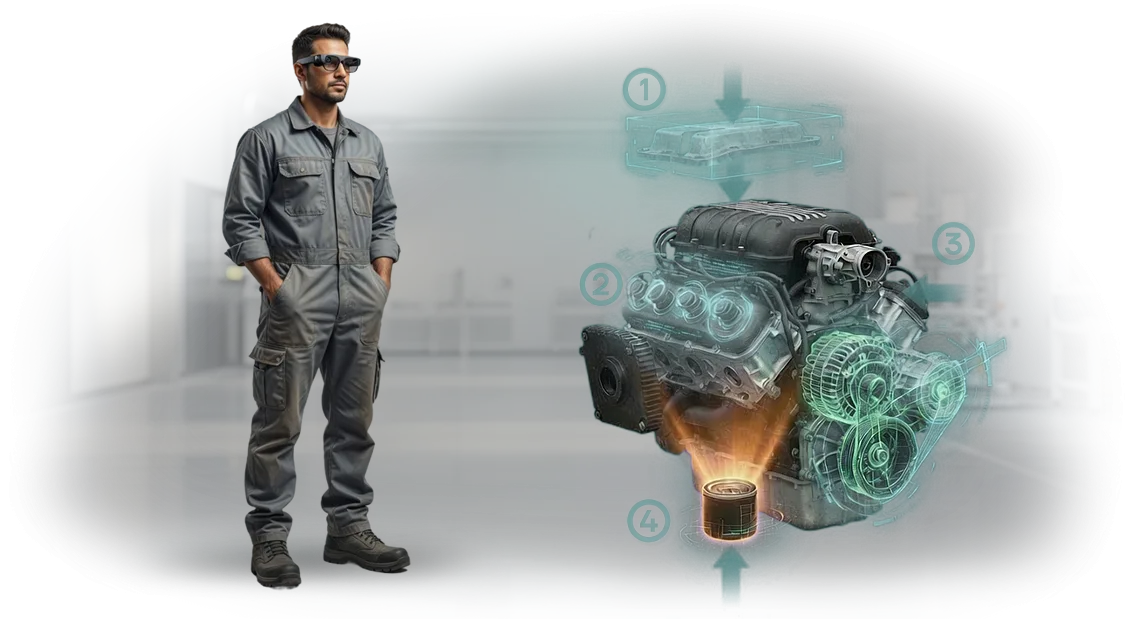
הוראות AR מקרינות רמזים ישירות על הציוד: העובד רואה היכן ללחוץ, מה לבדוק ובאיזה סדר לפעול.
זה מחליף תקנות נייר והכשרות ארוכות — מתחיל נכנס לקצב בתוך משמרת, ועובד מנוסה מוסח פחות על ידי הוראות.
התוצאות מדברות בעד עצמן: פחות פגמים, מהירות פעולה גבוהה יותר, איכות יציבה. הצוות שלנו מפתח מערכות כאלה עבור ציוד ספציפי, כך שהאינטגרציה מתרחשת מבלי לעצור את הייצור — העובדים לומדים ממש בעמדות העבודה שלהם.
למנהלי מפעלים
ההשפעה העיקרית של הוראות AR היא הפחתת השבתות והגדלת התפוקה. במקום לחכות למנטור או לפענח שרטוטים, העובד מקבל רמז ברור תוך שנייה.
בפס, זה חוסך עד 20% מזמן כל פעולה, וכשמחליפים דגם מוצר, אין צורך לעצור את המפעל להכשרה מחדש.
יתרון נוסף הוא בקרת איכות. המערכת מתעדת האם כל השלבים הושלמו ומתריעה על פעולות שהוחמצו. המנהל רואה סטטיסטיקות עבור צוותים ואזורים: היכן מתרחשים העיכובים בתדירות הגבוהה ביותר, מי זקוק להכשרה נוספת. זה הופך את הניהול לשקוף ומבוסס נתונים במקום ניחושים.
למהנדסים וטכנולוגים
עבור צוות הנדסי, הוראות AR הן דרך להעביר מומחיות לפורמט דיגיטלי. תרשימי תהליך מורכבים, דיאגרמות חיבור ותקנות בטיחות הופכים לתרחישים חזותיים שאי אפשר לקרוא אותם לא נכון.
המהנדס מעלה את הגרסה העדכנית ביותר של ההוראה — וכל העובדים רואים אוטומטית רק נתונים מעודכנים.
טכנולוגים מקבלים פחות שאלות מהמפעל ופחות שגיאות הנגרמות מהגורם האנושי. דיוק הפעולות משתפר, מה שמפחית את חלקם של פגמים ובדיקות חוזרות.
זה משחרר זמן למהנדסים לשיפור תהליכים במקום "כיבוי שריפות" בפס.
בטיחות העובדים היא יתרון נפרד. רמזי AR מזכירים על פעולות הגנה וחוסמים את הפעולה אם הרצף מופר. עבור ייצור סוללות, שבו קיים סיכון בעבודה עם כימיקלים ומתחים גבוהים, זה מפחית פציעות והשבתות נלוות.
התוצאה היא פעילות מפעל צפויה ושקט נפשי למנהל לגבי אנשים ותוכנית הייצור.
פורמטים של הוראות AR לייצור סוללות חשמליות
בייצור סוללות חשמליות, משימות שונות דורשות פורמטים שונים של מציאות רבודה. חלקם צריכים הוראות שלב-אחר-שלב ממש בעמדת העבודה, אחרים צריכים שליטה על הרכבה מורכבת, ועוד אחרים צריכים הכשרה למספר מפעילים בבת אחת.
אם תתאימו את הפורמט למשימה, הוראות AR פועלות כמו עוזר דיגיטלי אמין: הן מפחיתות את מספר השגיאות, מאיצות פעולות וחוסכות זמן של מנטורים.
פורמטים ניידים — טאבלט וסמארטפון
טאבלט הוא עוזר אוניברסלי להרכבה ובקרה. נוח להחזיק אותו בעמדת העבודה, הוא מציג דיאגרמות גדולות ומדגיש את רצף הפעולות. סמארטפון הוא אפשרות קלה לבדיקות מהירות: צלמו רכיב, קבלו רמז, המשיכו הלאה.
שני הפורמטים אינם דורשים הגדרה מחדש של הפס ומשתלבים בקלות בתהליכים קיימים.
מערכות AR נייחות
עבור פעולות מסוע והכשרת קבוצות מפעילים, אנו משתמשים בפתרונות נייחים. הם מקרינים את ההוראה ישירות על הציוד או אזור העבודה — הידיים חופשיות, העיניים אינן מוסחות על ידי מסך. זה נוח היכן שהתהליך רציף וכל מחווה נוספת מפחיתה מהירות.
טבלת פורמטים
| פורמט | לאילו משימות | מה זה נותן ללקוח |
|---|---|---|
| AR על טאבלט | הרכבת רכיבים, בקרת איכות, תיקונים | רמזים שלב-אחר-שלב ללא קריאת הוראות נייר, פחות שגיאות בהרכבת מודולי סוללה |
| AR על סמארטפון | בדיקות מהירות, אבחון, הכשרת עובדים חדשים | הוראה תמיד בהישג יד, הכשרה מבלי לעצור את הייצור |
| מערכות AR נייחות | הרכבת מסוע, עבודה עם רכיבים גדולים, הכשרה קבוצתית | ידיים חופשיות, הוראה ממש מול העיניים, מהירות פס יציבה |
אנו עוזרים לכם לבחור פורמט עבור אזור ייצור ספציפי — מרמזים ניידים למפעיל ועד מערכות נייחות לפסי הרכבה. כתוצאה מכך, אתם מקבלים הוראות שבאמת משתמשים בהן, לא כאלה שאוספות אבק על מדף.
כיצד מיישמים הוראות AR במפעל
הטמעת הוראות AR אינה דורשת עצירת המפעל או ארגון מחדש של תהליכים.
זוהי תוספת שמשתלבת בפעולות הקיימות ומתחילה להניב תועלת תוך מספר שבועות: פחות שגיאות, קליטה מהירה יותר של עובדים חדשים והעברת ידע קלה יותר.
איך אנחנו עובדים: שלבי הטמעה
- תחקיר וסקירת אתר. אנו מבקרים באתר הייצור, רואים כיצד מתבצעות הפעולות והיכן מתרחשות השגיאות בתדירות הגבוהה ביותר. אנו אוספים דרישות מטכנולוגים, מפקחים וצוות הפס.
- תוכנית תרחישים. בהתבסס על התחקיר, אנו מגדירים אילו פעולות יקבלו הוראות AR, באיזה רצף ועל אילו מכשירים הן יפעלו. אנו מסכמים על לוחות זמנים והיקף איתכם.
- פיתוח תוכן. אנו יוצרים תרחישים שלב-אחר-שלב: טקסט, וידאו, מודלים תלת-ממדיים של רכיבים. הוראות מחולקות לשלבים קטנים כך שהמפקח רואה את הרמז ישירות על הציוד.
- בדיקות. אנו בודקים תרחישים ישירות במפעל יחד עם המומחים שלכם. בשלב זה, אנו מתקנים את הטקסט, מסירים כל דבר מיותר ומוודאים שההוראה נוחה.
- השקה והכשרה. אנו מתקינים את המערכת ומעבירים הכשרה קצרה למפקחים. בימים הראשונים, אנו מספקים תמיכה באמצעות קישור וידאו, ואז אתם עובדים באופן עצמאי.
- תמיכה ופיתוח. אנו מעדכנים הוראות כשהתקנות משתנות, עוזרים להוסיף פעולות חדשות — מבלי לחפש קבלן חדש.
למה תהיו רגועים בכל שלב
אנו עובדים על עיקרון החלון היחיד: אתם מתקשרים עם מנהל פרויקט שמרכז את כל המומחים — מפתחים, טכנולוגים, מעצבים. עבור כל שלב, אתם מקבלים דוח ברור: מה נעשה, מה הלאה ומהם לוחות הזמנים. אין אלתורים — רק מה שנבדק במפעל אמיתי.
מה כלול בחבילת הוראות AR
מה כבר כלול בחבילה
אתם מקבלים לא רק "תמונות על ציוד" אלא פתרון מוכן לשימוש. החבילה כוללת את כל הדרוש להשקת הכשרה ותמיכה טכנית החל ממחר.
- ספריית תרחישי AR — הוראות שלב-אחר-שלב להרכבה, תחזוקה ותיקון רכיבים. התרחישים כבר מותאמים לתהליכי העבודה ולתקנות הפנימיות שלכם.
- אינטגרציית ציוד — הוראות "מעוגנות" למכונות ופסים ספציפיים. עובד מכוון טאבלט או טלפון — ורואה רמזים ישירות על הרכיב שבו הוא עובד.
- הכשרת צוות — המנהל שלכם מקבל גישה לפאנל הבקרה ולקורס הכשרה. אנו עוברים על איך לערוך תרחישים, להוסיף שלבים חדשים ולהקצות הוראות למשמרות או צוותים ספציפיים.
- תמיכה טכנית למערכות AR — תמיכה לאחר ההשקה: עדכון תרחישים כשהתקנות משתנות, ייעוץ ועזרה בחידוד חומרים. התמיכה זמינה לכל תקופת ההפעלה.
- פאנל אנליטיקה — ראו באילו הוראות משתמשים הכי הרבה, היכן עובדים "נתקעים" ואילו שלבים כדאי לפשט. בהתבסס על נתונים אלה, אתם משפרים תהליכים מבלי לעצור את הייצור.
אפשרויות נוספות
החבילה הבסיסית מכסה את המשימות העיקריות, אך אנו יכולים להרחיב את ההיקף לפי בקשתכם. לדוגמה, להוסיף דיגיטציה של רכיבים נוספים אם יש יותר ציוד מהמתוכנן.
או לשלב הוראות AR עם מערכת ה-ERP שלכם כך שהקצאת המשימות תתבצע אוטומטית לפי הזמנות עבודה.
הנקודה המרכזית היא שאתם מקבלים חבילה סוהר: אין צורך להיכנס לפרטים טכניים, לשכור מומחה נפרד או לבזבז חודשים על הטמעה. הכל כבר מוגדר ועובד, והעובדים שלכם משתמשים בהוראות מהיום הראשון.
תוצאות הטמעה: מקרה בוחן ממפעל מכונות
במפעל מכונות המייצר סוללות חשמליות לציוד תעשייתי, התרחשו 6-8 שעות השבתה מדי שבוע עקב שגיאות מפעילים בהרכבה וחיפושים ארוכים אחר ההוראה הנדרשת.
הכשרת עובד חדש ארכה כמעט חודש, ומפקחים מנוסים הוסחו כל הזמן על ידי שאלות של חדשים.
דיגטנו את התקנות עבור חמש פעולות מפתח להוראות AR: העובד רואה רמזים ישירות על הציוד — רצף השלבים, נקודות בקרה ואזהרות שגיאה. המידע הנדרש מופיע תוך שניות, ללא תיקיות נייר או קריאה למנטור.
מה השתנה בייצור
תוצאה לאחר חודשיים: ההשבתות ירדו ב-30%, מספר פגמי ההרכבה כמעט נחתך בחצי, וקליטת עובד חדש ארכה ארבעה ימים במקום שלושה שבועות. המפעל ממשיך להשתמש במערכת בכל פסי ההרכבה ומתכנן להרחיב אותה למחלקות אחרות.
מנהל הייצור של מפעל Electromash אנדריי סמירנוב: "נהגנו לבזבז שבועות על הכשרה ועדיין קיבלנו פגמים. עכשיו המפעיל רואה בעצמו היכן ומה להדק — השגיאות נעלמו, ומתלמדים מתחילים לעבוד כמעט מיד. קיבלנו לא רק הוראות, אלא כלי שחוסך לנו שעות השבתה בכל שבוע."
מקרה זה מראה שהוראות AR לייצור סוללות חשמליות אינן ניסוי אלא דרך עובדת להפחתת הפסדים. אנו בוחרים פתרונות למשימות של מפעל ספציפי ואחראים לתוצאה — מהפיילוט ועד לפריסה מלאה.
איך לבחור את פורמט הוראות ה-AR הנכון?
אין תשובה ישירה — "הנה הפורמט הטוב ביותר" — וזה נורמלי. ייצור סוללות חשמליות כולל משימות ברמות מורכבות שונות, מהכשרת מתחיל בהרכבה ועד בקרת איכות של רכיב מוגמר.
לכן, בחירת הוראות ה-AR הנכונות מתחילה לא בטכנולוגיה אלא בשאלות: איזו פעולה העובד מבצע, באיזו תדירות היא חוזרת ומה מחיר השגיאה.
הקריטריון הראשון הוא המורכבות ומספר השלבים בפעולה. אם התהליך כולל עשר פעולות רצופות ודורש דיוק, פורמט שלב-אחר-שלב עם הדגשת אזורים ובדיקה אוטומטית של כל שלב מתאים.
אפשרות זו נוחה כאשר עובד אינו יכול להיות מוסח על ידי הוראת נייר או להסתכל על טאבלט.
עבור פעולות קצרות וחוזרות, כמו בדיקת מגעים או אבטחת המארז, רמזים קומפקטיים על המסך יעילים יותר — הם מאיצים את העבודה ואינם מפריעים לתנועות.
הקריטריון השני הוא רמת המיומנות של הצוות. מתחיל צריך תרחיש מפורט עם רמזי הכשרה, בעוד מפעיל מנוסה צריך תזכורת קצרה על נקודות בקרה קריטיות. על ידי חשיבה על קריטריון זה, אתם מקבלים הוראה שאינה מעצבנת אלא באמת עוזרת.
הקריטריון השלישי הוא תנאי העבודה: אם הידיים עמוסות ויש רעש מסביב, בחרו בהנחיה קולית או שליטה בעיניים כך שהעובד לא יוסח מהציוד.
עבור ייצור סוללות חשמליות, זה רלוונטי במיוחד: האיכות תלויה בשמירה על הטכנולוגיה בכל שלב — מהכנת התא ועד אטימת המארז.
פורמט הוראות AR שנבחר כראוי מפחית את הזמן הדרוש לשליטה בפעולות ומוריד את הסיכון לפגמים. אנו בוחרים פורמט למשימה הספציפית שלכם במקום להציע פתרון תבניתי — שם טמונה התוצאה המעשית.
תשובות לשאלות נפוצות על הוראות AR
כל פתרון חדש בייצור מעלה שאלות — זה נורמלי. להלן החששות הנפוצים ביותר שהופנו אלינו על ידי מחלקות טכניות ומנהלי אתרים.
כמה זמן אורך הטמעה?
סוהר — משבועיים עד ארבעה שבועות לאתר אחד. ראשית, אנו מכינים מודול פיילוט על ציוד אמיתי, מסכמים עליו עם הטכנולוגים שלכם ורק אז מרחיבים. במהלך הפיילוט, הפסים שלכם ממשיכים לפעול כרגיל.
האם הוראת ה-AR תפריע למפעיל?
לא. רמזים מופיעים בשדה הראייה מבלי לחסום את המבט, והנחיה קולית מאפשרת להם לשמור את העיניים על המשימה. המפעיל שולט בתרחיש עם כפתור אחד או מחווה — מבלי להחזיק טאבלט. אם האתר דורש שקט, יש מצב חזותי עם תמונות ואנימציה.
מה קורה לאחר ההשקה? מי תומך בנו?
אנו לא נוטשים את הפרויקט לאחר המסירה. אנו מאמנים את מהנדסי התהליך שלכם לערוך תרחישים באופן עצמאי, ואנו נשארים זמינים לכל שאלה. עדכוני הוראות נעשים לפי התקנות שלכם — בלוח זמנים, מבלי לעצור את הייצור.
מה אם הציוד משתנה?
זו הסיבה הנפוצה ביותר לפנייה אלינו. התרחיש קשור לא לשרטוט נייר אלא למצב הנוכחי של הרכיב. אתם רק צריכים לצלם מחדש את החלק — ההוראה תתעדכן תוך יום-יומיים, לא אחרי חודש של הוצאת תקנה מחדש.
לא מצאתם את השאלה שלכם? כתבו לנו — נראה כיצד הוראות AR מטפלות במשימות ספציפית באתר שלכם.השלבים הבאים: בקשת ייעוץ
השאירו בקשת ייעוץ — זהו הצעד הראשון לקראת הוראות AR שמקצרות את זמן ההכשרה ומורידות את הסיכון לשגיאות בייצור סוללות חשמליות.
אנו לא שולחים "רק מחירים" — אנו מנתחים את האתר שלכם, תהליך ההרכבה ומשימות המפעיל כדי להציע פתרון שמחזיר את עצמו מהחודש הראשון.
מה תקבלו לאחר בקשתכם:
- חישוב אישי: אנו מעריכים את מספר הפעולות, יחידות הציוד והעובדים שזקוקים להוראות AR.
- סקירת אתר פיילוט: אנו בוחרים פעולה מרכזית אחת בייצור הסוללות — משיקים אותה ומראים תוצאות מהר יותר.
- הצעה מסחרית עם לוחות זמנים, היקף עבודה ותנאי הטמעה.
- תוכנית לשילוב הוראות AR בתהליכים קיימים: אנו עובדים לצד התקנות והמערכות שלכם, מבלי לעצור את הייצור.
- תוכנית הכשרה למפעילים ומדריכים — כיצד להעביר עובדים לפורמט החדש מבלי לאבד פרודוקטיביות.
לאחר הייעוץ, תראו תמונה ברורה: אילו פעולות לדיגט ראשון, כמה זמן תימשך ההטמעה ואיזו השפעה היא תביא — במונחים של מהירות הכשרת צוות, איכות הרכבה והפחתת פגמים.
ניצור עמכם קשר תוך יום עסקים אחד, נדון בפרטים ונכין חישוב לאתר שלכם. הבקשה אינה מחייבת: אם הוראות AR לא פותרות את המשימה, נאמר לכם זאת בכנות. השאירו בקשה — ובואו נעשה את הצעד הבא יחד.