

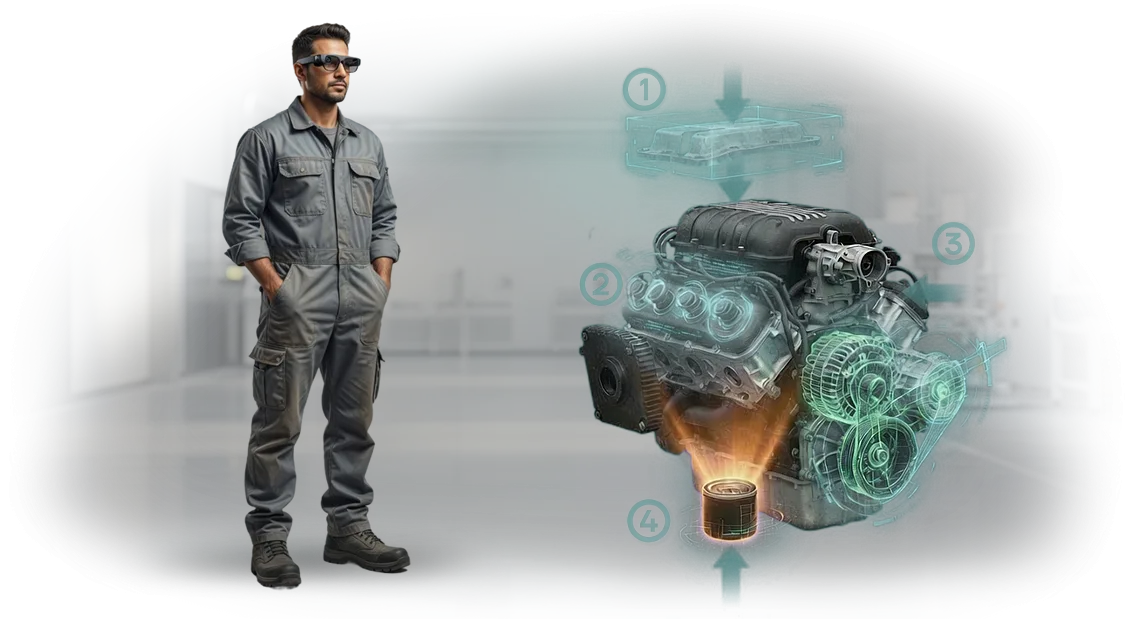
ייצור מלט: למה הוראות סטנדרטיות לא עובדות
תיעוד סטנדרטי במפעל מלט נכתב פעם אחת ולעיתים רחוקות מעודכן. אבל הציוד נעשה מורכב יותר, התקנות מתעדכנות, עובדים חדשים מצטרפים לקו הייצור — וההוראה מפסיקה לענות על השאלות האמיתיות של טכנולוג או מכונאי.
כתוצאה מכך, התחזוקה הופכת לניחושים: המפעיל מחפש את הסעיף הנכון בתיקייה עבה, מפרש שרטוטים בדרך שלו, ומפספס שלב קריטי.
זה מוביל לשגיאות התקנה, כוונון לא נכון של רכיבים, קריאות שירות חוזרות ונשנות, והשבתות לא מתוכננות. והשבתה של תנור סיבובי או טחנת חומר גלם עולה יותר מכל תיעוד.
הגרוע מכל, מחיר השגיאה גדל יחד עם מורכבות הציוד. מרווח שהוגדר לא נכון, נקודת שימון שהוחמצה, רצף פירוק שהופר — כל פרט קטן הופך לשעות של השבתה ולסיכון של תקלה.
הוראות סטנדרטיות לא מגנות מפני זה כי הן סטטיות: חסרה בהן בהירות ויזואלית והתייחסות ליחידת הציוד הספציפית שנמצאת ממש מול העובד.
אנחנו סוגרים את הכאב הזה עם הוראות AR שעובדות ישירות על רצפת הייצור. במקום קריאת טקסט, העובד רואה רמזים ויזואליים שלב-אחר-שלב המוצגים על גבי הציוד האמיתי: מה להבריג, באיזה סדר, באיזה מומנט, איפה נקודת השימון.
זה מקצר את זמן התחזוקה, מוריד את מספר השגיאות, והופך את הידע לבלתי תלוי בתחלופת עובדים — מומחה חדש עובד לפי אותה תוכנית מוכחת כמו מנטור מנוסה.
התוצאה היא פחות השבתות, איכות תיקונים עקבית, ושקט נפשי למנהל הייצור.
מה הוראות AR נותנות למפעל שלך
ייצור מלט הוא תהליך רציף שבו כל שעת השבתה משמעותה נפחי ייצור אבודים. הוראות AR הופכות תקנות מפוזרות לרמזים שלב-אחר-שלב שהמפעיל רואה ישירות על הציוד.
זה מפחית את התלות ב"גורם האנושי" ומסיר עיכובים הקשורים לחיפוש אחר התיעוד הנכון.
פחות השבתות ופחות זמן אבוד
העובד כבר לא דפדף בתיקיות נייר או עוזב את הקו כדי למצוא הוראה. כל השלבים מופיעים מול עיניו — באזור העבודה, בשפה פשוטה.
אפילו מצב לא סטנדרטי מטופל פי שניים מהר יותר כי המפעיל רואה את רצף הפעולות במקום לנסות להיזכר בו.
הטמעה מהירה לעובדים חדשים
הכשרת כוח אדם בייצור מלט אורכת בדרך כלל חודשים — הניסיון עובר ממאסטר לחניך. הוראות AR מאפשרות למתחיל לבצע פעולות בסיסיות מהיום הראשון: המערכת מציעה כל שלב ובודקת את תקינות הפעולות.
הזמן עד להגעה למיומנות מלאה מתקצר מחודשים לשבועות, ומנטורים מתפנים למשימות מורכבות באמת.
בקרת איכות תפעולית
ההוראות מתעדות רצף פעולות ייחוס, כך שאיכות העבודה מפסיקה להיות תלויה בניסיון של אדם מסוים. המערכת מסמנת שלבים שהוחמצו או שגויים — למשל, שסתום שלא הודק מספיק או מסנן שלא הוחלף.
זה מפחית את מספר האצוות הפגומות ואת פעולות החזרה, והמנהל רואה תמונה אובייקטיבית לכל משמרת.
בטיחות משופרת בשטח
אזורים מסוכנים — תנורים, טחנות, אזורי מתח גבוה — דורשים עמידה קפדנית בתקנות. הוראות AR מתריעות על סיכונים מראש, מדגישות אזורים מסוכנים, ומזכירות על ציוד מגן. העובד פועל פחות על ניחושים, ולכן פציעות ועצירות חירום מתרחשות בתדירות נמוכה יותר.
התוצאה היא אחת: המפעל מקבל תהליך צפוי, הסתגלות מהירה של כוח אדם, ופחות טעויות שעולות כסף.
פורמטים של הוראות AR לייצור מלט
במפעל מלט, כל דקה של השבתת קו היא הפסד, ושגיאה במהלך התקנה או תיקון של ציוד יכולה לעצור סדנה שלמה.
הוראות נייר ושרטוטים לא נותנים למפעיל תשובה מהירה ל"מה לעשות עכשיו", במיוחד כשהציוד מורכב ודורש רצף פעולות מדויק.
פורמטים של הוראות AR פותרים את זה: רמזים מופיעים ישירות על הציוד, בשדה הראייה של העובד.
אנחנו מתאימים פורמטים של AR למשימות האמיתיות של ייצור מלט — מהרכבת רכיבים ועד בקרה שוטפת. הלקוח מקבל כלי ברור שמפחית את הסיכון לשגיאות, מקצר את זמן ההכשרה, והופך את עבודת שירותי התיקון לשקופה יותר.
| פורמט AR | לאילו משימות הוא מיועד | מה הוא נותן ללקוח |
|---|---|---|
| התקנת ציוד | פיקוח על התקנה, הפעלה של קווים חדשים | רצף שלב-אחר-שלב עם הדגשת רכיבים, בקרת תקינות הרכבה, פחות עבודות חוזרות ועיכובי השקה |
| תיקון ותחזוקה | שירותי תיקון, מכונאים, מתקיני מכונות | תוכנית פירוק מהירה, רשימת כלים ומדדי שחיקה — הפחתת השבתות ציוד |
| הכשרת כוח אדם | עובדים חדשים, מרכזי הדרכה | תרגול מיומנויות על עותק דיגיטלי של הציוד, אימון בטוח ללא סיכון לשבירת רכיבים אמיתיים |
| בדיקות ובקרה | מחלקות איכות, פיקוח טכני | רשימות בדיקה ב-AR עם רישום אוטומטי של חריגות, נתונים אובייקטיביים לדוחות, בקרה ללא "גורם אנושי" |
כל פורמט מותאם לציוד שלך ולתקנות העדכניות. אנחנו לוקחים על עצמנו פיתוח תוכן, התאמה לסדנאות שלך, והכשרת צוות — המנהל מקבל השבתות מופחתות, איכות פעולה עקבית, ואנליטיקה ברורה לייצור מלט.
איך מתבצע היישום: שלבים ולוחות זמנים
יישום הוראות AR עוקב אחר תרחיש שקוף: אתה תמיד רואה באיזה שלב נמצא הפרויקט, מי אחראי על מה, ומתי תופיע התוצאה.
להלן נתיב טיפוסי מהבריף הראשוני ועד לתמיכה שוטפת, שליטשנו בעשרות אתרי ייצור.
-
בריף וסקר ציוד. אנחנו אוספים את המשימות שלך: אילו רכיבים, יחידות או פעולות צריך לתאר, מי ישתמש בהוראות, ואיזו תוצאה אתה מצפה.
אנחנו מבקרים באתר או עובדים מהחומרים שלך — מתעדים את הרכב הציוד ואת הנקודות שבהן רמזי AR נחוצים ביותר.
-
תרחיש ומבנה ההוראה. אנחנו מגדירים את ההיגיון: פעולות שלב-אחר-שלב, נקודות ביקורת, שגיאות טיפוסיות. אנחנו מסכמים איתך על הטקסטים והרצף — כך שההוראה תתאים לתקנות שלך ולשפת העובדים שלך.
-
אב-טיפוס AR ופיתוח מודל. אנחנו יוצרים את החלק הוויזואלי: סמנים, חיצים, אנימציות, רמזים קופצים. בשלב זה, אתה רואה איך ההוראה תיראה על מסך טאבלט או סמארטפון ומבצע עריכות לפני ההרכבה הסופית.
-
יישום טכני. אנחנו בונים את האפליקציה או משלבים את המודול במערכת הקיימת שלך. אנחנו משתמשים בכלי מציאות רבודה מוכחים כך שההוראות עובדות על מכשירים רגילים — ללא ציוד מיוחד יקר.
-
בדיקה על ציוד אמיתי. אנחנו בודקים איך ההוראות מתנהגות בסדנה: בתנאי תאורה שונים, זוויות ותנועה. אתה עובר על התרחיש יחד איתנו מהשלב הראשון ועד לפעולה הסופית — מוודא שהכל ברור ונוח.
-
השקה והכשרת עובדים. אנחנו מוסרים את הפתרון המוגמר ומכשירים את המומחים והמנהלים שלך: איך לעדכן הוראות, להוסיף רכיבים חדשים, ולשלוט בשימוש. ההשקה אורכת יום או יומיים עבודה.
-
תמיכה ופיתוח. לאחר היישום, אנחנו נשארים בקשר: מעדכנים תוכן, משכללים תרחישים כדי להתאים לשינויים בציוד או בתקנות. אתה לא נשאר לבד עם המערכת — תמיכה כלולה בחוזה הסטנדרטי.
פרויקט טיפוסי אורך בין שלושה לשישה שבועות, תלוי במספר הרכיבים ובמורכבות הפעולות. אנחנו נותנים לוח זמנים מדויק לאחר הבריף — ומקבעים אותו בתוכנית כך שתוכל לתזמן את ההשקה ללא הפתעות.
מה כלול במסירה: החבילה המלאה
אתה מקבל מערכת עבודה מלאה — עם האפליקציה מותקנת, תוכן מוכן, וצוות מיומן. אין צורך לרכוש או לשכלל שום דבר נוסף: כל הרכיבים כלולים ומותאמים לייצור שלך, ללא שלבים נסתרים או אישורים נוספים.
-
אפליקציית הוראות AR. עובדת על טאבלטים וסמארטפונים, עם ממשק ברור ללא צורך בהכנה. העובד רואה רמז שלב-אחר-שלב ישירות על הציוד ואינו מוסח על ידי מסמכים.
-
תוכן AR לציוד שלך. מודלים תלת-ממדיים, אנימציות, רמזים וקריינות נוצרים מהתיעוד שלך ומשוכללים עם טכנולוגים. זה מבטיח את דיוק ההוראות ומפחית את הסיכון לשגיאות כוח אדם.
-
גישה וניהול. אתה מקצה תפקידים, מעניק גישה, ורואה סטטיסטיקות שימוש בעצמך. אתה מבצע שינויים ללא מפתחים — דרך פאנל שליטה קל לשימוש.
-
הכשרת עובדים. אנחנו מקיימים מפגשי הדרכה לעובדים ולמנהלים — באתר או מרחוק. ההכשרה מהירה ואינה עוצרת את הייצור.
-
תיעוד עבודה. תקנות ומדריכי עזר נשארים אצלך ומפשטים את קליטת העובדים החדשים.
-
תמיכה ועדכונים בהשקה. תמיכת אחריות, ייעוץ, עדכוני מערכת ותוכן.
זמן קצר לאחר המסירה, המערכת מוכנה לעבודה: עובדים מיומנים, תוכן נטען, גישה מוגדרת. כל שנותר הוא להריץ פיילוט באזור אחד ולפרוס את הפתרון לסדנאות אחרות.
מקרה בוחן: הפחתת השבתות במפעל מלט
במפעל מלט, כל שעת השבתה היא הפסד ישיר, ותיקון של ציוד מפתח הופך פעמים רבות להמתנה ארוכה למומחים צרי-התמחות.
הוראות נייר רגילות לא תמיד עוזרות: אפילו מכונאי מנוסה מבזבז זמן בחיפוש אחר השרטוט הנכון או בבדיקת רצף הפעולות.
הצענו פתרון המבוסס על מציאות רבודה שהופך מדריכים מפוזרים לרמזים שלב-אחר-שלב המוצגים ישירות על הציוד.
יישמנו הוראות AR עבור צוות התיקונים ומערכת עוזר מרחוק: הטכנאי רואה על הטאבלט היכן בדיוק נמצא הרכיב, איזה כלי לקחת, ובאיזה סדר לבצע את הפעולות.
אם נוצר מצב לא סטנדרטי, מהנדס מהיצרן מצטרף דרך חיבור AR — ופותר את הבעיה בזמן אמת, כאילו הוא עומד ממש שם.
תוצאות המקרה במפעל המלט מדברות בעד עצמן: זמן התיקון הממוצע ירד ב-30%, ומספר השגיאות במהלך הפעולות ירד ב-40%.
במקביל, לא נדרשה הסבה מחדש של הצוות — כישורי טאבלט בסיסיים הספיקו, והמערכת עצמה מציעה את השלב הבא ומונעת דילוג על שלב קריטי.
עבור הלקוח, זה אומר לא רק תיקונים מהירים יותר אלא גם צפיות תהליכית: פחות השבתות, נפחי ייצור גבוהים יותר, והסתברות נמוכה יותר לעצירות חירום.
אנחנו עובדים על ציוד מקצועי ומספקים תמיכת יישום מלאה, כך שתוך מספר שבועות צוות המפעל משתמש בהוראות ללא מעורבות המומחים שלנו.
לאחר הפיילוט, הלקוח הרחיב את הפרויקט לסדנאות אחרות — זה המדד הטוב ביותר לאמון בתוצאה.
איך לבחור את הפורמט הנכון למשימה שלך?
בחירת פורמט הוראות AR מתחילה לא בטכנולוגיה אלא במשימה הספציפית בייצור המלט. חשוב להבין איזה עובד, איזה ציוד, באילו תנאים מתבצעת הפעולה, ואיזו תוצאה נדרשת.
זה קובע אם תהיה זו הוראה שלב-אחר-שלב למתחיל או רמז אינטראקטיבי למכונאי מנוסה.
אם המשימה היא להכשיר במהירות כוח אדם ברצף פעולות סטנדרטי, פורמט שלב-אחר-שלב עובד: העובד רואה ישירות על הציוד איזה רכיב לפתוח, איזה כלי לקחת, ובאיזה רצף להשלים את השלבים.
זה מקצר את זמן הקליטה ומוריד את הסיכון לשגיאות, במיוחד כשמדובר בתיקון או תחזוקה של רכיבים קריטיים של טחנות, תנורים או מסועים. העובד מוסח פחות על ידי תקנות נייר ונשאר ממוקד בפעולה עצמה.
כשהמשימה היא סיוע חירום בשטח — למשל, תקלת ציוד פתאומית בסדנה — פורמט העוזר המרחוק יעיל יותר.
מומחה בקצה השני רואה את אותו הדבר כמו העובד במכונה דרך משקפי AR או סמארטפון ויכול להצביע על הבעיה עם קול, חיצים או הערות וירטואליות.
פורמט זה יקר במיוחד לייצור מלט, שבו עצירת קו היא יקרה והמתנה להגעת מומחה חיצוני אורכת זמן. סיוע מרחוק פותר בעיות רבות במפגש אחד ללא המתנה להגעת מהנדס.
שלושה קריטריונים צריכים להנחות את בחירת הפורמט. ראשון — תדירות הפעולה: בדיקות שגרתיות קל יותר לכסות עם הוראות שלב-אחר-שלב, ואירועים נדירים או לא סטנדרטיים עם עוזר מרחוק.
שני — מורכבות ואחריות: לפעולות עם דרישות בטיחות גבוהות, חשובה היכולת ליצירת קשר וידאו עם מומחה. שלישי — רמת המיומנות של העובד: מתחילים זקוקים לרמזים מפורטים; עובדים מנוסים זקוקים לבדיקה מהירה מול הרכיב הנכון.
כדאי גם להתחשב בתנאי העבודה: בסדנה מאובקת ורוטטת, מכשירי AR קשיחים עובדים טוב יותר, בעוד לשימוש חיצוני עדיפות אפשרויות קלות יותר.
אנחנו בוחרים את הפורמט באופן אישי לאחר ניתוח המצב שלך: אנחנו בוחנים פעולות טיפוסיות על הציוד שלך, משוחחים עם מכונאים וטכנולוגים.
כתוצאה מכך, אתה מקבל לא רק "תכונת AR אופנתית" אלא כלי שפותר בדיוק את המשימה שלך — מפחית השבתות, מאיץ תיקונים, ומגביר את ביטחון כוח האדם.
המפתח הוא שהפורמט נוח לעובד ספציפי ברגע ספציפי, לא שהוא קיים לשם הטכנולוגיה.
תשובות לשאלות נפוצות על יישום AR
לפני יישום AR במפעל מלט, למנהלים יש שאלות הגיוניות: האם יהיה צורך לעצור את הייצור, האם העובדים יצליחו עם הכלי החדש, מתי ההשקעה תשתלם. אנחנו עונים על הספקות הנפוצים ביותר — בקצרה ולעניין.
האם קשה ליישם AR על ציוד קיים?
לא. אנחנו מתאימים הוראות לתיעוד ולמודלים התלת-ממדיים שלך, וההשקה רצה במקביל לעבודה הראשית. אזור פיילוט מושק תוך שבועיים-שלושה, ללא עצירת הסדנה.
כמה מהר יופיע האפקט?
העובדים מוצאים את המידע שהם צריכים מהר יותר ועושים פחות טעויות ברצף הפעולות. בפועל, זה מפחית את זמן התיקון והתחזוקה ב-20–30% כבר בחודש הראשון. החיסכון נראה בהשבתות מופחתות ובצריכת חלקי חילוף מופחתת.
האם הצוות יצליח עם כלי חדש?
הממשק נראה כמו רמזים שלב-אחר-שלב על טאבלט או משקפיים תעשייתיים ואינו דורש כישורים מיוחדים. ההכשרה אורכת כמה שעות, ועובדים צעירים מאמצים את הניסיון של הוותיקים מהר יותר בזכות הוראות ויזואליות.
האם ההוראות יפריעו לתקנות הבטיחות?
להיפך, הוראות AR עוזרות לעמוד בתקנות: המערכת מציגה את רצף הפעולות הנכון ומתריעה על שלבים קריטיים. הנתונים נשמרים מקומית, והשליטה נשארת בידי מחלקת הבטיחות התעסוקתית.
הזמן פיתוח הוראות AR לייצור שלך
ציוד תעשייתי במפעל מלט פועל באבק, רעש וחום — תקנות נייר אינן נוחות, ומתקיני מכונות מנוסים עוזבים יחד עם הידע שלהם. שגיאת תחזוקה מובילה להשבתת קו, וכל דקת השבתה משמעותה ייצור אבוד.
הוראות AR פותרות את הבעיה הזו: רמזים שלב-אחר-שלב מופיעים ממש מול עיני העובד, ואין צורך להיות מוסח על ידי שרטוטים או הוראות.
פיתוח הוראות AR הופך פעולות מורכבות לרצפי פעולות ברורים. ניתן להציג אותם על גבי תמונה של ציוד אמיתי: המפעיל רואה היכן להפעיל את הכלי ובאיזה סדר להדק מחברים.
כתוצאה מכך, התהליך הופך לפחות תלוי בגורם האנושי, ועובדים חדשים מגיעים לעבודה עצמאית מהר יותר.
מה בדיוק אתה מקבל בהזמנה:
- הוראות AR שפותחו בקפידה עבור היחידות, הרכיבים והתקנות שלך.
- תרחישים לכוונון, תיקונים, תחזוקה שוטפת ועצירות חירום.
- מערכת בקרת איכות: כל שלב שהושלם מתועד.
- אנליטיקה על המהירות והתקינות של הפעולות באזור שלך.
- הכשרת כוח אדם ללא ניתוק מציוד אמיתי.
- קלות שכפול: ההוראות מציגות את כל התהליך באופן זהה בקווים שונים.
- מוכנות להרחבה לסדנאות ומפעלים אחרים בקבוצה שלך.
אנחנו עובדים עם מפעלי תעשיית המלט ומבינים במה שונים תנורי קלסינציה מוקדמת מיחידות שחיקה. הפיתוח רץ כפרויקט מלא: אתה מקבל תרחיש מוסכם, אב-טיפוס לאזור, ויישום סופי על הציוד.
כל מה שאנחנו צריכים ממך הוא בריף: ציין פעולות טיפוסיות, שגיאות נפוצות ואזורים מרכזיים — אנחנו נטפל בשאר.
הזמן פיתוח הוראות AR לייצור שלך כבר עכשיו. נחזור אליך עם תוכנית יישום ולוחות זמנים תוך שני ימי עסקים. התחל עם רכיב אחד או קו אחד — וראה את התוצאה לפני הרחבת הפתרון לכל המפעל.